Blog
Tutorials
How to Build a Therapist Website With AI (2026)
Learn how to build a therapist website with online booking, HIPAA-compliant intake forms, and a calming design. A step-by-step no-code AI guide. Start free.

Nafis Amiri
Co-Founder of CatDoes

TL;DR: To build a therapist website you need five things: a clear homepage that says who you help, an about page with your credentials, a services page, HIPAA-compliant booking and intake, and a fast mobile layout. The quickest way to ship all of it is an AI website builder. You describe your practice in plain English, the AI builds the pages and connects the backend, and it publishes to your own domain. This guide walks through the whole process step by step with CatDoes, then covers essential pages, HIPAA compliance, local SEO, cost, and the mistakes that quietly lose you clients.
For most people looking for a therapist, the search now starts on a screen. They read your homepage before they ever pick up the phone, and in the first few seconds they are asking one quiet question: can I trust this person with something painful? Your website answers that question before you say a word.
The problem is that building a therapist website usually means one of two things: paying an agency thousands of dollars, or spending weeks wrestling with a template, writing your own copy, guessing at colors, and hoping the contact form is actually secure. This guide shows a third path. You will learn how to build a therapist website yourself, without code, with proper HIPAA-compliant intake, online booking, and a design that feels calm and professional from the first visit.
Table of Contents
What Makes a Good Therapist Website
Essential Pages Every Therapist Website Needs
What You Need Before You Start
How to Build a Therapist Website With CatDoes in 6 Steps
Must-Have Features for a Therapist Website
HIPAA and Compliance: What Actually Needs to Be Compliant
SEO for Therapists: How to Get Found Locally
How Much Does a Therapist Website Cost?
Common Mistakes to Avoid
Frequently Asked Questions
What Makes a Good Therapist Website
A therapist website has one job: help the right person feel safe enough to reach out. Everything on the page should reduce anxiety and move a nervous visitor one small step closer to booking a consultation. A beautiful site that no one books from is a brochure, not a practice-builder. When the whole message fits on one screen, you can build a one page website with AI and skip navigation entirely.
The best therapist websites share a few traits. They say clearly, in the first sentence, who you help and what you help with. They use a calm, uncluttered design with soft colors and plenty of white space. They show a real, warm headshot so a visitor can picture talking to you. And they make the next step obvious: a single "Book a consultation" button that is never more than a tap away.
There is also a trust layer that most industries do not have to think about. Mental health falls under what Google calls "Your Money or Your Life" (YMYL) content, which means search engines hold your site to a higher standard for credibility and security. Your credentials, a secure connection, and accurate, non-sensational language all signal to both clients and Google that you are the real thing.
Essential Pages Every Therapist Website Needs
You do not need a sprawling site. A focused five-page site converts better than a twenty-page maze. These are the pages nearly every effective private-practice website includes.
Homepage. The most important page. In one glance it should say who you help, how you help them, and what to do next. Lead with your niche ("Anxiety and trauma therapy for adults in Austin"), not a generic welcome.
About page. People hire a person, not a logo. Share your approach, your credentials and license, and a warm photo. Write it in plain, human language, not clinical jargon.
Services or specialties page. Spell out what you treat and how you work (CBT, EMDR, couples, teens). Separate pages for each specialty also help you rank for those searches.
Rates and insurance page. Transparency removes a huge barrier. List your fees, which plans you accept, and how out-of-network reimbursement works. This page also matches the exact language people search for.
Contact page. A secure form, your email, and a booking link. Make reaching out feel effortless and private.
A blog or resources page is optional but powerful. Writing about the topics your ideal clients search for is one of the best ways to get found on Google, and it lets you demonstrate expertise without ever needing a client testimonial (more on why that matters below).
What You Need Before You Start
You do not need much, but gathering these first will save you an hour of stop-and-start. Have them ready before you open the builder.
Your positioning. One sentence on who you help and what you specialize in. This drives every page.
Your credentials. Your license type and number, degrees, certifications, and the states where you are licensed to practice.
A professional headshot. Warm, well-lit, and recent. It does more for trust than any other image on the site.
Your practical details. Fees, accepted insurance, session length, and whether you offer telehealth, in-person, or both.
A domain idea. Something short and professional, like yournametherapy.com. You can buy it during setup.
That is it. You do not need hosting, a developer, or any technical setup. The builder handles all of that for you.
How to Build a Therapist Website With CatDoes in 6 Steps
Here is the full process using CatDoes, an AI agent that builds and publishes websites from a plain-English description. The same general steps apply to most modern AI builders, but CatDoes handles the pages, the booking flow, and the custom domain in one place, which is why we use it here.
Step 1: Describe your practice
Open CatDoes and describe the site you want in normal language. Be specific about your niche and the pages you need. For example: "Build a calming website for a licensed therapist in Austin who specializes in anxiety and trauma for adults. Include a homepage, an about page with my credentials, a services page for CBT and EMDR, a rates and insurance page, and a contact page with a secure booking form. Use soft blues and greens and lots of white space."

The more detail you give, the closer the first version lands. Mention your tone (warm, grounded, professional), your specialties, and your color preferences so the design matches your practice from the start. If you want help wording that first prompt, our guide on how to write a business website prompt walks through exactly what to include.
Step 2: Let the agent build the pages
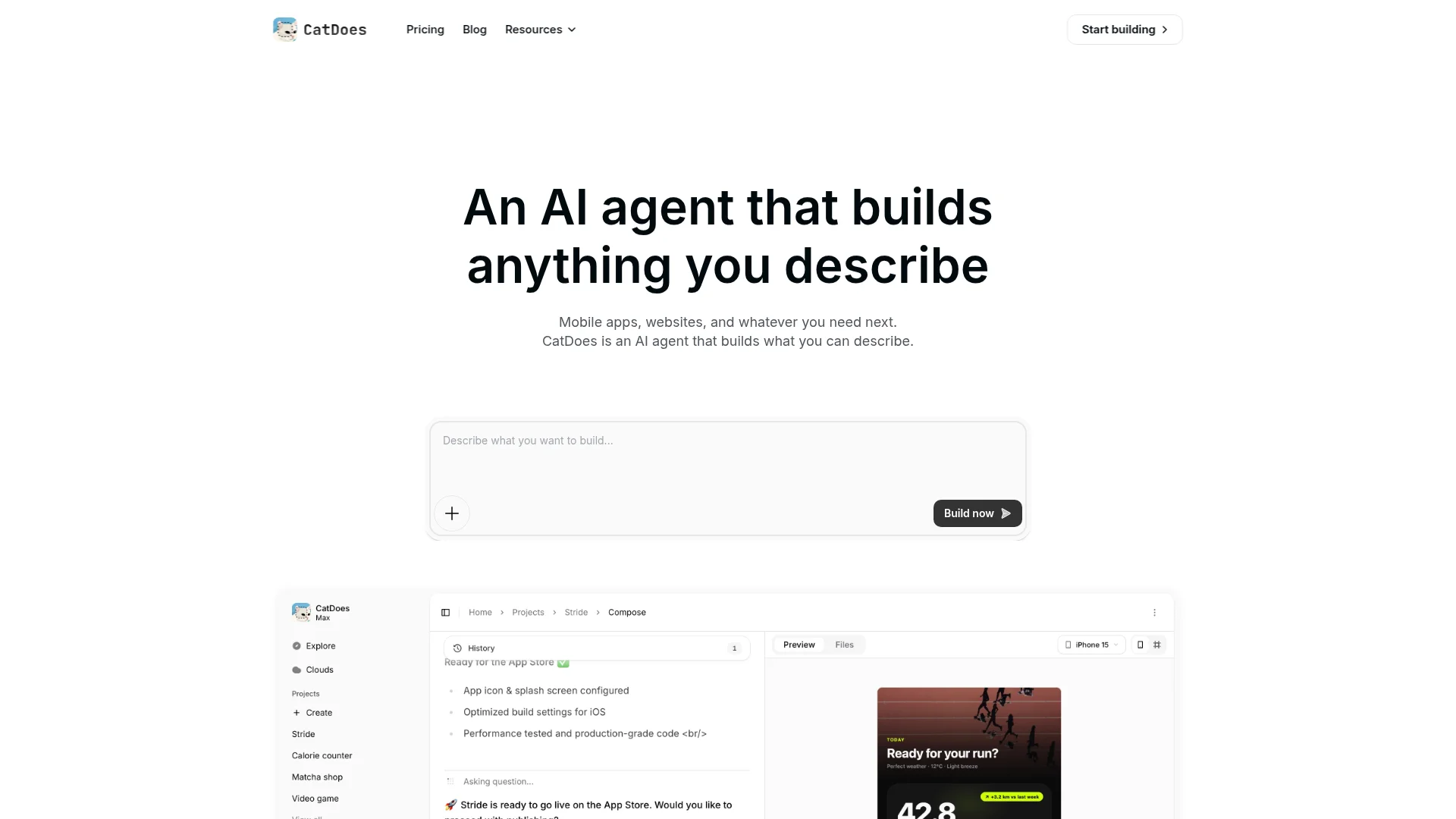
CatDoes gets to work and builds the actual pages, not a mockup. It creates the homepage, about, services, rates, and contact pages, wires up the navigation, and sets up the contact and booking forms. This is the part that would normally take an agency days. You watch it happen in a few minutes.
Step 3: Add your real content
Swap the placeholder copy for your own. Add your bio and credentials, your real specialties, your fees, and your headshot. Write your about page the way you would talk to a nervous new client: plain, warm, and specific. If you are stuck on wording, describe what you want to say and let the agent draft it, then edit it into your own voice.
Step 4: Refine the design by asking
Do not like the hero image? Want a softer color? Just ask. Type "make the background a warmer off-white" or "move the booking button into the header" and the agent adjusts it. You keep refining in plain English until it feels calm and right, no CSS required.
Step 5: Set up booking and intake
This is the step that turns visitors into clients, so do not rush it. Add a clear "Book a free consultation" button to every page and connect your booking flow. For anything that collects client health information, use a HIPAA-compliant form and a secure connection (we cover exactly what that means below). Test it by booking a slot yourself. A form that never reaches you is a client lost.
Step 6: Publish to your domain
When it looks right, hit publish. CatDoes deploys the site and connects your custom domain over a secure HTTPS connection. You can buy a new domain or point one you already own at the site. Within minutes your therapist website is live. For a deeper walkthrough of going live, see our guide on how to publish a website.
Must-Have Features for a Therapist Website
Whether you build with CatDoes or another tool, these are the features that separate a site that fills your calendar from one that just sits there. Do not launch without them.
Online booking. Let clients see your availability and book directly. Removing the "call to schedule" step dramatically increases the number of people who actually reach out.
HIPAA-compliant intake and contact forms. Any form that collects health information must be encrypted and backed by a Business Associate Agreement. This is non-negotiable, and we explain it in the next section.
A secure connection (HTTPS). An SSL certificate is table stakes for trust and for ranking. Every therapist site should load over HTTPS.
Telehealth clarity. If you see clients online, say so, and list the states where you are licensed. Multi-state telehealth practices should structure the site so both clients and search engines understand the coverage.
Mobile-first design. More than half of visitors arrive on a phone. If your site is slow or awkward on mobile, you lose them.
Clear, repeated calls to action. A single, calming "Book a consultation" button on the homepage, services page, and every blog post guides the visitor without pressure.

For a broader checklist that applies to any professional site, our post on what your small business website must have covers the fundamentals of trust, speed, and conversion.
HIPAA and Compliance: What Actually Needs to Be Compliant
This is where most therapist website guides go quiet or get it wrong, so let us be precise. HIPAA applies the moment your website collects information that could identify a client or reveal anything about their health, treatment, or payment. A contact form, a scheduling button, or an intake questionnaire all count. Your public marketing pages (your homepage, your bio, your blog) do not collect that data, so they are not the issue. The forms are.
The common and risky misconception is that only your EHR needs to be compliant. In reality, any tool that touches protected health information (PHI) falls under HIPAA. And here is the part that surprises people: the built-in forms on Squarespace, Wix, Webflow, and standard WordPress are not HIPAA-compliant out of the box. Being on an SSL site or a well-known brand does not make a form compliant.
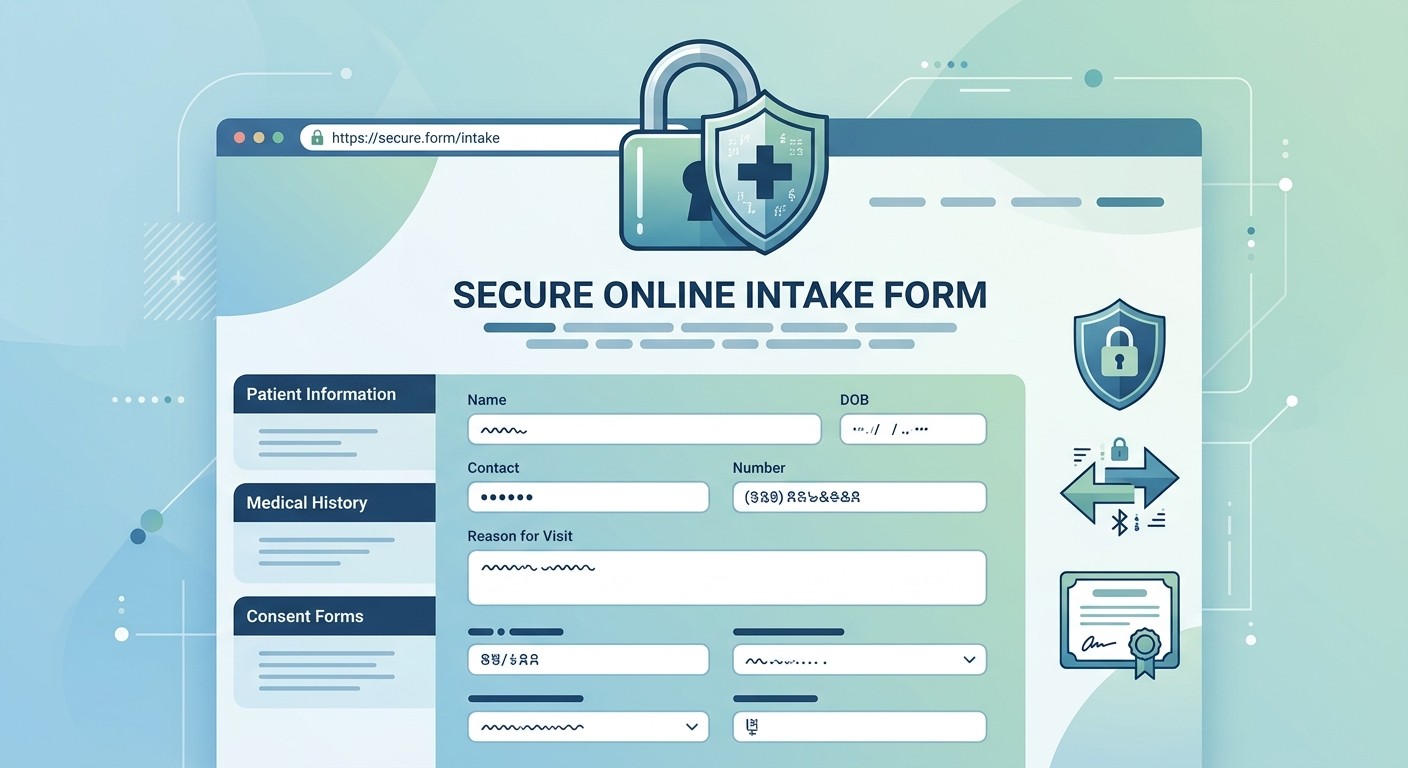
Two things make a form compliant: the vendor signs a Business Associate Agreement (BAA) with you, and the data is encrypted both in transit and at rest. The practical path is to use a HIPAA-compliant form or scheduling tool that will sign a BAA, collect only the information you truly need, add consent and an e-signature, and embed it into your site. You keep your design and domain; the secure form handles the PHI.
A few more compliance essentials for a private practice:
HTTPS everywhere. A valid SSL certificate on your whole site.
A Notice of Privacy Practices and privacy policy. Required by federal law if you bill insurance electronically, and good practice for everyone.
No client testimonials. This one trips up a lot of therapists. The ethics codes of the APA, ACA, NASW, AAMFT, and NBCC prohibit soliciting testimonials from current clients because of the power imbalance in the relationship. Never ask clients for reviews, and never confirm in a public reply that someone is or was a client, which is itself a HIPAA violation. Build social proof instead through your own writing, professional credentials, and colleague endorsements.
The specifics of whether and how HIPAA applies depend on your practice setup and state, and the rules around former-client testimonials vary by license. For anything that carries licensure risk, confirm against your own board's code and consult a healthcare attorney. You can read the official rules directly from the U.S. Department of Health and Human Services and the APA Ethics Code.
SEO for Therapists: How to Get Found Locally
Most therapy searches are local. When someone types "anxiety therapist near me" or "trauma counseling in Chicago," Google shows a map pack of three local listings above the regular results. Getting into that map pack is often the single highest-leverage thing you can do to fill your caseload.

Here is where to focus, in order of impact.
Claim and complete your Google Business Profile. This is the biggest lever for local visibility. Verify it, choose the right primary category (Psychotherapist, Counselor, or Marriage or Family Therapist), and fill in every field. Google only ranks verified profiles.
Keep your name, address, and phone identical everywhere. Your website, Google profile, Psychology Today listing, and any directories should match exactly. Inconsistency erodes the trust Google places in your practice.
Create a page per specialty and location. A dedicated page for "EMDR therapy in Austin" will rank far better than one page that lists everything. Match the words your clients actually search.
Lead with expertise, not keyword stuffing. Because therapy is YMYL content, Google rewards demonstrated credentials and accurate information. Stuffing keywords into your business name can get your profile suspended.
Publishing helpful articles on the questions your clients ask ("What is EMDR and is it right for me?") compounds over time and feeds both Google and AI search. It is the safe, ethical alternative to chasing reviews.
How Much Does a Therapist Website Cost?
Cost depends entirely on how you build it. Here is a realistic range for each path in 2026.
Hiring a designer or agency: $2,000 to $8,000+ upfront, plus ongoing maintenance. Best if you want something fully bespoke and have the budget.
Therapist-specific platforms (Brighter Vision, TherapySites): roughly $50 to $100+ per month. Built for the niche, but you are locked into their templates and structure.
General template builders (Squarespace, Wix): $20 to $50+ per month, plus a separate HIPAA-compliant form tool, since their native forms are not compliant.
AI website builders like CatDoes: Start building for free and move to a paid plan when you publish to a custom domain. You get a custom design without the agency price tag.
Two costs are constant across every path: your domain (usually $10 to $20 per year) and a HIPAA-compliant form or booking tool with a signed BAA. For most therapists starting out, an AI builder hits the sweet spot of a custom look at a low cost.
Common Mistakes to Avoid
These are the errors that quietly cost therapists clients. Avoiding them puts you ahead of most competitor sites.
Using a non-compliant contact form. The single most common mistake. A native Squarespace or Wix form collecting health details is a compliance risk. Use a form vendor that signs a BAA.
Being vague about who you help. "I help people feel better" attracts no one. Name your niche, your approach, and who you are for.
Hiding your fees. A missing rates page makes people bounce to a competitor who is upfront. Transparency builds trust and pre-qualifies inquiries.
A cold or clinical design. Harsh colors and stock photos of brains do not soothe an anxious visitor. Aim for calm, warm, and human.
Letting the site go stale. An old headshot, a wrong address, or a broken booking link signals a practice that is not paying attention. Keep it current.
Frequently Asked Questions
Do I need coding skills to build a therapist website?
No. With an AI website builder like CatDoes you describe your practice in plain English and the agent builds the pages, the navigation, and the forms for you. You refine the design by asking, not by writing code.
How long does it take to build a therapist website?
A first working version can be ready in under an hour with an AI builder. Adding your bio, fees, and headshot, connecting a HIPAA-compliant booking tool, and pointing your domain typically takes an afternoon. An agency, by contrast, usually takes several weeks.
Is my therapist website automatically HIPAA-compliant?
Your public marketing pages do not need to be HIPAA-compliant because they do not collect health information. Any form that does (contact, intake, scheduling) must be encrypted and backed by a Business Associate Agreement. Use a HIPAA-compliant form or booking tool that will sign a BAA, and always confirm your specific obligations with a compliance professional.
Can I add online booking and telehealth?
Yes. You can embed a HIPAA-compliant booking tool so clients schedule directly from your site, and link out to a compliant telehealth platform for video sessions. If you later want a home-screen presence and push reminders, you can even build a companion booking app without starting over.
Can I use my own domain name?
Yes. You can buy a new domain during setup or connect one you already own. A custom domain like yournametherapy.com looks far more professional than a free subdomain and builds trust with prospective clients.
Build Your Therapist Website Today
A great therapist website is not about flashy design. It is about helping the right person feel safe, showing them clearly how you can help, and making it effortless to book. You now have the full playbook: the essential pages, the six steps to build it, the HIPAA rules that actually apply, and the local SEO that gets you found.
The fastest way to get there is to describe your practice and let an AI agent build it. Start building your therapist website with CatDoes. Describe it in plain English, add your credentials and booking, and publish to your own domain today.
Nafis Amiri
Co-Founder of CatDoes