Blog
Tutorials
How to Write a Business Website Prompt (2026)
How to write the perfect prompt for building a business website with AI: a 6-block framework, a copy-paste template, real examples, and mistakes to avoid.

Nafis Amiri
Co-Founder of CatDoes

If you have ever typed "make me a website for my business" into an AI builder and gotten back something generic and forgettable, the tool is not the problem. The prompt is. A business website prompt is the short brief you hand the AI, and the difference between a bland template and a site that actually brings in customers comes down to how clearly you write it. This guide walks through exactly how to write a business website prompt in 2026, with a repeatable framework, a copy-paste template, real examples, and the mistakes that quietly ruin most first attempts.
TL;DR: Treat your prompt like a brief for a web designer, not a search query. Name the business and the one job the site must do, say who your customers are, list the pages and sections you need, describe the brand feel, ask the AI to write the copy, and spell out the backend (contact forms, bookings, payments, domain). Draft it before you open the builder, then refine one thing at a time. The more specific you are up front, the fewer rounds it takes to reach a site you would actually pay for. This guide uses CatDoes (an AI agent that builds and publishes the whole site, backend included) as the working example, but the framework fits any capable builder.
Table of Contents
Why Your Prompt Decides How Good the Website Is
The 6 Building Blocks of a Business Website Prompt
A Copy-Paste Business Website Prompt Template
Before and After: A Weak Prompt vs a Strong One
Prompt Examples for Common Business Types
What to Include So the Site Actually Converts
Refine in Stages After the First Draft
From Prompt to Live Website in CatDoes
Common Website Prompting Mistakes and How to Fix Them
Frequently Asked Questions
Why Your Prompt Decides How Good the Website Is
An AI website builder turns your words into design and business decisions. Every detail you leave out still has to be decided by something, so the model fills the gap with the most average option it has seen. That is why a two-word prompt gives you a stock hero image, filler copy, and a layout that could belong to any company on earth.
A clear prompt does the opposite. It removes the guesswork and locks in the choices that matter for your business. Design pros make the same point: a TechRadar guide on prompting builders like a high-end agency argues that the detail you provide is exactly what separates a bespoke site from a template. The same technique applies whether you are building a site or an app, and if your project leans toward a mobile app, the sibling guide on how to prompt an AI app builder covers that side in depth. For a business website, the payoff is direct: a sharper prompt means more of the visitors you worked to attract actually call, book, or buy.
The 6 Building Blocks of a Business Website Prompt
Strong prompts are not longer for the sake of it. They are complete. A good business website prompt answers six questions before the AI ever has to guess. Cover these six blocks and you will get a usable first draft almost every time.
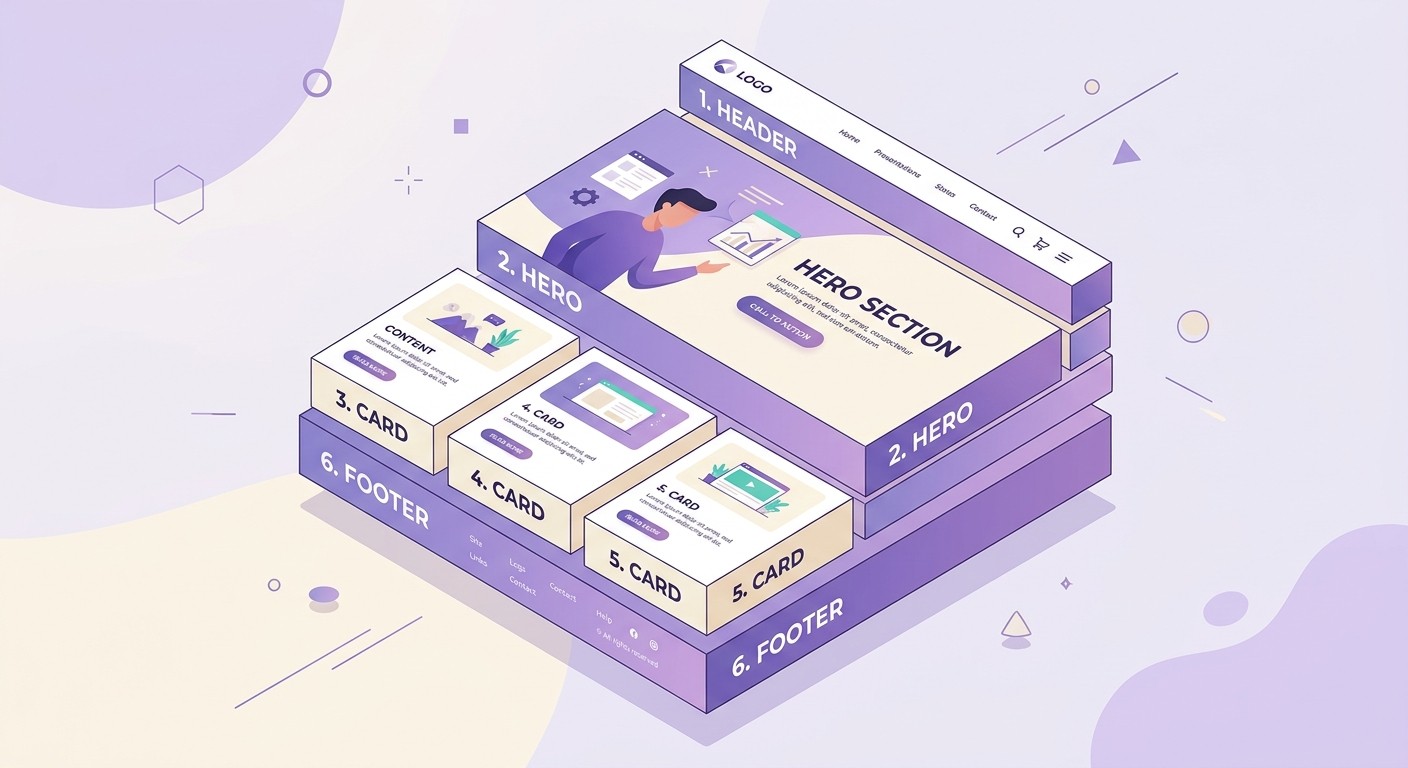
Block | What to include | Example phrasing |
|---|---|---|
1. Goal | The business and the single most important job the site must do | "I run a dental clinic. The site's #1 job is to get new patients to book a checkup." |
2. Audience | Who your customers are and what they care about | "My customers are busy parents nearby who want a dentist that is gentle and fast." |
3. Pages & sections | The pages you need and the sections on each | "Pages: Home, Services, About, Contact. Homepage needs a hero, services list, reviews, and an FAQ." |
4. Brand & design | The look, colors, and feeling you want | "Clean and calming, soft blue and white, friendly but professional." |
5. Copy | Ask the AI to write the words, or paste your own | "Write the copy in a warm, reassuring voice. My edge is same-day appointments." |
6. Backend | Forms, bookings, payments, email capture, and the domain | "Add a booking form that emails me, plus a newsletter signup. Connect brightsmile.com." |
Notice how none of these require design or coding language. You are describing your business the way you would explain it to a person you hired, not translating it into technical terms. The AI handles the translation. Your job is to be specific about the goal, the customer, and what the site needs to do for them.
A Copy-Paste Business Website Prompt Template
Here is a fill-in-the-blank template that covers all six blocks. Replace the bracketed parts with your own details and paste the whole thing into your builder as a starting prompt.
Build a [type of] website for my business, [Business Name], based in [City]. The main goal of the site is to [get more quote requests / take bookings / sell my products]. My ideal customer is [describe them and what they care about].
Include these pages: Home, [Services / Menu / Shop], About, and Contact. On the homepage, add a hero with the headline "[the promise you make]" and a "[button text]" button, a section that lists [3-4 services or products], a row of customer reviews, a short FAQ, and a footer with my hours, phone number, and address.
Design it to feel [clean and modern / warm and welcoming / premium and minimal], using [color] as the main color with plenty of white space. Write the copy for every section in a [friendly / professional / confident] voice. I sell [what you offer] and my main advantage is [your differentiator].
For the backend, add a contact form that emails [[email protected]], a [booking calendar / quote request form], and a newsletter signup. Make it fast and mobile-first, and connect my domain [yourbusiness.com].
This template works across most capable AI builders. Paste it, read the result, then improve it in small steps rather than rewriting the whole thing from scratch.
Before and After: A Weak Prompt vs a Strong One
The fastest way to see why specificity matters is to compare two prompts for the same business: a local house-cleaning company called SparkleClean.

Weak prompt | Strong prompt |
|---|---|
"Make a website for my cleaning business." | "Build a website for SparkleClean, a house-cleaning service in Austin. The #1 goal is to get free-quote requests from busy homeowners. Pages: Home, Services, Pricing, Reviews, Contact. Homepage: a hero with the headline 'A Spotless Home Without Lifting a Finger' and a 'Get a Free Quote' button, three service cards (Regular Clean, Deep Clean, Move-Out Clean), a pricing table, five-star reviews, and an FAQ about products and pets. Warm and trustworthy design, soft green and white, friendly copy. Add a quote form that emails [email protected] and asks for home size and preferred date. Mobile-first." |
The weak prompt gives the AI nothing to aim at, so it invents a business it knows nothing about. The strong prompt names the goal, the customer, the pages, the sections, the tone, and the exact form fields. One produces a template. The other produces something SparkleClean could publish the same afternoon.
Prompt Examples for Common Business Types
Every business has a different job for its website to do. These four starter prompts show how the six blocks change depending on what you are selling. Adapt the one closest to your business.
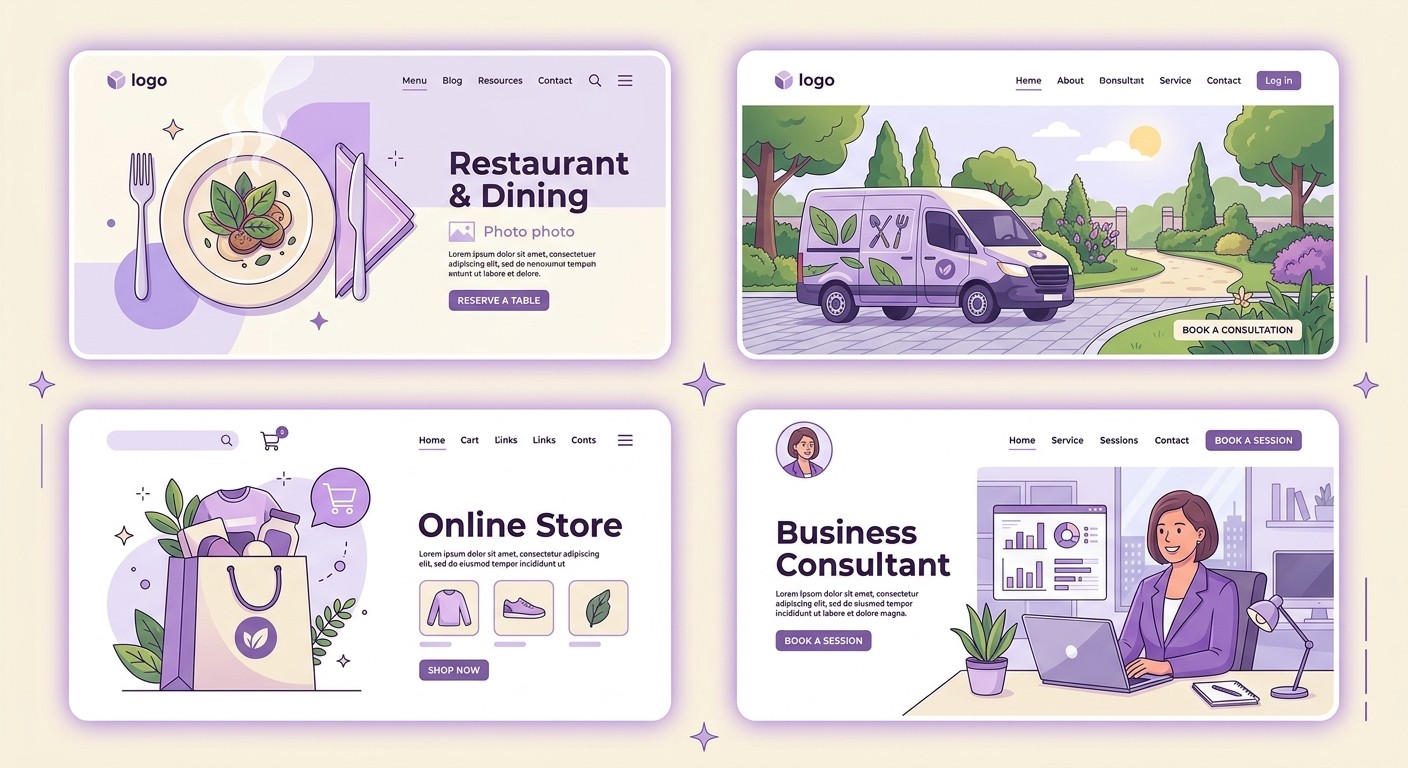
Restaurant or cafe. "Build a website for Nonna's Kitchen, a family Italian restaurant in Boston. Goal: get reservations and show the menu. Pages: Home, Menu, About, Reserve. Homepage: a warm hero with a food photo, a 'Book a Table' button, today's hours, a menu preview, and Google reviews. Cozy, rustic design in cream and deep red. Add a reservation form that emails the owner and a map to the location." Comparing tools first? See our roundup of the best restaurant website builders.
Local service or trades. "Build a website for GreenLeaf Landscaping, serving Denver suburbs. Goal: get quote requests from homeowners. Pages: Home, Services, Gallery, Contact. Homepage: hero with 'Yards the Whole Street Notices' and a 'Request a Quote' button, four service cards, before-and-after photos, and reviews. Fresh, dependable design in green and slate. Add a quote form asking for address, project type, and photos."
Online store. "Build an online store for BrewBar, a small-batch coffee roaster. Goal: sell bags of coffee. Pages: Home, Shop, About, Cart. Homepage: hero with a subscribe offer, best-selling roasts, a 'Shop Now' button, and a section on where the beans come from. Modern, earthy design in brown and cream. Add product pages with prices, a cart, checkout, and an email signup for a 10% first-order discount."
Consultant or coach. "Build a website for Mara Lund, a leadership coach for first-time managers. Goal: book discovery calls. Pages: Home, Services, About, Book. Homepage: hero with 'Lead Your First Team With Confidence' and a 'Book a Free Call' button, a three-step process, client testimonials, and a short bio. Calm, credible design in navy and off-white. Add a calendar booking form and a newsletter signup."
What to Include So the Site Actually Converts
A prompt that only describes looks will give you a pretty site that does not sell. To turn visitors into customers, ask the builder for the elements that actually move people to act. A clean, focused path from headline to action is what usability research from the Nielsen Norman Group has pointed to for years, and it still holds.

Write these into your prompt so they are there from the first draft:
One clear call to action repeated down the page ("Get a Free Quote", "Book a Table") so visitors always know the next step.
Trust signals like reviews, ratings, client logos, guarantees, or a photo of you and your team.
A fast, mobile-first layout, since more than half of your visitors arrive on a phone and slow pages lose them.
Contact options that fit how people reach you: a form, a phone number, a booking link, or a chat widget.
Built-in SEO basics: a descriptive page title, clear headings, and copy that answers the questions real customers ask.
If you want a fuller list of what a modern site needs, our guide on the things every small business website must have pairs well with this step. You can lift items straight from it into your prompt. For search visibility specifically, following Google's guidance on helpful content keeps your copy pointed at people, not algorithms.
Refine in Stages After the First Draft
Your first prompt gets you 80% of the way. The last 20% comes from small, targeted follow-ups, not from starting over. A few habits make the refining stage fast and predictable:

Change one thing at a time. "Make the hero headline shorter and add a phone number to the top bar" is easy to review. Ten changes at once is not.
Be concrete in feedback. Instead of "make it pop", say "use a bolder accent color on the buttons and increase the headline size".
Fix content in the editor. For a typo or a swapped photo, edit directly rather than re-prompting the whole page.
Draft your prompt first. Writing it in a notes app before you open the builder helps you catch missing details and, on credit-based tools, saves you money.
Once the site looks right, the final step is getting it online. If you are new to that part, our walkthrough on how to publish a website covers domains and going live.
From Prompt to Live Website in CatDoes
Everything above is builder-agnostic, but the payoff is biggest when the tool can take your brief and ship the finished site end to end. That is what CatDoes is built for: you paste a prompt like the template in this guide, and it builds a real, working business website (pages, copy, design, and the backend) that you can publish the same day.
The six blocks map almost one to one onto what CatDoes needs. Your goal and audience shape the copy and layout, your pages and sections become the sitemap, and your brand notes set the look. The backend block is where it goes furthest: contact forms, booking requests, and email signups are wired to CatDoes Cloud, which bundles the database, auth, and storage on every plan, so a submission actually lands in your inbox instead of disappearing into a form that leads nowhere. When the site looks right, you connect a custom domain and publish, with no separate hosting to set up.
A few details are worth naming in your prompt so CatDoes builds them from the first draft:
Where form submissions go: the email address for contact and booking forms, plus the fields you want to collect.
Any logins or accounts: say whether customers need to sign in, and CatDoes Cloud handles the auth for you.
Your domain: name it in the prompt so the site is ready to go live on your own URL.
For a deeper look at what makes CatDoes build exactly what you pictured, the official CatDoes guide to writing good prompts covers structure, context, and iterating with the agent. And since the same kind of brief works for app screens, a website you prompt today can grow into a matching mobile app later without starting over.
Common Website Prompting Mistakes and How to Fix Them
Most disappointing results trace back to the same handful of habits. Here is what to watch for and how to correct each one.
Describing the look instead of the goal. "Make it modern with gradients" tells the AI nothing about what the site should achieve. Lead with the job the site must do, then describe the style.
One vague sentence. A single line like "website for my shop" leaves every real decision to the model. Cover the six blocks instead.
Forgetting the backend. A contact form that goes nowhere is worthless. Say where form submissions should go and what fields you need.
Skipping the audience. The same business looks very different for luxury buyers versus bargain hunters. Name who it is for.
Rebuilding for a small tweak. Regenerating the whole site to move one button wastes time and often changes things you liked. Make surgical edits.
Frequently Asked Questions
How long should a business website prompt be?
Long enough to cover the six blocks and no longer. For a starter prompt, that is usually four to eight sentences or a short bulleted brief. The goal is completeness, not word count. Once the first draft exists, your follow-up prompts can be a single sentence each.
Do I need to know how to code or design?
No. You describe your business, your customers, and what you want the site to do in plain language, and the AI handles the design and the code. The skill you are building is clear communication, not technical knowledge.
Should I write one big prompt or several small ones?
Both. Start with one detailed prompt that covers all six blocks so the AI has a strong foundation. Then switch to small, single-change prompts to refine. That order gives you a coherent site first and precise control second.
How do I get the AI to write the actual copy for my business?
Ask for it directly and give it something to work with. Tell the builder what you sell, who it is for, your tone, and your main advantage, then say "write the headline and section copy for each page." The more context you give, the less generic the writing.
Can I turn my prompt-built website into an app later?
Often, yes. Many businesses start with a site and later want a mobile app version. The prompting technique carries over almost unchanged. The same clarity about goal, audience, and features applies to app screens too.
Your Prompt Is the Blueprint
A business website is only as good as the brief behind it, and with an AI builder that brief is your prompt. Name the goal and the customer, list the pages and sections, describe the brand, ask for the copy, and spell out the backend. Draft it before you open the builder, then refine one change at a time. Do that and you skip the generic first drafts most people settle for, and land on a site that does real work for your business. When you are ready to watch a prompt turn into a live, working website, you can build one with CatDoes and go from a paragraph of plain English to a published site.
Nafis Amiri
Co-Founder of CatDoes


