Blog
Tutorials
How to Build a Booking App (Step-by-Step) IN 2026
Learn how to build a booking app like Airbnb or Calendly. A step-by-step guide to scheduling, payments, and launch using an AI app builder. Start free today.

Nafis Amiri
Co-Founder of CatDoes

TL;DR: To build a booking app, you need five core pieces: user accounts, a calendar with real-time availability, a booking flow that prevents double-bookings, payments, and notifications. The fastest way to ship all five is an AI app builder. You describe your app in plain English, the AI builds the screens and the backend, runs an App Store review check before you submit, and publishes to the App Store, Google Play, or the web. This guide walks through the whole process end to end using CatDoes, then covers features, cost, and monetization.
Every booking app, from Airbnb to Calendly, solves the same problem: matching a person who wants a slot of time or a space with the person who owns it, without the two of them playing phone tag. A guest books a room for three nights. A client books a 30-minute call on Tuesday. A patient books the 4pm dentist appointment. Same pattern, different inventory.
That pattern is deceptively hard to build from scratch. You have to track availability in real time, stop two people from grabbing the same slot, charge a card, and send reminders so nobody no-shows. This guide shows you how to build a booking app without hiring a development team, step by step, and exactly which features you cannot skip.
Table of Contents
What Is a Booking App?
Airbnb-Style vs Calendly-Style Booking Apps
Why Build a Booking App Without Code
How to Build a Booking App in 7 Steps
Must-Have Booking App Features
How Much Does It Cost to Build a Booking App?
How to Monetize Your Booking App
Common Mistakes to Avoid
Frequently Asked Questions
What Is a Booking App?
A booking app lets one person reserve a slice of someone else's time or space and (usually) pay for it in the same flow. The "slice" might be a hotel room, a barber's chair at 2pm, a tennis court on Saturday, or a sales demo with you next week. The app's job is to show what is free, lock it the moment someone books, and keep everyone informed.
Underneath, every booking app runs on the same building blocks:
Accounts: profiles for the people booking and, often, the people offering slots.
Availability calendar: a live source of truth for what is open and what is taken.
Booking engine: the logic that reserves a slot and blocks double-bookings.
Payments: deposits, full payment, or pay-on-arrival.
Notifications: confirmations and reminders by push or email so people show up.
Airbnb-Style vs Calendly-Style Booking Apps
Before you build, decide which of the two shapes your app takes. They share the same core but differ in who owns the inventory.
Type | Airbnb-style | Calendly-style |
|---|---|---|
Inventory | Spaces and listings from many hosts | Your own (or your team's) time |
Sides | Two-sided: hosts and guests | One-sided: you and your clients |
Booking unit | Nights, days, properties | Time slots (15, 30, 60 min) |
Examples | Airbnb, Booking.com, Peerspace | Calendly, Cal.com, dentist booking |
If your app has many people listing spaces or services, you are really building a two-sided marketplace with a calendar on top. That adds listings, search, and a reviews layer. We go deep on that pattern in our guide on how to build a marketplace app. If your app schedules your own time or your team's, the Calendly shape is simpler: no second side to onboard, just slots and a payment.
Why Build a Booking App Without Code
A custom booking app built by an agency typically takes three to six months and runs well into five figures, mostly because the availability logic and payments need careful engineering. An AI app builder collapses that. You describe the app in plain English, and the AI writes the screens, the database, and the booking logic for you.
The trade-off used to be control: no-code tools locked you into their templates. AI builders like CatDoes are different because they generate real code (React Native and a real backend), so you are not boxed in. You get the speed of no-code with the flexibility of a custom build, and you can export or sync the code to GitHub when you outgrow the visual workflow.
How to Build a Booking App in 7 Steps
Here is the full process using CatDoes, an AI agent that builds, deploys, and maintains mobile apps and websites from natural language. You can follow along free.
Step 1: Describe your booking app in plain English
Open CatDoes and tell the agent what you want. Be specific about the booking unit and the flow. For example: "Build a booking app for a yoga studio. Clients browse classes by day, see open spots, book a spot, and pay a 10 dollar deposit. Send a reminder one hour before class." The more concrete you are about slots, price, and reminders, the closer the first build lands.
CatDoes spins up in the cloud, plans the screens, and starts building. You watch it work and can interrupt at any point to change direction.
Step 2: Set up accounts and roles
Ask the agent to add sign-in. CatDoes Cloud includes authentication out of the box, so you do not wire up a separate auth provider. For a Calendly-style app you usually need one role (your clients). For an Airbnb-style app, ask for two roles, hosts and guests, with different home screens. Tell the agent: "Add email and Google sign-in, and give hosts a dashboard to manage their listings."
Step 3: Build the availability calendar and backend
This is the heart of a booking app, and it is where the backend matters most. Availability has to live in a real database so that the moment one person books the 3pm slot, it disappears for everyone else. CatDoes Cloud is the built-in backend, included on every plan: it gives you a database, storage, edge functions, and realtime out of the box.
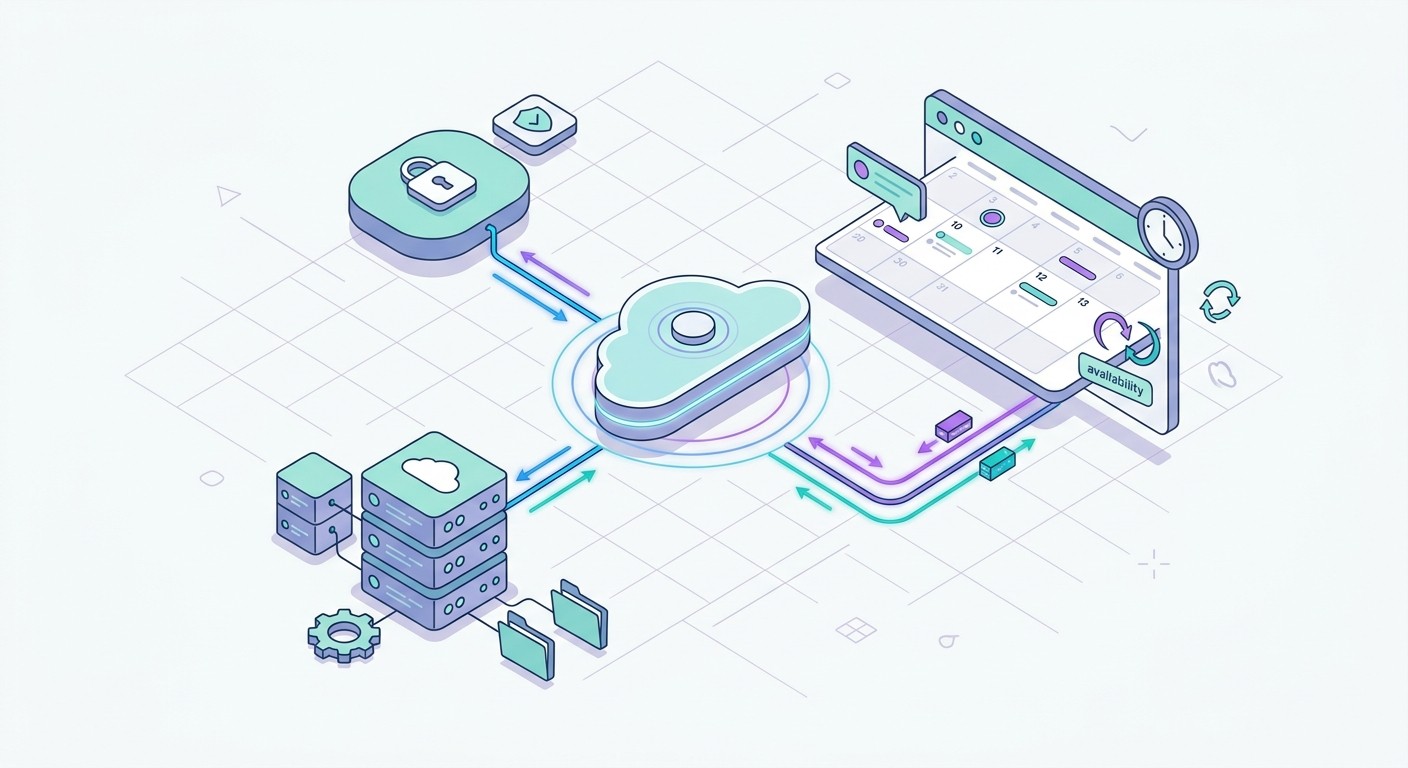
Tell the agent: "Store availability in the database. When a slot is booked, mark it unavailable in real time so no one else can take it." Realtime updates push the change to every open device instantly, which is exactly what stops double-bookings. If you want to understand the trade-offs here, our guide on how to choose a mobile app backend breaks down what a booking app actually needs from its backend.
Step 4: Add the booking flow
Now connect the calendar to a booking action. The flow should be: pick a date, see open slots, choose one, confirm details, done. Ask CatDoes for guardrails: "Prevent booking a slot in the past, block double-bookings, and let users cancel up to 24 hours before." These rules run in the backend as edge functions so they cannot be bypassed from the app.
Step 5: Connect payments
Most booking apps take money, either a deposit to reduce no-shows or full payment up front. Ask the agent to add a payment step to the booking flow: "Charge a 20 dollar deposit when a class is booked, and refund it if the user cancels in time." CatDoes wires the payment provider and the success and failure states so a failed charge never leaves a slot half-booked.
Step 6: Run the App Store review check before you submit
This is the step most builders skip and then regret. Apple and Google reject a large share of first submissions for issues that are easy to fix if you catch them early: missing privacy labels, broken sign-in, placeholder content, or no way to delete an account. A rejection adds days, sometimes weeks, to your launch.
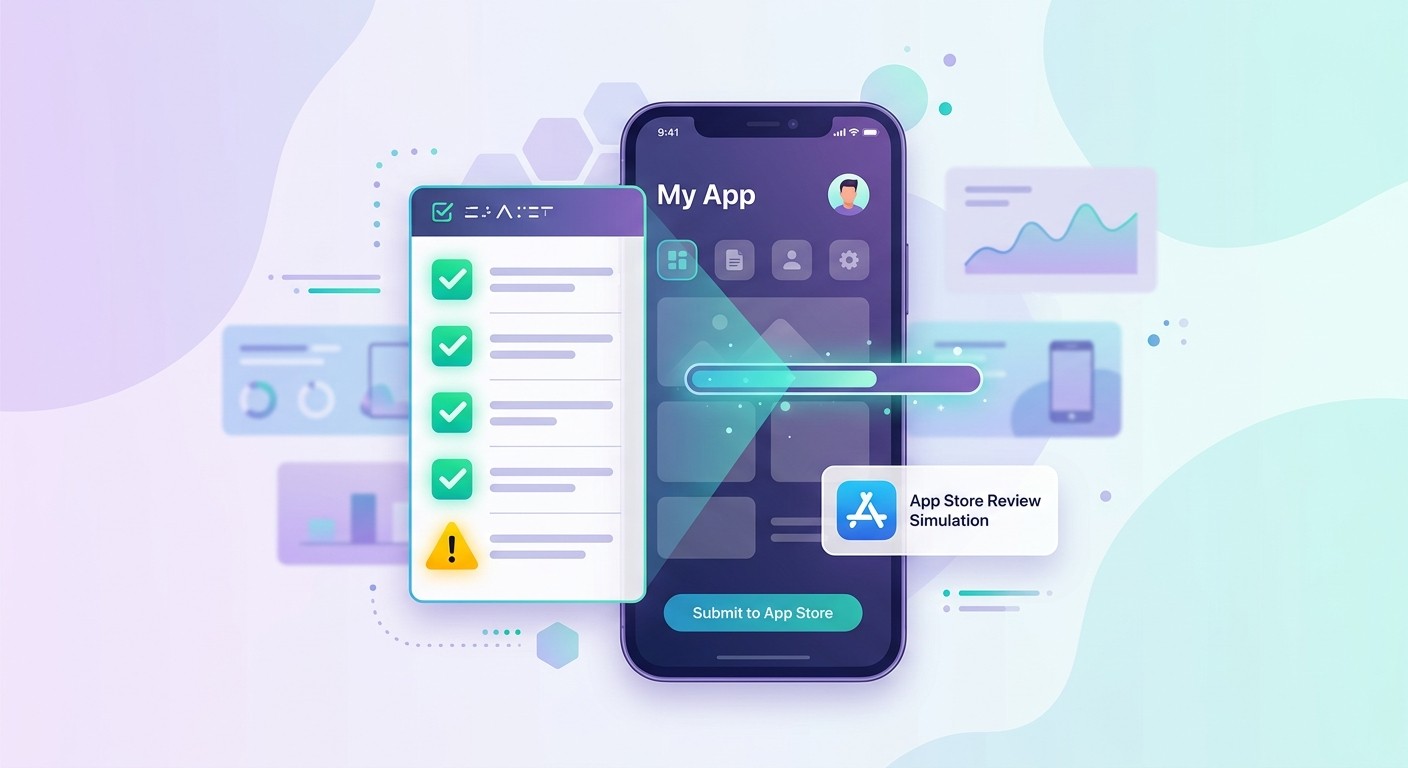
CatDoes runs an App Store review simulation before you submit. It checks your app against the common rejection reasons and flags problems while you can still fix them in seconds, instead of waiting on a reviewer to bounce it back. Fix what it finds, then submit with far better odds of a first-time approval. When you are ready, our walkthrough on how to submit an app to the App Store covers the submission itself.
Step 7: Deploy to the App Store, Google Play, or the web
Once the review check is clean, tell CatDoes to ship. It publishes to the App Store, Google Play, or the web, and you can point a custom domain at the web version. The agent handles the build, signing, and store metadata. Your booking app is live, and because CatDoes also maintains the app, you can keep asking for changes after launch (new class types, a waitlist, a loyalty discount) without touching code.
Must-Have Booking App Features
Whatever you build, these features separate a booking app people trust from one they abandon:
Real-time availability: the calendar must update instantly. Stale availability is the fastest way to lose trust.
Double-booking protection: enforce it in the backend, not just the UI, so two devices cannot grab one slot.
Automated reminders: push and email reminders cut no-shows dramatically.
Easy cancellation and rescheduling: with clear cutoff rules and automatic refunds where due.
Calendar sync: let users add bookings to Google or Apple Calendar.
Time-zone handling: essential the moment you book across cities, the most common Calendly-style bug.
Reviews and profiles: for Airbnb-style apps, a reputation layer keeps both sides honest.
How Much Does It Cost to Build a Booking App?
The cost depends entirely on how you build it:
Approach | Time | Typical cost |
|---|---|---|
Hire an agency | 3-6 months | $30,000-$150,000+ |
Hire freelance developers | 2-4 months | $15,000-$60,000 |
Traditional no-code tool | 4-8 weeks | $50-$300/mo + your time |
AI app builder (CatDoes) | An afternoon to a few days | Free to start, from $20/mo |
The reason the AI route is so much cheaper is that the expensive parts (availability logic, payments, and the backend) come built in rather than billed by the hour. You are paying for credits that run the AI agent, not a team's monthly salary.
How to Monetize Your Booking App
A booking app has more revenue levers than most apps because money already flows through it. The main models:
Commission: take a percentage of each booking. This is the Airbnb model and works best for two-sided apps.
Subscription: charge hosts or businesses a monthly fee to list and manage bookings. This is closer to the Calendly model.
Booking fee: add a small flat fee per booking on top of the price.
Featured listings: let hosts pay to rank higher in search.
Most successful booking apps combine two of these, for example a small commission plus featured listings. For a deeper breakdown of pricing models and in-app purchases, see our guide on how to monetize an app.
Common Mistakes to Avoid
Trusting the UI for availability: always enforce booking rules in the backend. A clever user will otherwise find a way to double-book.
Ignoring time zones: the single most common cause of "I booked 3pm but it shows 9am" complaints.
No reminders: skip them and your no-show rate climbs, which kills both revenue and trust.
Submitting to the App Store blind: run a review check first. A rejection costs you days you did not budget for.
Building both sides at once: if you are making an Airbnb-style app, get one side working before you onboard the other.
Frequently Asked Questions
How long does it take to build a booking app?
With an AI app builder, a simple Calendly-style booking app can be working in an afternoon. A two-sided, Airbnb-style app with listings, search, and reviews takes a few days. Built traditionally with a development team, the same app takes three to six months.
Do I need to know how to code to build a booking app?
No. With CatDoes you describe the app in plain English and the AI agent builds the screens, the database, and the booking logic. You only touch code if you want to, and even then it is real exportable code rather than a locked template.
How do booking apps prevent double-bookings?
By storing availability in a real-time database and enforcing the "one booking per slot" rule in the backend. The moment a slot is taken, it updates for every other user instantly. CatDoes Cloud includes a realtime database, so this works without extra setup.
Can I add payments to my booking app?
Yes. You can charge deposits, full payments, or booking fees. CatDoes wires up the payment provider and handles the success, failure, and refund states so a failed charge never leaves a slot in limbo.
Will my booking app get approved by the App Store?
Your odds go way up if you fix issues before submitting. CatDoes runs an App Store review simulation that checks your app against common rejection reasons (privacy labels, account deletion, broken flows) so you can fix them before a reviewer ever sees the app.
Start Building Your Booking App Today
A booking app is one of the most useful and most monetizable apps you can build, and you no longer need a development team to ship one. Describe it, let the AI build the calendar and backend, run the App Store review check, and publish. Start building your booking app free with CatDoes and go from idea to a live, bookable app faster than you can schedule a meeting to discuss it.
Nafis Amiri
Co-Founder of CatDoes


