Blog
Insights
Best AI App Builder for Designers in 2026
Find the best AI app builder for designers in 2026. We compare Figma Make, CatDoes, Lovable, FlutterFlow and 4 more on Figma import, output and pricing.

Nafis Amiri
Co-Founder of CatDoes

The best AI app builder for designers depends on where your design has to end up. If you work in Figma and need a clickable prototype or a web app, Figma Make is the best fit, because it reads your frames and library styles directly. If the design has to become a native iOS and Android app in the App Store and Google Play, plus a website to go with it, CatDoes is the stronger pick: Figma Make, Lovable and v0 build web apps only.
This guide is for product, UI and UX designers who want a working app, not another mockup. We compared 8 tools on how they take in your design, how much visual control you keep, what they output and what it costs to ship.
TL;DR: Figma Make is the best AI app builder for designers who already work in Figma, Lovable is the pick for a full-stack web app with sign-in and data, and v0 suits React UI you hand to developers. For native mobile apps, CatDoes builds the app and backend from your screens, submits it to the App Store, and can build the website in the same project. FlutterFlow Studio gives you a drag-and-drop canvas instead, and Bravo Studio turns a finished Figma file into an app.
Best AI app builder for designers, by goal (2026)
You work in Figma and need a web prototype or web app: Figma Make
Your design has to ship as a native iOS and Android app, with a website too: CatDoes
A polished full-stack web app with sign-in and data: Lovable
Drag-and-drop control over a native app: FlutterFlow Studio
Your team has a design system coded in React: UXPin Forge
React components a developer will finish: v0 by Vercel
A finished Figma file turned into a native app: Bravo Studio
A marketing website you lay out by hand: Framer
Table of Contents
How We Picked and Scored These Tools
Comparison Table: AI App Builders for Designers
AI App Builder vs AI Design Tool: Which Do You Need?
Figma Make: Best for Designers Who Work in Figma
CatDoes: Best for Turning Designs Into Native Apps and Websites
Lovable: Best for a Polished Full-Stack Web App
FlutterFlow: Best for Hands-On Visual Control of a Native App
UXPin Forge: Best for Teams With a Coded Design System
v0 by Vercel: Best for React UI You Hand Off to Developers
Bravo Studio: Best for Turning a Finished Figma File Into a Native App
Framer: Best for Designing a Marketing Site on a Canvas
Also Considered: Blink, Base44 and Bolt
Which Tools Let You Make Small Design Edits Without the AI?
How to Turn a Figma Design Into a Native App With CatDoes
How to Choose the Right AI App Builder as a Designer
AI App Builders for Designers: FAQ
Final Verdict
How We Picked and Scored These Tools
On November 16, 2026, we asked ChatGPT, Claude, Gemini and Perplexity the same question: "What's the best AI app builder for designers?" All four named Figma Make and Lovable, and three named v0 and FlutterFlow. ChatGPT added that these tools are "generally better at web apps than polished native iOS/Android apps."
That gap shaped this list. We kept the tools AI assistants already recommend, added the ones that ship native apps, and scored each on six things designers care about:
Starting from your design: Figma import, screenshots or a design system, and the plan each one needs.
Visual control: how you make small edits, and whether each edit spends AI credits.
Design system fit: whether it builds with your components and tokens or invents its own.
Output: a web app, a website, or a native iOS and Android app.
Path to launch: backend, hosting, and App Store or Google Play publishing.
Cost: the paid plan you need for the features above.
We checked every claim against the vendor's own docs and pricing pages in November 2026. We didn't run a new design-quality test for this post. For that, we cite UI-Bench, a blind study where 194 experts, 65.5% of them designers, made 4,075 head-to-head picks between sites built by 10 AI tools.
UI-Bench's sites were generated in August 2025, so treat its ranking as a snapshot. It also judged desktop web layouts only.
Comparison Table: AI App Builders for Designers
Tool | Best for | How it takes your design | Output | App Store and Google Play | Backend | Paid plans from |
|---|---|---|---|---|---|---|
Figma Make | Designers already in Figma | Paste frames or a design link | Web app | No | Yes (Payload or Supabase) | $16/mo Full seat, billed yearly |
CatDoes | Native apps and websites | Screenshots, mood boards, sketches | Native iOS and Android, websites, web apps | Yes, from $50/mo | Yes, included | $20/mo web, $50/mo stores |
Lovable | Polished web apps | Figma plugin (needs a Figma Dev seat) | Web app | No | Yes (Lovable Cloud) | $25/mo |
FlutterFlow Studio | Visual control of a native app | Figma theme import, frame import on Max | Native iOS and Android, web | Yes, from $39/mo | Firebase or Supabase | $39/mo |
UXPin Forge | Coded design systems | Figma plugin (copy and paste) | React UI and web apps | No | No | $49/mo per seat |
v0 by Vercel | React UI for developers | Paste a Figma link (paid plans) | Web app (Next.js) | No | Through Vercel partners | $30/mo per user |
Bravo Studio | Figma file to native app | Connect a tagged Figma file | Native iOS and Android | Yes, Solo plan | No, connects to your APIs | $22/mo |
Framer | Marketing websites | Figma plugin (paste layers) | Website | No | CMS only | $10/mo, billed yearly |
AI App Builder vs AI Design Tool: Which Do You Need?
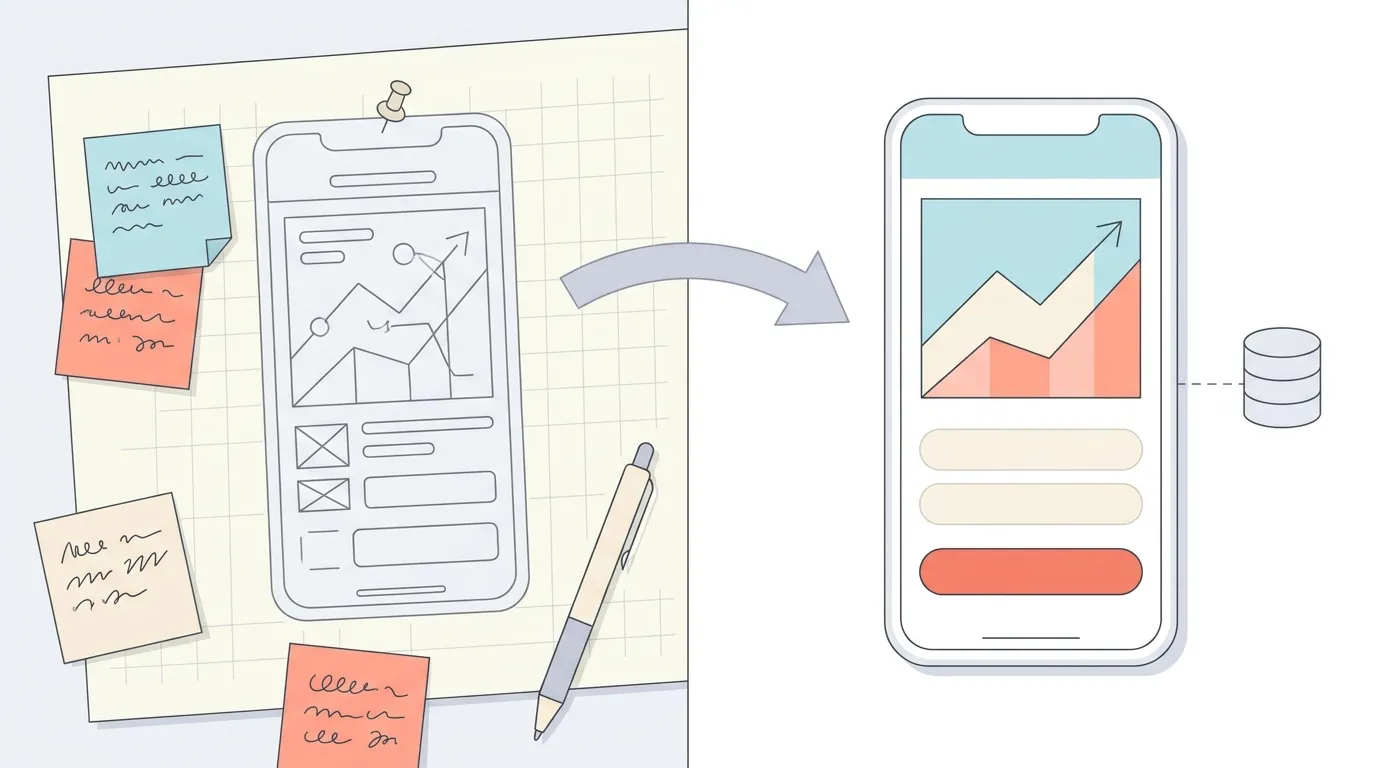
An AI design tool gives you screens. An AI app builder gives you a working app with data, sign-in, and a live URL or store build. Many designers need both, in that order.
Google Stitch, Sleek and UX Pilot are design tools. They turn prompts into UI screens you can export to Figma or code, but they don't build the app around them. UX Pilot says it plainly: it "designs apps, it does not build them."
Design tool | What it makes | Exports | Price |
|---|---|---|---|
Google Stitch | Mobile and web UI designs, clickable prototypes | Figma, HTML and CSS | Beta with daily credits, no public pricing |
Sleek | iOS and Android app screens | Figma layers, HTML or React with Tailwind | Free (60 one-time credits), Starter $29/mo |
UX Pilot | Wireframes, hi-fi screens and prototypes for mobile and web | Figma, HTML, CSS and React | Free (80 credits a day), Pro $29/mo |

Use a design tool to explore, then take the screens into one of the app builders below. Sleek, for example, hands its screens to coding agents such as Claude Code, Codex or Cursor to build the app.
Figma Make: Best for Designers Who Work in Figma

Verdict: Figma Make is the best AI app builder for designers who already work in Figma and need a web prototype or web app. It's the most direct path from your frames to working code, but it doesn't build native mobile apps.
You add designs through the Add context menu, by pasting a design link, or by pasting frames and components straight into the chat. On paid plans, Make can pull style context from your Figma libraries, and Make kits can bundle your variables, styles, guidelines and npm packages.
For data, Make can set up a Payload backend hosted by Figma, with a database, file storage and sign-in, or connect to Supabase. You publish to a figma.site address, and custom domains start on the Professional plan.
In UI-Bench, Figma Make won 57.1% of its blind matchups, second of 10 tools. It managed that with shorter prompts, because of a 500-character input limit at the time.
The free Starter plan includes 150 AI credits a day, up to 500 a month. Full access needs a paid Full seat: $16 a month on Professional, billed yearly, with 3,000 AI credits a month.
Watch out for:
Web only. Figma's help center says code layers "support web apps only. Native iOS, Android, and desktop apps aren't supported".
Edits in the properties panel are applied by the AI agent and use credits. Figma puts a font change at 30+ credits.
Dev, Collab and View seats can only try Make in drafts.
CatDoes: Best for Turning Designs Into Native Apps and Websites

Verdict: CatDoes is the best pick when your design has to become a native iOS and Android app, a website, or both. Its AI agent builds the app and the backend from your screens, then builds it for the App Store and Google Play or publishes it to the web.
CatDoes doesn't import Figma files. You export your frames as images and attach them to the chat, up to 4 per message, along with mood boards, screenshots of apps you like, or paper sketches. The agent writes a React Native (Expo) app that uses native UI components, not a web page wrapped in an app.
CatDoes builds websites too, in React with Vite and Tailwind CSS. One project can hold a website and a mobile app side by side, so you can build the app and its landing page together. Every web deploy gets a free catdoes.app address, and you can connect your own domains, up to 20 per project on the Max and Team plans.
Two recent updates matter for designers. Since October 2026, new apps start with a native design system and UI components that support Apple's Liquid Glass on iOS. Screenshot Markup lets you draw on a screenshot of the preview, add notes and attach it, which works like redlining a build.
You check the result in the browser at iPhone, Pixel or iPad sizes, or scan a QR code to run it on your own phone in Expo Go. Every plan includes CatDoes Cloud, so sign-in, the database and file storage are set up for you.
When the app is ready, the agent builds the iOS version and can submit it to the App Store. For Android, you get a build to upload to Google Play yourself. Before you submit, ask "Is my app ready for the App Store?" and the agent checks it against Apple's and Google's review guidelines.
The free plan has 15 one-time credits and publishes to the web with a CatDoes badge. Core is $20 a month for web publishing, and custom domains plus App Store and Google Play builds start on Starter at $50 a month. Code export starts on Plus at $100 a month.
Watch out for:
No Figma import and no design canvas. Visual changes go through the chat and use credits, though on Core and up you can edit the code yourself in the Files tab.
It doesn't sync with your component library or design tokens.
You upload Android builds to Google Play yourself, and iOS releases need an Apple Developer account.
Lovable: Best for a Polished Full-Stack Web App

Verdict: Choose Lovable when your design needs to become a good-looking web app with real sign-in and data. In UI-Bench, it won 54.8% of blind matchups, close behind Figma Make.
You can bring in Figma designs three ways: the "Lovable: Import from Figma" plugin, the Figma MCP in Lovable's desktop app, or a .fig upload that brings over tokens and frame structure only. The plugin needs at least a Dev seat in Figma.
On paid plans, Lovable can build with your React component library, and it flags raw color values where a design token should be used. Lovable Cloud covers the database, storage, sign-in and backend functions.
Pricing starts free with 5 credits a day, up to 30 a month. Pro starts at $25 a month for 100 credits, and you need it to edit or download code and to use a custom domain.
Watch out for:
Web only. Lovable's FAQ says it "does not generate React Native projects". The store route is a Capacitor wrapper you build outside Lovable.
Selecting an element to change it goes through the AI and uses credits. Inline text edits are free up to 100 a day.
If a Lovable app later needs to be in the stores, here's how to turn a Lovable app into a native mobile app.
FlutterFlow: Best for Hands-On Visual Control of a Native App

Verdict: FlutterFlow Studio fits designers who want to place every widget themselves and still ship a native app to both stores. It's the most hands-on tool on this list.
FlutterFlow changed in November 2026. The drag-and-drop builder is now called FlutterFlow Studio, and the FlutterFlow name moved to a new AI-first builder that makes the app from a prompt. One subscription covers both.
Studio is the one for designers. You can connect a Figma file to import your colors and typography on any plan, and on the Max plan the AI turns a Figma frame into a page, up to 100 a month. Libraries hold your components and styles.
Studio builds for iOS, Android and web. One-click store deployment and Flutter code download start on Basic at $39 a month ($29 billed yearly). For data, you connect Firebase, Supabase or your own APIs.
Watch out for:
Figma frame import is limited to Max, at $150 a month.
Studio's AI agent runs in the desktop app with your own Claude or Codex account.
The new prompt-first FlutterFlow has no Figma import and no code export, so pick Studio if those matter.
UXPin Forge: Best for Teams With a Coded Design System
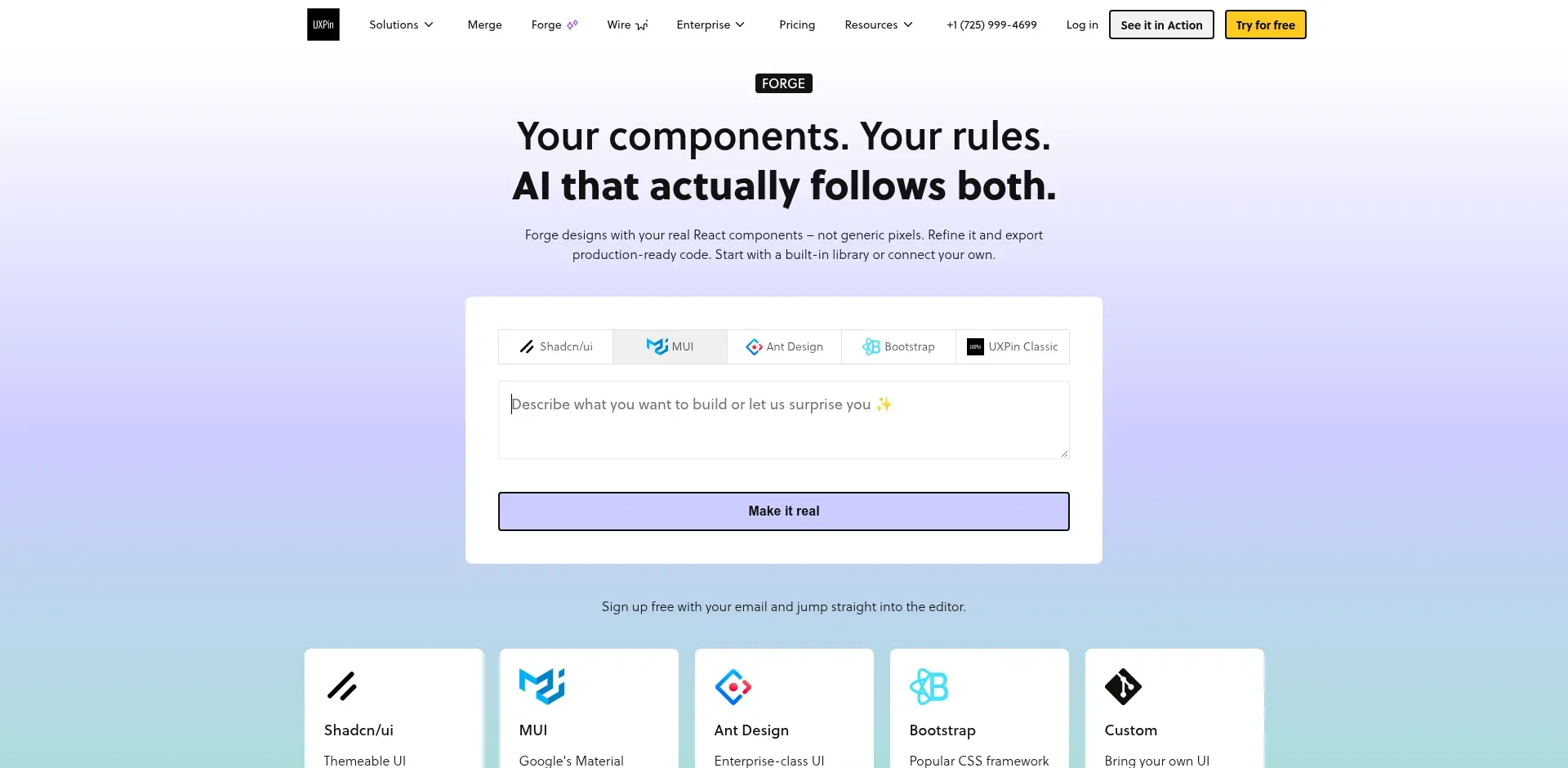
Verdict: UXPin Forge is built for design teams whose design system already exists as React code. It builds layouts from your real components, so the output matches what engineers ship.
Forge works with UXPin Merge, which brings in React components from a Git repository, Storybook or npm. Forge then generates UI from text prompts, screenshots or JSX using those components, or you design manually. A Figma plugin lets you copy designs from Figma and paste them into UXPin.
The output is production-ready JSX that references your library. UXPin Wire, launched in June 2026, turns it into a working Vite and React app you can share by link or export.
Core costs $49 a month per seat ($29 billed yearly) and includes built-in libraries such as MUI, Bootstrap, Tailwind and Ant Design. Connecting your own library through Git is an Enterprise feature.
Watch out for:
No backend. Wire lists it as on the roadmap.
No native mobile output or store publishing.
Your own component library needs the Enterprise plan.
v0 by Vercel: Best for React UI You Hand Off to Developers

Verdict: v0 is the right pick when a developer will finish the product and you want to hand over clean React and Next.js UI. It's strongest at interfaces and weaker as a complete app builder.
On paid plans, you can paste a Figma link and v0 reads your frames, colors, design tokens, auto layout and assets, with no plugin needed. Design Systems 2.0 learns your system from an npm package, a repo, Storybook or Figma frames.
Design Mode gives you a panel for type, color, spacing, borders and shadows. When you apply changes, v0's model rewrites the code, and normal credit billing applies.
Data comes through Vercel Marketplace partners such as Neon, Supabase and Upstash. In UI-Bench, v0 won 41.2% of blind matchups, ninth of 10.
The free plan gives you 7 messages a day. Plus costs $30 per user per month, and Figma import needs a paid plan.
Watch out for:
Web only, built on Next.js.
No backend of its own.
Design Mode doesn't work on mobile viewports.
Bravo Studio: Best for Turning a Finished Figma File Into a Native App

Verdict: Bravo Studio suits designers who want the Figma file to stay the source of truth for a native app. You design every screen in Figma, and Bravo turns the file into an iOS and Android app.
You tag layers in Figma with Bravo Tags, then connect the file in Bravo Studio. When the design changes, you update it in Figma and sync it again.
Bravo doesn't host your data. It shows data from your APIs, such as Airtable, Google Sheets, Xano or Firebase. Bravo 4.0 added Bravo MCP, which works inside Claude, ChatGPT or Cursor to turn a Figma, Lovable or Bravo project into React Native code with a Convex backend.
The free Starter plan lets you preview on your phone but not build for the stores. Store publishing needs the Solo plan at $22 a month, billed monthly.
Watch out for:
No built-in backend in Studio, so you bring your own APIs.
Studio exports app bundles, not source code. React Native source comes through Bravo MCP.
Bravo MCP is still in beta.
Framer: Best for Designing a Marketing Site on a Canvas

Verdict: If you want to lay out a marketing site or portfolio by hand, Framer is the strongest fit here. It's a website builder with a visual canvas and AI agents.
You can paste Figma layers onto the canvas with the official Figma to HTML plugin, then edit them as regular Framer elements. Agents can generate pages from a prompt, make layouts responsive and fill the CMS.
Basic costs $10 a month and Pro $30, both billed yearly. The free plan includes 500 AI credits to try Agents and a free Framer domain.
Watch out for:
Websites only, no native apps.
No built-in user sign-in, which needs third-party plugins.
No HTML export for self-hosting.
Also Considered: Blink, Base44 and Bolt
These three came close. Each builds full apps from a prompt, but each has a catch for designers.
Blink builds web apps and React Native mobile apps with a built-in database and sign-in, and its visual editor writes text, color and spacing changes back to the code. It has no Figma import (you paste screenshots), and App Store and Google Play publishing needs the Max plan, from $200 a month.
Base44 imports Figma frames directly, with a Figma Full or Dev seat, and includes a backend. Its store apps run your web app "inside a secure web view," and the files for submission need the Builder plan.
Bolt imports Figma frames through Anima, and Google Stitch designs in one click, while Bolt Cloud handles the backend. Mobile apps use Expo, but you download the code and publish with Expo's EAS tools yourself.
Which Tools Let You Make Small Design Edits Without the AI?
Designers make dozens of small tweaks. In some tools each tweak is a direct edit. In others it's an AI request that spends credits.
Tool | How small visual edits work | Uses AI credits? |
|---|---|---|
Figma Make | Properties panel, applied by the AI agent, or edit code in the Files tab | Yes for the panel |
CatDoes | Chat prompts and Screenshot Markup, or edit code in the Files tab (Core and up) | Yes for chat, no for code edits |
Lovable | Select or draw on the preview, inline text edits | Yes, except 100 free text edits a day |
FlutterFlow Studio | Drag-and-drop canvas | No |
UXPin Forge | Manual design tools on your components | No |
v0 by Vercel | Design Mode panel, applied by the model | Yes |
Bravo Studio | Edit in Figma, then sync | No |
Framer | Visual canvas | No |
If you adjust spacing and color all day, pick a tool with a direct canvas or budget for the credits. In CatDoes, marking up several fixes on one screenshot and sending them together keeps the number of requests down.
How to Turn a Figma Design Into a Native App With CatDoes

This is the workflow we recommend, start to finish. Store builds need the Starter plan, a free Expo account and, for iOS, an Apple Developer account.
Export your key screens. Export 3 or 4 frames from Figma as PNG, such as the home screen, a detail screen and a form. CatDoes accepts up to 4 images per message, up to 10 MB each.
Describe the app and the flow. Attach the images and say what each screen does and how they connect, for example "Screen 1 is the feed, and tapping a card opens screen 2." Add your colors and fonts if the images don't make them obvious.
Ask for a plan first. Have the agent outline the screens, data and sign-in before it writes code, so you can fix the structure early.
Review on a real phone. Check the preview at iPhone and Pixel sizes, then scan the QR code to open the app in Expo Go. Mark up anything that's off with Screenshot Markup and send it back.
Run the store check. Ask "Is my app ready for the App Store?" and fix the blocking issues it lists.
Build and submit. Ask the agent to release for iOS or Android. Builds usually take 10 to 30 minutes, the agent can submit the iOS build to the App Store, and you upload the Android build to Google Play.
Your store listing needs screenshots too, so check the App Store screenshot sizes before you export them. If you'd rather convert Figma to code by hand, our Figma to React Native guide covers what conversion tools produce and what they leave out.
How to Choose the Right AI App Builder as a Designer
Answer three questions, in this order.
Where does the design need to end up? For a web prototype or web app, choose Figma Make, Lovable or v0. For a native iOS and Android app, choose CatDoes, FlutterFlow Studio or Bravo Studio. For an app and its website in one project, choose CatDoes, and for a marketing site you lay out by hand, choose Framer.
How much do you want to do by hand? To place every element yourself, pick a canvas: FlutterFlow Studio, Framer or UXPin Forge. To describe changes instead, pick a chat-first tool such as CatDoes, Lovable or Figma Make.
Do you need your own design system? UXPin Forge builds strictly from your coded components. v0 and Lovable can learn a React library on paid plans, and Figma Make uses your Figma library styles.
Then try two tools on the same screen. Every tool here has a free plan, so you can see which output is closer to your design before you pay.
AI App Builders for Designers: FAQ
What is the best AI app builder for designers?
Figma Make is the best AI app builder for designers who work in Figma and need a web prototype or web app. If the design has to ship as a native iOS and Android app, CatDoes builds the app and backend from your screens, submits the iOS build to the App Store, and can build the website in the same project. Lovable is the strongest pick for full-stack web apps with sign-in and data.
Is there a free AI app builder for designers?
Yes, every tool in this guide has a free plan. Figma Make's Starter plan gives 150 AI credits a day (up to 500 a month), Lovable gives 5 credits a day, and CatDoes gives 15 one-time credits with web publishing. None of the native builders here include App Store or Google Play publishing on their free plans.
Can Figma Make build a mobile app?
Not a native one. Figma's help center says Make supports web apps only, not native iOS, Android or desktop apps. To get into the App Store or Google Play, you need a native builder such as CatDoes, FlutterFlow Studio or Bravo Studio.
Can one AI builder make both a mobile app and a website?
Yes. CatDoes builds native iOS and Android apps in React Native and websites in React, and one project can hold both side by side. The app is built for the App Store and Google Play, and the website can run on your own domain, with custom domains from Starter and up to 20 domains per project on the Max and Team plans.
What's the best Figma Make alternative for mobile apps?
CatDoes is the best Figma Make alternative if you want AI to build the whole native app and backend from your screens. FlutterFlow Studio fits if you want drag-and-drop control and Figma theme import. Bravo Studio fits if you want your Figma file to stay the source of truth.
Figma Make vs Lovable: which is better for designers?
Figma Make is better if your designs live in Figma, because it reads frames and library styles natively. Lovable is better for a full-stack web app with sign-in and data, and it supports React component libraries on paid plans. In UI-Bench's blind test they finished close together: Figma Make won 57.1% of matchups and Lovable 54.8%.
Can I turn a Figma design into a real app without a developer?
Yes. Figma Make, Lovable, v0 and Base44 import Figma designs directly and build web apps. For a native iOS and Android app, CatDoes builds from exported screens, while FlutterFlow Studio and Bravo Studio work from your Figma file.
Which AI app builder works with my design system?
UXPin Forge, if your design system is coded in React: it builds with your real components, though connecting your own library through Git needs the Enterprise plan. v0 and Lovable can learn a React component library on paid plans, and Figma Make can use your Figma library styles. CatDoes doesn't sync with a component library.
Is an AI app builder worth paying for as a designer?
It's worth paying once you need something the free plan blocks, such as Figma import on v0, code export, a custom domain, or App Store and Google Play publishing. Entry paid plans in this guide run from $10 to $50 a month. Publishing to the App Store also needs an Apple Developer membership.
Final Verdict
For most designers, Figma Make is the right first AI app builder, because it starts from the files you already have. Lovable is the step up when the prototype needs to become a real web app, and v0 fits when a developer will take the code from there.
The gap is native mobile. When a design has to live in the App Store and Google Play, choose between CatDoes (the AI builds the app, the backend and the website from your screens), FlutterFlow Studio (you build it on a canvas) and Bravo Studio (your Figma file stays the source).
For tools beyond the design workflow, see our 13 best AI app builders comparison.
Have your screens ready? Try CatDoes free, attach your designs and see the app running on your phone.
Nafis Amiri
Co-Founder of CatDoes


