Blog
Tutorials
How to Build a One Page Website With AI
Build a one page website with AI in minutes. A 2026 step-by-step guide: describe your site, refine each section with prompts, add a domain, and publish.

Nafis Amiri
Co-Founder of CatDoes

Most projects don't need a ten-page website. They need one page that loads fast, says one thing clearly, and pushes the visitor toward a single action. A portfolio, a product launch, a personal site, an event page, a local service, all of these work better as one focused page than a sprawling menu of sub-pages nobody clicks.
The old problem was that even a single page meant wrestling with templates, a drag-and-drop editor, and hosting settings. AI removes that friction. You describe the page you want in plain English, and a working one page website appears in minutes. Visitors decide whether they like a site in about 50 milliseconds (Nielsen Norman Group), and a tight single-page layout is one of the surest ways to win that first glance.
This guide shows you how to build a one page website with AI, from your first prompt to a live site on your own domain, plus the exact section structure that converts, the SEO rules single-page sites have to follow, and the mistakes that quietly kill them.
TL;DR: To build a one page website with AI, describe your business, your goal, and the sections you want in plain English. Let the AI generate a single scrolling page, refine each section with follow-up prompts, connect a custom domain, and publish. The whole process takes about 15 to 45 minutes and needs no code, no templates, and no design experience.
Table of Contents
What Is a One Page Website?
Why Build a One Page Website With AI
What You Need Before You Start
How to Build a One Page Website With AI in 5 Steps
The Best One Page Website Structure, Section by Section
One Page Website SEO: How to Rank a Single Page
One Page Website Mistakes to Avoid
Turn Your One Page Website Into a Mobile App
Frequently Asked Questions
The Bottom Line
What Is a One Page Website?
A one page website (also called a single page website) puts all of its content on one long, scrollable page. Instead of clicking through a navigation menu to reach separate pages, visitors scroll from top to bottom, or jump to a section using anchor links in a sticky menu. Everything lives at a single URL.
That format shines when you have one clear message and one main action you want people to take. The most common uses:
Portfolios for designers, photographers, writers, and developers, where the work is the story.
Personal websites and online business cards: a bio, a few links, and a way to get in touch.
Product launches and landing pages that build hype and capture emails or pre-orders.
Events, webinars, and conferences that need a date, an agenda, and a big "Register" button.
Small businesses with a tight service range: a plumber, a coach, an independent studio.
If your offer fits on one page, a single-page site removes distractions and channels attention toward that one goal. If you need to publish dozens of articles or rank for hundreds of search terms, you'll outgrow it, which we cover in the SEO section below. For a broader look at multi-page builds, see our full guide on how to make a website with AI.

Why Build a One Page Website With AI
You could hand-code a one-pager or fight with a template, but AI is faster and hands you a better first draft. Three reasons it wins:
Speed. A first draft appears in a minute or two. What used to be an afternoon of layout work is now a single prompt.
No code, no design skills. The AI handles responsive layout, spacing, fonts, hosting, and SSL. You describe; it builds.
A real starting point, not a blank canvas. Instead of empty sections, you get draft copy, images, and a structure you can edit down.
One page sites are also inherently mobile-friendly, which matters because more than half of all web traffic now comes from phones (Statista). A single scrolling column is exactly what a thumb wants.
What You Need Before You Start
Not much. Most AI builders run in the browser and host the site for you. Before you open one, get three things straight:
Your goal. One sentence: "collect wedding-photography inquiries," "capture launch-day emails," "book discovery calls."
Your basics. Business or personal name, a one-line description, what you offer, and how people reach you.
Any assets you already have. A logo, brand colors, a headshot, real photos, or existing copy. Optional, but it makes the result feel like yours instead of generic.
A custom domain is optional at the start. Build and preview the whole page first, then buy or connect a domain right before you publish.
How to Build a One Page Website With AI in 5 Steps
Step 1: Describe Your One Page Website in Plain English
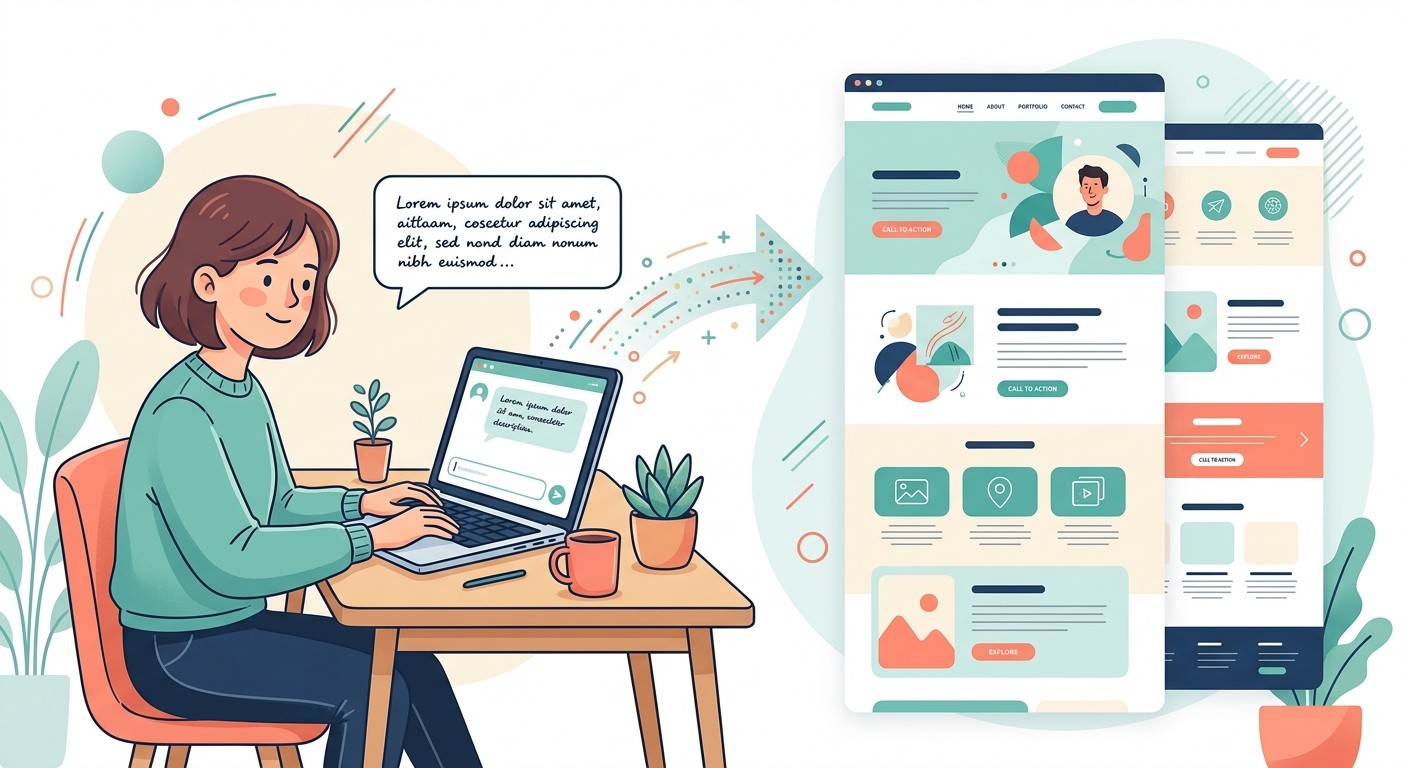
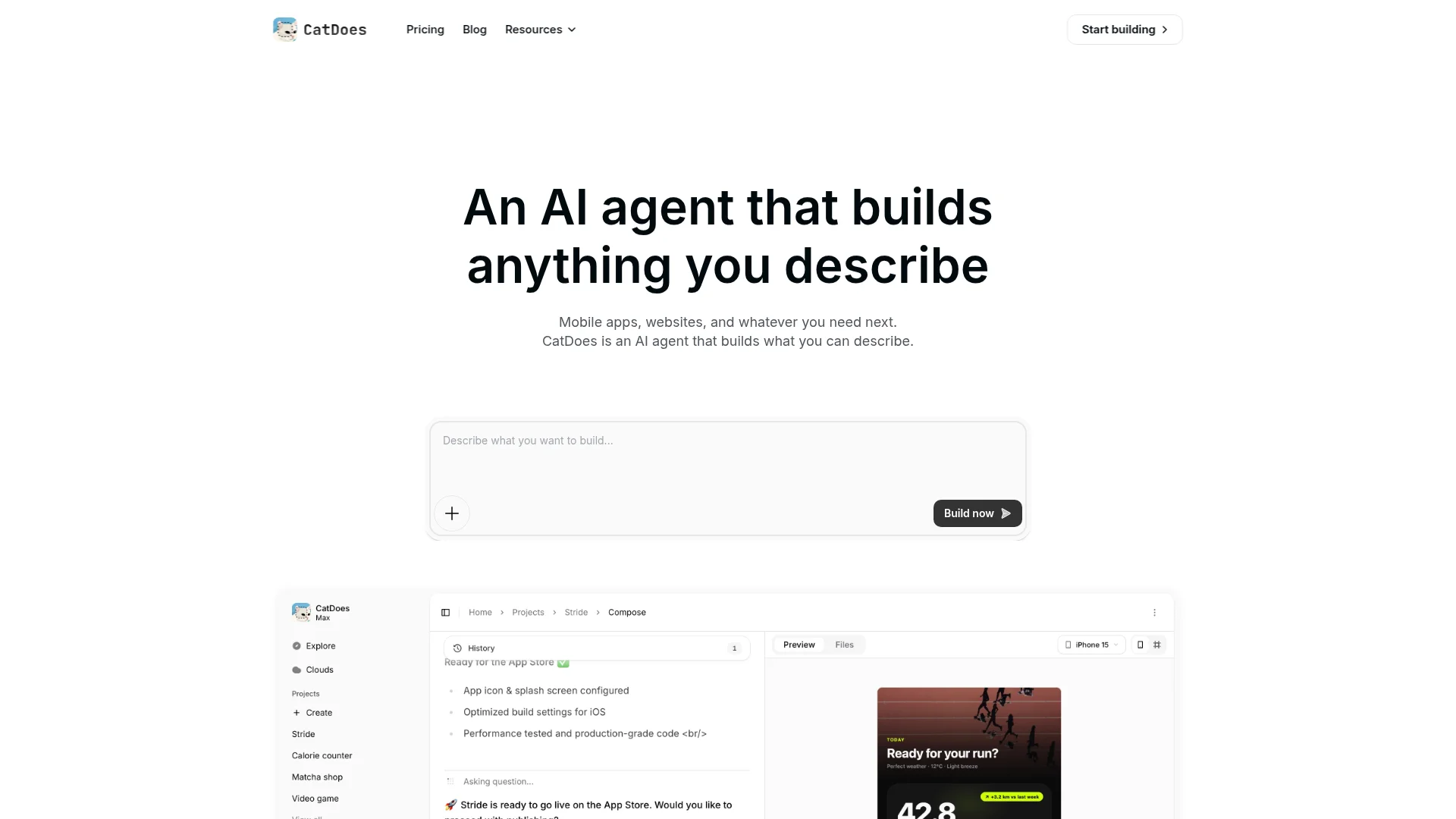
Open an AI builder like CatDoes and write one specific prompt in its "Describe what you want to build" box. The more context you give, the closer the first draft lands. "Make me a website" produces something generic; a detailed brief names the business, audience, sections, and goal.
"Build a one page website for a freelance wedding photographer named Mara Kessler, based in Lisbon. One scrolling page with these sections: hero with a booking button, portfolio gallery, about, packages and pricing, testimonials, and a contact form. Goal: get couples to request a quote. Tone: warm and elegant. Colors: ivory, sage, charcoal."
That single paragraph gives the AI enough to make real decisions instead of guessing about your audience, your sections, or what the page is for.
Step 2: Generate and Preview Your Page
Hit build (in CatDoes, that's the Build now button). Within a minute or two, CatDoes assembles a full single page: a hero section, each block you listed, working anchor navigation, draft copy, and images that fit the theme. You get a live preview you can scroll exactly as visitors would.
Review the whole page before changing anything. Check that every section you asked for is there, the scroll order makes sense, and the anchor links jump correctly. Open it on your phone too, since that's where most people will see it. Don't expect perfection: the first draft's job is to get you 80% of the way there.
Step 3: Refine Each Section With Prompts
This is where the page becomes yours. Instead of editing code, you request changes in plain language and watch them apply. Work in small, specific requests:
Design: "make the hero background darker," "use rounded buttons," "add more space between sections."
Copy: "rewrite the about section in first person," "shorten the headline to six words," "make the pricing benefits clearer."
Structure: "add an FAQ above the footer," "put a sticky Book Now button in the header," "remove the blog teaser."
One change at a time is easier for the AI to apply accurately and easier for you to review. Keep going until each section earns its place on the page.
Step 4: Optimize for SEO and Mobile
Before you publish, tighten the details that decide whether the page ranks and reads well on a phone. Ask the AI to give the page a single H1 in the hero, descriptive H2s for each section, a keyword-focused page title and meta description, and alt text on every image. Then preview the mobile view and confirm the tap targets, text size, and section spacing all hold up. We break the SEO rules down further below.
Step 5: Connect a Domain and Publish
A custom domain (yourname.com) looks more professional and is easier to remember than a builder subdomain. Buy one through the builder, or connect a domain you already own by updating a couple of DNS records; the builder shows you the exact values to paste. Then publish. A good AI builder handles global hosting, an SSL certificate, and mobile delivery automatically. For a full walkthrough of going live, see our guide on how to publish a website.
The Best One Page Website Structure, Section by Section
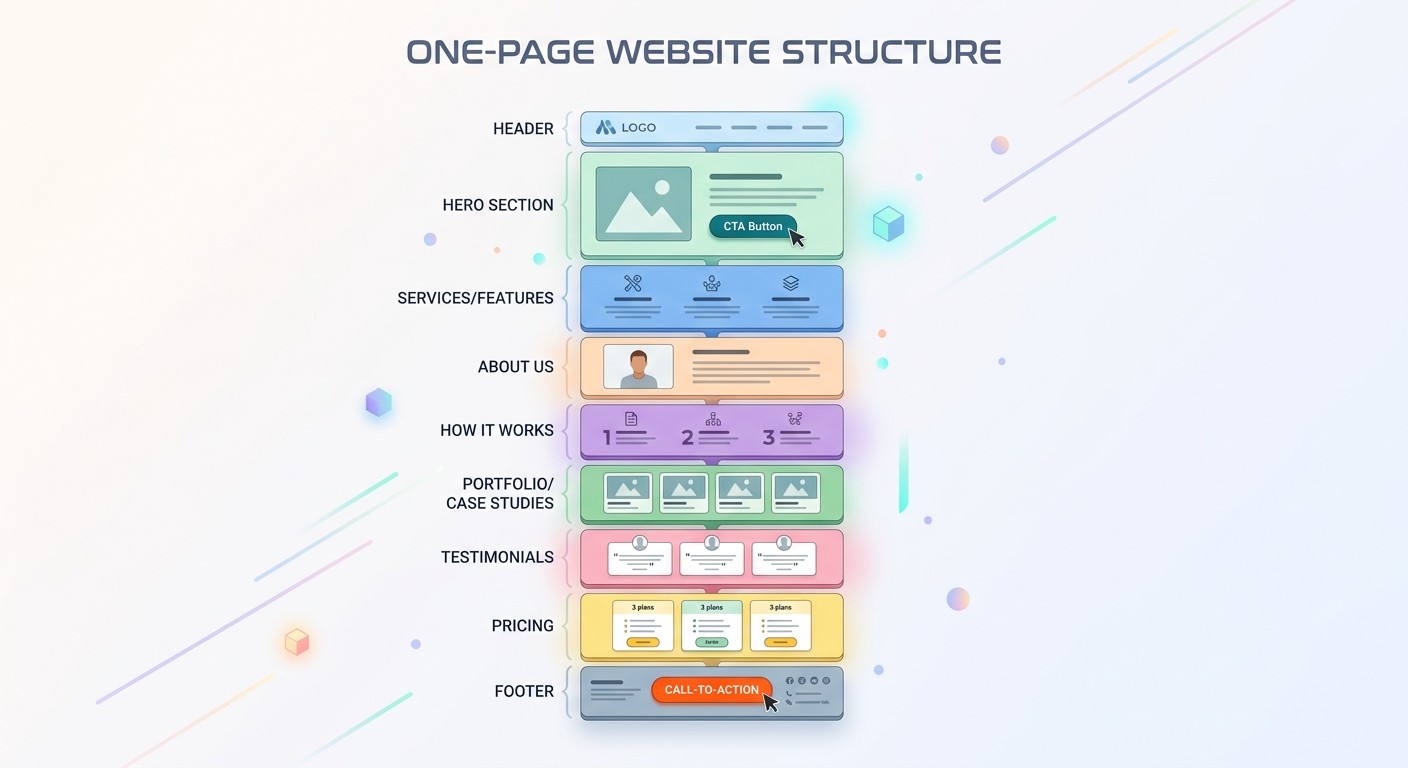
Because everything lives on one page, order is everything. Lead with your most important message and guide visitors down toward a single call to action. A structure that reliably converts:
Hero: a clear headline (with your primary keyword), one supporting line, and a prominent CTA button. This is your 50-millisecond moment.
About or value: a short paragraph on who you are and why you're the right choice.
Services, features, or work: what you offer, or a portfolio of what you've done, in scannable blocks.
Social proof: testimonials, client logos, reviews, or results. Trust lives here.
FAQ: answer the three or four questions that stop people from acting.
Contact or final CTA: a form or booking widget and one last nudge.
Add a slim sticky header with anchor links so visitors can jump to any section, and repeat your main CTA at least twice, once in the hero and once at the bottom. A one page website is functionally a long landing page, so if conversion is the whole point, our roundup of the best AI landing page builders is worth a look.
One Page Website SEO: How to Rank a Single Page
Single-page sites can rank well, but they play by tighter rules. Everything (content, backlinks, authority) concentrates on one URL, so for a focused topic Google sees one strong page instead of scattered signals. The tradeoff: you can realistically target only one to three closely related keywords. If you need to rank for many different terms, you've outgrown the format and want multiple pages.
To give a one page site its best shot:
Use exactly one H1 (your hero headline) with your primary keyword, then H2s for each section. Never skip heading levels.
Write a unique page title (50 to 60 characters) and meta description (150 to 160 characters) with your keyword up front.
Answer likely follow-up questions in a clearly labeled FAQ. Question-style queries trigger an AI summary far more often than short ones (Ahrefs), so structured Q&A is your best path into AI Overviews.
Compress every image, add descriptive alt text, and serve over HTTPS, which Google treats as a ranking signal (Google Search Central).
Keep it fast. Fewer sections and lazy-loaded images make one-pagers naturally quick, which helps both rankings and conversions.
The honest limit: if long-form content and broad keyword coverage are your growth plan, start planning for more pages early. A one-pager is a sharp tool for a focused job, not a content hub.
One Page Website Mistakes to Avoid
Publishing the first draft as-is. AI copy is a strong start, not a finished product. Edit it so it sounds like you.
Cramming in everything. The whole advantage is focus. If a section doesn't serve your one goal, cut it.
Burying the call to action. Repeat it, hero and footer at minimum, so the next step is always one tap away.
Leaving placeholder content. Swap stock images and sample text for the real thing before launch.
Ignoring mobile. Preview the phone view every time; it's where most visitors land.
Forcing the format. If you genuinely need a blog, a big catalog, or many keyword targets, a one-pager is the wrong tool.
Turn Your One Page Website Into a Mobile App
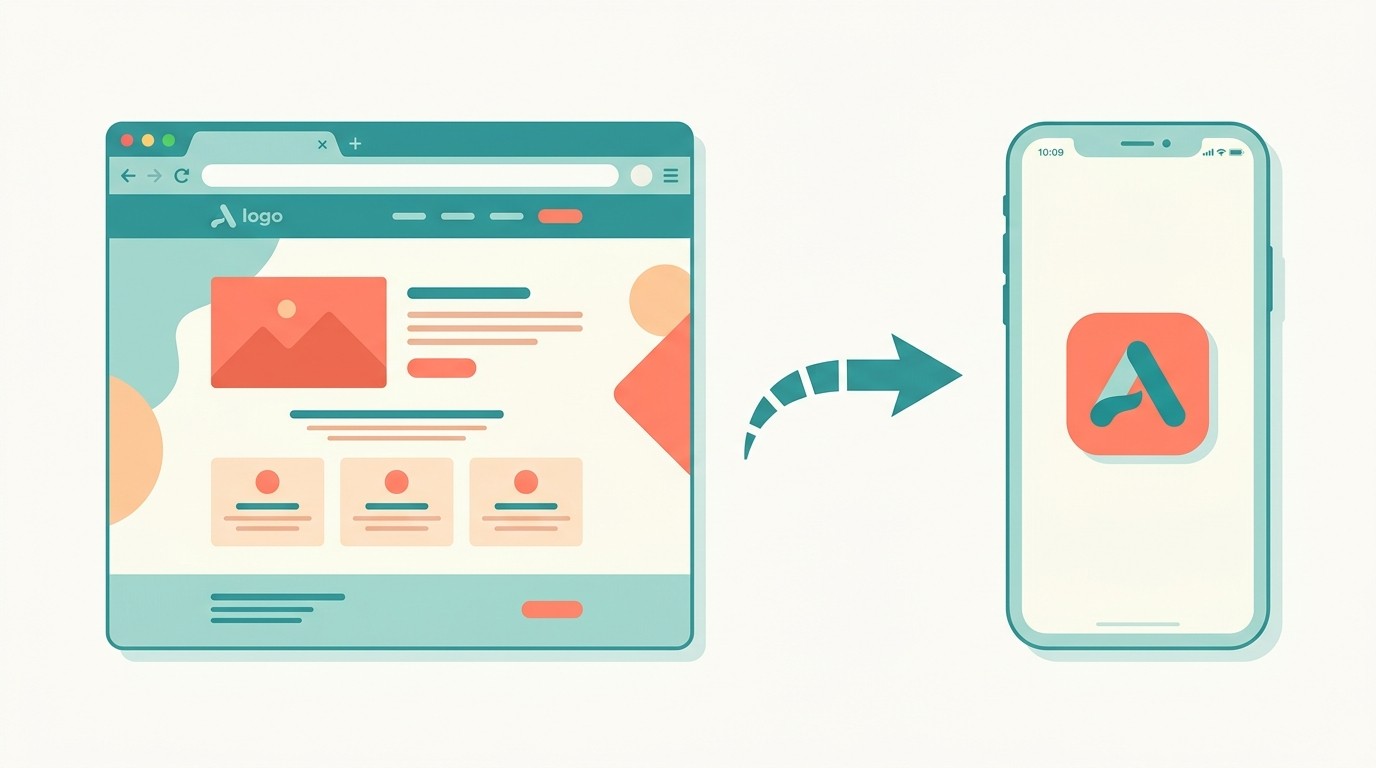
Here's an angle a pure site builder can't match: once your one page website is live, the same content can become a mobile app. If your page is a booking site, a product launch, or a personal brand, an app icon on someone's home screen keeps you one tap away instead of one forgotten bookmark away.
With CatDoes, you can describe the site and the app from the same prompt, and it ships to the web, the App Store, and Google Play. If you already have a page live, see how to turn your website into an app without rebuilding it from scratch.
Frequently Asked Questions
How long does it take to build a one page website with AI?
A simple one-pager can be live in 15 to 20 minutes. Add custom copy, real images, and a connected domain and it's usually under 45 minutes. Most of that time goes to refining sections, not building from scratch.
Is a one page website good for SEO?
Yes, for a focused topic. All your authority sits on one URL, which can rank quickly for one to three related keywords. The catch is range: a single page can't realistically compete for hundreds of terms the way a multi-page site can. Match the format to how many keywords you actually need.
Can I build a one page website for free?
You can build and preview one for free on most AI builders. Costs appear when you publish on a custom domain (roughly $10 to $20 per year) or want to remove builder branding. Dedicated one-page tools like Carrd start around $9 per year for a published site.
What should a one page website include?
At minimum: a hero with a headline and call to action, an about or value section, your services or work, social proof like testimonials, an FAQ, and a contact or booking section. A sticky header with anchor links ties it together.
One page vs multi-page website: which should I choose?
Choose one page when you have a single message and one main action: a portfolio, launch, event, or tight service. Choose multi-page when you need to publish ongoing content, sell a large catalog, or rank for many different searches. When in doubt, start with one page; you can always expand later.
The Bottom Line
Building a one page website with AI comes down to five steps: describe it, generate it, refine each section, connect a domain, and publish. What used to take an afternoon of template-wrangling now takes 15 to 45 minutes, and you end up with a focused page built around one goal instead of a cluttered site nobody finishes reading.
Ready to build yours? Describe your one page website to CatDoes and watch it build a live, publishable page, then turn it into a mobile app from the same prompt.
Nafis Amiri
Co-Founder of CatDoes