Blog
Tutorials
How Hard Is It to Make an App? 3 Routes Compared
How hard is it to make an app? Compare 3 ways to create one (coding, no-code and AI agents) on time, skills and cost, plus the store hurdles most guides skip.

Nafis Amiri
Co-Founder of CatDoes

How hard is it to make an app? It depends on how you build it. Coding one yourself is hard: Google's beginner Android course takes about 100 hours. No-code builders are easier but have a learning curve. An AI agent like CatDoes is the easiest start. Every route gets hard at the same point: data, testing and store review.
This guide is for people making their first app: founders, small business owners and anyone with an idea but no developer. It compares the three routes, then covers the hurdles most answers to this question skip, like Apple's rejection rate and Google Play's tester rule.
TL;DR: Learning to code takes months of practice, and iPhone apps need a Mac to run Xcode. No-code builders remove the code but not the logic: you still design the data and every screen. An AI agent writes the code and sets up the backend, so your job becomes testing what it built. Every route ends at the same gates. Apple rejected 23% of App Store submissions in 2025, and new personal Google Play accounts need 12 testers for 14 days before launch. Then you still have to find users.
Table of Contents
How Hard Is It to Make an App? It Depends on the Route
How Difficult Is It to Code an App?
Is It Hard to Create an App With a No-Code Builder?
How Hard Is It to Make an App With an AI Agent?
The Hard Parts of Making an App, on Every Route
How Long Does It Take to Make an App?
What Making an App With CatDoes Looks Like
Which Way of Making an App Is Right for You?
Frequently Asked Questions
Start With the Smallest Version of Your App
How Hard Is It to Make an App? It Depends on the Route
There are three ways to build an app today, and each asks something different of you. The table compares them on what you do, what you learn first and where each one gets hard.
Learn to code | No-code builder | AI agent | |
|---|---|---|---|
How hard it is | Hardest | Medium | Easiest to start |
What you do | Write the code in Swift, Kotlin, Dart or JavaScript | Drag screens together and set up data and logic in a visual editor | Describe the app in plain English, then test it and ask for changes |
What you learn first | A programming language, a framework, and Xcode or Android Studio | The builder's editor, database and logic blocks | How to describe features clearly and how to test them |
Time to learn | About 100 hours for Google's beginner Android course | Less, and it varies by builder | Little, since you write in plain English |
Where it gets hard | Bugs, the backend and keeping up with new phone software | The builder's limits, and moving off it later | Checking that the app does what you meant |
App store publishing | You do every step | Depends on the builder | Depends on the tool. CatDoes builds the app and can submit it to the App Store |
Cost to start | Free tools, plus store fees | Free tiers, paid plans to publish | Free tiers. CatDoes needs Starter or above for store builds |
What Makes an App Hard or Easy?
The app matters as much as the route. The more an app has to remember, share or charge for, the harder it is to make.
Simple app | Medium app | Complex app | |
|---|---|---|---|
What it has | One main job, no accounts, data stays on the phone | Accounts, a database and push notifications | Payments, chat, live location, video or two kinds of users |
Examples | Tip calculator, checklist, countdown timer | Habit tracker that syncs, booking app for a small business | Ride-sharing app, social app with video, marketplace |
How hard it is | Easy on any route | Harder, because it needs a backend | Hard on every route |
Accounts are the first big step up. Once people sign up, the app needs a database, a privacy policy and a way to delete the account in the app. Payments and posts from users bring extra store rules on top.
How Difficult Is It to Code an App?
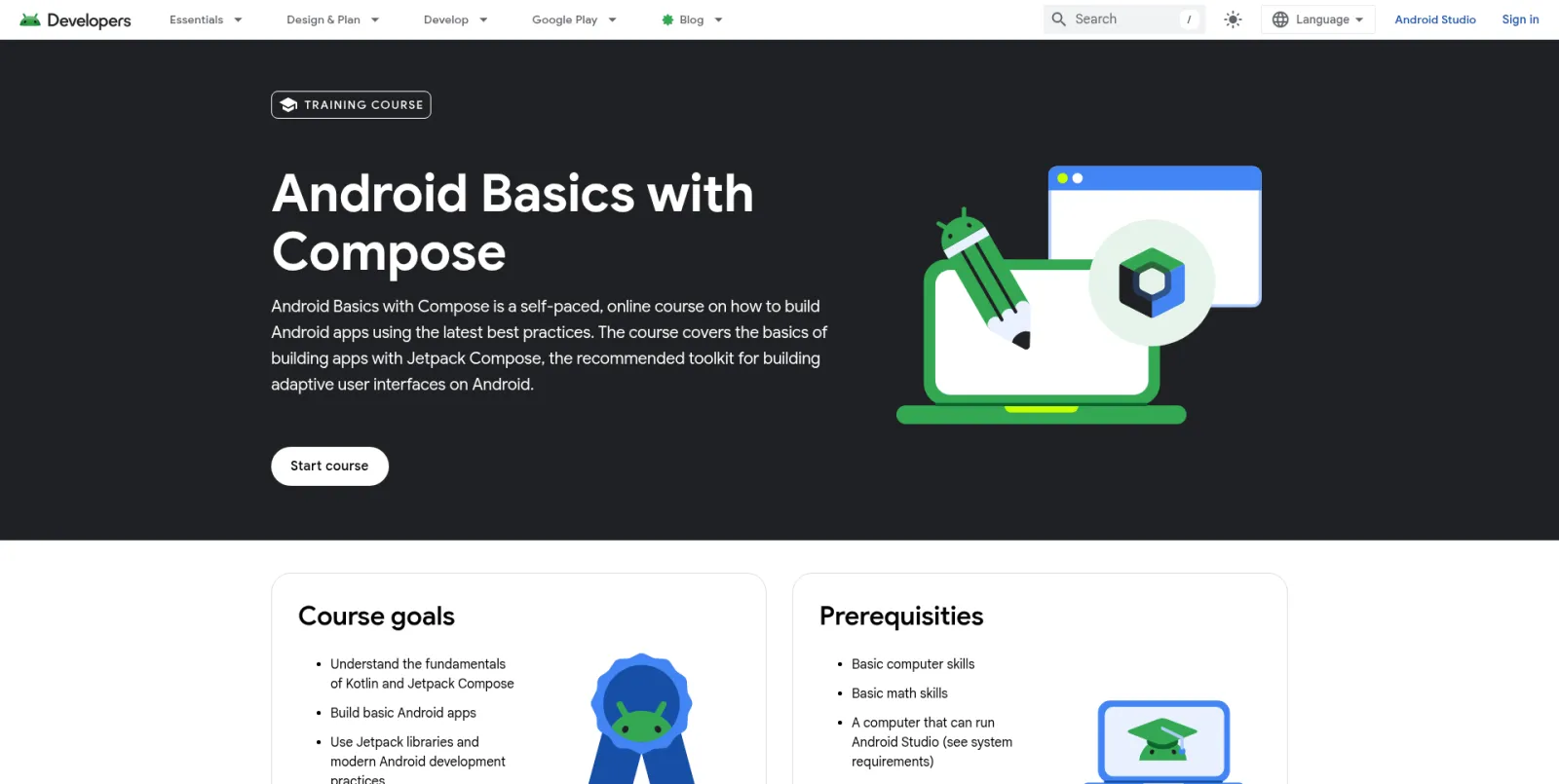
Coding an app yourself is the most difficult route, but it's open to anyone who puts in the hours. Google's Android Basics with Compose course has eight units that add up to 100 hours. The only prerequisites it lists are basic computer skills, basic math skills and a computer that can run Android Studio.
At 10 hours a week, that's 10 weeks to finish one beginner course. Then comes your first real project, which is where most of the learning happens. If you go this way, our beginner guide to mobile app development has a week-by-week plan.
First you pick a language. Swift is for iPhone and Kotlin is for Android, while Dart (Flutter) and JavaScript (React Native) cover both from one codebase. iPhone apps are built in Xcode, which only runs on a Mac, so Windows users start with Android Studio.
Then come the parts beginner courses only touch on. Accounts, saved data and file uploads need a server and a database, which is a second skill set. And much of your time goes into working out why something broke rather than writing anything new.
This route makes sense if you want a career in software or full control over every line. If you want a working app for a business idea, it's the slowest way to get one.
Is It Hard to Create an App With a No-Code Builder?
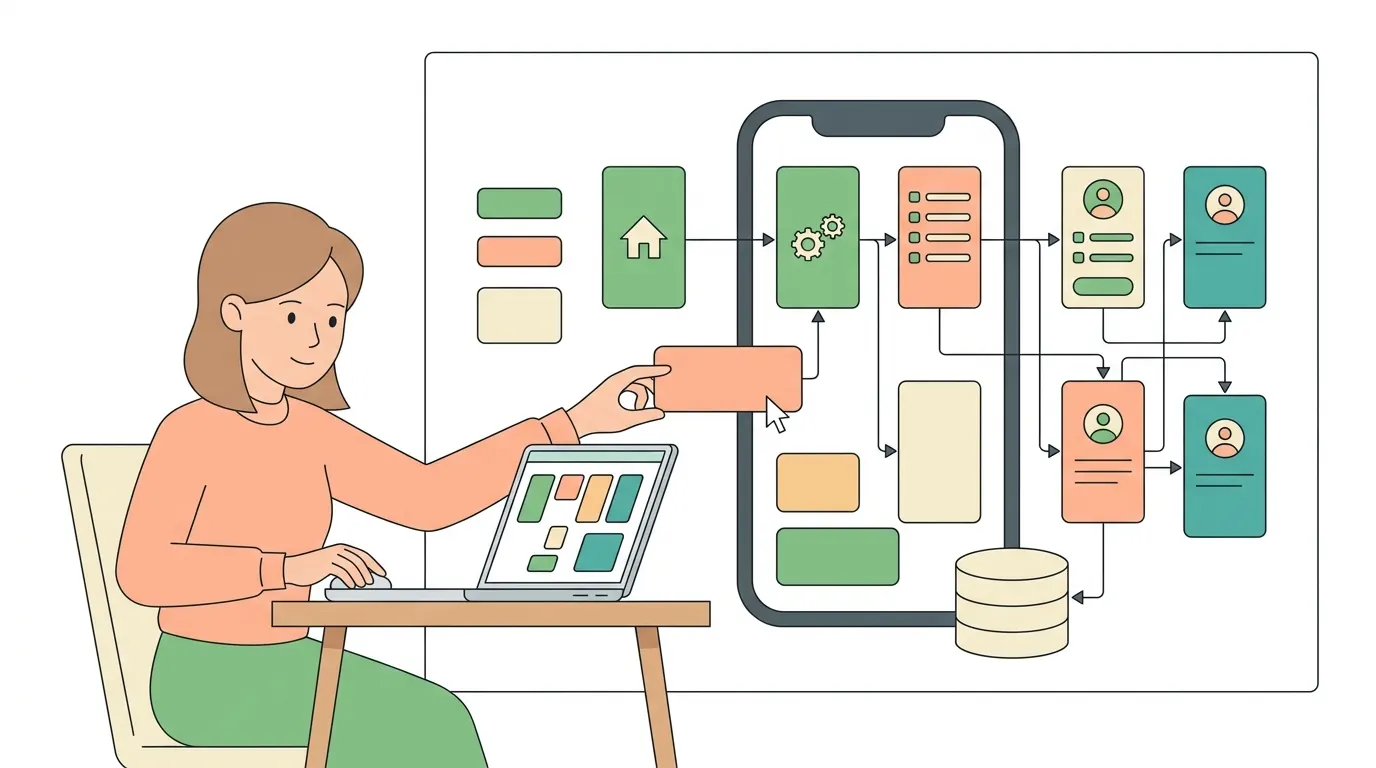
Creating an app with a no-code builder is easier than coding, though there's still plenty to learn. Tools like Adalo, FlutterFlow, Glide and Bubble swap code for a visual editor. You drag screens together, connect them to a database and add logic with menus and blocks.
The thinking doesn't go away. You still decide what data the app stores, how screens connect and what happens when someone taps each button. That's the same design work a developer does, in a different editor.
Three things tend to catch people out:
Each builder has its own editor and data model, so learning one doesn't carry over to the next.
Every builder has limits. A feature it doesn't support can mean a workaround or a rebuild somewhere else.
Not every builder makes real phone apps. Some publish to the App Store and Google Play, others make web apps that run in a browser.
No-code suits people who like visual tools and have an app that fits what one builder does well. Check whether it publishes native apps before you start, not after.
How Hard Is It to Make an App With an AI Agent?
Making an app with an AI agent is the easiest route to a working first version. You describe the app in plain English, and the agent writes the code, sets up the database and logins, and shows the result in a live preview. You never touch a programming language.
We make CatDoes, so we're not neutral about this route. Here's where it still gets hard.
The hard part moves from writing to checking. AI is good at making an app that looks right, but whether it works with real users and odd cases is yours to test.
Professional developers are careful with AI output too. In Stack Overflow's 2026 Developer Survey, 48% said they trust AI when they can easily check its answers, and only 16% trust it with most low-stakes tasks.
With an AI agent, these jobs are still yours:
Knowing what you want. A vague prompt gets a vague app, so plan before you build.
Testing what goes wrong: a wrong password, no signal, two people booking the same slot.
Checking that each user only sees their own data.
The app store steps that need your own developer accounts.
Tools differ a lot. Some AI app builders only make web apps, while CatDoes builds native iPhone and Android apps and handles the store build. Our comparison of the best ways to build an app with AI covers the main options.
The Hard Parts of Making an App, on Every Route
Whichever route you pick, the same problems show up once the first screens work. Most come with app store rules, and no tool lets you skip those. For the technical side, see our list of common mobile app development challenges.
Logins, Data and Privacy
An app with accounts needs sign-up, login, password reset and a database that keeps each user's data separate. It also needs a privacy policy.
Apple's App Review Guidelines require a privacy policy link in App Store Connect and inside the app. They add one more rule: "If your app supports account creation, you must also offer account deletion within the app."
Testing on Real Phones
An app that works in a preview can still break on a phone. Small screens, slow networks and a keyboard covering the Save button all show up only on a real device. Apple's guidelines say it plainly: "Make sure your app has been tested on-device for bugs and stability before you submit it."
Getting Through App Store Review
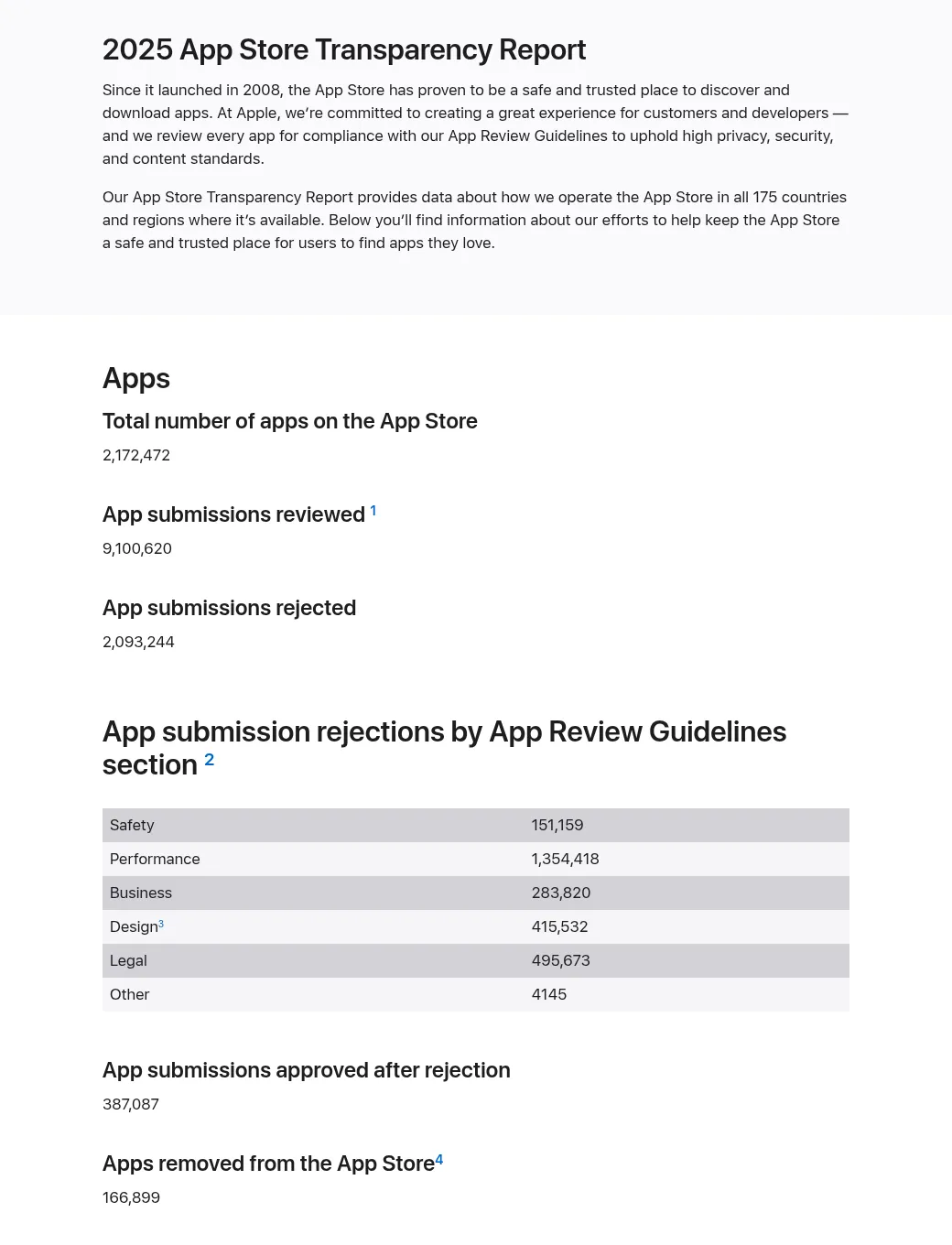
App Store review is where many first apps stall. Apple's 2025 App Store Transparency Report says App Review looked at 9,100,620 submissions and rejected 2,093,244 of them. That's 23%, close to one in four.
Apple notes that an app can be submitted several times before it's approved, and 387,087 rejected submissions were approved later.
Performance was cited 1,354,418 times, more than any other section of the guidelines. Its first rule, App Completeness, covers placeholder text, broken links, bugs and logins. If your app has a login, Apple asks for a demo account "and turn on your back-end service!"
Two more rules catch first apps. Guideline 4.2 asks for "features, content, and UI that elevate it beyond a repackaged website", so a website in an app shell gets rejected. And review takes time: Apple says it typically reviews at least 50% of submissions in under 24 hours and 90% in under 48 hours.
Google Play's 12-Tester Rule
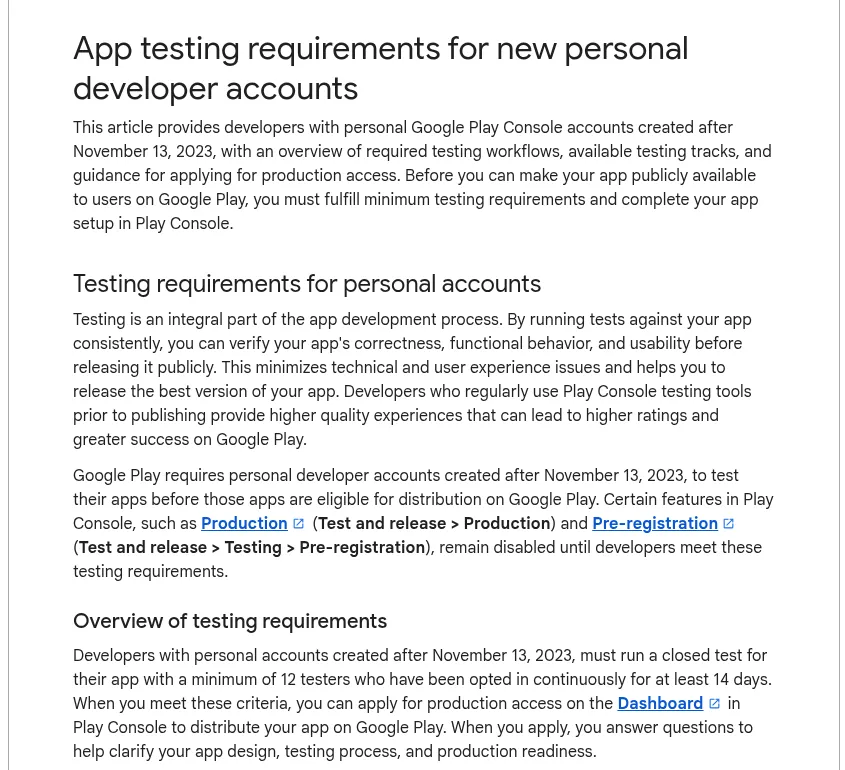
Google Play has its own gate. If you opened a personal developer account after November 13, 2023, you have to run a closed test with at least 12 testers who stay opted in for at least 14 days. Only then can you apply for production access.
Finding 12 people who'll keep a test app for two weeks is harder than it sounds, so line them up early.
Store Fees
Publishing costs money on both stores, whichever route you take. The Apple Developer Program is 99 USD per membership year. A Google Play developer account has a US$25 one-time registration fee.
Getting People to Find Your App
Getting into the store doesn't bring users with it. Apple's 2025 transparency report counts 2,172,472 apps on the App Store, and a new app starts with no ratings or reviews. Whichever route you took, this part is on you.
Start before launch. Tell the people who'd use the app, like your customers or a group you belong to, and write a store listing that says plainly what the app does.
Keeping the App Working
Apple and Google ship new phone software every year, the libraries your app uses go out of date, and users find bugs you didn't. Plan for an update every few months, or the app slowly stops working.
How Long Does It Take to Make an App?
How long it takes depends on the same route choice. A coded app built by a team usually takes months. Our guide on how long it takes to develop an app puts most projects at 4 to 9 months and breaks that down by complexity and phase.
On your own, add the time to learn first. With an AI agent, the first version is the quick part, and testing and store review fill most of the calendar. Google Play's closed test alone takes at least 14 days for new personal accounts.
What Making an App With CatDoes Looks Like
CatDoes is an AI agent that builds mobile apps and websites from a chat. Here's the path from idea to app store, using a made-up example. Copy the prompt and change the details to fit your idea:
"Build a mobile app for my dog-walking business, Paw Walks. Clients sign up with email, add their dog's name and notes, and book a 30- or 60-minute walk from my open time slots. I see today's bookings and can mark each walk done. Clients can cancel up to 12 hours before a walk. Add a settings screen with a privacy policy link and a button to delete the account. Don't build anything yet: write the plan down first."
The last two sentences of the prompt handle Apple's account deletion rule and get you a plan before any code is written. Then:
Sign up at catdoes.com. The free plan needs no credit card and comes with 15 credits.
Paste the prompt and read the plan. Fix anything that's wrong now: as the CatDoes docs put it, "Changing a plan is free. Changing built work costs credits."
Tell the agent to build, then test in the live preview. Scan the QR code to open the app on your own phone in Expo Go.
Ask for changes in plain English. CatDoes saves a checkpoint before each message, so you can rewind if a change goes wrong.
Check the backend. CatDoes Cloud sets up the database, logins and file storage. Sign up with two test accounts and make sure neither can see the other's bookings.
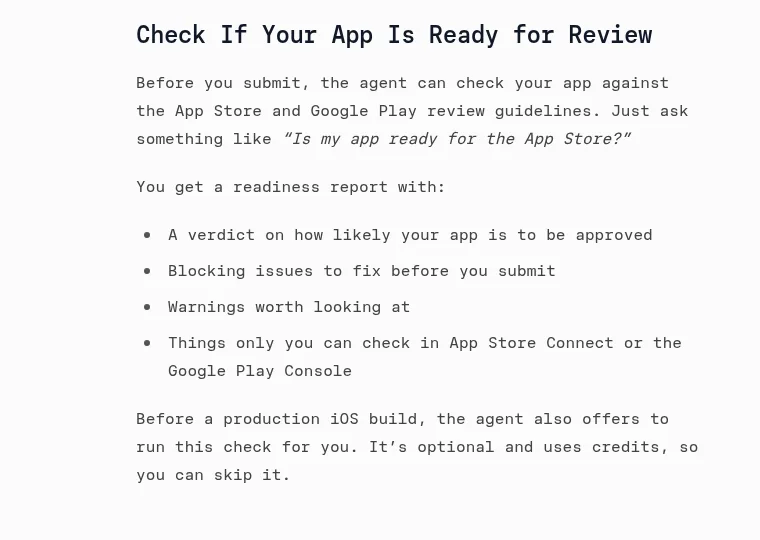
Ask "Is my app ready for the App Store?" The agent checks the app against App Store and Google Play guidelines and lists blocking issues and warnings. The check is optional and uses credits.
Publish. Web publishing to a catdoes.app address works on every plan. iPhone and Android builds need the Starter plan or above and usually take 10 to 30 minutes. CatDoes can submit the iPhone build to the App Store, and you upload the Android build to Google Play yourself.
CatDoes won't decide what your app should do or find your 12 Google Play testers. You also need your own Apple Developer and Google Play accounts, because the app is published under your name.
Which Way of Making an App Is Right for You?
Pick the route by what you want at the end, not by which one sounds easiest:
Learn to code if you want a job in software, or your app has unusual technical needs and you have the time.
Use a no-code builder if you like visual tools and your app fits what one builder does well.
Use an AI agent if you want a working app for an idea or a business soon, and you'll test it carefully.
Hire a developer or an agency if the app handles payments, health data or other high-stakes features, and you have the budget.
Hiring is the expensive route. On Clutch's app development pricing page, most projects cost between $10,000 and $49,999, and the average is $90,780.11.
You can also switch routes later. CatDoes builds a standard React Native Expo project, so a developer can take over the code later. Code export is on the Plus plan and above.
Frequently Asked Questions
Is it hard to make an app with no coding experience?
Not anymore, if you use a no-code builder or an AI agent. Neither needs you to write code. You still need to know what the app should do, test it on real phones and get it through app store review, which is where most first apps run into trouble.
Is it easy to create an app?
A simple app, like a checklist or a timer, is easy to create now with a no-code builder or an AI agent. It gets harder once the app needs accounts, payments or chat, because those need a backend and have to pass store review. After launch, you still have to find people to use it.
Is 27 too late to start coding?
No. There's no age limit on learning to code, and beginner courses don't expect a background. Google's Android Basics with Compose course lists only basic computer skills, basic math skills and a suitable computer as prerequisites.
Steady practice on a project you care about matters more than when you start.
Will AI replace app developers?
Not soon. AI writes more of the code every year, but people still decide what to build and check that it works. In Stack Overflow's 2026 survey, 48% of developers said they trust AI when they can easily check its answers, so a human stays in the loop.
What AI does change is who can make an app: you don't have to be a developer to ship a simple one.
Can I make an app with no money?
You can build and test one for free. Xcode and Android Studio are free, and CatDoes has a free plan with 15 credits and web publishing. Putting the app in the stores costs money: US$25 once for Google Play and 99 USD a year for the Apple Developer Program.
How do I develop software as a beginner?
Start with one small project you'd use yourself, such as a habit tracker or a booking app for a friend's business. Then pick one route: a free course like Google's Android Basics if you want to learn to code, or an AI agent if you want the app first. Finish that project before you start a second one.
Is it hard to get an app on the App Store?
It's harder than building a first version. Apple rejected 23% of App Store submissions in 2025, and Performance, the section covering bugs and incomplete apps, was cited more than any other. Test on a real iPhone, include a demo account and add in-app account deletion if people can sign up.
Start With the Smallest Version of Your App
So, how hard is it to make an app? Writing the first version is no longer the hard part. Knowing what to build, testing it on real phones, getting it past store review and finding users still are.
Write down the one thing your app must do, build only that, and get it on your own phone before you add more.
Start building my app on CatDoes and try the first version on your phone.
Nafis Amiri
Co-Founder of CatDoes