Blog
Insights
How Long Does It Take to Develop an App?
How long does it take to develop an app? Most apps take 4 to 9 months. Get a full timeline breakdown by complexity, development phase, and ways to ship faster.

Nafis Amiri
Co-Founder of CatDoes
If you are wondering how long it takes to develop an app, the honest answer is: it depends. Most apps take 4 to 9 months from first sketch to launch day, but a simple utility could ship in 8 weeks while a complex fintech platform might need 12 months or more. The real question is what you are building, not just how fast you can build it.
This guide breaks down realistic timelines by app complexity, walks through each development phase, and shows you how modern tools can cut months off your schedule. If you are still figuring out the process itself, start with our how mobile app development works for beginners guide. Whether you are a founder planning your first MVP or a product manager scoping a rebuild, you will walk away with a clear picture of what to expect.
Key Takeaways
Simple apps (single-function, no backend) take 2 to 4 months. Medium apps (e-commerce, user accounts) take 4 to 7 months. Complex apps (social networks, fintech) take 7 to 12+ months.
The development and coding phase alone consumes 40% to 60% of the total timeline.
An MVP approach can get you to market in 3 to 5 months by focusing on one core problem.
No-code and AI-powered tools can reduce development time by 50% to 70% compared to manual coding.
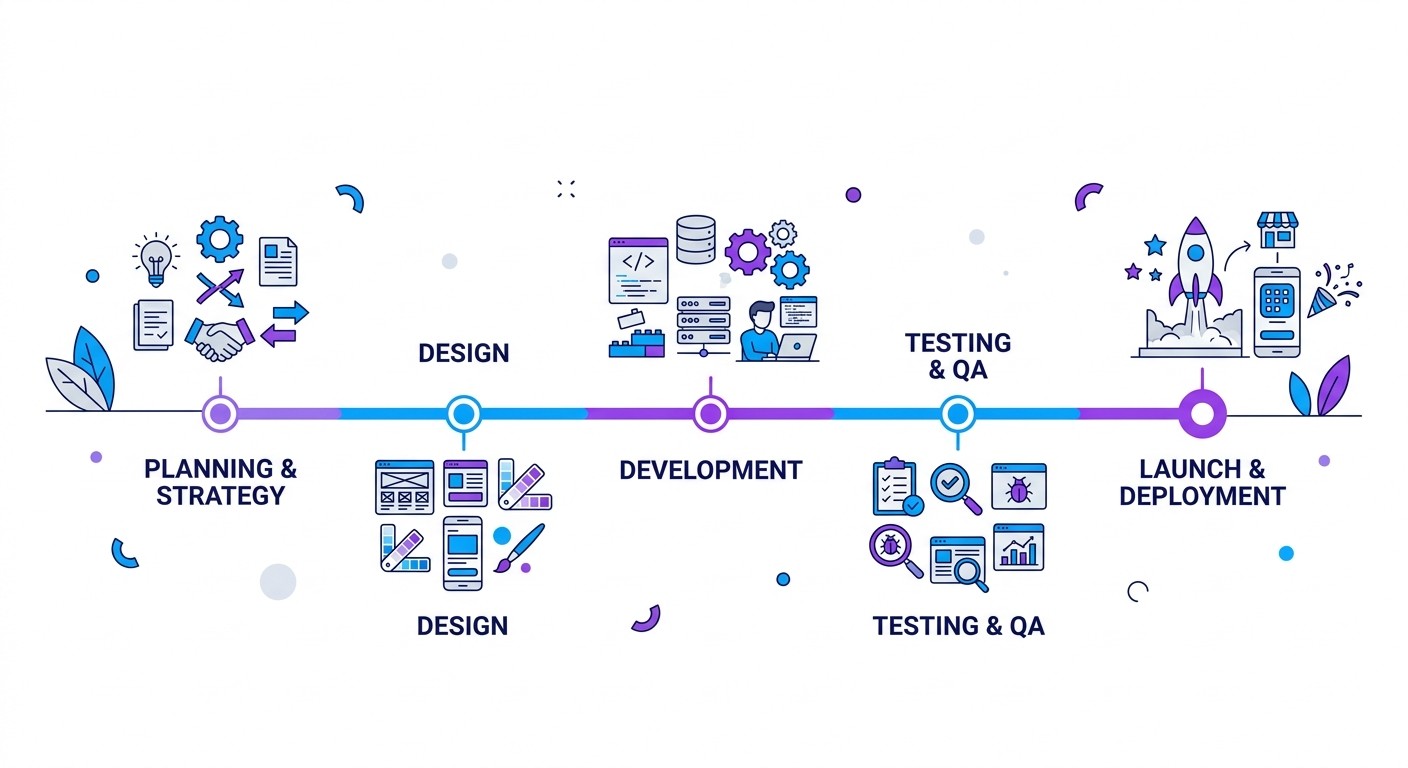
Table of Contents
The Short Answer: 4 to 9 Months
How App Complexity Shapes Your Timeline
Why an MVP Gets You to Market Faster
The 5 Core Phases of App Development
Key Factors That Extend Your Timeline
How to Speed Up Your App Launch
Frequently Asked Questions
The Short Answer: 4 to 9 Months
That 4 to 9 month window is not a random guess. It is a realistic industry benchmark that covers everything from discovery and design to coding, testing, and release.
Why such a big range? In a word: complexity. A basic calculator app with one job could be built in a couple of months. But an e-commerce platform with secure payments, user profiles, and real-time inventory tracking puts you at the higher end of that spectrum.
Here is how app complexity typically lines up with development time.
App Complexity | Average Timeline | Example Features |
|---|---|---|
Simple App | 2 to 4 Months | Single-function tools, basic calculators, or a simple content viewer with no backend. |
Medium App | 4 to 7 Months | E-commerce stores, booking apps, or fitness trackers with user accounts and API hooks. |
Complex App | 7 to 12+ Months | Social media networks, fintech platforms, or on-demand services with live features. |
The pattern is clear: more features, integrations, and moving parts mean more time. Every user interaction and piece of data that needs to be managed adds to both the build and testing phases.
How App Complexity Shapes Your Timeline
Trying to estimate a timeline without first defining complexity is like asking a builder how long a house will take without telling them if it is a cabin or a mansion. The number of features, screens, and data flows you need will stretch or shrink your schedule more than any other variable.
Simple Apps: The Quickest Path to Market
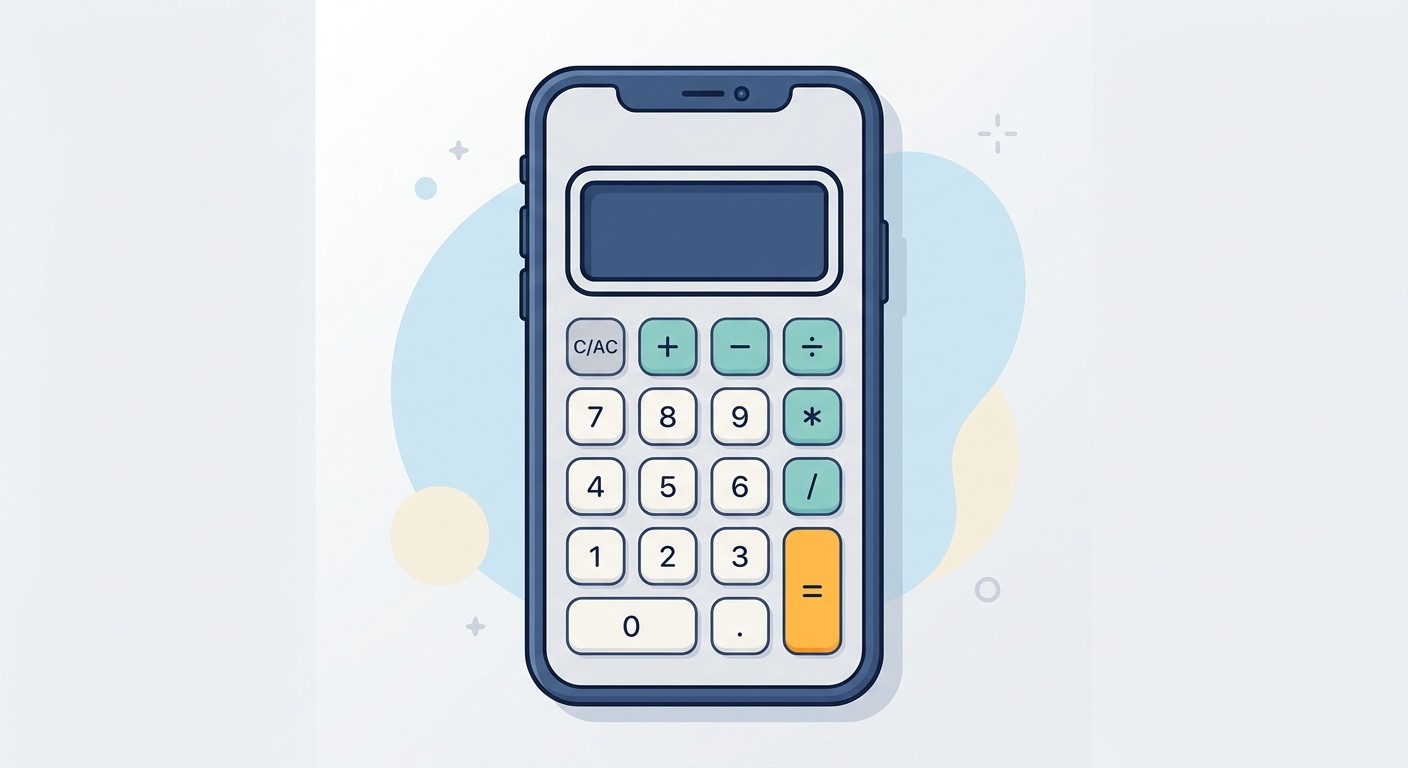
Simple apps do one thing well. Think of a basic calculator, a timer, or a conference schedule viewer. They are lightweight and do not need a backend to function.
These apps typically share a few traits:
A handful of screens, usually under 10.
Standard UI elements without custom animations.
No server-side components, so they work offline.
Often no user accounts or third-party connections.
Because the scope is tightly defined, the path from idea to launch is the shortest. Expect 300 to 800 development hours spread over 2 to 4 months.
Medium-Complexity Apps: Where Most Projects Land
This is where most everyday apps fall. They connect to a backend to manage user accounts, sync data across devices, or handle payments. Good examples include e-commerce storefronts, food delivery services, and fitness trackers.
What pushes an app into this tier:
User authentication for personal profiles and secure logins.
Payment gateway integrations to process transactions.
API integrations that pull in data from platforms like Google Maps.
A custom user interface with a polished, branded feel.
Each feature adds real time to the project. Designing, building, and testing these components from every angle takes 800 to 1,500 hours over 4 to 7 months.
Complex Apps: Full-Scale Ecosystems

Complex apps are less like tools and more like entire platforms. Social media networks, mobile banking apps, and real-time trading systems fall here. They handle massive data volumes, support thousands of concurrent users, and meet strict security standards.
Defining features include:
Real-time features like live chat, video streaming, or collaborative editing.
An advanced backend architecture designed for scale and performance.
Multi-system integrations connecting numerous internal and third-party services.
Top-tier security and compliance, which is non-negotiable for fintech or healthcare.
Building an app like this requires large, specialized teams and rigorous testing cycles. Expect 1,500 to 5,000+ hours over 7 to 12 months or more. You can dig deeper into app development benchmarks and time estimates from SpaceO Technologies.
Timeline Comparison by App Type
Complexity Tier | Typical Timeline | Estimated Hours | Common App Examples |
|---|---|---|---|
Simple | 2 to 4 months | 300 to 800 hours | Calculator, Event Schedule App, Basic Timer |
Medium | 4 to 7 months | 800 to 1,500 hours | E-commerce Store, Food Delivery, Fitness Tracker |
Complex | 7 to 12+ months | 1,500 to 5,000+ hours | Social Media Network, Mobile Banking, Real-Time Marketplace |
The jump in effort from a simple app to a complex one is enormous. A clear understanding of your core feature set is the most important first step in planning your project.
Why an MVP Gets You to Market Faster
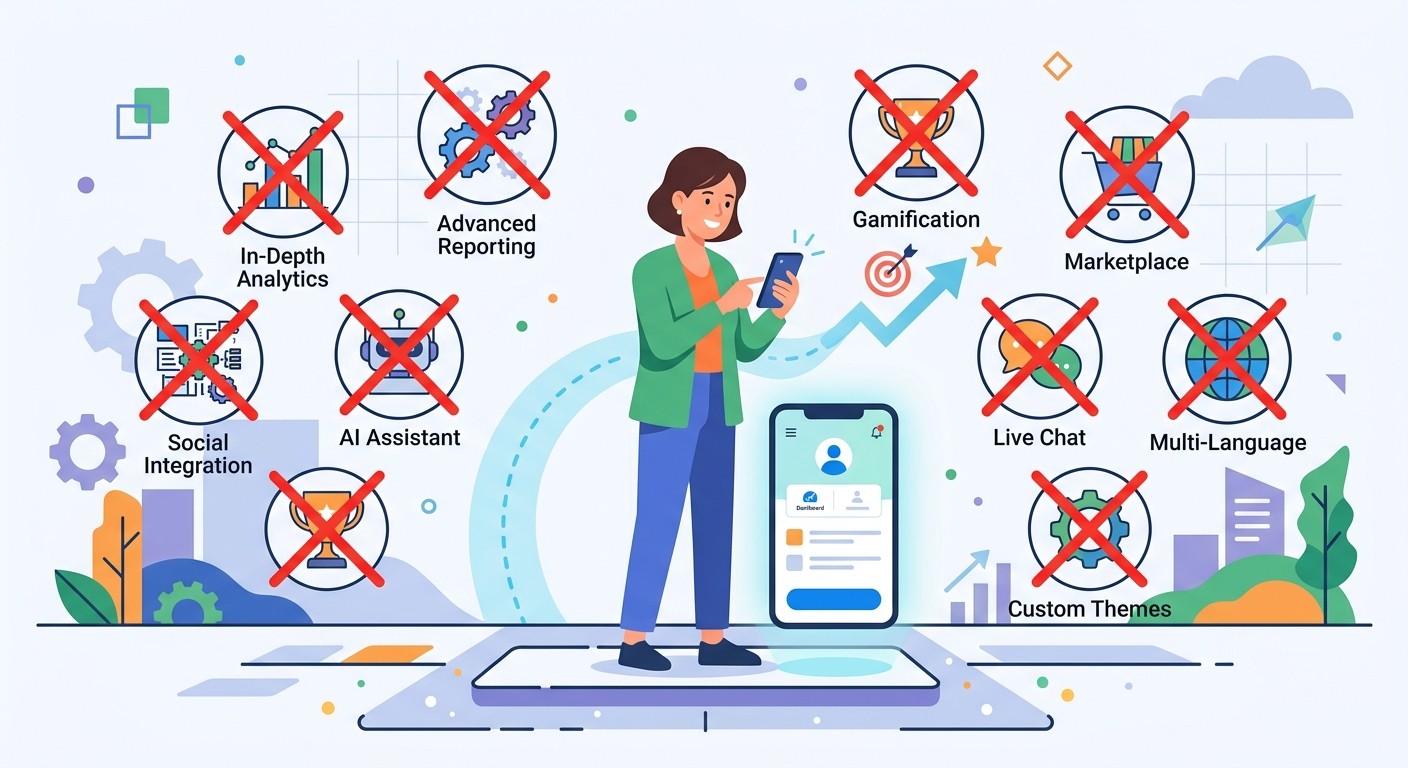
Most founders want to test their idea fast. That is where the Minimum Viable Product (MVP) comes in. An MVP is the simplest version of your app that solves one core problem for your first users.
By stripping away the "nice-to-haves" for later, you can dramatically shorten that initial development cycle.
Building an MVP for a single platform usually takes around 3 to 5 months for the core build, plus another 3 to 7 weeks for testing and release prep. That puts the total timeline for most MVPs in a practical 5 to 9 month window.
If your core features include complex tech like real-time data sync or video streaming, even an MVP could stretch to 6 to 12 months. The key is ruthless prioritization: ship the smallest thing that delivers value, learn from real users, and iterate.
The 5 Core Phases of App Development
Building an app is a structured journey, not a chaotic sprint. To understand how long it takes to develop an app, you need to understand the stages. Each phase has a clear purpose and predictable time range.
1. Discovery and Planning (2 to 4 Weeks)
This is the foundation of your entire project. Skipping it is like setting off on a road trip with no map. You validate your idea, size up the competition, and decide on must-have features.
Key activities include:
Market Research: Sizing up competitors and identifying your target audience.
Feature Prioritization: Deciding what is essential for your MVP.
Technical Specification: Outlining the app's architecture and technology requirements.
A solid discovery phase saves you from expensive changes later. Some industry reports show that fixing a mistake after development can cost 100 times more than catching it during planning.
2. UI/UX Design (3 to 6 Weeks)

With the blueprint set, it is time to design how the app looks and feels. UX design makes the app logical and easy to navigate. UI design handles the visual layer: colors, fonts, and icons that give the app its personality.
This phase is critical. A clunky experience is one of the top reasons apps fail. The goal is to create wireframes, high-fidelity mockups, and often a clickable prototype before a single line of code gets written.
3. Development and Coding (2 to 6 Months)
This is the most time-consuming phase, consuming 40% to 60% of the total project timeline. Developers take the designs and technical plans and turn them into a working application, usually in two-week sprints.
The work breaks down into:
Backend Development: Building the server, databases, and APIs.
Frontend Development: Coding the interface users see and interact with.
API Integration: Connecting to external services like payment systems or social logins.
The complexity defined in earlier phases directly stretches this timeline. A simple utility might need 2 months of coding, while a data-heavy platform could need 6 months or more.
4. Quality Assurance and Testing (3 to 5 Weeks)

Running alongside development, the QA phase is all about hunting down bugs. Testers check for glitches, performance issues, and security holes across multiple devices and operating systems.
Without this step, you risk launching a buggy app that frustrates users and earns bad reviews. For a deeper dive into the end-to-end process, see our complete guide on how to build a mobile app.
5. Deployment and Release (1 to 2 Weeks)
The final step is getting your app into user hands. This involves preparing marketing materials, optimizing app store listings, and submitting for review. Both Apple's App Store and Google Play have their own approval processes.
The work does not stop at launch. Ongoing maintenance, bug fixes, new features, and OS compatibility updates are all part of the long game.
Key Factors That Extend Your Timeline

The core phases are predictable, but several variables can hit the accelerator or slam the brakes on your project. Understanding these is the secret to dodging expensive surprises.
Feature Creep and Complexity
The single biggest timeline driver is the number and complexity of your features. What looks simple on the surface often hides real depth.
Take a "user profile" feature. Sounds easy, but it requires:
User Authentication: Secure sign-up, login, and password recovery.
Database Management: Storing and retrieving user data safely.
UI/UX Design: Profile pages that look good and work smoothly.
Each sub-task adds hours and sometimes weeks to development. This is exactly why locking down a tight, focused MVP scope is so critical.
Platform and Tech Stack Choices
One of the first big decisions is whether to build a native app for a single platform or a cross-platform app that serves both iOS and Android from one codebase.
Building two separate native apps gives you the best performance but nearly doubles your development time. Cross-platform frameworks can slash that time by 20% to 40%, though they may introduce performance trade-offs for demanding apps.
Your tech stack matters too. A popular, well-documented stack means developers find answers quickly. More obscure technology might offer unique advantages but can grind progress to a halt when the team hits an undocumented edge case.
Third-Party Integrations
Most apps connect to external services, and each integration adds complexity. Common examples include:
Payment Gateways: Stripe or PayPal integrations must be bulletproof for secure transactions.
Social Media APIs: Google or Facebook login means connecting to entirely separate systems.
Mapping Services: Location features usually require Google Maps integration.
A classic mistake is to treat integrations like simple plug-ins. In reality, you will wrestle with API documentation, manage authentication keys, and build fallback plans for when the external service goes down.
Team Size and Experience
More developers does not automatically mean faster delivery. A small team of experienced developers will often outperform a larger, less-seasoned group. Veterans write cleaner code, anticipate problems, and solve issues more efficiently.
Finally, platform rules and regulations add time too. Apple's App Store guidelines, Google Play policies, and legal requirements like HIPAA or GDPR are non-negotiable. Getting compliance right takes specialized knowledge and dedicated validation time. Our guide on how hard it is to make an app covers the App Store and Google Play hurdles that catch first-time builders.
How to Speed Up Your App Launch
In a crowded market, speed is everything. Getting your app to users faster lets you gather feedback and build momentum before competitors catch up. The good news: modern tools can cut your development cycle without sacrificing quality.
Cross-Platform Frameworks
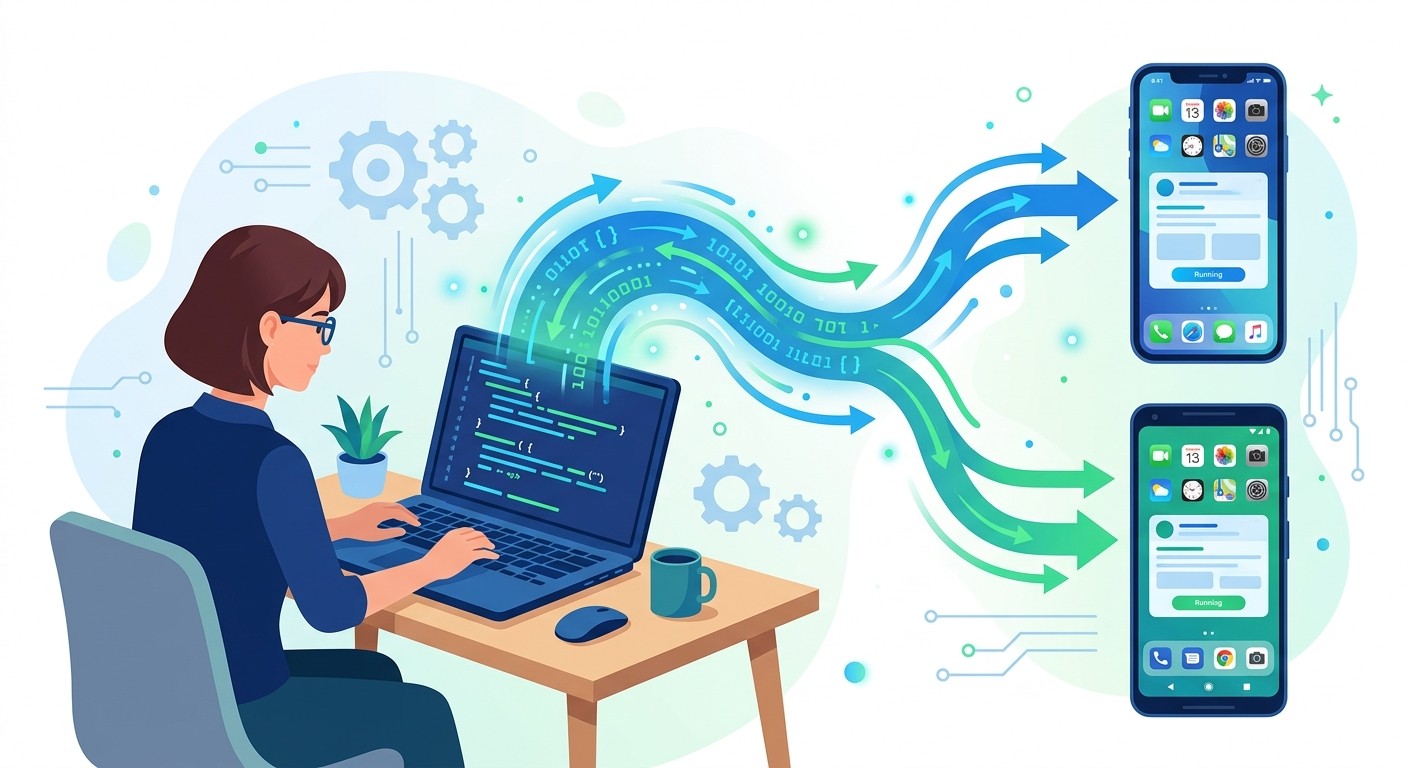
Instead of building two separate apps for iOS and Android, cross-platform frameworks let you work from a single codebase. React Native and Flutter let developers write once and deploy everywhere.
This shift cuts feature development time by 20% to 40% compared to building natively. You reach your entire audience from day one without the extra time and budget. According to Stack Overflow's 2024 Developer Survey, React Native and Flutter are among the most popular cross-platform frameworks in production.
No-Code and AI-Powered Platforms
The biggest game-changer in app development is the rise of no-code platforms. These tools replace complex programming with visual, drag-and-drop interfaces. Instead of writing thousands of lines of code, you assemble your app using pre-built, proven components.
This approach demolishes traditional timelines. Tasks that used to take weeks can now be done in days or hours.
Platforms like CatDoes push this even further by using AI to turn your ideas into a fully functional app. By simplifying the entire journey, you get an MVP out the door faster, collect real user data, and make smarter decisions on what to build next. For a detailed comparison, check out our article on rapid app development tools.
AI-Assisted Development
AI-powered tools help developers at every stage, from writing code to finding bugs. They handle repetitive work and free up humans for the bigger, more creative problems.
Here is how AI speeds things up:
Code Generation: AI writes boilerplate code and functions from simple text descriptions.
Automated Testing: AI algorithms spot bugs and suggest fixes faster than manual review.
Design Automation: Some tools generate UI mockups from project requirements.
The Impact on Your Project
Combining these modern approaches saves significant time across the board.
Traditional Approach | Modern Approach | Estimated Time Savings |
|---|---|---|
Native iOS and Android Apps | Cross-Platform Development | 20% to 40% |
Manual Coding | No-Code Platforms | 50% to 70% |
Manual Bug Fixing | AI-Assisted Debugging | 30% to 50% |
These are not minor tweaks. They represent a fundamental shift in how long it takes to bring an app to life.
Frequently Asked Questions
How long does it take to build an Android app?
The timeline mirrors iOS development closely. A simple app takes 1 to 3 months, a medium-complexity app takes 3 to 6 months, and an advanced one requires 6 months to a year or more. Designing for the huge variety of Android screen sizes can add time to the schedule.
How long does it take to build an iOS app?
A simple iOS app with core features takes 1 to 3 months. Apps with user accounts and API integrations extend to 3 to 6 months. Complex social or fintech apps can take 6 to 12 months or longer. Keep in mind that Apple's strict review process can cause delays if you do not follow their guidelines from day one.
Can I build an app in one month?
Building a polished, market-ready app in one month is a stretch for most projects. However, launching a simple prototype or basic MVP is absolutely possible, especially with no-code tools. A single-function app without a backend could be built and tested in a few weeks. Anything more involved needs a longer development cycle.
What is the most time-consuming phase?
The development and coding phase takes the most time, eating up 40% to 60% of your total project timeline. Writing backend code, building the interface, and integrating with other services are all detailed tasks. QA and testing follows closely behind.
Why do app development timelines vary so much?
No two apps are the same, and a handful of key factors drive the differences:
Feature Complexity: Real-time chat and secure payments take far longer than a static content viewer.
Team Expertise: Experienced developers solve problems and write clean code faster.
Platform Choice: Separate native apps take almost twice as long as cross-platform.
Design Intricacy: Custom animations and polished transitions require more time from designers and developers alike.
Can an app builder really speed things up?
Yes. App builders and no-code platforms swap manual coding for visual, drag-and-drop assembly. For many projects, this shrinks a timeline from months to weeks. Pre-built components for logins, databases, and UI elements let you focus on what makes your app unique.
How much time should I budget for testing?
Set aside 3 to 5 weeks for thorough QA testing. Your team should cover:
Functional Testing: Every button and feature works as expected.
Usability Testing: The app is intuitive for real users.
Performance Testing: The app stays fast under load.
Security Testing: Vulnerabilities are found and patched.
Rushing this phase leads to buggy launches, bad reviews, and expensive fixes. It is a critical investment in your app's future.
Ready to turn your idea into a reality without the long wait? CatDoes uses AI to build production-ready mobile apps from simple descriptions, dramatically shortening your time to market. Start building today at catdoes.com.
Nafis Amiri
Co-Founder of CatDoes


