Blog
Tutorials
12 Vibe Coding Prompts to Copy in 2026
12 vibe coding prompts you can copy and customize in 2026, covering project rules, first builds, auth, payments, debugging, security, and store submission.

Nafis Amiri
Co-Founder of CatDoes

Most vibe coding prompts fail for the same reason: they describe a vibe and leave every real decision to the model. You type "build me a booking app," the agent fills the silence with the most average choice it has ever seen, and you spend the next hour undoing features you never asked for. The fix is not a longer prompt. It is a prompt that names the decisions.
Below are 12 vibe coding prompts you can copy and customize today, arranged in the order you would actually use them: rules first, then the build, then the parts AI skips, then the checks you run before you ship. Each one includes the full text, a short note on why it works, and the parts to swap for your own project.
TL;DR: A vibe coding prompt works when it names the stack, the data, the rules, and what "done" looks like. Use them in sequence rather than all at once: set project rules, write a spec, build one screen group at a time, then layer in auth, payments, and notifications. Finish with a debugging prompt, a security review prompt, and a store submission prompt. Copy the 12 below and replace the bracketed parts.
Table of Contents
What Makes a Vibe Coding Prompt Work in 2026
How to Use These 12 Prompts
Prompts 1-2: Set the Rules Before Anything Gets Built
Prompts 3-6: Build the First Working Version
Prompts 7-9: Add the Parts AI Usually Skips
Prompts 10-12: Fix It, Harden It, Ship It
Five Fixes for When a Prompt Goes Wrong
Running These Prompts in CatDoes
Frequently Asked Questions
What Makes a Vibe Coding Prompt Work in 2026
A vibe coding prompt is a plain-English instruction that an AI agent turns into working software. The term went mainstream fast: Andrej Karpathy coined it in February 2025, and Collins Dictionary named it Word of the Year on November 6, 2025, defining it as "programming by vibes, not variables."
What changed since then is the expectation. In February 2026, exactly a year after coining it, Karpathy retired the term in favor of "agentic engineering", on the grounds that you are not writing the code 99% of the time, you are directing agents and auditing the result. The prompts that work in 2026 reflect that shift. They read like briefs, not wishes.
The data backs this up. Stack Overflow's 2025 Developer Survey of more than 49,000 developers found 84% using or planning to use AI tools, up from 76% a year earlier, while the single biggest frustration, cited by 66%, was "AI solutions that are almost right, but not quite." Another 45.2% said debugging AI-generated code takes more time than writing it themselves. Almost-right output is the default failure mode, and vague prompts are what produce it.
Four things separate a prompt that works from one that does not:
Element | Weak version | Strong version |
|---|---|---|
Named data | "Track deal stages" | "Stages: New, Contacted, Viewing Booked, Offer, Closed, Lost" |
Named boundary | "Add a login" | "Add email login. Do not change the existing home screen or the data model." |
Named taste | "Make it look modern" | "One accent color #2F6F62, system font, 8px spacing scale, no gradients" |
Named done | "Make it work" | "Done = I can add a lead, move it to Offer, and see it in the Offer column after a refresh" |
That last row is the one almost everyone skips and the one that pays off most. If you want the underlying framework rather than ready-made text, the companion guide on how to prompt an AI app builder breaks the six-part structure down in detail. The prompts below are that structure, already filled in.
How to Use These 12 Prompts
Do not paste all 12 into one message. Agents drift when a single request carries too many concerns, and one early wrong assumption compounds through everything built on top of it. Run them in order, review after each, and keep one concern per prompt.
A realistic sequence for a first project looks like this:
Prompts 1-2 once, at the start. These are the cheapest prompts you will ever write and they save the most rework.
Prompts 3-6 as your build loop. Review the preview after each one before moving on.
Prompts 7-9 only when the core actually works. Payments on top of a broken data model is wasted effort.
Prompts 10-12 before you ship, and prompt 10 any time something breaks.
Everything in square brackets is yours to replace. Everything outside the brackets is doing work, so keep it.
Prompts 1-2: Set the Rules Before Anything Gets Built

The most common reason a vibe coded project falls apart at screen five is that nothing was written down at screen one. One screen gets built one way, the next gets built another, and by the time you notice, the inconsistency is load-bearing.
1. The Project Rules Prompt
Before we build anything, here are the standing rules for this project. Apply them to every request unless I explicitly say otherwise.
Stack: [React Native for mobile, with the built-in backend for database, auth, storage, and file uploads]. Do not add a third-party service for anything the platform already handles.
Conventions: [one component per file, screens in /screens, shared UI in /components, camelCase for variables].
Design: [a single accent color #2F6F62, system font, an 8px spacing scale, rounded corners at 12px, no gradients and no stock photography].
Do not touch: [the authentication flow and anything under /payments] without asking me first.
Scope discipline: build only what I explicitly ask for in each message. If a request is ambiguous, ask me one clarifying question instead of guessing. Do not add features I did not request.
After every change, tell me in one sentence what you changed and which files you touched.
Why it works: this is the AGENTS.md pattern written as a chat message. That file format became an open specification in August 2025 and was donated to the Linux Foundation's Agentic AI Foundation in December 2025, with more than 60,000 repositories and 20-plus tools using it by the end of that year. The idea behind it is simple: state the constraints once so every later prompt inherits them instead of re-litigating them.
Swap: the stack line, the design tokens, and the "do not touch" list. Keep the scope-discipline paragraph verbatim. It is the single most useful sentence in the whole prompt.
2. The Spec Prompt
Do not write any code yet. I want to build [a one-line description of your app or site]. Turn that into a one-page spec I can approve first.
Ask me up to five clarifying questions before you write anything. Then produce a spec under 400 words covering: the problem it solves, who uses it and in what situation, the three to five screens or pages it needs, the data it stores and how those records relate to each other, what is explicitly out of scope for version one, and five acceptance tests written as "I can ..." statements.
Flag any assumption you had to make. I will approve or correct the spec, and then you build from it.
Why it works: spec-first prompting is the practice that replaced pure vibe coding for anything you intend to keep. Forcing the questions up front surfaces the gaps while they are still cheap, and the "out of scope" line is what stops the agent inventing a social feed for your invoicing tool. The five acceptance tests double as your review checklist later.
Swap: the one-line description and the screen count. For a genuinely small tool, drop to three acceptance tests rather than padding to five.
Prompts 3-6: Build the First Working Version

Four prompts get you from an approved spec to something you can hand to a real person. Run them one at a time and check the preview between each.
3. The Mobile App First-Build Prompt
Build the first version of [app name], a native mobile app for [iOS and Android].
Screens: [Home, showing a list of X sorted by date, newest first], [Detail, opened by tapping a row, showing all fields and an edit button], and [Add, reached from a floating + button on Home].
Data: [a Workout has a date, a note, and many Exercises. An Exercise has a name, sets, reps, and weight].
Navigation: [bottom tab bar with Home and Stats. Detail and Add are pushed screens with a back button].
Mobile specifics: tap targets at least 44pt, safe-area insets respected on both platforms, pull-to-refresh on the list, and an empty state on Home that explains what to do first.
Do not add: [accounts, social features, notifications, or analytics]. Those come later.
Done = [I can add a workout with two exercises, see it at the top of Home, tap into it, and edit the weight].
Why it works: the "mobile specifics" block is the difference between an app that feels native and one that feels like a website in a frame. Models will happily ship a layout that slides under the notch or a list with no empty state unless you name those things. The "do not add" line is doing as much work as the "screens" line.
Swap: every bracket. Keep the mobile specifics paragraph on any mobile build. If security is a concern for your category, the guide on how to vibe code a mobile app without security holes covers the review steps that belong alongside this prompt.
4. The Website First-Build Prompt
Build a [type] website for [business name] in [city]. The single goal of the site is [to get free quote requests from homeowners].
Pages: Home, [Services], [Pricing], About, Contact.
Homepage sections in this order: a hero with the headline "[your actual promise]" and a "[button text]" button, three [service] cards, a proof row with [three customer quotes], a short FAQ answering [the two objections you hear most], and a footer with hours, phone, and address.
Write the real copy for every section in a [warm, direct] voice. Do not use placeholder or lorem text anywhere.
Design: [soft green and off-white], generous white space, one accent color, system font stack. Mobile-first layout.
Backend: a quote form that captures [name, email, home size, preferred date] and emails [[email protected]].
Done = [the form submits successfully and the confirmation state appears without a page reload].
Why it works: naming one goal for the whole site is what keeps the agent from building a beautiful page that asks visitors to do six different things. Explicitly banning placeholder text matters more than it sounds: lorem ipsum is a default that quietly survives into published sites. For deeper page-by-page variations, the business website prompt guide has templates by business type.
Swap: the goal, the page list, and the FAQ objections. The objections are the highest-leverage bracket here, because they are the part no model can guess about your business.
5. The Data Model Prompt
Before adding more screens, set up the database properly.
Tables and fields: [Client: name, email, phone, status. Project: title, client reference, start date, status, budget. Note: body, created date, project reference.]
Relationships: [one Client has many Projects. One Project has many Notes. Deleting a Client should not delete their Projects; it should block the delete and tell me why.]
Allowed values: [Project status must be one of Planning, Active, On Hold, Complete. Client status must be one of Lead, Active, Churned.] Reject anything else rather than storing free text.
Also: add created and updated timestamps to every table, and seed the database with five realistic example records so I can see the UI with data in it.
Show me the schema before you wire it into the screens.
Why it works: enumerating allowed values is the cheapest way to stop status fields turning into free-text mush three weeks in. The seed-data request is a small trick with an outsized payoff, because a UI reviewed against empty tables hides every layout bug that only appears with real content.
Swap: the tables, fields, and enums. Keep the delete-behaviour sentence. Cascading deletes that nobody asked for are a genuinely expensive mistake to discover later.
6. The Sign-In and Per-User Data Prompt
Add authentication. Use [email and password] sign-in with the built-in auth system. Do not roll your own.
Flows: sign up, sign in, sign out, and password reset. New users land on [Home] after signing up.
Data isolation is the important part: every record in [Client, Project, Note] must belong to a user, and a signed-in user must only ever be able to read or write their own rows. Enforce this at the database level with row-level security, not just by filtering in the UI.
Handle these states explicitly: loading, wrong password, email already registered, network failure, and session expired.
Done = if I sign in as user A, I cannot see user B's records, including by calling the API directly.
Why it works: "filter by user in the UI" is the single most common security hole in AI-generated apps, and it looks completely correct in a preview. Asking for enforcement at the database level, and writing the acceptance test as an attack rather than a happy path, is what catches it.
Swap: the sign-in method and the table names. Keep the row-level security sentence and the final line exactly as written.
Prompts 7-9: Add the Parts AI Usually Skips
These three cover the features that look finished in a demo and fall over in production: money, notifications, and anything involving taste.
7. The Payments Prompt
Add payments. Model: [a monthly subscription at $9/month with a 7-day free trial], plus [a one-time $49 lifetime option].
Build a paywall screen that lists [the three things the paid tier unlocks] and shows the price with the currency and billing period spelled out.
Gate exactly these features behind payment: [unlimited projects, CSV export, custom branding]. Everything else stays free.
Handle every one of these cases and show me how each is handled: payment succeeds, card declined, user cancels mid-checkout, trial ends without a card on file, subscription lapses for non-payment, and user re-subscribes after lapsing.
Store subscription state server-side and check it server-side. Never decide access from a client-side flag.
Done = [a lapsed user loses access to CSV export immediately and sees the paywall instead of an error].
Why it works: the happy path is the easy 20% of payments. Listing the six failure cases by name is what forces the agent to build the other 80%, and the server-side sentence closes the loophole where a determined user flips a local flag and unlocks everything.
Swap: the pricing, the gated feature list, and the acceptance test. Keep the failure-case list. If anything, add to it.
8. The Push Notifications Prompt
Add push notifications to the mobile app.
Trigger: [a daily reminder at a time the user picks in Settings, and an immediate notification when someone comments on their project].
Permission flow: do not ask on first launch. Ask after [the user creates their first project], and show a short in-app explanation of what they will receive before the system prompt appears. If they decline, do not ask again, and put a toggle in Settings so they can enable it later.
Tapping a notification must deep-link to [the specific project it refers to], not just open the app on Home.
Handle: permission denied, notifications disabled at the OS level, app in foreground, and app fully closed.
Done = [I set a reminder for 9am, close the app entirely, and the notification arrives and opens the right screen].
Why it works: the default AI implementation asks for notification permission on the first launch, which is the fastest way to get denied permanently, and deep-links to nowhere. Naming the permission timing and the deep-link target converts a checkbox feature into one people actually keep on.
Swap: the triggers and the permission moment. Ask right after a moment of value, never before one.
9. The Design System Prompt
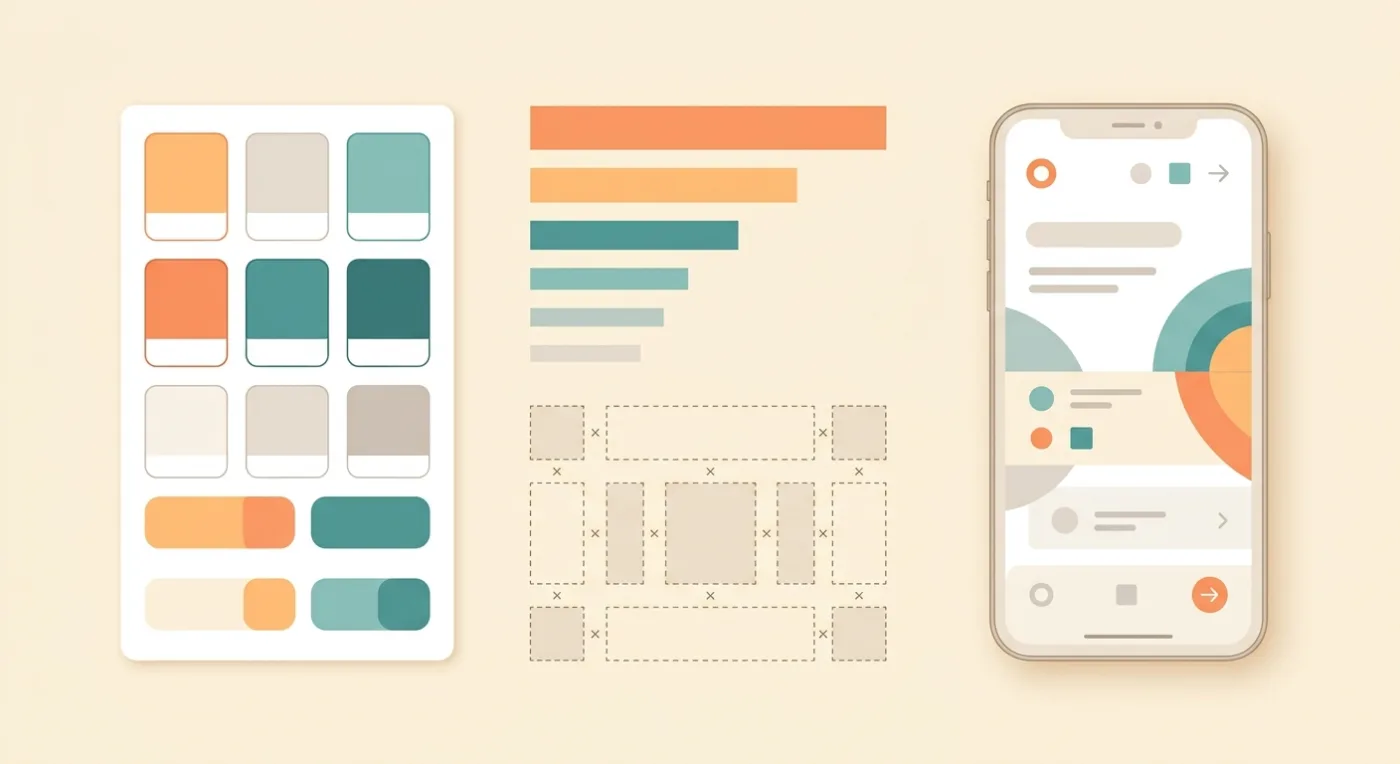
Stop using ad-hoc styles. Define a design system first, then refactor every existing screen to use it.
Colors: one primary [#2F6F62], one neutral scale of five steps from near-white to near-black, one success and one error color. No other colors anywhere.
Type: [system font], four sizes only, at [32, 20, 16, 13] with weights [700, 600, 400, 400].
Spacing: a strict [4px] scale. Every margin and padding must be a multiple of it.
Components: build Button (primary, secondary, ghost), Card, Input, and Empty State once, and use them everywhere. Every interactive element needs a visible pressed state and a disabled state.
Banned: gradients, drop shadows deeper than [4px], more than one font family, and center-aligned body text.
Done = no screen contains a hard-coded color or spacing value.
Why it works: "make it look modern" tells a model nothing, so it reaches for the same purple gradient and glassmorphic card everyone else gets. Constraints produce distinctiveness. The banned list is the part that makes your app stop looking AI-generated.
Swap: the colors, the type scale, and the banned list. Keep the final line, because hard-coded values are what erode a design system over time.
Prompts 10-12: Fix It, Harden It, Ship It

The last three prompts are the ones that turn a working demo into something you can put in front of users and app reviewers.
10. The Debugging Prompt
Something is broken. Do not change any code yet.
Symptom: [when I tap Save on the Add screen with an empty note field, the app freezes and I have to force-quit].
Steps to reproduce: [open Add, type a title, leave the note blank, tap Save].
Expected: [a validation message under the note field]. Actual: [frozen screen, no error shown].
Error output, verbatim: [paste the exact error or log text, or say "no error appears in the console"].
First, tell me the root cause in plain English and which file it is in. Then propose the smallest fix that addresses the cause rather than the symptom. Do not refactor anything unrelated. After I approve, apply the fix and tell me how to verify it.
Why it works: describing the symptom instead of prescribing the fix is the core rule of debugging with an agent, because your guess about the cause is usually the thing that sends it down the wrong path. The "do not change any code yet" opener is what prevents the classic failure mode where a one-line bug triggers a 400-line rewrite that breaks three other screens.
Swap: the symptom, repro steps, and error text. If you have no error text, say so explicitly rather than leaving the line out.
11. The Security Review Prompt
Act as a security reviewer for this project before I launch it. Do not fix anything yet. Produce a findings list.
Check specifically for: API keys or secrets committed anywhere in the codebase or exposed to the client; any endpoint that reads or writes data without checking who the caller is; authorization enforced only in the UI rather than at the database level; user input that reaches a query or a render without validation; file uploads with no type or size limit; and any dependency in the project that is not a real, currently published package.
For each finding give me: the file and line, what an attacker could actually do with it, and a severity of critical, high, or medium.
Sort by severity. Then wait for me to pick which ones to fix.
Why it works: a generic "is this secure?" returns reassurance. Naming the specific classes of flaw that AI-generated code actually produces returns findings. The last item on the list catches hallucinated dependencies, where a model invents a plausible package name that does not exist, which attackers then register and publish malware under. The full pre-launch list lives in the vibe coding security checklist.
Swap: nothing, on a first pass. Add checks specific to your domain, such as payment or health data handling, on a second pass.
12. The App Store Submission Prompt

Prepare this app for submission to the App Store and Google Play. Go through it as a store reviewer would.
Build requirements: confirm the iOS build uses the iOS 26 SDK or later, and that the Android build targets API level 36 or higher. Tell me if either is out of date.
Review blockers: check for placeholder text or images, broken or dead links, any crash on a cold start, a login wall with no way past it for a reviewer, missing privacy policy and support URLs, and any permission the app requests without a clear in-app reason.
Assets: generate the app icon at every required size, and list the screenshot dimensions I need for each store.
Metadata: write a store title under 30 characters, a subtitle, a description under 4,000 characters that leads with what the app does, and [up to 100 characters of] keywords. Do not mention competitor names or make claims the app cannot deliver.
Give me the output as a checklist with pass or fail against each item.
Why it works: the build requirements are hard gates, not suggestions. Since April 28, 2026, Apple requires uploads to App Store Connect to be built with Xcode 26 and the iOS 26 SDK, and since August 31, 2026, Google Play requires new apps and updates to target Android 16, API level 36. Miss either and the submission is rejected before a human ever opens your app. The rest of the list covers the reasons humans reject it afterwards.
Swap: the keyword length if your store differs, and add any category-specific requirement such as an account deletion path or age rating disclosure.
Five Fixes for When a Prompt Goes Wrong
Even good prompts miss. These five follow-ups fix most of what goes wrong, and all of them beat starting over.
What went wrong | What to say next |
|---|---|
It built features you never asked for | "Remove [the feed and the AI assistant]. I only asked for [the three screens listed above]. Do not add anything I did not name." |
It changed something that was already working | "Revert [the Home screen] to how it was before the last change. Keep [the new Settings screen]. Going forward, do not modify files outside the scope of my request." |
The result is close but the wrong shape | "Keep the logic. Change only [the layout: put the filter above the list, not in a modal]. Do not touch the data or the styling." |
It contradicts a decision from earlier | "You are now using [two different date formats]. Re-read the project rules above. Apply [ISO dates] everywhere and list which files you corrected." |
The same bug keeps coming back | "This is the third time [the list fails to refresh after a delete]. Do not patch it again. Explain why the previous two fixes did not hold, then fix the underlying cause." |
One broader rule: if an agent starts contradicting decisions it made an hour ago, the session context has degraded. Start a fresh session and re-paste prompt 1. That is faster than arguing with a confused agent.
Running These Prompts in CatDoes
These prompts work with any capable AI builder or coding agent. They are written to be portable, which is why nothing in them depends on a particular menu or button.
CatDoes is built for this sequence specifically. The agent runs in the cloud and can launch subagents in parallel, so a large change does not tie up your machine. The backend is included on every plan, which means prompts 5 and 6 do not require you to sign up for a separate database or auth provider first, and prompt 6's row-level security instruction has something real to enforce against. Every meaningful change is saved as a checkpoint, so the "revert that" fix in the table above is a real action rather than a hopeful request. And because CatDoes ships to the App Store, Google Play, and the web, prompt 12 is the actual last step rather than the start of a separate export-and-configure project.
The honest caveat: no builder removes the review step. Nearly half of surveyed developers report that debugging AI-generated code takes longer than writing it themselves, and that gap does not close because the prompt was good. Prompts 10 and 11 exist for a reason. Run them.
If you want to try the sequence end to end, start a project on CatDoes and run prompt 1 first. It takes about two minutes and changes everything that comes after it.
Frequently Asked Questions
How long should a vibe coding prompt be?
Long enough to name every decision that matters and no longer. For a first build, 150 to 400 words of structured detail is the sweet spot. Length itself is not the variable: a 60-word prompt that names the data, the boundary, and the definition of done beats a 500-word paragraph of stream-of-consciousness. What breaks a prompt is a missing decision, not a missing word count, which is why the bracketed slots above are all things only you can answer.
Should I write one big prompt or several small ones?
Several small ones, with one concern each. Agents drift when a single request carries multiple goals, and an early wrong assumption then compounds through everything built on top of it. The exception is the very first build prompt, which needs enough context to establish the whole shape of the project at once.
Do these prompts work on any AI builder?
Yes, with one caveat. The structure is portable across any capable builder or coding agent, because it is describing product decisions rather than tool mechanics. What varies is the backend: prompts 5 and 6 assume a database and auth system are available. If your tool does not include one, you will need an extra step to connect a provider before those prompts have anything to act on.
Can I vibe code an app and actually publish it to the App Store?
Yes, and thousands of people do. The build requirements are the same regardless of how the code was written: an iOS 26 SDK build for Apple and an API level 36 target for Google Play as of 2026. What trips up vibe coded apps is rarely the code and usually the submission basics, such as placeholder screens, a login wall a reviewer cannot get past, or a permission request with no explanation. Prompt 12 is designed to catch exactly those.
Is vibe coding still a thing in 2026?
The practice is, the label is contested. Karpathy retired the term in February 2026 in favor of "agentic engineering," and Stack Overflow found 72.2% of professional developers saying vibe coding is not part of their professional work. What has actually happened is a split: quick throwaway prototypes are still built on vibes, while anything meant to survive gets specs, rules files, and review. The 12 prompts above are written for the second case.
Start With One Prompt
You do not need all 12 today. Pick the one that matches where you are stuck. If you are starting fresh, prompt 1 takes two minutes and saves hours. If you have a half-built project that keeps drifting, prompt 1 plus the fourth row of the fixes table will pull it back into line. If something is broken, prompt 10. If you are close to launching, prompts 11 and 12.
The pattern underneath all of them is the same: name the data, name the boundary, name the taste, name what "done" means. Vibe coding prompts fail when they leave decisions to a model that has no way to know what you meant. Fill in the brackets, run them in order, and check the output at each step. That is the whole skill.
Nafis Amiri
Co-Founder of CatDoes


