Blog
Insights
CatDoes vs Bolt: Which Ships Apps? (2026)
CatDoes vs Bolt in 2026: pricing, backend, and App Store publishing compared. See why CatDoes is the Bolt alternative that ships real native apps.

Nafis Amiri
Co-Founder of CatDoes

TL;DR: CatDoes is an AI agent that builds native mobile apps and websites, then publishes them to the App Store, Google Play, and the web for you. Bolt is an in-browser AI builder that works well for web apps, but its own docs send you to a terminal on your computer to publish a mobile app. Pick CatDoes if you want a live app in the stores without touching a build pipeline. Pick Bolt if you only need a web app and like building in a browser tab.
You have an app idea and you want people to download it. CatDoes and Bolt both let you describe that app in plain English and watch AI build it, and both start free.
The difference shows up at the finish line. Bolt is built around the browser, so a web app goes live in a click.
A mobile app still needs a native build, code signing, and a store submission, and with Bolt those happen outside Bolt. CatDoes treats that last stretch as part of the job.
We make CatDoes, so we stuck to things you can check yourself, mostly each tool's own docs and pricing page. Where Bolt is the better pick, we say so.
Table of Contents
CatDoes vs Bolt
at a Glance
What Is CatDoes?
What Is Bolt?
Feature-by-Feature Comparison
Pricing: CatDoes vs Bolt in 2026
Is CatDoes a Good Bolt Alternative?
Which One Should You Choose?
Frequently Asked Questions
The Bottom Line
CatDoes vs Bolt at a Glance
CatDoes and Bolt overlap on web apps and built-in backends. They split on mobile publishing and on how much of the work you do yourself.
Feature | CatDoes | Bolt |
|---|---|---|
What it is | AI agent that builds and ships apps and websites | AI app builder that runs in your browser |
Best for | Founders who want a live app in the stores | Builders who want a fast web app or prototype |
Coding required | No | No |
Native iOS and Android apps | Yes, React Native | Yes, React Native via Expo |
App Store and Google Play publishing | Done by the agent (Starter plan and up) | Manual, with the EAS CLI on your own computer |
Websites and web apps | Yes, up to 20 custom domains per project | Yes, bolt.host hosting, custom domains on Pro |
Built-in backend | CatDoes Cloud: database, auth, storage, edge functions, realtime | Bolt Database: database, auth, storage, server functions |
App Store review check | Built-in review simulation | Not included |
Code access | GitHub import on Core, code export and two-way sync on higher plans | Code editor in the browser, GitHub integration |
Pricing model | Monthly credits | Monthly tokens |
Paid plans from | $20/mo (web), $50/mo (iOS and Android) | $25/mo |
What Is CatDoes?
CatDoes is an AI agent that builds mobile apps and websites from a plain-English description, then deploys them. The agent runs in the cloud on its own computer. It plans the work, spins up subagents, writes the code, fixes its own errors, and ships the result to the App Store, Google Play, or the web.
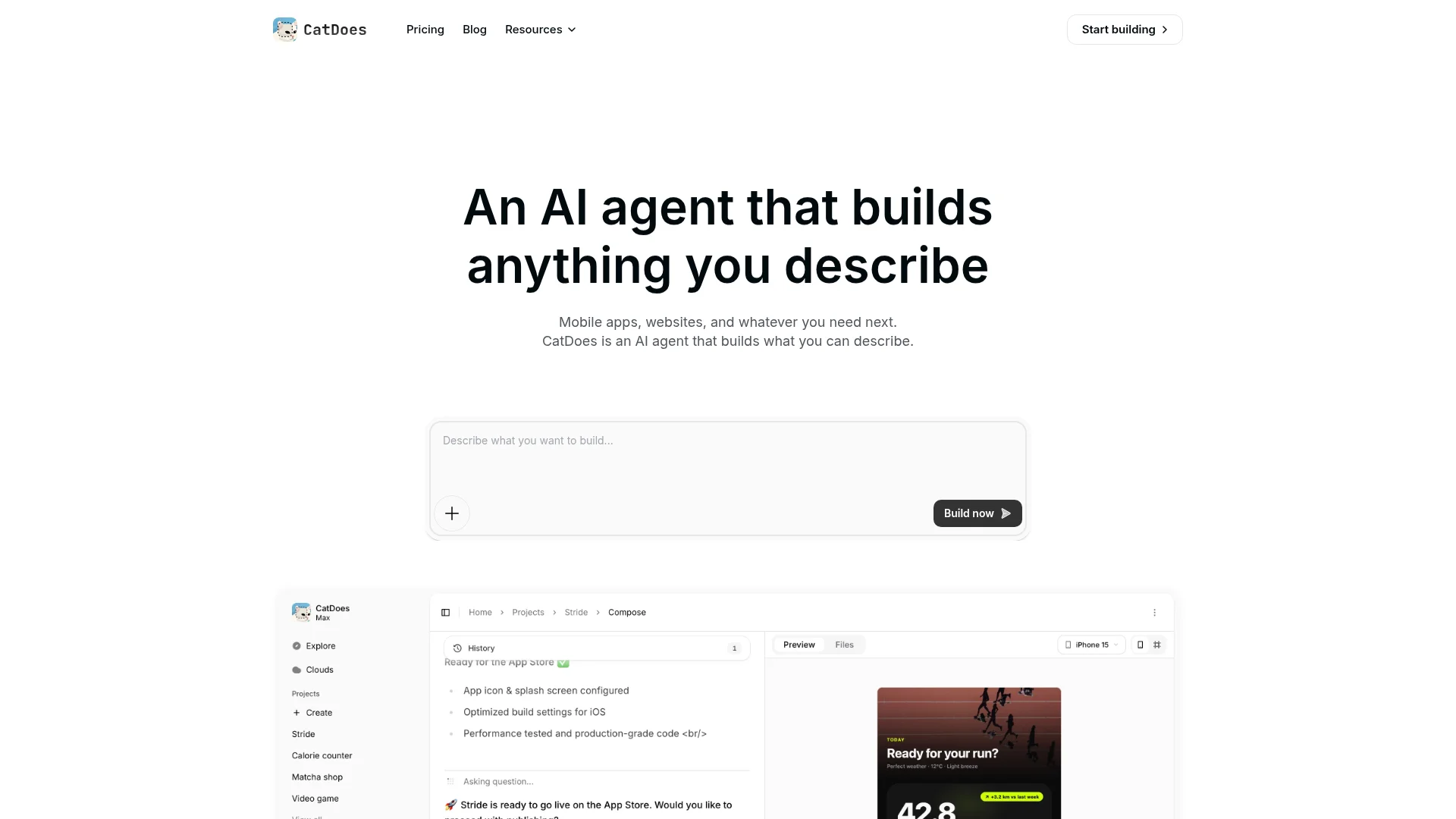
Mobile apps are real React Native apps, not web pages in an app shell. Every plan includes CatDoes Cloud, a built-in backend with a database, authentication, file storage, edge functions, and realtime, running in US or EU regions.
Developers still get a way in. You can import a GitHub repo, export your code, and review the pull requests the agent opens. For a wider view of the market, see our roundup of the best AI app builders.
What Is Bolt?
Bolt is an AI app builder from StackBlitz, launched in 2024. You describe an app, an agent writes the code, and a live preview renders in your browser. Bolt runs a full Node.js environment inside the browser tab using StackBlitz's WebContainers, so there is nothing to install.
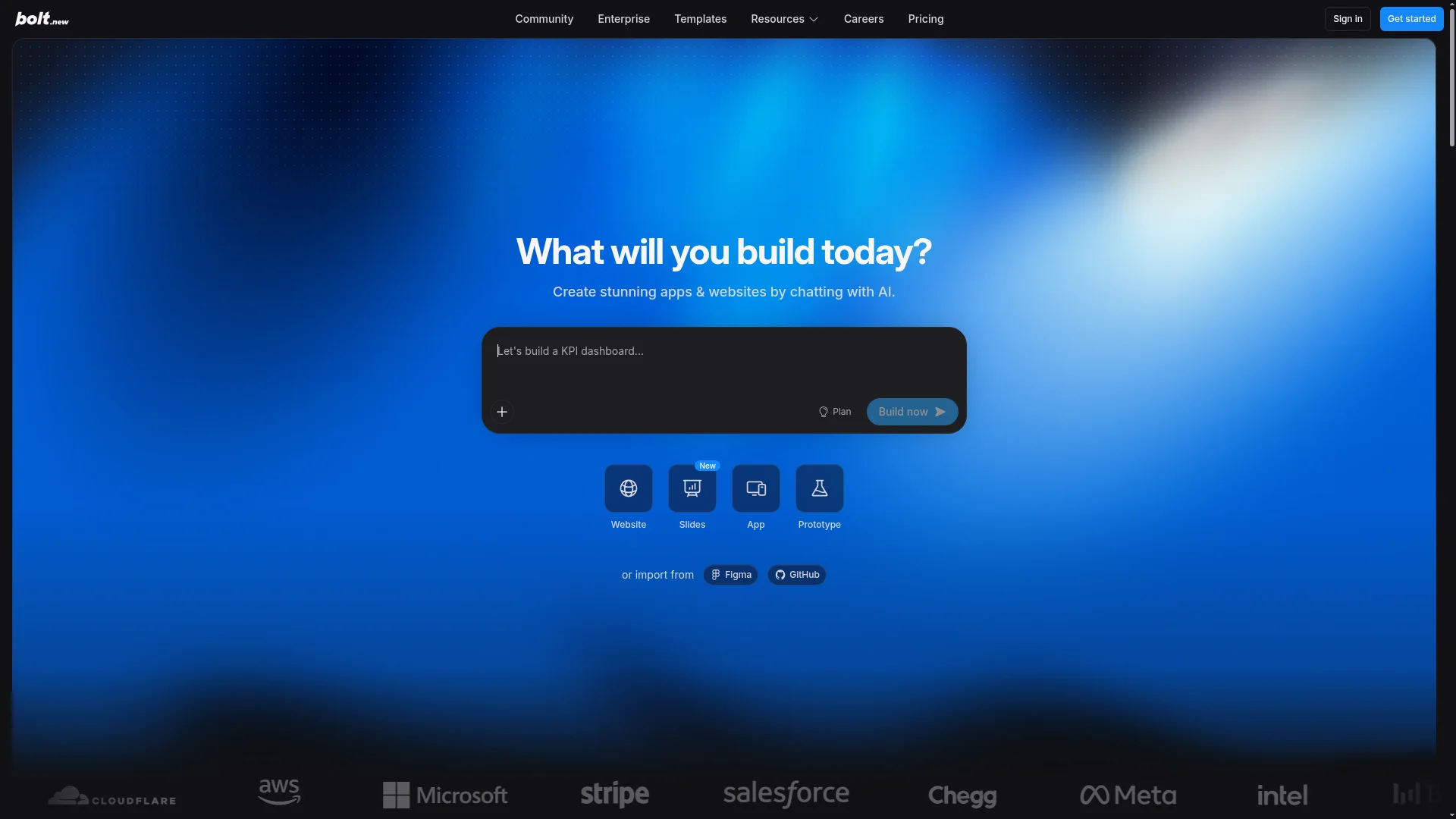
Bolt has grown a lot since launch. Expo support arrived in February 2025, so Bolt can write React Native screens for iOS and Android. Bolt v2, released in October 2025, added built-in databases, authentication, hosting, file storage, SEO boosting, and Stripe payments.
For web apps, Bolt is quick, and for a throwaway prototype it's hard to beat. You can go from a prompt to a hosted site on a bolt.host address, or on your own domain with Pro, without leaving the browser.
Feature-by-Feature Comparison
Both tools write code with frontier AI models, so the model isn't what separates them. What differs is who runs the build and how the finished app reaches users.
Mobile Apps and App Store Publishing
CatDoes publishes for you. On the Starter plan and up, the agent runs the native iOS and Android builds in the cloud, signs them with your developer credentials, fills in the store listings, and submits them to the App Store and Google Play. You don't need a Mac, you don't generate certificates, and you never open a command line.

Bolt stops before that point. Its Expo guide tells you to download the code, open it in a code editor, install the EAS CLI with npm, and run the build and submit commands from a terminal on your own computer.
That works if you already know the tools. If you've never used a terminal, it's a lot to learn just to ship.
Both paths need your own Apple Developer account ($99 per year) and Google Play developer account ($25 once). Our guide on how to submit an app to the App Store shows what the process looks like when you do it by hand.
Edge: CatDoes. It's the only one of the two that gets an app into the stores without you running the build.
Setup and Who Does the Work
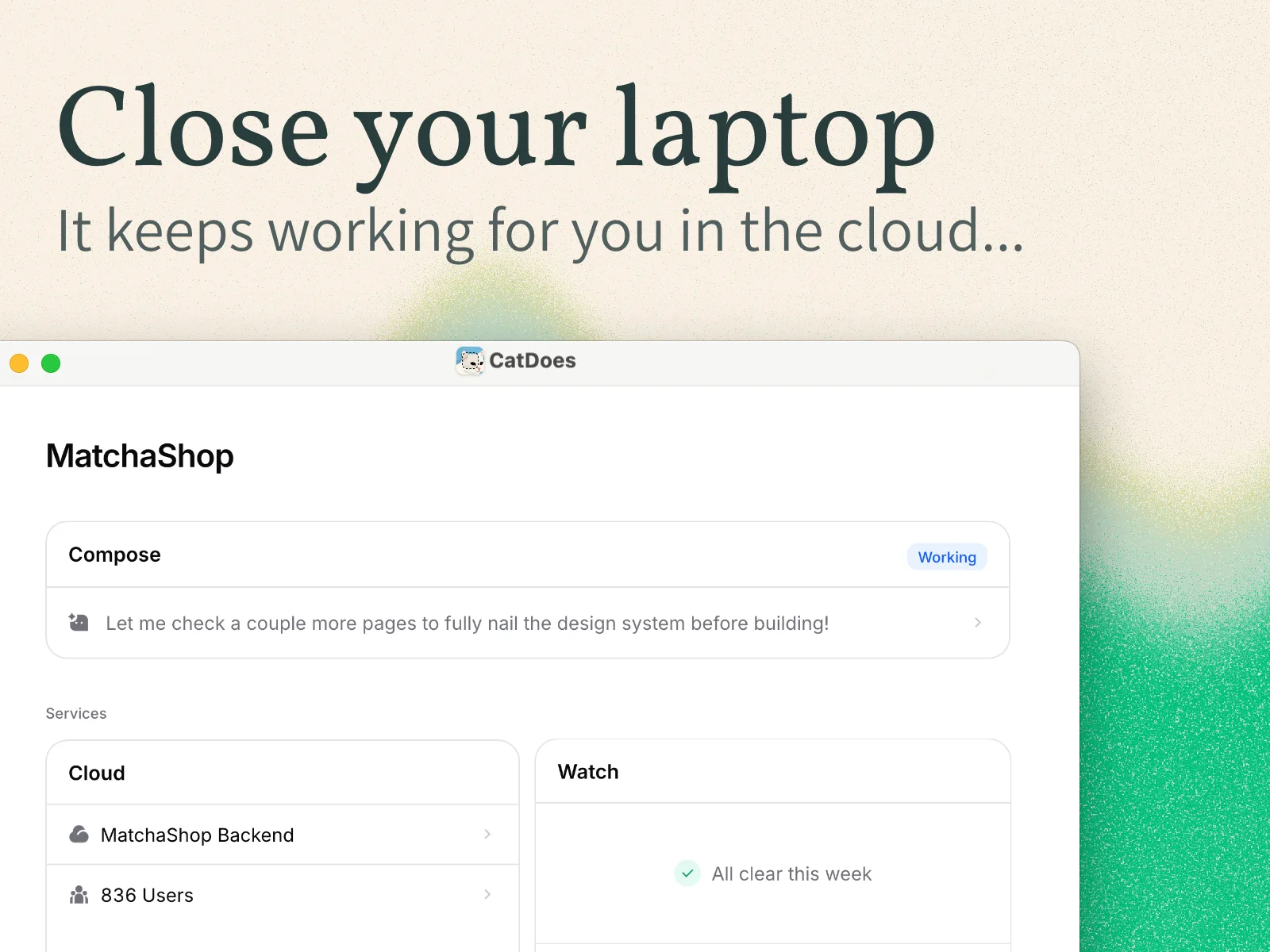
With CatDoes, you describe the app and review what comes back. The agent keeps working in the cloud after you close the tab, so a long build doesn't need you sitting there watching it.
Bolt is more hands-on. You prompt, watch the preview, and iterate in a browser IDE where the code is always one click away.
Developers like that control. Non-technical users can get stuck when an error needs a code-level fix.
Edge: CatDoes for non-technical founders. Bolt for developers who want to steer the code themselves.
Backend, Database, and Auth
Both tools now include a backend, so neither one needs a separate Supabase account to get started. CatDoes Cloud comes with every plan and covers the database, authentication, file storage, edge functions, and realtime, with US and EU regions to choose from.
Bolt Database is Bolt's version: tables, auth, file storage, and server functions, created automatically when your app needs them. Its docs note two limits worth knowing. Version History can't restore a database, and databases in unpublished projects may pause after six days of low use.
Edge: Close. CatDoes Cloud lists realtime and a US or EU region choice, while Bolt lists a built-in Stripe integration for payments.
Websites, Hosting, and Domains
CatDoes builds full websites as well as apps, and one project can publish across up to 20 custom domains. That helps when a marketing site, a web app, and an admin panel each need their own address. CatDoes can also turn an existing website into a native mobile app from its URL.
Bolt is strong here too. Free projects publish to a bolt.host address, Pro adds custom domains, and SEO boosting pre-renders each page as HTML so search engines can read it.
Edge: A tie for web-only projects. CatDoes pulls ahead when the same project also needs a mobile app.
Code Access and GitHub
Bolt puts the code front and center. Every project opens in a browser code editor, and you can connect GitHub or download the code whenever you like.
CatDoes keeps the code in the background but doesn't lock it away. Core can import a GitHub repo, and higher plans add code export and two-way GitHub sync, so a developer can take over at any point.
Edge: Bolt.new, if working directly in the code is how you like to build.
Getting Through App Store Review
Apple and Google both review apps before they go live, and a rejection sends you back to fix and resubmit. CatDoes runs an App Store review simulation that flags likely rejection reasons before you submit, checked against Apple's App Store Review Guidelines.

Bolt's docs don't describe a pre-submission check, since publishing happens outside Bolt. You find out about problems when a reviewer sends the app back.
Edge: CatDoes.
Pricing: CatDoes vs Bolt.new in 2026
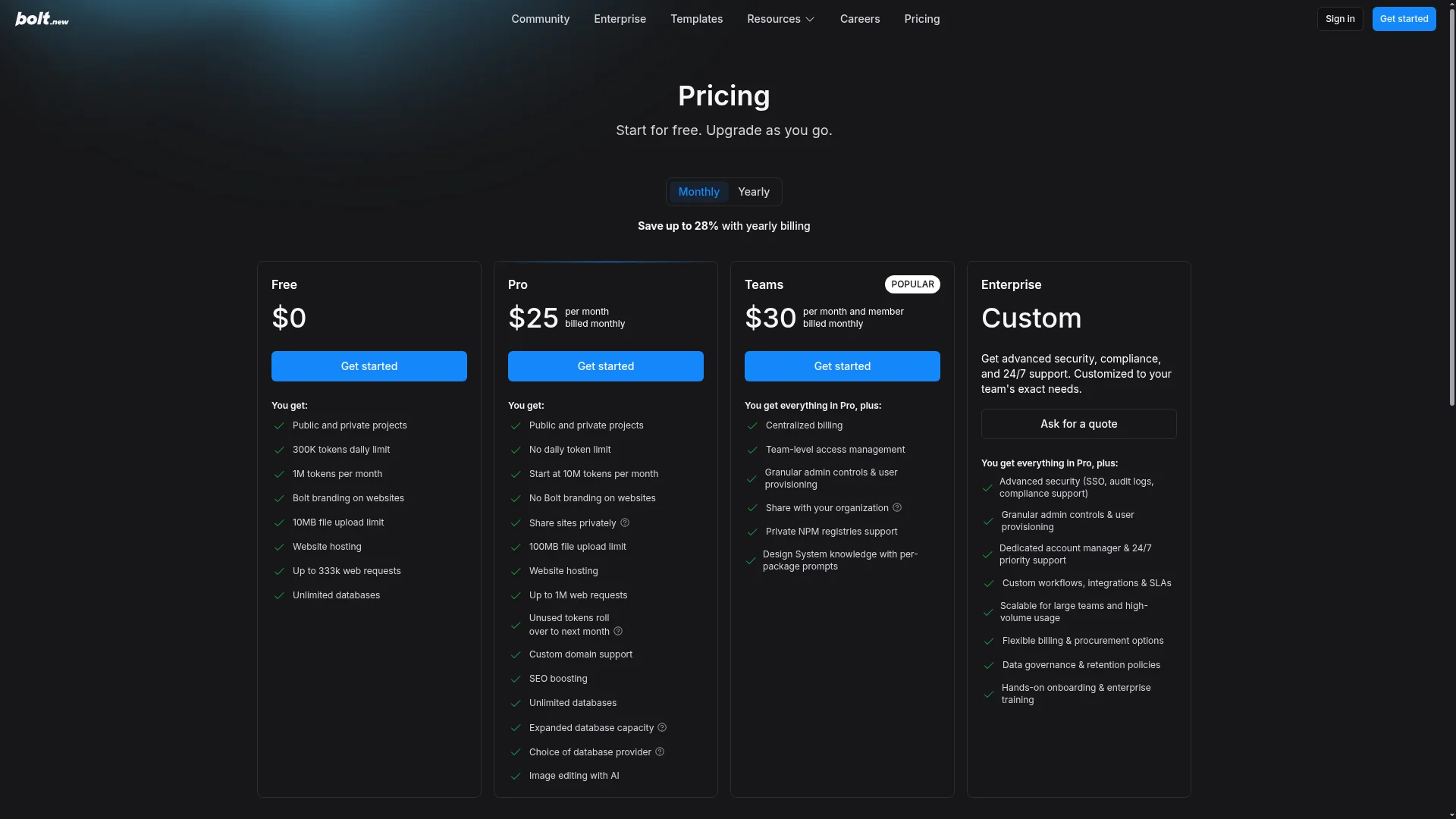
Bolt.new charges for tokens. Each plan includes a monthly token allowance, and Bolt's docs say most usage comes from the agent reading and syncing your project files, so larger projects use more tokens per message. Current plans, from the official pricing page:
Bolt.new Plan | Price | What you get |
|---|---|---|
Free | $0 | 1M tokens/mo, 300K daily limit, Bolt branding, unlimited databases |
Pro | $25/mo | 10M+ tokens/mo, rollover, custom domains, no branding |
Teams | $30/member/mo | Everything in Pro, plus team billing and admin controls |
Enterprise | Custom | SSO, audit logs, compliance support |
CatDoes charges a fixed monthly credit allowance, and CatDoes Cloud is included on every plan. App Store and Google Play publishing starts on Starter.
CatDoes Plan | Monthly | Billed yearly | Credits/mo | Publishes to |
|---|---|---|---|---|
Free | $0 | $0 | 15 (one-time) | Web |
Core | $20/mo | $17/mo | 50 | Web |
Starter | $50/mo | $42/mo | 200 | Web, iOS, Android |
Plus | $100/mo | $84/mo | 400 | Web, iOS, Android |
Pro | $200/mo | $168/mo | 900 | Web, iOS, Android |
Max | $399/mo | $399/mo | 2,000 | Web, iOS, Android |
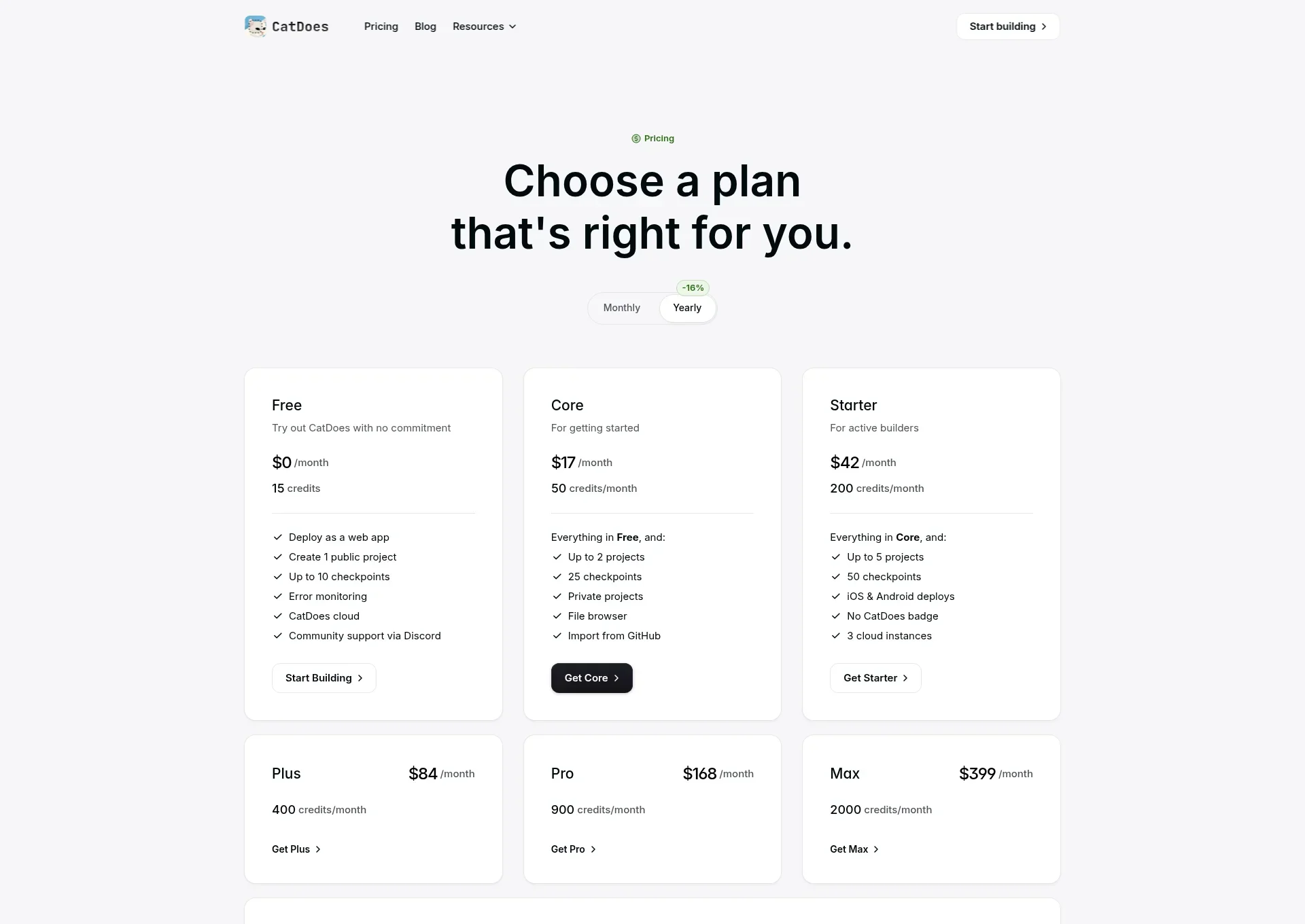
For web-only projects, CatDoes Core ($20/mo, or $17/mo billed yearly) sits just under Bolt Pro ($25/mo).
For a mobile app, compare CatDoes Starter ($50/mo, or $42/mo billed yearly) with Bolt Pro. Bolt costs less on paper. The difference pays for the part Bolt leaves to you: native builds, code signing, store submission, and the review check.
With either tool, add Apple's $99 per year and Google's one-time $25.
Is CatDoes a Good Bolt.new Alternative?
Yes, if your project needs to be in the App Store or Google Play, since that's the step Bolt.new leaves to you. If you've already hit that wall, the web version probably works fine. It's the mobile launch that turned into terminal commands and signing certificates.
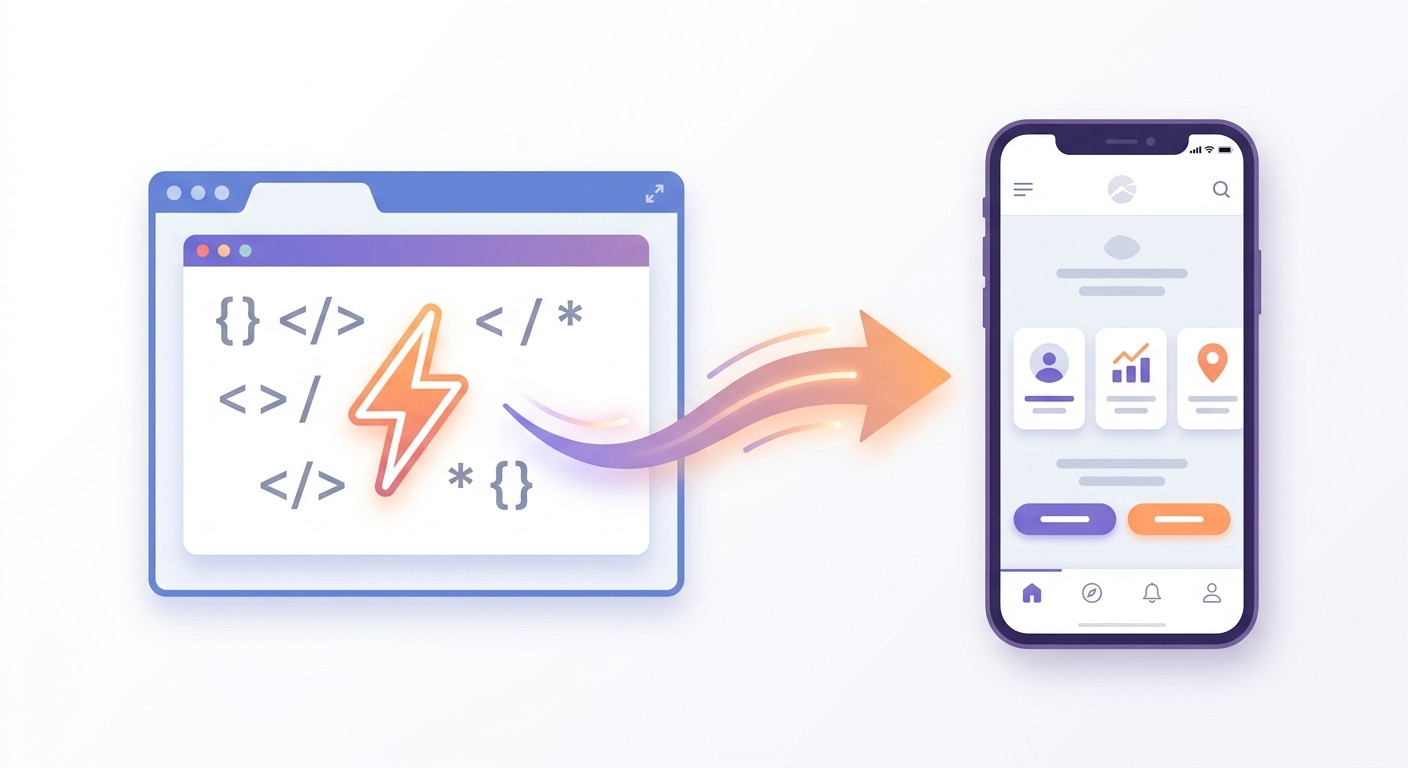
You don't have to start over. CatDoes can import a Bolt project from its GitHub repo or its live URL, rebuild it as a native React Native app, and ship it to both stores. Our Bolt.new to mobile app guide walks through it step by step.
CatDoes is also the better fit if you'd rather not manage code at all, or if you want your website and your mobile app to come from the same project.
Which One Should You Choose?
Choose CatDoes if you want a finished app in the App Store and Google Play, plus a website and a backend, without touching Xcode, EAS, or certificates. It fits founders and small business owners who want a working product, and developers who'd rather not run a build pipeline.
Choose Bolt.new if you're building a web app or a quick prototype, you like iterating in a browser IDE, and you either only need the web or are comfortable running native builds yourself.
Your goal | Better pick |
|---|---|
Get a native app into the App Store and Google Play | CatDoes |
Build without ever opening a terminal | CatDoes |
Launch a website and a mobile app from one project | CatDoes |
Catch App Store rejection risks before you submit | CatDoes |
Prototype a web app fast in a browser tab | Bolt.new |
Edit the generated code line by line as you go | Bolt.new |
You can also use both: prototype in Bolt.new, then import the project into CatDoes when it's time to ship to the stores. Comparing other browser-based builders? Our CatDoes vs Replit breakdown covers another popular option.
Frequently Asked Questions
What is the main difference between CatDoes and Bolt?
CatDoes is an AI agent that builds apps and websites and publishes them to the App Store, Google Play, and the web for you. Bolt is an in-browser AI builder that is strongest on web apps. Bolt can generate React Native code, but you run the native build and store submission yourself.
Can CatDoes publish apps to the App Store and Google Play?
Yes. On the Starter plan and above, CatDoes runs the native iOS and Android builds in the cloud, signs them with your developer credentials, and submits them to the App Store and Google Play. You need an Apple Developer account and a Google Play developer account, but no Mac and no command line.
Is CatDoes easier to use than Bolt for non-technical founders?
For most non-technical founders, yes. CatDoes handles the code, the backend, the builds, and the store submission, so you describe the app and review the result. Bolt is also no-code to start, but its mobile publishing steps require a code editor, a terminal, and the EAS CLI.
Does CatDoes build real native apps or web wrappers?
CatDoes builds real native apps with React Native. They compile into standard iOS and Android builds rather than a website inside an app shell. On Starter and above, CatDoes can also export the .ipa, .aab, and .apk files directly.
How much does CatDoes cost compared to Bolt?
CatDoes has a free plan, Core at $20/mo for web projects, and Starter at $50/mo ($42/mo billed yearly) with iOS and Android publishing. Bolt Pro is $25/mo, which is less on paper. The difference is that CatDoes includes the native builds and store submission that Bolt leaves to you.
Does CatDoes include a backend like Bolt does?
Yes. Every CatDoes plan includes CatDoes Cloud, with a database, authentication, file storage, edge functions, and realtime, hosted in US or EU regions. Bolt has its own built-in Bolt Database, so neither tool needs a separate Supabase account to get started.
Can CatDoes import my Bolt project?
Yes. CatDoes imports a Bolt project from its GitHub repo or its live URL, rebuilds it as a native React Native app, and ships it to the App Store and Google Play. If the Bolt app already uses Supabase or another API, CatDoes wires in the same backend.
The Bottom Line
CatDoes vs Bolt0 comes down to where you want the tool to stop. Bolt.new is a fast in-browser builder that gets web apps live and hands you the code for mobile. CatDoes is an AI agent that carries your app into the App Store, Google Play, and the web, with the backend and the review check included.
If your goal is an app people can download, try CatDoes free and describe your first app in a sentence or two.
Nafis Amiri
Co-Founder of CatDoes


