Blog
Tutorials
15 Best React Native Templates 2026 (Free + Expo)
Compare 15 React Native templates for 2026: free Expo starters like Ignite and Obytes, paid kits with real prices, and which ones haven't been updated.

Nafis Amiri
Co-Founder of CatDoes

TL;DR: For most new apps, start with Expo's free default template (npx create-expo-app@latest). For a free, production-ready boilerplate, pick Ignite or the Obytes template. For paid, finished screens, Native Templates and gluestack market are current. If you'd rather not assemble a template at all, CatDoes builds the app for you as a standard React Native Expo project.
A React Native template gives you a working project on day one: navigation, auth screens, styling and build config already wired. That saves weeks of setup before you build a React Native app of your own.
The catch is that templates age fast. In October 2026 we checked each template's latest release and Expo SDK version, and several popular picks haven't been updated since 2024.
The list starts with CatDoes and the free, open-source starters, then the paid templates and marketplaces. Each entry covers what you get, the price, Expo support and the main limitation.
Quick picks by use case:
Best free starting point: Expo's
defaulttemplateBest free production boilerplate: Ignite, or Obytes if you want Expo Router and Tailwind styling
Best for choosing your own stack: create-expo-stack
Best free UI kit: UI Kitten
Best paid Expo templates: Native Templates or gluestack market
Best for a WooCommerce store: MStore Pro, once you've checked its 2024 update date
Best for skipping the template: CatDoes
Table of Contents
React Native Templates Compared
CatDoes
Expo create-expo-app Templates
Ignite (Infinite Red)
Obytes React Native Template
create-expo-stack
Rootstrap React Native Template
UI Kitten (Akveo)
Creative Tim
Craft React Native
gluestack market (formerly theappmarket.io)
Native Templates
ExpoStarter
Instamobile
InspireUI (MStore Pro)
CodeCanyon (Envato Market)
Free React Native Templates
React Native Themes, Boilerplates, and Starter Kits
React Native Template or AI App Builder: Which Should You Use?
How to Pick the Right React Native Template
FAQ
Wrapping Up
React Native Templates Compared
Here are all 15 options at a glance. The last column is the latest release or update we found on the vendor's site or GitHub in October 2026. Expo's current SDK is 57, with SDK 58 rolling out.
Template | Type | Best For | Price | Expo? | Last Update (Oct 2026 Check) |
|---|---|---|---|---|---|
CatDoes | AI app builder | A working app without assembling a template | Free plan; paid from $20/mo | Yes | Hosted service |
Expo templates | Official starters | Most new apps | Free | Yes (SDK 57/58) | Docs updated Oct 2026 |
Ignite | Boilerplate + CLI | Teams shipping client apps | Free (MIT) | Yes (SDK 55) | v11.5.0, Mar 2026 |
Obytes | Boilerplate | Expo Router + NativeWind apps | Free (MIT) | Yes (SDK 54) | v9.0.0, Jan 2026 |
create-expo-stack | CLI generator | Picking your own stack | Free (MIT) | Yes (SDK 56) | v2.23.3, Sep 2026 |
Rootstrap | Boilerplate (Obytes fork) | Teams building with EAS | Free (MIT) | Yes (SDK 54) | v1.9.0, Feb 2026 |
UI Kitten | UI library | Themed components, dark mode | Free (MIT) | Yes | v6, Oct 2026 |
Creative Tim | UI kits | Design-first prototypes | Free kits; PRO via pass | Yes | Free kits: 2023-2024 |
Craft React Native | Copy-paste screens | Polished screens you own | Free (own license) | Yes | v1.1.1, Jan 2026 |
gluestack market | Template store | gluestack-ui apps | Free + $99-$199 | Yes | Selling Oct 2026 |
Native Templates | Full-app templates | Complete Expo app flows | $79-$99; bundles $119-$149 | Yes | Selling Oct 2026 |
ExpoStarter | Starters + courses | Learning while building | €100 or €200 one-time | Yes | Site still lists SDK 53 |
Instamobile | App templates | Dashboards, app clones | Dopebase All Access, $229/yr | Varies | Moved to Dopebase |
MStore Pro | WooCommerce app | WooCommerce stores | $69 (CodeCanyon) | Yes (SDK 48) | v5.1.0, Jul 2024 |
CodeCanyon | Marketplace | Niche app types | Per item, one-time | Varies | Varies by seller |
CatDoes
CatDoes is an AI agent that builds the app for you, so there's no template to set up. Every mobile app it builds is a standard React Native Expo project (CatDoes docs).
You describe the app in plain English, and it writes the screens, navigation and logic. Then it sets up the backend on CatDoes Cloud: database, auth, storage and edge functions.

You preview the app in your browser or on your phone, and the agent keeps editing it as you ask for changes. Already started from a template? On the Core plan and up, you can import the repo from GitHub and keep building it with the agent.
Best for: Founders who want a working app first, and developers who want an AI agent working on an Expo codebase
Price: Free plan (15 one-time credits, 1 public project, web deploy). Paid plans from $20/month. App Store and Google Play releases start on Starter ($50/month)
Standout feature: The output is a regular Expo project. On Plus ($100/month) and up, you can download the code or sync it both ways with GitHub
Limitation: It isn't free source code you clone. Work runs on credits, and code export needs the Plus plan
Website: catdoes.com
Expo create-expo-app Templates
Expo's own templates are the free default, and the React Native docs recommend a framework such as Expo for new apps (React Native docs). Run npx create-expo-app@latest and you get the default template: a multi-screen app with Expo Router and TypeScript.
Pass --template to pick a different one (Expo docs):
default: multi-screen app with Expo Router and TypeScript. Expo calls it suitable for most apps.blank: the minimum dependencies, with no navigation set up.blank-typescript: the blank template with TypeScript enabled.tabs: tab navigation with Expo Router and TypeScript.bare-minimum: a blank template with the nativeandroidandiosfolders generated.
For a specific integration, npx create-expo-app --example lists Expo's example apps, with setups for Stripe, Clerk, Supabase, NativeWind and more. During the SDK 58 rollout, @latest still creates an SDK 57 project; add --template default@sdk-58 to get SDK 58.
New projects also include an AGENTS.md file that gives AI coding agents Expo context. Our create-expo-app guide walks through setup.
Best for: Any new app where you want the official, current setup
Price: Free
Standout feature: Always matches the current Expo SDK
Limitation: No auth, backend or designed screens. You build those yourself
Website: docs.expo.dev/more/create-expo
Ignite (Infinite Red)
Ignite is the boilerplate Infinite Red uses for its own client apps, maintained since 2016. It's free under the MIT license and had 19.9k GitHub stars in October 2026 (Ignite on GitHub).
Version 11.5 runs on React Native 0.83 and Expo SDK 55. Out of the box you get TypeScript, React Navigation, MMKV storage, i18n with right-to-left support, Reanimated, Jest, Maestro end-to-end tests and the Reactotron debugger, plus a themed component library and code generators.
Start with npx ignite-cli@latest new MyApp, or add --yes to accept the recommended defaults.
Best for: Teams and agencies that want a proven structure they'll keep for years
Price: Free (MIT)
Standout feature: Generators for screens and components, plus a full testing setup
Limitation: It's opinionated (MMKV, apisauce, React Navigation), and it was on SDK 55 when we checked, two behind Expo's current SDK
Website: github.com/infinitered/ignite
Obytes React Native Template
The Obytes template is a free Expo starter kit from the Obytes mobile team, built for production apps. It ships with multi-environment builds, 10+ GitHub Actions workflows for building and releasing, Jest unit tests and Maestro end-to-end tests.
It runs on Expo SDK 54 with a custom dev client, Expo Router, TypeScript and NativeWind (Tailwind CSS for React Native). The auth flow uses Zustand and MMKV, data fetching uses React Query, forms use TanStack Form with zod, and translations use i18next (Obytes on GitHub).
Best for: Developers who want Expo Router, Tailwind styling and CI ready on day one
Price: Free (MIT)
Standout feature: Release workflows and end-to-end tests already set up
Limitation: Only a minimal UI kit, so you design the screens yourself
Website: Obytes starter docs
create-expo-stack
create-expo-stack is a CLI that assembles an Expo project from the options you pick. Run npx rn-new@latest, then choose Expo Router or React Navigation, NativeWind, Unistyles or plain StyleSheet, and Supabase or Firebase for auth (create-expo-stack on GitHub).
Its base template was on Expo SDK 56 in October 2026, and the project says over 100,000 Expo apps have been generated with it. Use it when no single boilerplate matches the stack you want.
Best for: Picking your own stack without wiring it by hand
Price: Free (MIT)
Standout feature: Mix-and-match setup, including Supabase or Firebase auth
Limitation: You get a configured skeleton, not finished screens
Website: rn.new
Rootstrap React Native Template
Rootstrap's template started as a React Native CLI starter. It's now a fork of the Obytes template that Rootstrap keeps in sync, with its own changes: react-hook-form for forms and a project already set up for EAS builds (Rootstrap on GitHub).
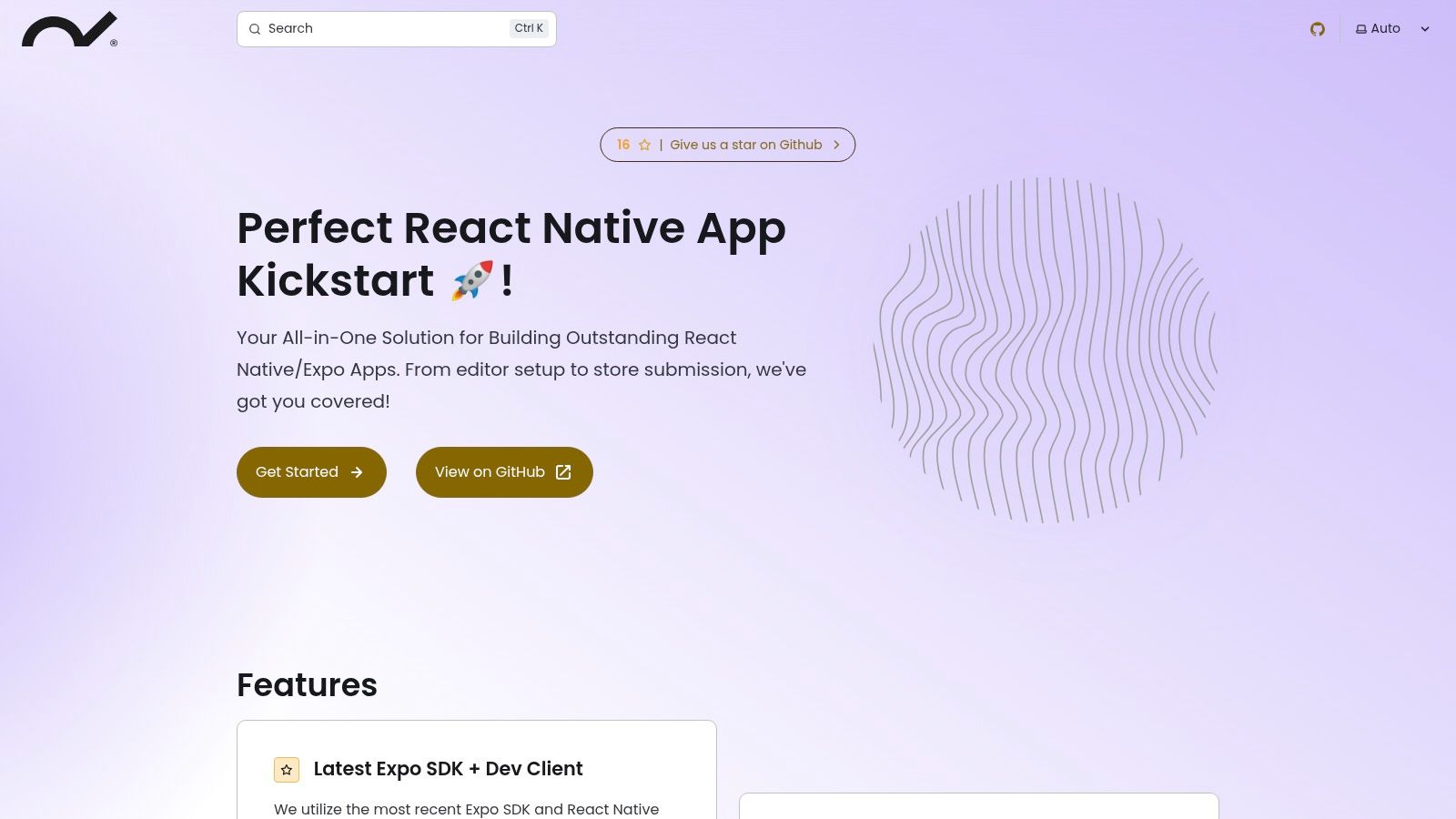
The rest of the stack matches Obytes: Expo SDK 54, Expo Router, TypeScript, NativeWind, React Query and i18n. It's MIT licensed.
Best for: Teams that ship with EAS and want the Obytes setup with those defaults
Price: Free (MIT)
Standout feature: EAS build configuration included
Limitation: A much smaller community than Obytes (26 GitHub stars vs 4.4k), so check it's caught up with the original before you start
Website: github.com/rootstrap/react-native-template
UI Kitten (Akveo)
UI Kitten is a free, open-source UI library built on the Eva Design System. Version 6 was rebuilt for React 19, React Native 0.81 and the New Architecture, and its maintainers verified it on Expo SDK 54 (UI Kitten on GitHub).

You get 30+ themeable components, light and dark themes you can switch at runtime, and an optional pack of 480+ Eva icons. There's no business logic or pre-built app flows, just building blocks.
Best for: Themed components and dark mode at no cost
Price: Free (MIT)
Standout feature: Theme switching at runtime, with no reload
Limitation: Components only. No screens, navigation or backend
Website: UI Kitten
Creative Tim
Creative Tim sells React Native UI kits built on its design systems. Four are free (Argon, Material Kit, Now UI and Soft UI), and each has a PRO version with more screens. Argon PRO, for example, lists 200 elements and 25 example pages, built on Galio and Expo (Creative Tim React Native templates).
Check the dates before you build on one. The free Argon and Material Kit repos were last updated in 2024, and Argon PRO's page says it was updated two years ago.
The kits are UI only, which suits teams that already have a backend or plan to go from Figma designs to React Native code.
Best for: Design-first prototypes
Price: Free kits. PRO kits come with an access pass from $29/month or $199/year
Standout feature: Consistent design language across every screen
Limitation: No backend logic, and the kits lag behind current Expo releases
Website: Creative Tim free React Native kits
Craft React Native
Craft React Native now ships as copy-paste screen templates on GitHub: onboarding, messaging, trading, settings and more, each with dark mode and Reanimated animations. They're built with Unistyles and strict TypeScript, and they work in Expo or bare projects (Craft templates on GitHub).

The old craftreactnative.com domain has expired, so get the templates from GitHub. They come with their own license: you can use them in commercial and client apps, but you can't resell them or build a competing template library from them.
Best for: Polished screens you copy into your project and own
Price: Free, under the CraftReactNative license
Standout feature: No package to update, because the code lives in your app
Limitation: Frontend only, with a small catalog
Website: github.com/craftreactnative/templates
gluestack market (formerly theappmarket.io)
theappmarket.io now redirects to gluestack market, run by GeekyAnts, the team behind gluestack-ui. Its templates use Expo, TypeScript and gluestack-ui with NativeWind, and they run on iOS, Android and the web (gluestack market).

A few templates are free, like the weather app. Most app templates cost $99, and the full-stack AppLaunchKit and gluestack-ui pro cost $199 each. GeekyAnts also made NativeBase, which is now deprecated in favor of gluestack-ui, so skip NativeBase-based templates for new projects.
Best for: Apps built on gluestack-ui and NativeWind
Price: Free templates, then $99 to $199
Standout feature: Web support from the same code
Limitation: A smaller catalog than CodeCanyon, though you can request a custom template
Website: market.gluestack.io
Native Templates
Native Templates sells full app templates on Expo, TypeScript and NativeWind or Uniwind. Unlike UI kits, they include complete flows such as auth, booking and provider tools (Native Templates).
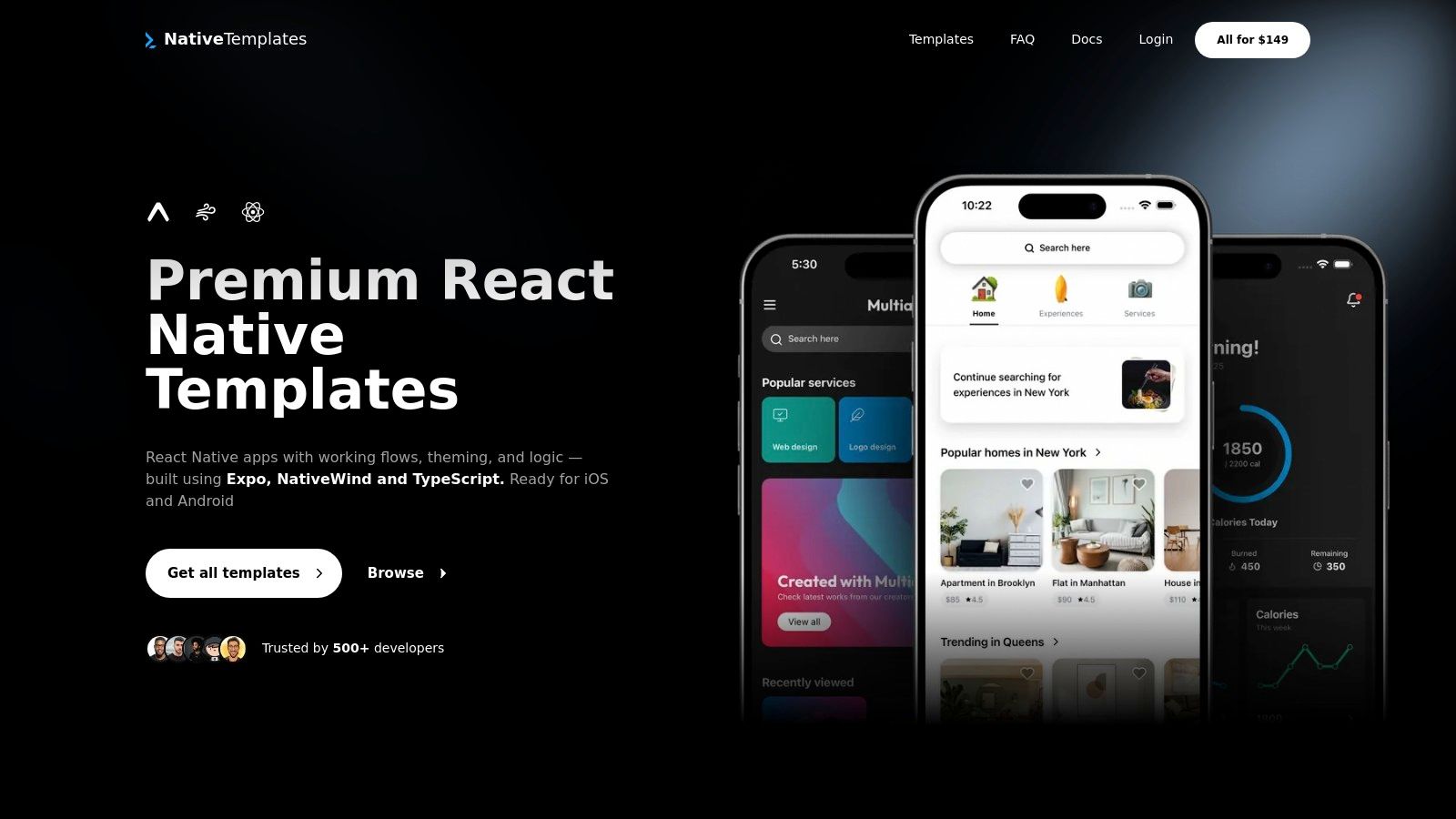
Single app templates cost $79 to $99. Bundles with every current and future template cost $119 or $149. Each template ships with CLAUDE.md and Cursor rules, so AI coding tools extend the screens in the same style.
Best for: Developers who want finished Expo app flows on a modern stack
Price: $79 to $99 per app template; bundles $119 to $149
Standout feature: Complete app flows, not just UI
Limitation: A smaller catalog than the big marketplaces
Website: native-templates.com
ExpoStarter
ExpoStarter is a membership. One payment gives lifetime access to its private GitHub organization, with starters such as a Supabase starter, a Turso multi-tenant starter and an Expo Universal starter, plus courses on in-app purchases, CI/CD and EAS (ExpoStarter).

Basic costs €100 and Pro, which adds ongoing support, costs €200, both one-time. You can't buy a single starter. Its homepage still advertises Expo SDK 53, so check each starter's SDK version after you join.
Best for: Developers learning Expo who want starters and lessons together
Price: €100 (Basic) or €200 (Pro), one-time
Standout feature: Courses and real codebases in one membership
Limitation: Bundle only, and the marketing lags behind current Expo SDKs
Website: expostarter.com
Instamobile
Instamobile is now part of Dopebase. Its React Native templates, including dashboards, finance, real estate, news and app clones, are sold through Dopebase, and past Instamobile purchases carry over to a Dopebase account (Dopebase).

Dopebase's All Access membership costs $229 a year and covers React Native, Flutter, Swift and Kotlin apps plus 15 admin panels. Its React Native docs cover TypeScript and Firebase setup.
Best for: Business apps, dashboards and app clones
Price: Dopebase All Access, $229 billed yearly
Standout feature: Pre-built business screens across many verticals
Limitation: Quality varies by template, and the membership covers far more than React Native
Website: Dopebase React Native templates
InspireUI (MStore Pro)
MStore Pro is a complete WooCommerce app built with React Native. Products, cart and payments sync with your store. It's $69 on CodeCanyon, with over 3,000 sales and a 4.58 rating (MStore Pro on CodeCanyon).

Its weak spot is age. The last update was July 2024 (version 5.1.0, Expo SDK 48, React Native 0.72), and InspireUI's own site now sells only its Flutter app, FluxStore. Plan for an Expo upgrade, or ask the seller about it before you buy.
Best for: WooCommerce store owners who want an iOS and Android app fast
Price: $69 (CodeCanyon regular license)
Standout feature: WooCommerce integration out of the box
Limitation: Tied to WooCommerce, and nine Expo SDKs behind the current one
Website: codecanyon.net (search MStore Pro)
CodeCanyon (Envato Market)
CodeCanyon is Envato's code marketplace, with React Native templates for food delivery, classifieds, dating, fitness and more. Each listing shows sales, ratings, a changelog and the versions it supports.
Quality depends on the seller. Before buying, check the last update date and the React Native and Expo versions in the changelog. MStore Pro above is a good example: popular, but last updated in 2024.
Best for: Finding niche templates (food delivery, classifieds, social apps)
Price: One-time price per item, with regular and extended licenses
Standout feature: The widest variety of app types
Limitation: Inconsistent code quality and support across sellers
Website: CodeCanyon React Native section
Free React Native Templates
The best free React Native templates in 2026 are Expo's own create-expo-app templates, Ignite and the Obytes template. All three are open source and current with recent Expo SDKs. For free UI components, use UI Kitten.
Here's the full free shortlist from this list:
Expo templates: official and current. The
defaulttemplate fits most apps.Ignite: MIT boilerplate with generators, i18n and a full testing setup.
Obytes: MIT Expo starter with Expo Router, NativeWind and CI workflows.
create-expo-stack: a free CLI that assembles the stack you choose.
Rootstrap: MIT fork of Obytes, set up for EAS builds.
UI Kitten: MIT UI library with 30+ components and dark mode.
Creative Tim: free Argon, Material Kit, Now UI and Soft UI kits, last updated in 2023-2024.
Craft React Native: free copy-paste screens under its own license.
gluestack market: a few free templates alongside the paid ones.
Free templates give you code and structure. The screens, backend and app store setup are still yours to build. If you want a working app without writing that part, CatDoes has a free plan that builds a React Native Expo app from a prompt.
React Native Themes, Boilerplates, and Starter Kits
A theme styles your UI, a boilerplate sets up the technical foundation, and a full template combines both into a ready-to-run app. Knowing which one you need keeps you from paying for a full-stack template when all you wanted was a color system.
Themes and UI libraries: UI Kitten (Eva Design), gluestack-ui (the successor to NativeBase), React Native Paper (Material Design) and NativeWind for Tailwind-style classes with dark mode. Best when you already have the app logic.
Boilerplates and starter kits: Ignite, Obytes, Rootstrap and create-expo-stack set up navigation, state, data fetching and tests. Best for developers who will build their own screens.
Full templates: Native Templates, gluestack market, Dopebase (Instamobile) and MStore Pro ship screens, logic and sometimes a backend.
For a 2026 boilerplate, look for Expo Router, TypeScript and a recent Expo SDK. Obytes and create-expo-stack fit that today. Ignite fits if you prefer React Navigation.
React Native Template or AI App Builder: Which Should You Use?
Use a template if you write React Native and want control over every file from the first commit. Use an AI app builder if you want a working app first and would rather describe changes than wire up auth, navigation and a backend yourself.
React Native Template | AI App Builder (CatDoes) | |
|---|---|---|
Starting point | Code you clone | An app built from your description |
Backend | You add one | CatDoes Cloud included |
Who writes the code | You | The agent, and you can edit the files |
Cost | Free, or about $70-$200 one-time | Free plan; paid from $20/month |
Code ownership | Yours from day one | A standard Expo project; download on Plus and up |
App Store and Google Play | You set up builds and submission | Releases on Starter and up |
You can also combine them. Start from a template, push it to GitHub, and import the repo into CatDoes on the Core plan or higher to keep building with the agent (CatDoes import docs). For more tools that output React Native, see our React Native app builder guide.
How to Pick the Right React Native Template
With 15 options on the table, five checks narrow it down fast.
Check the Expo SDK version. Expo's current SDK is 57, with 58 rolling out. A template several versions behind means an upgrade before you write your first feature. MStore Pro, for example, is on SDK 48.
Check the last release. Look at GitHub releases or the marketplace changelog. In our October 2026 check, Ignite, Obytes, create-expo-stack, Rootstrap and UI Kitten all had 2026 releases. The free Creative Tim kits and MStore Pro didn't.
Match your skill level. Developers can start from any boilerplate here. Every template still needs coding, so if you don't code, an AI app builder like CatDoes is the shorter path.
Don't pay for features you'll rip out. If you only need UI, a free library beats a full-stack template whose backend you'll replace.
Read the license. MIT lets you do almost anything. Custom and marketplace licenses (Craft, Dopebase, CodeCanyon) allow apps for you or your clients but forbid reselling the template.
FAQ
What is the best React Native template in 2026?
For most new apps, Expo's free default template is the best start: it's official, uses Expo Router and TypeScript, and tracks the current SDK. For a production-ready boilerplate, pick Ignite or the Obytes template. For paid, finished screens, Native Templates and gluestack market are current options.
What is the best free React Native or Expo template?
Ignite and the Obytes template are the best free boilerplates, and both are MIT licensed. Obytes uses Expo Router, NativeWind and React Query. Ignite adds generators, i18n and a full testing setup. For a minimal start, run npx create-expo-app@latest, and for free UI components, use UI Kitten.
Do React Native templates work with Expo?
Most current ones do. Expo's templates, Ignite, Obytes, create-expo-stack, Rootstrap, Native Templates, gluestack market and ExpoStarter are built on Expo. Older marketplace templates may target an old SDK: MStore Pro supports Expo but was last updated on SDK 48. Check the SDK version before you buy.
Is there a React Native template without Expo?
Yes. The React Native Community template, created with npx @react-native-community/cli@latest init, is the plain React Native setup. The React Native docs recommend a framework such as Expo for new apps, and Expo's bare-minimum template gives you the native android and ios folders while keeping Expo's tools.
What is the best React Native boilerplate in 2026?
Ignite is the most established, maintained by Infinite Red since 2016 with 19.9k GitHub stars. Obytes is the best fit if you want Expo Router and NativeWind. create-expo-stack builds a custom boilerplate from your choices. All three are free and had releases in 2026.
What's the difference between a React Native template, theme, and boilerplate?
A theme controls styling and components, such as colors, typography and dark mode. A boilerplate sets up the technical foundation: navigation, state, data fetching and tests. A full template combines both into a ready-to-run app. Pick the smallest one that covers what you're missing.
What is the best React Native template for e-commerce?
For a WooCommerce store, MStore Pro ($69 on CodeCanyon) connects to your store out of the box, but it was last updated in July 2024. For other platforms, look at CodeCanyon or Dopebase listings, or have CatDoes build the store app with its database and auth on CatDoes Cloud.
Are paid React Native templates worth it?
They're worth it when they save you weeks of screens you'd otherwise design, like a booking flow or a store. Check three things first: a recent Expo SDK, a changelog with 2026 updates, and a license that covers your use. For architecture alone, free boilerplates like Ignite and Obytes are hard to beat.
Should I use a React Native template or an AI app builder?
Use a template if you code and want full control from the first commit. Use an AI app builder like CatDoes if you want a working app first. CatDoes builds a standard Expo project with a backend, and you can download the code on the Plus plan.
Which AI app builders generate React Native or Expo code?
CatDoes builds every mobile app as a React Native Expo project, with App Store and Google Play releases from the Starter plan.
Can I use React Native templates in commercial projects?
Usually, yes. MIT-licensed templates such as Ignite, Obytes and UI Kitten allow commercial use. Custom licenses like Craft React Native's and Dopebase's allow apps for you or your clients but forbid reselling the template. On CodeCanyon, the regular and extended licenses differ on whether end users can be charged, so pick the right one.
Wrapping Up
Pick by what you need on day one. Expo's default template or Obytes gets you a clean, current start for free. Ignite suits teams that want a proven structure. Paid templates make sense when they hand you finished screens on a recent Expo SDK.
Want to skip the setup? CatDoes builds a React Native Expo app from a text description, with auth and a database included. Start on the free plan and build your first app today.
Nafis Amiri
Co-Founder of CatDoes