Blog
Tutorials
12 Best Free App Builders for Your Idea in 2026
Discover the 12 best free app builders of 2026. This guide compares top platforms to help you build and launch your mobile app with zero code. Start today!

Nafis Amiri
Co-Founder of CatDoes
Building a mobile app once required a team of specialized developers and months of work. Today, that barrier to entry has crumbled. A new generation of powerful platforms allows anyone with an idea to bring it to life, often without writing a single line of code. This guide explores the best free app builders available in 2026, helping you navigate the options to find the perfect tool for your project.
This is not just another surface-level list. We dive deep into what 'free' really means for each platform, uncovering the specific limitations of their free tiers and highlighting the upgrade paths you might need later. For each of the 12 tools covered, including FlutterFlow, Adalo, and our own CatDoes, you will find:
A clear breakdown of who it's best for (founders, designers, business owners).
An honest assessment of pros, cons, and real-world limitations.
Direct links and screenshots to give you a feel for the interface.
Practical considerations for exporting your app or migrating to another service.
Whether you are a startup founder building an MVP, a designer turning prototypes into reality, or a business owner creating an internal tool, this comprehensive resource will provide the clarity you need. These platforms significantly simplify development, offering a great way to improve developer productivity and get your app to market faster. Let's explore the tools that can turn your vision into a functional app you can share with the world.
1. CatDoes
Best For: Founders, agencies, and non-technical creators who need to build and launch functional apps rapidly.
CatDoes distinguishes itself by offering a complete, AI-driven workflow that converts a plain-language app idea into a production-ready mobile and web application. This platform integrates multiple specialized AI agents, including a Requirements agent to understand your vision, a Designer agent to generate themes and UI, and Software agents that write the actual business logic using React Native Expo. It stands out as one of the best free app builders because it compresses the entire development lifecycle, from planning and design to coding and release, into a single, conversational process.
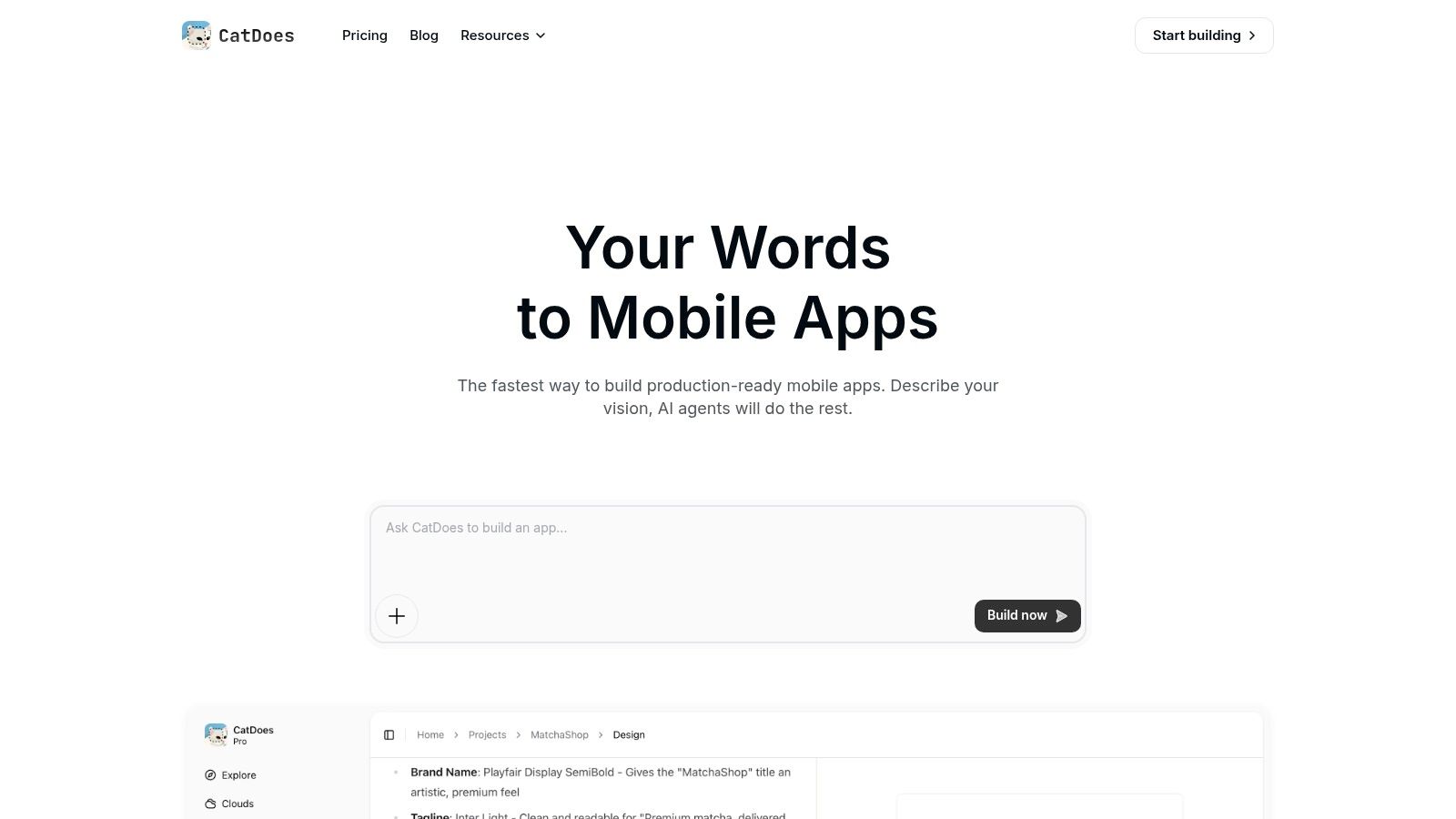
The user experience is designed for speed and accessibility. You can preview your app live in the browser or scan a QR code to test it directly on an iPhone or Android device, facilitating quick feedback and iteration. This immediate validation loop is invaluable for refining features without a lengthy recompilation process. For a closer look at how this works, you can explore their guide on how to build an app with AI.
Key Strengths and Features
A significant advantage is the inclusion of CatDoes Cloud, which provides a managed backend for authentication, database needs, file storage, and edge functions. The AI agents can configure this backend for you, which removes a major technical hurdle for non-developers. Furthermore, the platform includes CatDoes Watch for integrated error monitoring and an automated build-and-release agent that prepares your app for App Store submission or web deployment.
While it is exceptionally powerful for non-technical users, it also respects the needs of experienced developers. The generated code is based on React Native Expo, and optional GitHub integration allows for seamless synchronization with a remote repository, enabling custom development and code audits.
Pricing and Access
CatDoes operates on a subscription model. The free plan is quite generous, allowing you to build and maintain one full application, making it a legitimate free-tier option. For users needing to build multiple apps or requiring advanced features, tiered paid plans are available with clear pricing on their website.
Limitations
The primary constraint is with highly specialized or low-level native functionality. If your app requires complex hardware integrations or deep platform-specific optimizations, you may still need custom engineering work outside the platform. As with any code-generation tool, a review of the output is recommended for long-term security and maintainability, especially for enterprise-grade applications.
Website: https://catdoes.com
2. FlutterFlow
FlutterFlow positions itself as a low-code builder for native mobile and web applications, but its core strength is that it generates high-quality Flutter code. This makes it a fantastic bridge for designers, founders, and developers who want the speed of a visual builder without sacrificing the potential for deep, custom development later. Unlike many builders that lock you into their platform, FlutterFlow provides a clear escape hatch: exportable code.
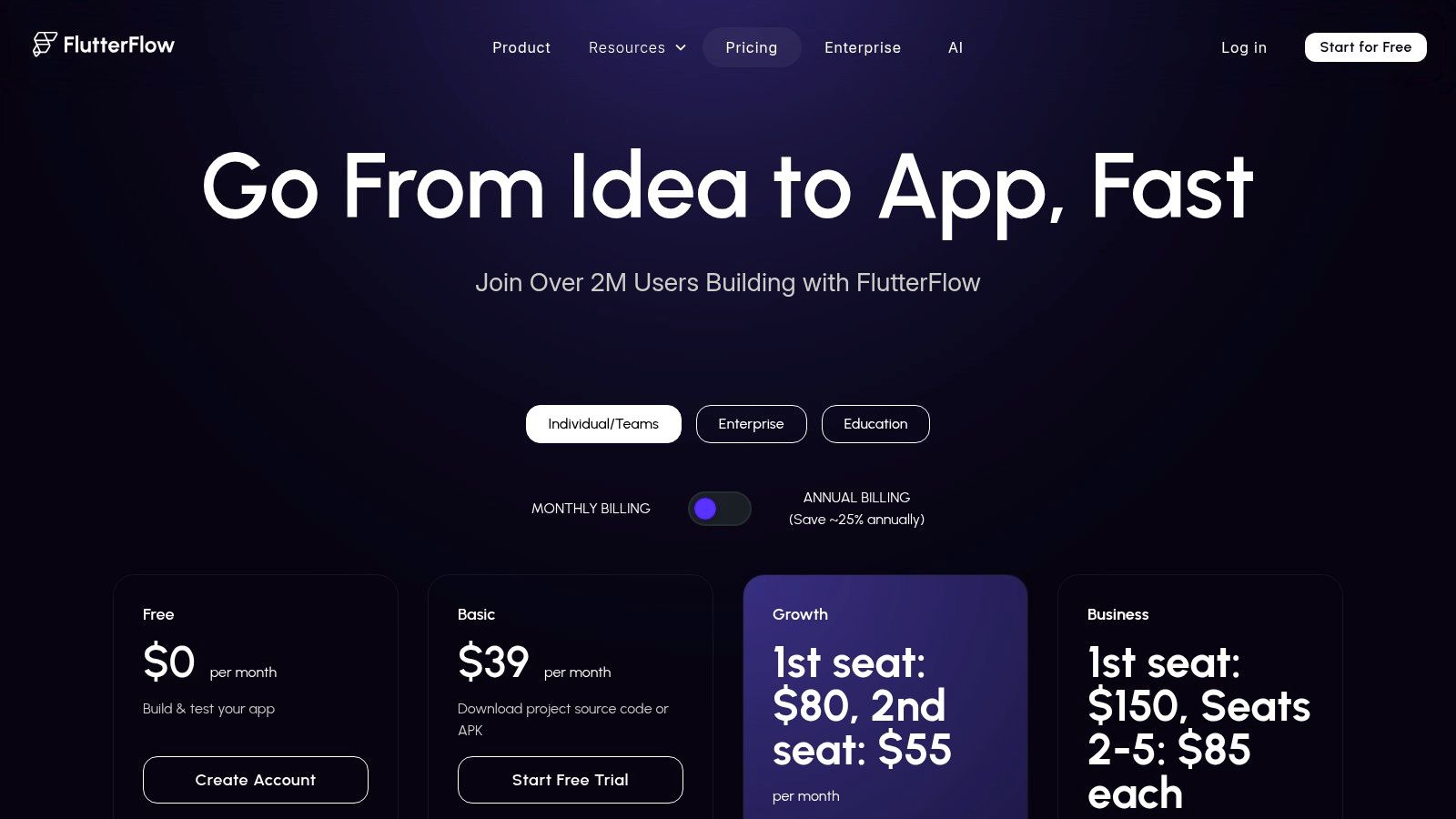
The platform is one of the best free app builders for creating visually rich, high-fidelity prototypes that can actually evolve into production-ready apps. Its drag-and-drop interface is complemented by powerful logic-building tools for creating complex action flows, integrating APIs, and connecting directly to databases like Firebase and Supabase.
Best For & Limitations
Who it’s for: Designers moving from Figma to functional apps, startups building a robust MVP, and developers wanting to accelerate Flutter development.
Free Tier Limits: The free plan is excellent for learning and building. You can create and test unlimited apps within the platform, connect to Firebase, and use many pre-built components. However, you cannot download your source code or deploy directly to the app stores. These critical features require a paid subscription, starting with the Standard plan.
Expert Tip: Fully build and test your app’s core functionality and UI on the free plan. Use the built-in test modes to simulate different devices and iron out bugs. Only upgrade to a paid plan when you are confident in your design and ready to publish.
3. Adalo
Adalo makes a strong case for being one of the most approachable no-code platforms, allowing creators to build and launch fully functional native mobile and web apps without writing a single line of code. Its strength lies in its simplicity and all-in-one nature. You can design your screens, manage a built-in database, and publish directly to the Apple App Store, Google Play Store, and the web from a single interface. This complete workflow makes it a top choice for founders and entrepreneurs.
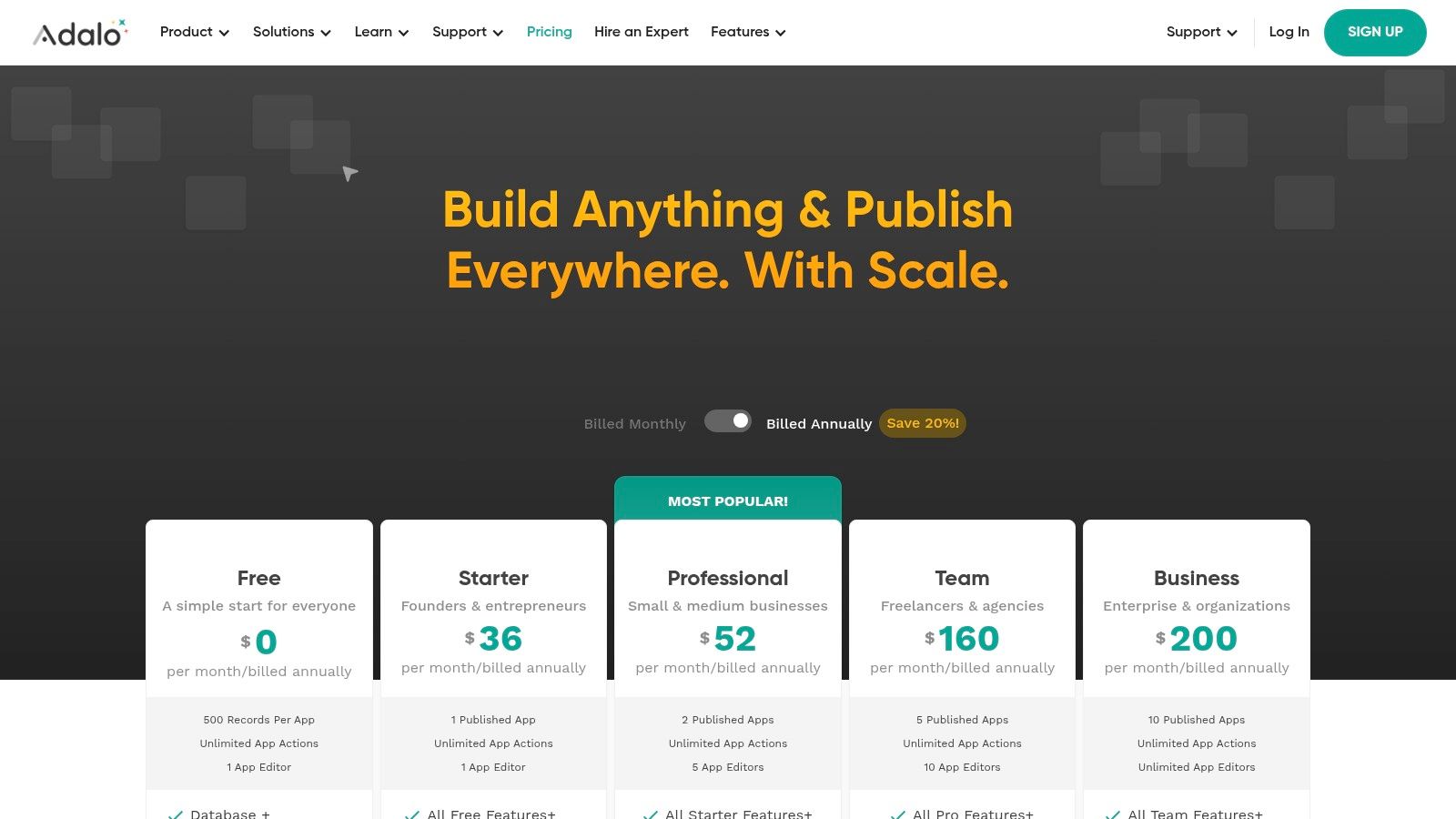
The platform shines for building database-driven apps like internal tools, community hubs, directories, or simple marketplaces. The component-based, drag-and-drop editor feels intuitive, especially for those familiar with design tools, making it one of the best free app builders for turning ideas into testable products quickly. If you are new to this space, you can learn more about how a no-code app builder can accelerate your project.
Best For & Limitations
Who it’s for: Non-technical founders building an MVP, businesses creating internal tools or community apps, and anyone wanting a fast, end-to-end path from idea to app store launch.
Free Tier Limits: The free plan is generous for building and testing, allowing up to 1,000 database records and unlimited screens. However, you cannot publish to the app stores, connect a custom domain, or remove Adalo branding. These features are unlocked on the Starter plan, making the free tier a development sandbox rather than a publishing tool.
Expert Tip: Use Adalo’s extensive template library and cloneable kits to jumpstart your project. Build your entire app, including the database structure and user flows, on the free plan. You can fully validate your concept with test users via the web app preview before committing to a paid plan for native publishing.
4. Thunkable
Thunkable excels by making native mobile app creation accessible to everyone, especially those without a coding background. It uses a block-based system inspired by MIT's Scratch, where you visually connect logic blocks to build your app's functionality. This approach lowers the entry barrier, making it one of the best free app builders for educational purposes, rapid prototyping, and developing simpler production-ready apps for both iOS and Android from a single project. Block-based tools suit some niches better than others, and congregations in particular should start with the best church app builders.
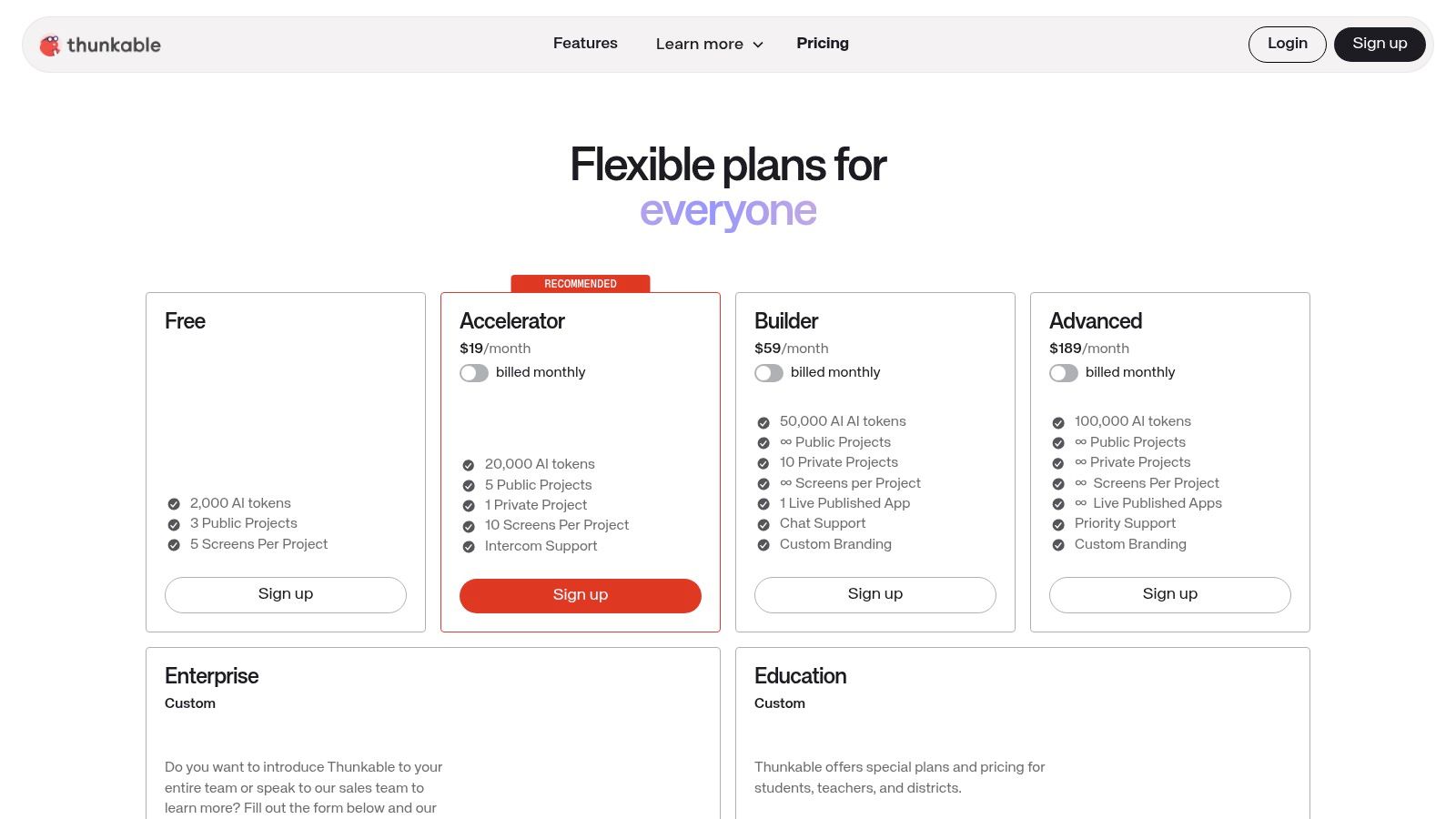
The platform provides a true cross-platform experience with its drag-and-drop interface and built-in testing tools. You can instantly see how your app looks and functions on different devices using the Thunkable Live companion app. This immediate feedback loop is invaluable for beginners and speeds up the iteration process for more experienced builders creating a minimum viable product.
Best For & Limitations
Who it’s for: Students and educators in STEM programs, non-technical founders validating an idea, and hobbyists wanting to build a functional app without writing code.
Free Tier Limits: The free plan is generous for learning and building, offering unlimited public projects and live testing. However, your projects are publicly visible to the Thunkable community. Key features like private projects, AdMob monetization, in-app purchases, push notifications, and direct publishing to the App Store or Google Play are reserved for paid plans.
Expert Tip: Use the free plan to build and test your entire app concept. Since projects are public, you can explore what others have built to learn new techniques. When you are ready for privacy and advanced monetization features, you can upgrade to a paid plan.
5. Glide
Glide excels at turning data from spreadsheets and databases into polished, functional business applications with incredible speed. It is purpose-built for creating internal tools, customer portals, and operational dashboards directly from sources like Google Sheets, Airtable, or SQL databases. This data-first approach makes it one of the best free app builders for businesses that need to mobilize their existing workflows without writing a single line of code. The platform generates powerful progressive web apps (PWAs) that look and feel like native apps on any device. Portals are a category of their own, and we cover what belongs in an employee portal application.
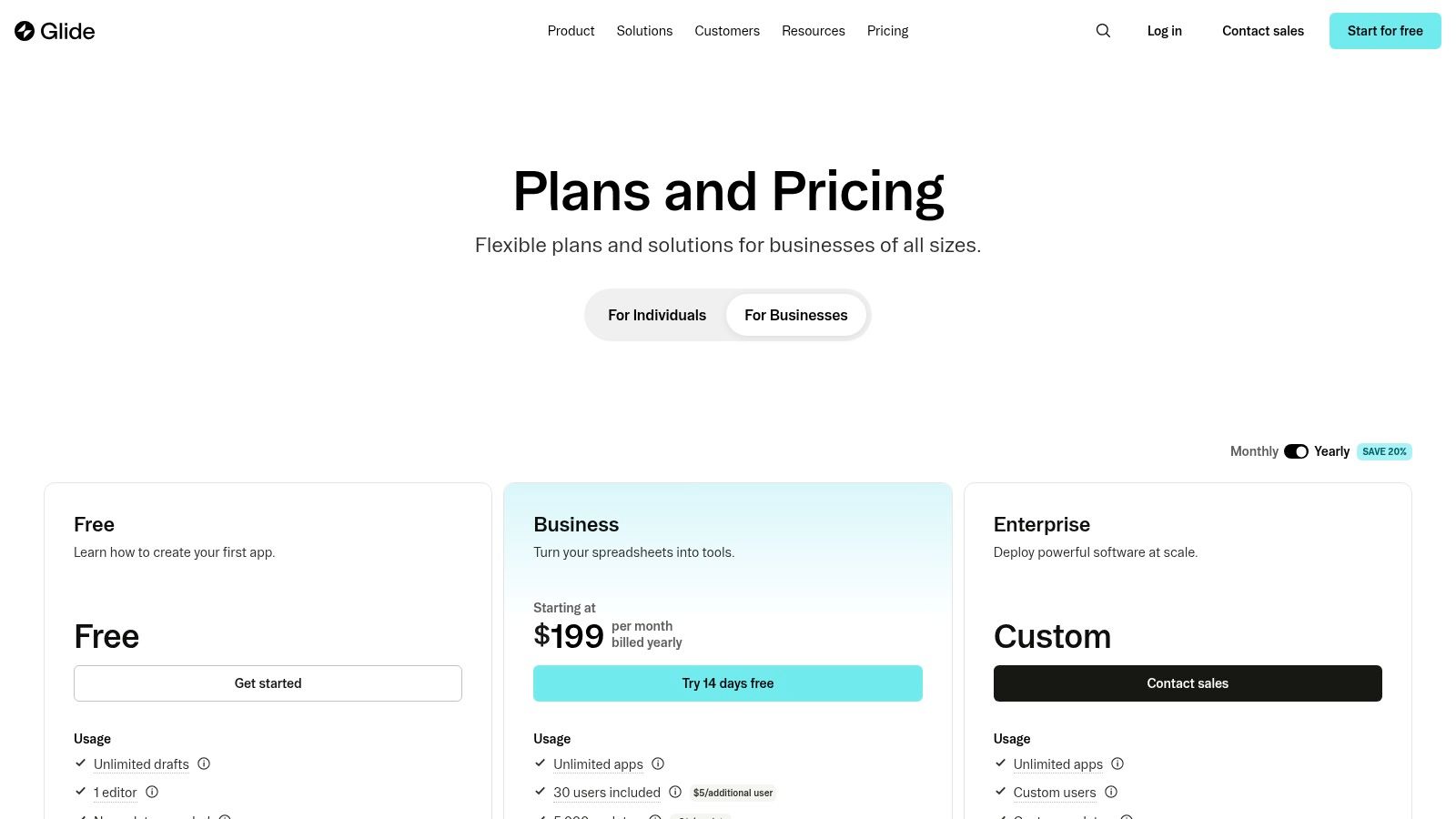
The development process is centered around your data. You connect a source, and Glide instantly creates a functional app layout that you can customize. Its strength lies in this simplicity, allowing you to build things like employee directories, project trackers, or inventory management tools in minutes, not weeks. The built-in workflow and AI features allow for automation and third-party integrations, adding another layer of utility. While it focuses on PWAs, understanding the distinction is key; you can explore a deeper dive into progressive web apps vs. native apps to see which fits your project best.
Best For & Limitations
Who it’s for: Business managers creating internal tools, operations teams needing mobile-first dashboards, and entrepreneurs building data-driven MVPs.
Free Tier Limits: The free plan is generous for personal projects and learning. It allows for one app with up to 500 rows of data from Glide Tables or Google Sheets, 3 users, and 1,000 data updates per month. However, critical business features like roles, permissions, custom domains, and connecting to external data sources like SQL require a paid plan, starting with the Maker tier.
Expert Tip: Start with a Google Sheet to structure your data. Build and test your entire app's functionality on the free plan using this sheet. This lets you validate your concept and user flow completely before committing to a paid plan for more users, data sources, or branding features.
6. Google AppSheet
Google AppSheet is a powerful no-code platform designed to build applications directly from data sources like spreadsheets and databases. It excels at turning static data from Google Sheets, Excel, or Airtable into dynamic, interactive apps for internal business processes, field data collection, and workflow automation. Its deep integration with the Google Workspace ecosystem makes it a natural fit for businesses already operating within that environment.
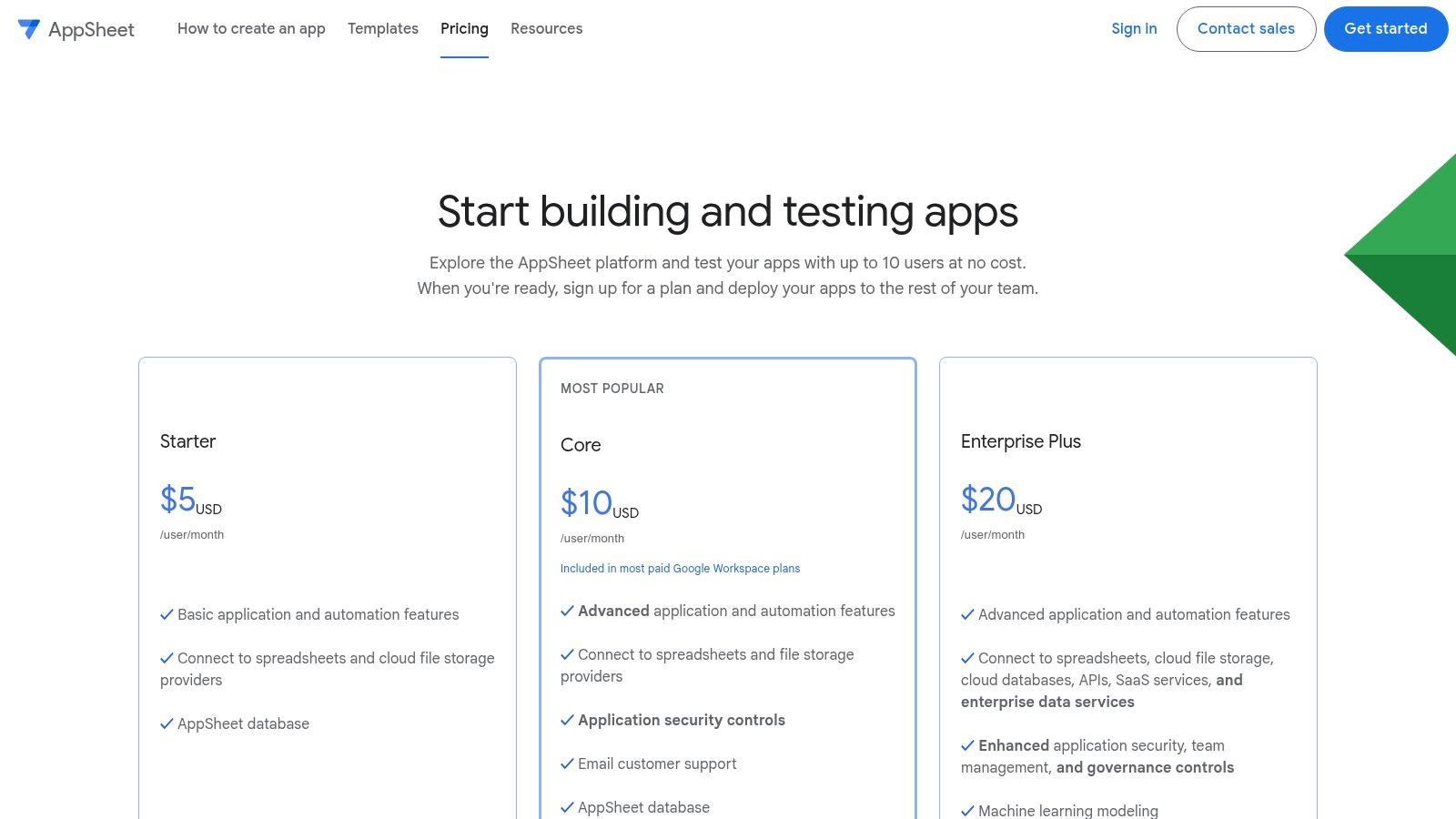
The platform is one of the best free app builders for creating functional internal tools without writing a single line of code. Key features include offline sync, which is critical for field teams, and the ability to capture rich data like GPS coordinates, images, and signatures. The initial app generation is remarkably fast, often creating a usable baseline in minutes.
Best For & Limitations
Who it’s for: Businesses needing internal tools for inventory management or field service reports, teams looking to digitize paper-based processes, and anyone heavily invested in the Google Workspace.
Free Tier Limits: The free plan is exceptionally generous for development and small-scale testing. You can build apps and share them with up to 10 test users to gather feedback and confirm functionality. However, deploying an app for wider, real-world use requires a paid plan, which is typically priced per user, per month. Critical features like enhanced security controls and certain automation rules are also gated behind paid tiers.
Expert Tip: Use the free plan to its full potential by building and prototyping your entire application with a small group of 10 testers. This allows you to validate your app's utility and workflow completely before committing to a subscription for a full team deployment.
7. MIT App Inventor
MIT App Inventor is a foundational tool in the world of no-code, originating from a project at Google and now maintained by MIT. It’s an open-source web application designed to democratize software development, making it accessible to everyone, especially young people and those new to programming. Its core is a block-based coding environment that allows users to piece together app functionality like LEGO bricks, removing the steep learning curve of traditional text-based languages.
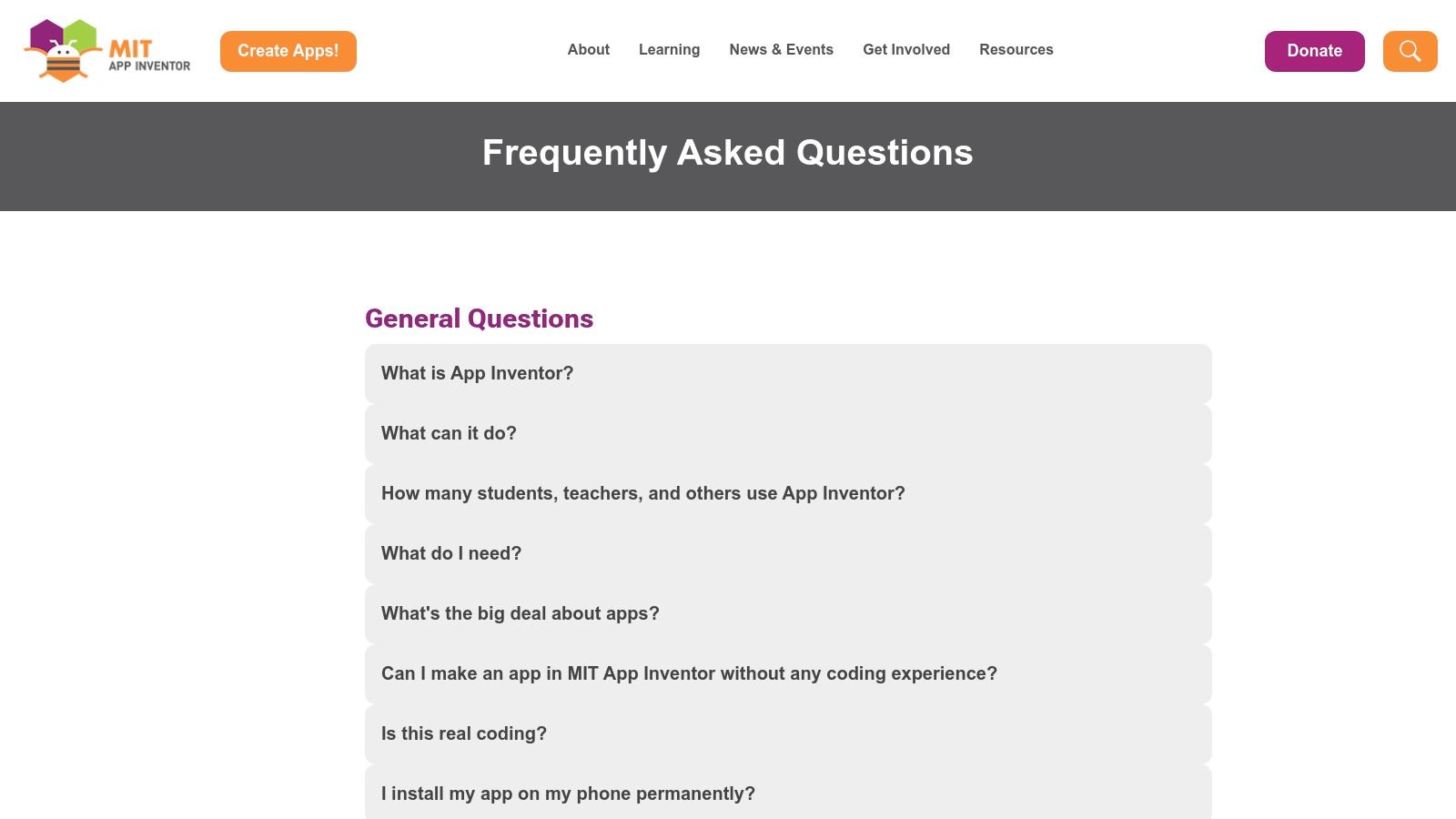
The platform is one of the best free app builders for educational purposes, providing a sandbox for experimentation and learning computational thinking. Its companion app allows for real-time testing on an Android or iOS device, giving creators instant feedback as they build. While not intended for commercial-grade applications, its power for building functional tools, simple games, and educational apps is significant, backed by a massive community and extensive free tutorials.
Best For & Limitations
Who it’s for: Students, educators, hobbyists, and absolute beginners wanting to understand the logic of app creation in a friendly, guided environment.
Free Tier Limits: MIT App Inventor is completely free, without any tiers or feature restrictions. You can build, test, and package unlimited apps for Android (.apk files) and test them on iOS. The primary limitation is not financial but functional; it is not built for creating complex, visually polished commercial apps and lacks direct integrations with many modern backend services that businesses require.
Expert Tip: Start by exploring the extensive curriculum and "Hour of Code" tutorials on their website. Recreate a few of the sample apps to understand the block-based logic. This foundation is invaluable even if you later move to more advanced platforms.
8. Draftbit
Draftbit is a low-code builder squarely aimed at creating native mobile apps with React Native. Its primary distinction is its developer-centric approach. While it provides a visual, drag-and-drop interface, the entire platform is built around the promise of generating clean, readable source code that developers can actually use. This makes it one of the best free app builders for teams who anticipate needing to transition from a visual tool to a full code-based development environment.
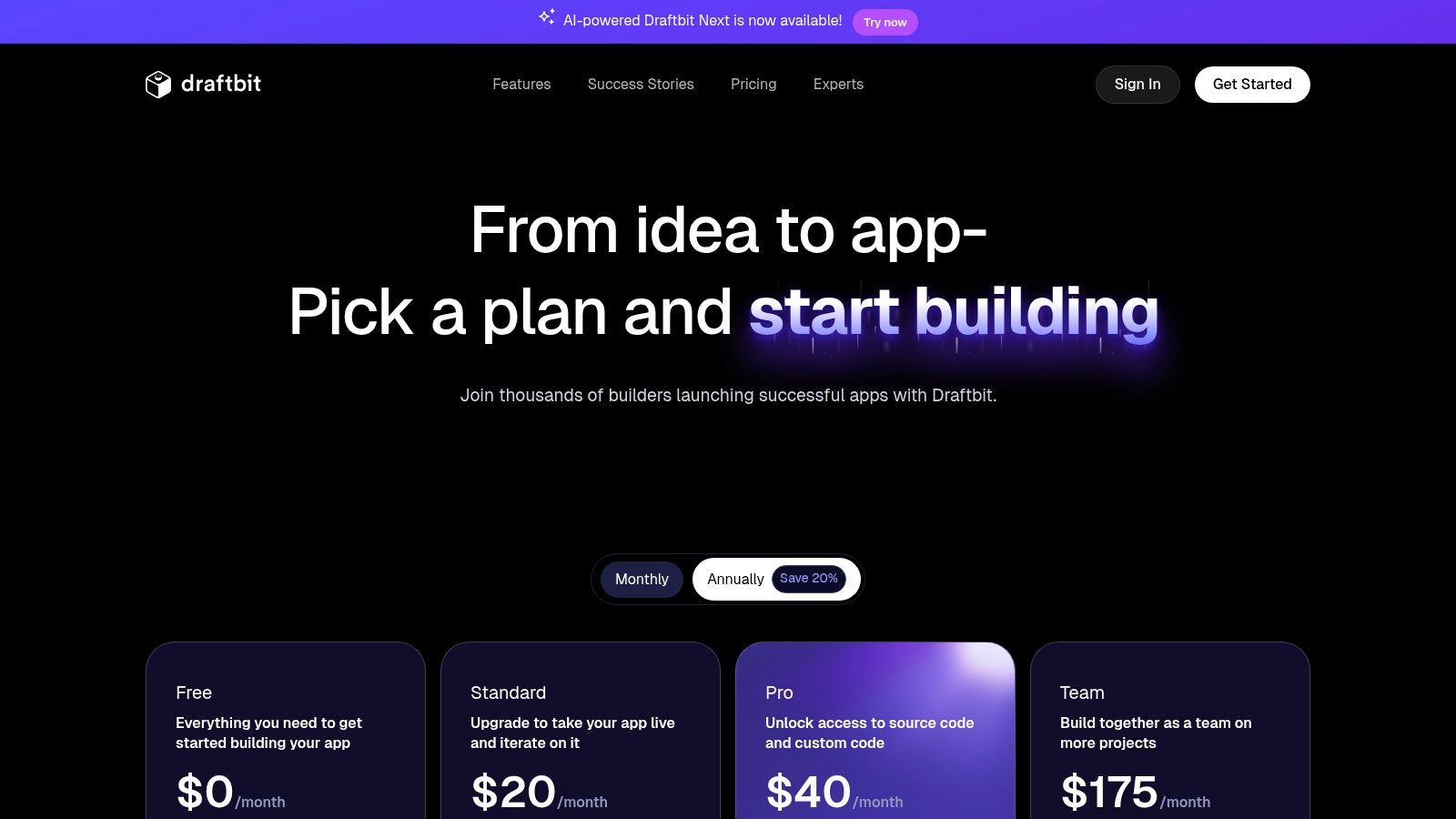
The platform enables users to visually construct their app’s UI, connect to APIs, and bind data, all while seeing the React Native code being generated in real-time. This philosophy offers a great learning tool for those new to React Native and provides an excellent safety net for businesses. Unlike platforms that lock you in, Draftbit provides a clear path to code ownership and unlimited customization, assuming you upgrade to a paid plan.
Best For & Limitations
Who it’s for: Developers wanting to speed up their React Native workflow, agencies building client apps with a hand-off option, and technical founders who want no-code speed with a full-code escape hatch.
Free Tier Limits: The free plan is designed for experimentation and small projects. It allows for one project with up to three screens and provides access to the visual builder and a preview app. However, key features like source code export, GitHub integration, and app store publishing are restricted to paid tiers, starting with the Basic plan.
Expert Tip: Use the free plan to build a complete, multi-screen user flow as a proof-of-concept. Perfect your core UI and navigation logic within the three-screen limit. This gives you a functional prototype to validate your idea before committing to a paid plan for full export and publishing capabilities.
9. Bravo Studio
Bravo Studio is a specialized app builder that turns Figma designs directly into native iOS and Android applications. This unique, design-first approach makes it an excellent choice for designers and creative teams who want to maintain perfect fidelity between their Figma prototypes and the final, published mobile app. It connects your visual design to real data through APIs without needing to write a single line of code.
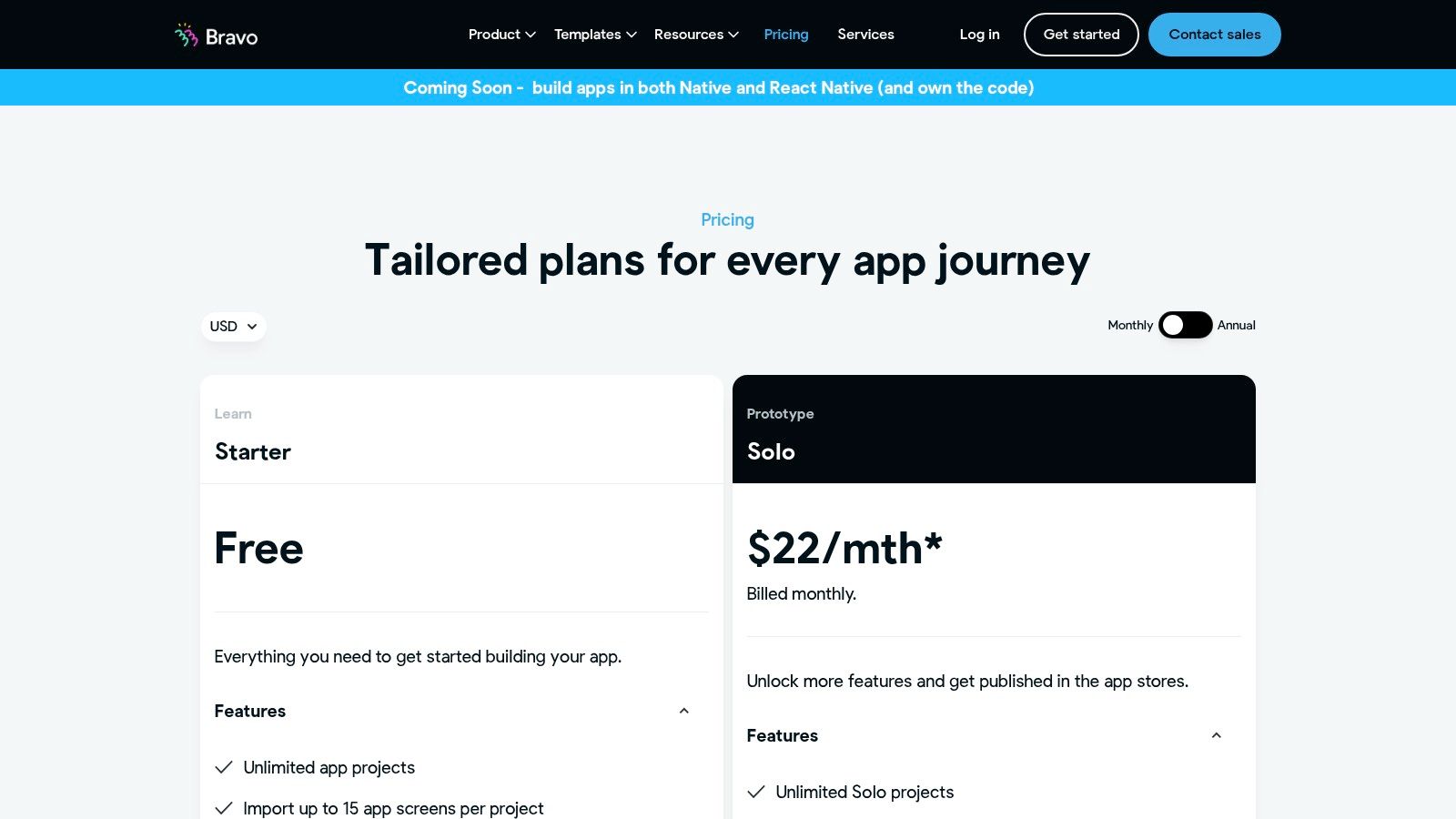
The platform operates by using special "Bravo Tags" within your Figma file to define native UI elements and actions. This allows for a smooth workflow where design updates in Figma can be instantly reflected in your app build. By focusing purely on connecting design to data, Bravo Studio has carved out a niche as one of the best free app builders for creating visually polished, data-driven native apps.
Best For & Limitations
Who it’s for: UI/UX designers wanting to convert Figma files into functional apps, design-led startups, and anyone who prioritizes pixel-perfect UI from a prototype.
Free Tier Limits: The free "Explorer" plan is great for learning the workflow and building small projects. It allows for up to 15 app screens and 500 API requests per month. However, you cannot publish your app to the App Store or Google Play, and your app will have Bravo branding. Publishing requires upgrading to the "Solo" plan, and features like branding removal are paid add-ons.
Expert Tip: Master the Bravo Tags system within Figma on the free plan. Build out a complete, small-scale version of your app and connect it to a test API to confirm all data bindings and interactions work as expected. Upgrade only when your design is finalized and you are ready for app store submission.
10. Kodular
Kodular is a block-based Android app builder that makes app creation accessible, especially for those familiar with visual programming like MIT App Inventor. It stands out by offering a clear path to monetization directly within its free tier, making it one of the best free app builders for hobbyists or individuals looking to generate income from simple utility apps. The platform uses a drag-and-drop interface for UI design and a block-based system for logic, removing the need for traditional coding.
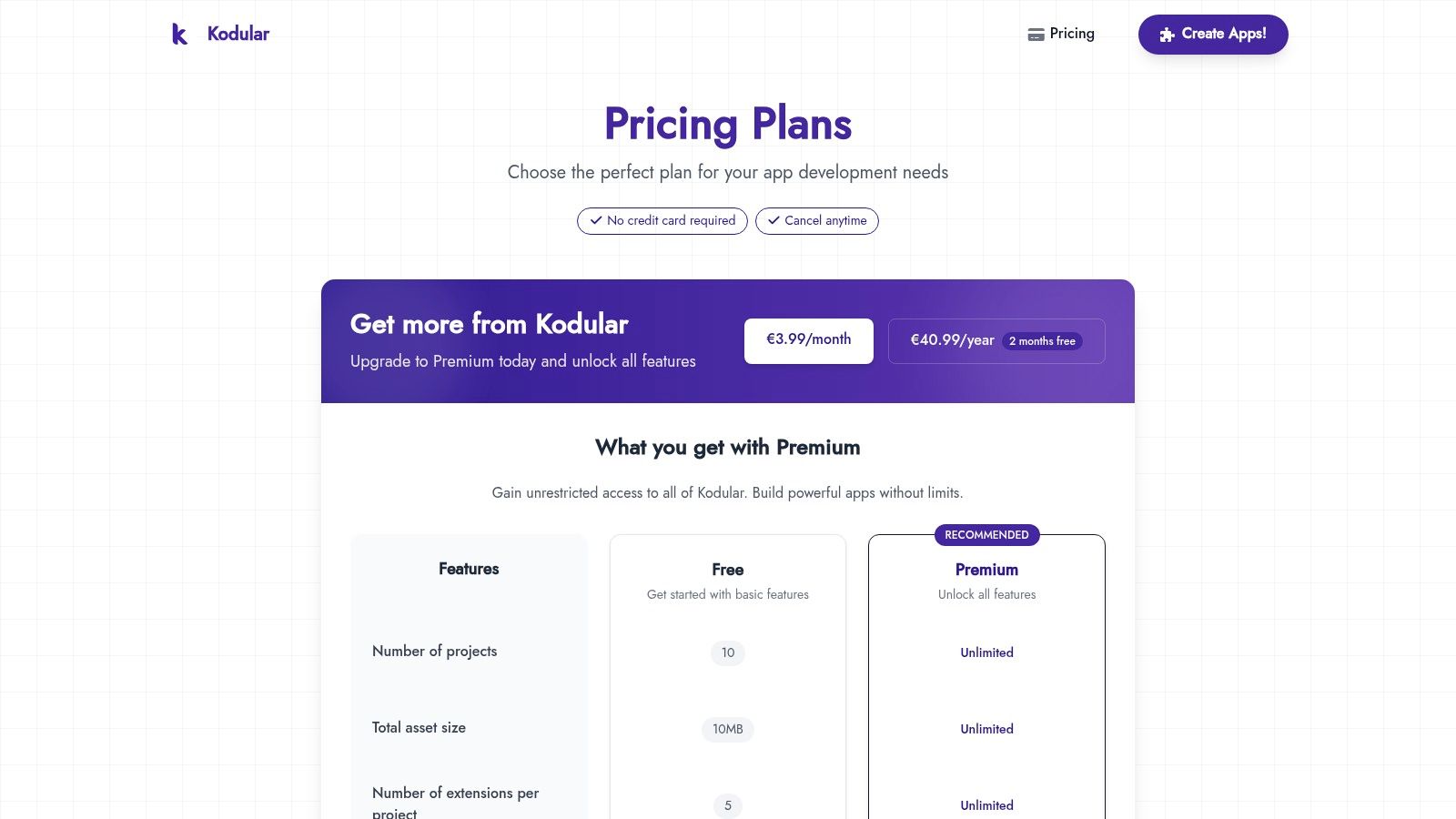
The platform is distinctly Android-focused, which allows it to integrate specific Android features and monetization components, such as in-app advertising. Testing is done in real-time using a companion app, which provides instant feedback on your design and logic changes. While the development environment itself contains ads on the free plan, the core functionality for building and testing is robust and generous.
Best For & Limitations
Who it’s for: Students learning app development, hobbyists building simple tools, and entrepreneurs wanting to test an Android-only app idea with a built-in monetization strategy.
Free Tier Limits: The free plan is quite generous, allowing you to create apps with access to monetization components. However, it displays ads within the development interface, limits the number of projects and extensions you can use, and has a smaller asset storage limit. Upgrading to the Premium plan removes these ads and limitations.
Expert Tip: Before committing to a design, explore the available monetization components. Build a simple prototype that includes an ad unit to understand how it functions and impacts the user experience. This helps validate your app's earning potential early on.
11. Retool
Retool is a low-code platform designed for developers building internal tools, but its Retool Mobile offering makes it a strong contender for creating data-heavy business applications. It excels at connecting to various data sources, allowing teams to quickly build operational software like dashboards, inventory managers, or customer support interfaces. Its approach is about speed and function over pure aesthetic freedom, targeting users who need to solve business problems with data.
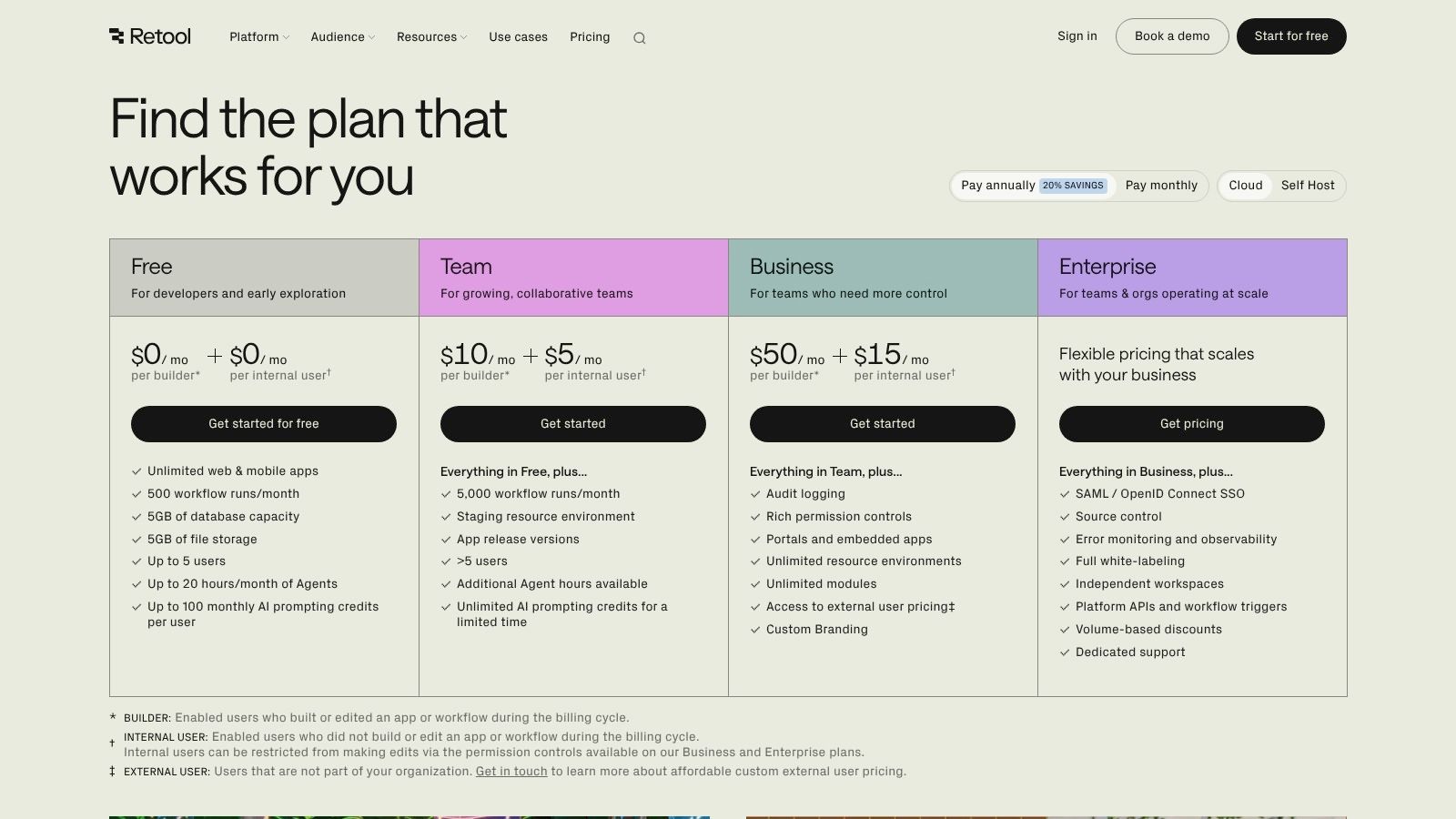
The platform provides a drag-and-drop interface populated with over 50 pre-built components that can be customized with JavaScript. This combination makes it one of the best free app builders for startups and SMBs that need functional, data-driven apps without a large engineering investment. You can build both web and mobile apps, automate processes with Workflows, and even integrate AI features using Retool's AI Agents.
Best For & Limitations
Who it’s for: Developers building internal tools, startups creating data-centric MVPs, and operations teams needing custom software to manage their workflows.
Free Tier Limits: The free plan is quite generous, allowing up to five users to build unlimited web and mobile apps. It includes access to most data connectors and a monthly quota for Workflows and AI actions. However, the five-user cap is a hard limit, and features like custom branding, advanced permissions, and offline mobile capabilities are reserved for paid plans.
Expert Tip: Use the free plan to connect to your actual databases and APIs to build a fully functional prototype. This proves the concept with real data, allowing you to validate the tool's utility for your team before committing to a paid subscription to add more users.
12. Softr
Softr specializes in transforming spreadsheets and databases into functional web apps, client portals, and internal tools with remarkable speed. It stands out by using data sources you already know, like Airtable or Google Sheets, as the backbone for your application. This approach makes it one of the best free app builders for creating data-driven directories, membership sites, and simple software-as-a-service products without writing any code.
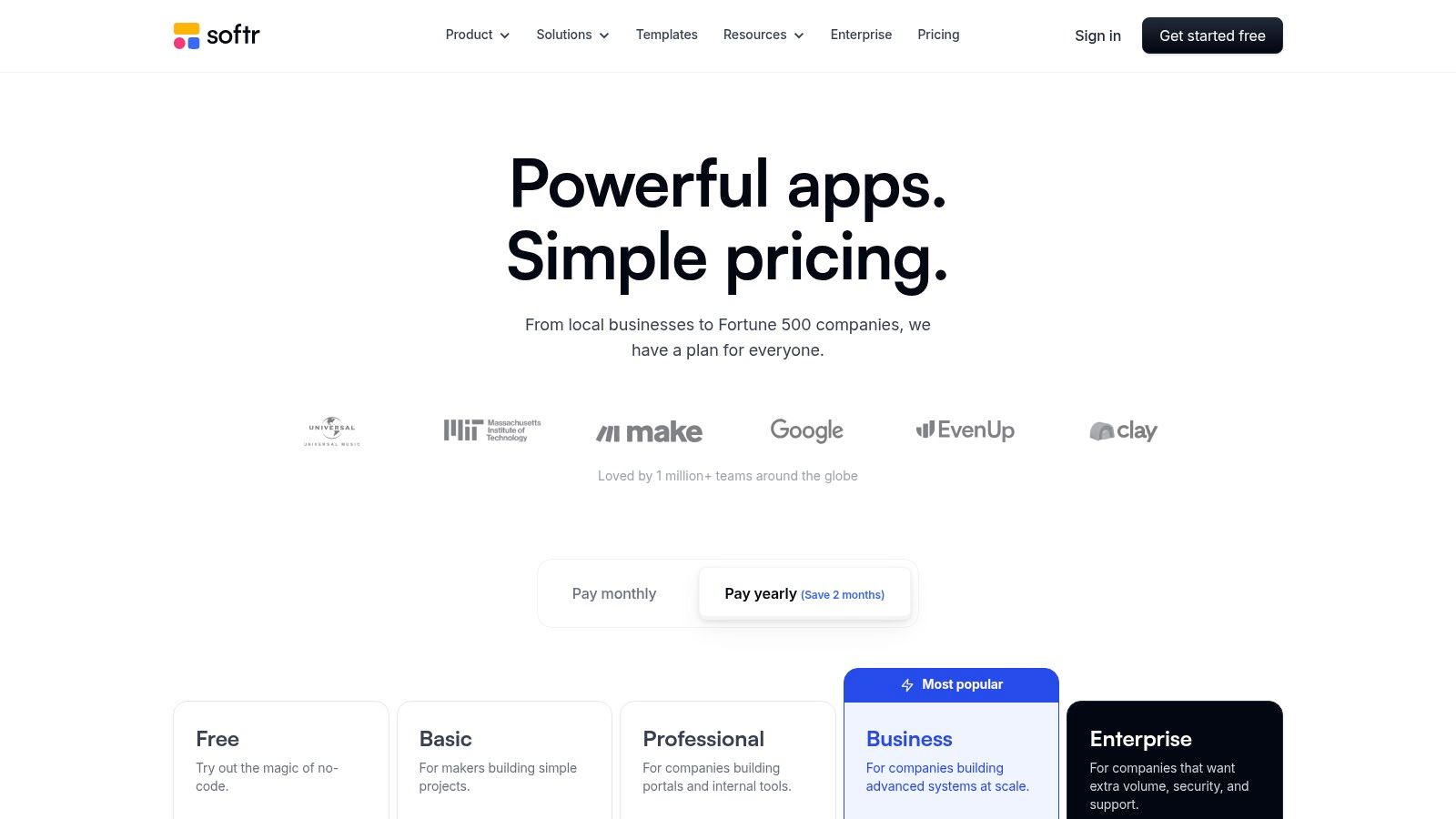
The platform is built around pre-made, customizable blocks that you connect to your data source. This allows you to quickly assemble interfaces for displaying, creating, updating, and deleting records (CRUD). You can gate content behind a login, set up user roles and permissions, and build out visual workflows, all from a beginner-friendly interface. While the output is a responsive web app rather than a native mobile app, its strength lies in how quickly you can launch a functional, data-centric product.
Best For & Limitations
Who it’s for: Founders building a marketplace or directory MVP, businesses creating client portals from an Airtable base, and non-technical creators needing to build internal tools.
Free Tier Limits: The free plan is generous for validation, allowing one app with up to 10 internal users or 100 external users and integrations with Airtable and Google Sheets. However, it is limited to 1,000 records from your data source and includes Softr branding. Key features like custom domains, accepting payments, and advanced user permissions require a paid plan.
Expert Tip: Start with your data structure in Airtable or Google Sheets first. A well-organized base or sheet makes the app-building process in Softr significantly faster and more intuitive. Use the free plan to build and get feedback from your first 100 users before committing to a subscription.
Top 12 Free App Builders Comparison
Platform | Core features | Unique selling points | UX / Quality (★) | Pricing & Value (💰) | Target audience (👥) |
|---|---|---|---|---|---|
CatDoes 🏆 | AI multi-agent for production React Native apps; live preview & QR; automated build & releases; managed backend (CatDoes Cloud) | ✨ Conversational end-to-end automation; AI-configured backend; integrated error monitoring | ★★★★☆ | 💰 Free (1 app) + tiered subs, high time-to-market value | 👥 Founders, SMBs, designers, developers, hobbyists |
FlutterFlow | Visual Flutter builder, templates, logic editor, code export & deploy (paid) | ✨ Exports real Flutter code; Figma import on higher tiers | ★★★★☆ | 💰 Free limited; code export & publishing paid | 👥 Designers, founders, Flutter devs |
Adalo | No-code native & web apps, drag-and-drop, built-in DB, app publishing | ✨ Fast templates + end-to-end mobile publishing workflow | ★★★☆☆ | 💰 Free for testing; publishing & branding paid | 👥 Non-technical creators, SMBs |
Thunkable | Block-based UI + logic, AdMob/IAP/push (paid), web publishing | ✨ Very beginner/education-friendly with live testing | ★★★☆☆ | 💰 Free projects public; private/publish paid | 👥 Educators, beginners, prototypers |
Glide | Spreadsheet/DB-driven apps, workflows, roles & permissions | ✨ Fast data-to-app flow for operations & internal tools | ★★★★☆ | 💰 Free learning tier; limits on rows/users | 👥 Operations teams, SMBs, internal tools |
Google AppSheet | No-code from Sheets/DB, offline sync, GPS/camera, forms | ✨ Strong Google Workspace fit; robust offline/data capture | ★★★★☆ | 💰 Generous prototyping; production per-user paid | 👥 Field teams, enterprises, IT admins |
MIT App Inventor | Visual blocks editor, companion live testing, education resources | ✨ Completely free with extensive curriculum & community | ★★★☆☆ | 💰 Free | 👥 Students, classrooms, hobbyists |
Draftbit | Visual React Native builder, logic/data bindings, source export & GitHub | ✨ Developer-focused: clean code export and hand-off | ★★★★☆ | 💰 Free limited; Pro for export & publishing | 👥 Dev teams, agencies, experienced engineers |
Bravo Studio | Figma import to native apps, data binding, add-ons for features | ✨ Designer-first parity with Figma prototypes | ★★★☆☆ | 💰 Free prototypes; publishing & add-ons paid | 👥 Designers, product teams |
Kodular | Block-based Android builder, extensions, monetization components | ✨ Very low-cost start with monetization support | ★★★☆☆ | 💰 Free/low-cost; dev-env ads on free tier | 👥 Hobbyists, Android-only creators |
Retool | Drag-drop low-code for internal apps, JS customizations, 50+ connectors | ✨ Powerful data connectors, workflows & enterprise scaling | ★★★★☆ | 💰 Strong free prototyping; enterprise pricing for scale | 👥 Engineers, ops teams, startups |
Softr | No-code web portals from Airtable/Sheets, membership, CRUD & automations | ✨ Fast to ship data-backed portals and member sites | ★★★☆☆ | 💰 Free testing tier; user/record limits on free | 👥 SMBs, SaaS MVPs, client portals |
Your Next Step: Start Building Today
The journey from a simple idea to a launched application has never been more achievable. We've explored a dozen of the best free app builders available in 2026, each offering a unique pathway to bring your digital product to life without an initial financial investment. The key takeaway is that 'free' carries different meanings across these platforms. It can range from generous prototyping environments, as seen with tools like Bravo Studio and Draftbit, to fully functional app launches with certain constraints on users or data, like those offered by Adalo and Glide.
Your project's specific needs are the most important factor in this decision. By understanding the distinct limitations and strengths of each platform's free tier, you can make a strategic choice that aligns with your goals. The right tool will empower you to build effectively and set a solid foundation for future growth.
Choosing Your Path Forward
Making the right selection requires a clear-eyed assessment of your own resources and ambitions. Before you commit to a platform, consider these final guiding questions:
What is my primary goal? Are you building a quick Minimum Viable Product (MVP) to test a market, creating an internal tool for your business, or designing a high-fidelity prototype for investor pitches? Your goal dictates which limitations are acceptable. For an MVP, a platform like Adalo might be perfect. For an internal tool, Google AppSheet or Retool offer great utility.
What are my technical skills? Be honest about your comfort level. Platforms like MIT App Inventor and Thunkable are designed for absolute beginners, while FlutterFlow and Draftbit cater to users with some design or development knowledge who want more control.
What kind of app am I building? Is it data-intensive, requiring complex database logic? Or is it a visually rich, content-driven experience? Softr and Glide excel at turning spreadsheets into simple apps, whereas Bravo Studio focuses on translating beautiful designs into functional front-ends.
How important is a native mobile experience? Some builders create Progressive Web Apps (PWAs), while others, like Thunkable and FlutterFlow, can generate true native apps for the App Store and Google Play. This is a critical distinction for performance and device feature access.
What is my plan for scaling? The free plan is your starting line, not your finish line. Review the paid tiers of your top contenders. Ensure there is a clear and affordable path to upgrade your app as your user base grows or your feature requirements become more complex. Avoid platforms where the jump from free to paid is prohibitively expensive for your budget.
Taking Action and Committing to Build
The most significant barrier to creating an app is often not technology or budget; it is inertia. The platforms we have detailed, from the powerful code-based logic of FlutterFlow to the spreadsheet-centric simplicity of Glide, have effectively removed the traditional obstacles. There is a tool on this list that fits your idea and skill level.
The only step left is the most crucial one: to begin. Pick the builder that resonates most with your project's needs. Sign up for a free account. Follow their tutorials, start dragging components onto the canvas, or begin describing your app to an AI. You will learn more in a few hours of hands-on building than you will in weeks of passive research. Your idea deserves to exist beyond a notebook. The tools are ready, and now, so are you.
Ready to skip the learning curve of traditional drag-and-drop builders? With CatDoes, you can describe your app idea in plain English and let AI handle the complex construction. See how our unique, conversational approach to app creation makes us one of the most accessible options among the best free app builders and start building your application in minutes, not weeks.
Nafis Amiri
Co-Founder of CatDoes


