Blog
Tutorials
Figma to React Native: Convert Designs to Code
Convert Figma designs into React Native code in 2026. See what Dev Mode, MCP, Code Connect and converter plugins actually generate, and what they skip.

Nafis Amiri
Co-Founder of CatDoes
TL;DR: Converting Figma to React Native means turning frames, Auto Layout, and text styles into View, Text, and Flexbox rules. Plugins like Locofy and Builder.io Visual Copilot generate the UI layer. Figma's own MCP server outputs React and Tailwind by default, not React Native, so you have to steer it. Nothing generates navigation, state, or API calls, which is where the real work still lives.
You have a finished Figma file and an empty Expo project. Somewhere between those two things sits a week of rebuilding every screen by hand, guessing at padding values, and asking the designer what happens when the button is disabled.
The Figma to React Native pipeline has genuinely improved, but the marketing around it oversells what happens. This guide separates what these tools actually generate from what you still have to build, compares the four real conversion paths, and walks the full workflow from a clean Figma file to an app running on a physical device.
Table of Contents
What Figma to React Native Conversion Actually Produces
How Figma Elements Map to React Native Components
Prepare Your Figma File Before You Convert Anything
Figma Dev Mode, MCP, and Code Connect
The Four Conversion Paths, Compared
Step by Step: Figma to a Running React Native App
What Generated Code Will Not Give You
Going the Other Way: React Native to Figma
Where CatDoes Fits in the Workflow
Frequently Asked Questions
What Figma to React Native Conversion Actually Produces
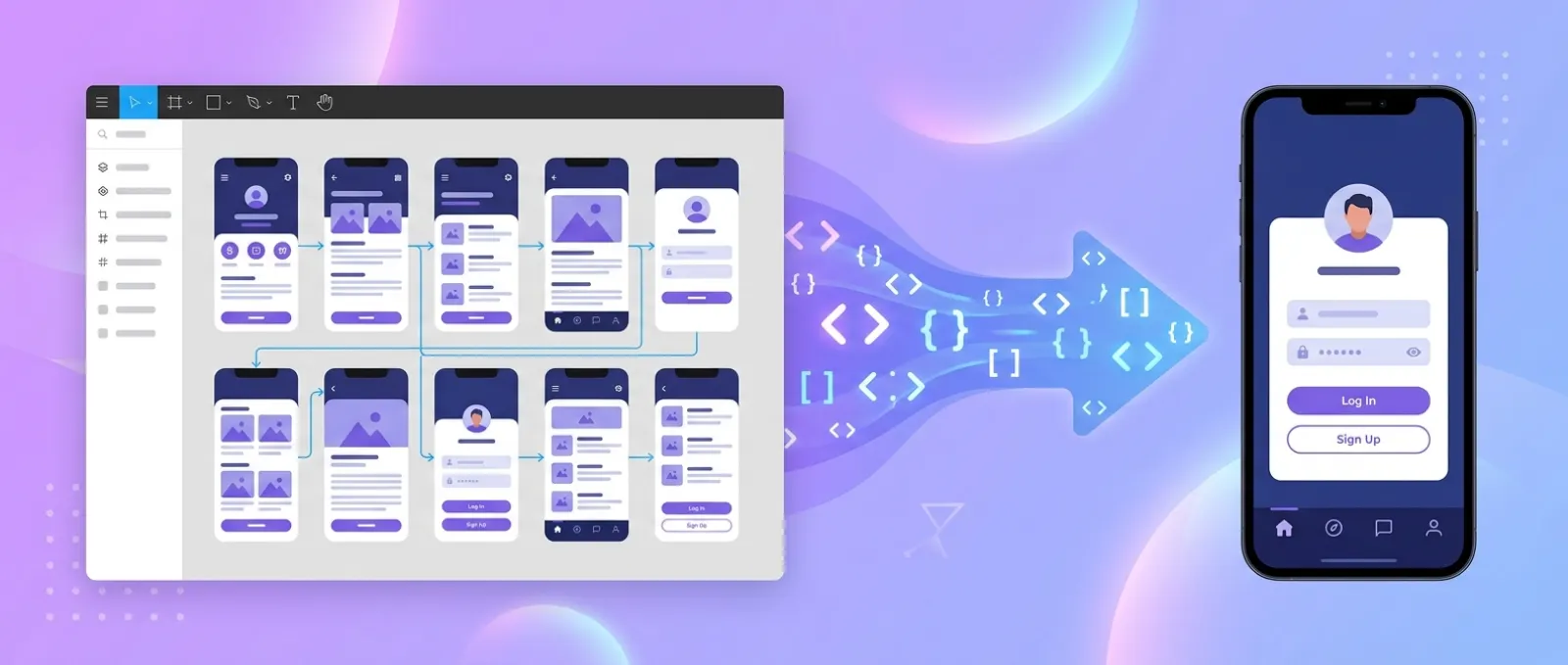
Figma to React Native conversion produces the presentational layer of your app: a component tree of View and Text elements, a StyleSheet holding the spacing and color values, and exported image assets. It does not produce a working app.
That distinction matters because every tool in this category markets the first thing and stays quiet about the second. Knowing where the line sits saves you from budgeting two days for a job that takes two weeks.
What gets generated reliably
Layout structure: Nested frames become nested
Viewcomponents with Flexbox properties derived from Auto Layout.Typography and color: Text styles and color styles become
StyleSheetentries or theme constants.Static assets: Images export at the right densities, and vectors convert to SVG components.
Component boundaries: Well-named Figma components usually map to separate, reusable React Native files.
What still needs a developer
Navigation: No tool infers that tapping a card should push a detail screen onto a stack.
State and data: Generated screens are hardcoded. Every list is a static array until you wire it up.
Platform behavior: Keyboard avoidance, safe areas, back gestures, and haptics are invisible in a Figma file.
Accessibility: Labels, roles, and focus order almost never survive the conversion.
How Figma Elements Map to React Native Components
React Native has no DOM, so the mental model differs from web. There is no div, no CSS cascade, and no percentage-based margin collapse. Everything is a View, and layout is Flexbox with flexDirection: 'column' as the default.
This table is the translation layer worth memorizing, because it also tells you which Figma habits produce clean output and which produce garbage.
Figma element | React Native equivalent | Gotcha |
|---|---|---|
Frame or Group |
| Groups carry no layout rules and convert to absolute positioning |
Auto Layout | Flexbox: | Default direction is |
Text layer |
| Text cannot be a direct child of anything but |
Rectangle with image fill |
| Needs explicit width and height or it renders at zero |
Vector or icon | SVG via | Not built in, and it is a native dependency |
Component variants | Props on a single component | Unnamed variants become duplicated components |
Scrollable frame |
| Long lists need |
Drop shadow effect |
| Two separate systems that do not visually match |
Figma variables | Theme object or design tokens | Only exports cleanly if variables are actually used |
The shadow row is the one that catches people. A designer picks a soft iOS-style shadow, and Android renders a harder box because elevation is a single number that controls blur, spread, and offset together. Plan for the two platforms to differ slightly rather than fighting it.
Prepare Your Figma File Before You Convert Anything
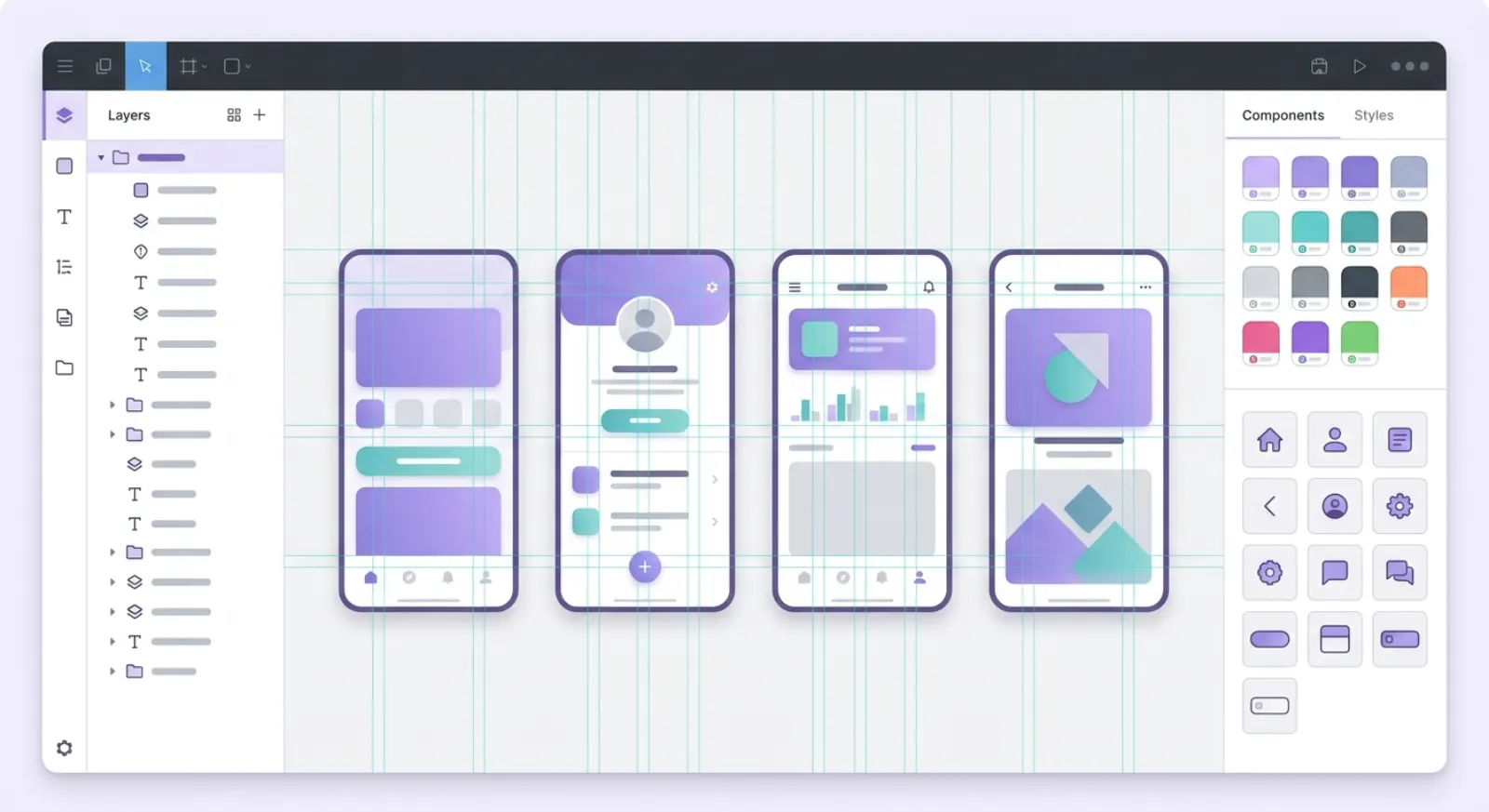
Conversion quality is decided in the design file, not the tool. A messy file produces unusable code no matter which converter you pick, because the tool can only read the structure you gave it.
Figma is where this work happens for most teams. Its S-1 filing reported more than 13 million monthly active users in the three months ended March 31, 2025, with developers making up 30% of them and 95% of the Fortune 500 among its customers.
Use Auto Layout on everything
Auto Layout is the single highest-leverage habit. A frame with Auto Layout converts to Flexbox with real spacing rules; a frame without it converts to absolutely positioned children with hardcoded pixel offsets.
Absolute positioning technically works in React Native, but it breaks the moment content length changes or the device is a different size. If you only fix one thing, fix this.
Commit to a spacing scale
Pick the 8-point grid and stay on it, so every gap and padding value is a multiple of 8. Converters round arbitrary values like 13px and 27px to whatever they see, which scatters magic numbers through your StyleSheet.
Name layers like you would name files
Most generators derive component and variable names directly from layer names. A file full of Frame 427 and Rectangle 12 produces code full of Frame427 and Rectangle12.
Define variables, not one-off values
Figma variables for color, spacing, and radius are the closest thing the file has to design tokens, and they are what Dev Mode and MCP expose to code. Local overrides bypass them entirely and show up as raw hex values.
Figma Dev Mode, MCP, and Code Connect
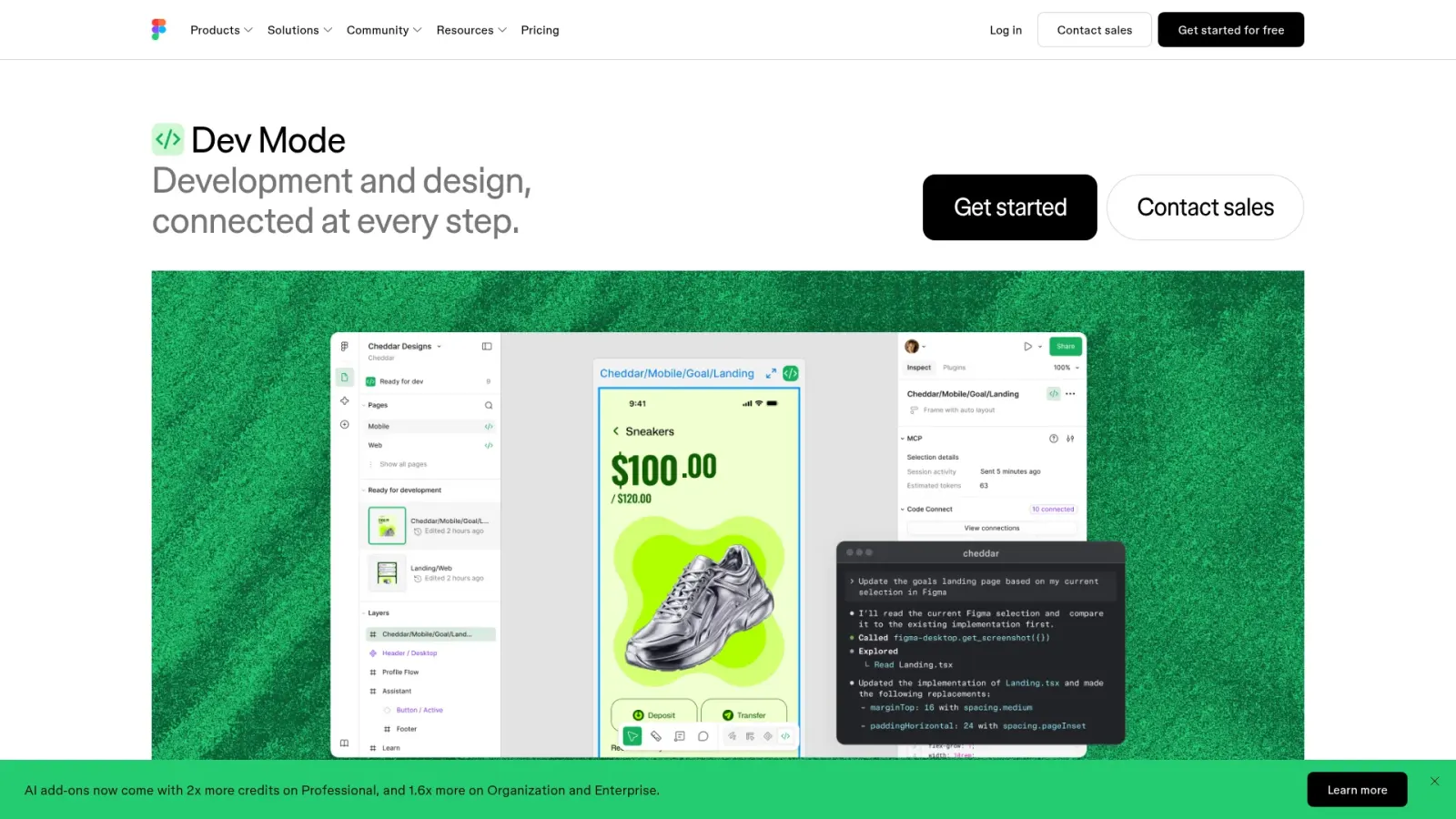
Dev Mode is Figma's built-in handoff surface. It shows measurements, exposes variable values, and generates code snippets from any selected layer, which makes it the baseline option before you pay for a plugin.
The more interesting piece is the Figma MCP server, which lets an AI coding agent read your design file directly instead of working from a screenshot.
What the MCP server does
The server exposes tools for pulling design context, screenshots, and variable definitions from a selected frame or node ID. Your agent calls those tools, gets structured layout and token data back, and writes code against it.
There is one catch that trips up React Native teams. The server generates React with Tailwind CSS by default, which is web output. Getting React Native requires explicitly prompting for it or mapping your components with Code Connect first.
Access and pricing are still in flux. Figma's own documentation states it "will eventually be a usage-based paid feature, but is currently available for free during the beta period." The remote server works on all seats and plans, while the desktop server needs a Dev or Full seat on a paid plan.
Code Connect is the part that matters for React Native
Code Connect maps a Figma component to the real component in your codebase, so instead of generating a fresh View tree, the tool emits <Button variant="primary" /> using your actual button.
React Native is not a separate Code Connect integration. It runs under the React integration in the @figma/code-connect package, so the setup is the same as web with your React Native components substituted in.
This is the highest-value configuration for teams with an existing design system, and the least useful for a greenfield app where there are no components to map yet.
The Four Conversion Paths, Compared

There are four realistic ways to get from a Figma file to React Native code, and they suit genuinely different situations. Pricing on AI tooling moves fast, so treat the figures below as a starting point and check current rates before committing.
Path | What it outputs | Cost | Best for |
|---|---|---|---|
Dev Mode plus manual coding | Measurements and snippets you type up yourself | Included with a paid Figma seat | Complex custom UI and animation-heavy screens |
Figma MCP plus a coding agent | Whatever you prompt for, defaulting to React and Tailwind | Free during beta, usage-based later | Teams already running Claude Code, Cursor, or Copilot |
Dedicated converter plugins | React Native components and StyleSheet | Free tier, then roughly $9 to $40 per seat monthly | Converting many screens of an existing design system |
End-to-end AI app builders | A full Expo project, backend, and store builds | Subscription, typically $20 to $50 monthly to start | Shipping an actual app rather than just screens |
Locofy
Locofy converts Figma and Penpot designs and lists React, React Native, HTML-CSS, Flutter, Vue, Angular, and Next.js as output targets. It runs two modes, Lightning and Classic, and its own documentation describes Lightning as the faster route for web designs, so verify which mode currently handles React Native before you plan around it.
It also ships an MCP server that works with Cursor, GitHub Copilot, Windsurf, Claude, Gemini CLI, and VS Code, plus an import-from-URL flow that skips plugin setup entirely.
Builder.io Visual Copilot
Builder.io's Figma to React Native guide claims single-click conversion with StyleSheet or Tailwind styling. Worth knowing: their current Fusion and Visual Copilot product pages list web frameworks only, so React Native support is documented in the blog rather than the product docs. Confirm it on a free-tier export before you buy a seat.
Builder.io's pricing page lists a free tier at 15 daily and 60 monthly agent credits, Pro at $24 per user monthly with 500 credits, and Team at $40 per user monthly, with on-demand credits at $25 per 500.
Figma Make
Figma Make generates working prototypes from prompts and design references, and it is genuinely useful for exploration. It targets web React, not React Native, so it is not a mobile conversion path despite living inside Figma.
Step by Step: Figma to a Running React Native App
Here is the full workflow, assuming you want an app on a real device rather than a folder of components.
Audit the Figma file. Confirm Auto Layout everywhere, named layers, defined variables, and component variants with real names.
Scaffold the Expo project. Run
npx create-expo-appto get the current template with file-based routing already wired.Export assets first. Pull images at 2x and 3x, and export icons as SVG rather than PNG so they scale cleanly.
Convert one screen, not twenty. Run your chosen tool on a single medium-complexity screen and read the output before scaling up.
Extract the theme. Pull colors, spacing, and typography into one constants file so later screens reference tokens instead of literals.
Replace duplicated blocks with components. Generators repeat markup rather than abstracting it, so this cleanup is always needed.
Wire navigation. Connect the screens with Expo Router or React Navigation to match the flow in your prototype.
Swap hardcoded data for real data. Replace static arrays with API calls and add loading and error states, which no design file contains.
Test on a physical device. Safe areas, keyboard behavior, and shadow rendering all differ from any browser preview.
Keep your toolchain current while you do this. Expo SDK 57 shipped on June 30, 2026 with React Native 0.86 and React 19.2. If you want the deeper setup walkthrough, our React Native Expo tutorial covers the project structure in detail.
One architectural note that affects old tutorials: since React Native 0.82, the New Architecture is always enabled and cannot be turned off, and the legacy architecture was dropped entirely in Expo SDK 55. Any guide telling you to set newArchEnabled: false is out of date.
What Generated Code Will Not Give You
Converted screens are roughly 30% of a shipped app. The remaining work is the part that determines whether the app passes review and survives real users.
Navigation and flow
Expo Router uses file-based routing, so your folder structure becomes your navigation graph. You still decide what is a stack, what is a tab, and what is a modal, because a Figma prototype's click-through arrows do not carry that semantic meaning.
State and data fetching
Local UI toggles are fine with useState. Anything shared across screens, like auth status or a cart, needs a store such as Zustand, and server data needs caching, retries, and invalidation rather than a bare fetch in a useEffect.
Accessibility and performance
Add accessibilityLabel and accessibilityRole to interactive elements, since generated output rarely includes them. Swap any ScrollView holding a long list for FlatList, and memoize row components before the list gets real data in it.
If you would rather start from a working foundation than clean up generated markup, our roundup of React Native templates covers starters that already handle navigation, theming, and auth.
Going the Other Way: React Native to Figma
Sometimes the app exists and the design file does not. This happens when a product was built fast, the original designer left, or a new team inherits a codebase with no source of truth.
There is no reliable automated path from React Native code back into editable Figma layers. React Native has no DOM to inspect, so the web tools that scrape a live page and rebuild it as Figma frames have nothing to work with.
Three approaches actually work:
Render to web first. Run your components through React Native Web, then use an HTML-to-Figma importer on the rendered output.
Rebuild the design system only. Recreate the components and tokens in Figma rather than every screen, then use Code Connect to link them back to the code.
Screenshot and trace. Fastest for documentation, useless for a living design system, since nothing stays in sync.
The second option is the only one worth real effort. Screens go stale within a sprint, but a component library with matching Code Connect mappings keeps paying off.
Where CatDoes Fits in the Workflow
CatDoes is not a Figma file parser. It does not read your layers, variables, or component tree, and any tool claiming to import a Figma link should be tested on your own file before you trust it.
What it does is take a screenshot and a description. You export your Figma frames as images, attach them to the chat, and describe the behavior the design cannot express: what each button does, where each tap leads, what data fills the list.
Why that tradeoff is often fine
Layer-level parsing gets you closer pixel fidelity on the first pass. It does not get you navigation, state, a backend, or an App Store build, and those are the parts that take weeks.
CatDoes generates a React Native Expo project with the navigation and state already wired, includes CatDoes Cloud for database, auth, storage, and edge functions, and hands the build and release process to an agent that prepares your binaries for the App Store and Google Play. You can export the full codebase at any point.
A realistic workflow
Export your main Figma screens as PNGs at 2x.
Attach them and describe the flow between screens in plain language.
Scan the QR code to run the generated app on your own phone.
Refine screen by screen, comparing against the Figma file as you go.
Add the backend, then ship to the stores from the same conversation.
If you are still choosing tools, our comparison of the best AI app builders tests the main options side by side, and our guide to turning design into code covers the broader handoff problem beyond React Native.
Frequently Asked Questions
Can you convert a Figma design to React Native automatically?
You can automatically convert the UI layer: layout, typography, colors, and assets become View, Text, and StyleSheet code. You cannot automatically generate navigation, state management, API integration, or accessibility, which is typically the majority of the build.
Does the Figma MCP server output React Native?
Not by default. It generates React with Tailwind CSS, which is web code. You get React Native by explicitly prompting your coding agent for it, or by setting up Code Connect so the server emits your real React Native components.
Is Figma to React Native conversion free?
Partly. Dev Mode is included with a paid Figma seat, and the MCP server is free during its beta before moving to usage-based pricing. Converter plugins have limited free tiers and charge per seat or per credit beyond them. Shipping still costs $99 a year for the Apple Developer Program and $25 once for Google Play.
Will the generated React Native code be production ready?
The layout usually is. The architecture usually is not, because generators duplicate markup instead of abstracting it, hardcode values instead of referencing tokens, and skip accessibility props. Budget a cleanup pass on every screen.
How do I handle responsive layouts from a fixed-width Figma frame?
Design at one width, then make the generated styles flexible by hand. Replace fixed widths with flex: 1 or percentage values, use useWindowDimensions for anything that must respond to screen size, and wrap screens in SafeAreaView so notches and home indicators do not clip your content.
Does Auto Layout convert correctly to Flexbox?
Mostly, with one reversal to watch. Auto Layout maps cleanly to flexDirection, justifyContent, alignItems, gap, and padding, but React Native defaults to flexDirection: 'column' while CSS defaults to row. Frames without Auto Layout convert to absolute positioning and will break on other screen sizes.
Turning Designs Into Shipped Apps
The Figma to React Native gap is narrower than it was, but it never closed. Tools generate the presentational layer well, and they generate everything else either badly or not at all.
Get the most value by fixing the design file first, using Code Connect if you have a design system worth mapping, and being honest about the cleanup pass. The screens are the easy part; the app around them is the work.
Want to skip straight to a running app? Attach your Figma screens to CatDoes, describe how the flow should work, and get a React Native Expo project with a backend and store builds included.
Nafis Amiri
Co-Founder of CatDoes


