Blog
Tutorials
How to Build an App and Make Money in 2026
Learn how to build an app and make money in 2026: validate an idea, pick a builder, choose a monetization model, launch, and get paying users, no code needed.

Nafis Amiri
Co-Founder of CatDoes

You do not need a computer science degree or a $50,000 development budget to build an app and make money from it. You need an idea people will pay for, the right way to charge them, and a way to ship it to real phones. This guide walks through the whole journey in six steps, from a rough idea to an app that earns while you sleep, and it is written for people who have never written a line of code.
The money is real. In 2026, non-game apps out-earned mobile games for the first time, with consumers spending roughly $85 billion in non-game apps versus about $82 billion in games, according to Sensor Tower's State of Mobile 2026 report. Solo builders and small teams are taking a slice of that, and AI app builders have removed most of the technical barriers that used to stop them.
Key takeaways:
Building an app and making money comes down to six steps: pick an idea people pay for, choose a revenue model, build it, launch on the app stores, get users, then optimize for retention.
Subscriptions earn 3 to 4 times more revenue per user than ads and retain far better, but ads and in-app purchases are easier to start with.
An app with 100,000 monthly users can earn anywhere from $5,000 to $100,000+ per month, depending on category, model, and geography.
You can build and launch a real app with no code using an AI app builder, then publish to the App Store ($99/year) and Google Play ($25 one-time).
Retention beats downloads. A smaller app with loyal, paying users out-earns a viral app that nobody opens twice.
Table of Contents
How Much Money Can an App Actually Make?
Step 1: Find an App Idea People Will Pay For
Step 2: Choose How Your App Will Make Money
Step 3: Build the App (No Code Required)
Step 4: Launch on the App Store and Google Play
Step 5: Get Your First Users
Step 6: Turn Downloads Into Revenue
How Much Does It Cost to Build an App?
Mistakes That Kill App Revenue
Frequently Asked Questions
How Much Money Can an App Actually Make?
An app can make anywhere from a few dollars a month to hundreds of thousands, and the number is set mostly by two things: how many people use it and which revenue model you choose. A tiny app with 1,000 downloads running ads might earn $10 to $50 a month. The same 1,000 people paying $10 a month for a subscription is $10,000 a month. Same audience, very different outcome.
Here is what each model realistically pays once an app has traction:
Revenue model | What you earn | Realistic range | Best for |
|---|---|---|---|
Advertising | Paid per 1,000 ad views (eCPM) | $0.50–$20 per 1,000 views; ~$5K–$100K/mo at 100K users | High-usage apps, casual games, news |
Subscriptions | Recurring monthly or yearly fee (avg ~$10/mo) | 1,000 subscribers ≈ $10K/mo, predictable | Productivity, health, content, tools |
In-app purchases | One-off buys for items, credits, or upgrades | Highly variable; top games earn the most | Games, digital goods, creator apps |
Paid download | One-time price to install ($0.99–$4.99) | Low volume, one payment per user | Niche utilities, pro tools |
Two numbers are worth remembering. Ad rates depend on format: banner ads pay $0.50 to $1.50 per 1,000 views, interstitials $5 to $8, and rewarded video $10 to $20 or more. Subscriptions win on lifetime value: RevenueCat's State of Subscription Apps 2026 found subscription apps keep about 2.6 times more users at day 30 and earn 3 to 4 times higher revenue per user than ad-supported apps. That is why most successful apps end up mixing models rather than betting on one.
Step 1: Find an App Idea People Will Pay For
The best app idea solves a specific, annoying problem for a group of people who already spend money to fix it. Ideas that make money usually fall into one of three buckets: they save time, they make or save money, or they remove a daily frustration. A meal-planner that cuts grocery bills, a booking app for a local gym chain, or a niche habit tracker for runners all qualify because the value is obvious and worth paying for.
Validate before you build. Search the App Store and Google Play for your idea and read the one- and two-star reviews of the top results, because complaints are a free feature list. Post in a relevant subreddit or community and ask if people would use it. If ten strangers say "I'd pay for that," you have a signal. If you need more direction on where to look, our guide to the best app ideas and where to find them breaks down seven reliable sources.
One rule that saves months: pick a niche you understand. It is far easier to build a great app for dog groomers or freelance photographers than a generic app for "everyone," because you already know what they need and where to find them.
Step 2: Choose How Your App Will Make Money
Decide how your app earns before you build it, because the model shapes the features. A subscription app needs a paywall and a reason to keep paying every month. An ad-supported app needs high session frequency so people see enough ads. Here are the models that do most of the work.
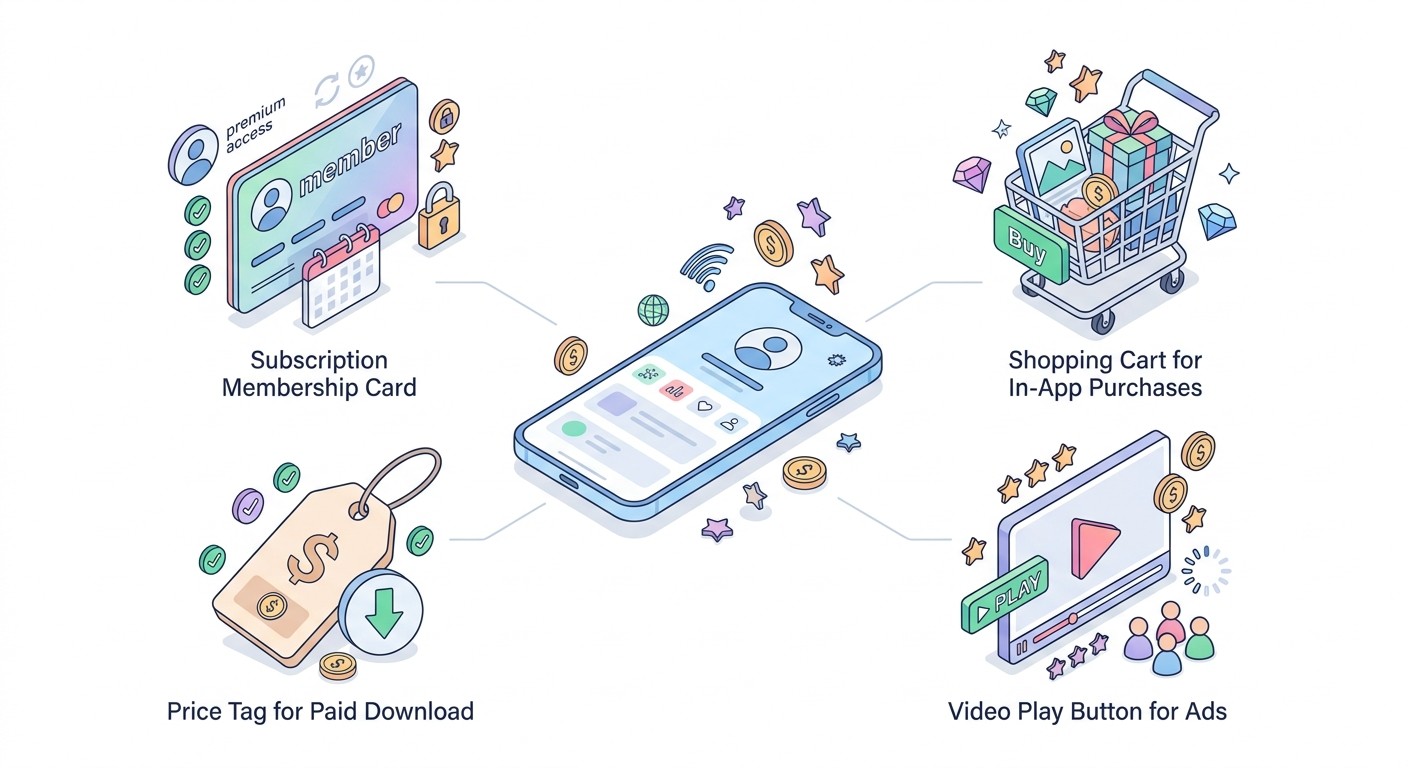
Subscriptions
Users pay a recurring fee, monthly or yearly, for ongoing access. This is the most predictable and valuable model, which is why it powers apps like Duolingo, Calm, and Notion. It works when your app delivers value repeatedly, not once. Annual plans are worth pushing hard: RevenueCat reports annual subscribers retain around 28% after a year versus about 12% for monthly plans, so a yearly option locks in revenue and cuts churn.
In-App Purchases
Users buy things inside a free app: extra lives, premium filters, virtual currency, or a one-time unlock to remove limits. In-app purchases drive the bulk of gaming revenue and work well for any app with digital goods or power-user upgrades. The advantage is that the app is free to download, so you remove the barrier to entry and charge only the people who love it.
In-App Advertising
You show ads and get paid per view or click. Rewarded video, where users watch an ad for a bonus, pays the most and annoys people the least. Ads are the easiest model to start with because you do not have to convince anyone to pay, but they only add up with real volume. A word of caution: users tolerate two to three interstitial ads per session, and pushing past that can drop day-7 retention by 10 to 20%.
Freemium, Paid, and the Rest
Freemium gives the core app away and charges for advanced features, and it pairs naturally with subscriptions. A paid download charges once up front, which suits niche pro tools but limits your audience. Beyond these, apps also earn through affiliate commissions, marketplace transaction fees (the model behind Uber and Etsy), and sponsorships. Most builders start with one model and layer a second once the first works. For a deeper breakdown of all nine strategies and the technical setup behind each, see our full guide on how to monetize an app.
Step 3: Build the App (No Code Required)
This used to be the wall that stopped everyone, and it is now the easiest step. You do not need to hire developers or learn Swift. An AI app builder lets you describe the app in plain English, then builds, deploys, and maintains it for you, including the backend, database, and user logins that a real app needs.
The workflow is simple: write what you want ("a habit tracker with reminders, streaks, and a premium tier"), review what the AI builds, and refine it by chatting. A monetization-ready app needs a few things baked in from day one: user accounts so people can log in across devices, a paywall or ad placement tied to your model from Step 2, and analytics so you can see what people actually do. A tool like CatDoes handles all of this: you describe the app and it builds, deploys, and maintains it for you, with CatDoes Cloud giving you the database, authentication, and storage every real app needs. It ships the same native app to iPhone and Android instead of a stripped-down web wrapper. If you want the step-by-step version, read how to build an app with AI.
Building this way turns a project that once took six months and a small team into something you can ship in days, which matters because the faster you launch, the faster you learn what people will pay for.
Step 4: Launch on the App Store and Google Play
To make money, your app has to be where people download apps. That means the Apple App Store, Google Play, or both. Each has a developer account: Apple charges $99 per year and Google Play charges a one-time $25 fee. Budget a few days for review, since Apple in particular checks new apps before they go live.
Before you submit, get your store listing right, because this is your storefront. You need a clear app name with a keyword, a short description that leads with the benefit, five to eight screenshots that show the app in action, and an icon that stands out at thumbnail size. This is called App Store Optimization (ASO), and it is the difference between an app people find and one that disappears. Set your pricing and in-app purchase products in the store dashboard before launch so revenue is live from day one.
Step 5: Get Your First Users
No users, no revenue. The good news is you can get your first few hundred users without a marketing budget. Focus on the channels where your specific audience already gathers, and give them a reason to try the app now.
App Store Optimization: Rank for the terms your users search. Put your main keyword in the title and subtitle, and update screenshots based on what converts.
Short-form video: A 15-second demo on TikTok, Reels, or YouTube Shorts showing the app solving a real problem is the cheapest way to reach new users in 2026.
Community-led growth: Be genuinely helpful in the Reddit threads, Discord servers, and Facebook groups where your audience already asks questions, then mention your app when it fits.
Referral loops: Give users a reason to invite others, like a free month or bonus credits for both sides. Referred users cost nothing and retain better.
Pick one channel and go deep rather than spreading thin across five. For a full playbook on getting installs without spending money, see how to promote an app with no budget.
Step 6: Turn Downloads Into Revenue
Downloads feel good, but retention is what pays. A user who opens your app on day 30 is worth far more than one who installs and never returns, because every revenue model, ads, subscriptions, and purchases, depends on people coming back. Aim for a day-7 retention rate above 20%, and treat anything below that as a product problem to fix before you spend on marketing.
Once the core app is sticky, stack a second revenue model. Apps that combine models, such as a subscription plus rewarded ads for free users, show around 30% higher lifetime value than single-model apps. Watch one ratio above all: lifetime value to customer acquisition cost (LTV:CAC). A healthy app earns at least three dollars from a user for every dollar spent acquiring them (3:1). If your numbers clear that bar, spending on ads to grow becomes a machine that prints money instead of a gamble.
How Much Does It Cost to Build an App?
Building an app the traditional way, hiring an agency or developers, costs anywhere from $30,000 to well over $150,000, plus ongoing maintenance that runs hundreds to thousands of dollars a month. That math kills most solo app ideas before they start.
Building with an AI app builder changes the equation completely. The build itself can cost as little as a monthly subscription to the tool, and the only fixed costs you cannot avoid are the developer accounts: $99 a year for Apple and a one-time $25 for Google Play. That means your real budget for building an app and making money is small enough that a single paying customer can cover it, which is exactly why solo builders are shipping profitable apps in 2026.
Mistakes That Kill App Revenue
Most apps that fail to make money make the same avoidable mistakes. Watch for these:
Building before validating. Spending months on an app nobody asked for. Confirm demand first.
Choosing the wrong model. Slapping ads on an app people only open once a month. Match the model to how often people use the app.
Chasing downloads over retention. A viral spike means nothing if users leave. Fix retention before you scale.
Over-stuffing ads. Too many interstitials drive users away and cost you more than they earn.
Ignoring the store listing. A great app with weak screenshots and no keywords stays invisible.
Frequently Asked Questions
How do apps make money?
Apps make money mainly through four models: advertising (paid per view or click), subscriptions (a recurring fee), in-app purchases (one-off buys inside the app), and paid downloads (a one-time price to install). Most successful apps combine two or three, such as a free app with ads plus a premium subscription that removes them.
How do free apps make money without ads?
Free apps earn without ads through subscriptions, in-app purchases, and freemium upgrades. The app is free to download, which removes the barrier to entry, then it charges the users who want more: a premium tier, extra features, virtual goods, or a subscription. Some also earn through affiliate commissions or marketplace transaction fees.
How much money can an app make?
It ranges widely. A small app with 1,000 downloads might make $10 to $50 a month from ads, while an app with 100,000 active users can earn $5,000 to $100,000 or more per month depending on the model. Subscriptions produce the most predictable income: 1,000 subscribers paying $10 a month is roughly $10,000 in monthly recurring revenue.
What kind of app makes the most money?
Games still generate the most in-app purchase revenue overall, but subscription apps in productivity, health and fitness, and content earn the most per user and retain best. In 2026, non-game apps out-earned games for the first time, driven by subscriptions and AI. The most profitable niche is usually one you understand well enough to serve better than anyone else.
How do you monetize an app without ads?
Use subscriptions, in-app purchases, a paid download, or a freemium model where the core app is free and advanced features cost money. These often earn more per user than ads and create a cleaner experience. Subscriptions are the strongest ad-free option because they generate recurring, predictable revenue.
Can I build an app and make money without coding?
Yes. AI app builders let you describe your app in plain English and handle the coding, backend, and deployment for you. You can build, launch on the App Store and Google Play, and start charging users without writing a line of code. The only unavoidable costs are the $99/year Apple and $25 one-time Google developer accounts.
What is a healthy LTV:CAC ratio for an app?
Aim for at least 3:1, meaning each user earns you three dollars in lifetime value for every dollar you spend to acquire them. Below 3:1, paid growth burns money faster than it earns. Above it, spending on marketing becomes a reliable way to scale revenue.
Build Your App and Start Earning
Building an app and making money is no longer reserved for engineers with funding. Find a problem people will pay to solve, choose a revenue model that fits how they use the app, ship it with an AI builder, launch on the stores, and focus relentlessly on the users who come back. The technical barrier that stopped a generation of builders is gone.
The fastest way to go from idea to a live, revenue-ready app is to describe it and let AI build it for you. Start building with CatDoes and turn your idea into an app that earns.
Nafis Amiri
Co-Founder of CatDoes


