Blog

Tutorials

How to Build an App with AI A Modern Guide

Learn how to build an app with AI using a modern, no-code approach. Our guide covers everything from initial idea to app store release.

Writer

Nafis Amiri

Co-Founder of CatDoes

Jan 9, 2026

Title slide with text 'How to Build an App with AI: A Modern Guide' displayed in large black sans-serif font against a white background with subtle gray geometric line patterns at the bottom

How to Build an App with AI A Modern Guide

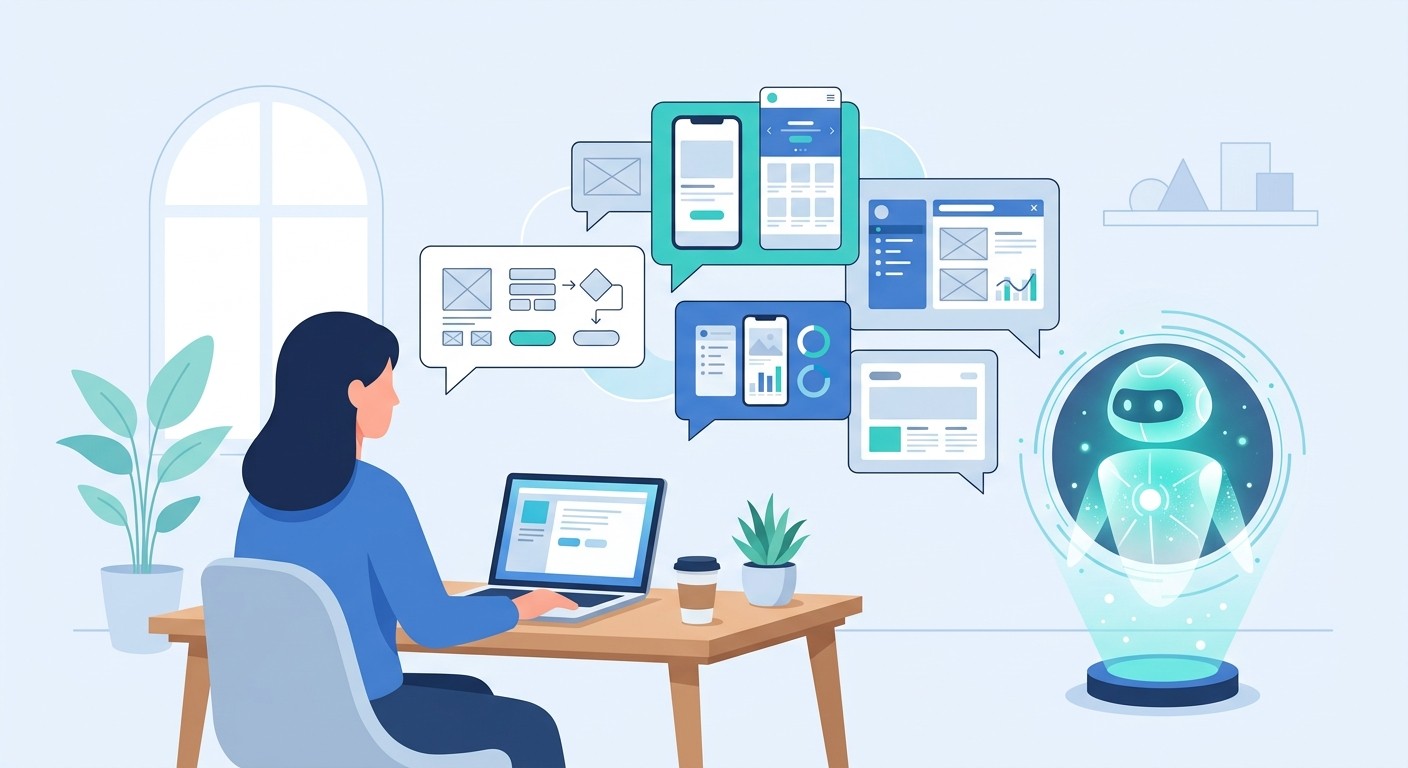
Learning how to build an app with AI isn't about becoming a developer overnight. It’s about having a conversation. You describe your idea in plain English, an AI designer creates the UI, AI software agents write the code, and another agent handles the final release. It’s a workflow that sidesteps all the traditional roadblocks, making app creation faster and genuinely accessible to anyone.

The New Blueprint for App Creation

Building a mobile app used to be a massive undertaking, something reserved for big teams with even bigger budgets. That old model of spending months on requirement docs, endless design mockups, and tangled coding cycles is fading fast. Today, a new, AI-powered approach lets anyone with a good idea bring it to life.

This means you get to focus on your vision, not the dense technical details. Platforms like CatDoes use a team of specialized AI agents that work together just like a human development crew, only they move at an incredible speed.

This new workflow breaks down the entire journey into four clear stages, moving you from the first spark of an idea all the way to launch.

The real magic here is how linear and simple the process becomes. It cuts out all the frustrating back-and-forth that used to slow everything down.

To see just how different this is, let's compare the old way with the new AI-driven workflow. The timelines alone tell a powerful story.

Traditional versus AI-Driven App Development

Development Stage

Traditional Method (Months)

AI-Driven Method (Days/Weeks)

Requirements Gathering

1-2 Months of meetings and documentation

A few hours of conversation with an AI

UI/UX Design

1-3 Months of mockups and revisions

Minutes for AI to generate multiple designs

Coding & Development

3-6+ Months of manual coding

Days for AI agents to write the code

Testing & Iteration

1-2 Months of bug fixing and feedback loops

Real-time previews and instant changes

Build & Release

Several weeks of complex store submissions

Automated builds and guided release

As you can see, what used to take the better part of a year can now be accomplished in a fraction of the time, turning a high-risk investment into a fast, iterative process.

Who Benefits from This New Method?

This isn't just a tool for one type of creator. It’s for a whole range of people and businesses, each with their own goals. The one thing they all have in common is the need for speed, efficiency, and the freedom to experiment without breaking the bank.

Here are a few real-world examples of who this is for:

  • Non-technical founders can finally build and test an MVP to validate their idea or secure funding, all without hiring an expensive agency.

  • Small business owners can create custom internal tools, for example inventory trackers or employee scheduling apps, to make their operations run smoother.

  • Developers can hand off the tedious parts of coding to AI, letting them focus their energy on the complex, high-value features that really matter.

This method truly democratizes app creation. It puts the power to build directly into the hands of the person with the idea, tearing down the old barriers of time, cost, and technical skill.

The Core Components of AI-Driven Development

So, how does this actually work? It all comes down to a multi-agent system where each AI has a specific job, kind of like an assembly line for software.

First up is a Requirements agent, which acts like a project manager. You just tell it what you want in natural language, and it captures everything.

Next, a Designer agent steps in. Think of it as your UI/UX specialist, instantly generating visual themes and screen layouts based on your requirements.

Finally, a team of Software agents takes over as the developers, writing clean, production-ready code. There's even an agent to handle the final build and release to the app stores.

This division of labor is what makes learning how to build an app with AI so straightforward. It transforms a massive, intimidating project into a series of simple, conversational steps that guide you from concept to a fully functional app.

Translating Your Idea into an Interactive Prototype

Every great app starts as a simple idea. But the first real step, and where most projects stall, is turning that vision into a clear, structured plan that something, or in this case, some AI, can actually build. Forget the old days of writing exhaustive spec documents that nobody ever reads. The modern way to do this is conversational.

With a platform like CatDoes, you just start talking to a Requirements agent. Think of this AI as your project manager. It’s been trained to ask smart, probing questions to help you flesh out your concept. You just describe what your app is for, who your users are, and what it needs to do, all in plain English.

The whole process feels less like writing code and more like briefing a very efficient team member. The goal is to get the core logic down without getting stuck in the weeds of technical jargon.

Defining Your App Through Conversation

Let's say you want to build an app for discovering local, pop-up food events. A great starting point would be telling the Requirements agent: "I want to build an app that helps people find and bookmark temporary food stalls and events in their city."

The AI won't just take that and run with it. It'll start a dialogue, asking clarifying questions to tighten up the scope and make sure nothing gets missed. This back-and-forth is what turns a vague idea into a solid plan.

You can expect questions like:

  • "What kind of information should we show for each event? For example, cuisine type, hours, location, photos?"

  • "Should users be able to filter events by date, distance, or food category?"

  • "Will you need a user account system so people can save their favorite events?"

  • "How will the vendors get their event information into the app?"

This interactive approach ensures all the key user flows are mapped out from the very beginning. It’s an incredibly fast way to build a solid foundation, which helps prevent scope creep and headaches down the road. For a deeper dive into this initial stage, you can check out our guide on how to build a prototype of a product, which covers these early steps in more detail.

From Text to Visual Reality

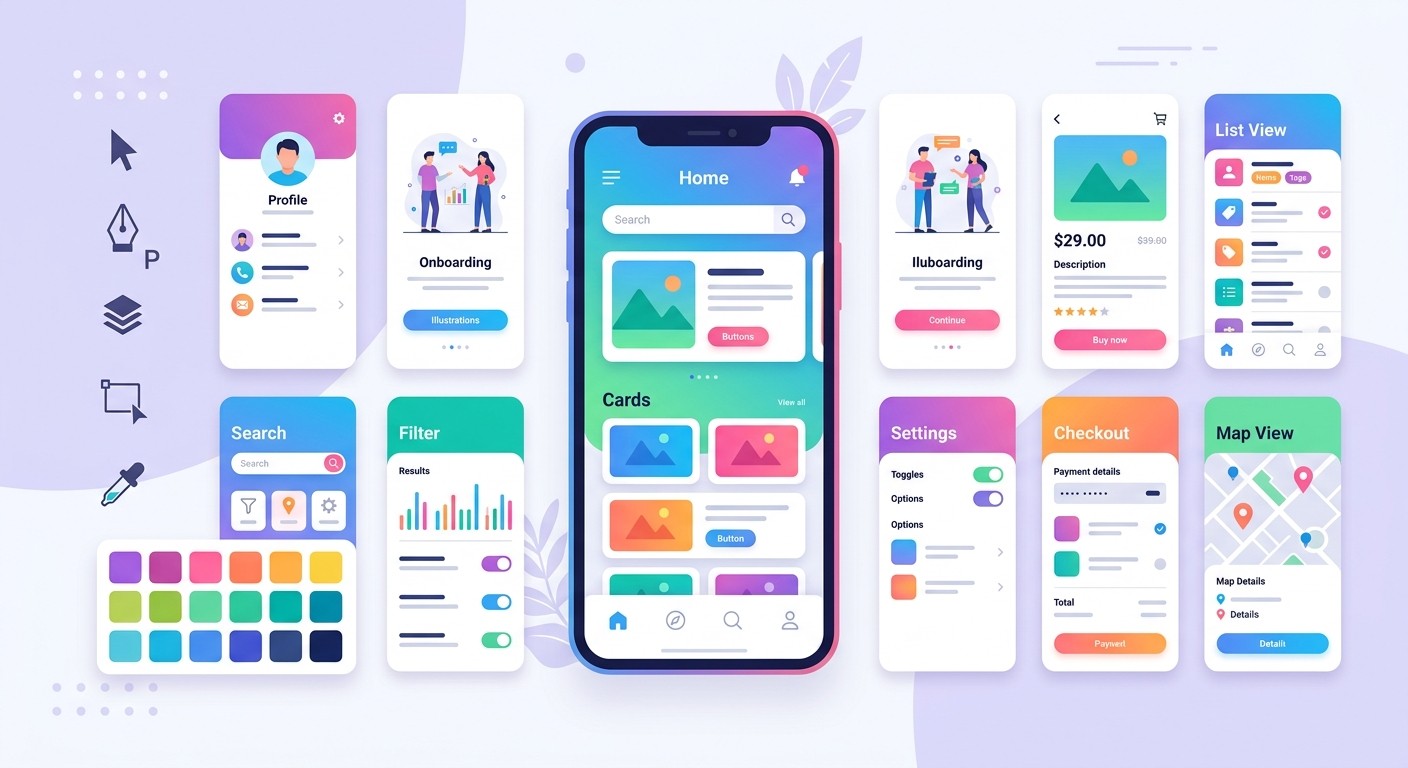
Once you've locked in the requirements, the real magic happens. All that information gets passed over to the Designer agent, which immediately starts turning your text-based plan into a visually compelling, interactive prototype. And I don't mean a static mockup. This is a clickable preview of your future app.

Within minutes, the Designer agent generates multiple UI themes and screen layouts for you to pick from. You can see different color palettes, font choices, and component styles applied to your app's actual screens, right then and there.

This instant visualization is a total game-changer. It closes the gap between what's in your head and what's on the screen, letting you see, feel, and interact with your app idea almost as soon as you've finished describing it.

Let’s take a different example: an internal tool for a small retail business to manage warehouse inventory. After defining the basics (scan barcodes, update stock counts, view low-stock alerts), the Designer agent would produce tangible screens.

  • A simple, clean login screen for employees.

  • A main dashboard with big buttons for "Scan Item" and "Check Stock."

  • A camera view that activates for barcode scanning.

  • A results screen showing product details and the current quantity on hand.

You can actually click through these screens as if it were a real app, testing the navigation and user experience from day one. This makes it ridiculously easy to spot problems or find areas for improvement before a single line of code gets written. If a workflow feels clunky or a button is in the wrong place, you just tweak the requirements and regenerate the design instantly.

This rapid, visual feedback loop is what makes building apps with AI so powerful, making the process up to 90% faster than traditional design cycles.

Generating Functional Code Without Writing Any

Alright, your design is locked in and you've got a clickable prototype that feels right. Now for the magic. This is where you go from a collection of screens to a living, breathing application that actually works.

Instead of the traditional handoff to a development team, which usually kicks off months of manual coding, specialized AI software agents take the wheel. On a platform like CatDoes, these agents don't just guess. They meticulously analyze the approved UI components, the user flows you've defined, and the business logic holding it all together. Then, they get to work writing clean, production-ready code.

And this isn't some clunky, half-baked output. The AI generates code based on modern best practices, using robust frameworks like React Native Expo. What you get is an app that’s built to be maintainable and scalable from the very first line of code.

From Front-End Components to Backend Logic

The AI’s job covers the full spectrum, from the pixels your users interact with all the way to the data humming along in the background. We're talking everything from individual buttons and forms to the complex navigation that connects all your app's screens.

For a lot of simple apps, a solid front-end is all you really need. But what if your app needs user accounts, has to store data, or perform other server-side tasks? That's when you need a backend, which traditionally opens up a whole new can of worms and adds significant time to a project.

With an AI-driven approach, this becomes just another instruction. You can direct the agents to generate a complete backend infrastructure, often through an optional integration with a service like Supabase. The AI can build out:

  • User Authentication: Complete sign-up, login, and password reset flows, ready to go.

  • Database Schema: A structured database ready to store user profiles, product info, or whatever your app needs.

  • Server Components: All the necessary logic to securely connect your front-end app to the database.

Being able to generate both the front-end and back-end from the same set of instructions is a huge leap. It’s a core piece of the puzzle, and you can learn more about how these systems fit together by reading up on the role of backend services in AI no-code apps.

The real win here is consistency. Because the same AI system understands both the design and the backend needs, the two sides are built to work together perfectly from the start. This completely sidesteps the integration headaches that plague so many traditional development projects.

The industry is clearly moving in this direction. AI isn’t just adding features anymore; it's fundamentally changing how we build software from the ground up. The low-code development market, recently valued at USD 28.75 billion, is on track to hit an incredible USD 264 billion by 2032. That’s a compound annual growth rate of 32%, which is more than double that of conventional app development. This trend is backed by data showing that roughly 63% of mobile app developers now incorporate AI features, with 70% using AI specifically to improve user experience.

Maintaining Control with GitHub Integration

One of the biggest hesitations developers and tech-savvy founders have is the fear of being locked into a "black box." What if you need to add custom code or want full control over your project down the line? This is where an optional GitHub integration becomes absolutely crucial.

By syncing your AI-generated project to a GitHub repository, you really get the best of both worlds. The AI does the heavy lifting, such as generating the initial codebase and handling updates, while you maintain complete visibility and control over your code.

This hybrid workflow gives you a few major advantages:

  • Full Code Access: You can browse, review, and even tweak the AI-generated code directly in your own repository. No mystery.

  • Version Control: Every single change the AI makes can be tracked, reviewed, and even rolled back if necessary, just like in a standard development process.

  • Seamless Collaboration: If you have a developer on your team, they can work right alongside the AI, adding custom features or integrating other services without any friction.

This approach ensures you’re never boxed in by the AI’s capabilities. It lets you build your app with the speed and efficiency of AI while keeping the door wide open for advanced customization and complete ownership of your intellectual property.

Getting Your AI-Built App Ready for the Real World

An idea is only as good as its execution, and even the most perfectly generated code needs to face reality. This is where testing and iteration come in. This cycle transforms a functional app into a successful one. Skipping this part is a classic mistake; real-world feedback is the only way to know if you're actually building something people will use.

Fortunately, modern AI platforms have baked this process right into the workflow. You no longer have to wait hours (or even days) for a formal build to be compiled and sent out. Instead, you can get immediate, actionable feedback in minutes, creating a tight loop that speeds up improvement immensely.

Instant Validation with Live Previews

The first line of defense in testing is the live preview. This feature lets you see and interact with your app directly in your web browser as the AI makes changes. It’s an incredibly efficient way to check layouts, click through navigation, and make sure the basic mechanics are working as you intended.

If you tell the AI agent to change a button's color or add a new field to a form, you see the result on the spot. This instant visual confirmation helps you catch obvious errors and make quick design tweaks without any friction, closing the gap between your instructions and the AI's output.

Real-World Testing Using a QR Code Workflow

A web preview is great for quick checks, but it can't fully capture the true mobile experience. For anyone learning how to build an app with AI, the QR code workflow is where the magic really happens. By simply scanning a QR code with your phone, you can run a live, testable version of your app directly on an iPhone or Android device.

This is a game-changer for a few key reasons:

  • It feels real. You get to see how the app actually performs in your hand, testing gestures, responsiveness, and how the layout adapts to a physical screen.

  • Sharing is effortless. You can send the QR code to friends, colleagues, or potential customers. They don't need any technical skills because they just scan and go.

  • Feedback comes in fast. This simple process makes gathering diverse, real-world input incredibly easy. You can get opinions on your app from your target audience in a matter of hours, not weeks.

The QR code method bridges the gap between development and reality. It puts your app into the hands of real users early and often, which is the single most effective way to ensure you're building something people actually want.

How to Gather and Act on Feedback

Once the feedback starts rolling in, you need a simple way to manage it. Don't overcomplicate things. A shared document or a dedicated feedback channel is usually all you need to keep track of what users are saying.

Look for patterns. Are multiple people getting stuck on the same screen? Is a particular feature causing confusion? A crucial part of this process involves strategic QA testing to make sure the app not only works but also meets your quality standards and business goals.

When you've identified a change, the next step is straightforward. You just tell the AI agents what you need in plain English. For example, a command like, "Change the sign-up button to a brighter color and make the text larger," is something the AI can execute immediately. This conversational approach makes refining your app feel fluid and continuous.

Getting this right is important. The AI app market is projected to add USD 32.26 billion in value between 2024 and 2029, growing at an impressive 44.9% CAGR.

Automating the App Store Release Process

Getting your app across the finish line and through the gates of the Apple App Store and Google Play Store is often the most frustrating part of the whole journey. It's a manual, tedious process filled with confusing rules, technical hurdles, and the constant threat of rejection. This is where automation isn’t just a nice-to-have; it’s your secret weapon for a stress-free launch.

When you build with an AI platform, a dedicated build-and-release agent handles this entire final stage. Think of it as your personal release manager, an AI that takes your finished app and does all the technical heavy lifting to get it ready for prime time.

Behind the scenes, this agent is compiling your code, packaging up all your visual assets, and generating the specific files each platform requires. For iOS, that’s the .ipa file; for Android, it’s the .aab (Android App Bundle). It’s a complex dance, but the AI ensures your app is perfectly optimized and compliant with every store guideline.

Preparing for a Smooth Automated Launch

Even with the AI handling the technical build, you'll want to gather a few key things to make sure the submission is completely seamless. Getting this stuff ready ahead of time makes the final step feel like clicking a single button.

Here’s your pre-launch checklist:

  • Developer Accounts: You absolutely need active developer accounts for both the Apple Developer Program and the Google Play Console. These can take a few days to get approved, so don't leave it to the last minute.

  • App Store Listing Information: This is your marketing copy. You'll need your app's name, a description that sells, keywords to help people find you, and a link to your privacy policy.

  • Screenshots and App Icon: Get some high-quality screenshots that show off your app's best features. You’ll also need a polished, professional app icon in all the required sizes.

Once you have these assets, you just hand them over to the release agent. The AI then takes your information, pairs it with the build files it already generated, and populates your store listings perfectly.

Automating the build and release cycle is a cornerstone of modern software delivery. It removes the risk of human error from the most critical stage of your launch, ensuring consistency and speed every time you push an update.

Beyond Native Mobile: A Release for the Web

Not every project is destined for the app stores. Sometimes you just need a web app that people can access right from their browser. The build-and-release agent handles this just as easily.

Instead of packaging your app for mobile, you can tell the agent to release it as a progressive web app (PWA). It’ll compile the code for web browsers and deploy it for you, giving you a shareable URL that works on any device. This is a brilliant option for building internal tools, simple landing pages, or MVPs that don’t require a full app store launch.

If you're curious about the principles behind these automated workflows, our article on continuous deployment best practices dives deeper into the topic.

Why Building Apps with AI Is the Future

Let's be clear: how we build software is changing for good. The conversation isn't just about how to build an app with AI anymore. The real question is why this approach has become the new default for turning a great idea into a real product.

The answer comes down to three things: incredible speed, radically lower costs, and genuine access for anyone with a vision, regardless of their technical background. This isn't about replacing developers; it’s about empowering a much broader group of creators and cranking up the speed of innovation for everyone. Platforms like CatDoes are at the front of this movement, making app creation feel more like a conversation than a technical chore.

A New Creative Partnership

The future of app development is a collaboration. Intelligent systems are stepping in to handle the repetitive, complex work, freeing up human creators to focus on the bigger picture of the vision, the user experience, and the problem they're trying to solve.

Think about what this unlocks. A small business owner can now build a custom inventory tool over a weekend. A founder can get a functional MVP into the hands of real users in days, not months, to see if their idea has legs. This kind of speed was pure fantasy just a few years ago.

This isn't a niche trend, either. It's quickly becoming a core part of product strategy. The numbers tell the story: the global app development market is already projected to explode from USD 264.96 billion in 2025 to a staggering USD 543.13 billion by 2030.

Even more telling is the AI-specific slice of that pie, which is forecast to leap from USD 40.3 billion in 2024 to USD 221.9 billion by 2034. The growth is undeniable.

This shift democratizes technology on a massive scale. It moves the power from those who can code to those who have a vision, making the ability to build an app a skill accessible to anyone with a great idea.

This new reality is already making the digital world more inclusive and dynamic. The barrier to entry has been permanently lowered, opening the doors for more diverse and creative solutions to emerge from people who were previously locked out. For a deeper look at how this impacts every corner of the digital experience, articles on topics like the future of web accessibility with AI-powered solutions show just how profound this change will be.

Got Questions? We’ve Got Answers.

Jumping into AI-driven app development is exciting, but it’s a new way of working, so it’s totally normal to have questions. This whole approach is designed to open up software creation to more people, but getting a handle on the details is what gives you the confidence to dive in.

We’ve pulled together some of the most common things people ask to give you clear, straightforward answers. Let’s get into it.

Do I Actually Need to Know How to Code?

Absolutely not. This is probably the single biggest advantage of working with an AI-native platform. The entire experience is built around conversation. You just describe what you want your app to do, such as its features, its look, its feel, in plain English.

From there, the AI agents take over all the heavy lifting, including writing every last line of production-ready code. This completely removes the traditional barrier to entry, meaning non-technical founders, designers, and business owners can now build fully functional apps without ever needing to code. If you have a great idea, you now have a path to build it.

So, How Much Does It Cost to Build an App This Way?

The cost is dramatically lower than the traditional route. Instead of budgeting tens or even hundreds of thousands of dollars for a development agency, you’re typically looking at a simple monthly subscription fee for the platform. In fact, many platforms like CatDoes offer a free tier so you can build your first app without spending a dime.

This model makes it affordable to experiment with new ideas, launch a minimum viable product (MVP), or create internal tools without a huge upfront financial risk. The savings are massive, often cutting costs by over 90% compared to hiring a team.

By turning development into a predictable operational expense, AI platforms remove the financial risk that used to kill so many great app ideas before they even got started. This shift allows for more innovation and iteration.

Can I Add My Own Code or Custom Features?

Yes, you can. The best AI app-building platforms aren't black boxes. They are designed to be flexible and integrate with standard developer tools like GitHub, giving you complete visibility and control over the codebase.

This allows for a powerful hybrid workflow where the AI handles 99% of the development, but you or your team can jump in to:

  • Add highly specialized or unique features.

  • Integrate with third-party APIs that the AI might not support out of the box.

  • Tweak or review the AI-generated code to meet very specific internal standards.

This flexibility means you get the incredible speed of AI without ever sacrificing the power and control of traditional coding. It’s truly the best of both worlds, ensuring your project can grow without hitting a wall.

Ready to stop just thinking about your app idea and actually build it? With CatDoes, you can describe your vision in plain English and watch as AI agents design, code, and prepare it for launch in a fraction of the time. Start building your app for free today.

Writer

Nafis Amiri

Co-Founder of CatDoes