Blog
Tutorials
Turn Your Website Into an App: 4 Proven Ways 2026
Turn your website into an app the right way. Compare PWAs, WebView wrappers, React Native rebuilds, and AI platforms by cost, speed, and performance.

Nafis Amiri
Co-Founder of CatDoes
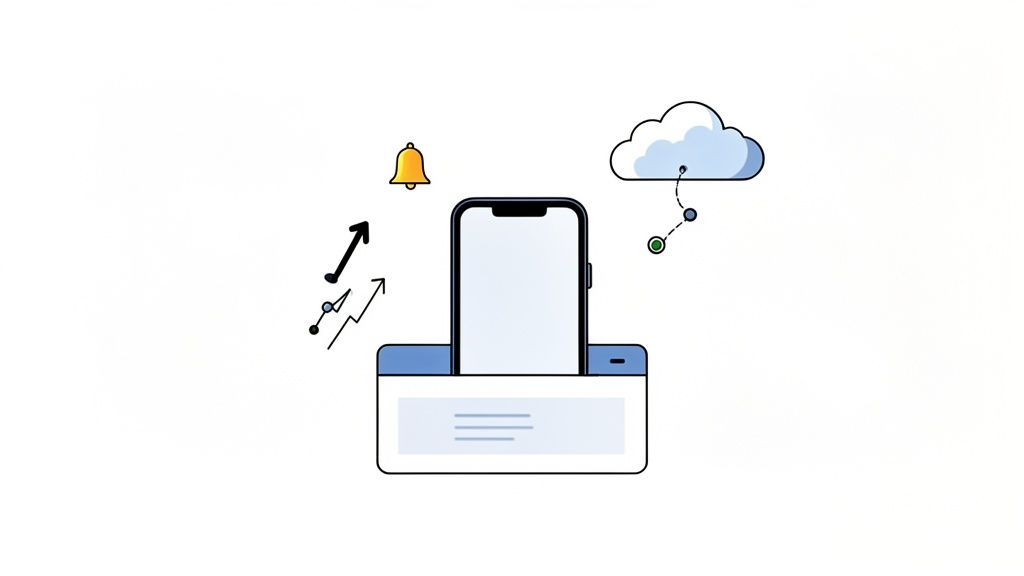
Yes, you can turn your website into an app, and for most growing businesses it is worth doing. The work comes down to packaging your site’s core features into something that lives on a customer’s phone: faster load times, push notifications, offline access, and a home-screen icon that sits one tap away.
TL;DR: There are four main ways to convert a website into a mobile app: a Progressive Web App (cheapest and fastest), a WebView wrapper (gets you into the app stores), a cross-platform rebuild in React Native (best performance, highest cost), or an AI platform that generates the app from a plain-language description (fast and affordable). The right pick depends on your budget, timeline, and how much native hardware access you need.
Table of Contents
Why Turn Your Website Into an App?
Four Ways to Turn Your Website Into an App
The Practical Conversion Process
Getting Your New App Ready to Launch
Publishing and Maintaining Your App
Frequently Asked Questions
Why Turn Your Website Into an App?
A mobile-friendly website is the baseline now, not the differentiator. It still asks people to open a browser, type a URL, and wait. An app skips all of that. It sits on the home screen, and that small shortcut changes how often customers come back.
Bridge the Gap Between Traffic and Sales
More than half of all web traffic now comes from mobile devices, yet mobile visitors still convert at a lower rate than desktop ones. That gap is lost revenue, and it usually comes down to friction: slow pages, fiddly checkouts, and a browser tab that is easy to abandon.
An app narrows the gap by storing data on the device and loading faster, which keeps people moving toward the action you care about instead of bouncing.
Open a Direct Channel to Your Customers
The biggest practical win is push notifications. Email gets buried; a push notification lands on the lock screen. Used well, that is a direct line to your customer:
Ecommerce stores: announce a flash sale, flag a new drop, or nudge an abandoned cart.
Service businesses: send appointment reminders, status updates, and member-only offers.
Content creators: tell your audience the moment a new article or video goes live.
Apps can also reach a phone’s built-in hardware: the camera, GPS, and contacts. A retail app can use location to surface a nearby store; a social app can let people upload straight from the camera roll. Those contextual touches are hard to pull off in a browser, and they are a big part of why converting a website into an app pays off.
Four Ways to Turn Your Website Into an App
There is no single right answer here. Each route offers a different mix of cost, speed, and power, and your choice shapes the budget, the timeline, and the experience your users end up with. The four main paths are Progressive Web Apps, WebView wrappers, cross-platform rebuilds, and AI-driven platforms.
Progressive Web Apps: The Quickest Win
A Progressive Web App (PWA) is your website with app-like features bolted on. It runs in the browser, but users can install it to the home screen, receive push notifications, and use it offline. It is almost always the fastest and cheapest way to get an app-like presence.
PWAs have a strong track record on engagement. AliExpress more than doubled conversions for new users after launching one, and Pinterest saw core engagement climb after rebuilding its mobile site as a PWA. If you want to test the waters before committing to a native build, this is the low-risk place to start.
WebView Wrappers: The Simple Package
A WebView wrapper takes your existing website and wraps it in a native app container, like a picture frame for your site that you can submit to the Apple App Store and Google Play. The advantage is discoverability: unlike a PWA, a WebView app shows up in app store search. The trade-off is performance. The app is still loading your website, so it can feel sluggish. This route fits content-heavy sites or simple tools where a fully native feel is not the priority. Shopify merchants hit this decision constantly, so we cover it in how to turn your Shopify store into an app.
Cross-Platform Rebuilds: The Powerhouse Approach
If you need top-tier performance and full hardware access, a cross-platform rebuild is the way to go. You rewrite your site’s logic in a framework like React Native, producing a single codebase that compiles to true native apps for iOS and Android. You get near-native speed and direct access to the camera, GPS, and contacts from one set of code. The catch is cost and time: you need skilled developers and a real budget, which makes this the right call for established businesses aiming for a premium experience.
If you want to weigh the options more closely, we compared the two models in native mobile apps vs. web apps.
AI-Driven Platforms: The Modern Accelerator
A newer path uses AI-native platforms like CatDoes. You describe what you want in plain English, and AI agents handle the design, the code, and the backend, generating a production-ready mobile app from scratch. This shrinks the time and cost that traditionally came with app development and puts a high-quality native app within reach of non-technical founders and small teams. You get most of the benefits of a cross-platform build without assembling an engineering team to do it.
It works just as well when you already have a site. Paste your website’s URL and CatDoes builds a matching mobile app from it, or import your existing code repository and the agent turns it into a native iOS and Android app. Either way, you start from what you have built rather than from a blank page. We walk through that conversion end to end in how to turn a website into a mobile app.
Comparing the Four Methods
Here is how the four approaches stack up on the factors that usually drive the decision.
Method | Development Cost | Time-to-Market | Performance | Native Feature Access |
|---|---|---|---|---|
PWA | Lowest | Fastest | Good | Limited |
WebView Wrapper | Low | Fast | Fair | Very Limited |
Cross-Platform Rebuild | Highest | Slowest | Excellent | Full |
AI-Driven Platform | Low to Moderate | Very Fast | Excellent | Full |
The trade-off is clear: a PWA gets you moving fast and cheap, while a cross-platform rebuild delivers the best experience at a premium. AI-driven platforms try to give you the performance of a rebuild with the speed of something far simpler.
The Practical Conversion Process
Now for the hands-on part. Each path has its own roadmap, but they share one starting point: get your website’s foundation right first. A slow, clunky site becomes a slow, clunky app. Before anything else, make sure your site is fully responsive and fast on every screen size, because the app inherits whatever problems the website already has.
Give your backend the same attention. If the app will handle complex data or user accounts, a clean, well-built API keeps the front end and your data talking to each other reliably.
Building a Progressive Web App
A PWA is the most direct route to an app-like experience, and it sidesteps the app stores entirely. You need two pieces:
The manifest file: a small JSON file (
manifest.json) that tells the browser your app’s name, icon, and launch behavior. With it in place, the browser can prompt visitors to “Add to Home Screen.”The service worker: a background script that powers push notifications and offline access by caching key files, so people can open parts of your app without a connection.
Create those two files, link them in your site’s HTML, and you have a working PWA.
Using a WebView Wrapper
If getting listed in the app stores quickly is the goal, a WebView wrapper is a common choice. It wraps your live website inside a native container that people download and install like any other app. The process is short:
Start a native project in Android Studio or Xcode.
Add the WebView component, the element that displays web content.
Point it at your URL so it loads your site.
Set expectations on performance: the app is only as fast as the website behind it. A quick site makes a decent app; a slow one makes a frustrating app.
The flowchart below maps which path makes sense based on what you value most: speed, cost, or control.
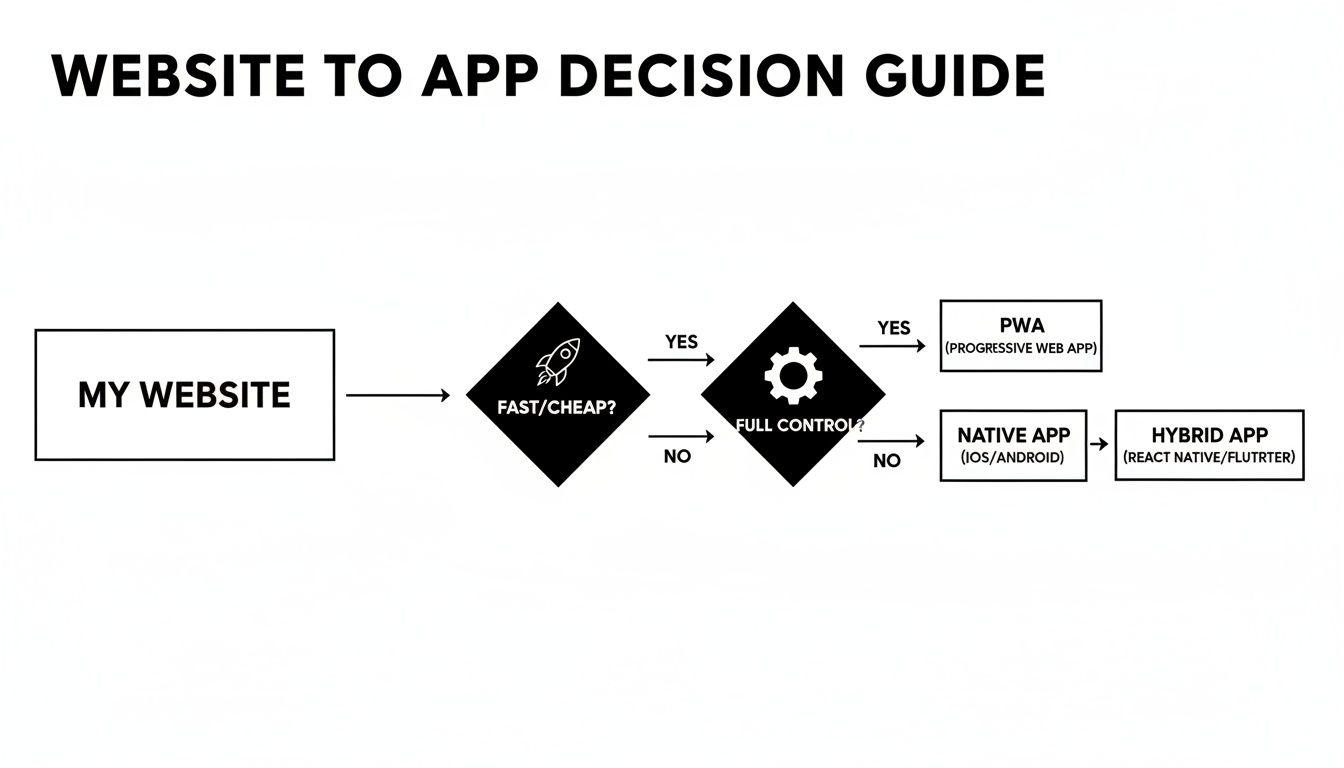
If you need something fast and affordable, a PWA or WebView is your best bet. If you need full hardware access and control, a rebuild is worth the investment.
The Cross-Platform Rebuild Journey
For the best performance and full device access, nothing beats a rebuild in a framework like React Native. This is the most involved option because you are building a brand-new app that mirrors your website’s functionality. The main stages:
UI/UX porting: rethink the experience for a touch-first screen rather than copying the web layout. Navigation, buttons, and flows all get redesigned for mobile.
Feature implementation: rebuild your core functions with the framework’s native components so everything feels fast and smooth.
Native integration: wire in device features like the camera, GPS, Face ID, and fingerprint sensors.
A rebuild is less a conversion than a reimagining of your product for a mobile-native context. It takes real time and money, but the result is a polished app that stands on its own.
Generating Your App With AI Platforms
The newest and often most efficient method is an AI-native platform, which skips the traditional coding and design work by letting you generate the app from a conversation. The process is direct:
Start from what you have: describe the app in plain English, paste your existing website’s URL, or import your code repository. CatDoes can build the app from any of these starting points.
AI generation: the agents interpret your input, design the interface, write the code (often in a framework like React Native), and set up the backend.
Review and refine: test a working version almost immediately, then adjust by giving more feedback in plain language.
At CatDoes we have watched non-technical founders go from a live website to a submitted app in a single afternoon this way. For a closer look, see our guide on how to build a mobile app with no code.
Getting Your New App Ready to Launch
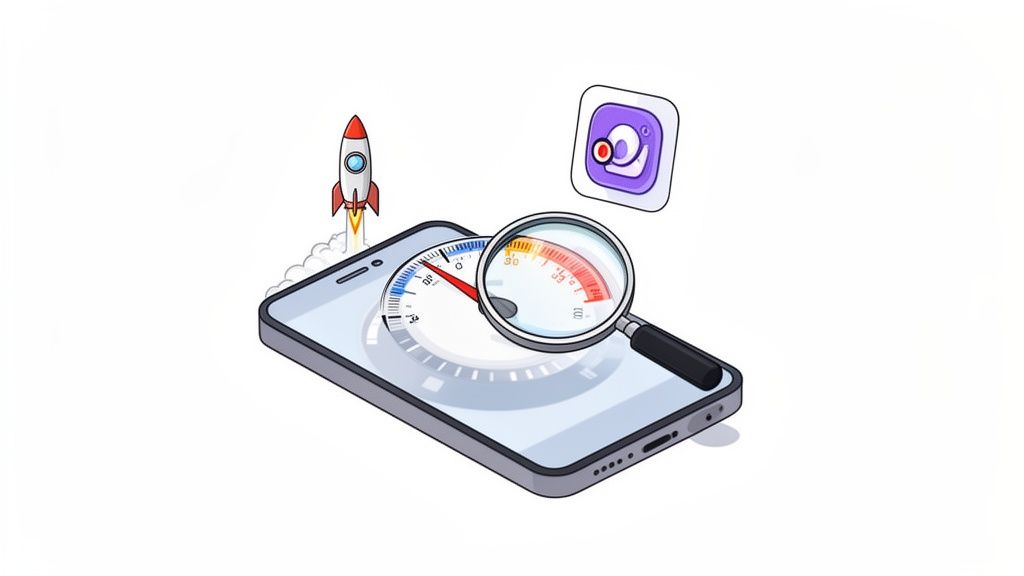
Building the app is only half the job. The rest is making sure it runs well on a real device and that people can actually find it. An app that lags or drains the battery gets deleted fast, so two things deserve real attention before launch: performance and discoverability.
Fine-Tuning Performance
Performance is really the feeling a user gets while using your app. A responsive app feels trustworthy from the first tap; sluggishness signals the opposite. Focus on a few things:
Fast load times: the app should open and show content almost immediately. Optimize images, minify code, and load data smartly.
Smooth UI: every tap, swipe, and scroll should feel fluid. Hunt down stutter in lists and carousels.
Low battery use: profile energy usage and trim background processes that drain power needlessly.
Offline capability: where it fits, let users reach key features without a connection so the app feels dependable.
Before you submit, test the app like you are trying to break it: old phones, new phones, tablets, and weak connections. Find the bugs before your users do.
App Store Optimization Basics
App Store Optimization (ASO) is SEO for the app stores. It is the work of tuning your listing to climb the search rankings, and with millions of apps competing it is essential rather than optional. Treat your store page like a storefront: every element should earn the tap on “Download,” and it starts with knowing what your ideal users actually search for.
Crafting Your App Store Listing
Your listing is your elevator pitch, and you have seconds to make it land. Nail these elements:
Strategic keywords: find the terms your audience uses and weave them naturally into your title, subtitle, and description.
A persuasive description: say clearly what the app does and why it matters. The first few lines are all most people read, so make them count.
High-quality screenshots: use clean screenshots and preview videos to show off your best features and UI.
After launch, keep measuring. Good analytics tell you how people use the app and where the drop-offs are, which is how you make smart, data-backed improvements to both the product and the listing.
Publishing and Maintaining Your App
The video below walks through what to expect when you submit and maintain an app.
Getting your app into users’ hands is where the project shifts from a development build to a live product. Approval is the first hurdle; keeping users happy is the longer race that follows.
Navigating App Store Submission
Submitting to the Apple App Store and Google Play means working through two dense rulebooks, and a single misstep can get you rejected. Preparation is the fix. Assemble your assets early: crisp screenshots, a memorable icon, a clear privacy policy, and a description that sells the value. Reviewers reject for a few recurring reasons:
Bugs or crashes: an unstable app is an instant rejection, so test thoroughly.
Incomplete information: placeholder text or a vague description signals the app is not ready.
Poor interface: apps that feel like a hastily wrapped website often get turned away.
Privacy gaps: be upfront about the data you collect, with an accessible privacy policy.
For a step-by-step walkthrough, read our guide on how to submit your app to the app stores.
Maintenance and Continuous Improvement
Once the app is live, the real work begins. An app is not a static product; it needs ongoing care to stay relevant, functional, and secure. Your first job post-launch is to listen. Reviews, support tickets, and social mentions tell you what people love and what frustrates them, and that feedback becomes your roadmap.
This is where modern platforms ease the load. Tools like CatDoes include automated build-and-release agents that handle packaging and submitting updates, so you can spend your time improving the app instead of wrestling with deployment scripts.
Planning Your Update Strategy
Regular updates signal that you are invested in the product, which builds loyalty. A healthy cadence mixes three types of release:
Bug fixes: tackle crashes and critical issues immediately to keep trust intact.
Feature enhancements: add small improvements based on what users ask for, keeping the experience fresh.
Major releases: plan bigger updates that introduce standout functionality and re-engage your audience.
Listen, iterate, improve, and your app has a real shot at thriving rather than just surviving.
Frequently Asked Questions
How Much Does It Cost to Turn a Website Into an App?
It depends heavily on the path. A simple WebView app or basic PWA is the budget option; with some technical know-how or a straightforward tool, you can get there for a few thousand dollars or less. A full cross-platform rebuild in React Native is a real software project, with industry estimates typically starting around $15,000 for an MVP and climbing past $150,000 for complex, feature-rich apps. AI-native platforms have changed the math: many offer free plans to start, with paid tiers that cost a fraction of a development agency.
Will My App Work on Both iOS and Android?
In nearly every case, yes. Most modern approaches are built for both platforms from the start, so you no longer build two separate apps:
PWAs run in any modern mobile browser, on Android or iPhone.
WebView wrappers can be packaged for both stores.
Cross-platform frameworks like React Native build for both operating systems from one codebase.
AI-driven platforms generate apps compatible with both major app stores.
Do I Need Coding Skills to Convert My Website?
Not necessarily. A full rebuild demands real coding expertise, but other paths are open to non-technical founders. Building a PWA still requires some web development, since you will edit JSON and work with JavaScript. A WebView wrapper means getting comfortable with Xcode and Android Studio. The biggest shift is AI-driven platforms: describe your app in plain English and the AI handles the code, which makes a production-ready mobile app possible without writing a single line.
Ready to turn your idea into a real app without the usual hurdles? With CatDoes, you describe what you want in plain language and get a high-performance, production-ready mobile app for iOS and Android. Try it for free today.
Nafis Amiri
Co-Founder of CatDoes


