
Blog
Tutorials
How to Turn a Website Into a Mobile App (2026)
Turn your website into a mobile app the smart way. Compare PWAs, WebView wrappers, native rebuilds, and AI platforms to pick the fastest path to launch.

Nafis Amiri
Co-Founder of CatDoes
Ready to turn your website into a mobile app? You have four solid paths to choose from: an AI platform, a Progressive Web App (PWA), a WebView wrapper, or a full native rebuild. The right choice depends on your budget, your timeline, and what you want the app to actually do. AI-powered tools have shrunk the time it takes to go from a URL to the app stores from months to days.
TL;DR: A PWA is the fastest, cheapest route but skips the app stores. A WebView wrapper gets you into the stores but risks rejection if it is just a repackaged site. A native rebuild delivers the best quality but costs the most in time and money. AI platforms like CatDoes sit in the middle: you import your existing website, and CatDoes builds a native-quality mobile app from it in days rather than months.
Table of Contents
Why Turn Your Website Into an App?
Choosing the Right Path From Website to App
The Progressive Web App Approach
Using WebView Wrappers for a Fast Launch
Leveraging AI and Low-Code Platforms
Getting Your App Ready for Launch Day
Frequently Asked Questions
Why Turn Your Website Into an App?
A mobile-responsive website is table stakes now, but it is only the starting point. If you want a lasting connection with your audience, you need to move beyond the browser. Turning your website into a dedicated app gives you a permanent spot on your customer's most personal device: their phone.
An app is not just a bookmark. It is a direct channel. Users do not have to remember your URL or find you through search. They tap the icon on their home screen and they are in.
Build Deeper Customer Relationships
Apps offer loyalty tools a website cannot match, and the most powerful is the push notification. You can send a direct alert to a user's phone about a flash sale, a new article, or a personalized update, with a level of immediacy no email lost in a crowded inbox can reach.
Apps also work offline. A news app lets readers catch up during a subway commute. An e-commerce app lets customers browse products in any spare moment. That adds up to a stickier experience that keeps people coming back.
Go Where Your Users Already Are
The data on mobile behavior is clear: people discover on the mobile web, but they live in apps.
In 2025, mobile devices drove about 63.8% of all website traffic, up from roughly 35% a decade earlier. But 70% of total time on mobile is spent inside apps, not browsers. You can review the underlying mobile traffic statistics here.
Users find you through search and social, then build a relationship with you inside your app. That is how you turn casual visitors into a loyal community.
The Real Strategic Advantages
The decision to build an app comes down to a few business drivers that give you a competitive edge.
Higher engagement: Push notifications and offline access naturally bring users back more often than a mobile website can.
Better conversion rates: A focused, streamlined experience means fewer distractions and faster checkouts, which usually means more sales.
Constant brand visibility: The app icon on a user's home screen is a standing reminder of your brand.
A marketing channel you own: You are no longer at the mercy of search or social algorithms to reach your audience. You own the connection.
Choosing the Right Path From Website to App
You have decided to turn your website into a mobile app. Now comes the real question: how? There is no single right answer. The best path depends on your budget, your timeline, how you want the app to feel, and the technical resources you have. Getting this call right early saves you money and rework later.
Understand Your Core Strategy
First, your website and your app have different jobs. Your website is for discovery: it is how new people find you through Google, social media, and links. Your app is for loyalty: a dedicated space for your most engaged customers and a direct channel for repeat business.
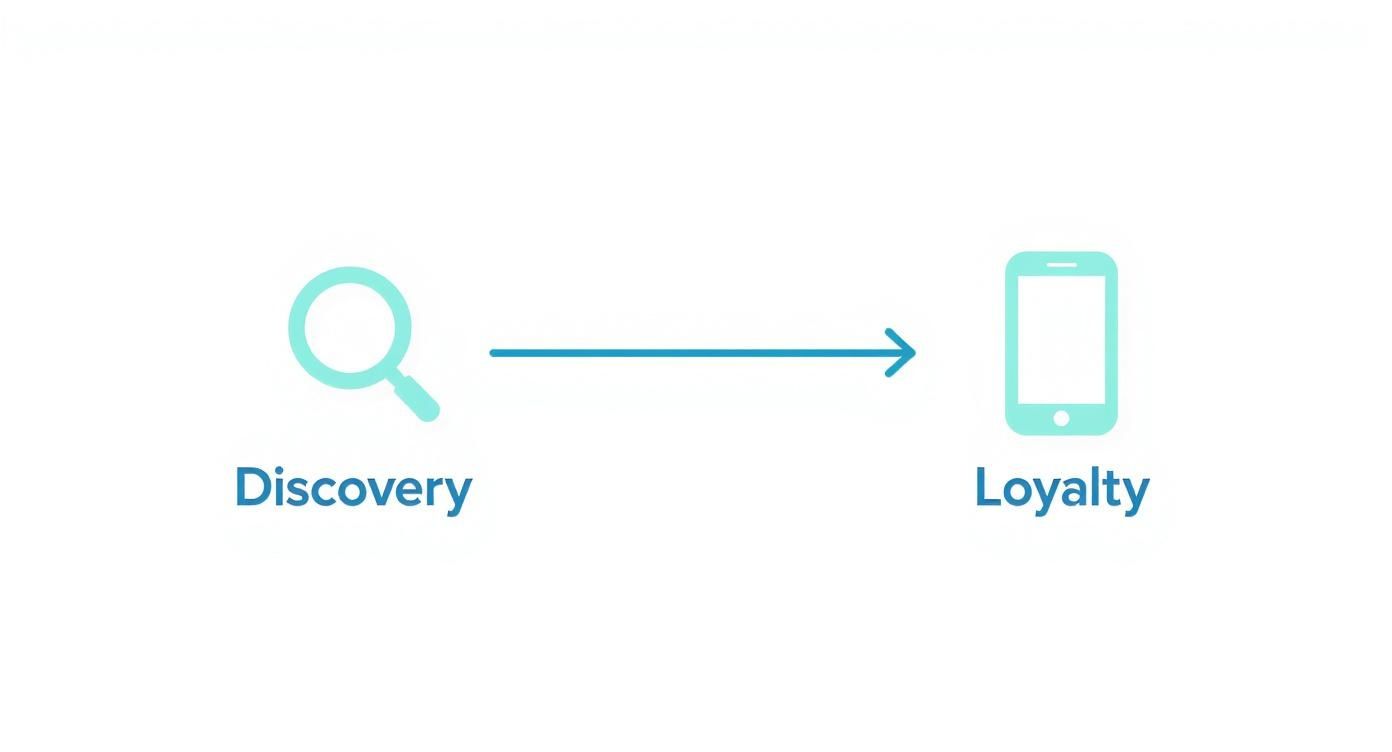
The goal is not to clone your site. It is to build a bridge that moves casual visitors into loyal users. The conversion method you choose has to support that journey.
The Four Main Conversion Methods
Here are the four most common approaches. Each strikes a different balance between speed, cost, performance, and features.
Progressive Web App (PWA): The fastest and cheapest route. You give your existing website app-like features, such as a home screen icon and offline access, using your current web code.
WebView wrapper: A native shell around your mobile website. It is a straightforward way to get your site listed on the app stores without rebuilding anything.
Native or hybrid rebuild: The most intensive option. You build the app from the ground up with native code (Swift for iOS, Kotlin for Android) or a cross-platform framework like React Native. It delivers the best performance and full device access.
AI and low-code platforms: The modern shortcut. These platforms use AI to scan your website and generate a real app automatically. A tool like CatDoes gives you the speed of a wrapper with the quality of a custom build.
How to Select the Best Approach
The right choice comes from a clear look at your priorities. A startup testing an idea has very different needs than an e-commerce brand chasing a flawless experience. A few real-world scenarios make it concrete.
Run an online magazine and mainly want readers to save articles offline and get push notifications for new content? A PWA fits well. It is cost-effective and delivers the engagement features you need without app store approvals.
Run a small local business with a solid mobile booking site and just want an icon on customers' phones plus a presence on the App Store and Google Play? A WebView wrapper is the most direct path. It packages your existing site into a downloadable app quickly and affordably.
Run a growing online store that needs smooth performance, camera access for scanning barcodes, and a pixel-perfect design? This is where a full native rebuild or an AI-native platform shines. A traditional rebuild is a large investment; an AI platform can deliver a native-quality experience in a fraction of the time.
Website to App Conversion Methods Compared
This table compares the four approaches side by side so you can match one to your project.
Method | Best For | Performance | Cost & Time | App Store Access |
|---|---|---|---|---|
PWA | Fast feature additions (offline, notifications) without app stores. | Good, but relies on the browser's capabilities. | Lowest | No (accessed via browser) |
WebView Wrapper | Getting a mobile-responsive site into app stores quickly and cheaply. | Limited; essentially your mobile site's performance. | Low | Yes |
Native/Hybrid Rebuild | Maximum performance, full device access, and custom UX. | Highest (smooth animations, fast response). | Highest | Yes |
AI/Low-Code (CatDoes) | Fast time-to-market with a high-quality, native-feel app. | High (generates native or near-native code). | Moderate | Yes |
The Progressive Web App Approach
If you want the most direct path from a website to something that feels like a mobile app, the Progressive Web App is your answer. A PWA is not a separate app you build from scratch. You upgrade your existing site with modern web technology that gives it app-like capabilities right from the browser.
Users can install your site to their home screen, browse content offline, and receive push notifications, and you skip the app stores entirely. That makes it a fast, budget-friendly way to create a stickier mobile presence.
Core Components of a PWA
Every PWA rests on two files that do the heavy lifting:
Web App Manifest: A small JSON file (usually
manifest.json) that tells the browser how your app should look once installed, including its name, home screen icon, splash screen, and window style. Settingdisplay: "standalone"launches the app in its own window without the browser address bar, which is what makes it feel native.Service Worker: A background script that intercepts network requests. It pre-caches your core HTML, CSS, and JavaScript so the app still works offline, which is how a user can open your app on the subway and still see content.
Limitations and App Store Realities
PWAs are useful, but they are not a cure-all. Their biggest weakness is a shaky relationship with the Apple App Store and Google Play. Packaging a PWA for store submission is possible but often clunky and unofficial.
Access to native device hardware can also be hit or miss, especially on iOS. If your business needs deep integration with the camera, contacts, or Bluetooth, or depends on app store discoverability, a PWA may not be enough. It helps to compare a native mobile app vs a web app to see where each one shines. Overall, a PWA is an excellent way to turn a website into a mobile app experience for content-heavy sites, blogs, and simple tools where a home screen icon and offline access are the main wins.
Using WebView Wrappers for a Fast Launch
When your main goal is getting your brand onto the app stores as fast as possible, a WebView wrapper is the most direct path. It is one of the simplest ways to turn a website into a mobile app, but it comes with trade-offs you need to understand upfront.
Think of a WebView as a bare, chromeless browser tucked inside a native app shell. The app is just a container whose only job is to display your mobile-responsive website. When someone opens the app, they interact with your live site, minus the browser URL bar and navigation buttons.
The Core Idea Behind a WebView
This approach depends on one prerequisite: your website must already be flawlessly mobile-responsive. If your site is clunky or slow on a phone browser, the app inherits every one of those problems. The app is a mirror of your mobile site's performance, so it is a favorite for businesses that have already invested in a strong mobile web experience and just want app store discoverability and home screen presence.
On the build side, both platforms require a little native work. On Android, you create a project in Android Studio, add a WebView element, point it at your URL, and handle internet permissions in the manifest. On iOS, you use Xcode, add a WKWebView to your view, and write a few lines of Swift to load your URL. The code is minimal, but you still need a basic comfort level with these tools.
The Big Risks: App Store Rejection
This is where the fast-and-easy promise can fall apart. Both Apple and Google require apps to offer real value beyond a browser. An app that is just a website wrapper is a prime candidate for rejection. Apple's App Store Review Guideline 4.2 on Minimum Functionality is well known for rejecting apps that amount to a repackaged website.
To give your app a fighting chance, add genuine native value:
Push notifications: A major advantage, especially since websites cannot do this natively on iOS.
Native navigation: A native tab bar or menu linking to key sections makes it feel like a real app.
Offline content: Caching essential pages so the app is not a blank screen without a connection.
Skip these native extras and you risk a quick rejection and a frustrating back-and-forth with reviewers. The WebView is a useful shortcut, but only if you start with a strong website and add enough native flavor to create a real app experience.
Leveraging AI and Low-Code Platforms
We have covered the quick fixes and the heavy lifts. What if you need something in between: a high-quality, native-feeling app without a months-long development cycle?
This is where a new generation of AI and low-code platforms comes in. They bridge the gap between a simple WebView wrapper and a full native rebuild. Instead of framing your website, these tools analyze its structure, content, and user flows to generate a genuine app. For most businesses in 2026, this hits the sweet spot between speed, cost, and quality.
The AI-Powered Conversion Workflow
Using a platform like CatDoes starts with the one thing you already have: your existing website. You import it by pasting your URL, and CatDoes analyzes the live site to understand its layout, key features, and branding, then builds a real mobile app from it. It identifies navigation menus, product pages, blog posts, and contact forms, then translates them into mobile app screens and components. That analysis alone can save weeks of manual design and planning.
In our own testing, importing a content-heavy site this way turned a first draft of a working iOS and Android app around in a single afternoon, versus the weeks a manual rebuild would take. You are not starting from a blank canvas; you are starting from the site you already run.
From there, you move into customization. You refine the app's theme, adjust layouts, and tune the interface using intuitive editors, often with drag-and-drop. The goal is a final product that works well and feels completely on-brand.
Integrating True Native Features
This is what separates AI-powered platforms from basic wrappers. These tools do more than display your website. They let you integrate the native device features users expect from a premium app:
Push notifications to bring users back with timely alerts.
Biometric authentication such as Face ID or fingerprint login for secure, one-tap sign-in.
Camera and geolocation access for photo uploads or location-based features.
Offline capabilities that cache important data so the app stays useful without a connection.
These features turn your app from a simple content viewer into an interactive tool that drives real engagement, which matters most for e-commerce brands where richer mobile app experiences tend to lift product views and repeat purchases.
From Customization to Deployment
Once you have polished the design and added native features, the rest is largely automated. Platforms like CatDoes handle compiling the app for both iOS and Android, generate the build files, and provide a guided workflow through submission to the App Store and Google Play. A project that once took months can be ready in days or weeks.
For a deeper look at this modern approach, see our guide on how to build a mobile app for your business using AI. It is an ideal solution for businesses that want a high-quality app without the traditional headaches.
Getting Your App Ready for Launch Day
Building the app is a milestone, but crossing the finish line means navigating the Apple App Store and Google Play. Submission is not just uploading a file. It is presenting your app professionally to both reviewers and future users, and a little preparation goes a long way.
Start by setting up your developer accounts. Both Apple and Google charge an annual fee, so handle that early. Once you are in, create your app's official listing, where all your marketing and technical details will live.
Craft Your App Store Presence
Your app store listing is your digital storefront and often your only chance to convince someone to tap Install. That takes more than a name. You need compelling, pixel-perfect assets:
App icon: Your brand's face on the device. Keep it clean, recognizable, and legible at every size.
Screenshots: Do not show random screens. Curate a visual story that highlights your best features and easiest workflows.
App preview video: A short, dynamic video showing your app in action can lift downloads and is often the deciding factor for undecided users.
Your app's name, subtitle, and description drive discovery. Weave in your keywords naturally, but focus on the problems you solve. A description that speaks to your audience's needs can meaningfully boost visibility in search results.
Understand the Review Guidelines
Both Apple and Google enforce strict rules to keep apps safe, functional, and valuable. One of the most common reasons apps get rejected, especially after you turn a website into a mobile app, is offering nothing more than the website itself. Apple's Guideline 4.2 on Minimum Functionality is a frequent hurdle for simple WebView wrappers.
To avoid rejection, your app must provide a tangible benefit beyond a mobile browser: offline access, push notifications, or integration with native features like the camera or Face ID.
Poor performance is another red flag. Sluggish load times, crashes, and bugs lead to swift rejection, which is why testing on real devices, not just simulators, is non-negotiable. Recruit a few beta testers to catch issues you might miss.
Measure Success After Launch
Approval is the start, not the finish. The real work is tracking performance. Install-to-purchase conversion rate is a critical measure of how well your app does its job: it tells you how many users take the final step and buy. Tracking it over time reveals user behavior and shows you where to improve.
For a full go-to-market plan, see our detailed guide on how to launch an app, which covers everything from pre-launch marketing to post-launch optimization. Thorough preparation is what turns a launch into a success.
Frequently Asked Questions
Can I Import My Existing Website Into an App Builder?
Yes. With an AI platform like CatDoes, you import your existing website by entering its URL. CatDoes reads your live site's structure, content, and branding, then builds a native iOS and Android app from it, so there is no rebuild from scratch and no copy-pasting content by hand. From there you review, customize the design, add native features like push notifications, and ship to the App Store and Google Play.
How Much Does It Cost to Turn a Website Into an App?
The price swings widely by method. A PWA is the most budget-friendly, especially if you have some web development skills in-house. A WebView wrapper is also low-cost, though it helps to know your way around native development tools. AI and low-code platforms like CatDoes hit a sweet spot: a subscription or one-time fee that is a fraction of an agency's rate. The most expensive path is a full native app built from scratch, which can run into the tens of thousands of dollars. Our website to app cost breakdown puts three-year numbers on each path.
If I Update My Website, Will My App Update Too?
It depends on the method:
WebView wrappers: Yes. The app is essentially a live window into your site, so content updates are instant.
Progressive Web Apps: Content changes appear fast, though updates to the app shell or core functionality may require a refresh.
AI platforms and native rebuilds: Content can often sync automatically through an API, but structural changes or new features require submitting an updated version to the app stores for review.
Can Any Website Become a Good App?
Technically yes, but quality depends on your site's complexity. Simple, content-first sites such as blogs, portfolios, and brochure sites convert cleanly with almost any method. Complex web applications with heavy user interaction, dynamic dashboards, or hardware needs get a far better result from a sophisticated AI platform or a full native rebuild, which is the only way to guarantee a smooth, reliable experience.
Do I Need Coding Skills to Convert My Website?
Not with every method. A PWA or a WebView wrapper involves a little hands-on code and setup in tools like Xcode or Android Studio, so some technical comfort helps. An AI platform like CatDoes removes that barrier entirely: you convert your website to an app by importing its URL, and the platform handles the build, the native features, and the app-store packaging for you. No Swift, no Kotlin, and no development environment required.
Will My App Work on Both iOS and Android?
Yes, though it depends on the method. A PWA runs from the browser on both platforms but has weaker native support on iOS. A WebView wrapper needs a separate build for each store. AI platforms and cross-platform rebuilds are the most efficient here: CatDoes compiles a single project into native iOS and Android apps at once, so you ship to the App Store and Google Play from one workflow instead of building each twice.
Ready to turn your idea into a production-ready app without the friction? CatDoes uses an AI-native platform to convert your requirements into a fully functional mobile app, complete with a backend. Skip the development headaches and launch faster at catdoes.com.
Nafis Amiri
Co-Founder of CatDoes


