Blog
Tutorials
How to Build a Prototype From Your Idea (2026 guide)
Learn how to build a prototype for your app with this practical guide. From validating your idea to user testing with AI, we cover the essential steps.

Nafis Amiri
Co-Founder of CatDoes
Every great app starts as a simple idea. The magic happens when you turn that vision into something a real person can touch and interact with. That is what prototyping does, and it is the most valuable first investment any founder or creator can make.
TL;DR: To build a prototype, define the one problem your app solves, list the minimum features that solve it, and map the core user journey. Then use an AI-native platform to turn that plan into an interactive, testable app in hours instead of weeks. Start rough with wireframes, add visual polish with mockups, make it clickable, and put it in front of five real users to catch problems before you invest in full development.
This guide walks through that workflow step by step. A well-built prototype saves you time, money, and headaches by letting you test your core concept before sinking resources into full-scale development. Modern AI tools have made this accessible to non-technical founders, so you can create a working model that looks and feels like the final product.
Table of Contents
Why Prototyping Is Non-Negotiable
Traditional vs. AI-Native Prototyping
Define Your App's Core Purpose
Choosing the Right Prototype Fidelity
Turn Your Idea Into an Interactive App With AI
Gather Real User Feedback That Matters
Frequently Asked Questions
Why Prototyping Is Non-Negotiable
A prototype is a reality check for your idea. It pulls your concept out of a slide deck and puts it into a concrete form that users can actually interact with. This is your first and best chance to spot flaws in your user flow, gauge the appeal of your core features, and get honest feedback while it is still cheap and easy to make changes.
By failing to prepare, you are preparing to fail. This classic saying is especially true in app development. A prototype is your preparation, ensuring your big idea has a solid foundation before you invest heavily in it.
The infographic below shows the three core benefits: validating your concept, saving resources, and getting to launch faster.
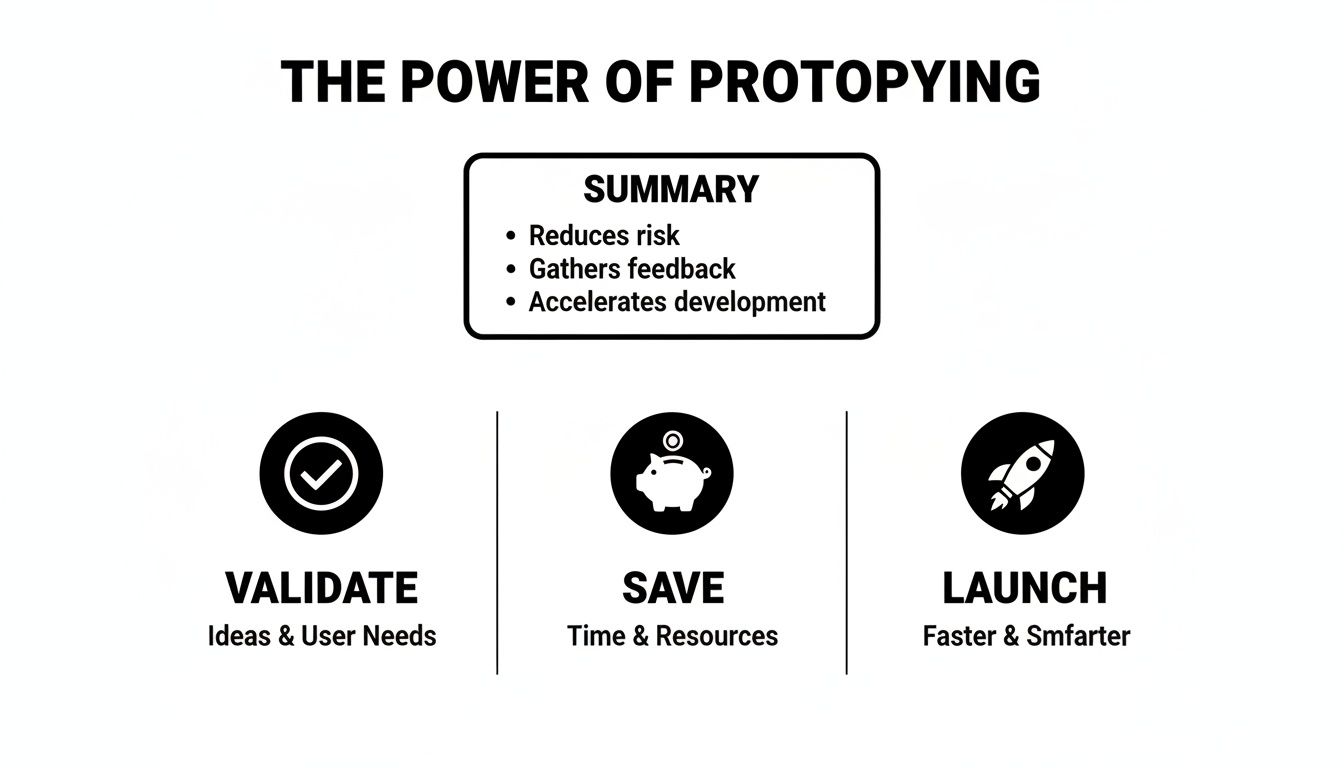
Together, these three pillars help you build something people actually want, which dramatically increases your odds of success in a crowded market.
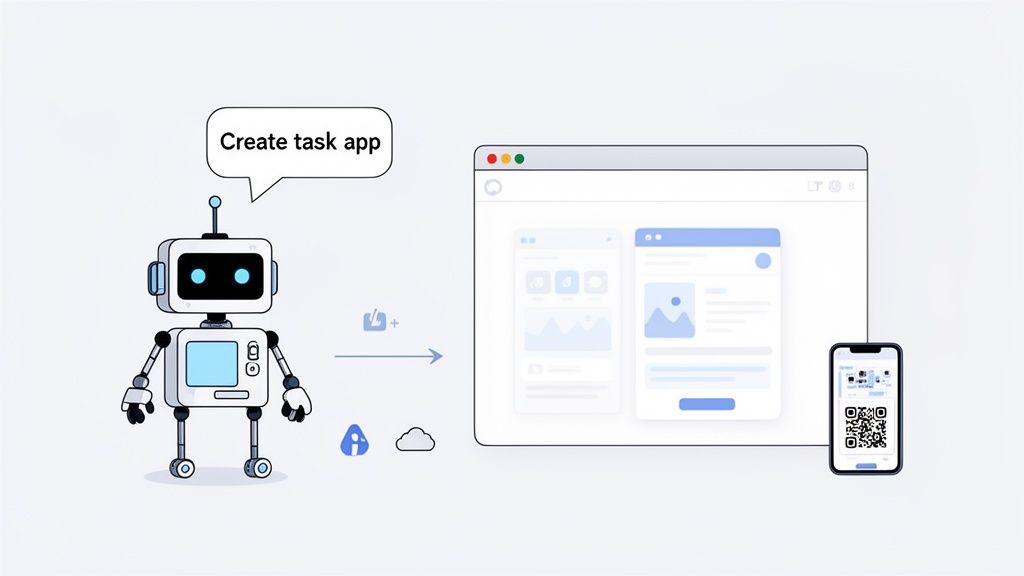
The mobile application market is growing fast. Grand View Research valued it at USD 322.6 billion in 2026 and projects it will reach USD 885.3 billion by 2033, a 15.5% CAGR. For startups and small businesses, that pace means speed matters: prototyping an MVP with AI agents for design, code, and cloud setup gets you to market faster than ever.
Traditional vs. AI-Native Prototyping
To grasp the shift, it helps to see the old way next to the new. Traditional prototyping was often a slow, costly bottleneck. AI-native tools have made it fast, affordable, and accessible to anyone with a clear idea.
Factor | Traditional Prototyping | AI-Native Prototyping (with CatDoes) |
|---|---|---|
Speed to First Version | Weeks to months. Manual wireframing, UI design, and coding are slow. | Hours to days. Describe your idea; AI generates a working model. |
Initial Cost | High. Requires skilled designers and developers, often costing thousands. | Low. Accessible via affordable monthly subscriptions. |
Technical Skills Needed | Significant. Deep knowledge of design tools and coding is essential. | None. All you need is your idea, explained in plain English. |
Iteration & Feedback | Slow & expensive. Changes require going back to designers and coders. | Instant. Refine your description and see changes in real time. |
The takeaway is simple: AI-native prototyping removes the traditional barriers of time, cost, and technical skill, so you can focus on building the best possible product based on real user feedback.
Define Your App's Core Purpose
Before you build anything, get clear on your app's one true purpose. Many projects stall because the founder jumped straight into designing features without first nailing down the why. An exciting idea is a great start, but it is not a blueprint. Without a focused mission, you end up with feature creep, wasted effort, and an app that does not really solve a problem for anyone.
Your first job is to distill that big vision into a single, sharp problem statement. What is the one core issue your app will solve? This is your north star, and every decision you make from here will be measured against it. Formalizing your mission this way stops you from getting distracted by cool-sounding features that do not serve your main goal.
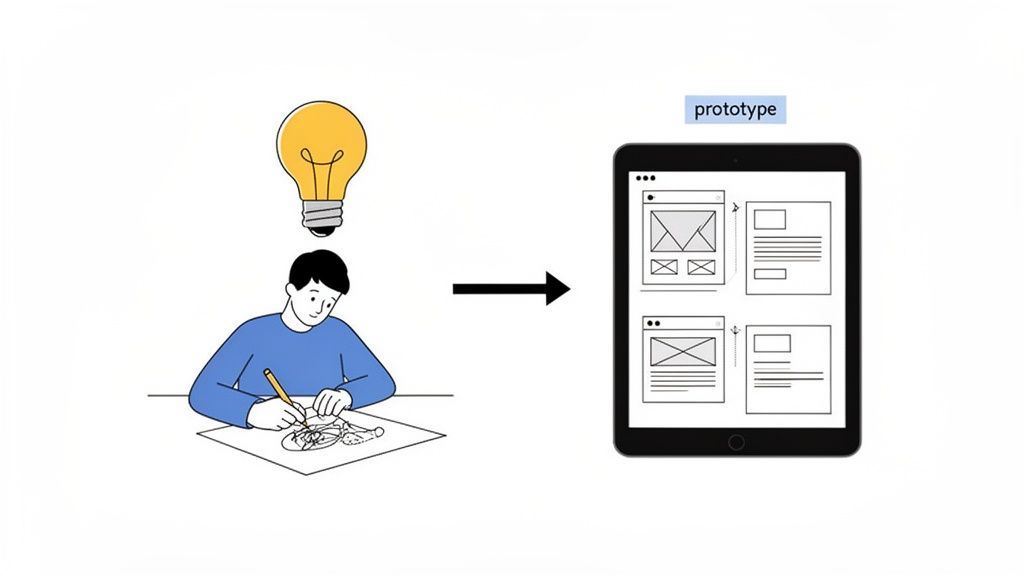
From Problem to MVP Requirements
Once you have that core problem locked in, map out the bare essentials for a Minimum Viable Product (MVP). An MVP is not a watered-down version of your dream app. It is the leanest version that successfully solves that one core problem. Anything else is noise at this stage.
Say we are building a simple task management app. The core problem might be: "Busy professionals struggle to track and prioritize daily tasks across multiple projects." From that single sentence, we can pull out the must-have functions:
User Authentication: People need a secure way to sign up and log in to manage their own tasks.
Task Creation: The core function is adding a new task with a title and maybe a due date.
Task Viewing: A simple list to see what needs to be done.
Task Completion: A way to mark a task done and get it out of the way.
That is it. Things like team collaboration, calendar sync, or custom tags can all wait. Your first prototype only needs to prove it can do these four things well. We go deeper on scoping that first build in how to build a prototype of an app.
Documenting the Core User Journey
Next, translate those features into a user journey: the exact steps someone takes inside your app to solve their problem. This forces you to think through the flow from the user's point of view, screen by screen, before a single pixel is designed.
A documented user journey is not just a list of steps. It is the story of how your app creates value. It forces you to think from the user's perspective, ensuring your prototype is intuitive and goal-oriented from the very first click.
For our task app, the core journey would look like this:
Onboarding: The user signs up with an email and password.
Dashboard: After logging in, they land on a clean list of their current tasks.
Action: They tap a big "+" button to create a new task.
Input: A simple form appears to enter the task title and pick a due date.
Confirmation: The new task immediately appears on their dashboard.
Resolution: They tap a checkbox next to an item, and it gets marked complete.
This documented flow is the blueprint for your prototype. It clearly defines the what and the how, ensuring your first build is focused and ready to gather meaningful feedback.
Choosing the Right Prototype Fidelity
Once you have a clear blueprint, the next question is how to bring it to life. Fidelity describes how closely your prototype looks and feels like the final, polished app. Picking the right level of detail at the right time saves a lot of rework later.
It is a common misconception that you need a pixel-perfect model from day one. In reality, some of the most successful apps started as rough sketches. Twitter's 2006 prototype was little more than a tool to validate the core idea of status updates, which shows you do not need a masterpiece to get powerful insights.
Low-Fidelity Wireframes
Think of low-fidelity (lo-fi) prototypes as architectural sketches for your app. They are simple, often black-and-white layouts made with basic shapes and placeholder text. Their only job is to map out the structure, user flow, and where key elements go.
The beauty of lo-fi is speed. You can sketch multiple user journeys in minutes, focusing entirely on how it works without getting bogged down by colors, fonts, or branding. This is the perfect stage for brainstorming and exploring different layouts for your core features.
High-Fidelity Mockups
When the structure feels solid, you can add the paint. High-fidelity (hi-fi) mockups are detailed, static images that look like the finished product, complete with your actual color scheme, typography, icons, and branding.
Hi-fi mockups are crucial for nailing down the visual identity and getting specific feedback on the user interface. They are not clickable yet, but they give stakeholders and users a realistic preview of the app's look and feel. Our guide on prototyping and testing goes deeper into how to get the most out of this phase.
Interactive Prototypes
This is where it all comes together. An interactive prototype is a hi-fi mockup brought to life. Users can tap buttons, navigate between screens, and interact with UI elements just like a real app. It is the closest you can get to the finished product without writing a single line of production code.
An interactive prototype is not just a demo; it is a full simulation of the user experience. It lets you test usability and flow with real people, uncovering friction points that a static image could never reveal.
Historically, building one required specialized design tools and technical skill. Modern AI platforms have changed that. You can take your documented requirements and have AI generate a fully interactive, high-fidelity prototype automatically, shortening the path from a static design to a testable product.
Turn Your Idea Into an Interactive App With AI
Now it is time to take your requirements, sketches, and mockups and turn static ideas into a real, clickable app. In the past, this was the point where you handed things to a team of engineers and waited. Not anymore. With modern AI-native platforms, you can build a functional prototype yourself using conversational language.
You start by describing your app to an AI agent, much like you would brief a human developer. For our task management app, you would lay out the core user journey we defined: user sign-up, a main screen to see all tasks, a button to add new ones, and a simple way to check them off. The more detail you provide upfront, the closer the first version will be to your vision.
Based on that conversation, the AI generates a complete UI theme, builds the necessary screens, and writes the underlying code. This is not a series of pictures; it is a live, working application you can interact with right away.
Instant Feedback and Real-Time Previews
One of the most useful parts of building with AI is the immediate feedback loop. The moment the AI generates the first build, you can click around and test it in your web browser. You can go through the sign-up flow, add a new task, and see it appear on your list.
If something does not feel right, you tell the AI. You might say, "Change the main button color to a bright blue," or "Add a due date field when creating a new task." The AI makes these adjustments in real time, letting you iterate fast without touching code.
This immediacy carries over to mobile testing. With a platform like CatDoes, a QR code is generated for your build. Scan it with your phone and the prototype loads instantly, giving you a true feel for how the app will handle in a user's hand.
Adding a Functional Backend in Minutes
A great prototype often needs more than a slick interface to feel real. To simulate a genuine app experience, it needs a working backend to manage user accounts and save data. This used to require specialized backend engineers.
Today, AI-native platforms automate this too. You can instruct the AI agent to set up everything you need:
User Authentication: Let users sign up, log in, and manage their own accounts securely.
Database Storage: Create a database to store user-generated content, like the tasks in our to-do app.
File Storage: Give users the ability to upload files, like attaching a document to a task.
Connecting a backend gives your prototype a new level of realism. It can remember who your users are between sessions and persist their data, which makes user testing far more valuable.
Key Prototyping Features in CatDoes
The table below summarizes the CatDoes features that make this rapid process possible.
Feature | Benefit for Prototyping | Best For |
|---|---|---|
Natural Language Input | Describe your app in plain English instead of writing code or using a visual editor. | Founders and creators who want to build without a technical background. |
Real-Time Preview | See changes instantly as you refine your instructions with the AI agent. | Rapidly iterating on UI/UX and getting the feel of the app just right. |
Instant Mobile Testing | Scan a QR code to load the working prototype directly onto your iOS or Android device. | Getting an authentic sense of the mobile experience and testing on the go. |
Automated Backend Setup | Set up user authentication, a database, and file storage with simple commands. | Creating high-fidelity prototypes that feel like real, production-ready apps. |
This combination of front-end generation and automated backend setup, all driven by conversation, lets anyone build a prototype that feels like the final product. To go deeper, our guide on using an AI app builder offers more practical insights.
Gather Real User Feedback That Matters
An interactive prototype is a strong start, but its real power comes from putting it in front of actual people. This is the moment of truth, where your plans and assumptions either hold up or fall apart.
User testing is not about proving you were right. It is about finding flaws in your design before they become expensive mistakes baked into the final product. Your goal is raw, unfiltered feedback you can turn into meaningful improvements.
Finding Your First Testers
You do not need an expensive lab to get actionable feedback. Early on, focus on quick insights from people who represent your target user. Finding them is often easier than you would think:
Social and Community Groups: Where do your ideal users hang out online? If you are building a fitness app, a subreddit or group dedicated to home workouts is a goldmine.
Friends and Family (with a caveat): This is convenient, but ask them to be brutally honest. Prioritize those who fit your target demographic, not just your biggest cheerleaders.
Professional Networks: If your app targets a professional audience, a quick search on LinkedIn can connect you with people in specific roles or industries.
The sweet spot is around five users. In the Nielsen Norman Group's research, testing with just five people uncovers about 85% of a design's usability problems, so you get the most important insights without drowning in conflicting opinions.
Running an Effective Feedback Session
Once you have your testers lined up, how you run the session is everything. Your job is to observe, not to guide. One of the simplest and most powerful methods is the think-aloud protocol.
Ask the user to speak their thoughts out loud as they move through the prototype. Encourage them to explain what they are trying to do, what they expect to see next, and where they feel confused. You get a clear window into their mental model. To prepare, check out our guide on the right user testing questions.
During a user test, your most important job is to listen, not to talk. Resist the urge to explain or defend your design. Every moment of silence or sign of confusion is a piece of valuable data.
Watch for patterns. Note where users hesitate, tap the wrong button, or seem surprised. Capture the moments of delight too, when a feature works exactly as they hoped. People spend a large share of their day inside apps, so a validated, intuitive experience is what earns and keeps their attention.
Frequently Asked Questions
Taking the first step to build a prototype always brings up a few practical questions. The short video and answers below cover the most common ones, from cost and skills to the real difference between a prototype and an MVP.
How Much Does It Cost to Build a Prototype?
The cost used to be a major hurdle. With traditional development, even a simple interactive model could run into thousands of dollars depending on complexity and developer rates. Modern AI-native platforms have flipped that: you can now build your first interactive prototype for free or with a low-cost subscription, since the AI handles the heavy lifting of design and code.
Do I Need Technical Skills to Build a Prototype?
Not anymore. Building a prototype used to require design tools like Figma and sometimes coding skills. Today the most important skill is the ability to clearly describe your app idea in plain English. With a tool like CatDoes, you explain your vision and its AI agents handle the technical side, from UI design and code generation to setting up a working backend.
What Is the Difference Between a Prototype and an MVP?
They look similar but serve different purposes. A prototype is a model built to test an idea, validate a user flow, or refine a design concept. It is mostly for an internal audience, and its purpose is learning. An MVP is the first functional version you release to real customers, with just enough features to solve one core problem and gather real-world data. With today's platforms, a high-fidelity prototype can often evolve directly into a deployable MVP with little extra work.
How Long Does It Take to Build a Prototype?
The timeline has compressed from weeks or months down to hours or days. A traditional workflow of wireframes, mockups, then coding was slow and required coordination between specialists. An AI-native platform can generate an interactive prototype almost instantly once you provide your idea, so you can test multiple approaches in a single afternoon.
Ready to stop wondering and start building? With CatDoes, you can turn your app idea into a fully interactive prototype in minutes, not months. Describe your vision in plain English and let the AI agents handle the design, code, and backend setup. Start building your prototype for free.
Nafis Amiri
Co-Founder of CatDoes