Blog
Tutorials
TestFlight for Android: What to Use in 2026
There's no TestFlight for Android. Google Play's internal, closed and open testing tracks do the same job. Compare them, set one up, or join a beta as a tester.

Nafis Amiri
Co-Founder of CatDoes

No, there is no TestFlight for Android: TestFlight is Apple's beta testing app, and it only runs on Apple devices. The Android equivalent is built into Google Play Console: internal testing for up to 100 testers, closed testing for invited groups, and open testing that anyone can join. Firebase App Distribution is the main free option outside the Play Store.
This guide covers both sides of the Android TestFlight question. Developers get a TestFlight vs Google Play table, the setup steps, and the 12-tester rule that makes beta testing mandatory for many new Android apps. If someone sent you a TestFlight link and you're on an Android phone, skip to the section for testers.
Here's how the TestFlight pieces map to Android:
TestFlight internal testers: Google Play internal testing
TestFlight external testers you invite: Google Play closed testing
TestFlight public link: Google Play open testing
Sharing builds outside a store: Firebase App Distribution or internal app sharing
Table of Contents
Is There a TestFlight App for Android?
What Is the Android Equivalent of TestFlight?
TestFlight vs Google Play Testing: Side-by-Side
How to Set Up a TestFlight-Style Beta on Google Play
The 12-Tester Rule: When Android Beta Testing Is Mandatory
Other TestFlight Alternatives for Android
Got a TestFlight Link on an Android Phone? Here's What to Do
How to Test an AI-Built App on Android and iPhone
Frequently Asked Questions
So, What's the TestFlight for Android?
Is There a TestFlight App for Android?

No. TestFlight is an Apple product, and Apple only makes it for its own devices. Apple's TestFlight site lists iPhone, iPad, Mac, Apple TV, Apple Vision Pro and Apple Watch, so you can't download TestFlight on Android from Google Play or anywhere else.
It wasn't always that way. TestFlight started as an independent service that supported both platforms, until Apple bought its parent company, Burstly.
TestFlight then ended Android support on March 21, 2014, as TechCrunch reported at the time. That history is why old "TestFlight for Android" pages still show up in search.
Be careful with anything offered as a "TestFlight for Android APK". Apple has never published one, so the file comes from someone else. Don't install it.
What Is the Android Equivalent of TestFlight?

The Android equivalent of TestFlight is Google Play's testing tracks. They live in Play Console under Test and release > Testing, and testers install your beta from the regular Play Store app. There's no separate tester app to download, which is the biggest practical difference from TestFlight.
Google gives you three tracks, and it recommends running an internal test before you move to closed or open testing. Each step lets more people in.
Internal Testing: The Closest Match to TestFlight
Google Play internal testing is built for quick checks with your own team. Google's Play Console Help says an internal test "can have up to 100 testers per app," and a new build "becomes available to testers within minutes." You add testers by email, and you can start before your store listing is finished.
It also skips the review queue. Play Console Help says app updates on internal test tracks "are not subject to reviews," although Google may review them after the app goes live. Testers can install a paid app for free on this track.
Closed Testing: Invite-Only Betas
Closed testing is for a bigger private group, like early customers or a beta waitlist, invited by email list or Google Group. Each email list holds up to 2,000 users, and one track can use up to 50 lists. You can also run more than one closed track at a time.
Closed releases are processed by Google before testers see them, which can take a few hours or up to seven days. Testers can send you private feedback through Google Play, and it never appears as a public review. For many new developer accounts, a closed test is also mandatory before launch.
Open Testing: A Public Beta Anyone Can Join
Open testing is the Android version of a TestFlight public link: anyone can join. If your app is already live, people opt in from your store listing. If it isn't live yet, they can find the test through Google Play search.
You can leave the number of testers unlimited or set a cap, which has to be at least 1,000. Testers can't leave public reviews on test versions, so a rough beta won't drag down your rating.
TestFlight vs Google Play Testing: Side-by-Side
This table puts TestFlight next to Google Play's testing tracks and Firebase App Distribution, the main free alternative. Every limit comes from Apple's TestFlight overview, Google's Play Console Help or Firebase's documentation, checked in October 2026.
Feature | TestFlight (iOS) | Google Play testing (Android) | Firebase App Distribution |
|---|---|---|---|
Runs on | iPhone, iPad, Mac, Apple TV, Apple Watch, Vision Pro | Android | Android and iOS |
Cost | Free app; Apple Developer Program is $99/year | $25 one-time developer registration | No cost |
Small team group | 100 internal testers | Internal testing: 100 testers per app | 200 testers per group |
Larger groups | 10,000 external testers | Closed: up to 50 lists of 2,000 users per track. Open: unlimited, or a cap of 1,000+ | 500 testers per project (more on request) |
Review before testers get it | Builds for external testers may need App Review | Internal updates aren't reviewed. Closed and open releases are processed first | No store review |
Build expiry | 90 days | No expiry documented | 150 days |
How testers install | TestFlight app | Google Play Store app | Email invite, then the App Tester app or web |
Required before launch | No | Closed test required for new personal accounts | No |
Two differences matter most day to day. Google doesn't document an expiry for test builds, while every TestFlight build stops working after 90 days. And Android testers install your beta from the Play Store they already use, so there's no extra app to explain to them.
How to Set Up a TestFlight-Style Beta on Google Play
These steps set up Google Play internal testing, the fastest track. The menu names are the ones Google uses in its Play Console Help.
Create a Google Play developer account. Registration is a one-time $25 fee.
Build a signed Android App Bundle (AAB). This is the file you upload to Play Console.
Open the internal testing page. Select your app, then go to Test and release > Testing > Internal testing.
Create an email list of testers. On the Testers tab, click Create email list, add addresses or upload a CSV, then click Save changes and Create.
Add a feedback channel. Enter an email address or URL. It appears on the opt-in page your testers see.
Create a release and upload your AAB. Roll it out to the internal track.
Copy the shareable link and send it to testers. Each tester opens it, opts in, and installs the app from Google Play.
If you don't see the opt-in link, check the app status. Google only shows it once the status is Published, not Draft or Pending publication.
Watch out for one Google rule here. People who opt into internal testing only receive internal builds, even if you also add them to a closed or open track.
When the build is stable, promote it to closed testing and then to production. Our guide on how to publish an app on Google Play covers the store listing, signing and the production review.
The 12-Tester Rule: When Android Beta Testing Is Mandatory
On iOS, TestFlight is optional. On Android, a closed test can be a hard requirement before launch.
Google's Play Console Help says developers with personal accounts created after November 13, 2023, "must run a closed test for their app with a minimum of 12 testers who have been opted in continuously for at least 14 days" before they can apply for production access.
Only a closed test counts toward this, so internal testing doesn't help. The 14 days must also be consecutive: if a tester opts out and back in, their earlier days are lost.
If a guide tells you 20 testers, it's out of date. Google lowered the number to 12 in December 2024. Once you apply, Google says the production review usually takes seven days or less.
The rule only covers personal accounts created after that date, not organization accounts or older personal ones.
If yours is covered, plan for about three weeks between starting the closed test and launch day: 14 days of testing plus up to a week of review. It's easy to miss if you're coming from iOS, because TestFlight never asks for anything like it.
Other TestFlight Alternatives for Android
Google Play's tracks aren't the only way to get a beta onto Android phones. These are the other routes worth knowing in 2026, plus two that older guides still recommend but no longer exist.
Firebase App Distribution
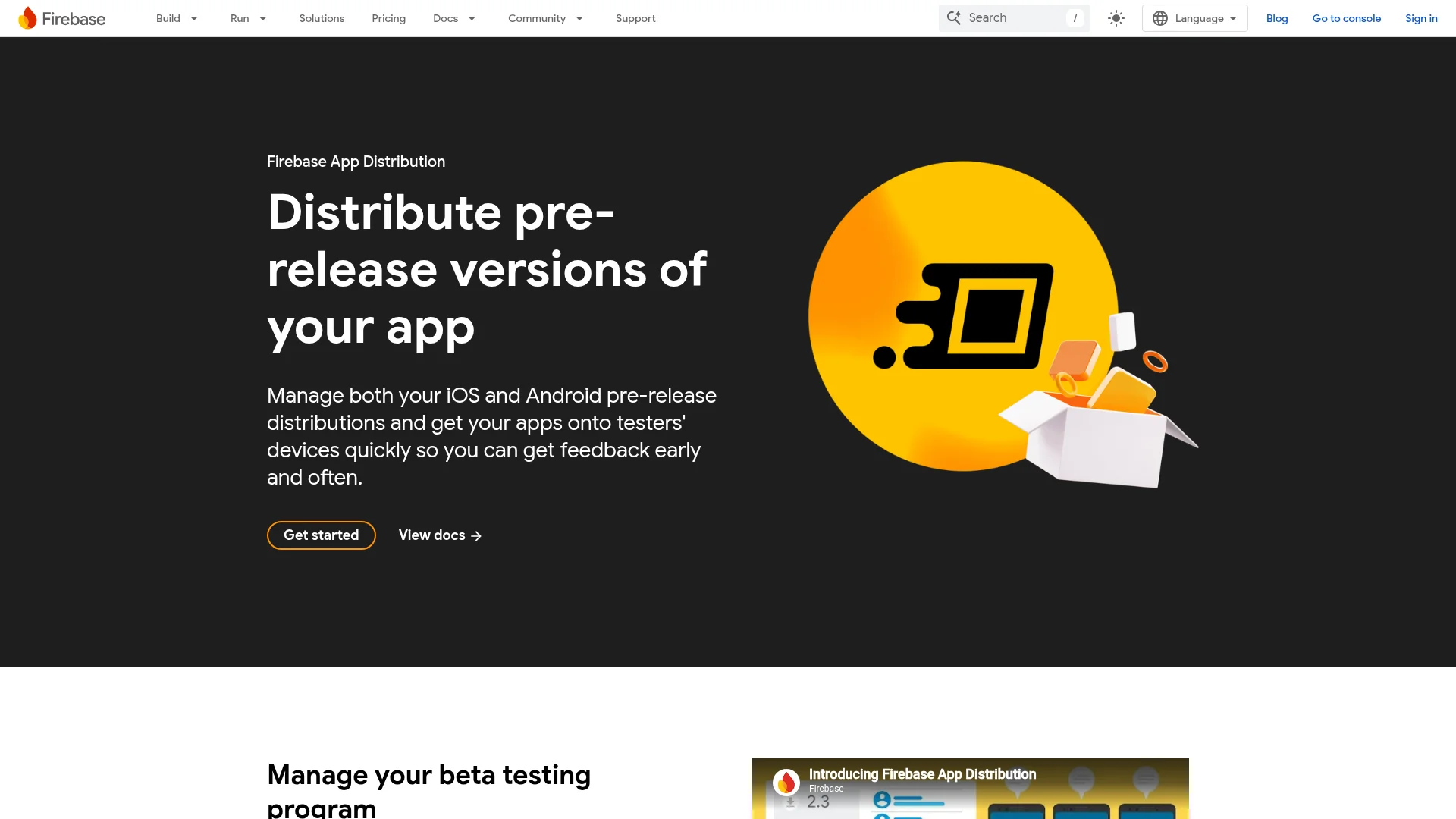
Firebase App Distribution is the closest thing to a cross-platform TestFlight. It manages iOS and Android builds in one place at no cost. Firebase's documentation allows up to 500 testers per project and 200 per group, and releases expire after 150 days.
Testers get an email invite, accept it with their Google account, and install through the Firebase App Tester app or the web. You can upload an APK directly. To upload an AAB, you first link Firebase to your Google Play account, and the app has to be on one of the Play tracks already.
Google Play Internal App Sharing
Internal app sharing gives you a download link for one specific build, with no version code rules. Each link allows up to 100 downloads and expires 60 days after upload. Testers have to switch the feature on first by tapping the Play Store version number 7 times in the Play Store settings.
It's a quick way to hand a build to a developer or QA tester, not a beta program. For apps your whole company uses every day, our guide to internal app distribution on iOS and Android compares the permanent options.
Sending the APK Directly
You can still email an APK or host it on a server, but testers lose automatic updates and you lose the feedback channel. It's also getting stricter. Google's developer verification requirement started on September 30, 2026, in Brazil, Indonesia, Singapore and Thailand, with a global rollout planned for 2027.
Google's Android Developers Blog says this also covers APKs that test teams get through Play internal testing, Firebase App Distribution or similar tools. If you share test builds outside the Play Store, register as a verified developer before the rollout reaches your testers' countries.
What Happened to App Center and HockeyApp?
Many older TestFlight alternative lists for Android still recommend HockeyApp or Microsoft App Center. Both are gone. HockeyApp was replaced by App Center, and Microsoft retired App Center on March 31, 2025.
Microsoft's own retirement notice now tells Android developers to use "Google Play Console for test releases".
Got a TestFlight Link on an Android Phone? Here's What to Do

A TestFlight invite only works on Apple devices, because the TestFlight app doesn't exist for Android. Opening the link on an Android phone won't install anything. You need the Android version of the beta, which the developer sets up separately.
To join the Android beta instead:
Ask the developer for the Android test. It's usually a Google Play opt-in link, a Google Group to join, or a Firebase App Distribution email invite.
Open the link on your phone and sign in with the Google account the developer invited. You need a Google Account to join any Play test.
Read the short explanation of what testers do, then opt in.
Install or update the app from Google Play. Your copy switches to the test version within a few minutes.
For public betas, open the app's Play Store page and look for "Join the beta". If you can't find it, the developer doesn't run a public beta. For an app that's already live, Google Play Help says the app must be installed before you can get its beta version.
To leave a beta later, open the Play Store, go to Manage apps & devices > Beta, and tap Leave. And ignore sites offering a TestFlight for Android download: it won't get you into anyone's beta.
How to Test an AI-Built App on Android and iPhone
If you build your app with CatDoes, one project produces both the Android and the iOS app, and testing follows the same split as above. For Android, ask the agent to release your app and choose a build type: Development, Preview for sharing with testers, or Production for Google Play.
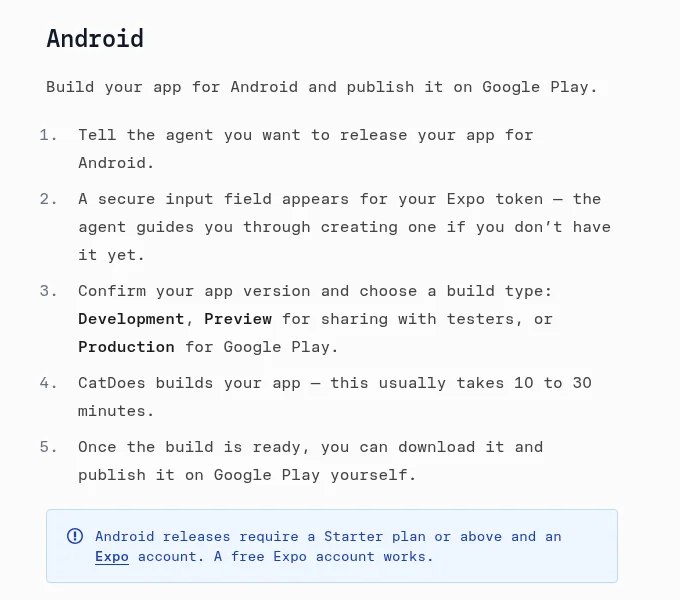
The build usually takes 10 to 30 minutes. You then download it and upload it to Play Console yourself, starting with the internal testing track from the steps above.
For iOS, the agent can submit the build to App Store Connect for you, and you decide there whether it goes to TestFlight or straight to the App Store. While you're still building, you can open the app on your own Android phone through Expo Go from the live preview. Android and iOS releases need a Starter plan or above and an Expo account (a free one works), and iOS also needs an Apple Developer account.
Frequently Asked Questions
Can I download TestFlight on Android?
No, TestFlight only runs on Apple devices, and Apple has never released it for Android. Any "TestFlight APK" you find online isn't from Apple. If you were invited to an app's beta, ask the developer for the Android version of the test.
How much is the TestFlight app?
The TestFlight app is free for testers. Developers need an Apple Developer Program membership, which costs $99 a year and includes TestFlight. On Android, Google Play's testing tracks cost nothing beyond the one-time $25 developer registration.
How do I become a beta tester for Android apps?
If the developer runs a public beta, open the app's Play Store page and tap Join under "Join the beta". For a private beta, the developer sends you an opt-in link or adds you to a Google Group. You need a Google Account, and you install the test version from the Play Store.
Is there an alternative to TestFlight that works on iOS and Android?
Yes, Firebase App Distribution handles iOS and Android builds in one place at no cost. It allows up to 500 testers per project, and releases expire after 150 days. Many teams use it for early builds, then move to TestFlight and Google Play testing closer to launch.
How do I send an app to TestFlight?
Upload a signed build to App Store Connect, create a tester group, and add the build to it. Internal testers can install it right away, while builds for external testers may need App Review first. Our guide on how to test your app on iPhone walks through the full TestFlight flow.
Do Google Play test builds expire?
Google doesn't document an expiry for test releases. When you end a test, testers stop getting updates, but the app stays installed on their phones. TestFlight builds stop working after 90 days.
Does Google review internal test builds?
Not before testers get them. Google says app updates on internal test tracks aren't reviewed, though they may be reviewed after the app goes live. Closed and open test releases are processed first, which can take a few hours or up to seven days.
So, What's the TestFlight for Android?
For most developers, the TestFlight for Android is Google Play's internal testing track, with closed and open testing as the next steps. We'd start there before trying any third-party tool, since your testers already have the Play Store. Pick by what you need:
Fast builds for your own team: Google Play internal testing
A private beta, or production access for a new personal account: closed testing with at least 12 testers for 14 days
A public beta: open testing
One tool for iOS and Android, or an app that isn't on Google Play yet: Firebase App Distribution
A single build for a colleague: internal app sharing
If you're still at the idea stage, the app itself is the slow part, not the beta. CatDoes builds native iOS and Android apps from a plain-English description, so you can have test builds ready for TestFlight and Google Play internal testing from a single project.
Nafis Amiri
Co-Founder of CatDoes