Blog
Insights
12 Types of Mobile Apps With Real Examples
Mobile application examples for 12 app types, from Instagram to Duolingo, plus native, hybrid and web apps explained. Find the right type for your app idea.

Nafis Amiri
Co-Founder of CatDoes
Key Takeaways: There are two ways to sort mobile apps. By purpose, the 12 main types of mobile apps are social media, e-commerce, on-demand services, gaming, health and fitness, education, productivity, streaming, navigation and travel, finance, photo and video, and weather and news. By technology, every app is native, cross-platform, hybrid, or a web app.
Instagram, Uber, Duolingo, Spotify and Google Maps are well-known mobile application examples, and each one is a different type. The table below lists real examples for all 12.
A mobile app is software made to run on a phone or tablet, usually installed from the App Store or Google Play. The type you build decides what users expect from it, how it makes money and how much work it takes. A finance app needs bank-grade security from day one. A weather app mostly needs good data and a clean screen.
This guide is for founders, solo developers and product managers scoping a new app. It covers the 12 types by purpose, with real examples and building tips for each, then the four ways apps get built.
Table of Contents
Mobile App Examples by Type
1. Social Media and Networking Apps
2. E-Commerce and Shopping Apps
3. On-Demand Service Apps
4. Gaming Apps
5. Health and Fitness Apps
6. Education and Learning Apps
7. Productivity and Utility Apps
8. Streaming and Entertainment Apps
9. Navigation and Travel Apps
10. Finance and Banking Apps
11. Photo and Video Apps
12. Weather and News Apps
Types of Mobile Apps by Technology
Frequently Asked Questions
How to Choose the Right Type of Mobile App
Mobile App Examples by Type
Here are three or four real apps for each type, with how hard that type is to build and how it usually earns money. The sections after the table cover each type in more detail.
App Type | Example Apps | Build Complexity | Main Revenue Model |
|---|---|---|---|
Social Media | Instagram, TikTok, LinkedIn, X | High | Ads, premium tiers |
E-Commerce | Amazon, Shopify, Etsy | Medium-High | Transaction fees, direct sales |
On-Demand Services | Uber, DoorDash, Instacart, TaskRabbit | Very High | Service fees, commissions |
Gaming | Candy Crush Saga, PUBG Mobile, Subway Surfers | High | In-app purchases, ads |
Health and Fitness | MyFitnessPal, Strava, Calm, Fitbit | Medium-High | Subscriptions |
Education | Duolingo, Khan Academy, Coursera, Udemy | Medium | Subscriptions, course sales |
Productivity and Utility | Notion, Asana, Slack | Medium | Freemium, enterprise plans |
Streaming | Netflix, Spotify, YouTube, Disney+ | High | Subscriptions, ads |
Navigation and Travel | Google Maps, Waze, Airbnb, Booking.com | High | Ads, booking commissions |
Finance | PayPal, Venmo, Robinhood, Chase | Very High | Transaction fees, premium tiers |
Photo and Video | Snapchat, Adobe Lightroom, VSCO | Medium | Freemium, in-app purchases |
Weather and News | AccuWeather, Apple News, BBC News, Reuters | Low-Medium | Ads, subscriptions |
1. Social Media and Networking Apps
Social media apps let people create profiles, connect with others, and share content like photos, videos, and text posts. Instagram, TikTok, LinkedIn, and X are the major players. These platforms grow through network effects: the more people join, the more valuable the app becomes.
Building a new social network is hard. You need real-time feeds, content moderation tools, and a clear reason for people to choose you over what already exists. The apps that break through almost always start with a tight niche rather than trying to be the next Facebook.
Focus on a single community or content format first. Invest in moderation early, and use push notifications carefully to bring users back without annoying them.
2. E-Commerce and Shopping Apps
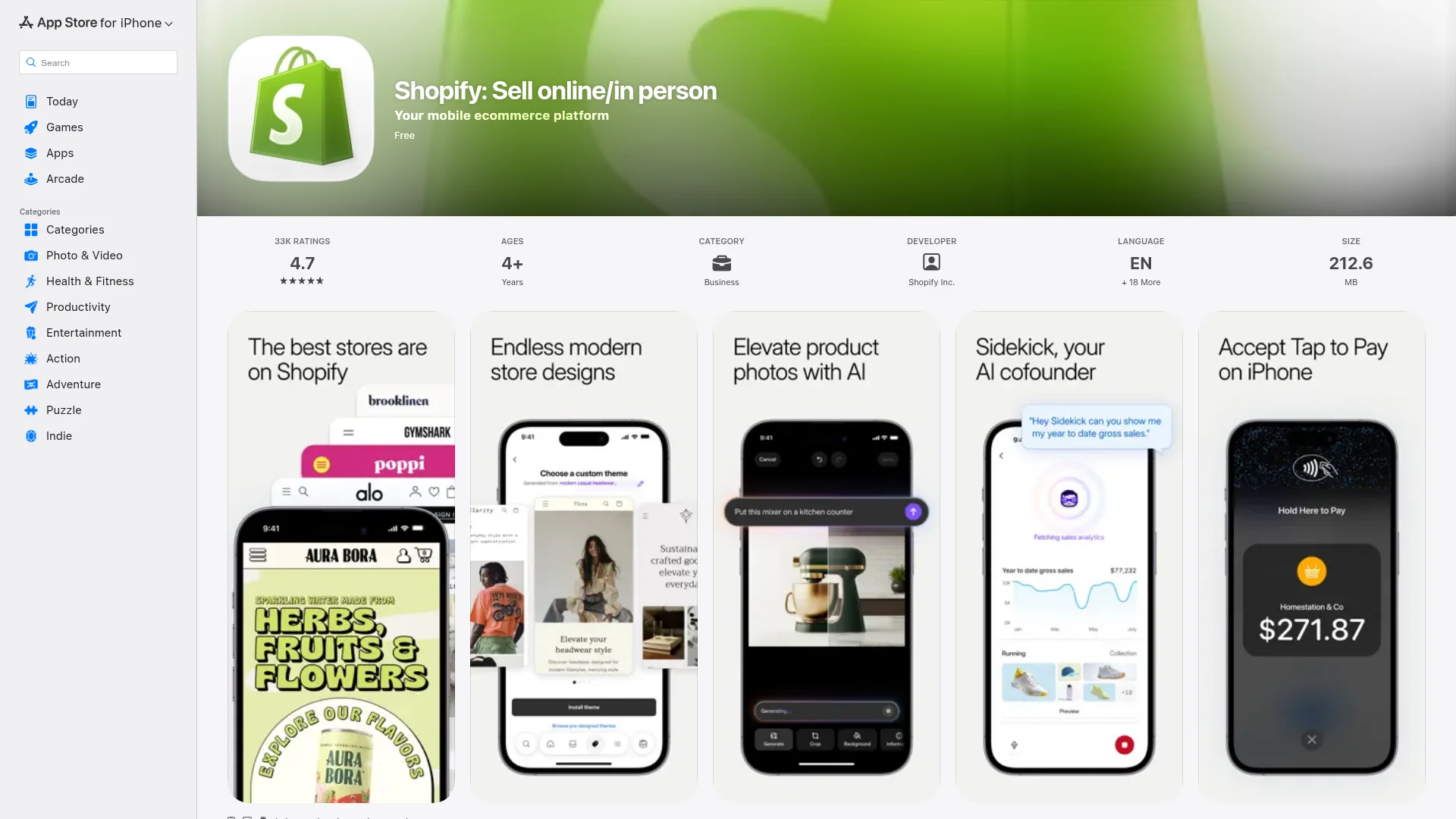
E-commerce apps turn your phone into a storefront. Mobile commerce reached about $2.5 trillion in sales in 2025, according to Statista. Amazon, Shopify, and Etsy dominate, but smaller niche stores do well when they get the shopping experience right.
A smooth checkout process is the single most important feature. Support Apple Pay and Google Pay, show customer reviews up front, and keep navigation simple. Every extra step between "add to cart" and "order confirmed" costs you sales.
This category works if you're selling products or services directly to customers. Decide early whether you'll earn from product margins, transaction fees or a subscription, because that choice shapes the checkout and account features you need.
3. On-Demand Service Apps
On-demand apps connect people who need something done with people who can do it, in real time. Uber, DoorDash, Instacart, and TaskRabbit all follow this model. The selling point is speed and convenience.
These apps are technically complex. You need GPS tracking, payment processing, and rating systems on both sides.
The matching algorithm that pairs customers with providers is your biggest advantage. A system that cuts wait times and keeps providers busy will set you apart.
Choose this type if you've spotted a service industry where supply and demand aren't well connected. Be ready for heavy work beyond the app itself, including logistics, support, and provider management.
4. Gaming Apps

Gaming is one of the largest and most profitable types of mobile apps. Newzoo estimates mobile games earned $113.3 billion in 2025, more than half of all games revenue worldwide. The range is massive: simple puzzles like Candy Crush on one end, complex multiplayer titles like PUBG Mobile on the other.
Retention matters more than downloads. Focus on your core loop, which is the main action players repeat. Make it satisfying before layering on monetization.
A fun core loop with light monetization outperforms a mediocre game with aggressive paywalls every time. If you have a game concept you believe in, our guide on how to make a game app walks through the full process from idea to launch.
5. Health and Fitness Apps
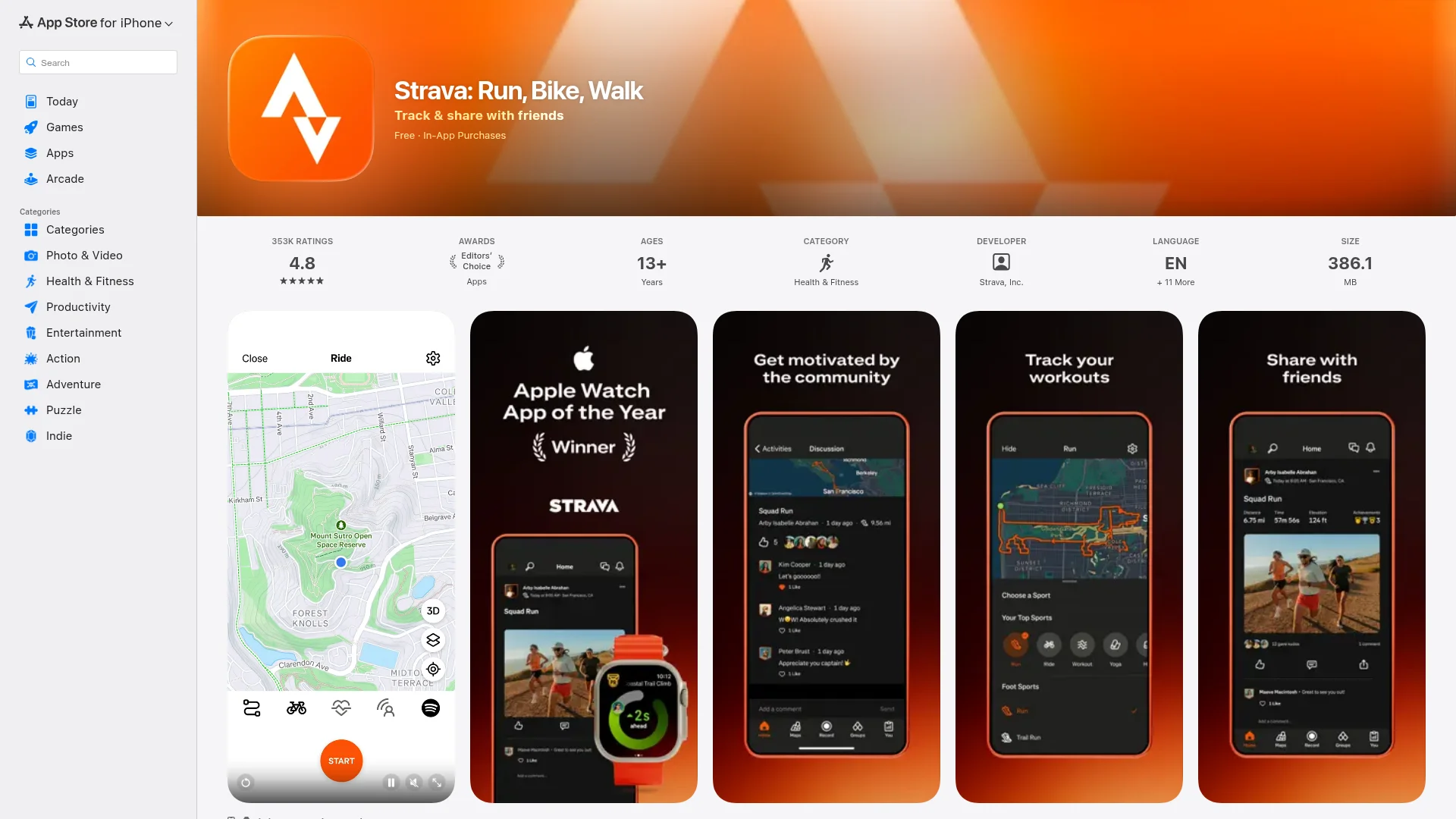
Health apps help people track workouts, log meals, monitor sleep, and manage mental wellness. Grand View Research valued the mHealth app market at $37.5 billion in 2024 and expects about 14.8% growth a year through 2030. MyFitnessPal, Strava, Calm, and Fitbit are leading examples.
Privacy is critical here. Depending on what health data you collect, you may need HIPAA compliance. Make sure any medical information in your app is reviewed by qualified professionals before launch.
Gamification works well in this space. Badges, streaks, and leaderboards keep users motivated. Subscription models are standard, and retention tends to be high when people can see measurable progress over time.
6. Education and Learning Apps
Education apps deliver courses, tutorials, quizzes, and skill-building exercises on mobile. The global EdTech market reached $189 billion in 2025, and Fortune Business Insights expects about 13.5% growth a year through 2034. Duolingo, Khan Academy, Coursera, and Udemy proved that millions of people will pay to learn on their phones.
Short, interactive lessons beat long video lectures on mobile. Users want immediate feedback and a clear sense of progress. Spaced repetition, where you review material at increasing intervals, is one of the most effective techniques for helping people actually remember what they learn.
Build here if you have expertise to share or a better way to teach a skill. Clear learning outcomes and visible progress tracking help users see the value they're getting.
7. Productivity and Utility Apps
Productivity apps help people manage tasks, organize information, and get work done faster. This category covers everything from simple calculators to full project management platforms like Notion, Asana, and Slack.
The best productivity apps solve one problem extremely well. Cross-device sync is table stakes. If your app stores anything important, users need to access it from their phone, tablet, and computer without issues.
Pick this type if you've found a workflow that takes too many steps or wastes too much time. Start with a focused feature set and expand based on what users actually ask for.
8. Streaming and Entertainment Apps
Streaming apps deliver movies, music, podcasts, and live events on demand. Grand View Research valued the video streaming market at $129.3 billion in 2024, with about 21.5% growth a year expected through 2030. Netflix, Spotify, YouTube, and Disney+ set the bar for what users expect.
Content is everything in this space. A good recommendation engine helps users find what they want, but you still need a catalog worth browsing. Content licensing is expensive, so successful newcomers tend to focus on a specific niche instead of competing on library size.
This category fits you if you own unique content or can license material for a well-defined audience. Subscriptions are the primary business model, with ad-supported tiers as a secondary option.
9. Navigation and Travel Apps

Navigation and travel apps help users get around, plan trips, and discover new places. Google Maps, Waze, Airbnb, and Booking.com cover everything from turn-by-turn directions to hotel reservations.
Data accuracy is the foundation. Wrong directions or outdated business hours destroy user trust fast. Offline access matters for travelers with spotty connections.
Battery efficiency is also important since GPS is a significant power drain. Build in this space if you can offer unique location data, serve a specific type of traveler, or improve the navigation experience in a way that existing apps don't.
10. Finance and Banking Apps
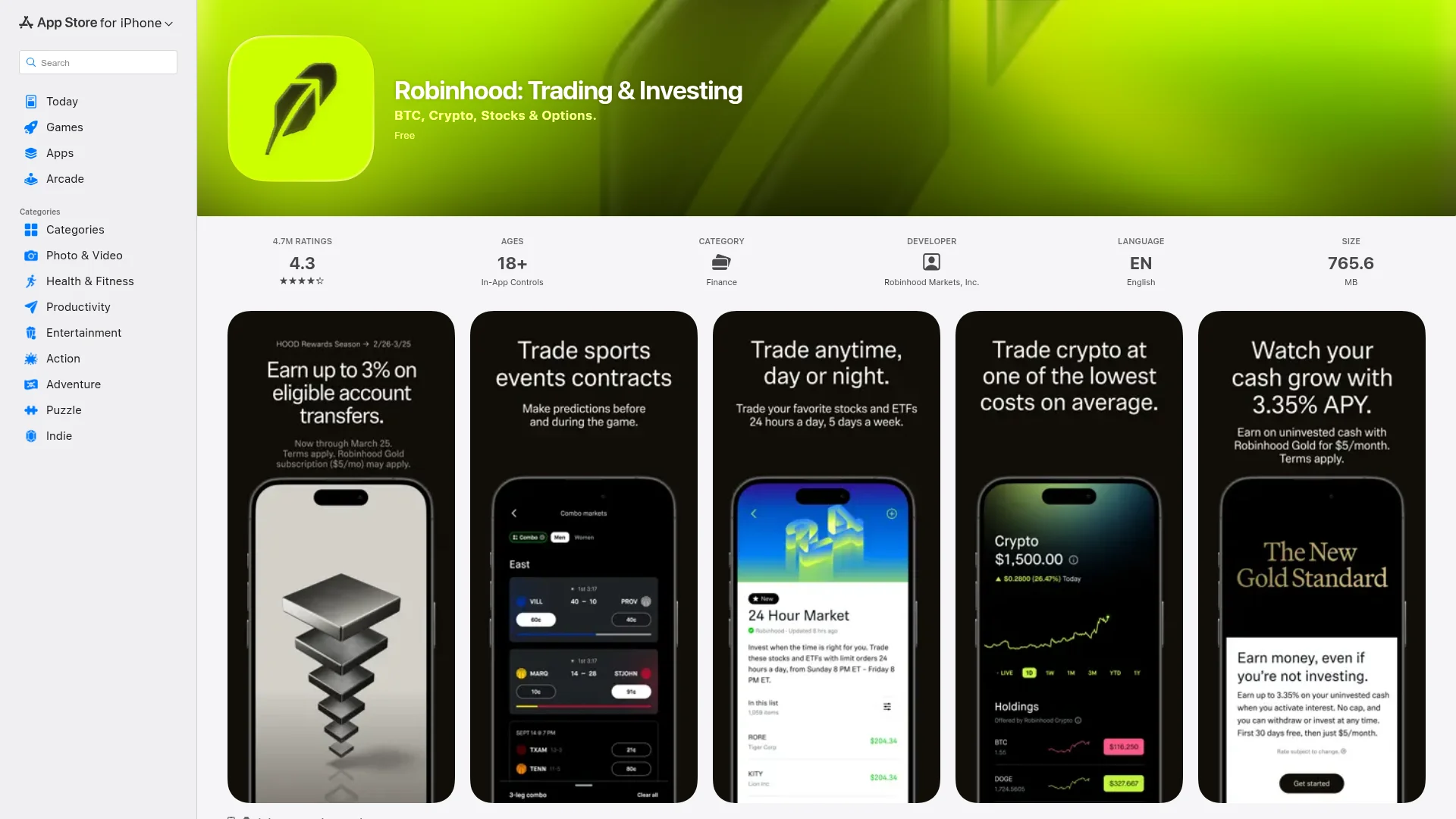
Finance apps let users check balances, send money, track spending, and invest from their phones. PayPal, Venmo, Robinhood, and traditional bank apps like Chase all fall in this category. Trust is the currency here.
Security is the top priority. End-to-end encryption, multi-factor authentication, and strict compliance with standards like PCI DSS are required from day one. Users won't hand over financial data to an app that feels rushed or unfinished.
This is the right type if you've found a gap in financial services, like simpler investing for beginners or better expense tracking for freelancers. Plan for serious investment in security infrastructure and regulatory requirements.
11. Photo and Video Apps
Photo and video apps cover camera tools, editing suites, and content sharing platforms. Instagram, Snapchat, TikTok, Adobe Lightroom, and VSCO each carved out space by offering something different, whether that's filters, short-form video, or professional editing tools.
Speed matters most. Users want to capture, edit, and share in a few taps. A complex editing workflow pushes casual users away, and casual users make up the largest segment of this market.
This type works if you have a unique editing feature, a new content format, or a creative community angle. Easy sharing to major social platforms is a must for organic growth.
12. Weather and News Apps
Weather and news apps keep users informed with timely, location-specific information. AccuWeather, Reuters, Apple News, and BBC News are leading examples. These apps pull data from multiple APIs and present it in a personalized, easy-to-scan format.
Accuracy and speed are everything. Use multiple data sources to cross-check information. Smart notifications that alert users to breaking updates without causing fatigue will set your app apart.
A niche focus helps here. Instead of competing with global news giants, try covering a specific beat like local sports, tech news, or environmental alerts for a particular region.
Types of Mobile Apps by Technology
The 12 types above describe what an app does. Developers also sort apps by how they're built, and that choice drives cost, speed and which phone features the app can use. Any app in the table could be built in more than one of these four ways.
Native Apps
A native mobile application is written separately for each platform in that platform's own language: Swift for iOS and Kotlin for Android. Google calls Android development Kotlin-first.
Native apps get the best performance and full access to the camera, sensors, Bluetooth and the newest OS features. The catch is cost. You maintain two codebases, often with two teams, so every feature gets built twice.
Cross-Platform Apps
Cross-platform frameworks let you write one codebase that runs on iOS and Android with native interface components. The two big ones are React Native, created by Meta, and Flutter, created by Google. React Native's official showcase lists Instagram, Microsoft Teams and Shopify. Flutter's lists Google Pay, eBay and BMW.
You give up a little raw performance in exchange for building each feature once. CatDoes works this way: its AI agent writes React Native and Expo code, so one project becomes both an iOS app and an Android app.
Hybrid Apps
A hybrid app is a web app (HTML, CSS and JavaScript) running inside a native shell called a WebView. Ionic with Capacitor, or the older Apache Cordova, adds plugins for the camera, GPS and other device features. Ionic's customer page names Shipt and the Instant Pot app, and Burger King's app team chose Capacitor.
Hybrid is the quickest route if you already have a web app. Heavy screens can feel slower than native. Apple's App Review Guidelines (section 4.2) also turn away apps that are little more than a repackaged website, so the app still needs real mobile features.
Web Apps and PWAs
Web apps run in the phone's browser, with nothing to install from a store. Progressive web apps (PWAs) add offline support, a home screen icon and push notifications. Twitter Lite was an early example. Google's web.dev case study reports 65% more pages per session after launch, and the PWA used less than 3% of the storage of Twitter for Android.
They're the cheapest to build and update. But browsers limit what they can reach on the device, especially on iPhone. Most people also still look for apps in the App Store or Google Play.
Here's how the four compare:
Technology | Built With | Performance | Device Access | Cost to Build |
|---|---|---|---|---|
Native | Swift (iOS), Kotlin (Android) | Best | Full | Highest (two codebases) |
Cross-platform | React Native, Flutter | Close to native | Most features | Medium (one codebase) |
Hybrid | Ionic, Capacitor, Cordova | Fine for simple apps | Through plugins | Low to medium |
Web app / PWA | HTML, CSS, JavaScript | Depends on the browser | Limited | Lowest |
For a closer look at the two ends of this range, see our comparison of a native mobile app vs web app.
Frequently Asked Questions
What are some examples of mobile applications?
Well-known examples include Instagram and TikTok (social media), Amazon (shopping), Uber (on-demand services), Duolingo (education), Spotify (streaming), Google Maps (navigation) and PayPal (finance). Simple utilities count too: a calculator, a flashlight and a weather app are all mobile applications.
What is the most profitable type of mobile app?
Gaming and finance apps tend to generate the most revenue. Mobile games alone earned $113.3 billion in 2025, according to Newzoo, mostly through in-app purchases and advertising. Finance apps earn through transaction fees and premium subscriptions. E-commerce apps also perform well through direct sales commissions.
Which mobile application type is easiest to build?
Weather, news, and simple productivity apps have the lowest technical barrier. They pull data from existing APIs and focus on presentation. E-commerce and education apps are mid-range. On-demand services and finance apps are the hardest due to real-time operations and regulatory requirements.
What is the difference between native and cross-platform apps?
A native app is built separately for iOS (in Swift) and Android (in Kotlin). A cross-platform app uses one codebase, usually React Native or Flutter, for both. Native gives the best performance and device access. Cross-platform costs less to build and maintain because each feature is written once.
Can one app be more than one type?
Yes. Many successful apps blend types. Instagram started as a photo app and became social media. Strava combines fitness tracking with a social feed. Build around one primary type, then borrow features from others where they help users. Your store listing still needs one primary category, and our guide to App Store and Google Play categories lists them all.
What type of mobile app should a startup build first?
Build the simplest version that proves your idea works. If you're new to app development, categories like productivity, education, or e-commerce have clear user needs and proven revenue models. Avoid starting with on-demand services or finance unless you have deep domain experience.
How to Choose the Right Type of Mobile App
There's no single best type of app. Social media needs scale, finance needs security and gaming needs retention. Pick the type that fits the problem you're solving, then the technology that fits your budget.
Name the problem. Write one sentence on who the app is for and what it does for them. That sentence usually points to a type. Booking a dog walker is on-demand. Logging runs is health and fitness.
Check the baseline for that type. Each type has must-haves users expect on day one: secure payments in finance, live tracking in on-demand, a content library in streaming. If you can't meet them yet, start with a narrower version of the idea.
Pick how to build it. Go native for heavy games or deep hardware access. Choose cross-platform to reach iOS and Android on one budget. Use hybrid if you have a web app to reuse, or a PWA if you don't need the app stores.
Ship the smallest useful version. Launch with the core feature, watch what people actually use, then add the rest.
Ready to build your app? Start building with CatDoes and turn your idea into a working app using plain language. No coding required.
Nafis Amiri
Co-Founder of CatDoes


