Blog

Tutorials

Mastering mobile app testing challenges: Pro Tips for a Flawless Release

Explore the mobile app testing challenges and proven strategies to tackle fragmentation, security risks, and performance gaps for a flawless user experience.

Writer

Nafis Amiri

Co-Founder of CatDoes

Jan 8, 2026

Title slide with text 'Mastering mobile app testing challenges: Pro Tips for a Flawless Release' displayed in large black sans-serif font against a white background with subtle gray geometric line patterns at the bottom

Mastering Mobile App Testing Challenges: Pro Tips for a Flawless Release

Mobile app testing isn't just one thing. It's a whole collection of technical and logistical headaches that teams have to solve to make sure their app is fast, reliable, and secure. These obstacles cover everything from the absurd variety of devices and operating systems out there to flaky network connections and sky-high user expectations.

Getting this right is the difference between a five-star app and one that gets deleted an hour after it's installed.

Why Mobile App Testing Is More Complex Than Ever

Welcome to the high-stakes game of mobile app quality. If you want to launch a successful app in December 2025, you'll need to navigate a minefield of issues that can frustrate users and sink your brand before you even get started. The mission is no longer just about finding bugs; it’s about guaranteeing a flawless experience in a chaotic, fragmented digital world.

While the goal sounds simple enough, the path is littered with hurdles. These challenges aren't just isolated tech problems. They're interconnected business risks.

The Modern Testing Battlefield

What makes testing so tough today? It’s a mix of technical chaos and demanding users. Teams are fighting a battle on a constantly shifting field, with new devices and OS updates dropping every month. This creates a moving target that’s almost impossible to hit with traditional methods.

At the same time, user patience has hit an all-time low. Research shows that a staggering 88% of users will ditch an app if it lags, crashes, or just feels clunky. This puts enormous pressure on teams to deliver perfection right out of the gate. A single widespread bug can trigger a flood of one-star reviews, burying your app in the crowded stores for good.

In this competitive space, quality isn't just a feature; it's the very foundation of user trust and retention. A solid testing strategy is the only way to build and protect that foundation.

Adopting a Proactive Strategy

To really get a handle on these challenges, you need to think differently. Implementing modern quality assurance process improvement strategies is a must. This means shifting from a reactive "bug hunt" to a proactive approach that anticipates problems before they ever reach a user.

Instead of treating testing as the final gate before a release, leading teams weave quality checks into the entire development lifecycle. This guide will walk you through the biggest challenges you’ll face and give you clear, actionable ways to overcome them. We’ll also show you how AI-native platforms are built specifically to solve these problems, helping you release better apps, faster.

Tackling Device And Operating System Fragmentation

Imagine you’re designing a car seat. Simple enough, right? Now imagine that seat has to fit perfectly in thousands of different cars, from tiny two-seaters to massive trucks, each with its own unique dimensions and safety latches. That’s exactly what developers face with device and operating system fragmentation, one of the most stubborn and expensive hurdles in mobile app testing.

It’s a battle on two fronts.

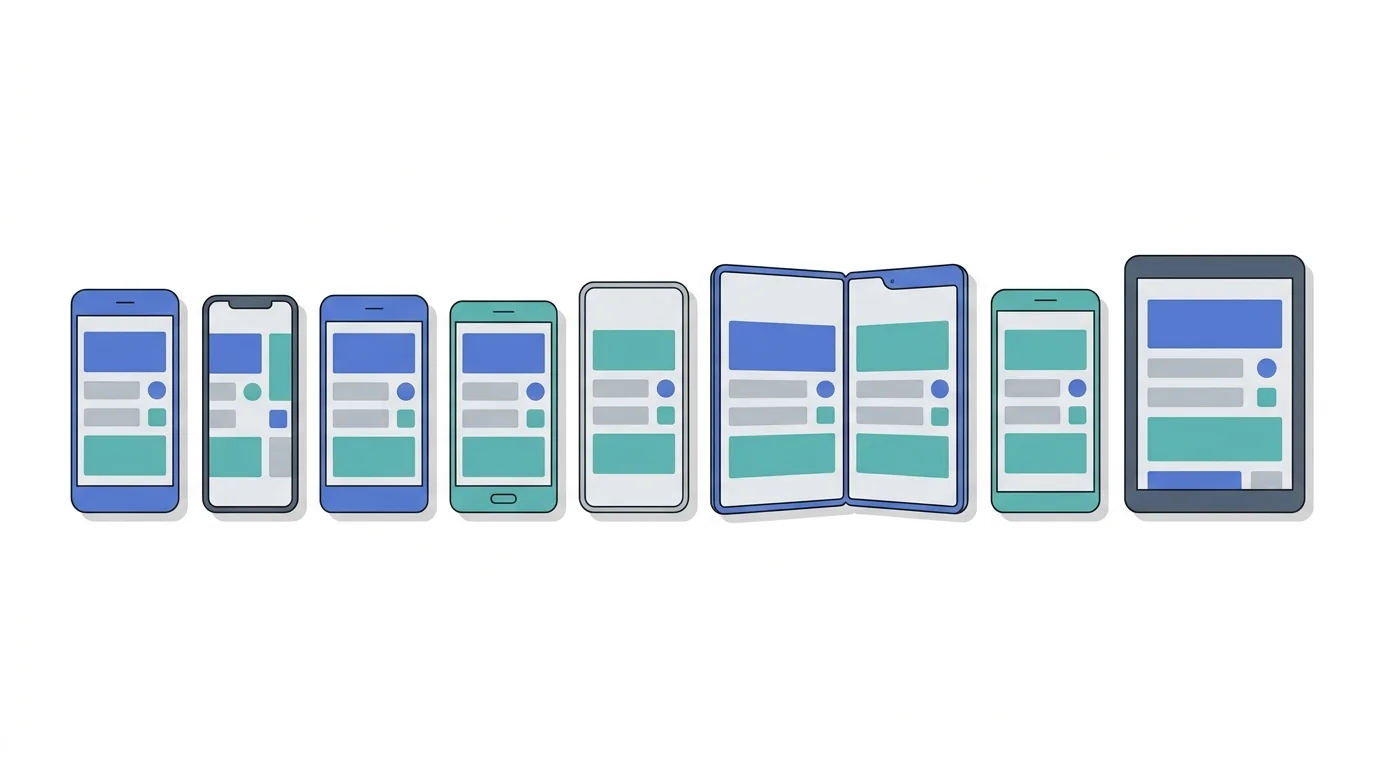
First, you have device fragmentation. This is the sheer chaos of hardware out there. We’re talking about a dizzying array of screen sizes, resolutions, processors, and memory specs. An app that’s pixel-perfect on a new iPhone might look completely broken on a budget Android with a lower-res screen.

Then there’s platform fragmentation, which is Android’s specialty. This is all about the huge number of different OS versions your users are running at the same time. The shiny new feature you built using the latest OS will likely crash and burn on a device running a version from two years ago, leaving a huge chunk of your audience with a dead app.

The diagram below really puts this into perspective, showing how device variety sits at the core of mobile challenges, right alongside tricky network conditions and unpredictable user behavior.

Diagram outlining the core challenges of mobile testing, encompassing devices, networks, and users.

The real takeaway here is that these problems don't happen in a vacuum. A user on an older, low-spec device (that’s device fragmentation) is probably also dealing with a spotty 3G connection, making a bad situation even worse.

The Real-World Impact Of Fragmentation

Let’s be blunt: ignoring fragmentation is a surefire way to kill your app. When your app starts acting up on different devices, the fallout is swift and painful. Users don’t care why it crashed; they just know it let them down.

That frustration spills directly into one-star app store reviews, tanking your ratings and making your app invisible in search results. Meanwhile, your development costs skyrocket as your team chases down bugs that only show up on some obscure, hard-to-find phone model.

Fragmentation creates a massive, almost infinite matrix of test cases. Every new device and OS update adds another layer of complexity, making it impossible to promise a consistent experience without a smart testing strategy.

The scale of this challenge is hard to overstate. In 2022 alone, manufacturers sold around 1.39 billion smartphones, adding even more variety to an already crowded field.

The Android ecosystem is a perfect example of this chaos. As of 2025, Android 14 has about 37% of the market share, but Android 13 and 12 are still powering 19% and 13% of devices, respectively. That means to reach most of your audience, you have to test your app across hundreds of different device and OS combinations.

Creating An Effective Device Coverage Plan

So, what do you do? You can’t possibly test on every device out there. The goal is to get the most bang for your buck by achieving maximum coverage with minimum effort. This calls for a data-driven plan, not just guessing.

Start by digging into your analytics. Who is your target audience? What are the most common devices, operating systems, and screen resolutions they’re using? That data is gold.

Once you have it, you can build a device matrix that prioritizes your testing efforts. It should look something like this:

  • Top Priority: Your must-haves. These are the latest flagship models and the most popular devices your customers are actually using.

  • Medium Priority: Don't forget these. This group includes older but still very common models, ensuring your app works for users who haven't upgraded in a while.

  • Low Priority: The nice-to-haves. Think niche devices with low market share. You can often cover these with emulators to save time and money.

To help visualize this, we've broken down how fragmentation impacts your business and the best ways to tackle it head-on.

Device Fragmentation Impact And Mitigation

Challenge Area

Business Impact

Mitigation Strategy

UI/UX Consistency

Poor reviews, high bounce rates, and brand damage due to distorted layouts, unreadable text, and broken elements on different screens.

Use responsive design frameworks, define a device matrix based on user analytics, and test on a mix of real devices and emulators.

Functional Bugs

App crashes, freezes, and broken features on specific OS versions or hardware, leading to user frustration and abandonment.

Prioritize testing on high-traffic OS versions, perform regression testing on older platforms, and use crash reporting tools.

Performance Issues

Slow load times, battery drain, and overheating on lower-end devices, resulting in uninstalls and negative feedback.

Profile app performance on a range of devices (high, mid, and low-tier) and optimize resource-heavy code.

Development Costs

Increased time and resources spent on debugging device-specific issues, delaying release cycles and inflating the project budget.

Implement a risk-based testing approach, leverage cloud device farms for broad access, and automate repetitive tests.

A smart combination of these strategies will help you get ahead of the fragmentation nightmare instead of constantly reacting to it.

Of course, teams focused on Apple's ecosystem aren't immune to these issues either. If you need a solid strategy for that, check out our guide on how to test an app on iPhone for specific techniques. By mixing real device testing for your top-priority models with high-fidelity emulators for the rest, you can conquer fragmentation without draining your budget.

Ensuring Performance Under Real-World Network Conditions

So you’ve wrangled the chaos of device fragmentation. What's the next major hurdle? It’s the one that follows your users every time they walk out the door. An app’s real performance isn’t measured on your perfect office Wi-Fi; it’s defined by how it holds up in the messy, unpredictable world of mobile connectivity.

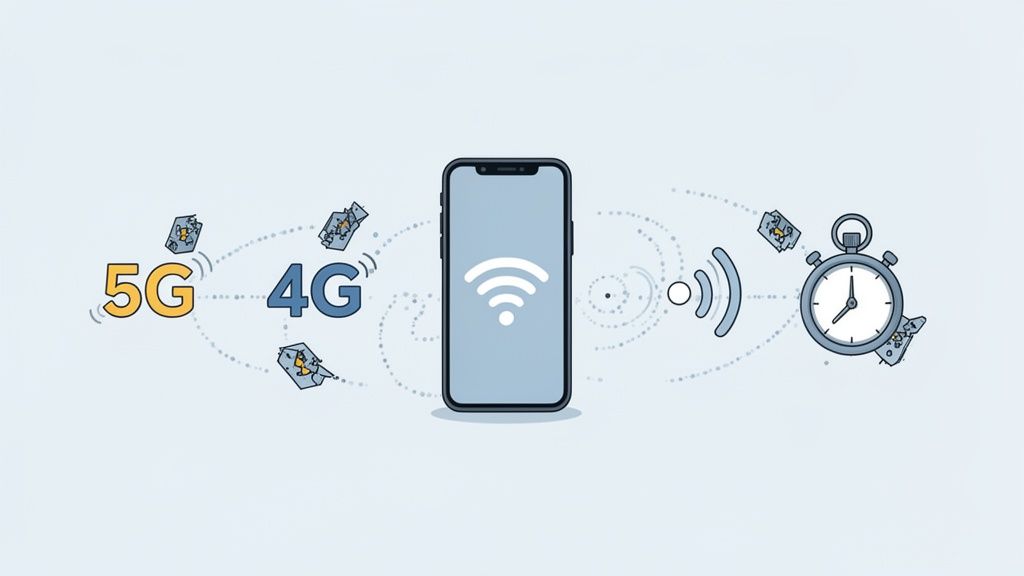
This is the critical challenge of network variability. A beautiful, feature-rich app can instantly become a source of frustration the moment a user steps into an elevator, drives through a tunnel, or hops between 5G, 4G, and a spotty coffee shop Wi-Fi. These moments, filled with high latency, packet loss, or a total disconnect, are where most apps fall apart, leading directly to users giving up and uninstalling.

The question we need to ask shifts from a simple "Does it work?" to a much tougher "Does it work everywhere, under any condition?"

A smartphone connected to 5G and 4G networks, indicating fast mobile internet speed with Wi-Fi and a stopwatch.

The High Cost of Poor Connectivity

When an app stutters, freezes, or just plain gives up because of a weak signal, users don't blame their cell provider. They blame your app. This perception of poor quality has a direct and painful impact on your business. Think about load times. If your app takes forever to show content on a slow connection, users won't wait. They'll just close it.

It gets worse. An app that can't gracefully handle a switch from Wi-Fi to cellular data might crash or, even worse, lose the user's data. These aren't minor bugs; they're trust-breakers. They fuel the kind of one-star app store reviews that can sink your visibility and ranking.

The reality of network variability, especially in the 5G era, creates a huge testing challenge. By mid-2025, there were roughly 2.6 billion 5G subscriptions globally, but actual speeds and latency are all over the map. If your user-perceived crash or ANR (App Not Responding) rate climbs above 1.09%, you risk getting penalized by Google Play's algorithm. And with 88% of users admitting they'll ditch an app due to performance glitches, you can't afford to get this wrong.

Simulating Real-World Network Scenarios

To get ahead of these problems, you absolutely cannot rely on the pristine network conditions in your office. Your team has to actively simulate the imperfect, messy reality your users live in every day. This means building test environments that deliberately mimic a whole range of shoddy network states.

This proactive approach helps you find out what your app does when the network becomes a bottleneck. Does it show a helpful message? Does it cache data intelligently? Or does it just give up and crash? Finding these answers before your users do is what separates a resilient app from a frustrating one.

An app that works flawlessly on a slow, unstable connection is a testament to great engineering. It shows users that you have anticipated their real-world problems and designed a solution that respects their time and patience.

You can create these conditions using network throttling tools. These let you dial in specific network parameters during testing, allowing you to see exactly how your app holds up when the pressure is on.

Key Network Conditions to Test

For your testing to be truly comprehensive, you need to cover a variety of simulated network profiles. Each one is designed to uncover a different class of performance bug that would otherwise slip through to your users. Here are the must-haves for your test plan.

  • High Latency: This is your "satellite internet" simulation. It introduces long delays to see how the app handles slow server responses and whether the UI stays interactive or just freezes.

  • Low Bandwidth: Think of a weak 3G signal or a congested 4G network at a concert. This test reveals if your app is smart about how it downloads data and if it prioritizes the most important content first.

  • Packet Loss: This scenario randomly drops data packets, just like an unstable wireless network does. It’s crucial for testing your app's ability to recover from incomplete information without crashing or corrupting data.

  • Intermittent Connectivity: Here, you're yanking the connection away and then restoring it. This is vital for checking how your app handles going offline, syncing data when it reconnects, and clearly telling the user what’s going on.

By methodically testing your app against these real-world conditions, you can build something that isn't just functional, but genuinely robust and reliable for every user, no matter where they are.

Navigating Usability And Complex User Interfaces

Beyond just making sure your app doesn't crash, you have to ensure it’s actually intuitive and enjoyable to use. This is where usability and user interface (UI) testing come in, tackling a whole different set of challenges that are less about broken code and more about the human experience.

Let's be honest, a clunky interface or confusing navigation will make users hit the uninstall button just as fast as a persistent bug.

The real problem is that modern mobile UIs are built on a complex language of gestures, such as swipes, pinches, and long-presses. These actions can behave differently across OS versions and device models, creating a massive validation headache. What feels like a smooth, responsive swipe on one phone might be laggy or completely misinterpreted on another.

The Challenge of Modern Interfaces

Today's app interfaces have to gracefully adapt to a wild variety of hardware. The rise of foldable phones, for instance, threw a huge curveball into the mix. An app's layout has to seamlessly reflow from a standard phone screen to a larger, tablet-like display the instant a user unfolds their device. If you don't test for that, you end up with broken layouts and a jarring experience.

This complexity demands a testing approach that goes way beyond simple button clicks. Testers need to validate the fluidity and accuracy of every single gesture.

Usability is the ultimate tiebreaker in a crowded app market. When two apps offer similar features, users will always gravitate to the one that feels easier and more pleasant to use.

Getting a consistent feel across devices is another huge part of the puzzle. An interface that looks slick and premium on a high-end flagship phone shouldn't feel cheap or broken on a budget device. This means testing across a whole spectrum of screen densities and processing power to make sure every user gets a high-quality experience.

Prioritizing Accessibility in App Testing

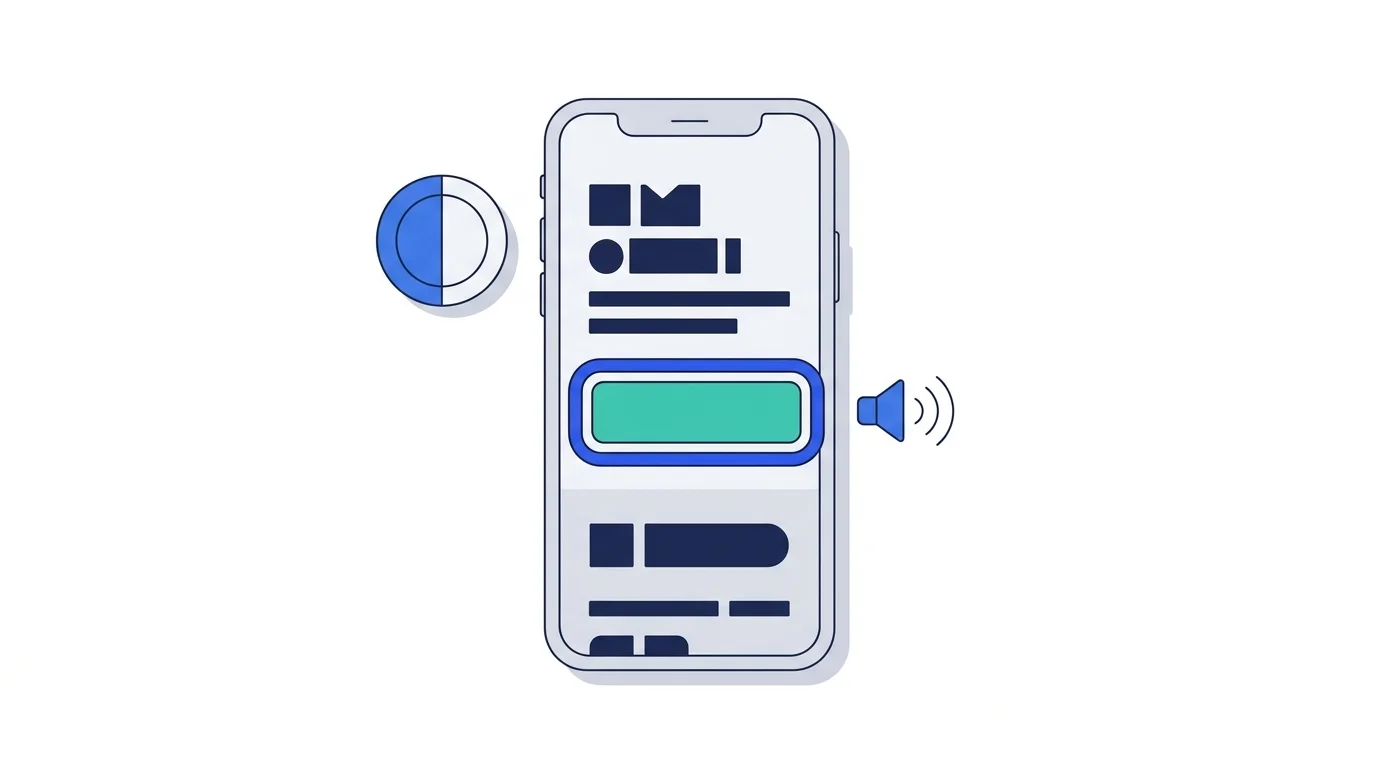
A truly great user experience is an accessible one. This isn't a niche concern anymore; it’s an ethical responsibility and, increasingly, a legal requirement. Accessibility testing is about making sure your app is fully usable for people with disabilities, including those who rely on screen readers, voice commands, or other assistive tech.

Ignoring accessibility doesn't just exclude a huge chunk of your potential user base. It opens your business up to legal risks. More importantly, it sends a clear message that you haven't considered the needs of all your users. The goal is to build an inclusive product from the very start.

To get there, your testing has to cover a few key areas:

  • Screen Reader Compatibility: Are all buttons, images, and text fields properly labeled so screen readers can announce them clearly?

  • Contrast Ratios: Is there enough color contrast between text and its background for users with low vision to read everything easily?

  • Dynamic Text Sizing: Does the layout completely fall apart when a user increases the system font size on their device?

  • Navigational Clarity: Can someone fully navigate your app using only assistive tools, or will they get stuck in a loop?

Implementing User-Centric Testing Practices

The key to solving these UI and UX challenges is to start thinking like your users. You have to anticipate their needs and potential frustrations. While automated tests are great for catching obvious layout breaks, the real usability insights almost always come from real human interaction.

Start by creating clear user personas and mapping out their journeys. These tools help your team get inside the heads of your users and understand what they’re trying to accomplish. That context is gold when it comes to designing relevant and effective test cases. If you want to go deeper, learning how to craft good user testing questions can unlock crucial feedback.

By combining thorough gesture testing, a real commitment to accessibility, and a deep understanding of your users, you can build an app that doesn't just work. It’s a genuine pleasure to use. That focus on the human element is what builds loyalty and drives success in the long run.

Overcoming Security Vulnerabilities And Data Privacy Risks

In the mobile world, security isn’t just another feature. It’s the foundation of user trust. A single data breach can shatter your brand's reputation overnight, leading to serious financial and legal trouble. That’s why tackling security vulnerabilities is one of the most critical challenges in mobile app testing.

Unlike web apps, mobile applications live right on a user’s device, which opens up a whole different set of risks. A huge concern is insecure data storage, where sensitive info like login details or personal data gets saved locally without proper encryption. If that phone is ever lost or compromised, the data is just sitting there for the taking.

Another major blind spot is weak server-side controls. Your app is usually just the tip of the iceberg. If the APIs connecting it to your backend aren’t locked down, they can become a wide-open door for attackers to waltz in and access your entire user database.

The Business Impact of a Security Failure

The fallout from a security slip-up goes way beyond a simple bug fix. It hits your bottom line, hard. Data breaches can result in massive fines under regulations like GDPR, potentially costing millions. As of December 2025, users are more aware of data privacy than ever, and news of a breach can cause a mass exodus.

A security vulnerability isn't just a technical problem; it's a business crisis waiting to happen. Protecting user data is non-negotiable for keeping customers loyal and ensuring your app survives long-term.

Unintended data leaks through app permissions are another common trap. When an app asks for more access than it truly needs, like to your contacts or location, it ramps up the risk of sensitive information getting exposed. It’s also crucial to ensure your app doesn't leave a trail of sensitive information behind, which is why understanding processes for secure device data wiping is just as important as protecting data in transit.

A Framework for Essential Security Testing

To get ahead of these threats, your testing strategy needs to be proactive, not reactive. Security can’t be a last-minute checkbox; it has to be woven into every single stage of the development lifecycle. This means taking a layered approach that covers the app itself, its network connections, and the backend services it relies on.

Building a secure app starts with knowing what you’re up against. For a deeper dive, check out these detailed mobile app security best practices to get a roadmap for protecting your users.

Here’s a checklist of the absolute must-haves for your security testing plan:

  • Authentication and Authorization: Make sure your app's login systems are rock-solid and can't be easily tricked. Test for common weak spots like shoddy password storage or session management that could let an attacker slip through.

  • Data Encryption: All sensitive data, whether it’s stored on the device or sent over the network, must be locked down with strong, modern encryption. This is what stops attackers from reading intercepted data.

  • API Security: Put your APIs through the wringer. Test them for all the classic vulnerabilities, like insecure direct object references, broken access control, and injection flaws that could compromise your entire backend.

  • Code Obfuscation: Use and test code obfuscation to scramble your app’s source code. This makes it much harder for someone to reverse-engineer your app, find its weaknesses, and build an exploit.

Putting AI and Automation to Work

Let’s be honest: manually testing an app across hundreds of different phones and operating systems isn’t just hard. It’s impossible to do well at scale. This is where modern automation and AI stop being buzzwords and become your most valuable tools for tackling the challenges we’ve covered. They offer a real path to getting broader test coverage without letting your budget or timeline spiral out of control.

For years, test automation meant writing rigid, brittle scripts. These scripts were built to follow a very specific path, and the smallest UI tweak, like a developer moving a button a few pixels, would shatter the entire test. QA teams ended up spending more time fixing their broken tests than they did finding actual bugs in the app. It was a constant, frustrating cycle.

The Big Shift to Intelligent Automation

Intelligent, AI-driven automation is a fundamental departure from that old, fragile model. Instead of hunting for fixed element IDs in the code, AI-powered tools understand your app's UI like a human would. They can find the "Login" button even if its underlying code or exact position on the screen changes, which makes your tests dramatically more resilient.

This adaptability directly solves several of the biggest headaches in mobile testing. For instance, AI can automatically adjust test flows to handle different screen sizes and resolutions on the fly, hitting the device fragmentation problem right where it hurts.

AI-driven testing doesn't just run scripts faster; it makes them smarter. By adapting to UI changes and understanding user intent, it eliminates the constant maintenance that plagued traditional automation, freeing up human testers for more valuable work.

This modern approach means a small team can achieve a level of quality assurance that was once only possible for giant companies with massive QA departments. It flips testing from being a bottleneck into something that actually accelerates your releases.

What an AI-Native Approach Means for Your Business

When you adopt an AI-native platform like CatDoes, you’re not just automating tests; you’re automating the entire testing and release pipeline. This shift delivers clear business wins. The goal is no longer just about finding bugs. It's about hitting strategic targets like getting to market faster and delivering a flawless user experience. This kind of smart automation empowers your team to build and ship with confidence.

Here are a few of the biggest benefits:

  • Drastically Faster Release Cycles: By automating all those repetitive regression tests, you can validate a new build in minutes, not days. This unlocks a true continuous integration and continuous delivery (CI/CD) workflow, letting you push valuable updates to your users far more often.

  • Massively Improved Test Coverage: An AI can run thousands of tests across a huge matrix of virtual devices and network conditions, achieving a level of coverage that would be physically impossible for a manual team. This means you catch those obscure, device-specific bugs long before your users do.

  • Freed-Up Human Testers: With all the tedious, repetitive work handled by AI, your QA experts can finally focus on what they do best. This means more time for complex exploratory testing, deep usability analysis, and the kind of creative problem-solving that automation just can't replicate.

By weaving intelligent automation into your workflow, you create a powerful quality safety net. It gives your team the freedom to innovate quickly, knowing that any regressions or new issues will be caught automatically before they ever reach your users. Suddenly, those persistent mobile testing challenges become much more manageable.

Frequently Asked Questions About Mobile Testing

Digging into mobile QA always brings up tough questions, especially when your team is staring down a tight deadline with an even tighter budget. This section tackles some of the most common things we hear from teams on the ground.

We'll focus on the biggest hurdles for startups, how to be smart about testing when you can't do it all, and why beta testing is non-negotiable in today's world.

What Is The Biggest Challenge For Startups?

For startups, the single biggest challenge in mobile testing boils down to one thing: resource constraints. This isn't just about money; it's a lack of time, people, and devices that creates a cascade of other problems.

Without a big budget or a dedicated QA team, getting enough test coverage across the dizzying array of devices and OS versions feels impossible. This forces tough choices. Do you buy a few expensive physical phones? Rely on less accurate emulators? Subscribe to a cloud device farm? Each path has serious trade-offs in cost, accuracy, and speed, making it a critical decision that directly impacts your app's quality and how users will receive it.

How Should We Prioritize Testing With A Small Budget?

When the budget is tight, you have to be ruthless. Forget trying to test everything. Your goal is to focus your energy where it will have the biggest impact on the user experience and your business. The best way to do this is with a risk-based approach.

Prioritization isn’t about doing less; it’s about doing the right things first. Focus on high-risk features and the most popular devices your customers actually use. That’s how you maximize the value of every single testing hour.

Here’s a simple, focused plan to get you started:

  1. Analyze Your User Data: Pinpoint the top 5 to 10 devices and OS versions your target audience uses. This list becomes your core test matrix. Don't guess; use analytics.

  2. Identify Critical User Paths: Map out the most important journeys in your app. Think user registration, the checkout process, or whatever your app's main function is. These have to work perfectly, no exceptions.

  3. Assess High-Risk Features: Figure out which features are most likely to break or cause the most user rage if they fail. This is usually anything involving payments, tricky third-party integrations, or complex data syncing.

By concentrating on these areas, you ensure your limited resources are spent defending the most vital parts of your app. This dramatically reduces the chances of a catastrophic failure when you finally hit launch.

Ready to sidestep these challenges entirely? CatDoes is an AI-native platform that automates the whole app creation and testing process, from your initial idea right through to App Store release. Our AI agents handle the device fragmentation, performance checks, and build preparations so you can focus on making a great product. Start building for free at https://catdoes.com.

Writer

Nafis Amiri

Co-Founder of CatDoes