Blog

Tutorials

10 Mobile App Security Best Practices for 2025

Discover 10 essential mobile app security best practices for 2025. Protect your React Native app with actionable tips on encryption, auth, and more.

Writer

Nafis Amiri

Co-Founder of CatDoes

Nov 26, 2025

Slide displaying the title ‘10 Mobile App Security Best Practices for 2025’ above a minimal white grid background.

In an era where mobile applications are central to business operations and personal life, their security is non-negotiable. The digital threat landscape is perpetually evolving, with malicious actors constantly developing new methods to exploit vulnerabilities, steal sensitive data, and erode user trust. For any business, a single security breach can result in severe financial losses, irreparable brand damage, and significant legal repercussions. This reality makes a proactive, security-first approach essential for developers and business owners alike. Ignoring these risks is no longer an option; robust security is a fundamental requirement for success and longevity.

This guide provides a comprehensive and actionable roundup of 10 critical mobile app security best practices. We move beyond generic advice to deliver specific, implementation-ready strategies designed to fortify your application. You will find practical steps and tangible examples tailored for modern development stacks, including React Native, Expo, and backend services like Supabase. Our focus is on providing a clear roadmap to protect your users and your business from prevalent threats.

By following this listicle, you will learn how to:

  • Harden your application's code against reverse engineering.

  • Secure data both in transit and at rest on the device.

  • Implement robust authentication and session management.

  • Protect your app from runtime attacks and tampering.

  • Manage dependencies to prevent supply-chain vulnerabilities.

We will cover everything from threat modeling and secure storage to network security and release considerations. Each point is structured to give you the precise information needed to build a secure foundation from the very beginning, ensuring your application is resilient, trustworthy, and prepared for the security challenges of November 2025.

1. Secure Code Obfuscation and Code Hardening

Protecting your application's source code is a foundational step in building a secure mobile presence. Code obfuscation is the process of intentionally modifying your app's compiled code to make it extremely difficult for humans to read and understand. Code hardening adds another layer of defense by embedding mechanisms that actively resist reverse engineering, tampering, and debugging attempts. These mobile app security best practices work together to shield your intellectual property and prevent attackers from discovering exploitable vulnerabilities in your app’s logic.

A laptop displaying lines of code on its screen, with 'Code Obfuscation' text overlaid on a wooden desk.

Without these protections, an attacker could decompile your app, analyze its code, and potentially uncover API keys, proprietary algorithms, or security flaws. This makes your app and your users' data significantly more vulnerable.

How to Implement Code Obfuscation and Hardening

Effective implementation relies on leveraging platform-specific tools and build configurations. These tools automatically rename classes, methods, and variables to meaningless characters, remove unused code, and apply other optimizations that obscure the program's flow.

For Android developers using React Native, the primary tool is R8, which is integrated into the Android build system. You enable it in your android/app/build.gradle file:

buildTypes {

release {

// ...

minifyEnabled true

shrinkResources true

proguardFiles getDefaultProguardFile('proguard-android-optimize.txt'), 'proguard-rules.pro'

}

}

For iOS, the Swift and Objective-C compilers perform significant optimizations that inherently harden the code. You can enhance this by setting Strip Swift Symbols and Deployment Postprocessing to "Yes" in your Xcode build settings for release builds.


Actionable Tips for Effective Hardening

  • Apply to Release Builds Only: Keep your debug builds unobfuscated to simplify development and debugging. Only enable these settings for the final app you ship to the store.

  • Maintain Symbol Maps: Obfuscation renames code, making crash reports unreadable. Always save the mapping files (like mapping.txt for R8) generated during the build process. You can use these files to de-obfuscate stack traces and diagnose crashes effectively.

  • Combine with Other Defenses: Obfuscation is not a silver bullet. It should be part of a comprehensive security strategy that includes runtime application self-protection (RASP), secure data storage, and network traffic encryption.

  • Test Performance Thoroughly: While modern tools are highly optimized, aggressive obfuscation can sometimes introduce performance overhead. Always test your app’s performance after enabling these features to ensure a smooth user experience.

2. Certificate Pinning (Public Key Pinning)

Certificate pinning is a security technique that hardcodes a specific SSL/TLS certificate or public key directly into your mobile application. Instead of trusting any certificate issued by a system-trusted Certificate Authority (CA), your app will only accept a connection if the server’s certificate matches the one embedded within the app. This creates a direct trust relationship and is a powerful method to prevent Man-in-the-Middle (MITM) attacks, even if an attacker manages to compromise a CA and issue a fraudulent certificate for your domain.

A hand holds a smartphone displaying a blue certificate icon and text 'Certificate Pinning'.

This practice is essential for apps handling highly sensitive data, like banking or messaging apps, where the integrity of the communication channel is paramount. By enforcing this control, you significantly raise the bar for attackers trying to intercept and decrypt user data, making it one of the most effective mobile app security best practices for network-level protection.

How to Implement Certificate Pinning

Modern mobile operating systems provide native mechanisms to simplify the implementation of certificate pinning, moving away from manual, error-prone code solutions. The recommended approach is to define pinning rules in a declarative configuration file.

For Android, this is handled via the Network Security Configuration file. First, create an XML file at res/xml/network_security_config.xml:


your-api.com your_base64_encoded_public_key_hash your_backup_public_key_hash Then, reference this configuration in your AndroidManifest.xml within the <application> tag: android:networkSecurityConfig="@xml/network_security_config".


For iOS, you can add the domain and public key hashes to your Info.plist file under the NSPinnedDomains key as part of the NSAppTransportSecurity settings.

Actionable Tips for Effective Pinning

  • Pin Public Keys, Not Certificates: Pinning the certificate itself is brittle. If the certificate expires or is re-issued, your app will break. Pinning the underlying public key hash provides more flexibility as you can issue new certificates with the same key pair.

  • Always Include a Backup Pin: Your primary certificate will eventually expire. Include a pin for a backup key that you can use for your next certificate. This allows for smooth certificate rotation without forcing all users to update the app.

  • Set Expiration Alerts: Keep meticulous track of when your pinned certificates and keys expire. Set calendar alerts well in advance to ensure you have ample time to deploy a new certificate and update your app if necessary.

  • Test Thoroughly: Improperly configured pinning can block all network traffic, rendering your app unusable. Test your implementation rigorously across different network conditions and certificate scenarios before releasing to production.

3. Secure Local Data Storage and Encryption

Storing sensitive data directly on a user's device is often necessary for performance and offline functionality, but it introduces significant security risks. Secure local storage involves encrypting this data at rest using strong, industry-standard algorithms and managing the encryption keys securely. This practice ensures that if a device is lost, stolen, or compromised, sensitive information like authentication tokens, API keys, user credentials, and personally identifiable information (PII) remains unreadable and protected from unauthorized access.

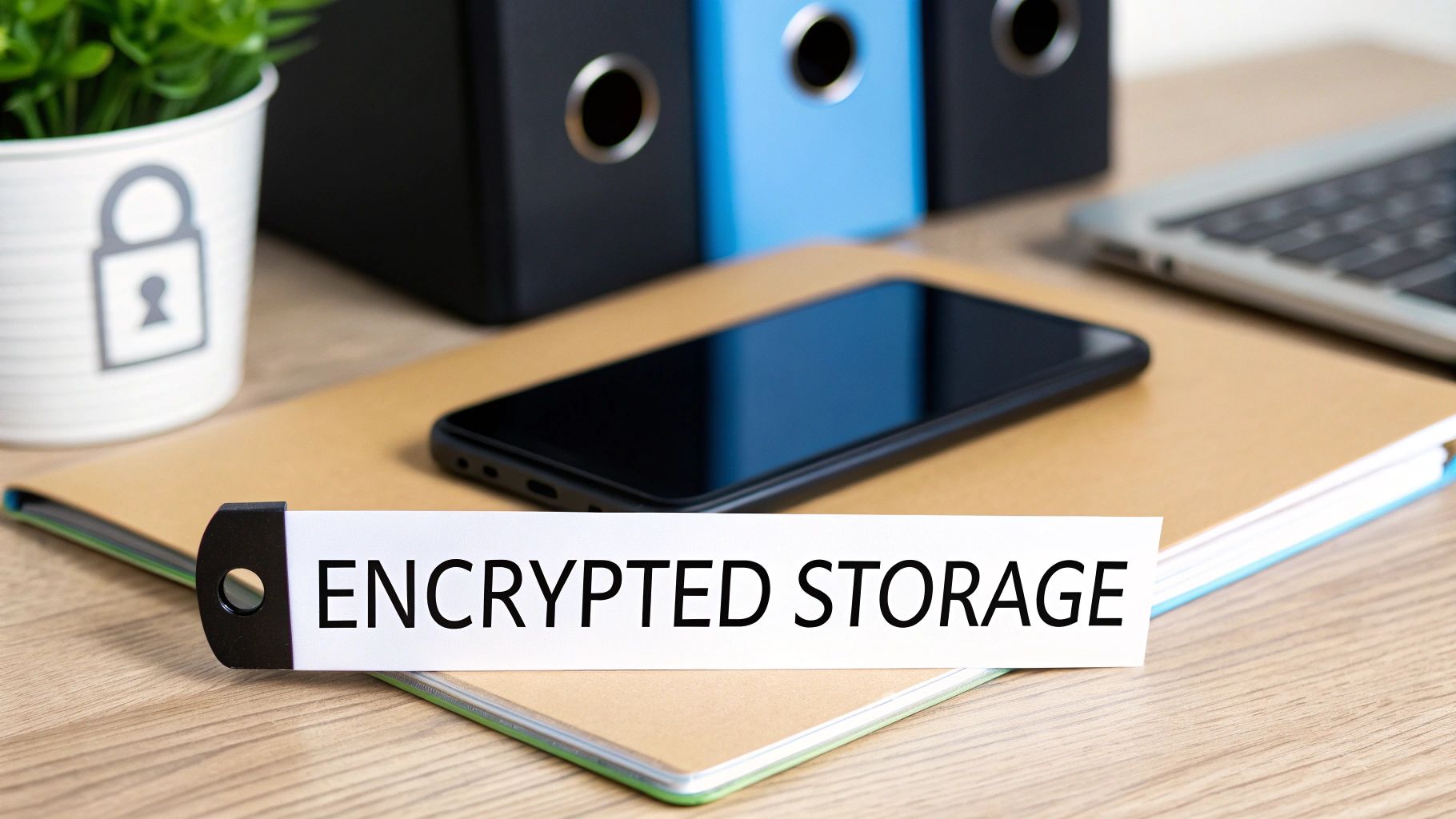
Desk with smartphone, notebook, folders, and a sign 'ENCRYPTED STORAGE' representing data security.

Simply storing data in plain text files, SharedPreferences, or a standard SQLite database makes it trivial for an attacker with physical or root access to the device to extract it. Encrypting this data is a critical mobile app security best practice that transforms vulnerable information into a useless block of characters without the correct decryption key.

How to Implement Secure Storage

Leveraging platform-native, hardware-backed secure enclaves is the most robust way to manage encryption keys, which are then used to encrypt and decrypt your application data. These systems protect keys from the main operating system, making them difficult to extract.

For React Native and native developers, a popular library for managing credentials is react-native-keychain. It uses the underlying platform services:

  • iOS: Keychain Services provide a secure, encrypted container for storing small amounts of sensitive data like passwords and tokens.

  • Android: The Android Keystore system provides a hardware-backed secure storage location for cryptographic keys.

For encrypting larger datasets like a local database, a solution like SQLCipher is highly effective. It provides transparent, 256-bit AES encryption for SQLite databases.

Actionable Tips for Secure Storage

  • Use Platform-Native Solutions: Always prefer the iOS Keychain and Android Keystore for managing keys and credentials. Avoid implementing your own cryptographic or key storage solutions, as they are notoriously difficult to get right.

  • Encrypt Everything Sensitive: Do not limit encryption to just passwords. Any piece of data that could be considered sensitive, including session tokens, API keys, and user PII, must be encrypted at rest.

  • Never Hardcode Keys: Do not embed encryption keys, salts, or secrets directly in your source code. These can be easily extracted through reverse engineering. Instead, generate them at runtime and store them securely in the Keystore or Keychain.

  • Clear Data on Uninstall: Implement logic to ensure that sensitive data stored by your app is properly cleared when the user uninstalls it, preventing orphaned sensitive files from remaining on the device.

4. Multi-Factor Authentication (MFA) Implementation

Implementing multi-factor authentication (MFA) elevates your app’s security from a single point of failure to a layered defense. MFA requires users to provide at least two different verification factors to gain access, drastically reducing the risk of unauthorized entry. Even if an attacker steals a user's password, they are stopped by the second authentication step, making this one of the most effective mobile app security best practices you can adopt.

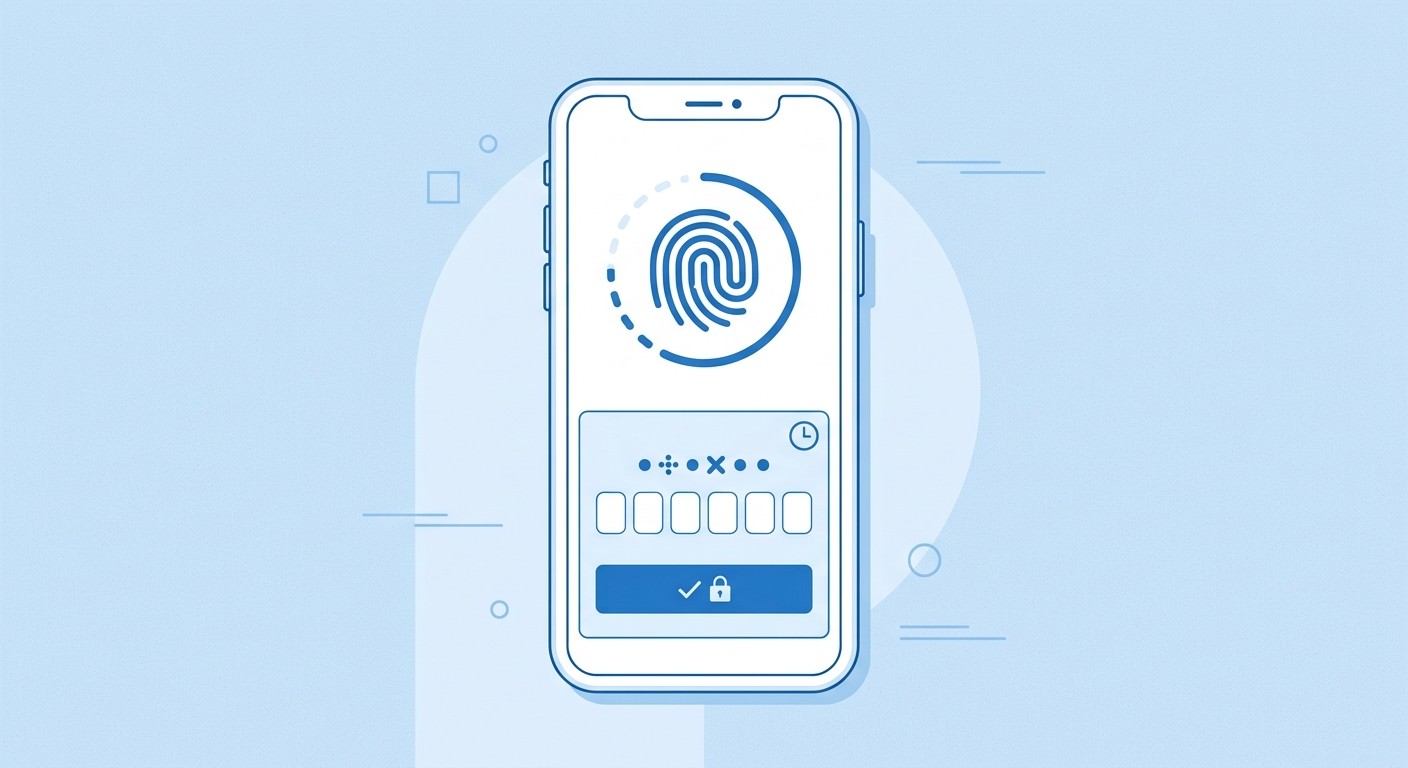
This approach combines something the user knows (a password), something they have (a phone for push notifications or an authenticator app), and something they are (a fingerprint or face scan). This layered verification is standard in banking, enterprise, and communication apps like those from Google, Microsoft, and AWS.

How to Implement Multi-Factor Authentication

Integrating MFA into a React Native app involves leveraging backend services and platform-specific APIs for biometrics. For a Supabase backend, you can enable Time-based One-Time Passwords (TOTP) to handle enrollment and verification seamlessly.

For Biometrics on Android and iOS, you can use a library like react-native-biometric-authentication. First, check for hardware support, then trigger the prompt: import ReactNativeBiometrics from 'react-native-biometrics'

const rnBiometrics = new ReactNativeBiometrics()

rnBiometrics.simplePrompt({promptMessage: 'Confirm your identity'})

.then((resultObject) => {

const { success } = resultObject

if (success) {

console.log('successful biometrics provided')

// Proceed with authentication

} else {

console.log('user cancelled')

}

})

This code snippet demonstrates how to prompt the user for their fingerprint or face ID, providing a frictionless yet secure second factor.


Actionable Tips for Effective MFA

  • Prioritize TOTP and Push Notifications: Avoid SMS-based MFA when possible. It is vulnerable to SIM-swapping attacks. Time-based One-Time Passwords (TOTP) from apps like Google Authenticator or push notifications are far more secure alternatives.

  • Leverage Native Biometrics: Use platform APIs like BiometricPrompt (Android) and LocalAuthentication (iOS) via libraries for a fast, user-friendly MFA experience. This is often the preferred method for users.

  • Provide Recovery Options: Users can lose their second-factor device. Implement secure account recovery methods, such as one-time backup codes that users can store safely.

  • Manage Sessions Wisely: After a user authenticates with MFA, establish a secure session. Implement reasonable session timeouts that require re-authentication for sensitive actions or after periods of inactivity.

5. Secure API Communication and Request Signing

Ensuring secure API communication is critical for protecting data in transit between your mobile app and backend servers. This involves more than just encryption; it requires a multi-layered approach to authenticate, authorize, and verify the integrity of every request. Request signing, a key part of this strategy, uses cryptographic signatures to confirm that API requests originate from a legitimate client and have not been altered, effectively preventing man-in-the-middle attacks and unauthorized access.

Without these protections, sensitive data like user credentials, personal information, and session tokens are exposed during transmission. An attacker could intercept this traffic, steal data, or inject malicious commands into the API calls. Implementing these mobile app security best practices ensures that your communication channels are robust and trustworthy.

How to Implement Secure API Communication

A secure implementation starts with universal HTTPS enforcement and incorporates strong authentication and integrity checks. This often involves using established protocols like OAuth 2.0 for authorization and a request signing mechanism for verifying the origin and integrity of each API call. Backend as a Service (BaaS) platforms frequently provide these security features out of the box. You can learn more about the benefits of BaaS on catdoes.com.

When using a library like Axios in a React Native app, you can configure an interceptor to automatically add necessary headers, like an Authorization token, to every outgoing request: import axios from 'axios';

// Create an Axios instance

const apiClient = axios.create({

baseURL: 'https://api.yourapp.com/v1/', });

// Use an interceptor to add the auth token to every request

apiClient.interceptors.request.use(async (config) => {

const userToken = await getStoredUserToken(); // Your function to get the token

if (userToken) {

config.headers.Authorization = Bearer ${userToken};

}

return config;

});

export default apiClient;

Actionable Tips for Secure Communication

  • Always Use HTTPS: Never transmit data over unencrypted HTTP. Enforce HTTPS across all your API endpoints using techniques like certificate pinning to prevent downgrade attacks.

  • Implement Request Signing for Sensitive Actions: For critical operations like financial transactions or data modification, use a signing process similar to AWS Signature V4 to ensure request integrity.

  • Validate Timestamps: Include a timestamp in your signed requests and have your server validate that it is within a narrow window (e.g., ±5 minutes). This prevents attackers from capturing and replaying old requests.

  • Rotate Keys and Tokens Regularly: Implement a policy for regularly rotating API keys, OAuth tokens, and signing secrets to limit the window of opportunity if a key is compromised.

6. Secure Authentication and Session Management

Proper authentication is the gateway to your app, ensuring only legitimate users gain access. Session management continues this protection by securely maintaining that user's state as they interact with the application. This involves everything from the initial login process to handling session tokens and secure logout procedures. Implementing these mobile app security best practices is critical to prevent unauthorized access, session hijacking, and data breaches that can erode user trust and expose sensitive information.

Without a robust strategy, attackers can exploit weak session handling to impersonate users, steal data, or perform unauthorized actions. Services like Firebase Authentication, Auth0, and AWS Cognito provide managed solutions that handle many of these complexities, from secure sign-in flows to token lifecycle management.

How to Implement Secure Authentication and Sessions

The modern standard for mobile authentication is OAuth 2.0, often using JSON Web Tokens (JWTs) for sessions. The process involves a user logging in to receive a short-lived access token and a long-lived refresh token. The access token authenticates API requests, while the refresh token is used to get a new access token without requiring the user to log in again.

In a React Native app using a backend like Supabase, you would store these tokens securely in the device's keychain or keystore. The library @react-native-async-storage/async-storage combined with a secure storage wrapper can achieve this: import * as SecureStore from 'expo-secure-store';

// Storing the refresh token securely await SecureStore.setItemAsync('userRefreshToken', refreshToken);

// Retrieving the token for a new session

const token = await SecureStore.getItemAsync('userRefreshToken');

This ensures tokens are not left in plaintext storage where they could be easily compromised.


Actionable Tips for Effective Session Management

  • Use Short-Lived Access Tokens: Configure access tokens to expire quickly, typically within 15 to 60 minutes. This limits the window of opportunity for an attacker if a token is compromised.

  • Implement Refresh Token Rotation: When a refresh token is used to get a new access token, issue a new refresh token as well and invalidate the old one. This security measure helps detect and prevent token theft.

  • Enforce Absolute Session Timeouts: Force users to re-authenticate after a fixed period, like 24 hours or 7 days, regardless of activity. This prevents indefinitely active sessions on potentially lost or stolen devices.

  • Ensure Complete Logout: When a user logs out, make sure to invalidate the tokens on the server side and clear all locally stored session data, including tokens and cached user information, from the device.

7. Runtime Application Self-Protection (RASP) and Integrity Verification

While static defenses like code obfuscation are crucial, they only protect your app before it runs. Runtime Application Self-Protection (RASP) is a dynamic security technology that operates from within the live application. It actively monitors your app's behavior in real-time to detect and neutralize attacks as they happen, making it a critical component of a defense-in-depth strategy. RASP can identify threats like tampering, debugging, jailbreak or root access, and malicious code injection, effectively turning your app into its own security sentinel.

This proactive defense mechanism goes beyond passive measures. Integrity verification, a key function of RASP, ensures your app's code and critical data have not been altered since installation. By continuously checking its own integrity, the app can prevent attackers from running a modified, malicious version on a user's device, thus protecting sensitive data and maintaining trust.

How to Implement RASP and Integrity Verification

Implementing RASP typically involves integrating a third-party SDK designed for this purpose. These solutions hook into your application's runtime environment to monitor for suspicious activities. For React Native, these SDKs often provide native modules that you can call from your JavaScript code to perform checks.

While a full RASP implementation requires a commercial solution like Zimperium zDefense or Promon Shield, you can implement basic checks yourself. For jailbreak (iOS) or root (Android) detection, you can use community packages:

// Example using react-native-jail-monkey

import JailMonkey from 'react-native-jail-monkey';

if (JailMonkey.isJailBroken()) {

// Device is compromised.

// Take action: limit functionality, alert the user, or terminate the session.

console.warn('Security Alert: Device is jailbroken or rooted.');

}

This simple check is an entry point into runtime security. It allows your app to react differently on a compromised device, such as disabling access to highly sensitive features like payments.


Actionable Tips for Effective RASP

  • Implement Graceful Degradation: Instead of simply crashing the app upon detecting a threat, consider a tiered response. For a rooted device, you might disable certain features but allow others to function, improving the user experience for those who root their devices for legitimate reasons.

  • Verify Code Integrity: Use checksums or cryptographic hashes to verify the integrity of your application package and critical code segments at runtime. If a hash mismatch is detected, it signals that the app has been tampered with.

  • Combine with Other Defenses: RASP is most effective when used as part of a layered security approach. It complements secure coding, data encryption, and network security, but it should not be your only defense.

  • Include a Callback Mechanism: Configure your RASP solution to send security alerts to your backend. This data provides invaluable insight into the types of attacks your app is facing in the wild, allowing you to adapt your security posture accordingly.

8. Secure Input Validation and Output Encoding

Never trust data coming into your application. Secure input validation is the critical process of rigorously checking all data from users, APIs, or other external sources to ensure it meets expected criteria before being processed. Paired with output encoding, which properly formats data before it's displayed or sent to another system, these practices form the primary defense against a wide range of injection attacks, including SQL injection and Cross-Site Scripting (XSS). These are essential mobile app security best practices for maintaining data integrity and protecting your application's backend systems from malicious commands.

Without this two-part defense, an attacker could submit specially crafted input that tricks your application into executing unintended commands or revealing sensitive information. This makes your app a gateway for compromising your servers and user data.

How to Implement Validation and Encoding

Effective implementation requires a defense-in-depth approach, with checks happening on both the client and server sides. While client-side validation in your React Native app provides a better user experience by giving immediate feedback, it can be bypassed. Therefore, server-side validation is non-negotiable.

For a React Native app with a Supabase backend, you can use libraries like zod or yup for client-side validation. For the crucial server-side check within a Supabase Edge Function, you would again use a robust validation library:

// Example using Zod in a Supabase Edge Function import { z } from "https://deno.land/x/zod/mod.ts"

const profileSchema = z.object({

username: z.string().min(3).max(20).regex(/^[a-zA-Z0-9_]+$/),

email: z.string().email(),

})

// Inside your function handler:

const result = profileSchema.safeParse(await req.json())

if (!result.success) {

return new Response("Invalid input", { status: 400 })

}

// Proceed with validated data: result.data


Actionable Tips for Effective Validation

  • Validate on Both Client and Server: Use client-side validation for quick user feedback but always re-validate every piece of data on the server, as the client can be compromised.

  • Use a Whitelist Approach: Instead of trying to block known bad inputs (blacklisting), define and allow only known good data formats, types, and ranges (whitelisting). This is a far more secure strategy.

  • Use Parameterized Queries: When interacting with databases like Supabase, always use parameterized queries or the provided client library methods. These automatically handle escaping, preventing SQL injection vulnerabilities.

  • Encode for the Context: When displaying data, encode it for the specific context. For example, use HTML encoding before rendering data in a WebView to prevent XSS.

9. Secure Dependency Management and Third-Party Library Scanning

Modern mobile apps are rarely built from scratch; they are assembled using numerous third-party libraries and dependencies to accelerate development. While this is efficient, it also introduces risk. Secure dependency management is the practice of vetting, updating, and continuously scanning these external components for known security flaws. This is a critical mobile app security best practice because attackers frequently target popular, vulnerable libraries as an entry point into your application's ecosystem.

Neglecting your dependencies is like leaving a side door unlocked. A single outdated package with a known critical vulnerability can undermine all your other security efforts, exposing your app and user data to significant threats.

How to Implement Secure Dependency Management

Integrating automated scanning into your development lifecycle is the most effective approach. These tools check your project's dependencies against vast databases of known vulnerabilities and alert you to potential risks, often suggesting a safe version to upgrade to.

For a React Native project, which relies heavily on npm packages, you can use built-in and third-party tools. The npm audit command is a great starting point:

npm audit

To fix vulnerabilities automatically, you can run:

npm audit fix

For a more robust and continuous solution, tools like Snyk or GitHub's Dependabot can be integrated directly into your repository. They will automatically open pull requests to update vulnerable dependencies, making the process nearly seamless for your development team.


Actionable Tips for Effective Dependency Management

  • Automate Scanning in CI/CD: Integrate tools like Snyk, Dependabot, or OWASP Dependency-Check into your continuous integration pipeline. This ensures every build is checked for new vulnerabilities automatically.

  • Audit and Prune Regularly: Periodically review your package.json file and remove any dependencies that are no longer used. A smaller dependency tree reduces your potential attack surface.

  • Prioritize Critical Updates: Not all vulnerabilities are equal. Use the Common Vulnerability Scoring System (CVSS) to prioritize fixing high-severity vulnerabilities first.

  • Use Lockfiles: Always commit your lockfiles (package-lock.json for npm, yarn.lock for Yarn). This ensures that every developer and your build server uses the exact same version of each dependency, preventing unexpected issues from transitive dependency updates. Explore more about the ecosystem of cross-platform mobile development tools to understand how they interact.

10. Security Testing and Vulnerability Assessment (Penetration Testing)

Proactive security testing is a non-negotiable mobile app security best practice that identifies vulnerabilities before they can be exploited by attackers. This process involves a combination of automated scanning and manual expert analysis to simulate real-world attacks against your application. By systematically probing for weaknesses in your code, APIs, and infrastructure, you can patch security holes before they result in data breaches, financial loss, or reputational damage.

Regular security assessments, including penetration testing, ensure your app maintains a strong defensive posture throughout its entire lifecycle. This approach moves security from an afterthought to an integral part of development.

How to Implement Security Testing

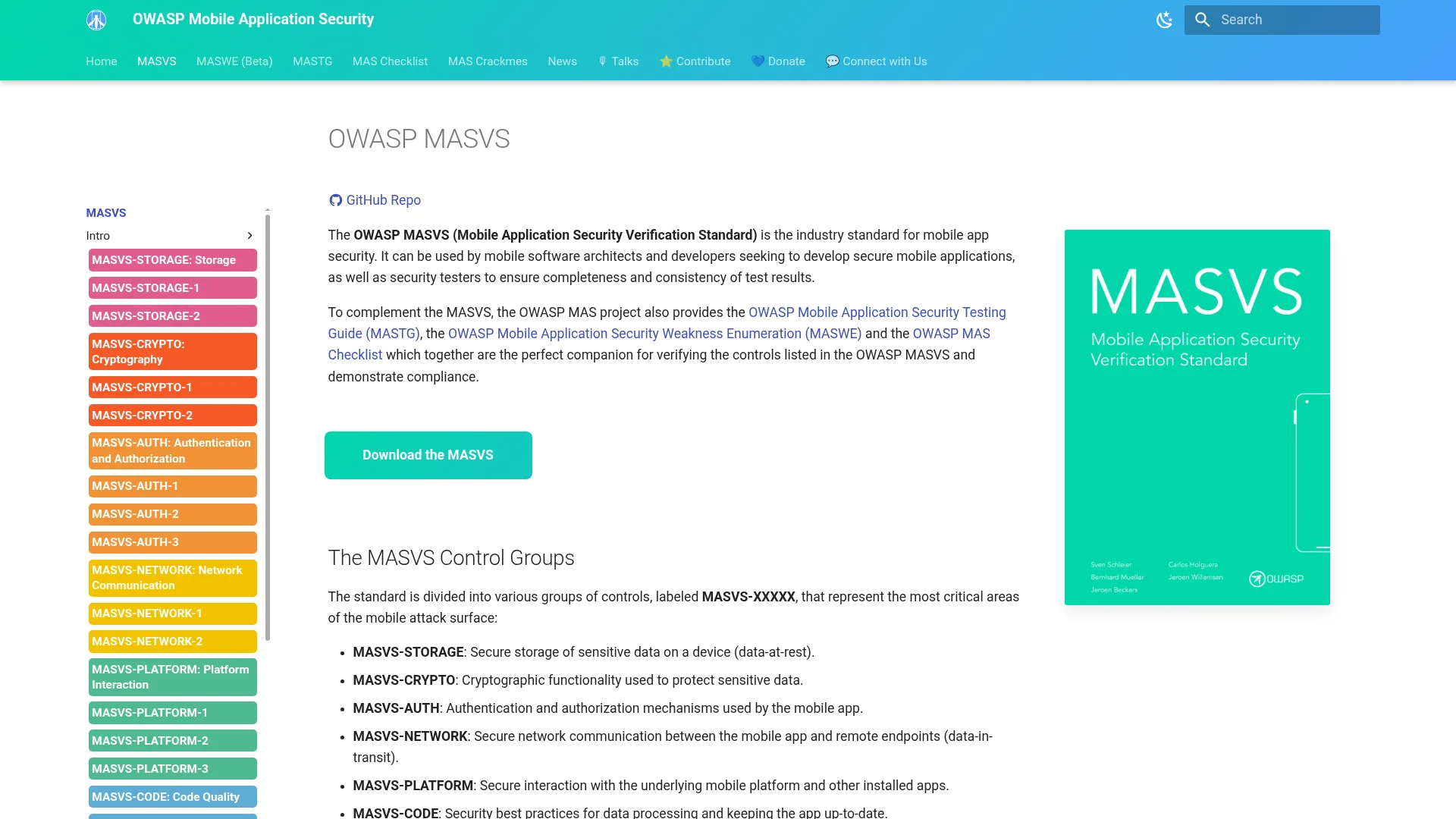
A comprehensive testing strategy uses a multi-layered approach. It begins with automated tools that scan for common vulnerabilities and progresses to in-depth manual testing that uncovers complex business logic flaws. Frameworks like the OWASP Mobile Application Security Verification Standard (MASVS) provide a structured methodology for this.

For automated analysis, tools like MobSF (Mobile Security Framework) can perform static and dynamic analysis on your app package. For deeper, interactive testing of your app and its APIs, security professionals often use Burp Suite Professional or Frida for dynamic instrumentation to manipulate the app's runtime behavior. Google Play also offers automated security scanning for apps submitted to the store, providing a baseline check.

Actionable Tips for Effective Testing

  • Integrate into CI/CD: Automate static application security testing (SAST) tools within your continuous integration pipeline to catch vulnerabilities early. You can learn more about how this fits into best practices for continuous deployment.

  • Combine Automated and Manual Testing: Use automated tools for broad coverage and efficiency, but rely on manual penetration testing to find nuanced, context-specific vulnerabilities that scanners miss.

  • Focus on Key Areas: Thoroughly test authentication, authorization, and session management flows. Pay special attention to API endpoints by sending malformed or malicious inputs to check for improper handling.

  • Analyze Network Traffic: Inspect all data transmitted between the app and its backend servers to ensure no sensitive information is sent unencrypted over the network.

  • Document and Remediate: Maintain a detailed log of all findings. Prioritize them based on risk and track remediation efforts until all critical and high-severity issues are resolved. For a thorough evaluation of your mobile app's defenses, considering top penetration testing services can identify critical vulnerabilities before they are exploited.

10-Point Mobile App Security Comparison

Technique

🔄 Implementation complexity

💡 Resource requirements

⭐ Expected effectiveness

📊 Expected outcomes

Ideal use cases

Secure Code Obfuscation and Code Hardening

Medium to High, build/toolchain integration, debug complexity

Obfuscation tools, CI changes, performance testing, symbol maps

⭐⭐⭐, raises reverse-engineering cost but not foolproof

Protects IP; deters casual tampering; may increase app size/slow runtime

Proprietary algorithms, closed-source mobile apps, DRM-sensitive apps

Certificate Pinning (Public Key Pinning)

Medium, implement pinning + rotation strategy, test environments

Dev effort, monitoring of cert expiry, backup pins, update pipeline

⭐⭐⭐⭐, strong MITM protection when managed correctly

Prevents CA compromise MITM; risk of outage if pins expire/mismanaged

Banking, secure messaging, apps with critical server trust requirements

Secure Local Data Storage and Encryption

Medium, key management and platform integration

Platform keystore/keychain, encryption libs (SQLCipher), hardware support

⭐⭐⭐⭐, protects data at rest effectively with good key management

Prevents data exposure on stolen devices; aids compliance (GDPR/HIPAA)

Apps storing PII, tokens, credentials, health/financial data

Multi-Factor Authentication (MFA) Implementation

Medium, backend, UX flows, recovery paths

MFA services/APIs, biometric integrations, support for recovery

⭐⭐⭐⭐⭐, highly effective at preventing account compromise

Dramatic reduction in unauthorized access; increased UX friction/support load

Enterprise, banking, high-value consumer accounts, admin portals

Secure API Communication and Request Signing

Medium to High, client/server signing, timestamp/nonce handling

TLS, crypto libs, key rotation, server logic, logging/monitoring

⭐⭐⭐⭐, strong protection for API integrity and auth

Ensures confidentiality/integrity in transit; prevents replay and unauthorized requests

Payment APIs, sensitive backend operations, public APIs requiring client auth

Secure Authentication and Session Management

High, token lifecycle, refresh/rotation, distributed session handling

Auth servers (OAuth/JWT), secure token stores, rotation logic

⭐⭐⭐⭐, effective when short tokens + rotation enforced

Limits session hijack, supports auditability; needs secure client storage

SaaS, mobile apps with persistent sessions, apps requiring fine session control

RASP and Integrity Verification

High, runtime monitoring, anti-debug/tamper checks, tuning

RASP SDKs, telemetry, incident response, maintenance

⭐⭐⭐, detects/blocks many runtime attacks but can be bypassed

Real-time attack detection and blocking; potential false positives and perf impact

High-value apps, anti-tamper requirements, apps at risk of runtime manipulation

Secure Input Validation and Output Encoding

Low to Medium, consistent validation across client/server

Validation libraries, encoding helpers, developer training

⭐⭐⭐⭐, very effective at preventing injection flaws when consistent

Prevents SQL/XSS/command injections; improves data quality with minimal perf cost

Apps handling user input, WebViews, backend APIs, content platforms

Secure Dependency Management & 3rd-Party Scanning

Low to Medium, integrate SCA into CI, policy enforcement

SCA tools (Snyk/Dependabot), SBOM, CI pipeline, testing

⭐⭐⭐⭐, effective at catching known vulnerabilities early

Identifies vulnerable deps, automates updates/alerts; may cause false positives

Large projects with many dependencies, teams using CI/CD, regulated environments

Security Testing & Vulnerability Assessment (Pen-Testing)

Medium to High, planning, manual testing expertise, remediation cycles

Skilled testers, automated SAST/DAST tools, time/cost budget

⭐⭐⭐⭐, finds real issues pre-deployment; point-in-time limitation

Uncovers vulnerabilities with remediation guidance; improves security posture

Pre-release audits, compliance checks, high-risk or high-value applications

Building a Secure Future for Your Mobile App

Navigating the landscape of mobile application development in November 2025 requires more than just a brilliant idea and a sleek user interface. It demands a foundational commitment to security. Throughout this guide, we have explored ten critical mobile app security best practices, moving from theory to practical, actionable implementation. We've seen how a defense-in-depth strategy is not a single tool but a comprehensive mindset that must be woven into every stage of your development lifecycle.

The journey from initial concept to a secure, market-ready application is complex. We covered the necessity of obscuring your code, making it a difficult target for reverse engineering. We delved into the non-negotiable practice of certificate pinning to prevent man-in-the-middle attacks and ensure your app communicates only with trusted servers. These proactive measures form your first line of defense.

Furthermore, we highlighted the importance of protecting user data where it is most vulnerable: on the device itself. By implementing robust local data encryption and secure storage mechanisms, you build a crucial layer of trust with your users. This trust is reinforced by strong authentication, moving beyond simple passwords to embrace Multi-Factor Authentication (MFA) and secure session management, protecting user accounts even if credentials are compromised.

Turning Best Practices into Standard Practice

True security excellence comes from making these advanced practices a standard part of your workflow. This means not only securing your API communications with signed requests but also rigorously validating all inputs and encoding all outputs to neutralize threats like injection attacks. It involves a proactive approach to your supply chain, where you continuously scan dependencies for known vulnerabilities and ensure your build process is secure from end to end.

Integrating Runtime Application Self-Protection (RASP) moves your security from a static state to a dynamic one, allowing your application to actively defend itself against real-time threats. This continuous vigilance is complemented by a robust testing schedule that includes regular penetration testing and vulnerability assessments. These tests are not a final checkbox; they are an essential feedback loop that uncovers weaknesses before malicious actors can exploit them.

Ultimately, mastering these mobile app security best practices is about shifting from a reactive posture to a proactive one. It’s about building security into the core of your application’s architecture, not bolting it on as an afterthought. This approach not only protects your users' sensitive information and preserves your brand's reputation but also creates a more resilient, reliable, and trustworthy product. In a crowded digital marketplace, security is a powerful competitive differentiator.

By adopting this security-first philosophy, you are not just mitigating risks; you are building a sustainable foundation for future growth. You are creating an application that users can confidently integrate into their lives, knowing their data and privacy are respected and protected by design. This commitment to security is the cornerstone of building a lasting relationship with your audience and ensuring the long-term success of your mobile application.

Ready to build a mobile app with security at its core, without getting bogged down in complex configurations? CatDoes accelerates your development by generating production-ready React Native applications with a secure backend already integrated, letting you focus on innovation. Build on a foundation of best practices and launch your secure app faster by visiting CatDoes today.

Writer

Nafis Amiri

Co-Founder of CatDoes