Blog
Insights
10 Proven Strategies for Improving Developer Productivity in 2026
Discover 10 actionable strategies for improving developer productivity. Explore AI-powered tools, automation, and modern workflows to ship better apps faster.

Nafis Amiri
Co-Founder of CatDoes
In 2026, the demand for high-quality software is accelerating faster than ever, placing immense pressure on teams to innovate and deliver continuously. True progress in improving developer productivity isn't found in simply typing code faster. It is a strategic imperative centered on creating an environment where developers can focus on what they do best: solving complex business problems. This means systematically removing friction from the development lifecycle through smarter workflows, powerful automation, and intelligent tooling.
The goal is to empower developers, liberating them from the constraints of repetitive tasks, manual deployment processes, and complex infrastructure management. By adopting modern practices, you can significantly reduce cognitive load and administrative overhead, allowing creativity and high-impact work to flourish. Ultimately, individual developer productivity contributes to the larger goal of understanding how to improve team productivity by identifying and removing systemic friction.
This guide moves beyond generic advice to provide a prioritized, actionable collection of strategies that deliver measurable results. We will explore 10 powerful methods, from leveraging AI-assisted development and establishing automated CI/CD pipelines to implementing component-based architectures. Each item is designed to give you a clear path toward building better software more efficiently, providing a significant competitive edge in a demanding market.
1. Low-Code/No-Code Development Platforms
Low-code and no-code platforms are transforming the software development lifecycle by enabling rapid application creation through visual interfaces, drag-and-drop components, and pre-built templates. This approach abstracts away complex backend infrastructure and boilerplate code, allowing teams to focus directly on business logic and user experience. By minimizing manual coding, these tools democratize development and are a key strategy for improving developer productivity.
This method is particularly effective for building Minimum Viable Products (MVPs), internal tools, and straightforward customer-facing applications. For example, a startup can use a platform like Bubble to launch a web app in weeks instead of months. Similarly, a marketing team could use Zapier or Airtable to automate complex workflows without writing a single line of code, freeing up engineering resources for core product development.
Actionable Implementation Strategy
To effectively integrate low-code platforms, it is crucial to start with a well-defined scope. These tools excel when the project's requirements are clear and can be mapped to the platform's existing capabilities.
Define a Clear MVP: Begin by outlining the core features essential for your initial launch. This focus prevents scope creep and maximizes the platform's strengths in rapid iteration.
Leverage AI-Assisted Features: Modern platforms like CatDoes incorporate AI agents that can handle requirements gathering and generate initial designs. Using these features accelerates the process from idea to functional prototype.
Integrate with Existing Workflows: Ensure the chosen platform integrates with essential tools like GitHub. This maintains version control, facilitates team collaboration, and allows for custom code extensions when necessary.
Prioritize Rapid Prototyping: Use live preview features to get immediate feedback on UI/UX changes. This iterative process ensures the final product aligns with user expectations without lengthy development cycles.
By adopting these platforms, organizations can significantly reduce time-to-market and empower both technical and non-technical team members to build valuable solutions. For a detailed comparison of available tools, you can explore some of the best low-code platforms currently on the market.
2. AI-Powered Code Generation and Intelligent Agents
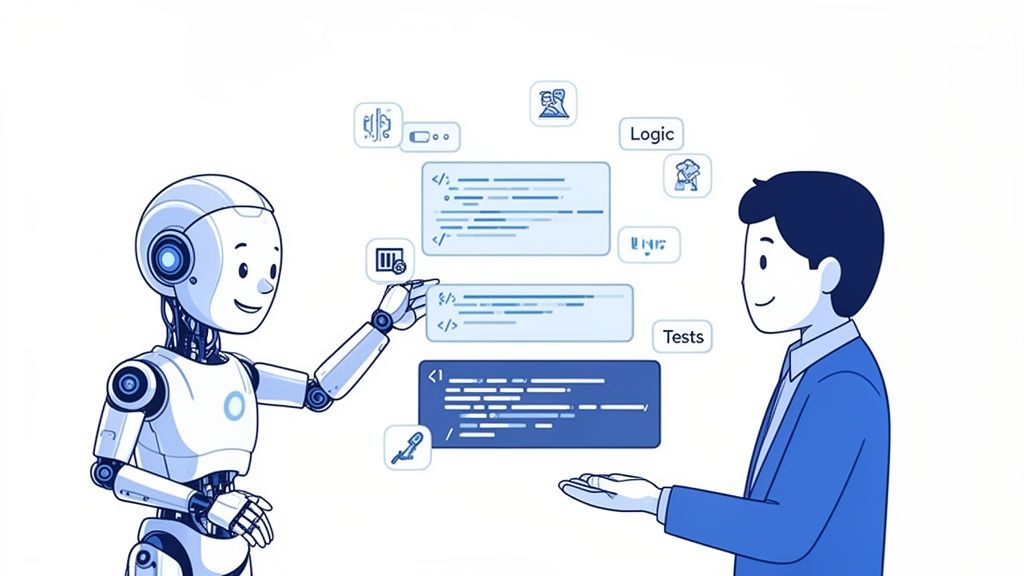
AI-powered code generation and intelligent agent systems are fundamentally reshaping the software development landscape. These tools interpret natural language requirements to automatically generate production-ready code, moving beyond simple autocompletion to handle complex logic. Multi-agent systems can divide and conquer specialized tasks like requirements analysis, UI/UX design, and deployment, enabling parallel workflows and dramatically improving developer productivity by reducing manual coding and administrative overhead.
This paradigm shift allows development to become a more conversational and iterative process. For instance, a developer can use GitHub Copilot for real-time, context-aware code suggestions within their IDE. For more comprehensive tasks, a system like the one from CatDoes can orchestrate multiple AI agents to build an entire application from a simple prompt, managing everything from initial design to final deployment. This frees up human developers to focus on high-level architecture and unique business challenges.
Actionable Implementation Strategy
To effectively leverage AI agents, teams must transition from writing code to writing high-quality prompts and requirements. The output quality of AI is directly proportional to the clarity and detail of the input it receives.
Provide Detailed Requirements: Treat AI prompts like a formal specification. Clearly define user stories, data models, and desired functionality to guide the AI toward generating accurate and robust code.
Use AI for Routine Tasks: Delegate boilerplate code, unit test generation, and documentation to AI agents. This allows your development team to concentrate its expertise on complex problem-solving and innovation.
Iterate Through Conversation: Engage with AI agents in a feedback loop. Refine prompts based on the generated output, treating the AI as a collaborative partner to quickly converge on the desired solution.
Trust Specialization: In a multi-agent system, rely on specialized agents for their designated roles. Let the Requirements agent ensure complete specifications and allow the Designer agent to enforce a consistent UI/UX system across the application.
By integrating these intelligent tools, organizations can accelerate development cycles, enhance code quality, and empower developers to build more sophisticated applications faster.
3. Live Preview and Real-Time Testing Environments
Live preview and real-time testing environments are pivotal in modern development, drastically shrinking the feedback loop between coding and validation. This approach allows developers to see their application changes instantly as they code, rather than waiting for slow build processes. This immediate visual confirmation is a core strategy for improving developer productivity, as it accelerates iteration and simplifies debugging.
This method is particularly effective for UI/UX development, where visual accuracy is paramount. For example, frameworks like Flutter with its "hot reload" feature or React Native's Expo allow developers to update the UI in a running application almost instantly. Newer platforms like CatDoes extend this by providing not just a browser preview but also seamless testing on physical devices through QR code scanning, ensuring changes look and perform as expected in a real-world context.

Actionable Implementation Strategy
To effectively leverage live previews, teams should integrate these tools directly into their daily workflow. The goal is to make the process from code change to visual feedback as seamless and instantaneous as possible.
Prioritize Real-Device Testing: Use QR code scanning features to test on actual iOS and Android devices, not just simulators. This uncovers device-specific issues early in the development cycle.
Combine with User Feedback: Conduct user feedback sessions using live preview builds. This allows for rapid iteration based on direct input, ensuring the product aligns with user needs before a formal release.
Leverage Browser Previews for Speed: Use instant browser previews for quick UI and layout adjustments. Reserve more time-intensive device testing for validating functionality and native-feel interactions.
Test Across Screen Variations: Actively use live preview to test changes across different screen sizes and orientations in real-time. This helps build responsive designs from the start.
By adopting these real-time tools, development teams can catch bugs faster, refine user interfaces more efficiently, and ultimately deliver higher-quality products in less time.
4. Automated Build and Release Pipelines
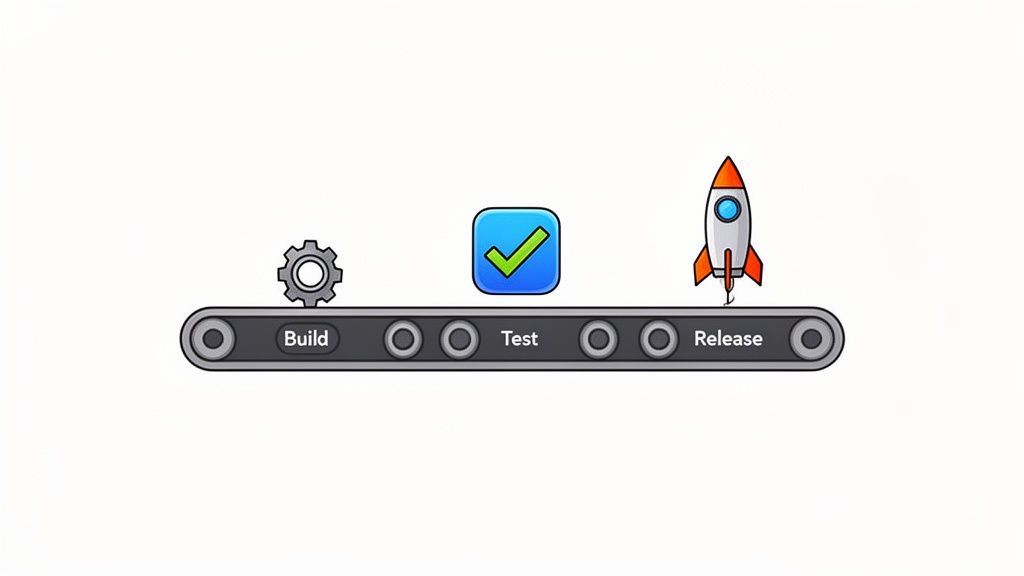
Automated build and release pipelines are the backbone of modern software delivery, eliminating manual steps in preparing applications for deployment. By automating code compilation, testing, version management, and store submission, teams can release updates multiple times a day without human intervention. This continuous integration and continuous deployment (CI/CD) approach is a cornerstone for improving developer productivity by reducing errors and accelerating feature delivery.
This method is crucial for teams that need to ship features quickly and reliably. For instance, a mobile app team can use a tool like Fastlane to automate the entire App Store submission process, from capturing screenshots to uploading the final build. Similarly, a web development team can use GitHub Actions or CircleCI to automatically deploy every merged pull request to a staging environment, ensuring new code is always tested in a production-like setting.
Actionable Implementation Strategy
To implement a successful automated pipeline, focus on creating a repeatable, reliable, and transparent process. The goal is to build trust in the automation so that developers can merge code with confidence. To further streamline your development process, considering how these approaches apply to your automated build and release pipelines can be highly beneficial, as detailed in this guide on Agile and DevOps methodologies.
Implement Automated Testing: Integrate unit, integration, and end-to-end tests into every stage of the pipeline. A green build should signify that the code is stable and ready for the next step.
Use Separate Environments: Establish distinct staging and production environments. This allows for thorough testing and validation of features before they are exposed to end-users.
Leverage AI-Powered Automation: Tools like the CatDoes automated build agent can simplify pipeline configuration. These agents can manage complex build settings and deployment credentials, reducing setup time.
Establish Rollback Procedures: Plan for failures by creating a clear and automated rollback process. This ensures that if a bug makes it to production, you can quickly revert to a stable version with minimal impact.
By adopting robust automation, teams can shift their focus from tedious deployment tasks to innovation and value creation. For a deeper dive, explore these continuous deployment best practices.
5. Integrated Backend and Cloud Infrastructure Management
Integrated backend platforms and cloud infrastructure management eliminate the complexity of configuring servers, databases, and authentication separately. By providing built-in solutions for auth, data storage, and serverless functions, these platforms handle the heavy lifting of infrastructure. This abstraction frees developers from tedious backend setup and ongoing maintenance, allowing them to focus entirely on building core application features and improving developer productivity.
This approach is highly effective for teams that need to ship products quickly without a dedicated infrastructure engineer. For example, a developer using a service like Supabase or Firebase can set up a full backend with a real-time database and user authentication in hours instead of weeks. Platforms like Vercel and AWS Amplify take this further by integrating frontend deployment with backend services, creating a seamless, unified development workflow. Modern tools like CatDoes Cloud use AI to make this even simpler, enabling users to configure sophisticated backends using conversational commands.
Actionable Implementation Strategy
To leverage integrated backend platforms effectively, focus on aligning your application architecture with the platform's strengths from the outset. This ensures you can maximize speed without sacrificing scalability or security.
Design Your Data Schema Early: Before writing any code, map out your data models and relationships. A well-designed schema is crucial for optimizing database performance and preventing costly refactoring down the line.
Leverage AI for Configuration: Use platforms that offer AI agents to automate the setup of authentication, databases, and file storage. This conversational approach reduces human error and accelerates the initial configuration process.
Use Edge Functions for Latency-Sensitive Logic: Place time-sensitive business logic, like payment processing or real-time data validation, in edge functions. Running code closer to the user minimizes latency and improves the overall user experience.
Implement Proper Security Rules: From day one, configure robust security rules for your database and file storage. Define who can read, write, and update data to protect user information and prevent unauthorized access.
6. Component-Based Architecture and Reusable Design Systems
Component-based architecture and design systems are foundational for scaling development and improving developer productivity. This approach involves building applications from a library of isolated, reusable UI components instead of monolithic pages. A design system provides the standards, components, and guidelines that ensure consistency across all products, dramatically reducing duplicate work and accelerating development cycles.
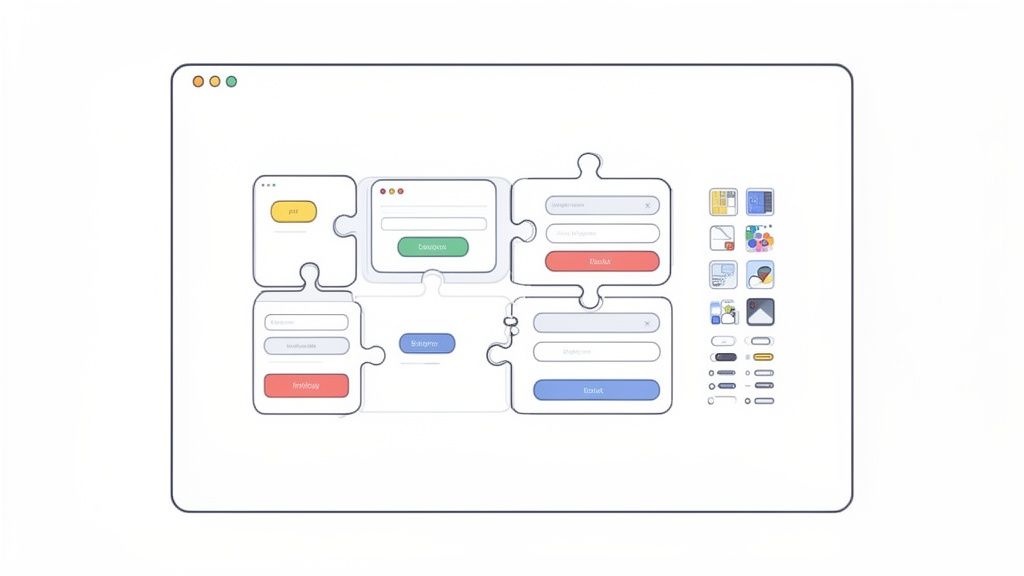
This methodology is highly effective for large-scale applications where brand and user experience consistency are critical. For instance, Google's Material Design and Apple's Human Interface Guidelines enable thousands of developers to build applications that feel cohesive and familiar. By defining UI elements like buttons and forms once, teams can reuse them everywhere, ensuring that updates are propagated globally from a single source of truth. This prevents UI fragmentation and allows developers to assemble new features quickly and reliably.
Actionable Implementation Strategy
Adopting a component-based approach requires a strategic shift from page-level thinking to a modular mindset. The key is to establish a shared library of components that serves as the single source of truth for the entire team.
Establish a Core Component Library: Start by identifying and building the most common UI elements in your application, such as buttons, inputs, and modals. Use tools like Storybook to develop and document these components in isolation.
Use Design Tokens: Standardize visual properties like colors, typography, and spacing using design tokens. This makes global style changes simple and ensures brand consistency across all components and platforms.
Leverage AI for Consistency: Implement AI-powered tools to enforce design system rules. For example, a designer agent can automatically apply the correct styles and components based on a wireframe, eliminating manual implementation errors.
Document and Govern Usage: Create clear documentation for each component, explaining its purpose, variations, and best practices. Establish a governance process for introducing new components or modifying existing ones to maintain system integrity.
7. Version Control and GitHub Integration
Effective version control is the backbone of modern software development, providing a systematic approach to managing code changes. By using a distributed version control system like Git and a platform like GitHub, teams can track modifications, collaborate on features simultaneously, and safely revert to previous states if something goes wrong. This process is fundamental to improving developer productivity by preventing code conflicts and maintaining a clear project history.
Integrating version control directly with development platforms streamlines the entire workflow. For instance, a platform with built-in GitHub integration allows developers to sync their work automatically with a central repository. This combination brings the reliability of traditional source code management into the rapid development environment of modern tools, ensuring that even fast-paced projects maintain code quality and a single source of truth. This approach is essential for any team, from startups managing an MVP to large enterprises coordinating complex software releases.
Actionable Implementation Strategy
To maximize the benefits of version control, it is essential to establish clear team-wide practices. A well-defined strategy prevents confusion and ensures that the codebase remains organized and maintainable.
Establish a Branching Strategy: Adopt a clear model like Git Flow for structured releases or Trunk-Based Development for continuous integration. This ensures that new features, bug fixes, and experiments are managed in isolated branches without disrupting the main codebase.
Use Conventional Commits: Enforce a standardized commit message format. This practice creates an explicit and easily readable commit history, which simplifies code reviews and automates the generation of release notes.
Automate CI/CD Pipelines: Configure pull request workflows to automatically run tests, linting, and security scans. Tools like GitHub Actions or GitLab CI/CD can provide immediate feedback, catching bugs early and maintaining code quality.
Set Up Branch Protection Rules: Protect critical branches like
mainordevelopby requiring status checks to pass and mandating code reviews before merging. This safeguard prevents broken code from being integrated into the primary codebase.
By implementing these strategies, teams can create a robust and efficient development cycle, significantly boosting collaboration and reducing the time spent on manual code management and debugging.
8. Rapid Prototyping and Iterative Development Cycles
Rapid prototyping and iterative development cycles enable teams to build, test, and learn in short, focused sprints. This methodology shifts the focus from building a perfect, feature-complete product over many months to launching a core version quickly and refining it based on real-world feedback. This approach minimizes wasted effort on features that users do not want, directly improving developer productivity by ensuring their work aligns with market needs.
This strategy is foundational to the Lean Startup methodology and is highly effective for validating business ideas with minimal initial investment. For example, early versions of platforms like Instagram and Airbnb were simple prototypes designed to test a single core assumption. By releasing a Minimum Viable Product (MVP), they gathered user data that guided their development priorities, preventing months of work on unproven concepts and allowing their engineering teams to focus on validated features.
Actionable Implementation Strategy
To implement this approach effectively, the key is to create tight feedback loops that connect development directly to user validation. This ensures that every cycle produces measurable insights.
Define a Strict MVP Scope: Focus on the single most important problem your product solves. A tightly defined scope is essential for rapid development and clear hypothesis testing.
Release Early and Often: Prioritize getting a functional version of your product into the hands of real users as quickly as possible. This initial feedback is more valuable than internal speculation.
Use Feature Flags for Controlled Rollouts: Test new functionality with small user segments before a full release. This minimizes risk and allows you to gather performance data and feedback in a controlled environment.
Establish Regular User Feedback Sessions: Schedule consistent interviews or surveys with early adopters. Direct conversations provide qualitative insights that analytics alone cannot capture, helping your team understand the "why" behind user behavior.
By adopting this iterative model, teams can de-risk product development and ensure engineering resources are consistently applied to building what users truly need. You can learn more about how this works by exploring the principles of rapid application development and how they drive efficiency.
9. Comprehensive Documentation and Knowledge Management
Comprehensive documentation and a well-organized knowledge management system are foundational to scaling development efforts and reducing friction within engineering teams. Clear, accessible documentation empowers developers to find answers independently, drastically cutting down on interruptions and time spent waiting for help. This practice is a cornerstone of improving developer productivity, as it transforms tribal knowledge into a shared, reliable resource.
This approach is highly effective for reducing onboarding time for new hires, clarifying complex system architectures, and ensuring consistency across a team. For example, Stripe’s API documentation is widely regarded as an industry benchmark because its clarity and interactive examples allow developers to integrate payment systems with minimal friction. Similarly, the extensive guides and tutorials in the React documentation enable developers of all skill levels to build powerful user interfaces without constant reliance on senior team members.
Actionable Implementation Strategy
To build an effective documentation culture, it is vital to treat documentation as a core part of the development process, not an afterthought. A strategic approach ensures the knowledge base remains relevant and useful.
Establish Clear Documentation Standards: Create and enforce templates for different types of documentation, such as API references, feature guides, and architectural diagrams. This consistency makes information easier to find and consume.
Integrate Documentation into Workflows: Make documentation updates a required step in your CI/CD pipeline or pull request process. Tools can be configured to check for documentation changes alongside code changes, ensuring it never becomes outdated.
Use Diverse Formats: Supplement written guides with other media. Create video walkthroughs for complex setups or processes, and use diagrams to illustrate system flows. This caters to different learning styles and clarifies intricate concepts.
Promote Self-Service and Contribution: Encourage a culture where developers first consult the knowledge base (like a team Notion or Confluence space) before asking questions. Empower team members to contribute corrections and additions to keep the documentation accurate and community-driven.
By investing in high-quality documentation, organizations create a scalable and efficient environment where developers are empowered to solve problems quickly and autonomously. This directly translates to higher output and more time spent on innovation.
10. Performance Optimization and User Experience Monitoring
Continuously monitoring application performance and optimizing for user experience ensures software remains fast, responsive, and reliable as it scales. This proactive approach involves tracking key metrics like load times, server response, and crashes to identify and fix bottlenecks before they impact users. By integrating performance monitoring into the development workflow, teams can shift from a reactive to a preventative mindset, a crucial step for improving developer productivity.
This strategy is vital for maintaining user satisfaction and retention. For instance, an e-commerce platform using a tool like Datadog can correlate a sudden drop in sales with a spike in API latency, allowing developers to quickly resolve the issue. Similarly, a mobile app team using Sentry for error tracking can identify a memory leak affecting a specific device model, preventing widespread negative reviews and user churn. This focus on performance frees up developers from constant firefighting.
Actionable Implementation Strategy
To effectively integrate performance monitoring, it's essential to establish clear benchmarks and use real user data to guide optimization efforts. This ensures that development work directly addresses actual user pain points rather than perceived issues.
Set Performance Budgets: Define strict thresholds for key metrics like Google's Core Web Vitals (LCP, FID, CLS) or application start-up time. Automate alerts within your CI/CD pipeline to prevent regressions from being deployed.
Implement Real User Monitoring (RUM): Use tools like New Relic to capture performance data from actual user sessions. This provides invaluable insight into how the application behaves on different devices, networks, and geographic locations.
Prioritize High-Impact Optimizations: Analyze monitoring data to identify the most common or severe issues. Focus engineering efforts on optimizations like code splitting, image compression, and efficient data fetching that will deliver the greatest benefit to the user base.
Profile on Low-End Devices: Regularly test and profile your application on less powerful hardware and slower network connections. This practice helps ensure an equitable and smooth experience for all users, not just those with high-end equipment.
By embedding performance monitoring into the development lifecycle, teams can build more resilient, high-quality software while significantly reducing the time spent on reactive bug fixes and support tickets.
10-Point Developer Productivity Comparison
Approach | 🔄 Implementation complexity | ⚡ Resource requirements | 📊 Expected outcomes | 💡 Ideal use cases | ⭐ Key advantages |
|---|---|---|---|---|---|
Low-Code/No-Code Development Platforms | Low, visual, minimal coding | Low, platform subscription, little dev time | Rapid MVPs; shorter time-to-market | Startups, internal tools, rapid prototyping | Accessibility; fast iteration; lower operational cost |
AI-Powered Code Generation & Intelligent Agents | Medium, tooling, prompts, agent orchestration | Medium, AI compute, model tuning, human review | Faster feature delivery; less boilerplate | Accelerating developers; non-dev product owners | Productivity boost; conversational iteration; error reduction |
Live Preview & Real-Time Testing Environments | Low–Medium, integration and networking | Low, devices, network, minimal infra | Immediate feedback; fewer UI/UX bugs | Designer–developer collaboration; QA | Instant validation; faster debugging; cross-device checks |
Automated Build & Release Pipelines | Medium–High, CI/CD setup and policies | Medium, CI runners, test infra, config | Frequent reliable releases; reduced manual ops | Production apps needing regular releases | Consistent builds; reduced human error; faster deployments |
Integrated Backend & Cloud Infrastructure Management | Low–Medium, platform-configured infra | Medium, managed cloud costs, service limits | Production-ready backends quickly | Startups, non-technical teams, full-stack without DevOps | Managed scaling; unified stack; faster backend setup |
Component-Based Architecture & Reusable Design Systems | Medium, upfront design and governance | Low, initial design/dev investment; maintenance | Consistent UI; faster feature development | Multi-product teams; brand-consistent apps | Reusability; maintainability; faster onboarding |
Version Control & GitHub Integration | Medium, Git workflow adoption | Low, repo hosting, developer knowledge | Safe collaboration; traceable history | Distributed teams; code review workflows | Collaboration, rollback, CI integration, audit trail |
Rapid Prototyping & Iterative Development Cycles | Low–Medium, discipline in scope and feedback | Low, minimal viable resources, user testing | Validated ideas; reduced market risk | Startups, product discovery, early validation | Fast validation; user-aligned product decisions |
Comprehensive Documentation & Knowledge Management | Medium, continuous authoring and upkeep | Medium, time and tooling to create content | Faster onboarding; reduced support load | Growing teams; platforms with many users | Self-service support; knowledge preservation; fewer single points of failure |
Performance Optimization & UX Monitoring | Medium–High, tooling, instrumentation, analysis | Medium, monitoring costs, engineering effort | Improved stability, retention, and performance | Production apps; performance-sensitive products | Proactive issue detection; data-driven optimizations; better UX |
Start Building Smarter, Not Harder
Embarking on the path to improving developer productivity is not a one-time fix; it is a strategic commitment to building a more efficient, innovative, and resilient development ecosystem. Throughout this guide, we have explored a powerful collection of strategies designed to dismantle common bottlenecks and amplify your team's creative potential. The goal is simple: empower developers to focus their energy on what truly matters, which is solving complex problems and delivering exceptional value to your users.
This journey is about more than just adopting new tools. It is about fundamentally rethinking your workflow. By embracing low-code platforms and AI-powered agents like CatDoes, you are not replacing developers but augmenting their skills, allowing them to build and iterate at a pace previously unimaginable. Similarly, integrating automated build pipelines and real-time testing environments transforms the development cycle from a series of disjointed, manual steps into a seamless, high-velocity conveyor belt of innovation.
The Core Philosophy: A Synthesis of Speed and Quality
The common thread connecting all these strategies is the relentless pursuit of efficiency without compromising quality. The modern development landscape demands both speed and stability, and achieving this balance is the hallmark of a high-performing team.
Eliminate Friction: The most significant gains in improving developer productivity come from removing the small, daily frustrations. This includes automating repetitive tasks, streamlining code reviews with integrated version control, and providing instant feedback through live previews.
Shorten Feedback Loops: Rapid prototyping and iterative cycles are critical. The faster you can get a functional idea into the hands of stakeholders or users, the faster you can gather feedback and course-correct. This agility prevents wasted effort on features that miss the mark.
Foster a Culture of Reusability: Component-based architectures and well-maintained design systems are force multipliers. Every reusable component your team creates is a building block that saves countless hours on future projects, ensuring both consistency and speed.
Your Actionable Blueprint for Transformation
Reading about these concepts is the first step, but true progress comes from implementation. The sheer number of options can feel overwhelming, so it is crucial to approach this as an iterative process. You do not need to overhaul your entire workflow overnight. Instead, focus on making targeted, high-impact changes.
Start by having an honest conversation with your development team. Identify the single biggest source of frustration or delay in your current process. Is it the time spent waiting for builds to complete? The manual effort of deploying to a staging environment? Or perhaps the challenge of maintaining a consistent UI across different parts of your application?
Once you have identified your primary bottleneck, choose one strategy from this article that directly addresses it. For instance, if deployment is your biggest pain point, begin by architecting a simple, automated CI/CD pipeline. If front-end development is slowing you down, explore how a component library or a low-code platform could accelerate the process. Measure the impact of that one change. This small win will build momentum and provide the business case for adopting further improvements. Mastering the art of improving developer productivity is about creating a virtuous cycle of continuous refinement, where each enhancement frees up more time for innovation.
Ready to see how an AI-powered, low-code platform can supercharge your development workflow? CatDoes integrates many of the principles discussed here, from component-based design to automated backend management, helping you build and launch sophisticated applications faster than ever. Start your journey toward unprecedented productivity and bring your ideas to life today by visiting CatDoes.
Nafis Amiri
Co-Founder of CatDoes


