Blog
Tutorials
How to Make an App From Scratch (2026 Guide)
Learn how to make an app from scratch with this complete guide. Discover modern strategies from validating your idea to launching a successful app.

Nafis Amiri
Co-Founder of CatDoes
Learning how to make an app from scratch comes down to a clear, repeatable path: validate your idea, pick a development approach (traditional code or an AI-native platform), design the user experience, then build, test, and ship it. But the most important step happens long before you write a single line of code, which is making sure your concept actually solves a real problem for a specific group of people.
TL;DR: To make an app from scratch, follow five steps: (1) validate your idea against a real problem and define an MVP, (2) choose a build path (traditional coding vs. an AI-native platform), (3) design the experience with wireframes, (4) build it feature by feature, and (5) test on real devices before submitting to the App Store and Google Play. AI-native platforms like CatDoes compress what once took 4-12 months and cost $25,000+ into days at a low monthly subscription.
Table of Contents
Validating Your App Idea Before You Build
Choosing Your Development Path: Code vs. AI
Designing an Experience Users Will Love
Turning Your Idea Into a Working App
Testing Your App for a Flawless Launch
Common Questions About Building an App
Validating Your App Idea Before You Build
Every truly great app starts as a solution to a problem. Before you get lost in the excitement of development, your first job is to confirm that the problem you see is real and that people are actively looking for a better way to handle it. A brilliant idea is only valuable if it serves a genuine need.
Skipping this validation step is one of the most common and costly mistakes you can make. It's how you end up with a technically perfect app that no one actually uses. The goal here is to move from a vague concept to a concrete plan backed by solid evidence.
Finding Your Niche Through Research

First things first, you need to get a crystal clear picture of the market you’re walking into. This is more than just a quick Google search; you need to become an expert on what’s already out there and, more importantly, where those solutions fall short.
Start by downloading your direct competitors' apps. Go through their user reviews and pay close attention to both the praise and the complaints. The negative reviews are often a goldmine, pointing you directly to missing features or frustrating experiences you can capitalize on.
A crowded market shouldn't scare you off. In fact, it's proof that there's demand. Your opportunity isn't necessarily in being the first, but in being better, more focused, or solving a specific pain point that bigger competitors have overlooked.
This research helps you carve out a specific niche. For example, instead of another generic "to-do list" app, you might discover a gap in the market for a to-do list built specifically for freelance project managers that integrates with their billing software. A targeted approach like this has a much better shot at gaining traction.
Know Your User Inside and Out
Once you have a feel for the market, you have to get inside the head of your target user. Creating a user persona is a simple but incredibly powerful way to do this. A user persona is just a fictional character who represents your ideal customer, complete with a name, a job, goals, and frustrations.
For that freelancer to-do app, your persona might be "Alex, a 32-year-old graphic designer who struggles to track billable hours across multiple small projects." From now on, every feature idea should be filtered through Alex's eyes. Would this help Alex save time? Would it reduce their stress? For a deeper dive, check out our guide on how to validate a business idea.
This process is critical. The global mobile app market is a fiercely competitive space, currently valued between $750 billion and $800 billion. With nearly 4.7 billion smartphone users worldwide, people’s expectations for quality are sky-high. In this environment, user experience isn't just a feature. It's the single biggest factor that will determine your app's success. You can find more stats about the mobile app development market on raascloud.io.
Defining Your Minimum Viable Product

With a validated problem and a clear user persona in hand, the last step in this phase is to define your Minimum Viable Product (MVP). Your MVP is the most stripped down version of your app that solves the core problem for your target user and absolutely nothing more.
Resist the temptation to cram in dozens of features. For our freelancer, Alex, the MVP might only include:
Creating a new project.
Adding tasks with time estimates.
A simple timer to track hours.
Exporting a basic time report.
This tight focus prevents you from wasting time and money on features users might not even want. It gets you to launch faster, lets you gather real world feedback, and helps you make much smarter decisions about what to build next. Modern AI native platforms like CatDoes can dramatically speed this up, helping you turn these core requirements into a structured plan using simple, natural language. The same discipline applies to client work, which we cover in how to make money building websites.
Choosing Your Development Path: Code vs. AI
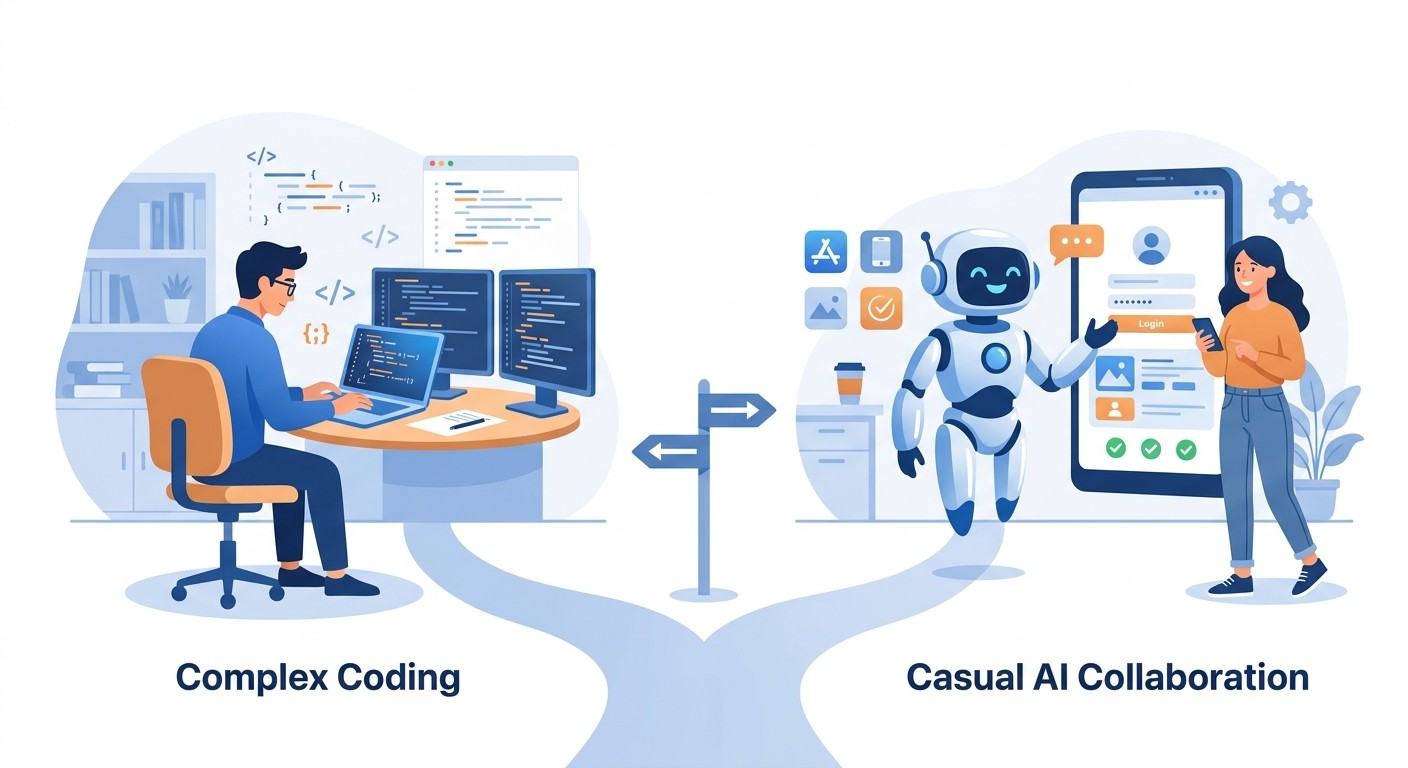
Okay, your app idea is solid. Now you’ve hit the first major fork in the road: how are you actually going to build this thing? This decision is a big one, and it shapes everything that comes next, including your budget, your timeline, and even your chances of long term success.
Today, you really have two main roads you can take. There's the traditional route of writing custom code from scratch, or you can go with the modern approach and use an AI native platform.
Each path comes with its own set of very real trade-offs. The old school way means hiring a development agency, finding freelance developers, or buckling down for months to learn Swift or Kotlin yourself. It gives you total control, but that control often comes with a huge price tag and a much, much longer wait to get to launch day.
Then you have AI native platforms, which are built to do the heavy lifting for you. Instead of writing code line by line, you just describe what you want in plain English, and specialized AI agents build it. This completely changes the game, knocking down the technical barriers and speeding up the whole process from a napkin sketch to a finished app.
Comparing Costs and Timelines
Your budget and how fast you need to get to market are usually the biggest factors here. Let’s be blunt: a custom-coded app built by an agency can easily run you anywhere from $25,000 to over $250,000. And that's just for the first version, which can take anywhere from four to twelve months to build.
This is where the difference between the two paths becomes crystal clear. AI-driven development swaps that massive upfront investment for a predictable, low cost subscription. It makes app creation a real possibility for a much wider range of founders and businesses. You can get your Minimum Viable Product (MVP) launched in days or weeks, not half a year. The financial risk is tiny in comparison, letting you test your idea with real users without betting the farm. That shift is what makes a business app realistic now, as we show in how to make an app for my business.
Once you've confirmed your idea solves a real problem, the next logical step is to build. This simple decision tree shows just that.
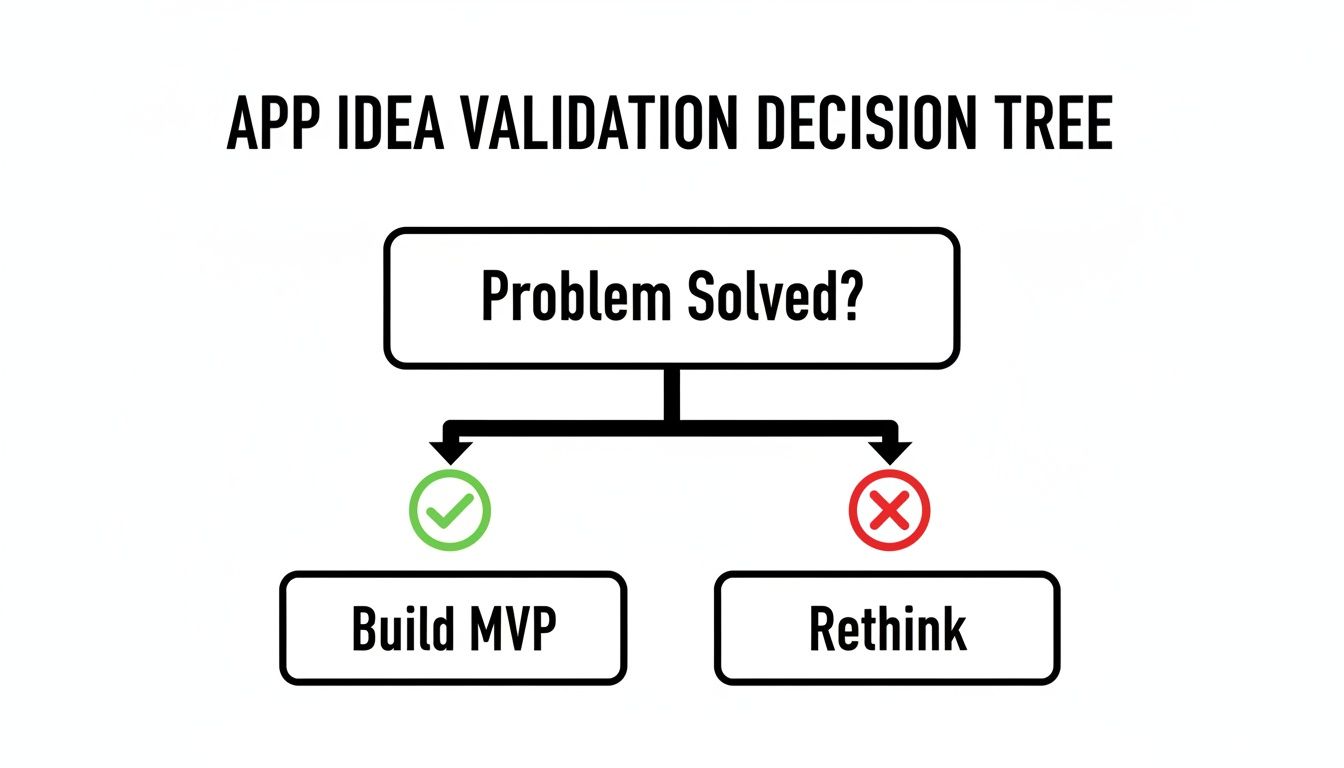
The moment of validation is what makes your choice of development path so critical. You need to be ready to move fast.
To give you a clearer picture, here’s a quick comparison of the two main approaches.
App Development Approaches Compared
Factor | Traditional Coding (Hiring an Agency/Freelancer) | AI-Native Platforms (e.g., CatDoes) |
|---|---|---|
Initial Cost | $25,000 - $250,000+ | Low monthly subscription |
Timeline | 4-12+ months for an MVP | Days to weeks for an MVP |
Required Skills | Expert knowledge of coding, UI/UX, and backend management | A clear idea and the ability to describe it in plain English |
Maintenance | Ongoing developer costs for every bug fix and update | Handled by the platform; updates are made with simple instructions |
Flexibility | High, but changes are slow and expensive | Extremely high; iterate and pivot quickly based on feedback |
This table isn't just about numbers; it’s about risk. The traditional path forces a huge bet upfront, while the AI native path lets you learn, adapt, and grow your app with minimal financial exposure.
Skill Requirements and Long-Term Maintenance
Think beyond just getting the app built. What happens after launch? With traditional development, you need a team with skills in frontend, backend, and database management. Every time you find a bug, want to add a feature, or need to update for a new iOS version, you're paying for more developer hours. It’s an ongoing operational cost that never really goes away.
An AI native platform, on the other hand, hides all that complexity. You don't need to be a programmer to make changes. Want to add a new screen or tweak the user signup flow? You just tell the AI agent what you need, and it handles the code changes, testing, and deployment for you. That kind of agility is a massive advantage, letting you respond to user feedback and make improvements almost instantly.
The entire industry is heading this way. By 2026, AI is expected to be the most dominant trend in the space, with a majority of new mobile apps using it to improve the user experience, and a growing share of developers already integrating AI features. This shift makes AI-powered platforms a fundamental part of modern app creation. You can get a detailed look at how this works by exploring the best way to build an app with AI.
Ultimately, there's no single "right" answer for everyone. If you're building a graphically intense, high-performance mobile game, you might still need that low-level custom code. But for the vast majority of business apps, internal tools, and startup MVPs, an AI native platform offers a faster, smarter, and more affordable path to bringing your vision to life.
Designing an Experience Users Will Love
A brilliant idea and a solid tech stack are a great start, but they won't save an app that's a pain to use. The apps we return to again and again feel intuitive, almost like an extension of our own thoughts. This is the world of User Interface (UI) and User Experience (UX) design, and it’s where a good concept becomes a great product.
Good design isn’t about flashy animations or chasing trends. It’s about creating a smooth, logical journey for your users. Every screen, every button, and every word should guide them toward their goal without a moment of confusion.
Learning how to make an app from scratch is as much about understanding people as it is about technology. If users can't figure it out in seconds, they'll simply leave.
Mapping the User Journey with Wireframes
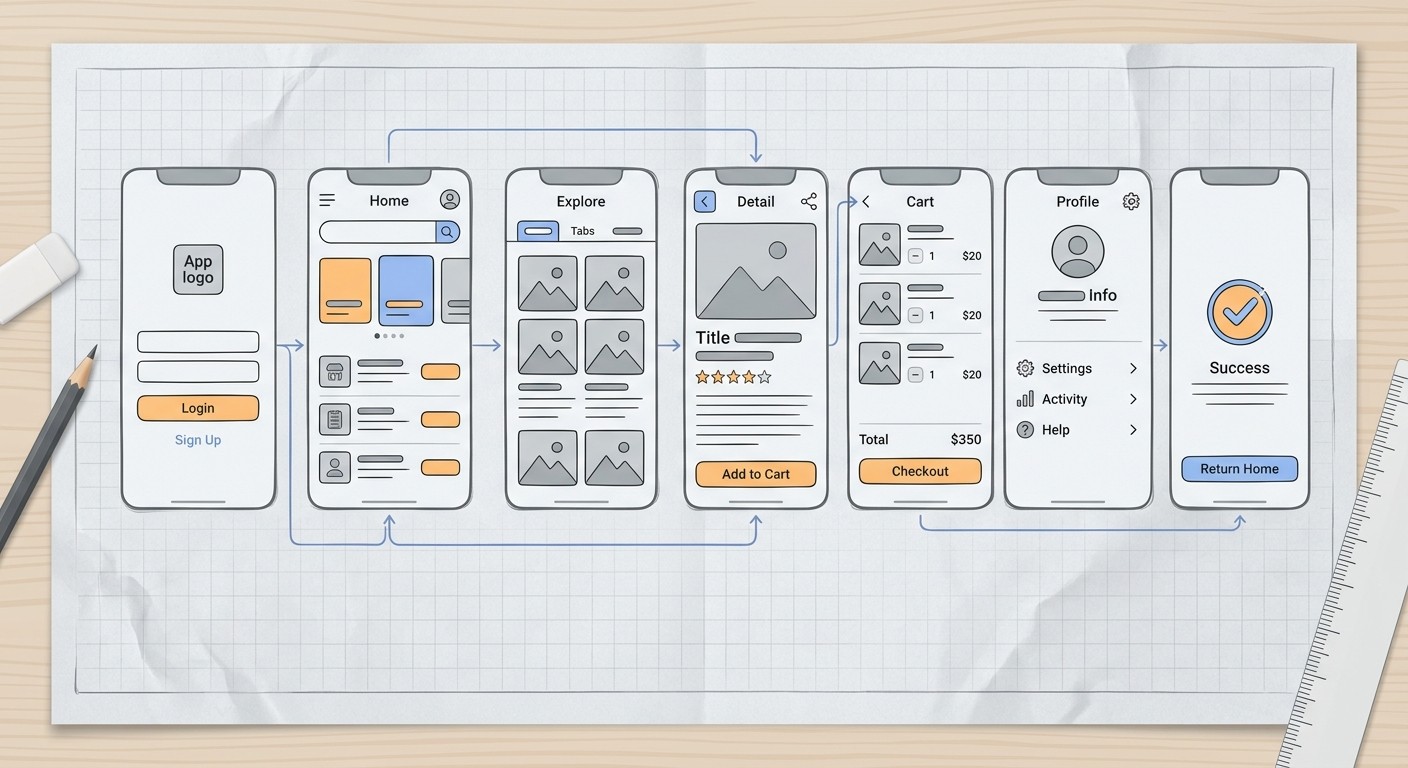
Before you even think about picking a color palette, you need a blueprint. In app development, that blueprint is called a wireframe. Think of it as a simple, black-and-white sketch of each screen. Its only job is to map out the structure, layout, and flow. No distractions.
It's just like an architect's drawings for a house. You wouldn't let a construction crew start pouring concrete without one, and you shouldn't start coding without a clear set of wireframes.
This step forces you to confront the big questions early:
Navigation: How do people get from A to B? A bottom tab bar? A hidden side menu?
Hierarchy: What's the single most important thing on this screen? How do you make sure users see it?
Content: Where do buttons and key info need to go for the easiest possible access?
You don't need fancy software for this. A pen and paper work just fine. So do simple online tools. You could even describe the layout to an AI design agent. The point is to focus entirely on function before getting bogged down in form.
Core Principles of Great App Design
Once your structure is solid, you can start layering in the principles that make an app feel professional and trustworthy. Consistency is everything. A button that saves progress on one screen should look and act the exact same way on every other screen. No exceptions.
Another huge piece is user feedback. When someone taps a button, the app needs to acknowledge it instantly. This could be a subtle color change, a loading spinner, or a quick confirmation message. Without that feedback, users are left wondering, "Did that work?" and their confidence in your app starts to crumble.
Great design makes the user feel smart and in control. Every interaction should have a predictable and clear outcome, reinforcing their confidence in your app and, by extension, your brand.
Getting these fundamentals right is what separates apps that get used from apps that get deleted. For a deeper dive, our guide on app design best practices breaks down these concepts even further.
Using AI to Accelerate Your Design Process
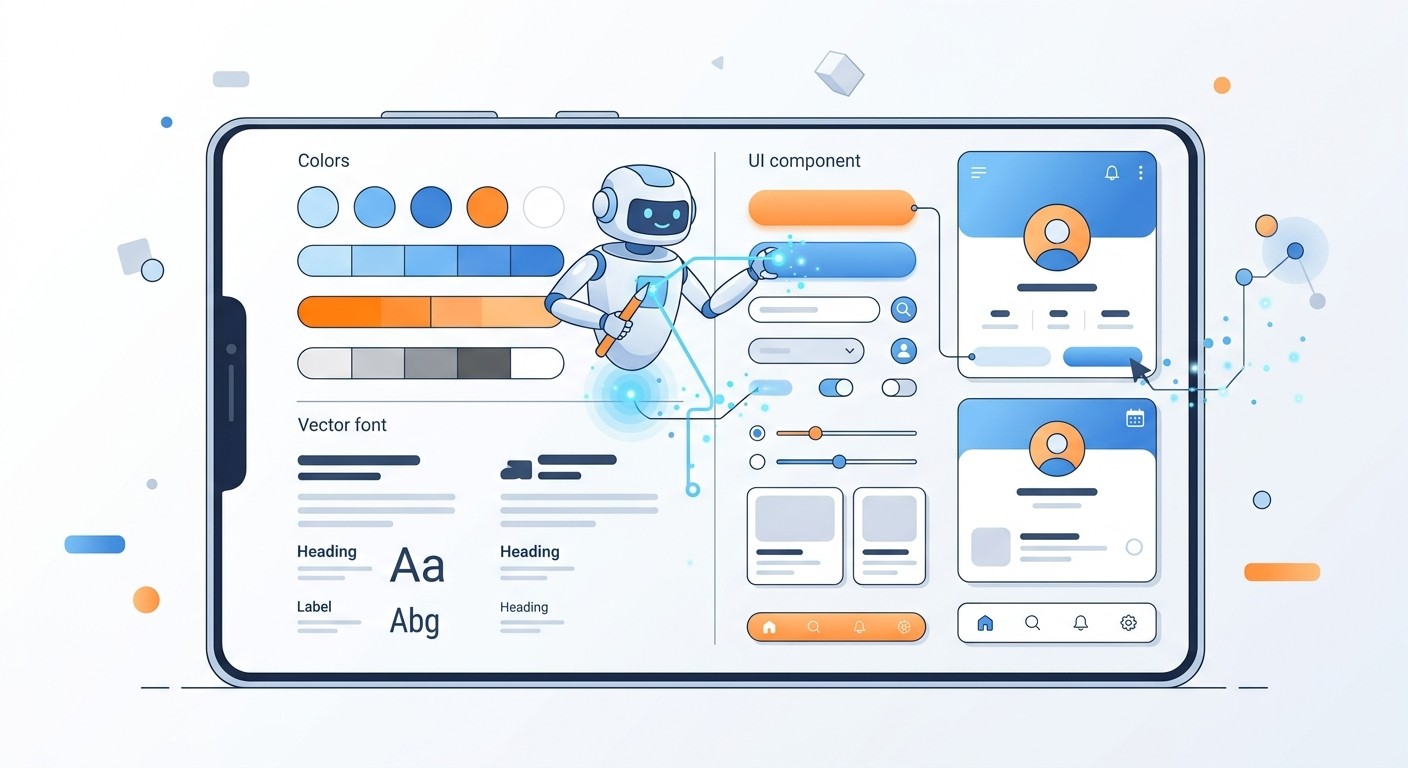
The design phase used to be a major bottleneck, often requiring a skilled designer or a significant budget. Modern tools have completely flipped that script. What if you could describe your app's vibe in a few sentences and watch a professional, complete design system get generated in minutes?
That’s the reality with AI native platforms. You can give it a prompt like, "Create a clean, minimalist theme with a dark mode, using a calm blue as the primary accent color for a fintech app."
From there, the platform’s Designer agent does the rest:
It generates a cohesive color palette.
It selects professional, easy-to-read fonts.
It designs a consistent library of buttons, icons, and other components.
This approach turns a slow, manual process into a fast, creative partnership. You can test out different visual styles in seconds, transforming your abstract ideas into a polished, developer-ready interface almost instantly.
Turning Your Idea Into a Working App

Alright, this is where the rubber meets the road. We're moving from planning and design to actually building a real, functional application. The key here is to avoid getting overwhelmed. Instead of trying to build the entire app at once, we'll take an agile, piece-by-piece approach that turns your big idea into small, manageable features.
Think of your app as being made of building blocks. You've got a user registration block, a product display block, maybe a dashboard block. We're going to build and perfect each one individually.
This modular way of working is a perfect fit for an AI native environment, where you can create and test each piece in isolation before snapping them all together.
From Plain English to App Features
If you're using a modern platform like CatDoes, the "development" process is really just a conversation. You're not writing code; you're giving clear instructions to specialized AI agents. It’s a simple but incredibly powerful way to build an app from scratch, even if you have zero technical background.
Let's say you need a user signup system. Forget about hiring a developer. You just give the AI a clear command.
Prompt Example: "Create a user login screen. I need options for email and password signup, plus one-click sign-in with Google and Apple. Make sure the password field has a 'show/hide' toggle."
The AI gets it. It generates the UI, writes the logic, and hands you a fully functional login screen. This is the most direct path from an idea in your head to a feature people can actually use.
A Quick Example: Building a Data Screen
Let's walk through another common scenario: building a screen to display some data. Imagine you're making an app for your e-commerce shop and need to see recent orders.
Your conversation with the AI would go something like this:
Your Instruction: "Build a new screen called 'Orders' that shows a list of customer orders from my database. For each one, I want to see the customer's name, the order date, and the total amount."
The AI's Action: It connects to your database, finds the 'orders' table, and designs a clean, scrollable list with exactly the info you asked for.
Your Refinement: "Okay, cool. Now add a search bar at the top of the 'Orders' screen so I can find an order by the customer's name."
Just like that, in a matter of minutes, you have a working, searchable order dashboard. This back-and-forth cycle of instructing and refining is how you build surprisingly complex features with ease, drastically cutting down the time it takes to get something testable.
Don't Sweat the Backend Stuff
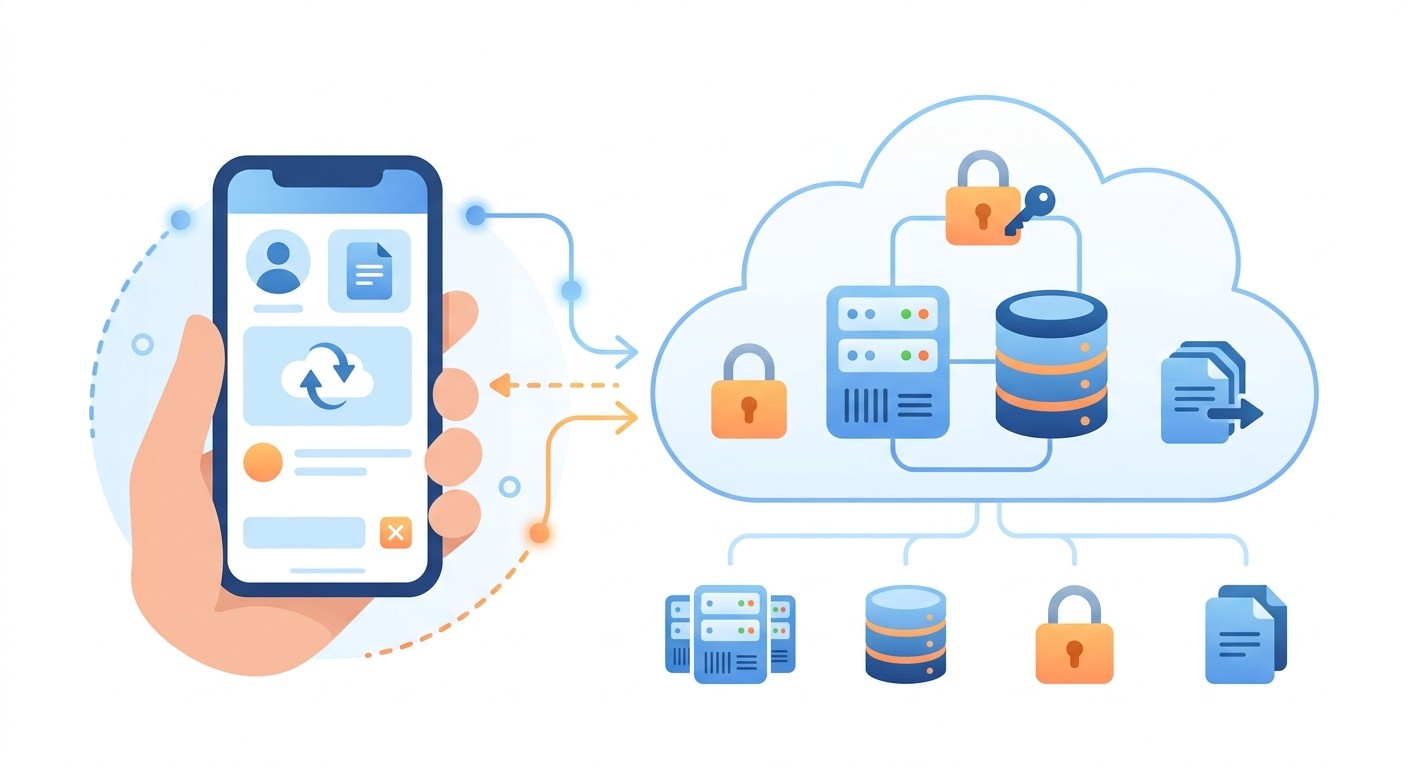
Every real app needs a backend, which is the engine room that handles user accounts, data storage, and all the server logic. Traditionally, setting this up is a massive headache that requires a specialist.
But AI native platforms often include a managed backend solution, like CatDoes Cloud, which completely eliminates this complexity. It bundles the most common backend needs into simple, manageable services.
Authentication: Set up user sign-ins without ever having to think about security protocols.
Database: Store and pull app data without configuring a single server.
File Storage: Let users upload photos or files with a secure, built-in solution.
The best part? The AI agents can set all of this up for you. A prompt like, "Set up a new database table to store user profiles with fields for name, email, and profile picture," is all it takes. The system handles all the technical grunt work, letting you focus entirely on what your app does, not how the plumbing works. This is what it means to build an app from scratch in the modern era.
Testing Your App for a Flawless Launch
Before your app makes it into the hands of real users, it has to survive one of the most critical stages in the entire build process: quality assurance. Think of thorough testing as the final firewall standing between all your hard work and a disastrous launch filled with crashes, bugs, and a flood of negative reviews. A single bad first impression is often enough to get your app deleted forever.
This phase is about much more than just finding what’s broken. It's a comprehensive check to ensure your app isn't just functional, but also intuitive, reliable, and maybe even a little delightful to use. You need to be sure every button does what it’s supposed to, every screen flows logically to the next, and the design looks sharp on every device you can get your hands on.
The Modern Testing Workflow
Gone are the days of clunky, painfully slow testing cycles. You know the ones, where you’d manually build the app, install it on a device, find a bug, and then repeat the entire process for every tiny fix. Modern development platforms have completely changed the game, making it possible to test your app in real-time as you build it.
Take a platform like CatDoes, for example. You get instant feedback. As the AI agents build out your features, a live preview of your app is running right there in your web browser. This immediate visual confirmation lets you spot design quirks or layout problems on the fly, without ever leaving your workflow.
The real magic, though, is going from that browser preview to a real device in seconds. You just scan a QR code with your phone, and a fully interactive version of your app is running on your actual iPhone or Android.
This creates an incredibly tight feedback loop. You can feel the app exactly as a user would, testing gestures, checking performance, and seeing how layouts hold up on physical hardware. Finding a bug is as simple as spotting it on your phone, describing the issue to the AI, and watching the fix appear in the live preview moments later.
A Practical Testing Checklist
To make sure you don't miss anything, it helps to be methodical. A simple checklist can guide you through a comprehensive review, covering everything from core features to the tiny details that make an app feel polished.
Here are the key areas I always focus on:
Functional Testing: Does every single feature work as intended? Tap every button, fill out every form, and walk through every user flow. Can someone sign up, log in, and perform the app's main job without hitting a dead end?
Usability Testing: Is the app actually easy to use? The best way to find out is to hand it to a friend who has never seen it before. Give them a simple goal, like "buy a product" or "create a profile," and just watch. Where do they get stuck? Where do they hesitate? That confusion is pure gold because it reveals the biggest flaws in your UX.
Device and OS Compatibility: Your app has to look and work great across a whole zoo of screen sizes and operating systems. At a minimum, test it on a newer and an older model of both an iPhone and an Android device. You'd be surprised what breaks.
Performance Testing: How fast does the app load? Does it feel sluggish when scrolling through a long list? Poor performance is a top reason for uninstalls, so don't overlook it.
This structured approach is your best defense against those dreaded one-star reviews.
Preparing for the App Stores

Once your app is stable, polished, and thoroughly tested, you're ready for the final hurdle: submitting it to the Apple App Store and Google Play Store. This part of the process is less about code and more about marketing and paperwork.
Getting your store listing right is crucial because it’s how people will find you. This involves a few key steps:
Crafting Your App Name and Description: Choose a name that’s clear and memorable. Your description needs to grab attention and highlight the key benefits, using keywords your target audience would actually search for.
Creating High-Quality Screenshots: Your screenshots are your digital storefront. They need to look clean, professional, and showcase your app's most important features in action.
Writing a Privacy Policy: This is a non-negotiable legal requirement. Both stores demand a privacy policy that clearly explains what user data you collect and what you do with it.
The submission itself involves uploading your app file and filling out all the required metadata. Be prepared for a review process that can take a few days, especially with Apple. But if you’ve been thorough in your testing and preparation, you’ll set yourself up for a smooth approval and a much more successful launch.
Common Questions About Building an App
If you're thinking about creating an app from scratch, you probably have a lot of questions. That’s a good thing. Getting clear answers upfront can save you a ton of time and money down the road. Here are some of the most common ones we hear.
How Much Does It Really Cost to Make an App From Scratch?
This is the big one, and the answer varies wildly depending on how you build it.
If you go the traditional route and hire a freelance developer or a small agency, you’re looking at a significant investment. A simple app can start at $10,000, but anything with custom features or a solid backend can easily climb past $250,000. It's a huge financial hurdle for most founders.
Modern AI native platforms completely change the math. They operate on a subscription model, often with a free tier to get you started. Instead of a massive upfront cost, you're looking at a manageable monthly fee, typically from $30 to a few hundred dollars, depending on what you need. This model makes it possible to get your idea off the ground without raising a round of funding first.
How Long Does It Take to Build the First Version of an App?
Time is just as critical as money, and again, the path you choose makes all the difference. A traditional development cycle for a Minimum Viable Product (MVP) usually takes somewhere between 4 to 9 months. For more complex apps, you can easily be looking at a year or more.
AI-powered platforms were designed to crush that timeline.
With a tool like CatDoes, you can generate the first working version of your app in hours or days, not months. The process is conversational, you describe what you need, and the AI builds it. This allows you to test, iterate, and get to market at a speed that was once unimaginable.
This speed isn't just a convenience; it's a strategic advantage. You get to put your idea in front of real users almost immediately and start learning from their feedback.
Do I Need to Know How to Code to Create an App?
Not long ago, the answer was an absolute yes. You needed to be fluent in languages like Swift for iOS or Kotlin for Android, or you had to hire someone who was.
That’s no longer the case. The rise of no-code and AI native platforms has opened up app development to everyone. With a platform like CatDoes, you don't need to write a single line of code.
You just talk to AI agents in plain English, telling them what your app should do. The agents handle all the heavy lifting:
Writing clean, efficient code for your features.
Setting up and configuring the backend infrastructure.
Managing the entire technical stack so you don't have to.
This is a game-changer for non-technical founders and business owners. It completely removes the technical barrier that stopped so many great ideas from ever seeing the light of day.
What Happens After My App Is Launched in the App Stores?
Getting your app approved and listed in the stores is a massive achievement, but it's really just the starting line. From that point on, your focus shifts to marketing, listening to your users, and keeping the app running smoothly.
You'll need to find ways to attract users, keep an eye on reviews and analytics to see how they're using the app, and squash any bugs that pop up. Releasing regular updates with new features is also key to keeping people engaged.
With traditional development, every little update means another slow and expensive coding cycle. An AI native platform makes this far simpler. You can add new features or tweak existing ones with simple, conversational commands and push updates fast. This agility is a massive advantage in a crowded market, letting you stay responsive to what your users really want.
Ready to stop planning and start building? With CatDoes, you can turn your app idea into a reality using simple, natural language. Our AI agents handle the coding, design, and backend setup so you can focus on your vision. Start building your app for free today!
Nafis Amiri
Co-Founder of CatDoes


