Blog
Tutorials
How to Build a Prototype of a Product: A Founder's Guide to Quick Validation
how to build a prototype of a product: A founder's guide with practical steps from ideation to testing, plus AI tools to accelerate validation

Nafis Amiri
Co-Founder of CatDoes
Dec 28, 2025
How to Build a Prototype of a Product: A Founder's Guide to Quick Validation
Turning your idea into a tangible, testable model is one of the most exciting parts of the journey. It starts with a simple question: what are the absolute core features this thing needs to do? From there, you'll sketch out some rough, low-fidelity wireframes to map the user's path, eventually building up to an interactive, high-fidelity version that feels real.
The whole point is to create something that users can actually interact with. Their feedback is gold, helping you validate your concept before you sink serious time and money into it.
Why Prototyping Is Your Most Critical First Step

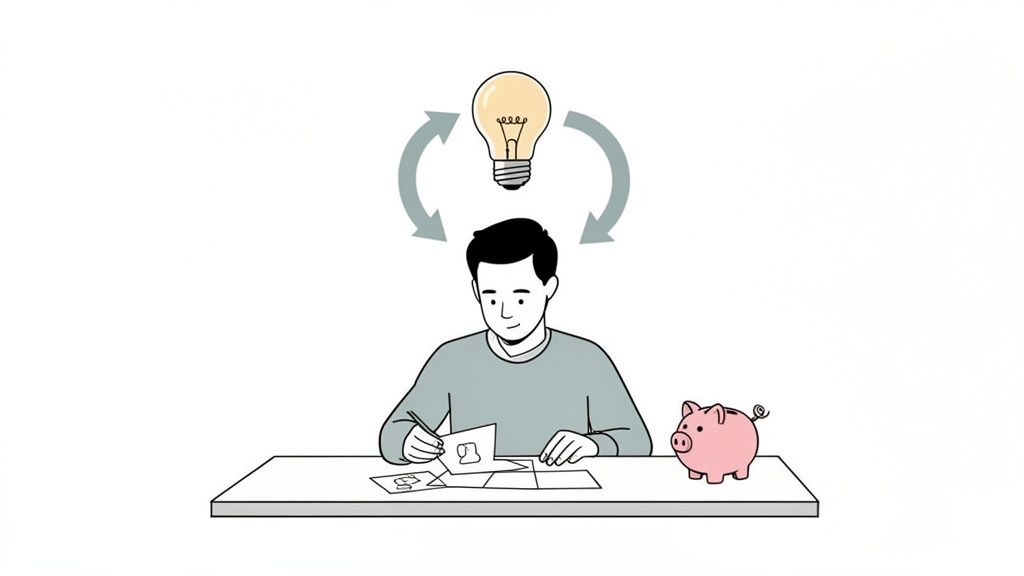
Before you spend a single dollar on a developer, you have to validate your idea. Trust me on this. Diving headfirst into building a full-featured application is a massive gamble. What if nobody actually wants what you've poured your heart and soul into?
Prototyping is your safety net. It’s designed to catch costly assumptions and turn them into priceless insights, fast. It’s all about learning quickly and cheaply, testing the riskiest parts of your business model without the financial hangover of a full development cycle. A simple interactive model can reveal fatal flaws in your logic or user flow that would have been a disaster if you'd only found them after launch. We cover this early-stage process in depth in our guide on how to validate a business idea.
Reduce Financial Risk and Attract Investment
Building a production-ready app is expensive. A prototype, on the other hand, can be put together for a tiny fraction of the cost. Getting real user feedback early on stops you from burning cash on features customers don't actually care about. It’s no secret that untested ideas are a leading cause of startup failure.
And here’s the kicker: a tangible prototype is a ridiculously powerful tool for attracting investors. It shifts your pitch from a theoretical concept on a slide deck to a demonstrable product they can actually use. When stakeholders can see, touch, and understand your vision, they are far more likely to get on board. A working prototype proves you've done the groundwork and are serious about making it happen.
A prototype isn't just about building a sample; it's about building confidence. Confidence for your users that you understand their problem, confidence for investors that you have a viable solution, and confidence for yourself that you're on the right track.
Clarify Your Vision and Improve Collaboration
Ideas always seem perfect in our heads. It's only when you try to translate them into reality that things get messy. The simple act of building a prototype forces you to make concrete decisions about functionality, layout, and how a user will move through your app.
This process brings an incredible amount of clarity to your vision, separating the absolute must-haves from the "nice-to-haves."
That clarity extends to your whole team. A prototype becomes the common language spoken between founders, designers, and developers. Instead of relying on abstract descriptions and hoping everyone is on the same page, the team can point to the same visual blueprint. This leads to some huge wins:
Faster Decision Making: When everyone can see the same thing, alignment on features and user experience happens in minutes, not meetings.
Improved Feedback Loops: Designers get instant reactions to their work, and developers get a crystal-clear picture of what they need to build.
Minimized Misunderstandings: A visual model cuts through the ambiguity that plagues so many projects, ensuring everyone is pulling in the same direction.
Turning Your Idea Into a Digital Blueprint

Okay, you're sold on why prototyping is a good idea. Now it’s time to get that concept out of your head and onto paper. This is where you transform abstract thoughts into a concrete plan, a digital blueprint that will guide the entire project from here on out.
Don't aim for perfection. The real goal is to build a solid foundation before you even think about pixels, colors, or code. This process forces you to answer the tough questions early, acting as a north star to keep every decision aligned with what truly matters.
Nail Down Your Core Purpose and Target User
Before you draw a single line, you need absolute clarity on two things: what problem are you solving, and who are you solving it for? So many promising ideas crumble because they try to be everything to everyone. Get specific.
Start by writing a simple problem statement. For a meal-planning app, it might be: "Busy professionals struggle to find time to plan healthy meals for the week." That's it. This one sentence defines your entire mission.
Next, bring your ideal customer to life with a user persona. This is just a simple, semi-fictional profile of the person you're building for. Give them a name, an age, a job, and list out their goals and frustrations. This little exercise is surprisingly powerful. It keeps you honest, making sure you build features for a real person's needs, not just your own assumptions.
Map the Essential User Journey
With your "what" and "who" defined, you can map out the most critical path a user will take through your app. We call this the user flow. Think of it as the path of least resistance for your user to solve their problem.
Let's stick with our meal-planning app. A barebones user flow could look like this:
User opens the app and sets their dietary preferences.
They browse a curated list of recipes.
They pick a few meals for the upcoming week.
The app instantly generates a shopping list.
This simple map is your secret weapon against feature bloat. It forces you to prioritize the absolute must-have steps for your app to be useful from day one. You can always add more complexity later, but your first prototype must nail this critical path.
Focusing on the core user journey prevents feature creep. A successful prototype does one thing exceptionally well, rather than doing ten things poorly. It's about delivering immediate value and validating the primary function of your idea.
Create Low-Fidelity Sketches and Wireframes
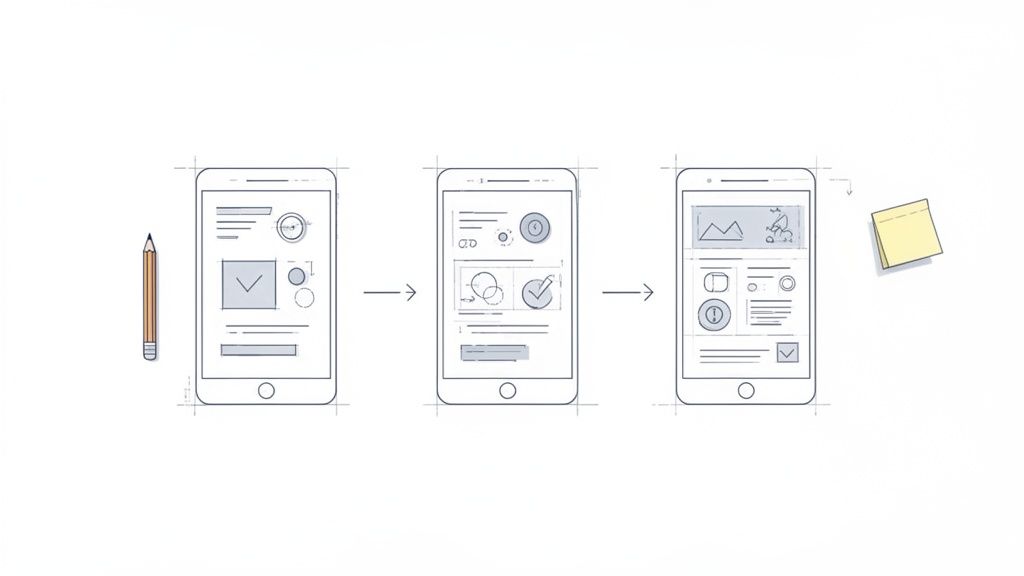
Now for the fun part: visualizing your app. Forget the fancy software for a moment. Right now, a pen and paper are your best friends. The goal is to crank out low-fidelity sketches or wireframes, which are super basic visual guides for the structure of each screen.
These aren't supposed to be pretty. They're just simple boxes and lines that show where things like buttons, text, and images will go. Sketch out every screen in your user flow. The beauty of this is speed; you can iterate incredibly fast. If an idea stinks, just toss the paper and start again.
This rough-and-ready approach is backed by real-world results. A whopping 85% of product managers agree that this kind of early testing is vital, and companies that embrace it see 62% higher success odds.
Once you've got a set of paper sketches that feel right, you can move to a digital tool to clean them up. For teams looking to bridge the gap between design and development, understanding how these early designs eventually become code is crucial. A great next step is learning how to convert Figma designs to React to see how the process evolves.
Choosing the Right Prototyping Tools
Once your blueprint is solid, it's time to pick your toolkit. The market is flooded with options, each promising to bring your vision to life faster than the last. Making the right choice here is a big deal because it directly impacts your speed, budget, and how easily you can iterate on feedback.
The best tool for you really depends on your stage, your comfort with technology, and what you’re trying to accomplish. A non-technical founder building their first model has completely different needs than a seasoned UX designer polishing a complex user flow.
Traditional Design Tools: The Established Path
For years, the gold standard for creating high-fidelity, interactive prototypes has been design-centric software. Tools like Figma, Sketch, and Adobe XD are powerhouse platforms that give designers pixel-perfect control over every transition and interaction. They’re the go-to for making stunning mockups that look and feel just like a real app.
This approach is perfect for teams that have dedicated design resources. A skilled designer can quickly turn wireframes into a polished, clickable prototype that's priceless for user testing and getting stakeholders on board. But this path comes with its own set of hurdles.
Significant Learning Curve: Getting good at these tools takes time. They are professional-grade applications with a dizzying number of features.
The "Design-to-Code" Gap: A beautiful Figma prototype is still just a collection of interactive images. It’s not a functional app. Turning it into real code is a completely separate and often long development phase.
Cost and Resource Intensive: These tools usually have subscription fees, but more importantly, they require a designer’s expertise, which can be a major cost for an early-stage project.
The core limitation of traditional tools is that they create an illusion of a product. While incredibly useful for validating aesthetics and user flow, the prototype itself has no underlying logic. It’s a picture of a car, not an engine you can actually test.
The Rise of AI-Native Platforms
A new generation of tools is completely changing the prototyping game. AI-native platforms like CatDoes are built to collapse the entire journey, from idea to a working app, into a single, unified workflow. Instead of designing static screens and then coding them separately, these platforms use AI agents to build a real, functional application right from your plain-English descriptions.
This fundamentally alters the landscape for founders, especially those without a technical background. You just describe your app's purpose, features, and the user journey you want, and AI agents take it from there.
A Designer agent handles the user interface based on your style notes, while Software agents write the actual code (like React Native) to build the business logic. This means you aren't just creating a clickable mockup; you are building a genuine app from day one. As you weigh your options, browsing through comprehensive lists of AI tools can give you a broader sense of what’s possible for different creative tasks.
Comparing Your Options Side-by-Side
So, how do you decide? It all comes down to what you need your prototype to do. Let's put the two approaches next to each other to help you figure out which path is right for your project.
Feature | Traditional Design Tools (e.g., Figma) | AI-Native Platforms (e.g., CatDoes) |
|---|---|---|
Primary Output | Interactive, high-fidelity visual mockups. | A functional, code-based application. |
Required Skills | Strong UI/UX design skills are essential. | The ability to clearly describe your idea. |
Speed to Test | Can be fast for design, but slow to become a real app. | Extremely fast, from idea to testable app in hours. |
Founder Focus | Focus is on perfecting visual design and layout. | Focus is on defining features and business logic. |
Path to Production | Requires a complete rebuild by a development team. | The prototype is the first version of the production app. |
For a founder whose main goal is to quickly test a core business idea with real users, an AI-native platform is a massive advantage. It lets you skip the long design-to-development handoff cycle and get a tangible product into people's hands faster than ever. This rapid feedback loop is the most valuable asset you have at this early stage.
Alright, theory's over. Let's get to the fun part: turning that digital blueprint into a real, interactive prototype someone can actually hold in their hands.
This is where modern AI platforms completely change the game. What used to be a months-long slog of back-and-forth with developers can now be knocked out in a matter of hours.
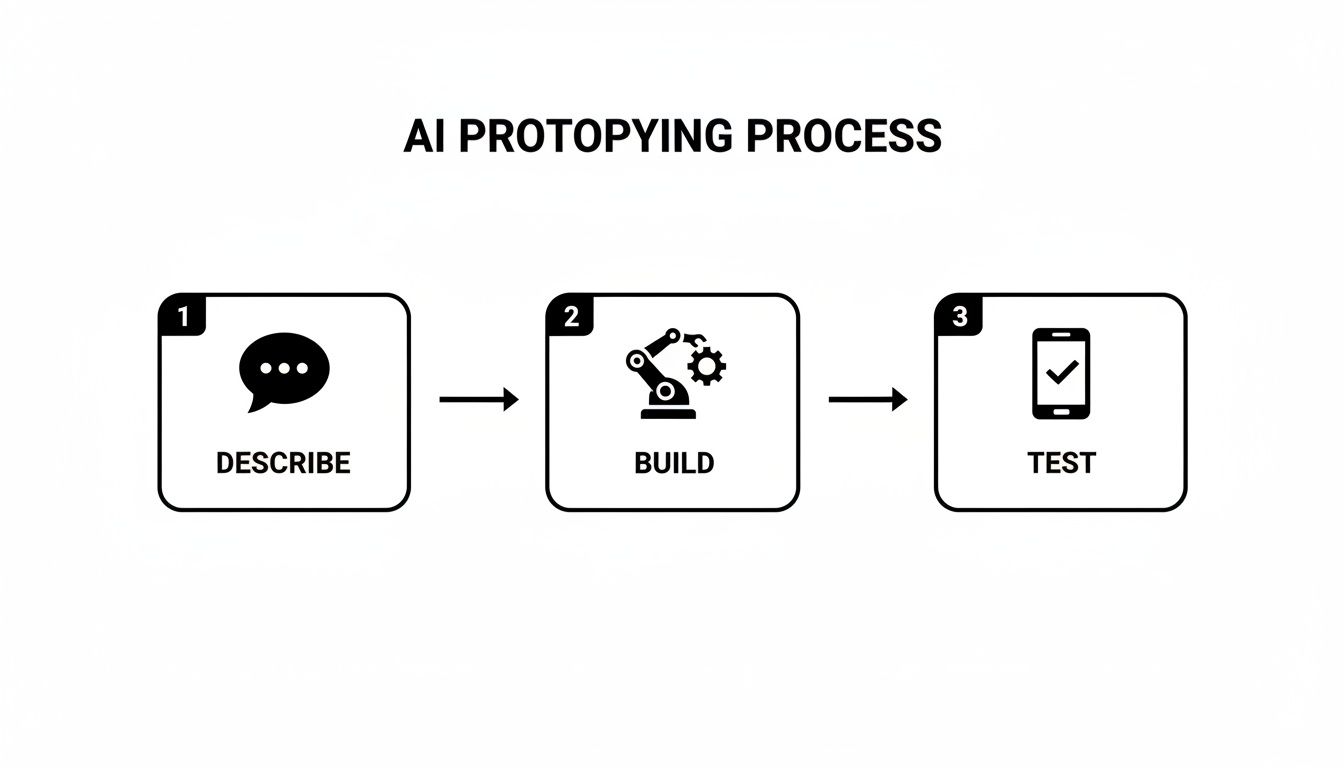
It all starts with your own words. You're not firing up design software or writing a line of code. You're just explaining your app idea like you would to a team member: what it does, who it's for, and the key features it needs to have.
From Plain English to a Working App
The real magic of an AI-native platform like CatDoes is its knack for understanding natural language. You kick things off by giving it a detailed description of your app.
For example, a founder dreaming up a social app for local gardeners might write something like this:
"Build an app for urban gardeners to share tips and trade extra produce. It needs a user profile with their garden type, a main feed to post photos and questions, and a simple messaging feature to arrange swaps. The design should feel earthy and friendly."
An AI Requirements agent immediately gets to work, dissecting this prompt into functional pieces. It knows this means you'll need user authentication, a database for all the posts, and a real-time chat function. It's essentially translating your vision into a structured technical plan, setting the stage for the build.
Collaborating With an AI Designer
Once the requirements are locked in, an AI Designer agent takes the reins for the user interface (UI) and user experience (UX). You don't have to be a designer to steer this part of the process.
You can feed it simple style cues, like "use a minimalist aesthetic with a blue and white color scheme" or "make it look modern and sleek like the Stripe website."
The AI Designer then generates visual themes and component styles based on your direction. It picks out fonts, color palettes, and button styles, applying them consistently across every screen. This is a collaboration; you review what it comes up with and give feedback to tweak things until the look and feel is a perfect match for your brand.
Watching Your App Come to Life
With the design direction set, AI Software agents jump in and start writing the actual code. They use modern frameworks like React Native to build out the business logic you described, including the profile screens, the photo-sharing feed, and the messaging system. This isn't just a mock-up; it's real, production-quality code being written from scratch.
What's really incredible is how transparent the whole process is. One of the most powerful features is the live browser preview. You can literally watch the agents build your app, screen by screen, with every change appearing in real time.
Here's what that live preview interface looks like on the CatDoes platform.
You can see the chat interface where you describe features right alongside the app taking shape. This immediate visual feedback loop is a huge advantage, letting you spot issues and make adjustments on the fly, which drastically speeds up the whole cycle.
Instant Testing on Your Own Device
The true test of any prototype is how it feels on an actual device. AI platforms make this step ridiculously simple. Once the app is in a state you're happy with, the system generates a QR code.
Just scan it with your phone, and the app instantly loads on your iPhone or Android. This is a game-changer for a few key reasons:
Real-World Feel: You get to test the actual touch gestures, navigation, and usability in a native environment. It's worlds better than just clicking through a mockup on a desktop.
Immediate Feedback: You can put the app directly into the hands of potential users, friends, or stakeholders for instant, unfiltered reactions.
Rapid Iteration: Based on that feedback, you can hop back into the AI chat, describe the changes you want, and generate a new QR code with the updated version in minutes.
Integrating Backend and Version Control
A prototype is more than just a pretty face; it needs a functioning backend to handle data. Our gardening app, for instance, has to store user profiles and posts somewhere. Modern AI platforms automate this heavy lifting, too.
With integrations like Supabase, the AI can generate a complete backend for you, including user authentication, a database, and server components. Your prototype can have real, working features like user sign-ups and data storage from day one. Plus, using a no-code AI app builder means you can manage these complex parts without ever writing a line of server-side code. For a deeper dive, check out our guide on how to get started with a no-code AI app builder.
To keep everything organized as you make changes, these platforms can also integrate directly with GitHub. Every change is automatically committed to a repository, giving you professional-grade version control. You can track progress, roll back to previous versions if needed, and maintain a clean, organized codebase as your prototype evolves.
This workflow brings a level of structure that was once only available to seasoned dev teams. And it pays off. Recent studies show that AI-driven prototyping can boost efficiency for 70% of design teams and slash development cycles by a whopping 30%. You can read more about these powerful efficiency gains on Gembah.com.
Testing and Iterating on Your Prototype
You’ve built an interactive prototype. That’s a huge milestone, but the real work starts now. A prototype isn't meant to be perfect; its actual job is to generate feedback. This is the moment you find out if your idea has legs by putting it in front of real people and seeing what happens.
The loop is simple: get your prototype into someone's hands, watch what they do, listen to what they say, and use those raw insights to make it better. With AI-driven tools, this entire cycle of testing, learning, and updating can shrink from weeks down to a few hours. You’re not just building a product; you’re validating it with real data.
This process transforms your initial concept into a solution that you know people will find useful.

The biggest advantage here is speed. You describe a change, let the AI build it, and test it almost immediately. This rapid-fire feedback loop is how great products get built today.
Finding Users for Feedback
Don't overthink this part. You don't need a massive budget or a professional focus group to get started. In the early days, the most valuable feedback will come from people you can easily reach.
Here are a few places to look:
Your Personal Network: Start with friends, family, or colleagues who roughly fit your target user profile. They’re usually happy to help and can give you those crucial first impressions.
Online Communities: Go where your audience already hangs out. If you're building a fitness tracker for cyclists, jump into cycling subreddits or Facebook groups. Offer a sneak peek in exchange for honest feedback.
Local Meetups: Look for local groups related to your industry or your users' hobbies. A simple offer of a coffee for 15 minutes of their time is an incredibly effective and low-cost way to gather insights.
The goal isn't to find thousands of testers right away. A handful of engaged users is more than enough to spot the most obvious problems and confirm you're on the right track.
Asking the Right Questions
The feedback you get is only as good as the questions you ask. Avoid leading questions like, "Don't you just love that feature?" They just encourage people to be nice.
Instead, create a scenario. Give them a task to complete, like "Show me how you'd create a new profile," or "Try to find the settings page." Then, the most important part: stay quiet and watch.
Pay attention to where they tap, where they hesitate, and what makes them pause. Their actions will tell you far more than their words. As you get closer to a finished product, you’ll also want to consider more formal quality assurance testing methods to make sure everything is rock-solid.
Let your users narrate their experience. Your job is not to defend your design choices but to understand their mental model. The most valuable feedback comes from observing the gap between what you intended and what the user actually does.
Turning Insights Into Action
Once you’ve collected the feedback, it’s time to put it to work. With an AI-native platform, this part of the process is incredibly fast. You just go back to the chat interface and describe the changes you want to make.
For instance, if users kept missing the "save" button, your prompt might be: "Make the save button in the top right corner bigger and change its color to bright green." The AI agents get to work, implement the change, and you can generate a new version to test right away.
This rapid iteration cycle is the core of modern prototyping. It lets you:
Test a hypothesis with a real person.
Get concrete feedback on what works and what doesn't.
Implement changes just by describing them in plain English.
Deploy an updated version for more testing within minutes.
By running this loop over and over, you systematically smooth out the rough edges and build a product based on what people actually do, not what you think they'll do.
You’ve done it. After endless feedback sessions and lightning-fast iterations, you’re holding a validated prototype. This is a huge milestone, but it's also where many founders hit a brick wall. They suddenly realize their prototype was built on a platform that can’t scale, forcing them to start over with a costly and time-consuming rebuild.
It’s a painful, all-too-common trap. But it's completely avoidable if you choose the right platform from the start. When you build your prototype on a system designed for production, like CatDoes, the transition isn't a rebuild. It’s just the next logical step.
From Prototype to the App Store
The journey from a working prototype to a published app on the Apple App Store or Google Play Store is notoriously complex. It’s a world of code signing, marketing assets, version numbers, and navigating strict, ever-changing submission guidelines. For non-technical founders, this part of the process can feel like an insurmountable roadblock.
This is where an AI-native platform completely changes the game by automating the entire process. Instead of scrambling to hire a specialized and expensive developer just for deployment, you can lean on an automated agent to handle everything for you.
The real magic of an AI-driven workflow is that your prototype isn't a dead end. The code generated during the prototyping phase is the very same code that gets compiled and submitted to the app stores.
The Automated Build and Release Process
This seamless transition is possible because of dedicated build-and-release agents. These agents take your validated application and automatically prepare it for a public launch, handling all the technical grunt work behind the scenes.
Here’s a glimpse of what that looks like:
Code Compilation: The system compiles your React Native codebase into the specific, optimized formats required by both iOS and Android. No manual configuration needed.
Asset Management: It helps you package all the necessary icons, splash screens, and promotional images, ensuring they meet every single store requirement.
Automated Submission: The agent guides you through the final submission steps, making sure all the technical boxes are ticked for a smooth approval.
This automation demystifies a complicated process that used to stop great ideas in their tracks. It gives you a much faster path to market, letting you focus on your business while the platform handles the technical complexities of deployment. The result? Your product gets into the hands of real customers, sooner.
Your Prototyping Questions, Answered
Jumping into prototyping for the first time always brings up a few key questions. Here are the straightforward, no-fluff answers we give founders and creators every day.
So, What's This Going to Cost Me?
The honest answer? It can be anything from a few bucks to tens of thousands of dollars. Hiring a traditional development agency is by far the most expensive route you can take. Even design tools like Figma come with subscription costs and, more importantly, a steep learning curve that costs you time.
But today, AI-native platforms have completely changed the game. Many offer free plans to get your first app off the ground, making it entirely possible to build a real, functional prototype without spending a dime upfront. For anyone trying to validate an idea on a shoestring budget, this is a massive advantage.
How Long Will It Take to Build a Prototype?
This all comes down to the tools you choose and how complex your idea is. A simple paper sketch? You could knock that out in an afternoon. A polished, interactive mockup using traditional software? That could easily eat up weeks of focused effort.
This is where AI-driven platforms really shine. The timeline shrinks dramatically. You can go from a simple idea typed out in plain English to a testable native app on your phone in a matter of hours or, at most, a few days. That speed completely transforms your ability to get feedback and iterate.
The biggest shift in modern prototyping isn't just about the tools. It's about the speed. What once took months can now be done over a weekend. This lets you test, learn, and adapt at a pace that was simply impossible before.
Do I Actually Need to Be a Tech Whiz to Build This?
Not anymore. While the old way of doing things demanded serious design chops or coding skills, modern AI-native platforms are built for everyone. The most important skill you need now is the ability to clearly explain your vision.
If you can describe your app idea, who it's for, and what it needs to do, AI agents can take care of the rest. They handle the design, the code, and even the backend setup, empowering non-technical founders to bring their ideas to life all on their own.
Ready to stop planning and start building? With CatDoes, you can turn your app idea into a functional prototype in hours, not months. Start building for free today.

Nafis Amiri
Co-Founder of CatDoes