Blog
Tutorials
How Long Does It Take to Build a Website? (2026)
How long does it take to build a website? With an AI app builder like CatDoes, one day from idea to live URL. See every timeline and the 6-step playbook.

Nafis Amiri
Co-Founder of CatDoes

How long does it take to build a website? With an AI app builder like CatDoes, one working day, from idea to live URL.
It's also the fastest and easiest way to build a website, because you aren't the one building it. You describe the site in plain English, and the CatDoes AI agent builds the pages, sets up the database and login, and publishes it.
This guide compares that with a DIY website builder and an agency, then walks through the one-day build on CatDoes step by step: the exact prompt, the checks, and how to go live.
TL;DR:
On CatDoes, one AI agent builds your pages, sets up the database and login, and publishes the site, all in one project. That's why a small business website fits in one working day.
The older routes are slower. A DIY website builder takes weeks of hands-on work, and an agency usually takes months.
With AI, the build is the short part. Most of your day goes to planning the pages and checking the result, which are the jobs only you can do.
A custom domain can add up to 48 hours of DNS waiting that no website builder controls, so connect it first thing.
The CatDoes Free plan publishes to a live catdoes.app address, and the same project can become an iOS and Android app later.
Table of Contents
How Long Does It Take to Build a Website?
How Long Does It Take to Build a Website With AI?
Can You Build a Website in a Day?
The Example Site and What You Need
How to Build a Website in a Day With CatDoes: 6 Steps
Day Two: Turn the Same Website Into an App
Is a One-Day Build Right for Your Project?
Mistakes That Turn One Day Into One Month
Why CatDoes Is the Fastest and Easiest Way to Build a Website
Frequently Asked Questions
How Long Does It Take to Build a Website?
A small business website takes one working day with an AI app builder like CatDoes. A DIY website builder takes 20 to 40 hours spread over a few weeks, and an agency takes months. How you build it matters far more than how many pages it has.
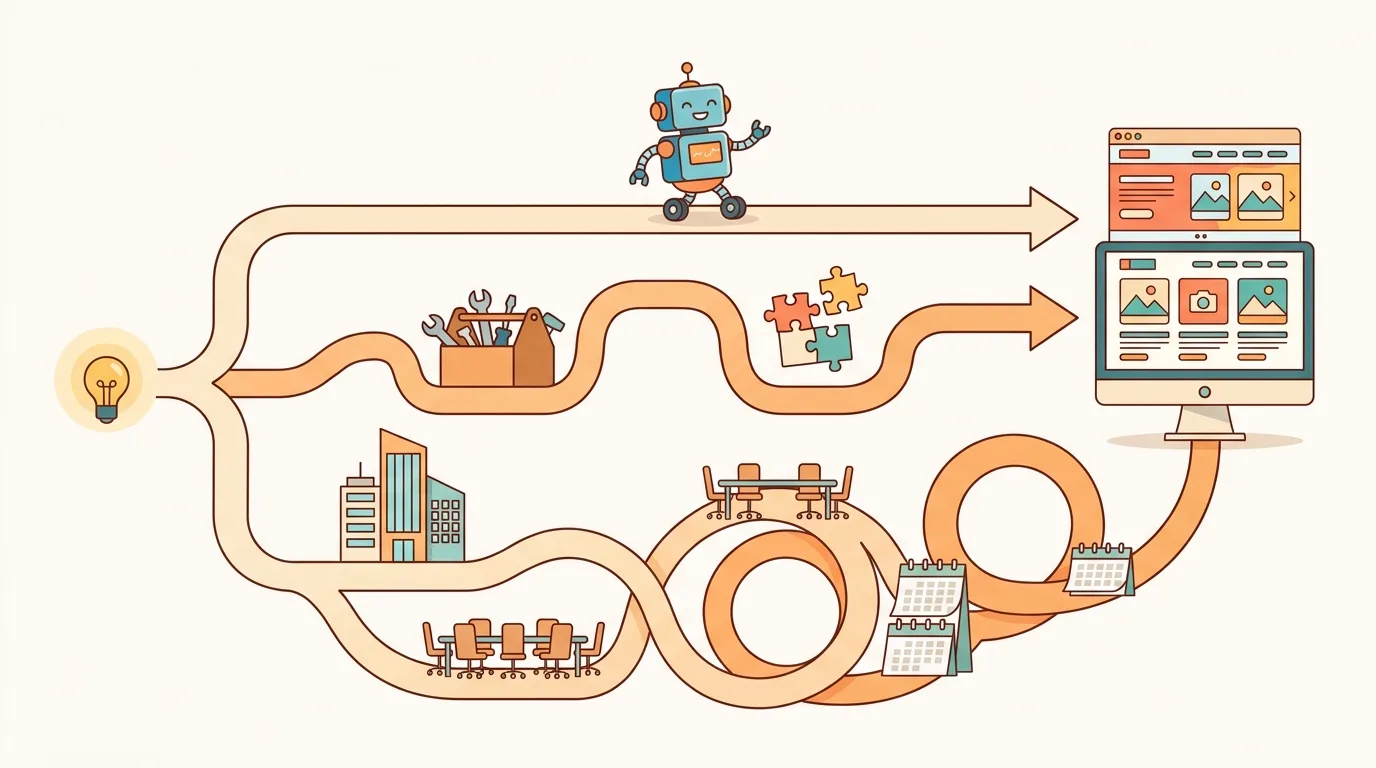
How you build it | Typical time | What you do yourself |
|---|---|---|
AI app builder (CatDoes) | One working day | Describe the site, review it, ask for fixes, publish |
DIY website builder | 20 to 40 hours over a few weeks (Wix's estimate) | Pick a template, lay out every page, write copy, connect forms |
Web design agency | Months (most Clutch-reviewed projects run 7 months) | Write the brief, give feedback, supply content, approve rounds |
The agency figure comes from Clutch's web design pricing guide, which also puts the average project at $38,105. It can include work after launch, so the pure build is a bit shorter.
The AI row is the one that changed the answer. The rest of this guide shows how the one-day version works on CatDoes.
How Long Does It Take to Build a Website With AI?
With an AI agent, the build itself is the short part of the day. On CatDoes, the agent plans the work, writes the code, runs the tests, and fixes its own errors. It runs in the cloud on its own computer, so you can close the tab and come back when the work is done.
Your time goes to the parts only you can do: deciding what the site needs, checking the result like a customer would, and publishing. That's why the honest answer is "one working day" and not "five minutes." Here's how that day breaks down:
When | Your job | CatDoes's job |
|---|---|---|
Morning | Plan every page and start your domain's DNS | Nothing yet |
Late morning | Write one prompt that describes the whole site | Plan the site, build the pages, set up the database and owner login |
Afternoon | Test it like a customer and describe anything that's off | Fix each issue from your follow-up prompts |
End of day | Run the pre-publish check and hit publish | Deploy the site to a live web address |
Compare that with a template-based website builder. There, you drag every section into place yourself, then connect a form tool and a spreadsheet so bookings land somewhere. On CatDoes, that layout and wiring work belongs to the agent.
Can You Build a Website in a Day?
Yes, as long as you're clear about what "done" means. A website has three finish lines, and they don't arrive at the same time:
Built: every page works in the preview.
Live: the site sits on a public URL anyone can open.
On your domain: yourbusiness.com points to it and DNS has caught up.
The first two are in your hands and fit in one working day. The third depends on your domain registrar. GoDaddy says DNS changes usually spread within a few hours but can take up to 48.
With CatDoes, the first two finish lines happen in the same place. The agent that builds the site also deploys it, so going from "built" to "live" is one step instead of a hosting project.
The Example Site and What You Need
To keep this concrete, the rest of the guide builds one example site from start to finish. Paws & Suds is a made-up dog grooming studio with five public pages and one private one:
Home: hero photo, tagline, opening hours, and a "Book a groom" button.
Services & Prices: three dog sizes with four services each, 12 prices in total.
Book: a request form where picking your dog's size filters the services and prices.
About: the studio's story and two groomer bios.
Contact: address, phone, and the same opening hours as the home page.
Owner dashboard: behind a login, listing every booking request.
It's deliberately harder than a brochure site. Most "website in a day" demos stop at pages of text and photos. A real small business website needs a form that saves requests and a private place for the owner to read them, and on CatDoes that backend comes built in.
Here's what you need before you start:
A CatDoes account. The Free plan includes 15 credits and publishing to a catdoes.app address. A custom domain needs the Starter plan ($50 a month, or $42 a month billed yearly).
Your business basics: services, prices, hours, and who it's for.
A logo, photos, and brand colors, if you have them.
A domain name, if you want yourbusiness.com instead of a subdomain.
How to Build a Website in a Day With CatDoes: 6 Steps
This is the full process, in order. The prompts are copy-ready, so swap in your own business and go.
Step 1: Plan Every Page Before You Prompt
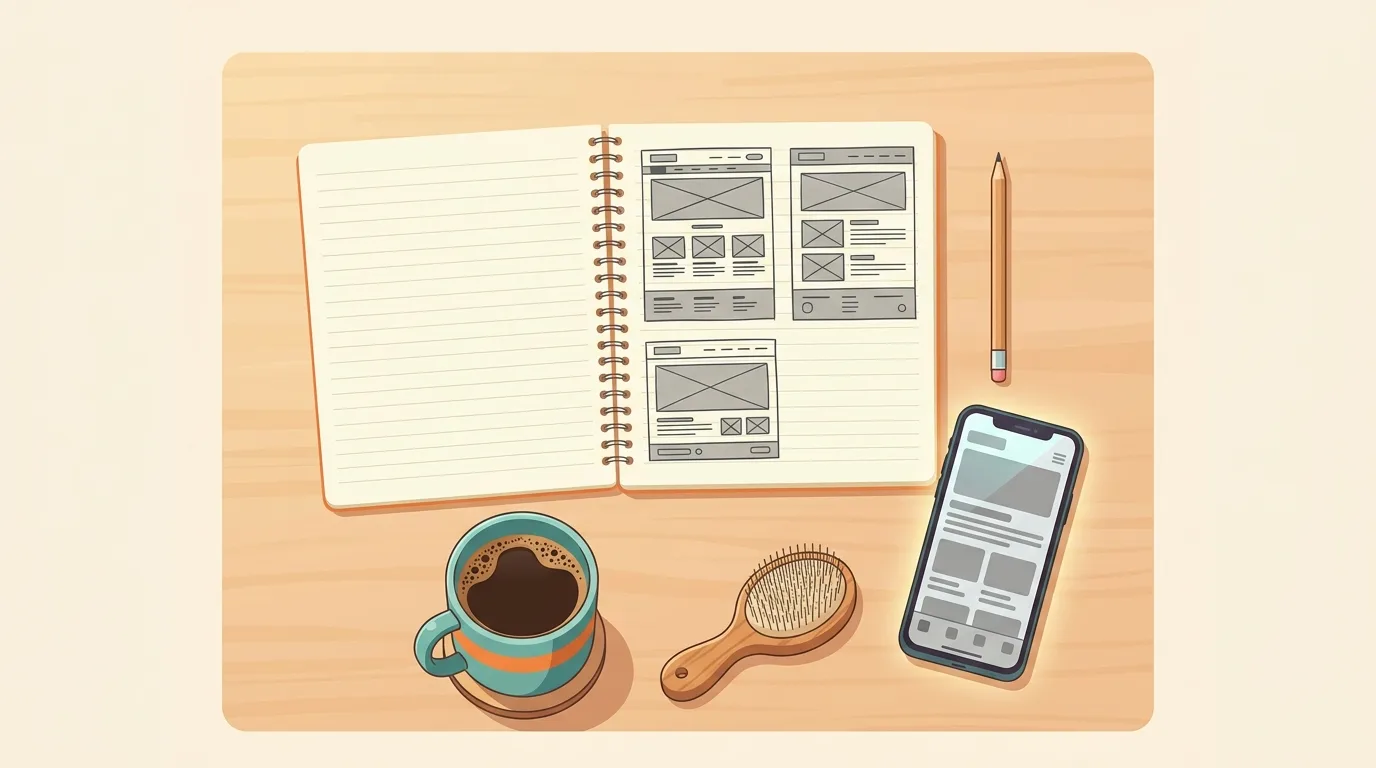
Start with a notepad, not the AI. For each page, write down its one job and the three or four things it has to show.
This is the step people skip, and it's why their first build comes back generic. An AI agent can only build what you describe. If you don't know what the booking page needs, the agent doesn't either.
One decision here pays off later. Facts that show up on several pages, like opening hours and prices, should live in one place. Then changing Saturday's hours once updates the home page and the contact page together, and they can never disagree.
Step 2: Write One Prompt That Describes the Whole Site
One detailed prompt beats ten vague ones. Here's the prompt for Paws & Suds. Paste your own version into the prompt box on the CatDoes homepage and press Build now:
"Build a five-page website for Paws & Suds, a dog grooming studio in Austin, Texas. Home: a hero photo of a freshly groomed dog, the tagline 'Clean dogs, calm owners', opening hours (Tuesday to Saturday, 9am to 6pm), and a 'Book a groom' button. Services & Prices: three sections by dog size (Small under 20 lb, Medium 20 to 50 lb, Large over 50 lb), each with four services: Bath & Brush, Full Groom, Nail Trim, De-shedding. Prices: Small $40 / $60 / $15 / $35, Medium $50 / $75 / $15 / $45, Large $65 / $95 / $20 / $60. Book: a booking request form with owner name, email, phone, dog name, dog size, service, preferred date, and notes. When the owner picks a dog size, only that size's services and prices appear. Save every request to the database and show a confirmation after submitting. This is a request form, not a payment checkout. About: the studio's story and short bios for two groomers. Contact: address, phone, email, and the same opening hours as the home page, pulled from one shared place so they always match. Also add a private owner dashboard behind an email and password login that lists all booking requests, newest first, with a button to mark each one confirmed. Style: warm, friendly, clean, and built mobile-first."
Three details in that prompt do most of the work. Listing all 12 prices means the agent doesn't invent any.
Saying "request form, not a payment checkout" stops it from building a payment flow nobody asked for. And asking for a private owner dashboard tells it to put a real login and database behind the form.
If you want a fill-in-the-blanks version for your own business, our guide to writing a business website prompt breaks down every part.
Step 3: Let CatDoes Build, Then Test It Like a Customer
CatDoes runs the build in the cloud. The agent plans the site, splits the work across subagents, and sets up the backend in CatDoes Cloud: a database for booking requests and authentication for the owner login. You can watch the preview fill in, or close the tab and come back later.
When it's done, stop being the builder and become a customer. Open every page, click every button, and read the copy as if you'd never heard of the business. For Paws & Suds, that means checking:
Do all 12 prices match the prompt, under the right dog sizes?
Does picking "Small" on the booking form show only small-dog services?
Does a test booking show up in the owner dashboard?
Do the hours on the home page and the contact page match?
Write down everything that's off before you fix anything. Then you can start with the biggest problem instead of the first one you noticed.
Step 4: Fix What One Prompt Won't Get Right
Even a detailed prompt rarely gets every behavior right the first time, especially logic like a filtered form. The fix is a follow-up prompt that describes the behavior, not a vague complaint.
Say the size filter works, but switching from Large to Small leaves the Large price selected. "The booking form is broken" gives the agent nothing to go on. This does:
"On the Book page, when I pick a service and then change the dog size, the old service and price stay selected. When the dog size changes, clear the selected service and price, then show only the services and prices for the new size."
That's the pattern for every fix: "when I do X, Y happens, and I expected Z." One behavior per prompt keeps each fix small and easy to check.
Before a bigger change, create a checkpoint. CatDoes checkpoints work like a backup of your project (the Free plan holds 10), so if a change makes things worse, you can undo it instead of untangling it.
Step 5: Run the Pre-Publish Check
"Looks finished" and "is finished" are different things. Run this list before anyone else sees the site:
Open it on a real phone. Mobile makes up 49.36% of worldwide web traffic, according to StatCounter's August 2026 data. A layout that only works on your laptop fails half your visitors.
Submit every form once. Then open the owner dashboard and confirm the request actually arrived.
Log out and try the dashboard. It should ask for a login, not show your customers' phone numbers to anyone with the link.
Hunt for placeholder text. Look for "Lorem ipsum", "Your Business", and fake email addresses.
Compare facts across pages. Hours, prices, and phone numbers should match everywhere.
Check page titles and descriptions. They're what Google shows in search results.
Update your Google Business Profile. Same hours, and a link to the new site.
Anything the check catches goes back to Step 4: one specific prompt per problem.
Step 6: Publish and Connect Your Domain
When the check passes, publish from the same CatDoes project. There's no separate hosting account to set up. The site goes live on a yourname.catdoes.app address, and deploying as a web app is included on the Free plan.
From there you have three options:
Fastest: keep yourname.catdoes.app. No DNS, no hosting setup, available on every plan.
Your own domain: on Starter and above, add your domain in CatDoes, then add the DNS records it gives you at your registrar. One project can hold up to 20 domains, which helps if your .com and your country domain should both point to the same site.
No domain yet: launch on the catdoes.app address today and connect a domain whenever you buy one. Nothing needs rebuilding.
If launch day matters, connect your domain first thing in the morning, before you build, so the DNS clock runs while you work. Our guide to publishing a website walks through the DNS records step by step.
One more thing to check before you pick any AI website builder: what it costs to stay live. Some tools bill hosting in the same credits you build with, and some free plans can't publish at all. On CatDoes, credits are what the AI agents use to build and answer your requests, and web deployment is part of every plan, including Free.
Day Two: Turn the Same Website Into an App
A live website is where most builders stop. A business like Paws & Suds has regulars who book again and again, and they'd rather tap an icon on their home screen than dig for a bookmark.
On most website builders, an app means a second project and often a second team. On CatDoes it's the same project.
The agent turns the website into native iOS and Android apps that share the same CatDoes Cloud backend. A booking made in the app lands in the same dashboard as one made on the site.
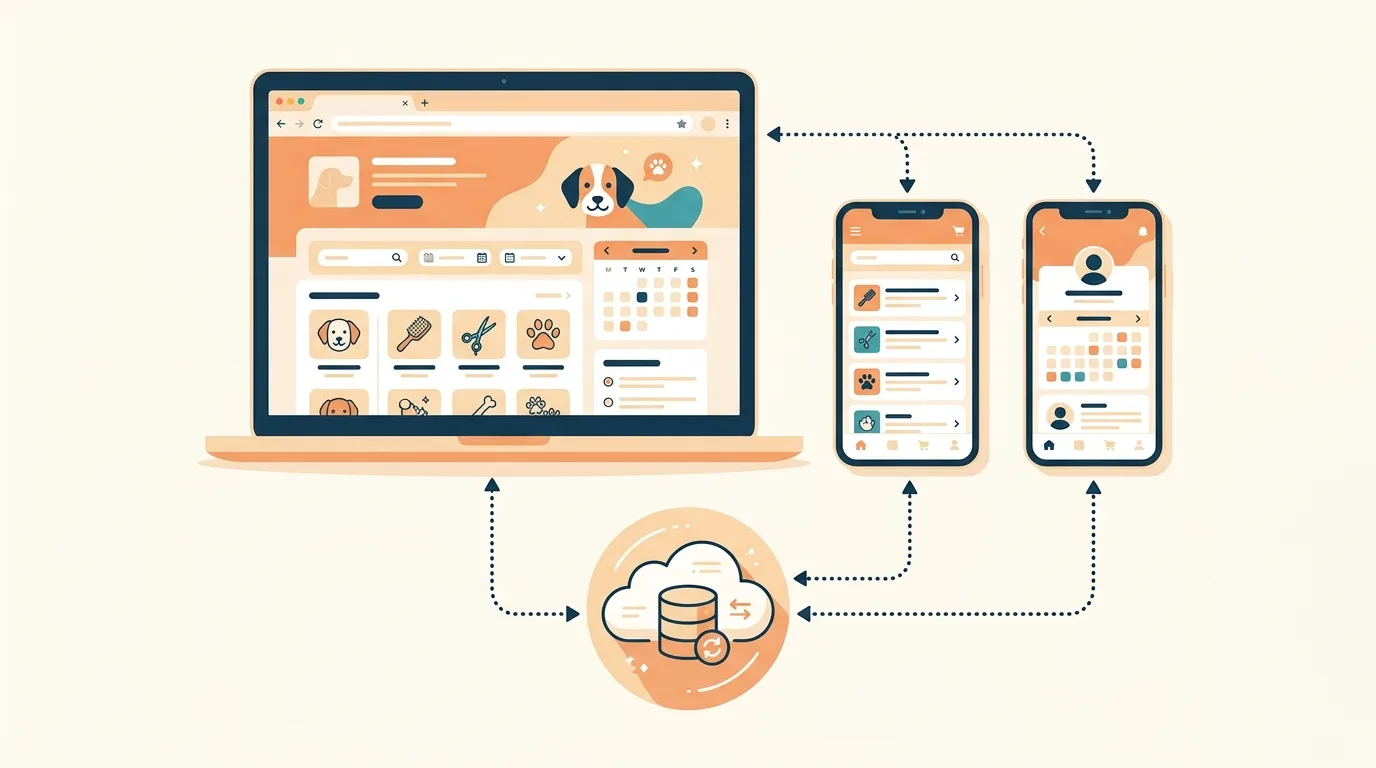
Publishing to the App Store and Google Play starts on the Starter plan. CatDoes can also run an App Store review simulation before you submit, which flags common rejection reasons early. Our guide to converting a website to an app covers the full process.
Is a One-Day Build Right for Your Project?
A one-day build fits most small business sites. It doesn't fit everything, and it's worth knowing which side you're on before you start.
It's a good fit if:
You need up to about 10 pages with one or two pieces of logic, like a filtered form or an owner login.
You can describe the business clearly: services, prices, hours, and who it's for.
You'd rather be live this week than perfect this quarter.
Budget more time if:
You're running a full online store with payments, inventory, and shipping rules.
Several parts of the site depend on each other, like memberships, deposits, or a marketplace.
The site must be on your own domain within hours, since DNS can take up to two days.
Your content isn't ready. The AI can draft copy, but it can't know your real prices or photograph your shop.
If what you really need is a full app rather than a site, our breakdown of how long app development takes covers those timelines.
Mistakes That Turn One Day Into One Month
All four are planning mistakes, and each one costs more time than the build itself.
Prompting before planning. Skip the page plan and you spend the time anyway, later, fixing a site the agent built on guesses.
Building a form that goes nowhere. If requests don't land somewhere you check, the site is decoration. Test the full path from submit to dashboard.
Rebuilding when one thing is wrong. Fix the specific behavior with a specific prompt, and undo with a checkpoint if a change goes sideways.
Leaving the domain for last. DNS doesn't care about your launch date.
Why CatDoes Is the Fastest and Easiest Way to Build a Website
CatDoes is an AI app builder for websites and mobile apps. Its AI agent builds, deploys, and maintains them from a plain-English description. Most of the time it saves comes from keeping everything in one place.
A typical DIY site needs a builder for the pages, a form service for bookings, and a spreadsheet for requests. Then add a login tool for the owner and a hosting setup. Each handoff between those tools is another place for a one-day build to slip.
CatDoes keeps all of it in one project:
One agent takes you from prompt to live URL. It plans, builds, tests, sets up the backend, and deploys, running in the cloud with its own subagents.
Every plan comes with a real backend. CatDoes Cloud includes a database, authentication, storage, edge functions, and realtime, so forms save data and logins work.
The Free plan publishes your site to a catdoes.app address, with error monitoring included.
From Starter up, you can connect your own domains, up to 20 per project, and remove the CatDoes badge.
Checkpoints on every plan let you undo any change you don't like.
When you're ready, the same project becomes a native iOS and Android app on the same backend.
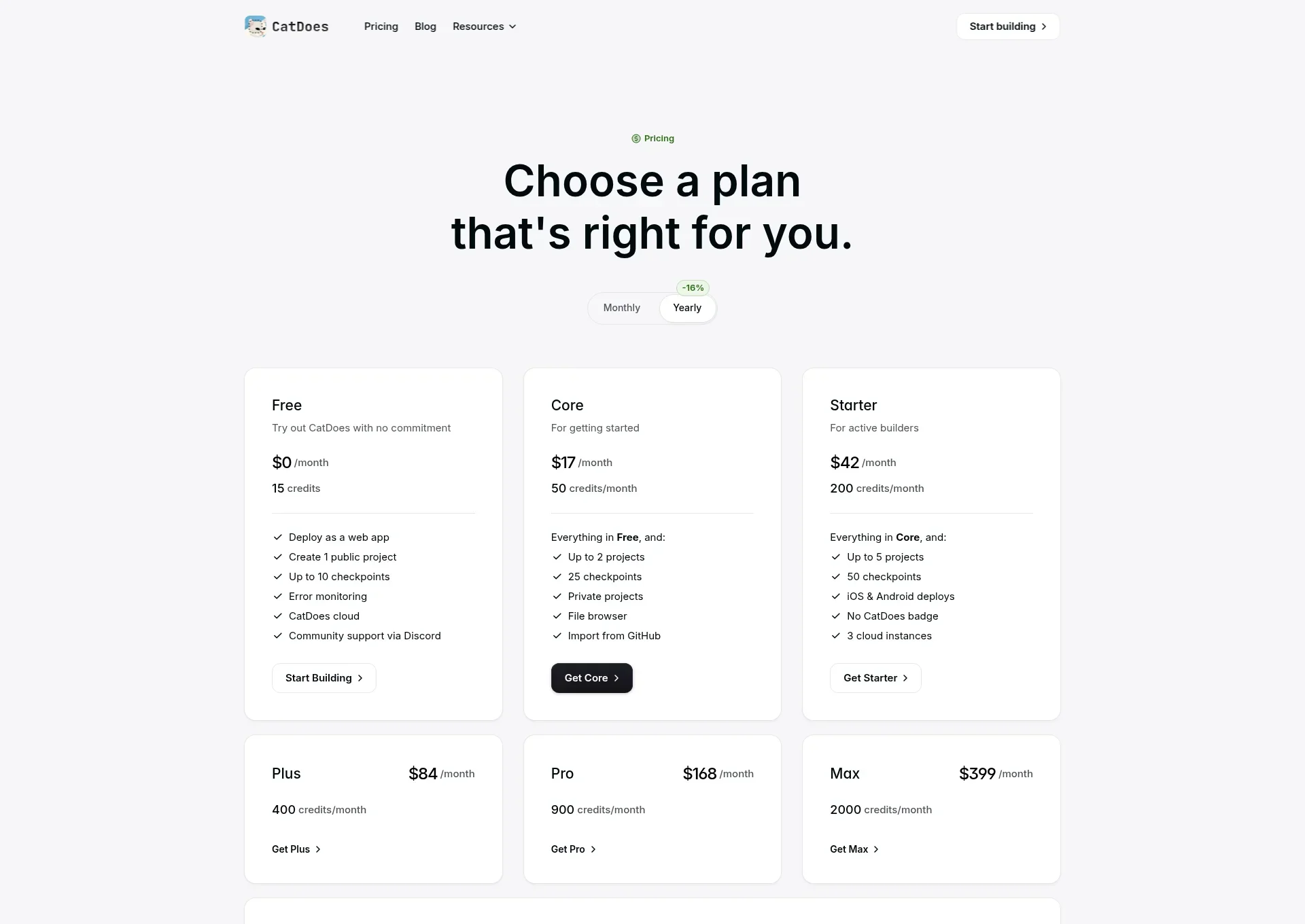
If you have a business idea and a free afternoon, that's enough to find out for yourself.
Start building my website on CatDoes
The Free plan includes 15 credits and publishing to a live web address.
Frequently Asked Questions
How long does it take to build a website with AI?
On CatDoes, a small business website with a few pages and a working form fits in one working day, including planning, review, and publishing. The agent's build is the shortest part. Most of your time goes to deciding what the site needs and checking the result.
How long does it take to make a website for a small business?
With an AI app builder like CatDoes, the same day. With a DIY website builder, plan on 20 to 40 hours spread over a few weeks. With an agency, expect months: most web design projects reviewed on Clutch run about 7 months.
What is the fastest and easiest way to build a website?
Use an AI app builder like CatDoes, which builds and publishes in the same place. You describe the site in one prompt, the agent builds the pages and the backend, and you publish to a live catdoes.app address from the same project. There's no code to write and no separate hosting, form tool, or database to set up.
How do I build a website with AI?
Plan your pages, describe the whole site in one detailed prompt, and let the AI agent build it. Then test it like a customer, fix issues with specific follow-up prompts, and publish. On CatDoes, all six steps happen in one project, starting from the prompt box on the homepage.
Can I build and publish a website in one day?
Yes. Building a site and publishing it to a subdomain fits in one working day. Only a custom domain can push you past that, because DNS changes can take up to 48 hours to spread.
How long does it take for a custom domain to start working?
Usually a few hours after you add the DNS records, and up to 48 hours in the worst case. Set it up at the start of your build day so the wait runs while you work.
Do I need to know how to code?
No. On CatDoes you describe what you want in plain English, and the AI agent writes the code, including every fix you ask for.
Can I publish a website for free?
On CatDoes, yes. The Free plan includes 15 one-time credits, one public project, CatDoes Cloud, and publishing to a catdoes.app address. You need the Starter plan for a custom domain or to remove the CatDoes badge.
How long does it take a web designer or agency to build a website?
Clutch's review data puts most web design projects at about 7 months, at an average cost of $38,105. The pure build is shorter than that, since the figure can include work after launch, but plan for weeks to months, not days.
Nafis Amiri
Co-Founder of CatDoes


