Blog

Tutorials

A Practical Guide to Turning Design Into Code

Transform your development process with our guide on turning design into code. Learn AI-powered workflows and proven strategies for a seamless transition.

Writer

Nafis Amiri

Co-Founder of CatDoes

Jan 22, 2026

Minimalist title slide reading ‘A Practical Guide to Turning Design Into Code’ centered on a light gray grid-pattern background with a subtle 3D perspective.

Getting your design into code is the final bridge between a creative vision and a real, working application. It’s the process of taking mockups from tools like Figma and turning them into the functional, interactive code that powers your app. Today, that process is faster and more direct than ever, thanks to AI-native platforms that automate the translation, cutting out weeks of manual work.

The Modern Way to Turn Design Into Code
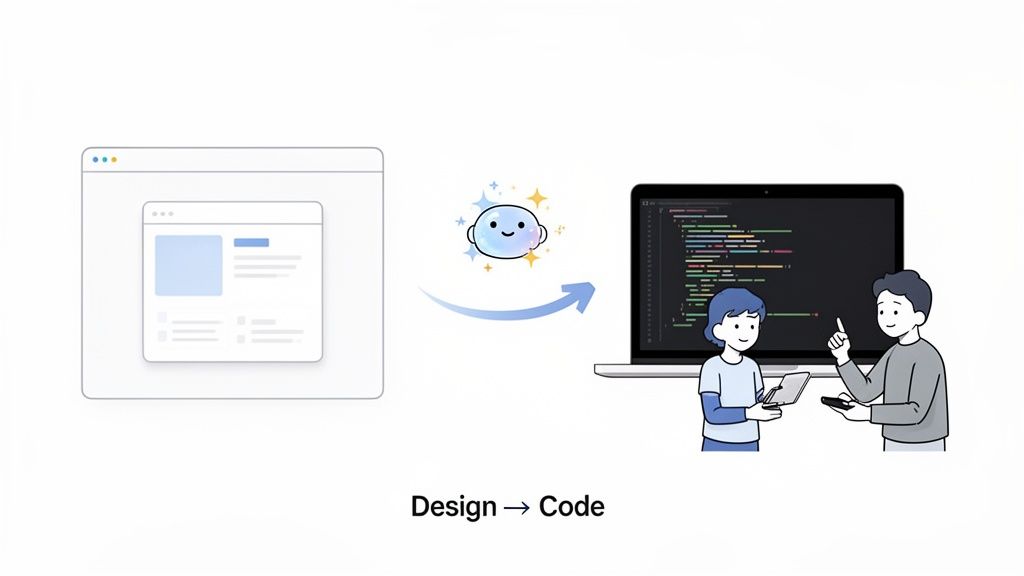
Illustration showing a UI design transforming into programming code on a laptop, facilitated by a smart tool.

The journey from a creative concept to a deployed app used to be a long and winding road. The old way involved a clunky, often painful handoff between designers and developers, a process filled with friction, miscommunication, and endless back-and-forth cycles.

Now, that path is much smoother. The core idea is to close the gap between design and development with intelligent automation. Instead of developers meticulously recreating every button, screen, and interaction from a static design file, modern tools can interpret the design and generate clean, production-ready code automatically.

Why This Shift Is Happening Now

A few key factors are driving this change, making the conversion from design into code more accessible than ever. For one, the demand for digital products is exploding, pushing teams to find faster ways to build and iterate. At the same time, major advances in AI and machine learning have made it possible to automate tasks that once required years of specialized skill.

This evolution is reflected in some serious market growth. The global design-to-code market has surged from USD 1.4 billion in 2020 and is projected to hit USD 3.5 billion by 2025. This rapid expansion shows just how critical these tools have become. You can find more insights on this trend over on Function12's blog.

To see just how different the process is, let’s compare the old way with the new AI-powered workflow.

Traditional Workflow vs Modern AI-Powered Workflow

Phase

Traditional Approach

Modern AI Approach

Handoff

Manual export of assets, specs, and redlines. High risk of miscommunication.

Direct import from Figma or other design tools. Zero ambiguity.

UI Development

Engineers manually write HTML/CSS/JavaScript from scratch, component by component.

AI generates clean, responsive code for components and screens in minutes.

Iteration

Design changes require a full loop back to developers, causing delays.

Designers can make changes in the design file, and the code updates automatically.

Time to Prototype

Weeks or months to build a functional prototype for user testing.

Hours or days to generate an interactive, testable application.

Developer Focus

Tedious UI implementation and pixel-pushing.

Complex business logic, backend integration, and performance optimization.

This new approach solves some of the most frustrating challenges that have slowed down development teams for years.

  • Drastically Reduces Time-to-Market: Automating code generation shaves weeks, or even months, off development timelines.

  • Eliminates Communication Gaps: By translating the design file directly, the risk of a developer misinterpreting a designer’s intent virtually disappears.

  • Empowers Non-Technical Creators: Founders and creators without coding knowledge can now bring their ideas to life, turning concepts into functional apps.

  • Frees Up Your Best Engineers: Developers can stop spending countless hours on tedious UI work and focus on the hard problems: backend logic, performance, and core features.

The goal isn't to replace developers. It’s to empower the entire team. Designers get more control over the final product, and developers get a massive head start, allowing them to build better software, faster.

Ultimately, this modern workflow reimagines how we build things. It’s a more collaborative, efficient, and intuitive way to create software, shifting the focus from painstaking manual labor to a smarter, automated experience.

Preparing Your Designs for a Seamless Handoff

The quality of your final code is a direct reflection of the quality of your initial design. Simple as that. Whether you’re working from a pixel-perfect Figma mockup or just a text prompt, preparation is what separates a smooth, accurate conversion from a frustrating mess.

Think of it like giving a blueprint to a builder. The more precise the instructions, the better the final construction. A sloppy, disorganized design file is a surefire way to confuse an AI code generation tool, leading to inconsistent components and a final product that looks nothing like your vision.

The same logic applies if you're starting without a visual mockup. A vague, one-sentence idea will produce a generic, cookie-cutter app. But a detailed, well-structured prompt that outlines user flows, features, and brand identity will guide the AI to build something much closer to what you’re imagining.

The Power of a Consistent Design System

A design system is your project's single source of truth. It’s a library of reusable components, defined styles, and clear guidelines that keep your entire app looking and feeling consistent. When an AI tool scans your design, the first thing it hunts for are these patterns.

A solid design system typically includes:

  • Defined Color Palettes: Primary, secondary, and accent colors are locked in and applied everywhere.

  • Typography Scales: Clear rules for headings, body text, and labels (H1, H2, Paragraph, etc.) are set and used uniformly.

  • Component Library: Buttons, input fields, cards, and nav bars are built as reusable components with defined states (default, hover, disabled).

  • Spacing and Grids: Consistent margins, padding, and layout grids dictate the spatial relationships between every element on the screen.

Without a design system, the AI is left to guess your intent. It might see three buttons that are almost the same shade of blue and treat them as three totally unique elements, bloating your code with redundancies. With a design system, it recognizes them all as one "Primary Button" component, resulting in a much cleaner and more maintainable codebase.

By establishing a design system, you're essentially teaching the AI the language of your application. This foundational step is arguably the most critical for a successful automated handoff, reducing ambiguity by over 80% in complex projects.

Mastering Layer Naming and Hierarchy

This might sound tedious, but how you name and group your layers in a tool like Figma or Sketch matters. A lot. An AI doesn't "see" your design the way a person does; it reads the underlying structure. Logical naming and grouping are crucial for the AI to understand the relationships between elements and generate semantic, meaningful code. A key part of this process involves creating effective wireframes that establish a clear, hierarchical structure from the very beginning.

Just look at the difference it makes for a simple user profile card:

Poorly Structured Layers:

  • Rectangle 1

  • Image 3

  • Text 5

  • Text 6

  • Group 12

Well-Structured Layers:

  • ProfileCard (Frame)

    • Avatar (Component)

      • ProfileImage (Image)

    • UserDetails (Group)

      • UserName (Text)

      • UserHandle (Text)

    • FollowButton (Component)

The second example gives the AI context. It knows ProfileCard is the parent container and can correctly infer the purpose of each nested element. This structured approach directly translates into higher-quality, more readable code.

From Idea to App with Natural Language

If you're starting with just an idea, your prompt is your design file. A good prompt is descriptive, specific, and full of context. Instead of just saying, "Make a fitness app," you need to paint a picture with your words.

Here’s what a strong prompt looks like:

"Create a mobile app for tracking home workouts. The primary color should be a deep navy blue with a vibrant coral accent for buttons and links. It needs a simple dashboard showing today's workout, weekly progress, and a log of completed exercises. Users should be able to sign up with email, browse a library of video workouts categorized by muscle group, and start a timer during their session. The overall feel should be modern, clean, and motivating."

This level of detail gives the AI designer agent everything it needs. It can create a relevant theme, build out the necessary UI screens, and even inform the software agent about the core features to implement. You’re providing the blueprint with words, which is every bit as powerful as a visual design when you do it right.

Here's how AI turns your designs into actual, working code. It's not a black box where you toss in a Figma file and pray. Think of it more like you're directing a team of specialized AI agents who build your app in real-time, right in front of you. This makes the whole process transparent and collaborative.

The secret sauce is a multi-agent system. Instead of one massive, generalist AI trying to figure everything out, the work is split among experts. It's a digital dream team, and this division of labor is what makes modern design-to-code platforms so incredibly accurate. They mimic a human dev team's structure but work at the speed of software.

Meet Your AI Team

When you kick things off with a design or a simple prompt, the system instantly gets to work. Each agent has a distinct job, turning your vision into a real application.

Here’s who you’re working with:

  • The Requirements Agent: This is your first touchpoint. It acts like a product manager, digging into your prompt or Figma file to really understand the core features, user flows, and what you're trying to achieve.

  • The Designer Agent: Once the requirements are locked in, this agent steps up. It’s your UI/UX specialist, creating a consistent theme, picking out the right color palette, setting the typography, and laying out the entire visual foundation of the app.

  • The Software Agents: These are your developers. They take the design specs and requirements and write the actual code. On most modern platforms, they're experts in frameworks like React Native Expo, which lets them build for both iOS and Android simultaneously.

This setup ensures every piece of your app, from the big-picture idea down to the tiny details in the code, is handled by a specialist.

The Power of Just Talking to It

One of the best parts of this whole process is that you can guide it with plain English. You don't need to know how to code. If a button looks wrong or a screen feels off, you just say so, like you would to a human designer.

For instance, you could just type, "Make the login button bigger and change its color to our main brand blue." The agents get it. They'll adjust the design and the code, and you'll see the change happen instantly in the preview. This constant feedback loop means you can iterate incredibly fast without ever touching a line of code. You can see a live example of this on an AI-powered app development platform.

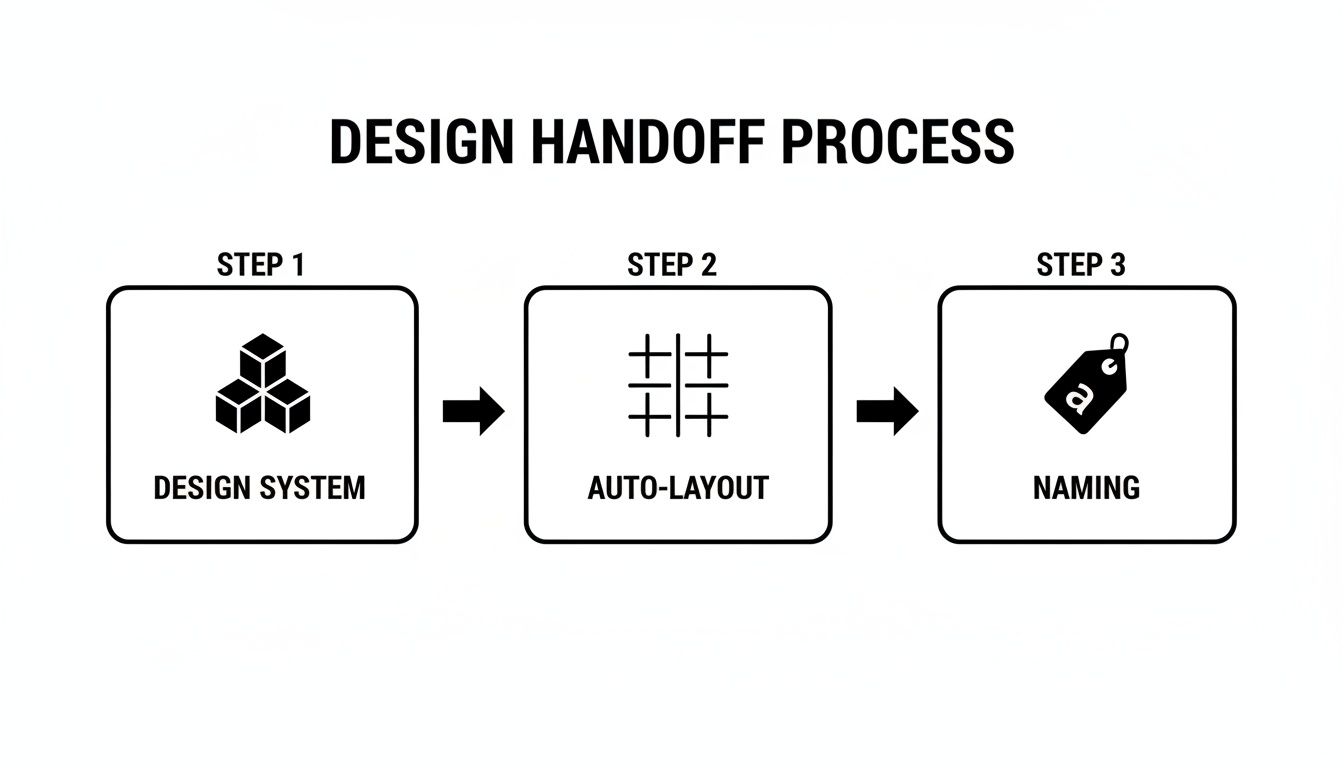
This whole handoff process hinges on a few key design principles that help the AI interpret your vision perfectly.

A design handoff process flowchart showing three steps: design system, auto-layout, and naming.

As you can see, a solid design system, logical auto-layout, and clean naming conventions are what make a smooth, automated conversion possible.

Watch Your App Come to Life, Instantly

Gone are the days of waiting for a developer to push a new build. Modern AI platforms give you a live preview of your app right in your browser. As the AI agents do their thing, you see the changes happen in real-time.

This immediate feedback is a game-changer. It closes that frustrating gap between what's in your head and what's on the screen, letting you spot problems and make tweaks on the fly.

The ability to see your app evolve live transforms the development process. It turns a linear, delayed workflow into a dynamic, interactive experience, accelerating decision-making and ensuring the final product aligns perfectly with your vision.

It gets even better. These platforms usually offer more than just a browser preview. With a quick QR code scan, you can load the live, working application directly onto your iPhone or Android device. This lets you feel the app in its natural environment, testing the usability, responsiveness, and overall vibe just like a real user would.

The impact here is huge. Automated UI design and code generation for components used to eat up 40-60% of a developer's time. This trend is perfectly suited for platforms where AI agents build interfaces from conversational prompts, with instant previews and mobile testing built right in.

By combining a multi-agent system with conversational feedback and live previews, turning a design into code stops being just an automated task and becomes a truly collaborative creation process.

Refining and Customizing Your Generated Code

AI-generated code gives you an incredible head start, but let's be real: it's rarely the final word. The real craft of building a polished, production-ready app happens when a human expert steps in. This is the refinement phase, where you transform a solid foundation into something truly exceptional.

One of the biggest mistakes you can make is treating the AI's output as finished. Think of it more like a first draft from a highly competent junior developer. It's well-structured, functional, and gets you about 80% of the way there. But it needs your senior expertise to handle the nuances and pixel-perfect details that make an app feel professional.

This hybrid approach, blending AI speed with human oversight, is quickly becoming the new industry standard for a reason. It works.

Knowing When to Step In

The code you get from an AI is your starting block, not the finish line. While it excels at churning out boilerplate, component structures, and basic functionality, certain areas always need a human touch.

You'll almost certainly need to intervene for tasks like these:

  • Pixel-Perfect UI Tweaks: The AI gets incredibly close, but you'll often spot minor alignment issues or spacing that needs a nudge to perfectly match your Figma design. These small fixes make a huge difference in how professional the app feels.

  • Complex Business Logic: If your app relies on intricate state management or custom algorithms that weren't fully detailed in your prompt, you'll need to code that logic yourself.

  • Performance Tuning: The generated code is usually efficient, but you might identify opportunities to optimize rendering, cut down on network requests, or fine-tune animations for a buttery-smooth experience.

  • Niche API Integrations: Connecting to specialized third-party services often requires specific configurations and error-handling logic that an AI can't guess.

Think of it as a partnership. The AI handles the grunt work of turning a design into code, freeing you up to focus on the high-impact, creative problem-solving that truly sets your app apart.

This collaborative model is taking over. A recent JetBrains report found that by 2025, 85% of developers will be using AI tools regularly, with 62% relying on them every single day. This massive adoption is what fuels the hybrid workflow, where AI output becomes a robust, editable foundation for your custom work. You can dig into the full report on developer ecosystem trends.

Streamline Your Edits with GitHub Integration

Manually editing code shouldn't mean you're left with a messy, disconnected workflow. Modern platforms solve this by integrating directly with your development tools, and the most powerful connection is with GitHub.

Instead of downloading a static ZIP file, you can sync the entire project to a dedicated GitHub repository. This simple step creates a seamless bridge between the AI platform and your local coding environment. For example, our guide on the Figma to React workflow explains how a synced repository makes managing a complex project's components way easier.

This integration unlocks a smooth, continuous workflow:

  1. Generate and Sync: Let the AI platform generate the initial app from your design and push it directly to a new GitHub repo.

  2. Clone and Customize: Pull the repository down to your local machine and open it in your favorite editor, like VS Code.

  3. Refine and Build: This is where you write your custom business logic, fine-tune the UI, and add any specific features the AI couldn't generate.

  4. Push and Continue: Commit and push your changes back to GitHub. The AI platform stays in sync, so you can keep using it for future modifications without worrying about overwriting your manual work.

This cycle lets you bounce between AI-driven generation for speed and manual coding for precision, all within a version-controlled environment. It's the best of both worlds because you get the safety of traditional development practices with the incredible speed of modern automation.

Integrating a Backend and Preparing for Launch

A beautiful app is just a pretty face. A truly useful app needs a brain: a solid backend to manage data, handle user accounts, and drive its core features. This is where we connect your slick interface to the engine that makes it all work.

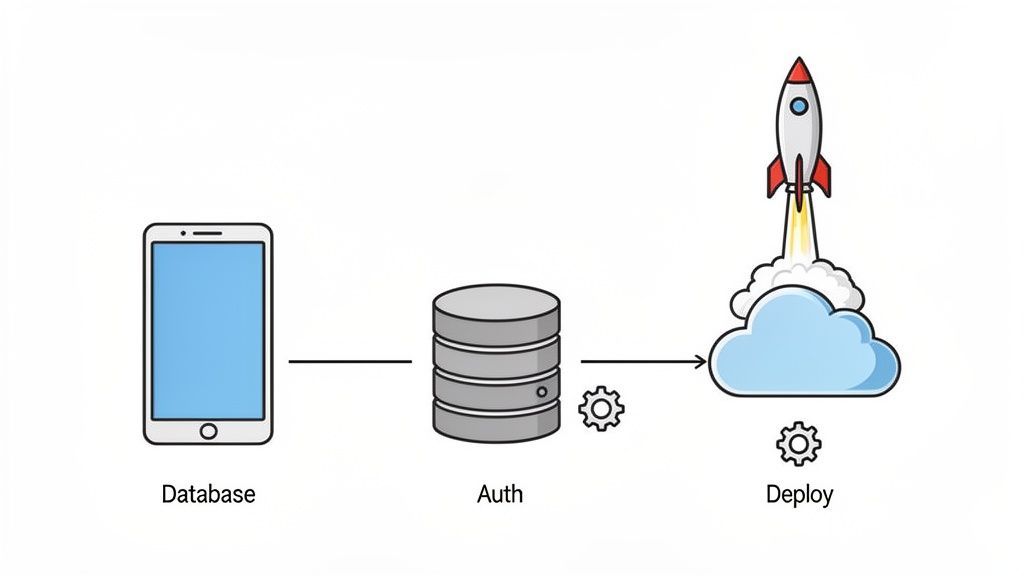
A diagram illustrating the software deployment process: from a mobile device, through a database and authentication, to cloud deployment.

Not long ago, this meant hiring a backend developer, setting up servers, configuring databases, and writing tons of server-side code. It was a whole separate project that could easily double your timeline. Today, the same AI platforms that build your front end can handle the back end too, giving you a full-stack solution from a single conversation.

This is mostly thanks to slick integrations with Backend-as-a-Service (BaaS) platforms. These services offer pre-built infrastructure for all the common stuff an app needs, cutting out a massive amount of complexity.

Generating Your Backend from a Prompt

Modern AI-native platforms can hook into services like Supabase to automatically generate the backend your app needs. When you describe features like "user login" or "a feed of posts" in your prompt, the system doesn't just design the UI; it actually provisions the real backend infrastructure to power it.

Here’s what that looks like in practice:

  • It creates the database schema. Based on your feature list, the AI designs the right tables and relationships to store user profiles, content, and whatever else your app needs.

  • It implements user authentication. The AI builds secure sign-up, login, and password reset flows and connects them to the UI components it already created. No more wrestling with auth logic.

  • It builds server-side logic. For basic operations, it can spin up serverless functions or API endpoints to handle requests from your app.

This integrated process means your front end and back end are built together, perfectly in sync from the get-go. You’re not just getting a collection of screens; you’re getting a functional, end-to-end system from a single vision. If you want to dive deeper into how this works, check out our guide on what Backend-as-a-Service is.

By automating backend generation, modern platforms have turned the design-to-code process into a full-stack development experience. This removes one of the biggest bottlenecks, letting a single creator build and launch a complete app without needing a dedicated backend team.

Of course, some apps need to talk to other services. For that, you'll need to understand what API integration entails. A good API is the bridge that lets your app pull in data or trigger actions on other platforms.

From a Working App to a Live Product

Once your app is fully functional, with the front end and back end working together smoothly, it’s time for the final push: getting it into users' hands. This deployment phase used to be a nerve-wracking, manual process full of potential errors. Now, it can be automated too.

An automated build-and-release agent is like your personal deployment manager. It takes your final code and handles all the tedious, platform-specific requirements to go live.

This agent takes care of several critical tasks:

  1. Code Compilation and Bundling: It crunches your React Native code into optimized packages for iOS, Android, and the web.

  2. Asset Management: It makes sure every image, font, and icon is correctly packaged for each platform.

  3. App Store Preparation: It generates the specific builds needed for submission to the Apple App Store and Google Play Store, ensuring they meet all the technical guidelines.

  4. Web Deployment: If you have a web version, it can push the app to a hosting provider, making it instantly live at a URL.

This automated pipeline gives you a clear, repeatable path from a finished app to a live product. It strips away the final technical headaches, so you can focus on your launch and getting feedback instead of fighting with deployment scripts.

Got Questions About Turning Designs Into Code?

It's totally normal to have questions when you're merging creative vision with technical execution. This modern workflow is still new to a lot of people, so let's clear up some of the most common things we hear.

How Accurate Is The Code From A Figma Design?

Honestly, the accuracy comes down to the quality of your design file. It’s a classic "garbage in, garbage out" situation. For the best results, your designs need to be built on a solid foundation: a clear design system, consistent components, logical layer names, and proper use of auto-layout.

When you nail those fundamentals, platforms can generate code with incredibly high fidelity, often looking pixel-perfect. Still, you should expect to make a few minor manual tweaks for final polish. The AI is brilliant at scaffolding the core structure and components, which saves a massive amount of development time.

Think of the AI-generated output as a production-ready starting point. It’s a solid foundation that a developer can easily refine and build on, not a hands-off final product.

Can I Really Do This With Zero Coding Experience?

Absolutely. One of the main goals of modern design-to-code platforms is to make app development accessible to everyone. If you're a non-technical founder or creator, you can just describe your idea in plain English, and AI agents will handle both the design and the code generation.

You can steer the entire process without writing a single line of code. You’ll be able to:

  • See a live preview of the app in your browser as it's being built.

  • Suggest changes naturally, like "make this button bigger" or "change the header text."

  • Test the app on your phone with a simple QR code to get a real feel for it.

For many apps, especially for building first versions or internal tools, you can go straight from a simple idea to a fully launched product without ever needing to hire a developer. This puts the power to build directly in the hands of founders, designers, and business owners.

What Kinds Of Apps Are Best For This Process?

This workflow is incredibly versatile, but it really shines for projects where speed and iteration are everything.

It’s particularly effective for:

  • Minimum Viable Products (MVPs) for startups who need to test an idea with real users fast.

  • Internal Business Tools like custom dashboards, CRMs, or inventory management apps.

  • Customer-Facing Apps for small to medium-sized businesses, like e-commerce stores, booking platforms, or informational apps.

While you can build complex applications this way, projects that need deep hardware integrations, intense graphics processing (like high-end games), or operate in heavily regulated industries will likely require more hands-on coding. But for the vast majority of business and consumer apps, this automated workflow is a game-changer for cutting down your time-to-market.

How Does Backend Integration Work With An Automated Tool?

This is where these platforms go from being just a UI tool to a complete, end-to-end solution. Many modern tools, including ours, offer optional backend integration with services like Supabase, which can be generated right alongside your front end.

When you describe features that need a backend, such as user logins, saving data, or building a social feed, the AI can automatically spin up the necessary infrastructure. This usually includes:

  • Setting up a database with the right tables and fields to store your app's data.

  • Implementing user authentication for secure sign-up and login flows.

  • Creating the API endpoints your front-end code needs to talk to the server.

This transforms the tool from a simple UI generator into a full-stack development platform. You get a complete, cohesive system where your front-end design and backend logic are built to work together perfectly from day one.

Ready to turn your idea into a real app without the friction? With CatDoes, you can go from a simple prompt or Figma file to a production-ready mobile app faster than ever. Start building for free on CatDoes today!

Writer

Nafis Amiri

Co-Founder of CatDoes