Blog
Tutorials
How to Create a Dating App: 7 Steps, No Code (2026)
How to create a dating app in 7 steps: pick a niche, build the match loop without coding, pass Apple and Google Play dating rules, and launch with real members.

Nafis Amiri
Co-Founder of CatDoes

To create a dating app, pick a niche and one launch area, build the match loop (profiles, discovery, mutual matches and chat), add the safety tools Apple and Google Play require, then open it to a waitlist of real members. You can make a dating app without coding: an AI agent like CatDoes builds the native iOS and Android app and its backend from a plain-English description.
This guide walks through the 7 steps to build a dating app from scratch, whether you're starting one for a city, a campus or a hobby. After the steps come the costs, the store rules most guides skip, and how dating apps make money.
Short answer: start with one audience and one launch area, plan version one around the match loop and its safety controls, and build it with an AI agent, a no-code builder or developers. Then pass App Store and Google Play review and open it invite-only. With CatDoes, fixed costs for the first year come to $628.
Pick a niche Apple will accept and one launch area
Choose how to build it: AI agent, no-code builder or developers
Plan version one: the match loop plus the safety controls
Make the app, one part of the match loop at a time
Snap member locations to a grid so nobody can be tracked
Meet the App Store and Google Play dating rules, then submit
Get your first members before you open to everyone
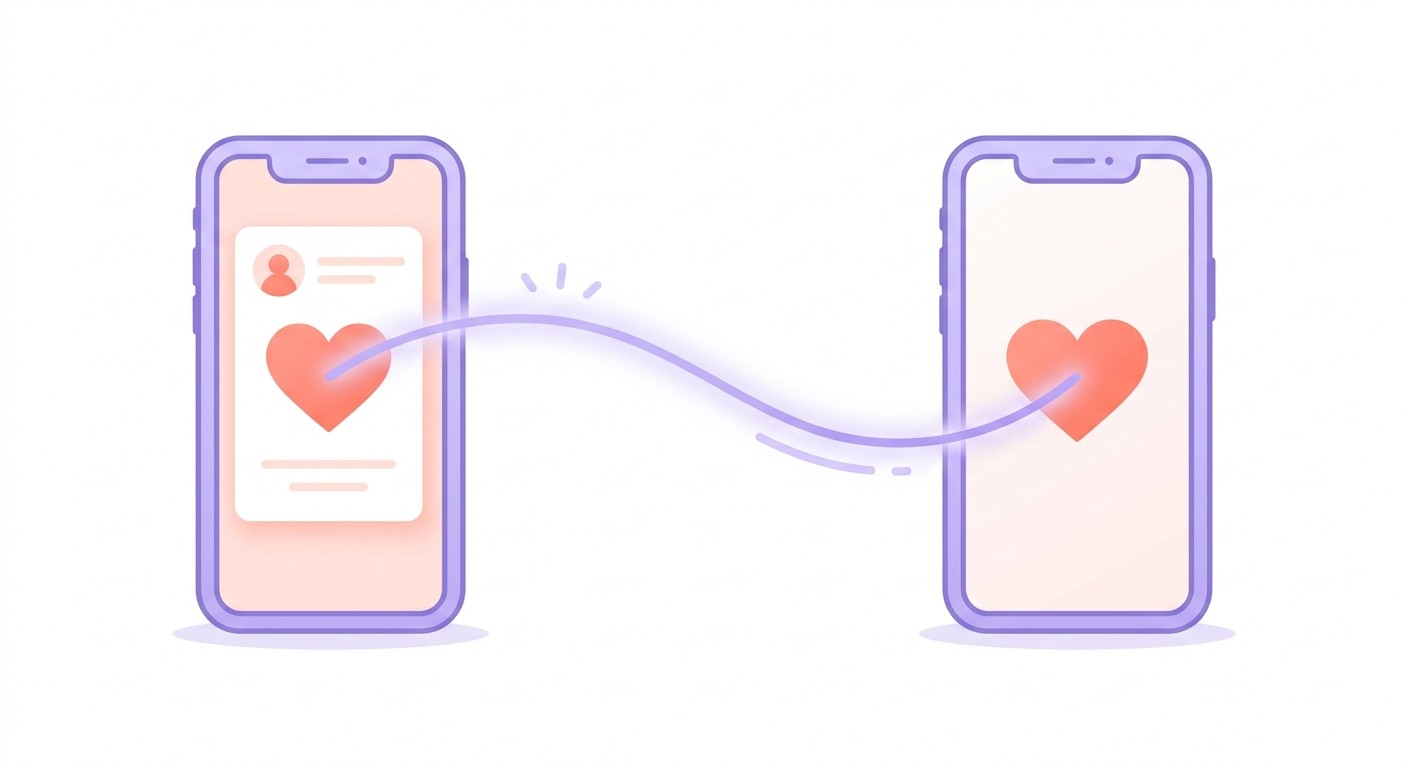
Table of Contents
What Your Dating App Has to Handle
Step 1: Pick a Niche Apple Will Accept
Step 2: Choose How to Build Your Dating App
Step 3: Plan Your Dating App Features for Version One
Step 4: Make Your Dating App With CatDoes
Step 5: Protect Member Locations From Trilateration
Step 6: App Store and Google Play Rules for Dating Apps
Step 7: Get Your First Members
How Much Does It Cost to Make a Dating App?
How Do Dating Apps Make Money?
When You Need More Than No-Code
Common Questions About Creating a Dating App
Build Your First Match
What Your Dating App Has to Handle
A dating app is one loop repeated thousands of times. A member creates a profile, sees people nearby, and likes someone. If that person likes them back, it's a match, and the two can chat.
If anything goes wrong, they can report or block.
Every screen in your app serves that loop. That's why a dating app builder needs more than screens: it has to handle phone features like photos and location, a backend for accounts and messages, safety tools, and the trip through App Store and Google Play review.
Part of the app | What members do | What the builder has to provide |
|---|---|---|
Profiles | Add photos, a short bio, and who they're looking for | Sign-up, photo storage, an age check |
Discovery | Browse members who fit their preferences nearby | Location, filters, a database query that scales |
Matching | Like or pass, and match when it's mutual | Server-side rules so nobody can fake a match |
Chat | Message their matches | Live messages and push notifications |
Safety | Report, block, and delete their account | The controls Apple and Google require |
Step 1: Pick a Niche Apple Will Accept
Apple names dating as a category it is cautious about. Guideline 4.3(b) of the App Store Review Guidelines says dating apps are "well established on the App Store and we will not accept new submissions unless they offer a meaningfully different or improved experience." The same rule says Apple may remove them later if they aren't updated, improved, or don't attract customers.
So "Tinder, but for my city" won't get through review. "A dating app for climbers that matches people by the gyms they train at" has a real chance, because both the audience and the matching idea are new.
Write your difference as one sentence before you build anything. You'll reuse it in your first prompt, your store listing, and the notes you send the App Review team.
Start in one place
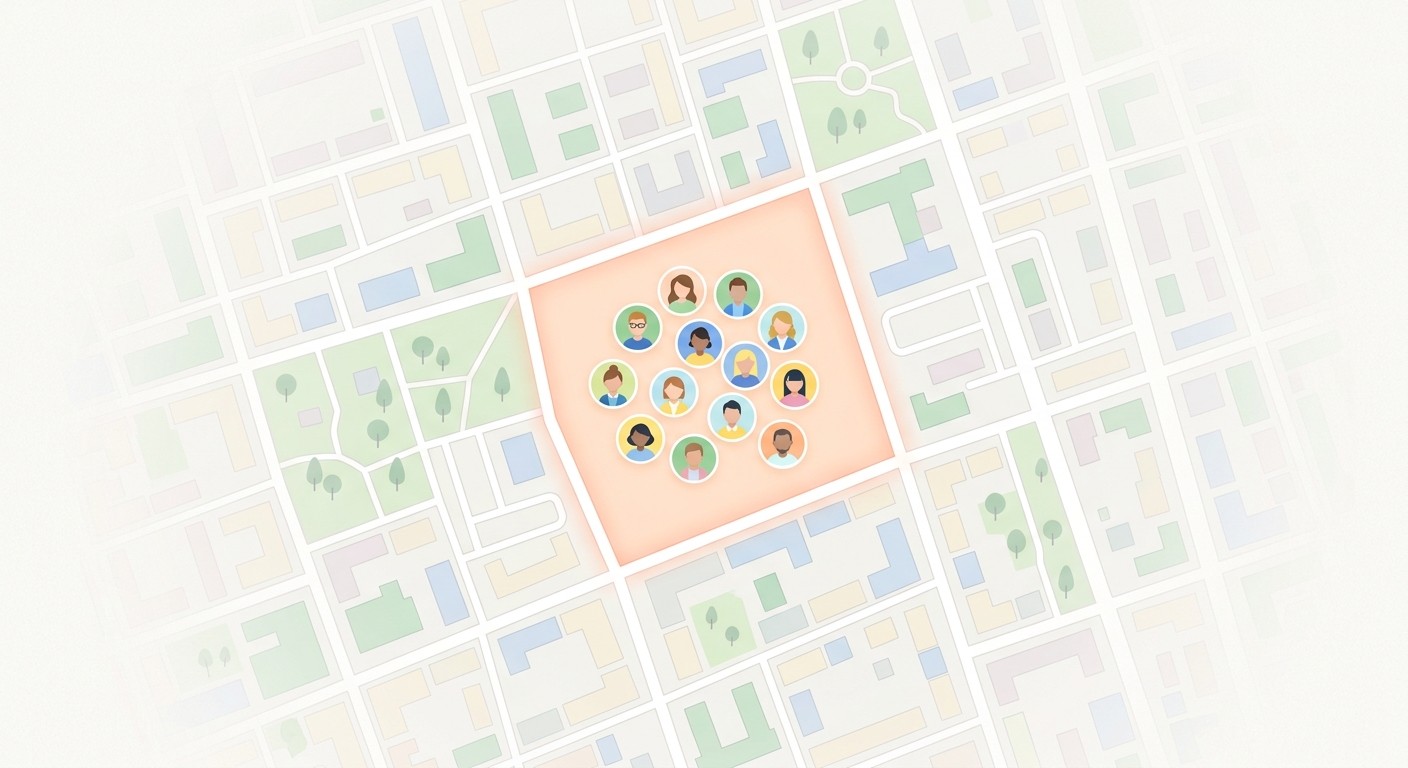
A dating app with members spread across a whole country feels empty to every one of them. Pick one launch area, like a city or a campus, and fill it before you expand.
A new member should see enough real people nearby in their first session to want to come back. If I were starting one, I'd launch inside a community I'm already part of, because I'd know the people, could recruit them in person, and they'd forgive a rough first version.
Decide how members match
Your niche also shapes how people meet. Three models are common, and version one only needs one:
Mutual likes. Members like or pass, and a match happens only when both say yes. It's the simplest to build and to explain.
Compatibility questions. Members answer a few prompts or a short questionnaire, and discovery shows people whose answers fit.
Events first. Members meet at a group event in your launch area, then match with people who were there.
Some mechanics are off the table. Guideline 1.2 says apps used mainly for "random or anonymous chat" or the "objectification of real people (such as 'hot-or-not' voting)" do not belong on the App Store.
Step 2: Choose How to Build Your Dating App
There are four ways to build a dating app. They differ in who does the work, who builds the safety controls the stores require, and who owns the code at the end.
Route | What you do | Safety controls | Who owns the code |
|---|---|---|---|
AI agent, like CatDoes | Describe the app in plain English, review the plan, test each part | You ask for each one and the agent builds it | You do. It's a standard React Native Expo project |
No-code visual builder | Drag screens together and wire up the logic yourself | You assemble them from the builder's components | Depends on the builder. Some export code, some don't |
Clone script or white-label app | Buy a ready-made dating app and rebrand it | Whatever the script ships with | Set by the license |
Hiring developers | Write a spec, manage the team, review each build | The team builds what you specify | You do, if your contract says so |
A clone script gets something running fastest, but on its own it's a copy of apps already in the store, which is what Apple's 4.3(b) rule turns away. You'd still need your own audience and matching idea on top.
Hiring developers is the traditional route to dating app development, and the slowest. On Clutch, most app development projects cost $10,000 to $49,999, the average is $90,780, and a typical project takes about 11 months. Those figures cover all kinds of apps, not dating apps alone.
Visual builders and AI agents both skip the code. The difference is who wires up the logic. In a visual builder you connect every screen, database rule and safety tool yourself, while an AI agent writes them from your description. Our comparison of dating app builders covers named tools and their prices. The build steps below use CatDoes.
Step 3: Plan Your Dating App Features for Version One
Version one needs the full match loop plus every control the app stores check for. Everything else can wait. The table maps each feature to the rule it satisfies, so you can see what's optional and what isn't.
Feature | Why it's in version one | Store rule it covers |
|---|---|---|
Sign-up with email, phone, Apple, or Google | Every like and message belongs to an account | None, but members expect it |
18+ date of birth check | Dating apps are for adults | Google Play Restrict Minor Access, Apple 2.3.6 age rating |
Profile with photos and preferences | Discovery runs on it | None |
Discovery filtered by distance and preferences | The core of the loop | None, but see the location section below |
Like, pass, and mutual matches | Only matches can message, which cuts spam | None |
Chat between matches | Where dates actually get planned | None |
Report and block | Members need a way out of bad conversations | Apple 1.2, Google Play Child Safety Standards |
Photo and message filtering | Stops abuse before anyone sees it | Apple 1.2 |
Contact details in the app | Members can reach you | Apple 1.2 |
Delete account, in the app and on the web | Members can leave for good | Apple 5.1.1(v), Google Play account deletion |
A privacy policy, linked in the app | Members can see what you collect and why | Apple 5.1.1(i) |
Push notifications for matches and messages | Members come back when something happens | None |
How mutual matching works
Behind the screens, a dating app needs six tables: profiles, likes, matches, messages, reports, and blocks. When a member taps like, the app saves a like. If the other person has already liked them, the server creates a match, and only then can the two send messages.
Two rules keep this safe. The match check runs on the server, so nobody can trick the app into a fake match. And blocked pairs never appear in each other's discovery again.
What to leave out of version one
Video calls, AI matchmaking, paid boosts, and ID verification can all wait. They're worth adding once members are active, because then you'll know which one they actually ask for.
Step 4: Make Your Dating App With CatDoes
You describe how members meet, CatDoes writes a plan, and you build one part of the loop at a time. CatDoes is an AI agent that builds, deploys, and maintains mobile apps and websites from a plain-English description. Each step below is a message in a chat.
Write your difference and launch area. Two sentences: who the app is for and what makes it different, then the city, campus, or community where you'll launch.
Ask CatDoes to plan before it builds. Start with "Don't build anything yet" and ask for the screens, the database tables, and the safety rules. Changing a plan is free, while changing built work costs credits.
Build sign-up and profiles first. Email, phone, Apple, or Google sign-in, an 18+ date of birth check, and a profile with photos, a bio, and preferences.
Add discovery and mutual matching. A feed of nearby members filtered by preferences, like and pass buttons, and a match that's created on the server only when both people have liked each other.
Add chat and notifications. Messages between matched members only, with a push notification for every new match and message.
Add the safety layer. Report and block on every profile and chat, filtering on photos and messages, a review queue for reports, your contact details, and account deletion in the app and on a web page.
Test the whole loop on real phones. Scan the preview QR code on two phones, sign up as two members, like each other, chat, then report, block, and delete one account to check each step.
The first prompt to paste into CatDoes
Copy this, fill in the brackets, and send it as your first message:
"Plan a dating app called [name] for [audience] in [launch city or community]. Don't build anything yet. What makes it different: [one sentence]. Members sign up with email, phone, Apple, or Google, confirm they're 18 or older, and create a profile with up to [6] photos, a short bio, and who they want to meet. Discovery shows nearby members who fit their preferences, using locations snapped to a 1 km grid and never exact coordinates. Members like or pass, and a match is created on the server only when both have liked each other. Only matches can chat, and new matches and messages send a push notification. Every profile and chat has report and block, reports go to an admin review screen, and blocked members never see each other again. Members can delete their account in the app and from a web page. Write the plan down: the screens, the database tables, and the safety rules."
CatDoes replies with a written plan. Fix anything that's wrong, agree on the build order, then tell it to start with sign-up and profiles. The CatDoes docs recommend planning on the High or Max agent tier and building on Low or Medium, so the expensive thinking happens once.
What CatDoes sets up for you
Every dating app needs a database, member accounts, photo storage, and server-side logic, and CatDoes Cloud configures all four from your prompts. Sign-in supports email, phone, Google, and Apple. Ask for the match check and moderation to run in edge functions, CatDoes Cloud's server-side functions, where members can't tamper with them.
The app itself runs on React Native Expo, so it's built from native components, not a web page inside an app shell. It can use the phone's camera, location, and notifications. If you add a moderation service, its API key goes in your project's environment variables, encrypted, never pasted into the chat.
Ready to try it? Start building my dating app on CatDoes. The free plan needs no credit card.
Step 5: Protect Member Locations From Trilateration
The most dangerous number in a dating app is distance. If your app reveals how far away someone is too precisely, a stranger can take three readings from different spots and work out where that person lives. This attack is called trilateration.
Big apps have gotten this wrong. Researchers at KU Leuven analyzed 15 location-based dating apps in January 2023 and found that 6 let an attacker pinpoint a user's exact location (USENIX Security 2024 paper).
Badoo, Bumble, Hinge, and Hily leaked it through their distance filters, which used exact distances, even though Hinge and Hily hid distances on screen. The researchers disclosed the problems, and the apps fixed them.
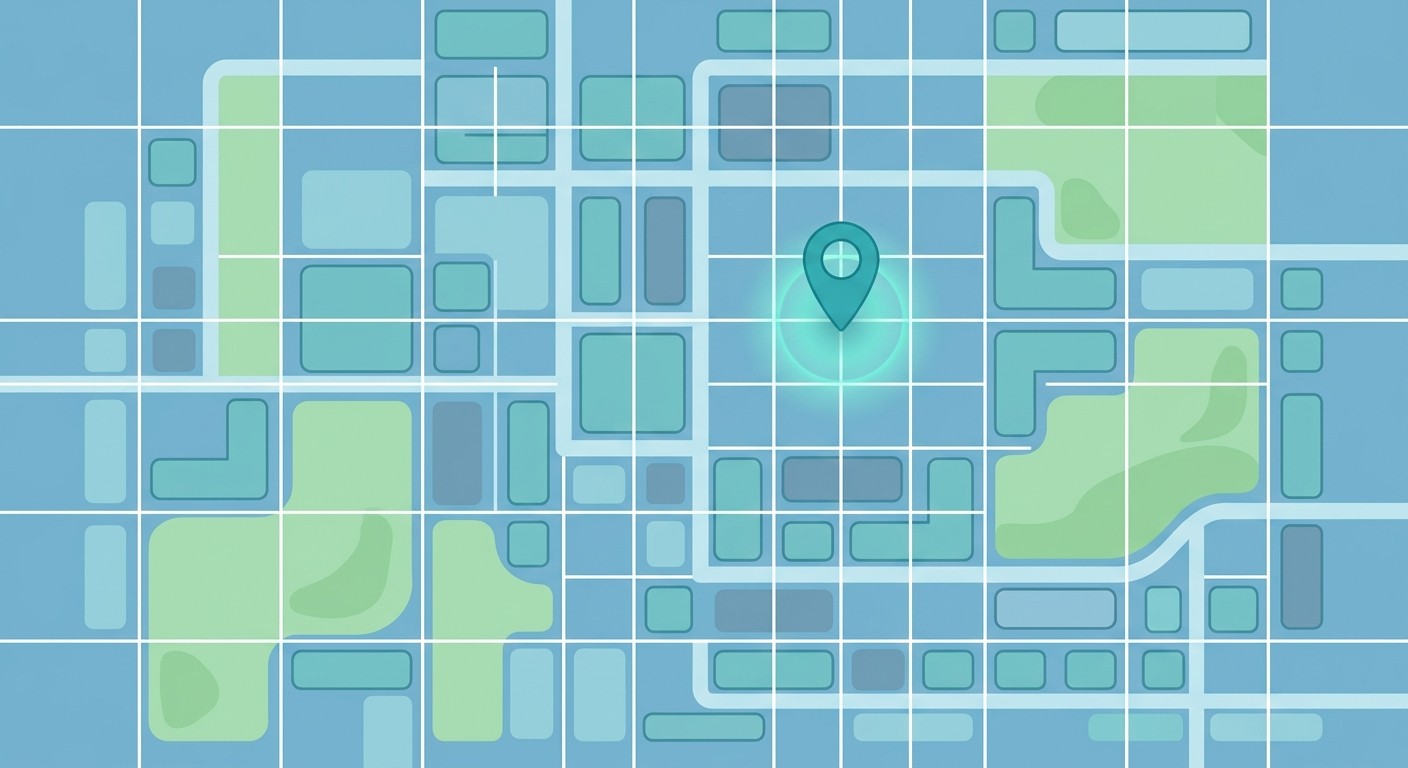
The fix the paper points to is grid snapping. The app divides the map into cells and moves every member's coordinates to a fixed point in their cell, like its center, before calculating any distance. Tinder uses 1 by 1 mile cells and LOVOO uses 1 by 1 km cells, and the researchers found no trilateration flaw in either.
Hiding the distance on screen isn't enough, because filters and sorting can still leak it. When you build with CatDoes, ask for three things:
Store each member's location as a grid cell, never as raw coordinates.
Run every distance filter and sort on cell centers only.
Show distance in rough bands like "under 5 km," and limit how often a member can change their location.
Step 6: App Store and Google Play Rules for Dating Apps
Most no-code dating app guides cover Apple's safety rules. Fewer cover Google Play's two dating-specific policies, and both apply as soon as you choose the Dating category in Play Console. The table lists every rule a dating app has to meet before launch.
Rule | Store | What your app needs |
|---|---|---|
Guideline 4.3(b), Spam | Apple | A meaningfully different or improved experience |
Guideline 1.2, User-Generated Content | Apple | Filtering, reporting with timely responses, blocking, and published contact information |
Guideline 5.1.1(v), Account Sign-In | Apple | Account deletion inside the app |
Guideline 5.1.1(i), Privacy | Apple | A privacy policy link in App Store Connect and inside the app |
Guideline 2.3.6, Age rating | Apple | Honest answers to the age rating questions |
Child Safety Standards policy | Google Play | Published CSAE standards, in-app reporting, a child safety contact, and more |
Age-Restricted Content and Functionality | Google Play | Restrict Minor Access turned on in Play Console |
Account deletion | Google Play | A delete option in the app and a web link to request deletion |
Testing requirement | Google Play | A closed test with 12 testers for 14 days, for personal accounts created after November 13, 2023 |
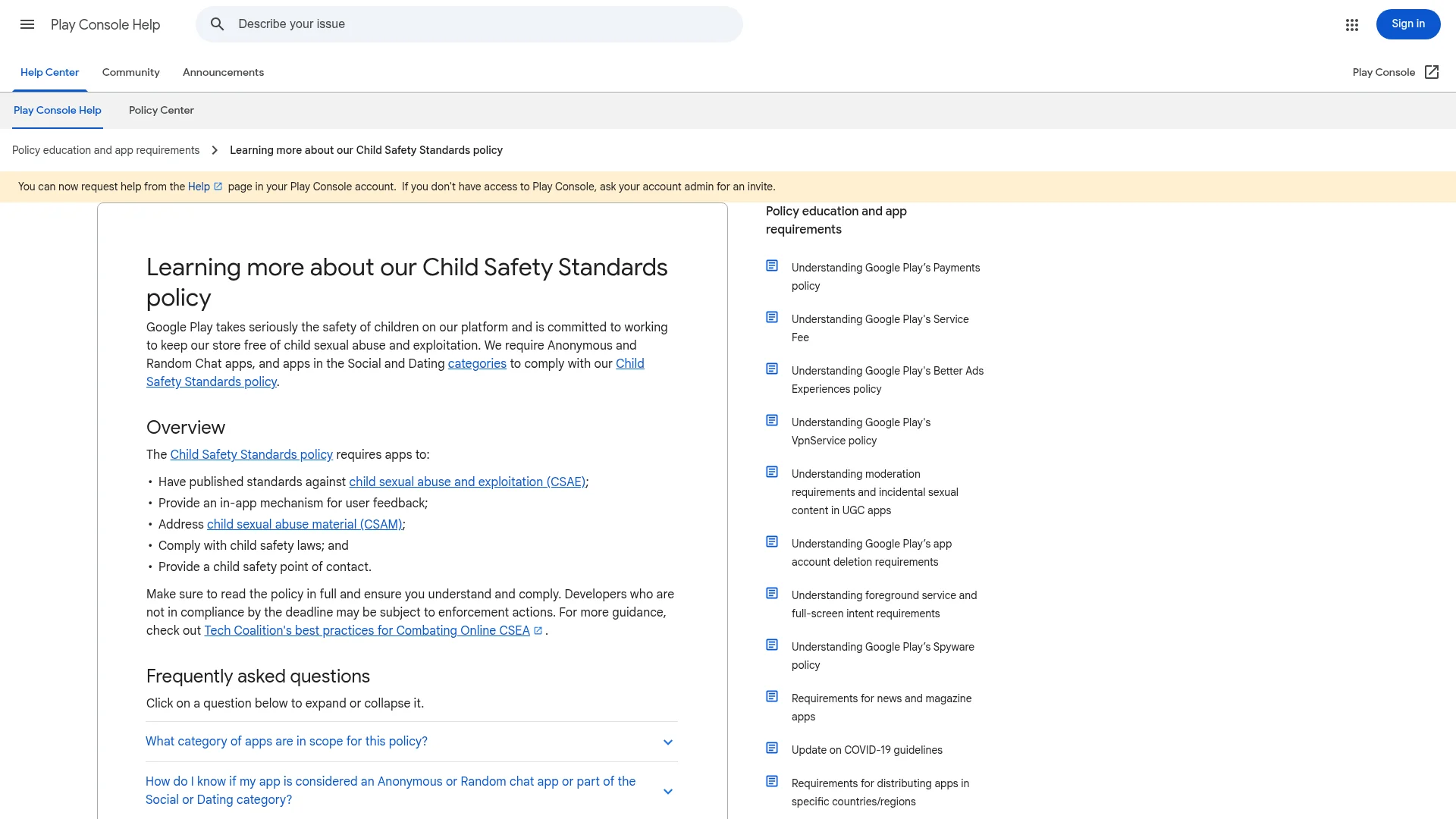
Google Play's Child Safety Standards policy
Google requires apps in the Social and Dating categories to follow its Child Safety Standards policy. It doesn't matter that your app is adults-only: Google says "the presence or absence of child users in your app is irrelevant to this policy."
The policy has five requirements:
Published standards against child sexual abuse and exploitation (CSAE).
An in-app way for members to send feedback or reports.
A process to deal with child sexual abuse material (CSAM).
Compliance with child safety laws.
A named child safety point of contact.
The standards page has to be public, load without errors, mention CSAE or child safety, and name your app or developer exactly as your Play listing does. A CatDoes project can hold a website next to your mobile app, so the same project can host this page and your account deletion page.
Restrict Minor Access
Google's Age-Restricted Content and Functionality policy, announced October 30, 2025, requires dating and matchmaking apps to use Restrict Minor Access in Play Console. Apps where dating is only an incidental feature can use their own age gating instead, but a dating app is not that case. Turn it on alongside your in-app 18+ check.
Submitting to the App Store and Google Play
When your app is ready, ask CatDoes to release it for iOS. The build usually takes 10 to 30 minutes, and the agent can submit it straight to the App Store.
You then choose whether it goes to TestFlight testers or out to the public. Put your one-sentence difference in the review notes, and check our guide to passing App Store review before you hit submit.
For Android, CatDoes builds the app in the same 10 to 30 minutes, and you upload it to Google Play yourself. Ask for a preview build first, so your closed-test members can install it.
Step 7: Get Your First Members
Build the community before you finish the app. A waitlist page in your launch area, a group chat for early members, and a few in-person events will do more than any feature you add in month one.
Google Play gives you a reason to start early. New personal developer accounts need 12 testers opted in to a closed test for 14 days in a row before they can apply for production access. Your first members can be those testers, and they'll find bugs while they're at it.
Open the app to everyone only when a new member in your launch area will see real people in their first session. Until then, keep it invite-only. When you do open it, let the whole waitlist in on the same day, so early members find each other instead of an empty app.
How Much Does It Cost to Make a Dating App?
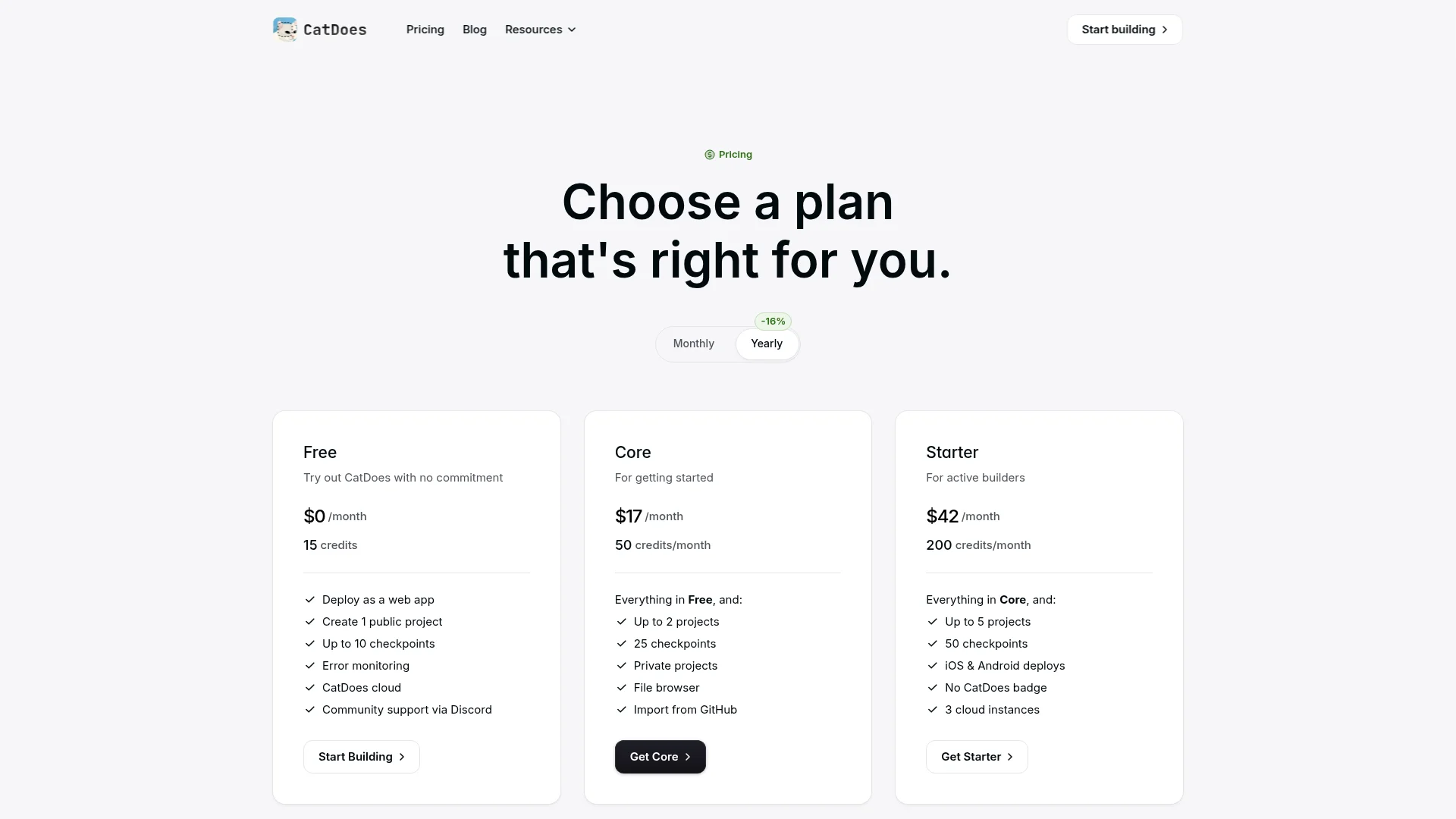
With CatDoes, making a dating app costs $628 in fixed fees for the first year. Store releases need Starter or above, and each store charges its own developer fee. That's a fraction of the developer route, where most app projects on Clutch cost $10,000 to $49,999.
Cost | Amount | Source |
|---|---|---|
Apple Developer Program | $99 a year | Apple |
Google Play developer account | $25, one time | Google Play Console Help |
CatDoes Starter (iOS and Android releases, 200 credits a month) | $42 a month billed yearly, or $504 a year | catdoes.com/pricing |
First-year fixed total | $628 | Sum of the above |
How many credits a dating app takes depends on how much you build, so start with the match loop and add features once members ask for them. Moderation and verification services you plug in later have their own usage fees.
How Do Dating Apps Make Money?
Big dating apps make most of their money from subscriptions, less from one-off purchases, and little from ads. Match Group, which owns Tinder and Hinge, says in its 2025 annual report that its revenue comes mainly from recurring subscriptions, then from à la carte features, while advertising is "a much smaller percentage."
Subscriptions. A weekly, monthly or yearly plan that adds features, such as more filters or seeing who liked you.
One-off purchases. Single features members pay for when they want them. Tinder sells Super Likes and Boosts this way.
Ads. Shown to free members. For Match Group, they're the smallest source of revenue.
What the biggest dating apps earn
At the top of the market, almost all the money comes from paying members. Match Group's 2025 revenue was $3.49 billion, and Tinder brought in $1.86 billion of it from an average of 9.0 million payers. Both Tinder numbers fell from 2024, by 4% and 7%. Bumble's 2025 results show $965.7 million in revenue from 3.7 million paying users, down 9.9% and 11.5%.
When to start charging
Charge once members are matching. In a new app, a paywall has nothing to sell until people nearby are liking each other, so keep version one free in your launch area. Add a subscription when members start asking for more, and set its price after checking what the stores keep, covered below. Our guide on how to make money from an app covers pricing models in more depth.
What the stores keep from subscriptions
Apple's Guideline 3.1.1 says features you unlock inside the app must use in-app purchase, though apps on the US storefront may also link to other ways to pay.
On the App Store, you get 70% of a subscription during a subscriber's first year and 85% after that. Apple's Small Business Program pays 85% from the start if you're new to the App Store or earned up to $1 million in proceeds last calendar year, as long as you stay under $1 million this year.
On Google Play, auto-renewing subscriptions in the US, UK, EEA, Australia, and Japan now carry a 10% service fee plus a 5% billing fee. Elsewhere it's 15% until the new rates roll out, per Google's service fee page.
On a $9.99 monthly plan, you keep $8.49 when the store takes 15% and $6.99 when it takes 30%.
When You Need More Than No-Code
No-code gets you to launch and to your first members, which is where you learn what they want. You may want engineers later for a custom ranking algorithm, video dates, or moderation at a scale where it becomes its own product.
With CatDoes, that's not a rebuild. Every mobile app is a standard React Native Expo project, and you own the code. On a Plus plan or above you can export it anytime or connect GitHub, so your developers keep building where the app already lives.
Common Questions About Creating a Dating App
Can I create a dating app without coding?
Yes. With CatDoes you describe the dating app in plain English and the AI agent builds it: profiles, discovery, mutual matching, chat, and report and block tools. It runs as a native iOS and Android app, and the backend comes set up on CatDoes Cloud.
Can I make a dating app with AI?
Yes. AI agents like CatDoes write the app's screens, database, and server logic from your description. Ask it to plan first with "Don't build anything yet," review the plan, then build one part of the match loop at a time.
Can I create a dating app for free?
You can start for free. The CatDoes Free plan needs no credit card and lets you build one public project, preview it on your phone, and deploy it as a web app. Releasing to the App Store and Google Play needs the Starter plan or above, plus each store's developer fee.
How much does it cost to make a dating app?
With CatDoes, fixed costs for the first year come to $628. That's Apple's $99 yearly developer fee, Google Play's $25 one-time fee, and CatDoes Starter at $42 a month billed yearly. Hiring developers costs far more: on Clutch, most app development projects cost $10,000 to $49,999. Moderation or verification services you add later are billed by usage.
Is making a dating app hard?
Building it is no longer the hard part, because an AI agent or no-code builder handles the screens, database and chat. The hard parts are getting enough members in one place that each new one finds someone, passing Apple's 4.3(b) review with an app that's meaningfully different, and handling reports quickly once people use it.
Can one person create a dating app?
Yes. One person can build and launch a dating app with an AI agent or a no-code builder, since the tool writes the code and sets up the backend. What you can't hand off is the work around it: recruiting members in your launch area, answering reports, and keeping the safety pages and store listings current.
How much money does a dating app make?
At the top, a lot: Tinder made $1.86 billion in direct revenue in 2025 from an average of 9.0 million payers, mostly through subscriptions. A new niche app starts at zero, so wait until members in your launch area are matching before you charge.
How do I create a dating website instead of an app?
Describe it the same way and ask CatDoes for a website instead of a mobile app. CatDoes builds websites with React, Vite and Tailwind CSS, and one project can hold a website and a mobile app side by side. A website skips App Store review, but it still needs report, block and account deletion. You can publish it on the Free plan and connect your own domain from Starter.
Will Apple accept a new dating app?
Only if it's different. Guideline 4.3(b) says Apple won't accept new dating apps "unless they offer a meaningfully different or improved experience." A specific audience with its own matching idea, explained in your review notes, gives you the best chance.
What does Google Play require for dating apps?
Dating apps must follow the Child Safety Standards policy and turn on Restrict Minor Access in Play Console. They also need account deletion in the app and on the web. New personal developer accounts must run a closed test with 12 testers for 14 days before going public.
Build Your First Match
Your dating app's first real test is small. Two members in your launch area like each other, match, and one of them sends a message. Get there first, then worry about the next thousand.
Write your difference in one sentence today and paste the prompt above into CatDoes with "Don't build anything yet." You'll have a plan to react to within minutes, and a dating app on your phone soon after. Start building my dating app with CatDoes. The free plan needs no credit card.
Nafis Amiri
Co-Founder of CatDoes


