Blog
Tutorials
Create Apps Without Code A Practical Guide
Learn how to create apps without code using powerful no-code and AI tools. This guide provides actionable steps for turning your idea into a launched app.

Nafis Amiri
Co-Founder of CatDoes
Create Apps Without Code A Practical Guide
Yes, you absolutely can create apps without code. It’s done every day using what are called no-code platforms, tools that give you a visual, drag and drop way to build fully functional applications without ever touching a line of code.
The Shift To No-Code App Development
Welcome to the new normal for building software, where your idea matters far more than your ability to code. For decades, creating an application was a complex, walled off process reserved for people fluent in programming languages. Today, that wall has come crashing down.
Creators and entrepreneurs are now routinely building apps without writing code, using smart platforms that turn simple descriptions into working software. This isn't just a gimmick; it's a response to a real world need for faster launches, lower costs, and a more direct path from idea to reality. To really get a handle on this, it's worth understanding what no-code development is at its core and how it empowers people.
Why No-Code Is The New Normal
The no-code movement isn't just a passing trend; it's a fundamental shift in how we make things. As of January 2026, the trend has solidified, with a staggering 70% of new business applications being developed using no-code or low-code tools. This marks the moment no-code went from a niche experiment to the dominant way apps get made.
The numbers back this up. We're talking about an impressive 362% average ROI and launch times slashed by 90%. This isn't just hype; it reflects a few undeniable advantages:
Speed to Market: You can build, test, and get a Minimum Viable Product (MVP) in front of real users in days or weeks, not months or years.
Massively Reduced Costs: It completely removes the need to hire expensive development teams for your initial build and early iterations.
Creative Control: Non technical founders can directly shape their product without needing a developer to translate their vision into code.
To give you a clearer picture, let's break down how no-code stacks up against the old school way of building software.
No-Code vs Traditional Coding At a Glance
This table offers a quick side by side comparison, highlighting the key differences you'll encounter when deciding which path to take for your project.
Aspect | No-Code Development | Traditional Coding |
|---|---|---|
Timeline | Days to weeks | Months to over a year |
Initial Cost | Low (often a subscription) | High (tens to hundreds of thousands) |
Required Skill | Your idea & problem-solving | Expert programming & system design |
Iteration Speed | Instantaneous changes | Slow, requires development cycles |
Accessibility | Open to anyone | Limited to skilled developers |
Risk | Low; validate ideas cheaply | High; significant upfront investment |
As you can see, no-code drastically lowers the barriers to entry, making app creation a far more democratic and practical endeavor for most founders.
The whole point of no-code is simple: empower the creator. It separates the idea from the technical execution, letting you focus entirely on solving your user's problem.
This guide is designed to be your practical roadmap. We’ll walk through everything, planning, designing, building, testing, and finally, publishing your own mobile app. You'll learn exactly how to turn your concept into a real, market ready product that people can download and use.
A great app starts with a clear idea, not a mountain of technical documents. Before you jump into any no-code builder, you need a solid plan. This is all about turning that abstract thought in your head into a concrete blueprint an AI tool can actually understand and build from.
Every single successful app solves a specific problem for a specific group of people. So, the first question you absolutely have to answer is: who is this for? Defining your target audience is non negotiable. Are you building something for busy parents? Local coffee shop owners? Students cramming for exams? Knowing your user dictates everything, from the features you build first to the colors you choose.
Let's imagine you want to create a simple loyalty app for a local coffee shop. Your audience is their base of regular customers. The problem you're solving is giving them an easy way to track rewards and encouraging them to keep coming back.
Mapping Your Core Features
Once you know your who and why, you can focus on the what. Fight the urge to cram in every cool feature you can think of. Instead, zero in on the handful of functions needed for a Minimum Viable Product (MVP). An MVP isn't a cheap or unfinished app; it's the simplest, most direct version of your idea that solves that one core problem really, really well.
For our coffee shop app, the MVP features are pretty straightforward:
User Sign-up and Login: A dead simple way for customers to create an account.
QR Code Scanner: To log a purchase right at the counter.
Digital Stamp Card: A visual way to see progress toward a free coffee.
Reward Redemption: A clear button to claim their reward.
That’s it. Seriously. Things like mobile ordering, social sharing, or a map of locations can all wait. A focused MVP lets you launch faster, get your app into real hands, and learn from actual user feedback.
Creating A Simple App Brief
Now you can pull all this thinking into a simple brief. This is the prompt you'll feed to an AI native platform to get the ball rolling. The key is to write it in plain, natural language, just like you're explaining it to a person.
Here’s what that looks like for our coffee shop loyalty app:
"Create a simple loyalty app for a local coffee shop. Users should be able to sign up with an email and password. The main screen should show their digital stamp card, which collects a stamp for each coffee purchased via a QR code scan. After ten stamps, they earn a free coffee they can redeem in the app."
This clear, concise instruction gives the AI everything it needs to generate the initial design, database structure, and user flows. This initial planning phase ensures your project starts with focus, saving you a ton of time and headaches down the road.
Before you commit any resources, you should also check out our guide on how to validate a business idea to make sure there's a real market need for what you're building. This trend of simplifying development isn't just a niche, it's exploding.
With a solid plan in hand, it's time for the fun part: bringing your app to life. This is where modern AI native platforms completely change the game. The process feels less like a technical project and more like a creative conversation, turning your simple brief into the bones of a real, working application.
You kick things off by describing the visual style you're going for. Forget picking from rigid templates. Instead, you use natural language to direct an AI designer. You might say something like, "I want a clean, minimalist design with a dark mode and a bright green accent color for a modern feel." The AI immediately gets to work, generating user interfaces, color palettes, and layouts that match your description.
But that initial design is just a starting point. The real power is in how quickly you can tweak and perfect it.
Iterating On Your Design With Live Previews
One of the most valuable features of building with an AI is the live preview. As you give feedback, simple things like "make the login button bigger" or "change the background to a lighter gray," the AI updates the design in real time. This instant visual feedback loop cuts out all the guesswork. It shrinks a design process that used to take weeks down to just a few hours.
This back and forth helps you dial in the look and feel without ever opening design software. You can experiment until the app perfectly reflects your brand. The key is giving good feedback. Be specific and descriptive, and you'll get much better results from the AI.
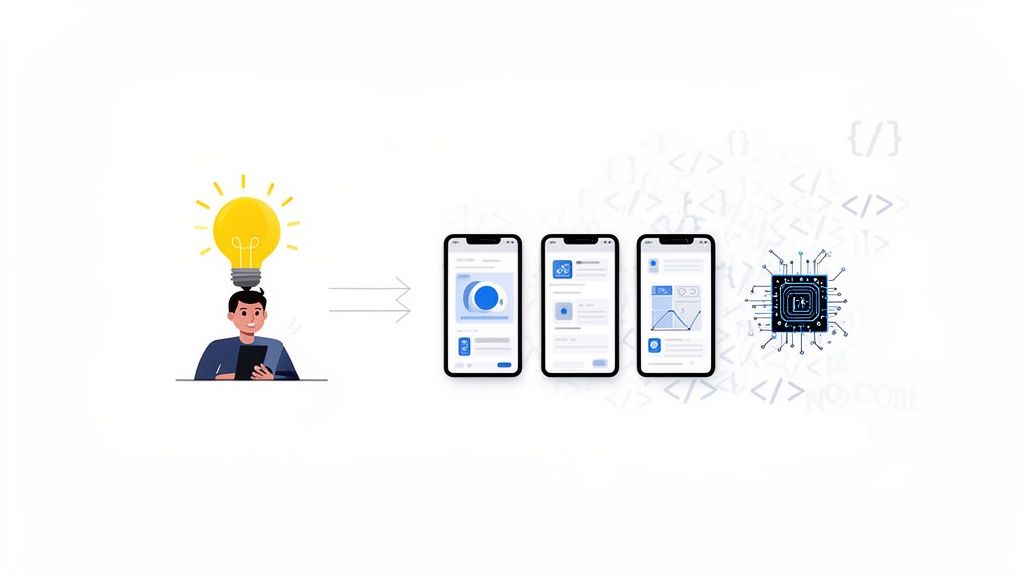
This whole process, from idea to audience to features, is a critical first step before you even think about building. It's a journey.
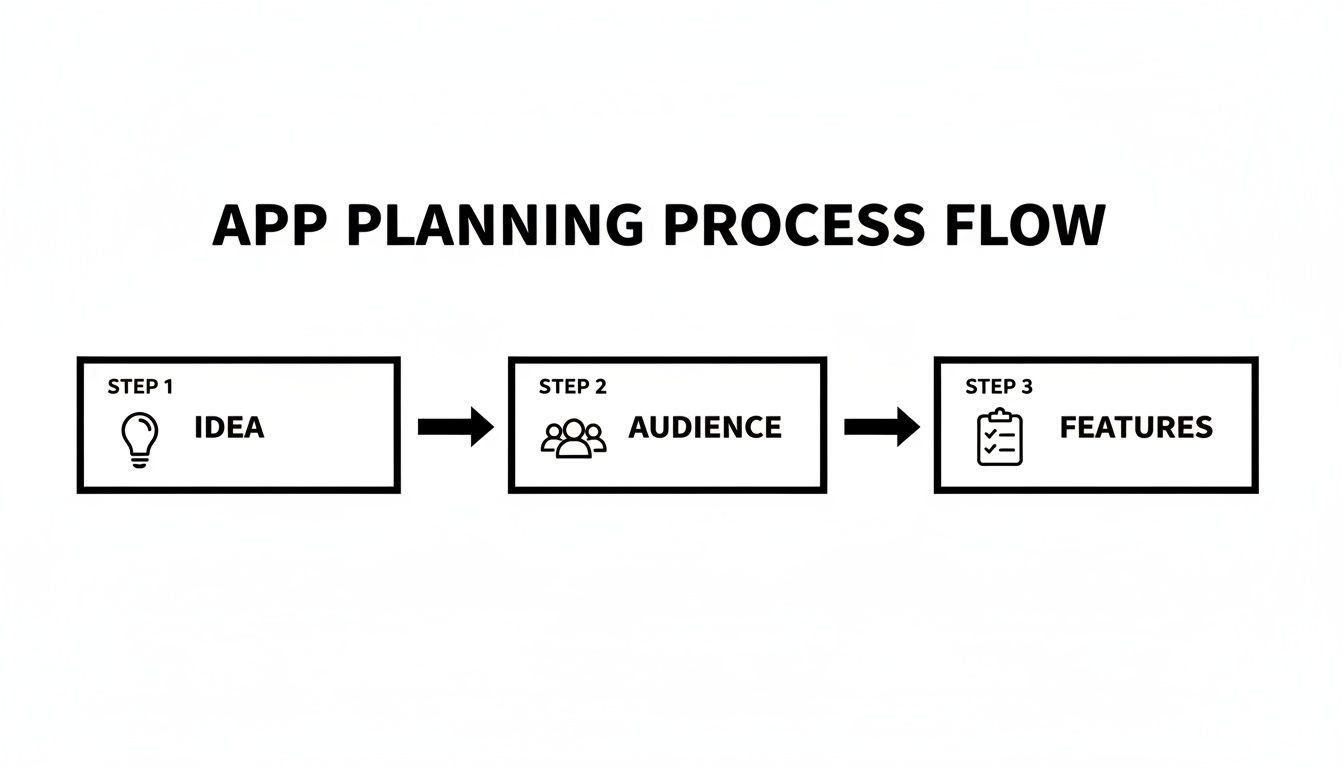
This visual just reinforces that every successful app starts with a clear idea, a specific audience, and a focused feature set. Get that right, and the build is infinitely smoother.
Defining App Logic Without A Single Line Of Code
Beyond looks, you need to define what your app actually does. This is where you map out the app's logic, things like user logins, how it handles data, and how users move from one screen to another. With an AI native platform, you define these workflows using simple instructions.
Let's go back to our coffee shop app example. You'd just tell the AI what to do:
User Authentication: "When a user signs up with an email and password, create a new user account and log them in."
Data Interaction: "When the barista scans a customer's QR code, add one stamp to their digital loyalty card."
Navigation: "After a successful login, take the user to the main dashboard screen where they can see their stamp card."
The AI takes these plain English commands and translates them into the necessary code and backend connections, building out the functional core of your app.
Integrating Backend Services Seamlessly
Any real app needs a backend to manage data, user accounts, and more. This used to be a huge technical hurdle, but modern no-code platforms automate it completely. When you describe your need for user logins or a database for loyalty stamps, the platform can automatically set up and connect services like Supabase.
This automated integration is a huge leap forward. It means you can create apps without code that are fully data-driven, complete with secure user authentication and a scalable database, without ever touching a server.
You don't have to write server side code or manually manage a database. The platform handles all that heavy lifting behind the scenes, letting you focus entirely on your app's features and the experience you're creating for your users.
If you want to dive deeper, you can learn more about the role of backend services in AI no-code apps in our detailed guide. For a great real world example of an AI driven tool, check out platforms like supportgpt.
Time to Test and Refine Your No-Code App
Once you've built the first version of your app, it's time to put it to the test. This isn't about chasing perfection just yet. It's about making sure the core features actually work for real people before you launch to the public. Solid testing is what separates a frustrating user experience from a genuinely useful one.
The good news? Most no-code platforms make this part incredibly easy. You can often generate a unique QR code right inside the builder. Just have someone scan it with their smartphone, and they can load a live, working version of your app on their own iPhone or Android. This is so much better than just clicking around in a browser preview because it lets you get feedback from people using actual hardware.
A Simple Checklist for User Testing
To keep things focused, you want to zero in on the most critical user journeys. This process is often called User Acceptance Testing (UAT), and it's really just a way to confirm that the app meets the basic goals you set out from the start.
Give your testers a simple checklist to guide them. You're not looking for an essay, just clear, actionable feedback.
Here are the key things to have them check:
Core Navigation: Can you get from screen to screen easily? Do all the buttons and links actually go where they're supposed to?
Form Submissions: If someone fills out a sign-up form, does the data go through? Do they see a "Thanks!" message so they know it worked?
Data Consistency: When a user updates their profile picture, does that new picture show up everywhere else in the app? Is information being saved and displayed correctly?
Key Workflows: Have them test the main reason your app exists. For a loyalty app, that means successfully scanning a code, watching the stamp count go up, and being able to redeem a reward.
This structured approach helps you gather feedback on what really matters, so you can prioritize what to fix first.
The real magic when you create apps without code is the speed of iteration. Feedback that would take a developer weeks to implement can often be fixed in just a few minutes. Our broader walkthrough on developing apps without code covers the rest of the workflow.
Once you have notes from your testers, the refinement loop begins. Since you aren't digging through lines of code, making changes is fast. You can just describe the fix to the AI or adjust the logic in the visual builder.
For instance, if testers say a button is confusing, you can tell the platform, "Change the button text from 'Submit' to 'Get My Reward' and make it green." A moment later, you can push the update and have them test it again. This rapid cycle of feedback and refinement is what lets you polish your app incredibly quickly, making sure it’s truly ready for your audience.
Launching Your App To The App Store
Getting your app into the hands of real users is the final, exhilarating step. The thought of navigating the Apple App Store and Google Play can feel a bit intimidating, but modern no-code platforms have automated almost all of the heavy lifting. The process is surprisingly straightforward these days.
When you create apps without code, you get to skip the most complex technical headaches of packaging an application. Automated build and release agents handle all of that for you. These systems take your finished project and compile it into the exact formats required for both iOS and Android, making sure it meets all the technical guidelines without you ever having to see a line of code.
Preparing Your Store Listing
While the tech side is automated, your store listing is where you need to shine. This is your pitch to potential users, and a compelling presentation is crucial for driving downloads. It's more than just uploading a file; it's about thoughtful marketing.
You’ll want to focus your energy on three key areas:
App Description: Write a clear, persuasive description that immediately highlights the main problem your app solves. Your first sentence should grab attention and explain the app's core value.
Screenshots and Previews: Visuals sell. Create high quality screenshots that showcase your app’s most important features in action. It's a good practice to use text overlays to briefly explain what each screen does.
Keyword Optimization: Put yourself in your target user's shoes. What words would they type into the search bar to find an app like yours? Weave these keywords naturally into your app title and description to improve your visibility.
For a deeper dive, our detailed walkthrough on how to submit an app to the app store offers more granular, step by step guidance.
Exploring Alternative Launch Options
The official app stores aren't the only way to get your app to market. A Progressive Web App (PWA) is another fantastic option. A PWA is basically a website that looks and feels just like a native app, accessible right from a user's web browser, no store download required. This is an amazing way to get your app to users almost instantly.
For teams who want more control and transparency down the road, integrating your no-code project with GitHub is a powerful move. This gives you a copy of your app's source code in your own repository, providing a safety net and making it much easier to collaborate with technical team members if you ever need to.
The scale of this movement is immense. The fact that the industry continues to expand rapidly shows that this is no longer a niche for prototypes but a mainstream method for building production ready solutions. You can discover more insights about no-code platform investment opportunities on qubit.capital.
This fundamental shift empowers creators to not only build but also to independently launch and distribute their software on a global scale. With the right tools, publishing your app becomes just another manageable, creative part of the journey.
Answering the Tough Questions About No-Code
Jumping into the world of no-code app building is exciting, but it's smart to have a few questions. I hear them all the time. Can it really handle a million users? Do I actually own what I build? Let's clear the air on the most common concerns so you can build with confidence.
Can No-Code Apps Really Scale? Are They Secure?
Yes, and this is probably the biggest myth out there, a leftover from the old days of clunky website builders. Modern no-code platforms are a different beast entirely. They build your app on top of seriously robust, industry standard frameworks like React Native, the same tech powering apps from global companies you use every day.
The backend is just as solid. With seamless integrations into services like Supabase, you get enterprise grade security and database power right out of the box. These systems are engineered from the ground up to handle massive growth. Your app can go from a weekend project to a viral hit, and the infrastructure won't even break a sweat.
Honestly, the security is often stronger than a custom built solution that doesn't have a dedicated security team. The platform’s experts are constantly managing and patching the infrastructure, shielding your app and user data from threats you might not even know exist.
Do I Actually Own My App and Its Code?
Absolutely. You retain 100% intellectual property ownership of your application. This is a non negotiable feature of any professional grade platform.
The best no-code builders, for example, let you connect directly to GitHub. This means the entire React Native codebase the AI generates can be pushed straight to your own private repository.
You get complete control, which kills any risk of vendor lock-in. If your business takes off and you decide to hire an in house engineering team, you're not starting from scratch. You hand them a clean, production ready codebase. It's the perfect blend of no-code speed and full ownership security.
When Should I Just Bite the Bullet and Use Custom Code?
Look, while you can build almost anything without code today, there are a few edge cases where going the traditional route still makes sense.
You might need a custom development team if your app requires:
Highly specialized hardware integrations, like connecting to custom medical devices or industrial sensors that aren't supported out of the box.
Complex, proprietary algorithms that are your core competitive advantage and need to be coded from the ground up.
Extreme, split second performance needs, like what you'd see in high frequency trading platforms or heavy scientific computing.
For the vast majority of business, consumer, and internal tool apps, a no-code approach is dramatically faster and more cost effective. The smartest play? Build and validate your idea on a no-code platform first. Only transition to custom code if you hit a very specific, unavoidable technical wall.
Can I Build a "Real" App with a Backend and a Database?
Yes, and this is what makes modern no-code so powerful. It's not just about pretty screens anymore. Today's platforms offer deep, seamless integrations with Backend as a Service (BaaS) providers.
When you describe what data your app needs, say, user profiles, product listings, or order histories, the AI can automatically generate and configure the entire backend for you.
This includes setting up user authentication, spinning up database tables, and defining all the server logic needed to connect your app to its data. It’s a true end to end solution that takes you from a simple idea to a fully functional, data driven application ready for launch.
Ready to turn your idea into a real app? With CatDoes, you can describe your vision in plain English and watch our AI agents build a production ready application for you. Get started for free and launch your app faster than you ever thought possible. Build your first app with CatDoes today!
Nafis Amiri
Co-Founder of CatDoes