Blog
Insights
Role of Backend Services in AI No-Code Apps
Backend services power auth, data, and APIs in every AI no-code app. Learn the five features you need, the main risks, and how to ship faster with CatDoes.

Nafis Amiri
Co-Founder of CatDoes
Your no-code AI app looks great on screen. But the second a user signs up or saves data, something invisible has to handle it. That something is a backend service.
This guide explains what backend services do in AI no-code apps, the main types to know, and the security traps that catch most first-time builders.
TL;DR
Backend services handle the work your frontend can't see: storing data, logging users in, talking to APIs, and running logic on a server.
Most no-code AI tools bundle a Backend-as-a-Service (BaaS) like Supabase, Firebase, or CatDoes Cloud so you don't have to wire it up yourself.
The five features you always need: authentication, a database, file storage, API connections, and server-side logic.
The three biggest risks: weak auth, leaky APIs, and trusting third-party integrations without reviewing them.
Table of Contents
What Are Backend Services in AI No-Code Apps
Types of Backend Services in App Development
How Backends Handle Authentication and Data Storage
How Backends Connect to No-Code Frontends
Security Risks and Common Pitfalls
Build Your AI App with CatDoes
Frequently Asked Questions
Key Takeaways
Topic | Summary |
|---|---|
Non-technical builders | No-code tools let anyone build apps with drag-and-drop workflows instead of code. |
Core backend services | Handle data, logins, and APIs so you can focus on your app, not the infrastructure. |
Security first | Fast builds create fast mistakes. Strong auth and encryption are not optional. |
Frontend-backend sync | Good integration gives users real-time updates and smooth automations. |
What Are Backend Services in AI No-Code Apps
A backend service is the part of your app that runs on a server, not in the user's browser or phone. It stores data, checks passwords, sends emails, and talks to other apps through APIs.
In an AI no-code app, the backend usually comes prepackaged. Instead of setting up a database server and writing auth code, you pick a platform that bundles those features. The Backend-as-a-Service model is the most common approach, and every major AI app builder today uses some version of it. Wikipedia's BaaS entry has a clean overview of how the pattern works.
The five features every no-code AI app needs from its backend:
Database: stores user accounts, app content, and any data your users create.
Authentication: handles sign-up, login, password reset, and social sign-in.
API connections: lets your app talk to tools like Stripe, OpenAI, or Google Maps.
Server-side logic: runs actions that shouldn't live on the client, like charging a card or checking a payment webhook.
Auto-scaling: adds more capacity when traffic spikes, so your app doesn't crash on launch day.
Without a backend, a no-code app is just a static page. It can't remember who the user is, keep their data, or do anything the next time they open it.
Types of Backend Services in App Development
Not every backend service does the same job. Most AI no-code platforms mix a few types to cover everything an app needs. How those pieces fit together is covered in our guide to the no-code AI platform landscape.

The six main categories you will meet:
Authentication services: Supabase Auth, Firebase Auth, Auth0, and Clerk all handle login flows.
Databases: PostgreSQL (via Supabase), Firestore (via Firebase), and MongoDB Atlas are the most common no-code picks.
File storage: for photos, videos, and PDFs. Supabase Storage, Firebase Storage, and AWS S3 lead here.
API gateways: tools like Zapier or Make link your app to third-party services without writing code.
Serverless functions: short bits of code that run on demand, used for webhooks, scheduled jobs, and custom logic.
Notifications: push notifications, SMS, and transactional email through services like OneSignal or Postmark.
A tool like Supabase is a good example of a combined backend. It gives you a Postgres database, auth, file storage, and serverless functions in one platform. CatDoes Cloud works the same way, but the agent wires it up for you based on what your app actually does.
You don't need to know which service runs what under the hood. What matters is that each feature your app needs maps to one of these six categories somewhere in the stack.
How Backends Handle Authentication and Data Storage
Authentication and storage are the two features where things go wrong most often. Both are boring to build from scratch and expensive to get wrong.
Modern BaaS tools ship auth with sensible defaults. You get email and password login, social sign-in, and password reset with a few clicks. Most support multi-factor auth, session expiry, and role-based permissions out of the box.
The pieces you should expect from any decent backend:
Email and password login: with hashed passwords, not plain text.
Social sign-in: Google, Apple, and GitHub are standard.
Role-based access: admins see one thing, regular users see another.
Encrypted storage: data encrypted at rest and in transit.
Session management: auto-logout, token refresh, device tracking.
Multi-factor auth: SMS or authenticator app for sensitive accounts.
Password recovery: a secure reset flow that doesn't leak whether an email is registered.
On the data side, a good backend stores more than user rows. It keeps logs, tracks events, and lets you build dashboards without exporting anything. That turns raw activity into signals you can use to improve the app.
One rule: never store passwords yourself. If a platform asks you to, walk away. Use the auth service that ships with your BaaS, or a dedicated provider like Clerk or Auth0.
How Backends Connect to No-Code Frontends
A frontend is what the user sees. The backend is what does the work. The connection between them is what makes the app feel fast, reactive, and alive.
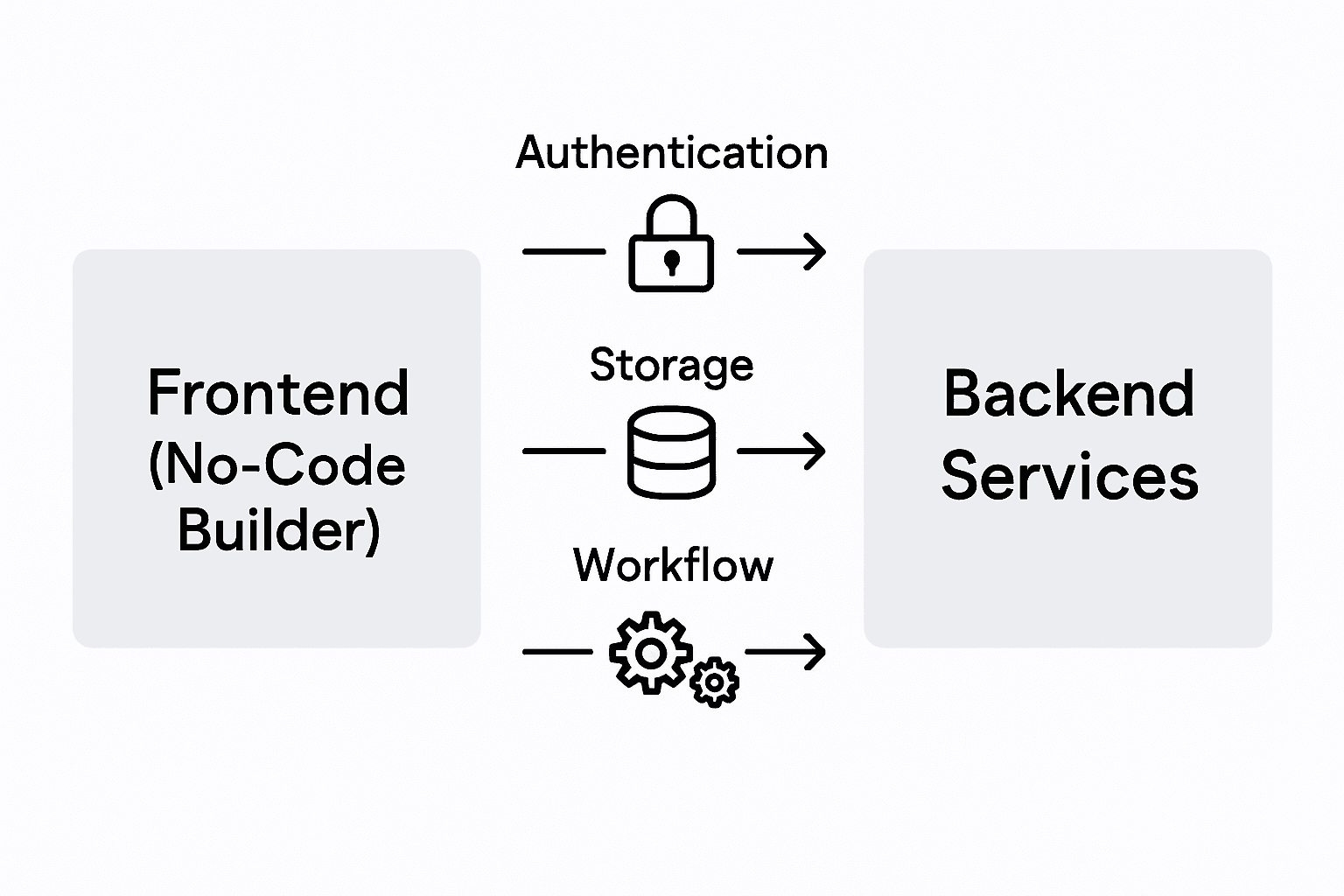
In no-code tools, the connection is usually hidden behind a visual mapping. You drag a user list onto the screen, and the tool sets up the query to your database in the background. No API code, no JSON parsing.
Six things the integration layer handles for you:
API calls: fetching and saving data without writing fetch or axios code.
Real-time updates: new messages or status changes appear without a refresh.
Event triggers: "when a user signs up, send a welcome email" works as a drag-and-drop flow.
Automations: scheduled jobs like daily reports or reminder emails.
State sync: the screen stays in sync with the database across tabs and devices.
Background jobs: long tasks run off-screen so the UI stays responsive.
Clean API patterns are what make all this work smoothly. When the integration is solid, users never notice it. When it is bad, they get stale data, laggy screens, and features that silently break.
Security Risks and Common Pitfalls
The speed of no-code is a double-edged sword. You can ship a working app in an afternoon. You can also ship a leaky app in an afternoon.
Most no-code backends depend on outside services for at least part of the stack. Your security is only as strong as the weakest integration you plug in. The OWASP API Security Top 10 is a good checklist to keep open while you build.
The six traps that catch first-time builders:
Weak authentication: shipping without MFA on admin accounts, or letting users pick "1234" as a password.
Leaky APIs: endpoints that return more data than the screen needs, so anyone can pull the whole user table.
Unencrypted data: storing personal info, health data, or card numbers without encryption.
Compliance gaps: handling EU users without a GDPR-compliant data layer, or collecting health data without HIPAA-grade storage.
Risky integrations: plugging in a new service and giving it full database access by default.
No scaling plan: running on a free tier that falls over at 1,000 concurrent users.
For anything past a prototype, treat security as part of the build, not a thing you add at the end. See our guide to mobile app security best practices for a longer checklist.
The short version: pick a BaaS that is SOC 2 or ISO 27001 reviewed, use the default auth flow, and never expose your service keys to the frontend.
Build Your AI App with CatDoes
Setting up auth, databases, and APIs is the part of app-building that stops most first-time founders. You have a clear idea, but the plumbing takes weeks to get right.
CatDoes removes that step. The agent builds the app from natural language and wires up backend services as it goes. Authentication, a Postgres database, file storage, and edge functions are included on every plan through CatDoes Cloud. The agent decides what your app needs and sets it up for you.

You get live previews, mobile testing, and one-click deploy to the App Store, Google Play, or the web. Visit CatDoes to start building. No credit card, and the first app is free.
Frequently Asked Questions
Do I need a separate backend for a no-code AI app?
No. Modern no-code AI tools like CatDoes include a backend by default through a BaaS integration. You only need a separate backend if you have unusual requirements, like strict on-premise data rules.
What is the difference between a backend and a database?
A database is one part of the backend. The backend is everything that runs on the server (authentication, APIs, storage, logic), while the database is the specific service that stores rows and columns of data.
Which backend service is best for AI no-code apps?
Supabase and Firebase are the two most common picks. Supabase uses Postgres and has a permissive license. Firebase uses Firestore and ties you to Google. CatDoes Cloud is built on Supabase and pre-configured for AI-generated apps.
How do I keep a no-code backend secure?
Use the default auth flow from your BaaS, turn on multi-factor auth, encrypt any personal data, review every third-party integration, and check the OWASP API Security Top 10 before you ship.
Nafis Amiri
Co-Founder of CatDoes


