Blog
Insights
CatDoes vs v0: Web UI or Native Apps? (2026)
CatDoes vs v0 in 2026: v0 builds Next.js web apps, CatDoes builds native iOS and Android apps with a backend. Compare mobile, pricing, code and app stores.

Nafis Amiri
Co-Founder of CatDoes

CatDoes vs v0 comes down to what you need at the end: a web app in a browser or an app people install from the App Store and Google Play. v0 by Vercel turns prompts, screenshots and Figma files into Next.js web apps and hosts them on Vercel. CatDoes is an AI agent that builds native iOS and Android apps and websites, with a backend included, and submits your iOS build to the App Store. Pick v0 for a web front end you'll keep developing in React. Pick CatDoes when the goal is a real mobile app.
Key differences at a glance:
What they build: v0 writes Next.js web apps. CatDoes writes React Native apps for iOS and Android, plus websites.
App stores: v0 has no path to the App Store or Google Play. CatDoes submits iOS builds to App Store Connect and gives you an Android build to upload to Google Play.
Backend: v0 connects to services you add from the Vercel Marketplace, such as Neon or Supabase. CatDoes includes a database, sign-in, storage, edge functions and realtime on every plan.
Price: v0's paid plans start at $30 per user per month. CatDoes starts at $20 a month, and app store publishing starts on Starter at $50.
Every v0 fact below comes from v0's own pricing page, docs and changelog, and every CatDoes fact from the CatDoes docs. The sections cover what each tool builds, mobile publishing, backend, design input, code ownership, pricing, and who should pick which.
Table of Contents
CatDoes vs v0 at a Glance
What Is v0 by Vercel?
What Is CatDoes?
CatDoes vs v0, Feature by Feature
Pricing: CatDoes vs v0 in 2026
v0 and CatDoes Pros and Cons
Is CatDoes a Good v0 Alternative?
Which One Should You Choose?
Frequently Asked Questions
The Bottom Line
CatDoes vs v0 at a Glance
Both tools start from a prompt. v0 ends at a website on Vercel. CatDoes ends at an app in the stores, with the backend already running. Here's the full side-by-side.
CatDoes | v0 by Vercel | |
|---|---|---|
What it is | AI agent that builds and ships mobile apps and websites | AI agent that builds web apps |
Code it writes | React Native with Expo for iOS and Android; React for websites | Next.js, React, TypeScript, Tailwind CSS, shadcn/ui |
Native iOS and Android apps | Yes | No |
App Store | Agent submits your build to App Store Connect (Starter plan and up) | No |
Google Play | Builds the Android app; you upload it | No |
Backend | CatDoes Cloud included: database, auth, storage, edge functions, realtime | Bring your own from the Vercel Marketplace (Neon, Supabase, Upstash, Vercel Blob) |
Design input | Text prompts, uploaded screenshots, a live website URL, a GitHub repo | Text prompts, screenshots, Figma (paid plans) |
Visual editing | Prompt-based | Design Mode (click to edit) |
Code access | GitHub import from Core; export and two-way sync from Plus | GitHub sync and code export, Free plan included |
Hosting | catdoes.app address; custom domains from Starter | Vercel, one-click deploy |
Free plan | 15 one-time credits, web publishing | $5 one-time credits, 7 messages a day |
Paid plans from | $20/month (Core) | $30/user/month (Plus) |
Best for | Founders who need an app in the stores | Developers building web front ends in Next.js |
What Is v0 by Vercel?
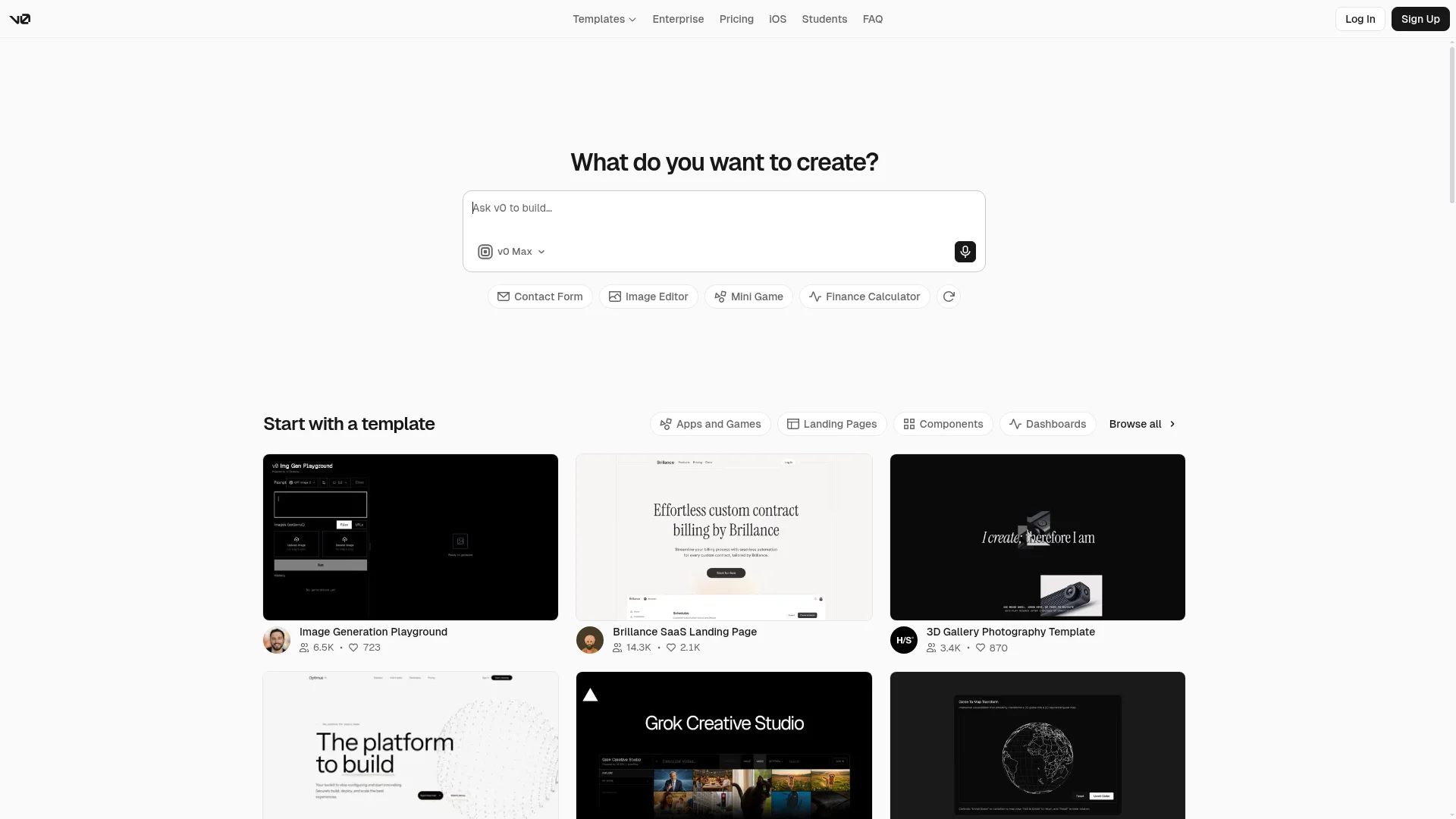
v0 is Vercel's AI builder for web apps. You describe what you want, attach a screenshot, or paste a Figma link, and v0 writes a Next.js app with React, TypeScript, Tailwind CSS and shadcn/ui components. You can publish the result to Vercel in one click.
v0 works as an agent. It can search the web while it builds, and it lets you pick between four models: v0 Mini, v0 Pro, v0 Max and v0 Max Fast. Design Mode lets you select an element in the preview and change it from a design panel instead of writing another prompt. Vercel also maintains Next.js, the framework v0 writes.
Everything v0 produces runs in a browser. Its FAQ describes it as a platform for “production-ready, full-stack web apps”, and that's the output: server actions, API routes and a responsive layout that also works in a phone's browser. v0 has an iOS app, but it's for building with v0 from your phone, not for making iOS apps.
What Is CatDoes?
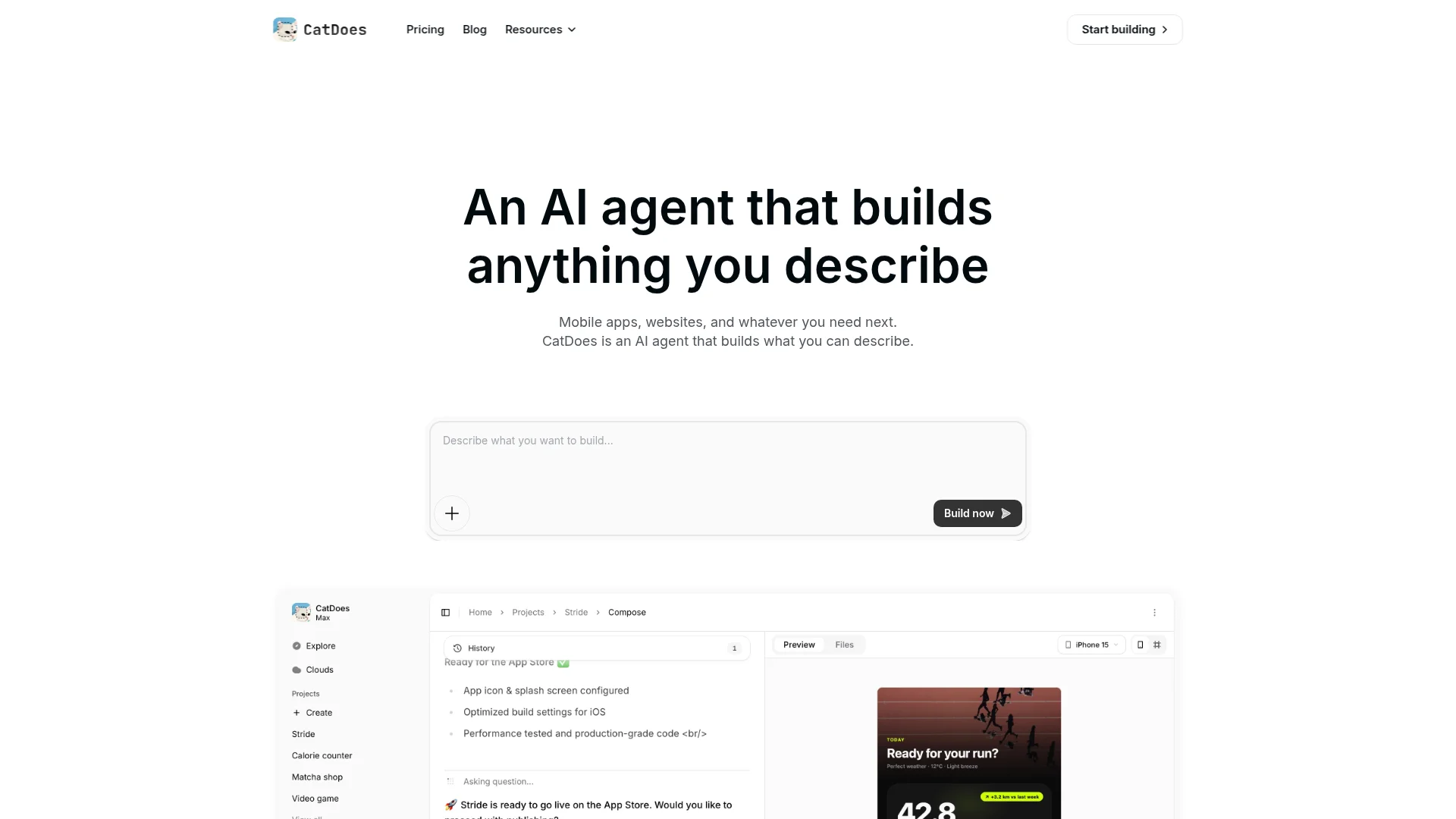
CatDoes is an AI agent that builds mobile apps and websites from a plain-English description. It writes React Native code with Expo, so your app uses native iOS and Android components, not a web page inside an app shell. The agent runs in the cloud, so there's nothing to install.
Every plan, including the free one, comes with CatDoes Cloud: a database, sign-in with email, phone, Google or Apple, file storage, edge functions and realtime, hosted in the US or the EU. While you build, you scan a QR code to open the app on your own phone in Expo Go. When it's ready, you ask the agent to build it for the stores.
You don't have to write code. If you already have some, you can import a GitHub repo, or paste the URL of a live website and have the agent rebuild it as a mobile app. Our roundup of the best AI app builder options shows where CatDoes sits among the other tools.
CatDoes vs v0, Feature by Feature
These are the questions that decide whether you end up with a shipped product. Each one ends with which tool has the edge.
Prompt to App: What You Get Back
Ask either tool for a booking app with customer accounts and you get two different things. v0 returns a Next.js web app you open in a browser and deploy to Vercel, with sign-in and a database added through integrations. CatDoes returns a mobile app you try on your phone, with the database and sign-in already connected through CatDoes Cloud.
v0 puts the code in front of you as it writes it, which suits people who plan to keep editing it. CatDoes keeps the code in the background and focuses on the working app.
Edge: v0 for a web prototype you'll keep developing in code. CatDoes when the result has to be an app people install.
Mobile Apps and App Store Publishing
This is the biggest gap between the two. v0 doesn't build native apps. It writes Next.js for the web, and its docs don't cover React Native, Expo, Android builds or App Store submission. A v0 site can look good in a phone's browser, but you can't list it in the App Store or Google Play.
CatDoes builds the native app and takes it most of the way to the stores. For iOS, the agent submits the build to App Store Connect, and you choose TestFlight or a public release on Apple's side. For Android, it makes a production build that you upload to Google Play yourself, and our walkthrough on how to publish an app on Google Play covers that step. Both need the Starter plan or above and a free Expo account.
You also pay the stores directly: Apple's developer membership is $99 a year, and Google Play charges a one-time $25 registration fee. Already built something in v0? Our guide to v0 for mobile apps compares four ways to get it onto a phone, including why Apple rejects most website wrappers.

Edge: CatDoes. It's the only one of the two that produces an app the stores will accept.
Backend, Database, and Auth
v0 writes server code, such as API routes and server actions, but it doesn't host a database for you. You add one from the Vercel Marketplace in one click, with options like Neon, Supabase, Upstash and Vercel Blob, and sign-in comes from a third party such as Clerk. That's flexible, and it means a separate account for each service.
CatDoes includes CatDoes Cloud on every plan. The database, auth, file storage, edge functions and realtime are set up for you, and the agent connects your screens to them. If you already run your own Supabase or Firebase project, you can tell the agent to use it.
Edge: CatDoes for a backend that works out of the box. v0 if your team already runs its services on Vercel.
Design Input and Visual Editing
This is where v0 is strongest. You can start from a screenshot, paste a Figma link on a paid plan, and adjust the result in Design Mode by clicking on elements. Design Mode doesn't work on mobile viewports, though. The output uses shadcn/ui components, so it fits React projects that already use that library.
CatDoes works from text prompts, screenshots you upload, a live website URL or a GitHub repo. Its docs don't list a Figma import. To match a design, describe it, upload a screenshot, or point the agent at a site that already looks right.
Edge: v0, especially if your designs start in Figma.
Code Ownership and GitHub
You can keep your code with either tool. v0 syncs with GitHub in both directions, even on the free plan, and you can export the code to work on it locally.
CatDoes can import a GitHub repo from the Core plan, and Next.js projects are supported, so a v0 repo works as a starting point. Code export and two-way GitHub sync start on Plus.
Edge: v0, because full code access comes with its free plan.
Websites, Hosting, and Domains
Both tools build websites. v0 deploys to Vercel in one click, which is hard to beat if you already host there. CatDoes publishes websites to a catdoes.app address, and Starter and higher plans add custom domains, up to 20 per project on Max.
CatDoes can also turn an existing website into a mobile app from its URL, which helps when your site is already live and you want an app version of it.
Edge: A tie for web-only projects. v0 if you're already on Vercel, CatDoes if the same project also needs a mobile app.
Getting Through App Store Review
Apple and Google review every app before it goes live, and a rejection sends you back to fix and resubmit. CatDoes has an optional check that reviews your app against the App Store and Google Play guidelines before you submit. It reports how likely approval is and lists blocking issues and warnings. It uses credits.
v0 has nothing comparable, since it doesn't publish to the stores.
Edge: CatDoes.
Pricing: CatDoes vs v0 in 2026
v0 charges per user and bills usage in tokens. Each plan includes a credit balance, and each model burns it at a different rate. Current plans, from v0’s pricing page:
v0 plan | Price | What you get |
|---|---|---|
Free | $0 | $5 in one-time credits for new users, 7 messages a day, deploy to Vercel, Design Mode, GitHub sync |
Plus | $30/user/month | $30 of monthly credits per user, $2 of daily login credits, all models, Figma import, team sharing |
Business | $100/user/month | Everything in Plus, with training opt-out by default |
Enterprise | Custom | SAML SSO, role-based access control, priority access, support SLAs |
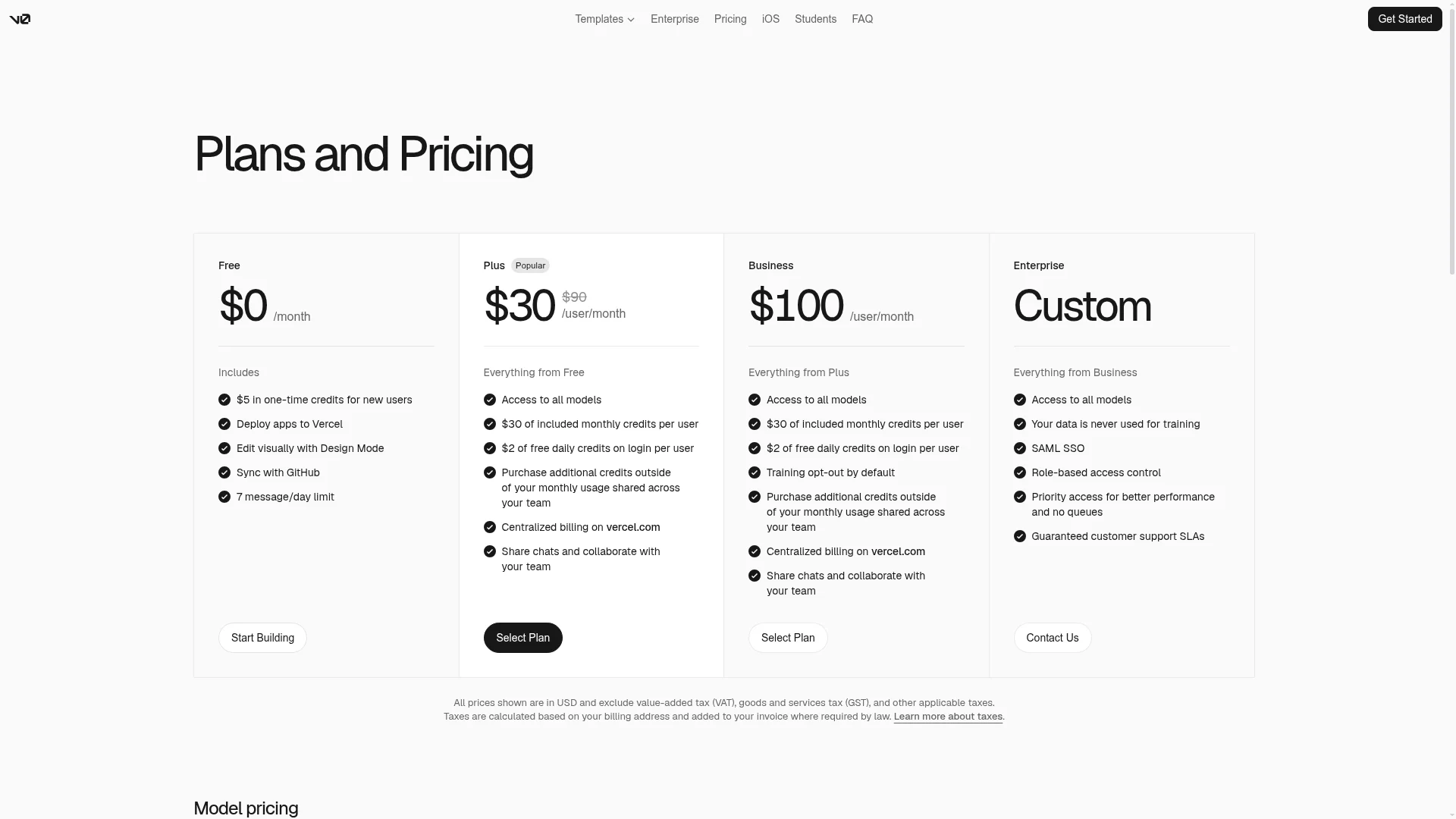
Some comparison posts still list v0's free plan as $5 a month. The pricing page now says $5 in one-time credits for new users. v0's older $20 Premium plan is closed to new users, so Plus is the cheapest paid plan you can sign up for.
How fast the credits go depends on the model. These are v0's published rates per million tokens:
v0 model | Input | Output |
|---|---|---|
v0 Mini | $0.20 | $1.20 |
v0 Pro | $2 | $10 |
v0 Max | $5 | $25 |
v0 Max Fast | $10 | $50 |
v0 Max Fast costs about 42 times as much per output token as v0 Mini, so a big regeneration on a top model uses far more of your balance than a small fix on Mini. Unused monthly credits roll over and expire after 65 days.
CatDoes charges a flat monthly price for a set number of credits, and every plan includes CatDoes Cloud. App Store and Google Play publishing starts on Starter.
CatDoes plan | Monthly | Billed yearly | Credits/mo | Publishes to |
|---|---|---|---|---|
Free | $0 | $0 | 15 (one-time) | Web |
Core | $20/mo | $17/mo | 50 | Web |
Starter | $50/mo | $42/mo | 200 | Web, iOS, Android |
Plus | $100/mo | $84/mo | 400 | Web, iOS, Android |
Pro | $200/mo | $168/mo | 900 | Web, iOS, Android |
Max | $399/mo | $399/mo | 2,000 | Web, iOS, Android |
You pick an agent tier for each task in CatDoes: Low for small changes, Medium for bigger features, and High or Max for planning and the hardest problems. Lower tiers use fewer credits, and the CatDoes docs suggest planning on High or Max, then building on Low or Medium.
What It Costs to Ship a Mobile App
For a website, the two are close: v0 Plus is $30 per user per month, and CatDoes Core is $20 a month, or $17 billed yearly. For a mobile app there's no like-for-like price, because v0 can't make one.
On CatDoes, a store-ready app needs Starter at $50 a month, or $42 billed yearly. Add Apple's $99 a year and Google's one-time $25, and the first year comes to $724 on monthly billing or $628 on yearly billing. With v0, you'd pay for v0 and then for a developer or a second tool to rebuild the app natively.
v0 and CatDoes Pros and Cons
v0 Pros and Cons
Pros:
Turns a prompt, a screenshot or a Figma file into a working Next.js app
Clean React code with Tailwind CSS and shadcn/ui, synced to GitHub both ways
One-click deploy to Vercel
Design Mode for visual edits without prompting
Cons:
No native iOS or Android apps, and no path to the App Store or Google Play
No built-in database or sign-in; you connect services from the Vercel Marketplace
Free plan is $5 of one-time credits and 7 messages a day
Figma import needs a paid plan, and pricing is per user
CatDoes Pros and Cons
Pros:
Builds native iOS and Android apps with React Native and Expo, plus websites
Submits iOS builds to App Store Connect for you
Backend included on every plan, the free plan too
Checks your app against App Store and Google Play guidelines before you submit
Turns an existing website or GitHub repo into a mobile app
Cons:
You upload the Android build to Google Play yourself
App store publishing needs the Starter plan ($50 a month)
No Figma import
Code export and two-way GitHub sync start on Plus ($100 a month)
Is CatDoes a Good v0 Alternative?
Yes, if you need a native mobile app. That's the job v0 doesn't do. CatDoes is the v0 alternative for people who want their app in the App Store and Google Play, with a backend, without setting up build tools themselves.
It's the wrong swap if you want a Next.js web front end that your developers will keep editing, or if your process starts in Figma. For that kind of work, the closest alternatives to v0 are other web builders like Lovable and Bolt.new. If Lovable is on your list, our CatDoes vs Lovable comparison answers the same mobile question for it.
You also don't have to choose up front. One workable route is to prototype the interface in v0, then bring its GitHub repo or live URL into CatDoes to rebuild it as a native app with a backend.
Which One Should You Choose?
Choose v0 if you're building a web app or a prototype, your designs start in Figma or screenshots, and you're comfortable working in Next.js on Vercel. It's a strong choice for turning a design into production React.
Choose CatDoes if you want an app your users download from the App Store and Google Play, with the backend and the builds handled for you. It fits founders and small businesses who want a finished product, and developers who'd rather not run a mobile build pipeline.
Your goal | Better pick |
|---|---|
Get a native app into the App Store and Google Play | CatDoes |
Have a database and sign-in without extra accounts | CatDoes |
Launch a website and a mobile app from one project | CatDoes |
Check an app against store review rules before submitting | CatDoes |
Turn a Figma design or screenshot into React code | v0 |
Build a Next.js web app your developers will keep editing | v0 |
Deploy to Vercel in one click | v0 |
If your team ships both web and native apps, the split is simple. v0 is the design-to-code tool for the web front end, and CatDoes covers the native iOS and Android app and its backend.
Frequently Asked Questions
What is the difference between CatDoes and v0?
v0 builds web apps: it writes Next.js code and deploys it to Vercel. CatDoes builds native iOS and Android apps in React Native, plus websites, with a backend included. CatDoes submits iOS builds to the App Store and gives you an Android build for Google Play. v0 has no path to either store.
Is CatDoes better than v0?
For mobile apps, yes, because CatDoes builds and ships native apps and v0 can't. For web front ends built from Figma files or screenshots, v0 is the stronger tool. Pick by the output you need.
Can v0 publish an app to the App Store or Google Play?
No. v0 builds Next.js web apps and deploys them to Vercel. Its docs don't cover React Native, Android builds or store submission, and its iOS app is for building with v0 on your phone. To get a v0 project into the stores, you need to rebuild it as a native app, for example with CatDoes.
Does v0 generate React Native code?
No. v0 generates React for the web, using Next.js, TypeScript, Tailwind CSS and shadcn/ui. React Native is a separate framework for native mobile apps. CatDoes writes React Native with Expo.
Does v0 include a database and backend?
Not built in. v0 writes server code like API routes and server actions, and you connect a database from the Vercel Marketplace, such as Neon, Supabase or Upstash. CatDoes includes a database, auth, storage, edge functions and realtime on every plan.
Is v0 free to use?
v0 has a free plan with $5 in one-time credits for new users and a limit of 7 messages a day. Paid plans start at $30 per user per month with Plus.
How much does CatDoes cost compared to v0?
CatDoes starts at $20 a month on Core, which publishes websites. App store publishing starts on Starter at $50 a month. v0 starts at $30 per user per month. For any mobile app, Apple charges $99 a year and Google Play a one-time $25.
Can I use v0 and CatDoes together?
Yes. Design and prototype the web version in v0, then import its GitHub repo into CatDoes on the Core plan or above, or paste its live URL. The agent rebuilds it as a native React Native app for iOS and Android, with a backend on CatDoes Cloud.
What is the best v0 alternative for mobile apps?
CatDoes, if you want a native iOS and Android app. It builds in React Native with Expo, includes a backend, and submits iOS builds to the App Store. If you want another web builder instead, Lovable and Bolt.new are the closest matches to v0.
Do I need to know how to code to use CatDoes?
No. You describe the app in plain English and the agent writes and builds it. Developers can import a GitHub repo on Core and above, and export the code on Plus and above.
The Bottom Line
CatDoes vs v0 is a question of output. v0 is one of the fastest ways to turn a prompt, a screenshot or a Figma file into a Next.js web app on Vercel. CatDoes is the pick when you need a native iOS and Android app, with the backend included and the agent handling the builds and the iOS submission.
If your goal is an app people download from the stores, try CatDoes free and describe your first app.
Nafis Amiri
Co-Founder of CatDoes


