Blog
Insights
Best AI App Builder for Developers (Mobile) 2026
The best AI app builder for developers shipping iOS and Android apps, compared on the code you get, which plan unlocks export, GitHub sync and store path.

Nafis Amiri
Co-Founder of CatDoes

The best AI app builder for developers depends on the code you want to own when the AI is done. For full control of a React Native codebase, pair Expo with an AI coding agent like Claude Code. CatDoes is the shortest path from a prompt, a repo or an existing web app to the App Store, with a backend included. Pick FlutterFlow Studio for a visual builder that exports Flutter code, and Rork if you need native Swift and Kotlin.
We compared six tools on what a developer inherits: the framework, the plan that unlocks code export, the Git workflow, the store path and the backend. Every price and feature below comes from the vendor's own docs and pricing pages, checked in November 2026.
TL;DR: All six tools can put an app on a phone, but they hand you very different code. Expo with an agent, CatDoes, Replit and Bolt.new all produce React Native (Expo) projects. FlutterFlow Studio produces Flutter, and Rork now writes separate Swift and Kotlin apps. Code export ranges from always yours (Expo) to $100/month (CatDoes Plus), and FlutterFlow's new AI agent can't export code at all. Only FlutterFlow Studio and Rork upload to both stores for you. CatDoes and Replit submit the iOS build and leave Google Play to you, and with Bolt.new or plain Expo you run Expo's command-line tools yourself. CatDoes can also turn a web app built in Lovable or Base44 into a native mobile app.
Quick picks: best AI app builder for developers by need
Full control of a React Native codebase: Expo + Claude Code (or Cursor)
Prompt to App Store with the backend included: CatDoes
Lovable or Base44 web app that now needs a mobile app: CatDoes
Visual builder that exports Flutter code: FlutterFlow Studio
Native Swift and Kotlin from a prompt: Rork
Full-stack prototype in a cloud IDE: Replit
Quick Expo prototype in the browser: Bolt.new
Table of Contents
How We Picked These AI App Builders
AI App Builders for Developers Compared
Where the Lock-In Hides
Expo + Claude Code: Best for Full Control of a React Native Codebase
CatDoes: Best for Shipping to the App Store With a Backend Included
FlutterFlow Studio: Best Visual Builder With Flutter Code Export
Rork: Best for Native Swift and Kotlin Apps
Replit: Best Cloud IDE for Full-Stack Mobile Prototypes
Bolt.new: Best for Quick Expo Prototypes in the Browser
What AI App Builders Still Leave to You
How to Choose: 7 Questions to Ask Before You Commit
FAQ
The Bottom Line
How We Picked These AI App Builders
Most AI app builder roundups judge the first demo. Developers care about what comes after it: can you open the project in your own editor, commit to it and ship it without the builder in the loop?
We checked each tool against six questions:
Code you get. Which framework and language it writes, and whether the UI is native or a web view.
Export. Whether you can take the full project out, and which plan unlocks it.
Git. Whether GitHub sync is one-way or two-way, and whether you can import a repo you already have.
Store path. Who builds, signs and submits the iOS and Android versions.
Backend. Whether a database and auth come included, and whether you can bring your own.
Cost model. What the paid plan costs and how AI usage is billed: credits, tokens or effort.
Where a vendor's marketing page and its docs disagreed, we went with the docs. We left out web-only builders like Lovable and v0, because they don't produce an iOS or Android app. Our roundup of 13 AI app builders covers those.
AI App Builders for Developers Compared
The first table covers the code: what you get, how you get it out and how it works with Git. The second covers shipping: the path to each store, the backend and the starting price.
Code, Export and Git
Tool | Code you get | Code export | GitHub | Import an existing repo |
|---|---|---|---|---|
Expo + Claude Code | React Native (Expo) in your own repo | Always yours | Your own Git workflow | Yes, it's your repo |
CatDoes | React Native (Expo SDK 58) apps and React websites | Plus ($100/mo) and up | Two-way sync on Plus and up | Core ($20/mo) and up, with git history |
FlutterFlow Studio | Flutter (Dart) | Download on Basic ($39/mo) and up | One-way push on Pro ($80/mo) and up | No official import |
Rork | Swift (iOS) and Kotlin (Android), two codebases | Through GitHub on paid plans; no ZIP | Two-way sync on paid plans (from $20/mo) | Yes, but the UI is rebuilt in Swift or Kotlin |
Replit | React Native (Expo) | ZIP download | Two-way sync from the Git pane | GitHub, Bitbucket, Vercel, Bolt, Lovable, Base44, ZIP |
Bolt.new | React Native (Expo) | ZIP download | Two-way sync, locked to main | GitHub or Lovable |
Store Path, Backend and Price
Tool | Apple App Store | Google Play | Backend | Paid from |
|---|---|---|---|---|
Expo + Claude Code | Expo Submit uploads to App Store Connect | Expo Submit uploads to the Play Console | Bring your own | Expo free (15 iOS + 15 Android builds/mo); Claude Pro $20/mo |
CatDoes | Agent builds and submits to App Store Connect | Builds the app; you upload it | CatDoes Cloud included, or your own Supabase or Firebase | Starter $50/mo for store builds |
FlutterFlow Studio | One-click deploy | One-click deploy | Bring your own (Firebase, Supabase) | Basic $39/mo |
Rork | Builds and uploads to TestFlight | Uploads to your internal testing track | Rork Cloud (beta), Supabase or Firebase | Rork Max $20/mo (100 credits) |
Replit | Builds and submits to App Store Connect | Not supported yet | Managed SQL database, Clerk or Replit Auth | Core $20/mo |
Bolt.new | You run Expo's CLI | You run Expo's CLI | Bolt Cloud database and auth | Pro $25/mo |
On top of any tool here, Apple charges $99 a year for its Developer Program and Google charges a $25 one-time registration fee.
Where the Lock-In Hides
Every tool on this list says you can take your code with you. The details decide whether that holds for your project.
FlutterFlow now has two products. The visual builder is now called FlutterFlow Studio, and it exports Flutter code on paid plans. The new AI agent took the FlutterFlow name, and it can't export source code or connect to GitHub. FlutterFlow's FAQ says projects can't be moved between the two, so pick Studio if you want the code.
One-way push overwrites. FlutterFlow Studio always pushes to a branch named flutterflow, and its docs warn that the next push overwrites changes made there. Do your own work on another branch and merge.
Import can mean rebuild. Rork's GitHub import doesn't copy your code. It rebuilds the UI in Swift, Kotlin or React. CatDoes, Replit and Bolt.new keep the code you import.
Linked or a copy. On the CatDoes Core and Starter plans, an imported repo becomes a standalone copy. It stays linked with two-way sync only on Plus and above.
Expo projects travel well. Four of the six tools output an Expo project. Once it's exported, you can build it with Expo's own CLI on any machine, so the builder stays replaceable.
Expo + Claude Code: Best for Full Control of a React Native Codebase
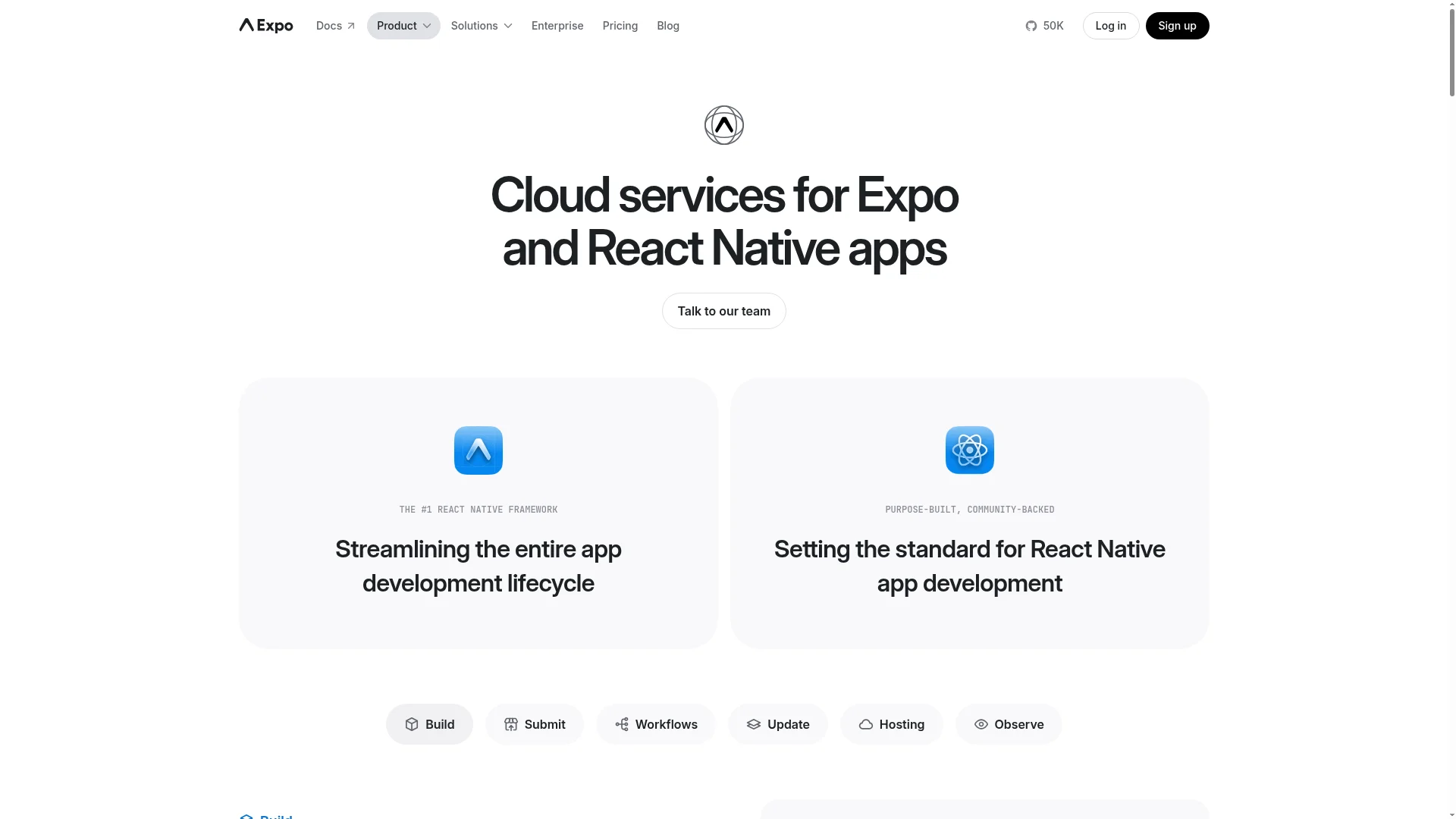
Verdict: If you already write TypeScript, the strongest setup is Expo plus an AI coding agent in your own repo. You keep every line of code and every build in accounts you control. In exchange, you set up the backend and the release pipeline yourself.
This isn't an app builder in the usual sense. Expo is the React Native framework and cloud service that most builders on this list run on, and an agent like Claude Code or Cursor writes the code in your local project.
Expo now supports this directly. Its MCP server connects to Claude Code, Cursor and VS Code, and Expo Skills is a plugin that teaches agents to build, deploy and debug Expo apps. Expo Simulators, in beta, gives an agent a cloud simulator where it can install a build and check its own work.
Shipping runs on Expo Build and Expo Submit, the services formerly called EAS. Expo Build compiles the app in the cloud. Expo Submit uploads the iOS build to App Store Connect and the Android bundle to the Play Console. The free plan includes 15 iOS and 15 Android builds a month on a low-priority queue, and Starter costs $19/month plus usage.
Claude Code comes with every paid Claude plan, starting with Pro at $20/month ($17/month billed yearly). Cursor is now sold through the X Subscription. Its $8/month Plus plan runs only Cursor's own models, and Premium costs $30/month plus API list prices for Claude, GPT and Gemini models.
If you write Swift or Kotlin instead, the native IDEs have caught up. Xcode has run coding agents such as Anthropic's Claude Agent and OpenAI's Codex since version 26.3, and Android Studio's Agent Mode is included on the free Gemini tier.
Pros:
No lock-in: the repo, the Expo account and the store accounts are all yours
Official Expo MCP server and agent skills
The free plan covers 15 iOS and 15 Android cloud builds a month
Cons:
You choose and wire up the backend, auth and payments
Signing, store listings and release setup are on you
Agent output still needs careful code review
Choose it if: you're comfortable in a terminal, you already have a codebase, or your app needs custom native modules.
CatDoes: Best for Shipping to the App Store With a Backend Included

Verdict: CatDoes is the pick when you want a prompt, an existing repo or a live web app to become a React Native app in the App Store, with the database and auth already set up. One project can hold the mobile app and the website side by side, and the code is standard Expo you can sync to GitHub.
CatDoes is an AI agent that builds mobile apps and websites. Its Compose agent runs on its own cloud machine and can split a request across subagents that work in parallel. Mobile apps are React Native Expo projects, and new ones start on Expo SDK 58 with React Native 0.88.
Mobile Apps and Websites in One Project
Websites are built with React, Vite and Tailwind CSS. A project can hold more than one app, each in its own folder, so the mobile app and the website or web dashboard for the same product live in one project. Monorepos work the same way.
Websites deploy to a free yourapp.catdoes.app address. Custom domains start on Starter, and a project can have up to 20 domains on Max. CatDoes Watch, the built-in error monitor, captures runtime errors from the website and the iOS and Android apps with stack traces, and you can send any error straight to the agent to fix.
The agent also saves a checkpoint before each message, so you can rewind anything it did. Checkpoints restore your code and chat, not the data in your database.
Turn a Lovable or Base44 Web App Into a Mobile App
If you already built a web app in Lovable, Base44 or another web builder, CatDoes can turn it into a native iOS and Android app instead of wrapping it in a web view. For a public site, paste its URL. Lovable apps have a dedicated Lovable to native app page. The agent pulls the design, branding and content from the live site and builds the mobile app from them.
If the app has pages behind a login, like dashboards or account settings, connect it to GitHub and import the repo instead, from the $20/month Core plan. The agent then sees all of the code. Your website stays in the project, and the agent builds the mobile app right next to it.
GitHub, Export and Shipping
Any GitHub repo up to 200 MB can come in the same way, with its git history, as a website, a mobile app or both. On Plus ($100/month) and above, the project stays linked with two-way push and pull, and you can export the full codebase at any time. Each project connects to one repository and one branch.
Shipping runs through your own Expo account, and a free one works. For iOS, CatDoes builds the app in 10 to 30 minutes, and you can ask the agent to submit it to App Store Connect. From there you release it through TestFlight or publicly. For Android, it produces a production build that you upload to Google Play yourself.
Before a production iOS build, the agent offers an optional readiness check. It uses credits and reports a verdict, blocking issues and warnings against store review rules. Store builds start on Starter at $50/month.
Every plan includes CatDoes Cloud: a database, authentication (email, phone, Google and Apple sign-in), file storage and edge functions. If you already run your own Supabase or Firebase project, tell the agent and it uses that instead.
Pros:
Mobile apps and websites in the same project, with custom domains
Turns a Lovable or Base44 web app into a native mobile app
Standard Expo code, built through your own Expo account
Backend, error monitoring and checkpoints on every plan
The agent submits iOS builds to App Store Connect
Cons:
You upload Android builds to Google Play yourself
Code export and two-way GitHub sync need Plus ($100/month)
One repo and one branch per project
The browser preview is a web view, so some native libraries only run in Expo Go or a real build
React Native only, no Swift or Kotlin output
Choose it if: you want to go from a prompt, a repo or an existing web app to the App Store without wiring up a backend, or you need a mobile app and a website for the same product.
FlutterFlow Studio: Best Visual Builder With Flutter Code Export

Verdict: FlutterFlow Studio suits developers who want to lay out screens visually and still own a Flutter codebase. It deploys to both stores in one click, but GitHub is a one-way push and you bring your own backend.
FlutterFlow Studio is the visual builder developers know as FlutterFlow. It builds Flutter apps in Dart for iOS, Android and the web. Its AI tools now plug into agents you may already pay for: an AI Agent panel that uses your Claude, Codex or Gemini account, plugins for Claude Code and Codex, and an MCP server.
Watch the name. FlutterFlow's new AI-native builder now goes by plain FlutterFlow, and it works differently. An agent builds the app, a built-in backend called FlutterFlow Cloud runs it, and you get compiled builds with no source code or GitHub access. One subscription covers both products.
On Studio, code download and one-click deployment to the App Store and Google Play start on Basic at $39/month ($29/month billed yearly). Push to GitHub starts on Pro at $80/month. Firebase and Supabase integrations come with every plan, and the free plan can't download code.
Pros:
A Flutter project you can download and open in your own IDE
One-click deployment to the App Store and Google Play
Works with your own Claude, Codex or Gemini account
Cons:
GitHub push is one-way and overwrites its branch
No built-in backend in Studio
The free plan can't download code or use custom code expressions
Choose it if: your team knows Flutter or wants Dart, and you'd rather design screens visually than prompt for them.
Rork: Best for Native Swift and Kotlin Apps

Verdict: Rork writes native Swift for iPhone and Kotlin for Android from a prompt, and it uploads builds to both stores' test tracks for you. The trade-off is two codebases to keep in step, plus credit-based pricing.
Rork has dropped React Native for new projects. It now builds Swift apps for iPhone, Kotlin apps for Android and React apps for the web. You can no longer create Expo projects, though existing ones keep working. Its agent has Build, Plan and Design modes, so it can design screens or write a plan before it touches files, and an AI App Store Reviewer checks the app before you submit.
Rork builds and uploads on its own machines, so you don't need a Mac, Xcode or Android Studio. It uploads the iPhone build to TestFlight, and its Send to Google Play option uploads the Android bundle to your internal testing track. Code export runs through two-way GitHub sync on paid plans, with no separate ZIP download.
The free plan gives 35 credits a month in major markets, for design only, with no builds or export. Rork Max starts at $20/month for 100 credits, and extra credits cost $0.22 each. Rork Cloud, its built-in backend, is free while in beta, and Supabase and Firebase are supported too.
Pros:
Native Swift and Kotlin, not a cross-platform layer
Uploads to TestFlight and the Google Play internal testing track
Two-way GitHub sync on paid plans
Cons:
Two codebases, which Rork's own docs say can drift apart
Importing a repo rebuilds it instead of keeping your code
A message costs what its work costs, and the cloud simulator spends credits by the minute
Choose it if: you need platform-native code and plan to keep working on it in Xcode and Android Studio.
Replit: Best Cloud IDE for Full-Stack Mobile Prototypes

Verdict: Replit gives you a full cloud IDE with an agent that builds React Native apps and submits them to App Store Connect. Google Play isn't supported yet, and effort-based pricing makes costs harder to predict.
Since January 2026, Replit Agent builds mobile apps with React Native and Expo, using platform-native UI rather than a web view. You can preview on your phone with Expo Go, or in a cloud iOS Simulator or Android Emulator on Core and above. Push notifications, in-app purchases and Sign in with Apple only work in a real build, not in Expo Go.
Launch, an Expo flow inside Replit's Publishing tab, builds the app in the cloud and submits it to App Store Connect for TestFlight review. Replit's docs say publishing to Google Play is not yet supported. You can download the project as a ZIP, turn on two-way GitHub sync in the Git pane, and import projects from GitHub, Bitbucket, Vercel, Bolt, Lovable or Base44. Apps get a managed SQL database, with Clerk or Replit Auth for sign-in.
The Starter plan is free. Core costs $20/month ($18/month billed yearly) and Pro costs $100/month. The Power and Max agent modes spend monthly credits with effort-based pricing, so a complex request costs more than a simple one.
Pros:
Browser IDE with a terminal and Git
Builds iOS apps and submits them to App Store Connect
Cloud simulator previews on Core and above
Cons:
No Google Play publishing yet
Effort-based billing is hard to predict
Native features need a real build to test
Choose it if: you want the backend and the mobile app in one cloud workspace, and launching on iOS first works for you.
Bolt.new: Best for Quick Expo Prototypes in the Browser

Verdict: Bolt.new is the quickest way to get an Expo prototype running on your phone from a browser tab. Shipping it means downloading the code and running Expo's CLI on your own machine.
Ask Bolt.new, from StackBlitz, for a mobile app and it uses Expo automatically. You preview by scanning a QR code with Expo Go. Bolt Cloud adds a database with authentication, and Pro and Teams plans can use Supabase instead.
Code moves freely. You can download a ZIP, sync commits with GitHub, and import a repo you have push access to, though Bolt locks imported projects to the main branch. For the stores, Bolt's Expo guide has you download the code, install Expo's eas-cli and run the build and submit commands yourself. Its docs also warn that projects created for web don't easily switch to mobile, so start with a mobile prompt.
The free plan includes 1 million tokens a month with a 300,000 daily limit. Pro costs $25/month and starts at 10 million tokens, and Teams costs $30 per member per month.
Pros:
Expo preview on your phone through Expo Go
ZIP export and two-way GitHub sync
Built-in database and auth
Free plan with 1 million tokens a month
Cons:
No store submission inside Bolt
Imported repos are locked to the main branch
Web projects don't convert well to mobile
Choose it if: you want to test an idea on a real phone today and you're happy to run the release yourself.
What AI App Builders Still Leave to You

Every tool above shortens the build. None of them removes the parts of shipping that are yours as the developer.
Store accounts and fees. Apple's Developer Program costs $99 a year. A Google Play developer account costs $25 once.
Google Play testing. Personal Play accounts created after November 13, 2023 must run a closed test with at least 12 testers, opted in for at least 14 days, before they can apply for production access.
App Review. Apple's guideline 4.2 opens with "Your app should include features, content, and UI that elevate it beyond a repackaged website." A generated app that's a thin shell around a website is what this rule catches.
Native features. Push notifications, in-app purchases and Sign in with Apple need a real development or production build. Browser previews and Expo Go won't tell you whether they work.
Code review. In SWE-Bench Mobile, a February 2026 benchmark built from a production iOS codebase, the best of 22 agent and model setups (across Cursor, Codex, Claude Code and OpenCode) completed 12% of tasks. Treat generated code like a pull request from a new teammate.
Our guide to publishing an app to the App Store and Google Play walks through the release steps for both stores.
How to Choose: 7 Questions to Ask Before You Commit
Run each tool you're considering through these questions. The answers matter more six months in than on day one.
Which framework do you want to maintain? React Native (Expo): Expo with an agent, CatDoes, Replit or Bolt.new. Flutter: FlutterFlow Studio. Swift and Kotlin: Rork, or Xcode and Android Studio with their built-in agents.
Which plan unlocks the full code, and what does it cost? Price the plan you'll need in month six, not the one you start on.
Is Git sync one-way or two-way? With one-way sync, the builder owns the branch.
What happens to the repo you import? It's either kept as-is, kept as a copy, or rebuilt.
Who submits each platform? Check iOS and Android separately. Some tools submit iOS for you and leave Android to you.
Where does the backend live, and can you move it? Bring-your-own Supabase or Firebase is the easiest exit.
How is AI usage billed? Credits, tokens and effort-based pricing behave differently on a long project.
FAQ
What is the best AI app builder for developers?
It depends on the code you want to keep. Expo with Claude Code or Cursor gives the most control over a React Native codebase. CatDoes is the fastest route from a prompt, a repo or an existing web app to the App Store, with a backend included. FlutterFlow Studio suits Flutter teams that like a visual editor, and Rork writes native Swift and Kotlin.
Which AI app builders generate React Native code?
CatDoes, Replit and Bolt.new all build React Native apps on Expo, and any coding agent can work in an Expo project. Rork used to make Expo projects but now creates native Swift and Kotlin apps for new projects. FlutterFlow generates Flutter code instead.
Can I export the code and keep working in my own IDE?
Yes, with most tools here, but check the plan. FlutterFlow Studio allows code download from Basic ($39/month), CatDoes from Plus ($100/month), and Rork through GitHub sync on paid plans from $20/month. Replit and Bolt.new offer ZIP downloads. FlutterFlow's new AI agent product doesn't allow export at all.
Which AI app builders work with GitHub?
CatDoes (two-way on Plus and above), Rork (two-way on paid plans), Replit and Bolt.new (two-way sync) all connect to GitHub. FlutterFlow Studio pushes one way to a dedicated branch on Pro and above. CatDoes, Replit and Bolt.new can also import a repo you already have.
Is there a free AI app builder for developers?
Expo's free plan includes 15 iOS and 15 Android cloud builds a month, so a code-first setup only costs you the AI agent. Bolt.new's free plan includes 1 million tokens a month, and Replit's Starter plan is free. CatDoes gives 15 one-time credits with web publishing only. The free plans of FlutterFlow Studio and Rork can't export code or build for the stores.
What is the best AI app builder for Android?
For a prompt-to-Play workflow, Rork uploads the Android bundle to your Google Play internal testing track, and FlutterFlow Studio deploys to Google Play in one click. CatDoes builds the production Android app for you to upload, and Replit doesn't publish to Google Play yet. If you write Kotlin, Android Studio's Agent Mode is included on the free Gemini tier.
Should I pick Flutter or React Native for an AI-built app?
Pick the one your team can maintain. React Native has the most AI builder support on this list, with four of the six tools writing Expo code, and it uses TypeScript, which many web developers already know. Flutter makes sense if you prefer Dart and FlutterFlow's visual editor. Our Flutter vs React Native comparison covers the trade-offs.
Can I turn my Lovable or Base44 web app into a mobile app?
Yes. CatDoes turns web apps built in Lovable, Base44 and other builders into native iOS and Android apps. Paste the live URL for a public site, or import the code from GitHub (Core plan and up) if the app has pages behind a login. The website stays in the project, and the agent builds the mobile app next to it.
Will an AI-built app pass App Store review?
It can, if it offers more than a website would. Guideline 4.2 says an app should include features, content and UI that "elevate it beyond a repackaged website." CatDoes and Rork both run pre-submission review checks, but test sign-in, payments and push notifications on a real device before you submit.
The Bottom Line
The best AI app builder for developers is the one whose code you'd still be happy to maintain a year from now. If you want every file and every build in your own accounts, use Expo with Claude Code or Cursor. If you think in Flutter, use FlutterFlow Studio, and skip the new FlutterFlow agent if you want the code. Pick Rork when native Swift and Kotlin matter more than a single codebase, and Replit or Bolt.new for fast prototypes.
If you want a prompt, a repo or an existing Lovable or Base44 web app turned into an Expo app in the App Store, with the backend handled and the website in the same project, that's the job CatDoes is built for. Try CatDoes free with a prompt, and move to Starter when you're ready for the stores.
Nafis Amiri
Co-Founder of CatDoes


