Blog

Tutorials

The 12 Best App Prototyping App Tools for 2026

Discover the 12 best app prototyping app tools for 2026. Compare features, pricing, and use cases to find the perfect solution for your workflow.

Writer

Nafis Amiri

Co-Founder of CatDoes

Feb 17, 2026

Minimalist title slide with a white grid background and centered black text reading “The 12 Best App Prototyping App Tools for 2026.

Bringing an app idea to life requires a bridge between concept and code. That bridge is prototyping. A well-crafted prototype allows you to test user flows, validate design choices, and secure stakeholder buy-in long before a single line of code is written. Choosing the right app prototyping app is crucial, as it directly impacts your team's efficiency, collaboration, and the final quality of the user experience. The ideal tool streamlines the journey from a static wireframe to a fully interactive model that feels like a real product.

At the heart of app development, understanding the importance of prototyping transforms initial ideas into tangible user experiences. Yet, the market is crowded with options, each catering to different needs. Some platforms excel at high-fidelity, detailed animations, while others prioritize rapid, low-fidelity wireframing to quickly test core concepts. The challenge lies in identifying the tool that aligns perfectly with your specific project goals, team skills, and budget constraints. This can be the difference between a smooth, iterative design process and a frustrating, inefficient one.

This comprehensive guide is designed to help you navigate that decision. We've curated a detailed list of the top app prototyping apps available in February 2026, from industry standards like Figma to advanced tools like ProtoPie and AI-native platforms such as CatDoes. For each tool, we provide a concise breakdown of its core function, key features, ideal use cases, and honest pros and cons. Complete with screenshots and direct links, this resource will equip you to select the best app prototyping app for your workflow and turn your vision into a clickable, testable reality.

1. CatDoes

CatDoes positions itself as a revolutionary app prototyping app, transcending traditional design tools by offering an end-to-end, AI-native development environment. Instead of merely creating visual mockups, the platform’s multi-agent system interprets plain-language descriptions to generate fully functional, production-ready mobile applications. This unique workflow significantly accelerates the journey from concept to launch, making it an exceptional choice for founders, designers, and developers alike.

The process begins with a simple prompt describing your app idea. From there, a team of specialized AI agents takes over. A Requirements agent defines the specifications, a Designer agent crafts the UI and themes, and Software agents write the business logic in React Native (Expo). This automated pipeline produces a real app, not just a simulation.

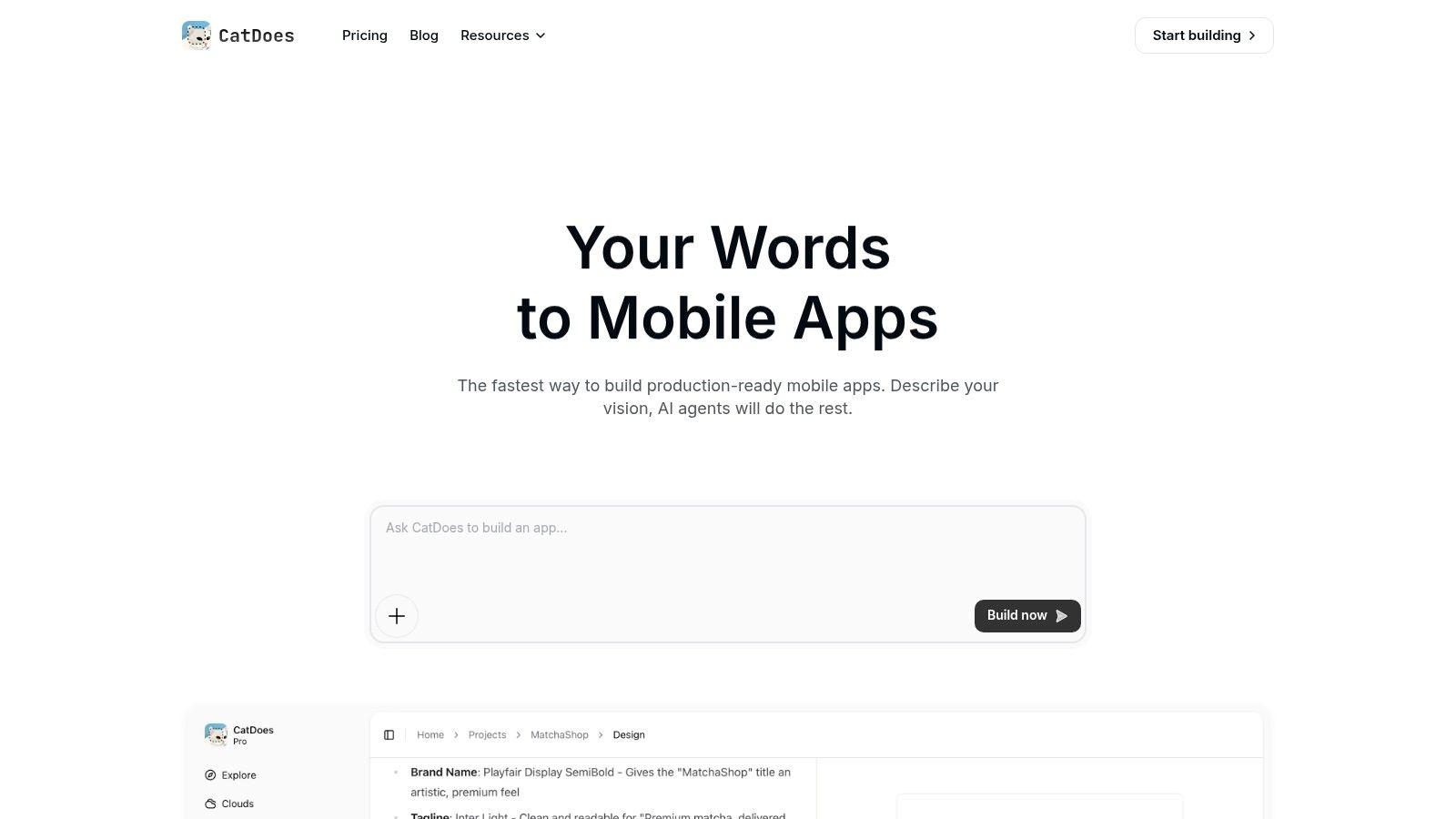
A screenshot of the CatDoes platform showing its multi-agent AI system building a mobile app from a text prompt.

Key Features & Use Cases

What sets CatDoes apart is its holistic approach. It is not just a tool for prototyping; it is a platform for building, testing, and deploying.

  • AI-Powered Generation: Describe your app’s functionality in natural language, and the AI agents build it. This is ideal for non-technical founders creating a minimum viable product (MVP) or for developers looking to accelerate initial project scaffolding.

  • Integrated Backend (CatDoes Cloud): The platform can automatically configure essential backend services, including user authentication, databases, file storage, and serverless functions. This eliminates a major hurdle for teams without dedicated backend engineers.

  • Live Preview & Real-Device Testing: Instantly preview changes in a live browser simulator or scan a QR code to run the native app directly on your iPhone or Android device. This rapid feedback loop is invaluable for iterative design and validation.

  • Built-in Monitoring (CatDoes Watch): Once deployed, CatDoes Watch monitors for crashes and performance issues. It can even suggest AI-assisted fixes, streamlining the debugging process and improving app stability.

Who is CatDoes For?

CatDoes serves a broad audience, from complete beginners to seasoned professionals. Non-technical entrepreneurs can validate ideas without writing code, while agencies can deliver client projects faster. Developers can leverage the generated React Native codebase and optional GitHub sync to maintain full control and extend the app’s functionality. For a deeper dive into its capabilities, you can explore how AI transforms the prototyping and testing lifecycle on their blog.

Pros and Cons

Pros

Cons

Complete End-to-End Workflow: Goes far beyond prototyping to cover design, coding, backend setup, and deployment.

Subscription for Scale: The free plan is limited to one app, so teams or businesses will need to upgrade to a paid subscription for more projects.

Highly Accessible: The natural language interface makes app creation possible for users without any technical expertise.

Potential for Customization Trade-offs: Highly complex native features may require manual coding outside the platform's core workflow.

Rapid Iteration: Live previews, QR code testing, and AI-assisted debugging dramatically reduce development and testing cycles.


Developer-Friendly: Provides access to the React Native source code and integrates with GitHub for professional workflows.


Pricing

CatDoes operates on a subscription model. It offers a free tier that allows users to build and manage a single application, which is perfect for personal projects or initial idea validation. For expanded usage, including more apps and advanced features, tiered plans are available. Detailed pricing information is located on the official CatDoes website.

Visit CatDoes

2. Figma

Figma has cemented its place as the industry-standard, browser-based design and app prototyping app. Its strength lies in its comprehensive, all-in-one environment that supports the entire product development lifecycle, from initial brainstorming in FigJam to creating pixel-perfect, interactive prototypes and handing them off to developers. The real-time, multiplayer editing capability makes it an unparalleled tool for team collaboration, allowing designers, product managers, and engineers to work together seamlessly in a single file.

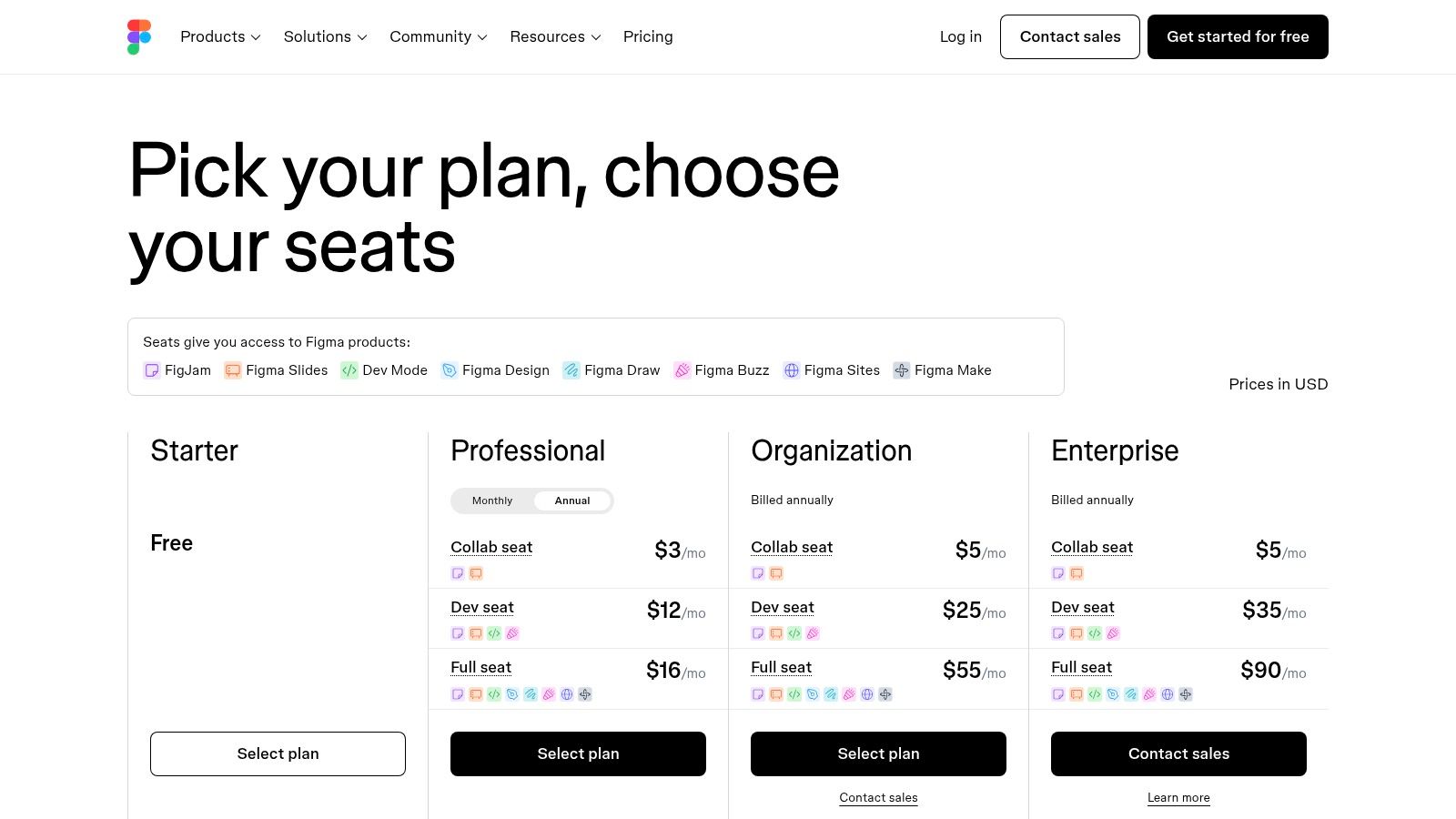
Figma pricing plans showing free, professional, and organization tiers

Figma’s prototyping features are incredibly robust. You can create complex user flows using variables for logic, interactive components for reusable states, and advanced animations for a near-native feel. The introduction of Dev Mode has significantly streamlined the designer-to-developer handoff process, providing code snippets and inspection tools directly within the design file. Once your Figma designs are complete and approved, understanding how to transition them for development is crucial for a smooth workflow; learning about How to Export Designs From Figma to React Native can be very useful. For those looking to bridge the gap between design and a fully functional React application even faster, there are powerful workflows available for translating Figma designs into clean React code.

Key Features:

  • Advanced interactive prototyping with variables, conditions, and interactive components.

  • Real-time "multiplayer" collaboration for seamless teamwork.

  • Integrated Dev Mode for streamlined developer handoff.

  • Massive ecosystem of community-generated plugins and templates.

Pros:

  • Accessibility: Being browser-based makes sharing and gathering feedback incredibly easy.

  • Collaboration: Best-in-class real-time collaboration features.

  • Scalability: Scales effectively from solo projects to large enterprise design systems.

Cons:

  • Performance: Complex files can become slow on less powerful hardware.

  • Cost: Full collaboration and developer features require paid seats, which can add up for larger teams.

Pricing: Figma offers a generous Free plan, a Professional plan at $12 per editor/month, and custom Organization/Enterprise pricing.

Website: https://www.figma.com/

3. Sketch

Sketch was one of the original pioneers in modern UI design, offering a powerful, Mac-native vector editor that quickly became a favorite for digital product designers. While browser-based tools have gained dominance, Sketch maintains a loyal following due to its focused, streamlined workflow and exceptional performance. It excels as a high-fidelity design tool that now integrates robust app prototyping capabilities, allowing designers to create interactive mockups without leaving the app. Its Workspace feature brings collaboration to the forefront, providing a central cloud-based hub for designs, feedback, and developer handoff.

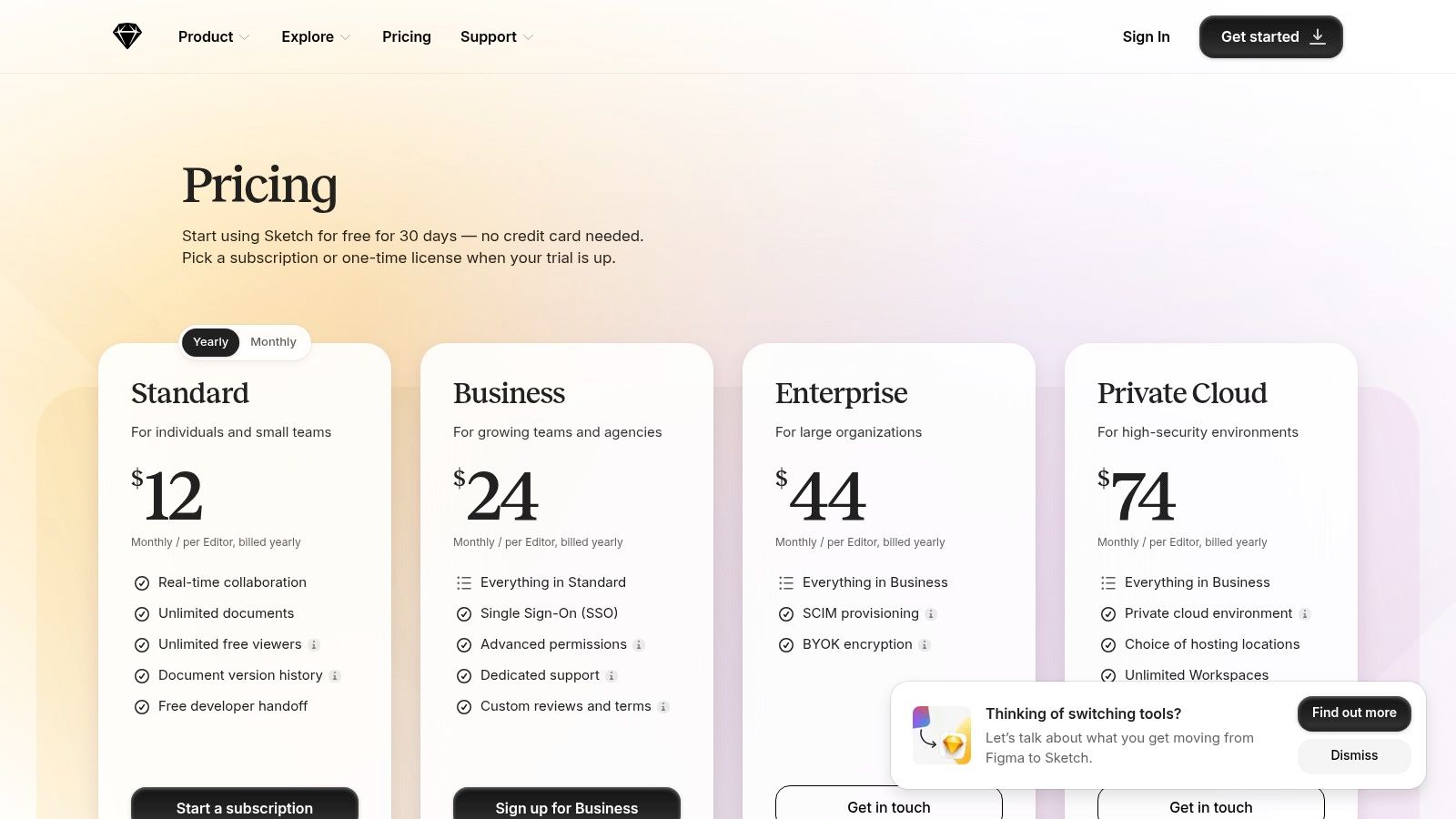
Sketch pricing plans for Standard and Business tiers

Sketch’s prototyping tools are intuitive and built directly into the design canvas. You can link artboards, apply preset animations, and create interactive elements using overlays and multi-directional scrolling to simulate real user flows. For testing on actual devices, the Sketch Mirror app for iOS provides a live preview, which is invaluable for assessing touch targets and on-device feel. The web-based handoff tools give developers everything they need, including specs and downloadable assets, creating a complete ecosystem from initial concept to final implementation for Mac-based design teams.

Key Features:

  • Intuitive prototyping with hover/press/toggle triggers, overlays, and scrolling.

  • Real-time collaboration and cloud storage via Sketch Workspaces.

  • Web-based inspector for developer handoff.

  • Companion iOS apps for live prototype mirroring and playback.

Pros:

  • Performance: Being a native Mac app, it offers a smooth, fast, and responsive experience, even with large files.

  • Offline Access: You can work on your design files anywhere, without needing a constant internet connection.

  • Focused UI: The interface is clean and centered on core UI design and prototyping tasks.

Cons:

  • Mac-Only: The desktop authoring tool is exclusive to macOS, which excludes designers and teams using Windows or Linux.

  • Limited Advanced Prototyping: Lacks the advanced logic, variables, and conditional flows found in more specialized prototyping tools.

Pricing: Sketch offers a Standard plan for individuals and teams at $10 per editor/month (billed annually) and a custom Business plan with advanced features.

Website: https://www.sketch.com/pricing/

4. Axure RP

Axure RP is a heavyweight app prototyping app designed for UX professionals who need to build deeply interactive, high-fidelity prototypes with complex logic. It stands apart by allowing designers to create functional prototypes that simulate real data, conditional flows, and dynamic content without writing a single line of code. This makes it an ideal choice for testing intricate user journeys, validating complex application logic, and creating detailed specifications for enterprise-level software and complex web applications where simple click-throughs are insufficient.

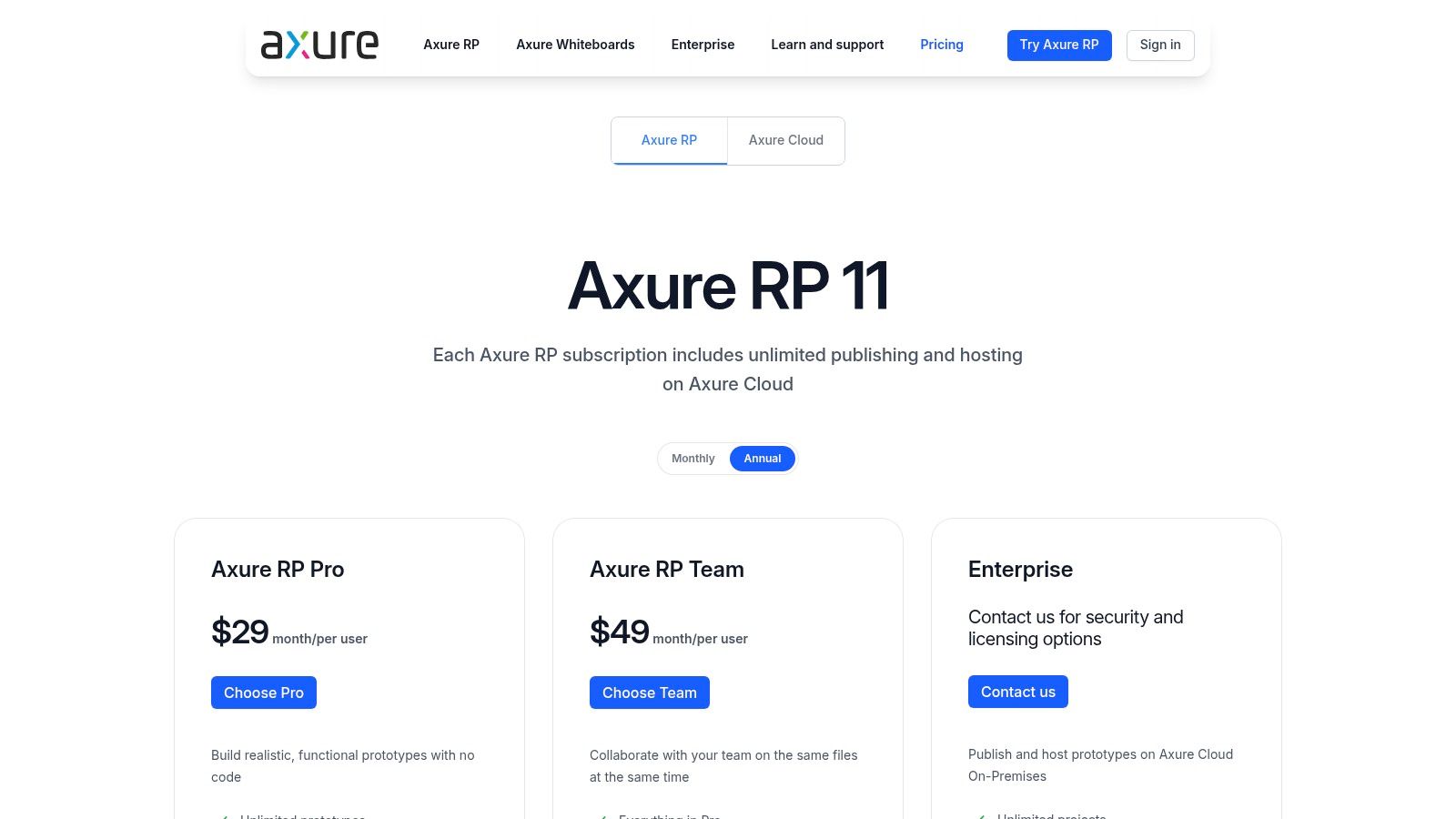
Axure RP pricing plans showing Pro, Team, and Enterprise tiers

While many modern tools are browser-based, Axure operates as a dedicated desktop application, ensuring powerful performance for complex projects. Its strength lies in features like adaptive views for responsive design, robust form creation with conditional logic, and the ability to generate comprehensive documentation directly from the prototype file. The Axure Cloud platform facilitates sharing, gathering feedback, and developer handoff, making it a comprehensive solution for teams that require precision and functional depth in their prototyping process. Its robust capabilities ensure it remains a go-to tool for serious UX design.

Key Features:

  • Advanced interactions and conditional logic without code.

  • Unlimited prototypes and reviewers with Axure Cloud hosting.

  • Team co-authoring and revision history on Team plans.

  • Automatic redlines and documentation generation.

Pros:

  • Complex Prototypes: Unmatched for building prototypes with complex flows and data simulation.

  • Documentation: Excellent for creating detailed specifications alongside interactive designs.

  • Scalability: Scales well for enterprise needs with features like SSO and on-premise options.

Cons:

  • Steep Learning Curve: More difficult to master compared to simpler click-through prototyping tools.

  • Desktop-Based: Requires a desktop authoring application, limiting the "work from anywhere" flexibility of browser-based tools.

Pricing: Axure RP offers a Pro plan for individuals at $25 per user/month, a Team plan at $42 per user/month, and custom Enterprise pricing.

Website: https://www.axure.com/pricing

5. ProtoPie

ProtoPie carves out a unique niche as a high-fidelity app prototyping app focused on creating realistic, hardware-aware interactions. While other tools excel at screen flows, ProtoPie shines when you need to prototype complex microinteractions and experiences that leverage a device’s native capabilities. It allows designers to go beyond simple taps and swipes by incorporating multi-touch gestures, conditional logic, and direct access to device sensors like the camera, microphone, and gyroscope. This makes it an invaluable tool for testing how an app truly feels and behaves in a user's hands.

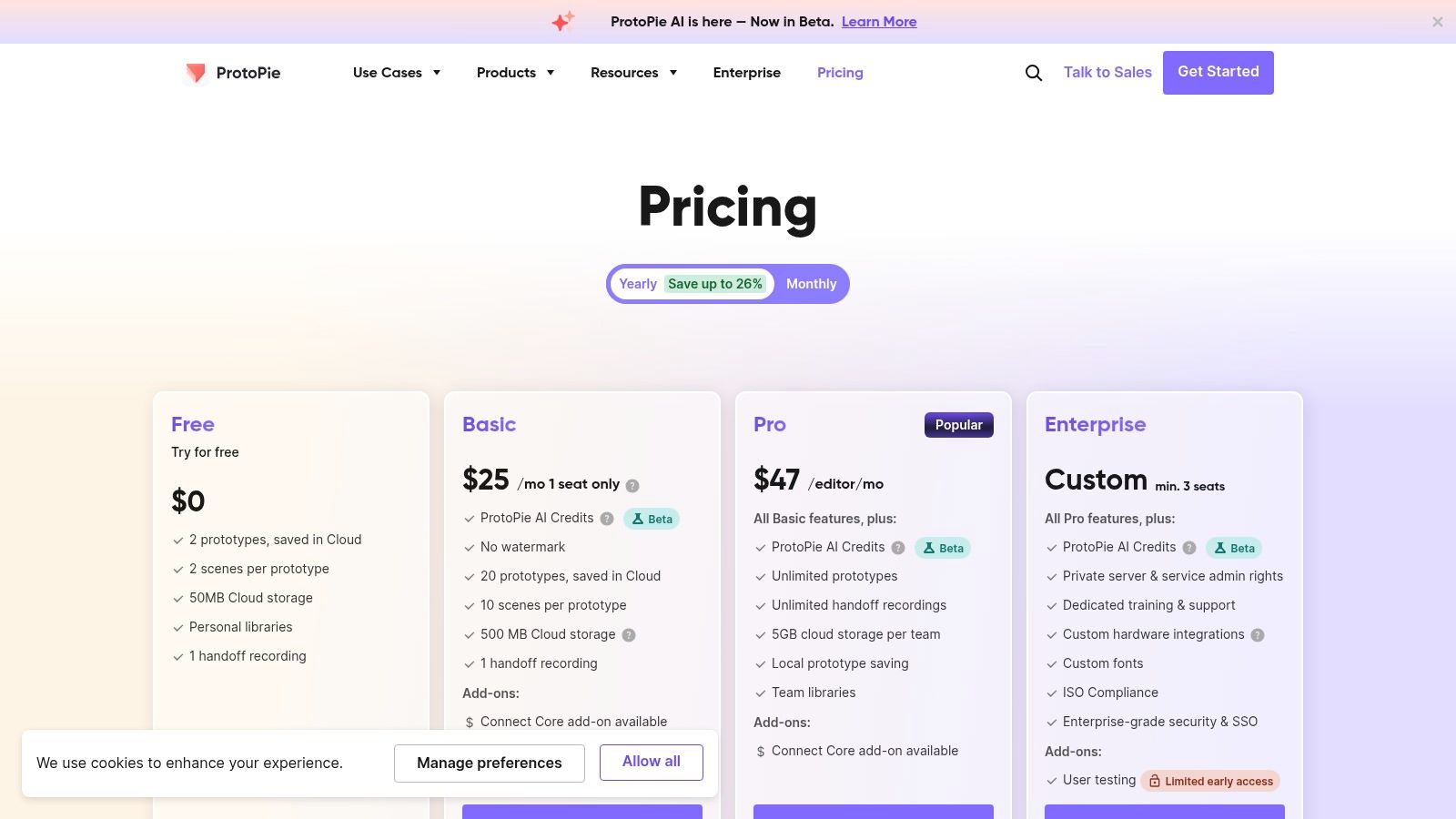
ProtoPie pricing tiers showing Free, Pro, and Enterprise options

The workflow often begins by importing designs from Figma, Sketch, or Adobe XD, and then using ProtoPie's powerful interaction model to bring them to life. Prototypes are tested live on actual devices using the ProtoPie Player app, providing instant, tangible feedback on the user experience. This focus on realistic, on-device testing is what sets it apart, allowing teams to validate complex ideas, from gaming controls to augmented reality interfaces, long before writing a single line of code.

Key Features:

  • Access to native device sensors (camera, mic, compass, gyro, etc.).

  • Advanced interaction triggers, including multi-touch, conditional logic, and formulas.

  • ProtoPie Player apps for real-time, on-device testing (iOS & Android).

  • Seamless import from Figma, Sketch, and Adobe XD.

Pros:

  • Unmatched Fidelity: Perfect for testing the "feel" of complex gestures, physics, and sensor-based interactions.

  • Realistic Testing: On-device player provides the most accurate context for user feedback.

  • Cross-Platform: The authoring tool works on both macOS and Windows.

Cons:

  • Learning Curve: Its powerful, logic-based interaction model requires more time to master than simpler tools.

  • Niche Focus: Less suited for broad, early-stage wireframing compared to all-in-one platforms.

Pricing: ProtoPie offers a Free plan for individual use, a Pro plan at $67 per editor/month, and custom Enterprise plans for teams.

Website: https://www.protopie.io/plans

6. Proto.io

Proto.io has long been a go-to web-based app prototyping app for those who need to create high-fidelity, interactive mobile prototypes without touching a single line of code. Its primary strength is an extensive library of native-style UI components, complex animations, and gesture support. This focus allows designers to quickly assemble prototypes that look and feel like a real native application, making it ideal for user testing, stakeholder presentations, and validating complex mobile-specific interactions before development begins.

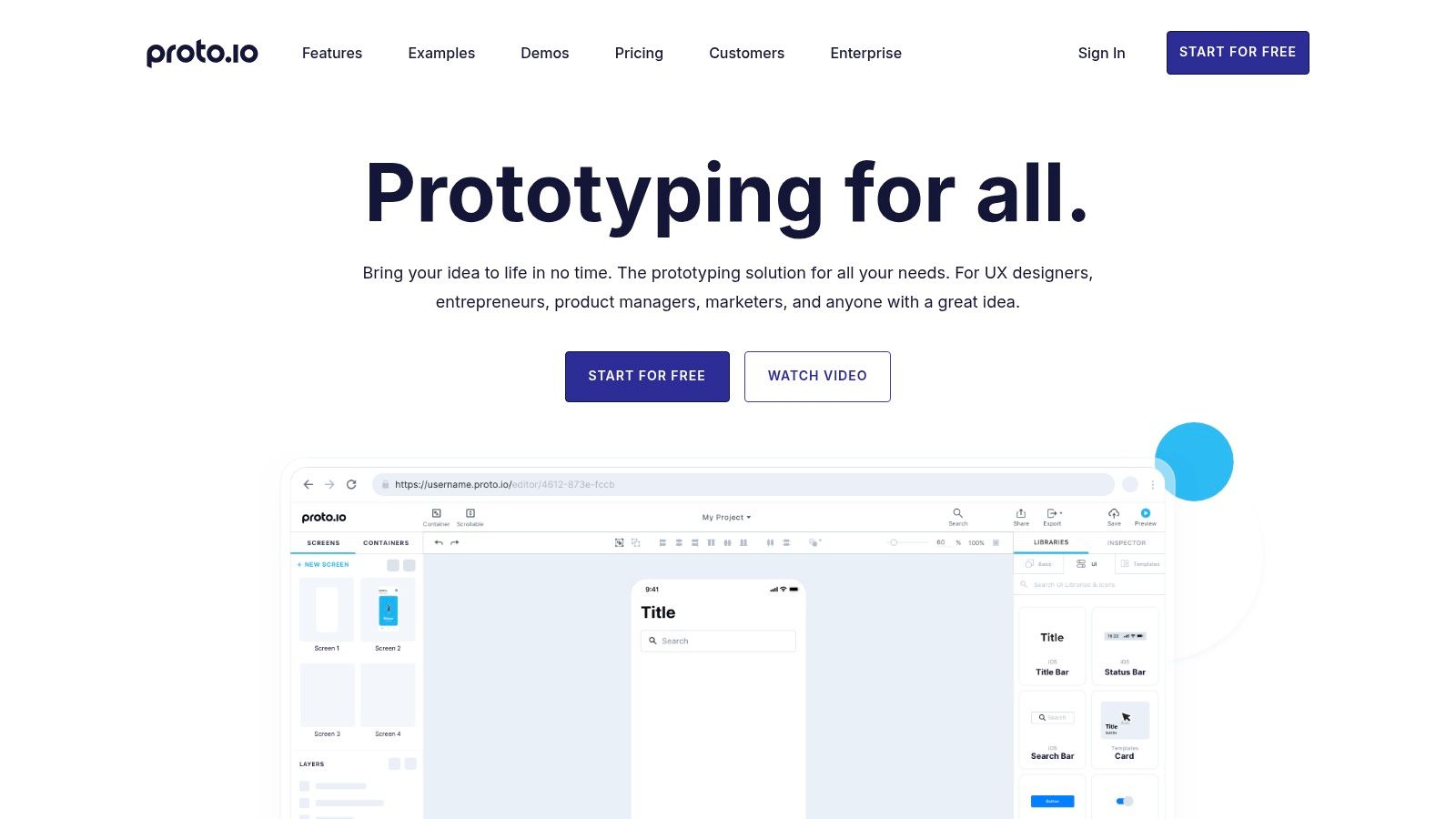
Proto.io UI for app prototyping showing components and canvas

The platform excels at simulating a near-final user experience through its powerful animation timelines and support for rich touch gestures like swiping, pinching, and dragging. You can test these realistic prototypes directly on devices using the native Proto.io player apps for iOS and Android, which provides an authentic testing environment. This capability is invaluable for gathering accurate user feedback on usability and flow. While it doesn't generate production code, Proto.io provides robust sharing and exporting options, including HTML, making it a comprehensive tool for validating ideas.

Key Features:

  • Large library of 250+ animated and interactive native-style UI components.

  • Advanced animation timelines for creating sophisticated motion design.

  • Full support for mobile gestures (swipe, tap, pinch, drag) and screen events.

  • Native player apps for realistic, on-device testing and offline previews.

Pros:

  • Realism: Quickly assemble realistic-feeling mobile flows using pre-built asset libraries.

  • No Code: Powerful enough to create complex interactions without any coding knowledge.

  • Sharing: Easy sharing via links and various export options (HTML/PNG/PDF) for reviewers.

Cons:

  • Complexity: The logic for large, state-heavy projects can become difficult to manage.

  • Performance: High-fidelity animations and complex interactions may require careful tuning to perform smoothly.

Pricing: Proto.io offers a Freelancer plan at $24/month, a Startup plan at $40/month, an Agency plan at $80/month, and custom Corporate pricing. A 15-day free trial is available.

Website: https://proto.io/

7. Justinmind

Justinmind is an all-in-one wireframing and app prototyping app that specializes in creating high-fidelity, interactive prototypes, particularly for complex, data-heavy web and mobile applications. It stands out by offering advanced interactions, variables, and conditional logic, allowing UX teams to simulate intricate user flows and data-driven behaviors without writing a single line of code. This makes it an ideal choice for projects that involve detailed forms, dynamic content, and complex decision trees, giving stakeholders a realistic feel of the final product early in the design process.

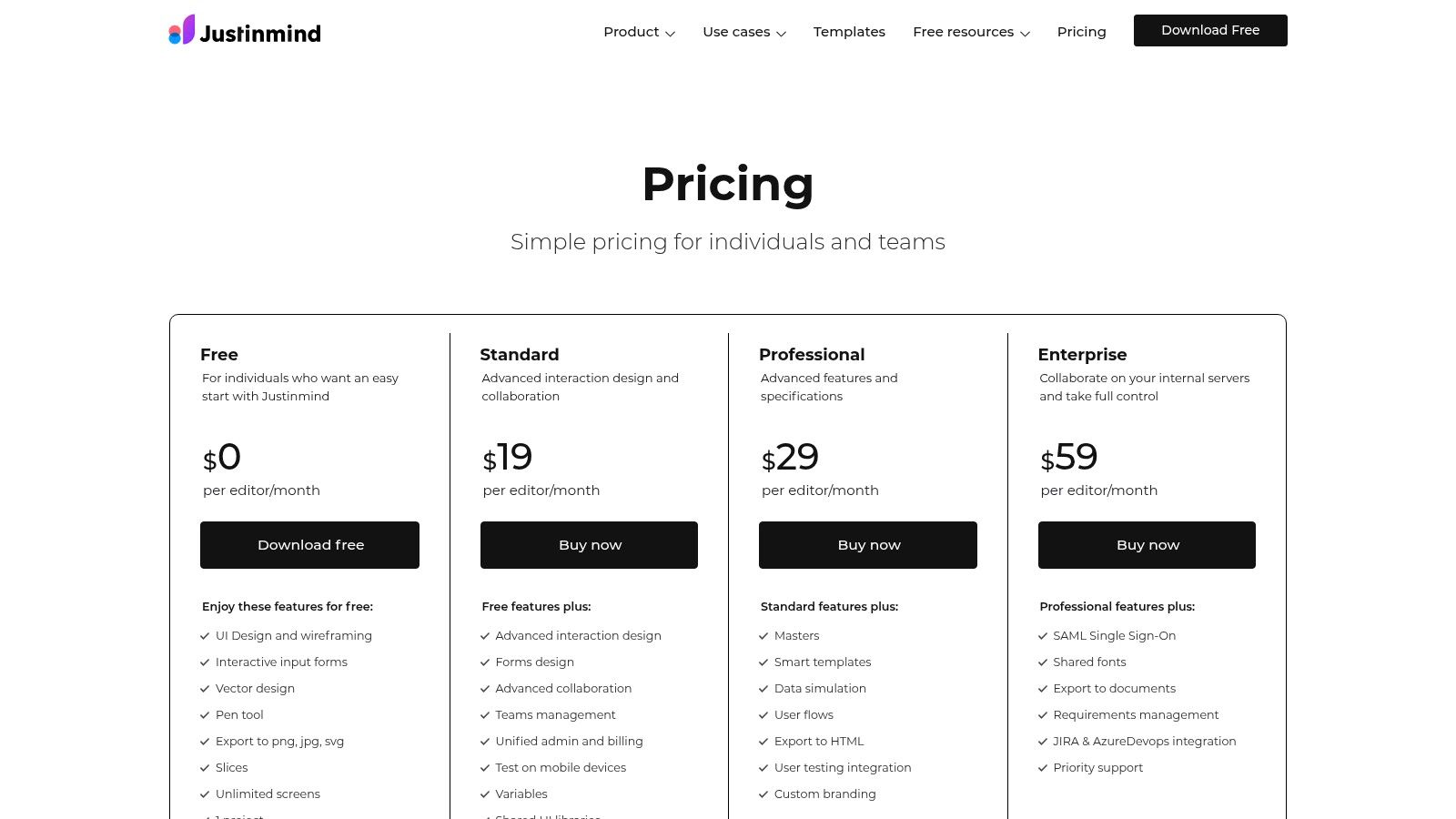
Justinmind pricing plans showing free, professional, and enterprise tiers

The platform is a desktop-based tool but facilitates team collaboration through shared libraries and review features. Users can test their interactive prototypes directly on mobile devices, providing a true-to-life validation of the user experience. While its interface may feel denser compared to modern, browser-based alternatives, its power lies in the depth of its simulation capabilities. For designers needing to prove out complex logic or demonstrate sophisticated data manipulation in a prototype, Justinmind provides a robust and focused environment to bring those concepts to life.

Key Features:

  • Advanced interactions, forms, variables, and conditional logic for complex simulations.

  • Shared libraries and collaboration tools for team-based projects.

  • Mobile device testing for realistic usability feedback.

  • Unlimited screens and projects available on all paid tiers.

Pros:

  • Data Simulation: Exceptionally well-suited for data-rich or form-heavy application flows.

  • Advanced Prototyping: Offers competitive pricing for a deep set of advanced prototyping features.

Cons:

  • UI Feel: The desktop app interface feels denser and less modern compared to newer tools.

  • Ecosystem: Has a smaller community and plugin ecosystem than platforms like Figma.

Pricing: Justinmind offers a limited Free plan, a Professional plan for $19 per user/month, and custom Enterprise pricing.

Website: https://www.justinmind.com/pricing

8. Balsamiq

Balsamiq distinguishes itself by focusing exclusively on low-fidelity wireframing, making it an exceptional app prototyping app for the earliest stages of ideation. Instead of aiming for pixel-perfect mockups, it uses a sketchy, hand-drawn aesthetic to encourage stakeholders to focus on usability and structure rather than visual details. This approach accelerates the feedback loop, allowing teams to quickly validate core concepts and user flows before committing to high-fidelity design work. It’s the digital equivalent of sketching on a whiteboard, but with the benefits of easy sharing and iteration.

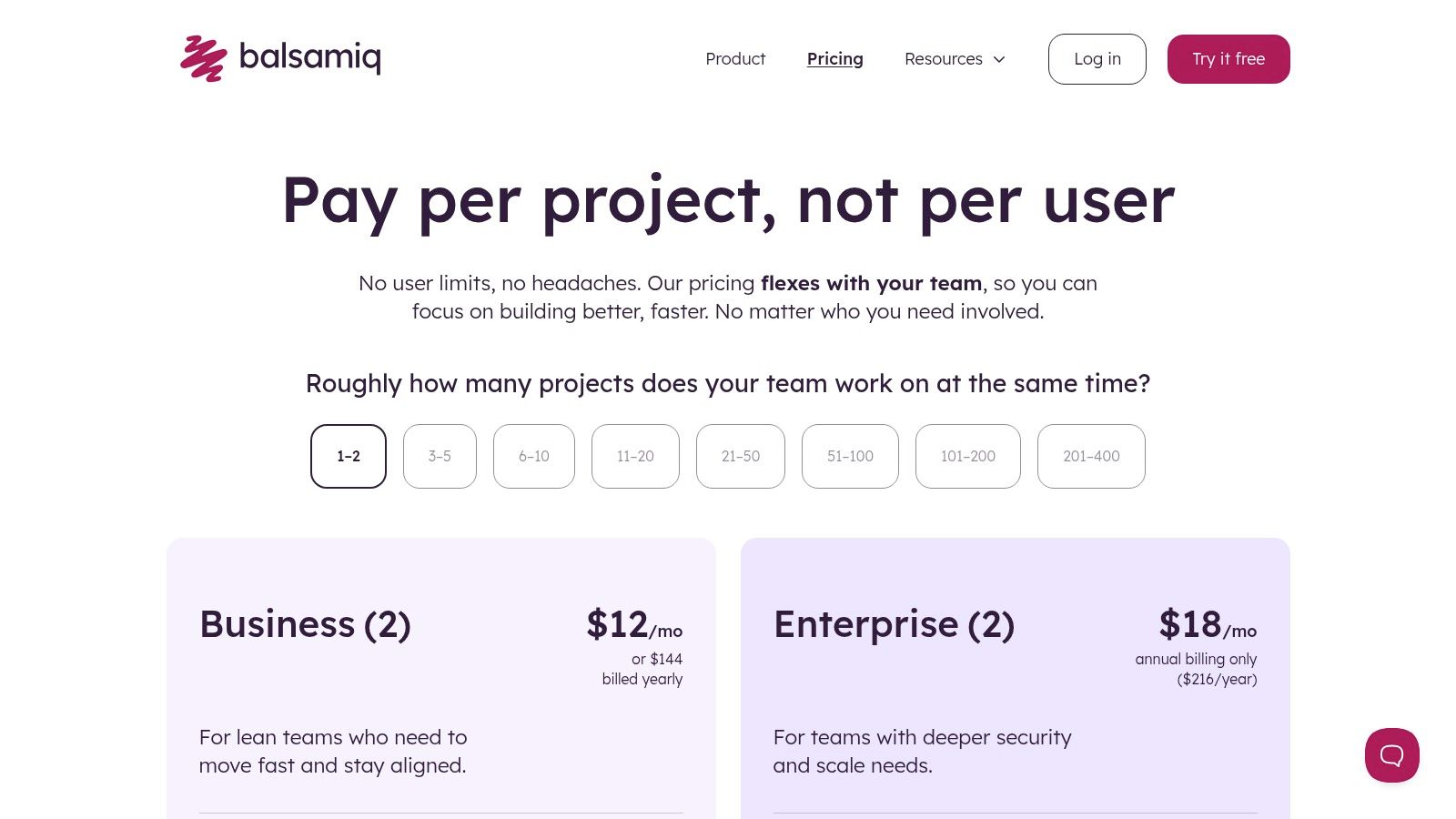
Balsamiq pricing plans showing tiers for Balsamiq Cloud

The platform is built for speed and simplicity, with a drag-and-drop interface and a vast library of common UI elements. Its unique project-based pricing model, which allows unlimited users per project, fosters broad collaboration with product managers, developers, and clients without incurring per-seat costs. While Balsamiq won't produce a polished, interactive prototype ready for user testing, it is an invaluable tool for brainstorming, mapping out application architecture, and securing initial stakeholder alignment with minimal time investment.

Key Features:

  • Rapid low-fidelity wireframing with a sketchy, hand-drawn style.

  • Extensive library of pre-built UI controls and symbols.

  • Simple linking to create basic click-through prototypes.

  • Unlimited users per workspace for broad stakeholder involvement.

Pros:

  • Speed: Extremely fast for creating and iterating on early-stage concepts.

  • Focus: The low-fidelity style keeps feedback centered on layout and functionality, not aesthetics.

  • Collaboration: Project-based pricing makes it easy to share and get feedback from large teams.

Cons:

  • Limited Fidelity: Not intended for high-fidelity design, detailed animations, or complex interactions.

  • Basic Prototyping: Lacks advanced logic and transitions needed for realistic user testing.

Pricing: Balsamiq Cloud plans start at $9/month for 2 projects, $49/month for 20 projects, and $199/month for 200 projects, all with unlimited users. Desktop and Google Drive versions are also available.

Website: https://balsamiq.com/buy/

9. Marvel

Marvel carves out its niche as a highly approachable and rapid app prototyping app, designed for speed and simplicity. It excels at transforming static designs, sketches, or wireframes into interactive, tappable prototypes in minutes. This makes it an ideal choice for quickly validating ideas, presenting concepts to stakeholders, or conducting early-stage user testing without a steep learning curve. Its straightforward workflow allows individuals and teams to focus on the user flow and core interactions rather than getting bogged down in complex features.

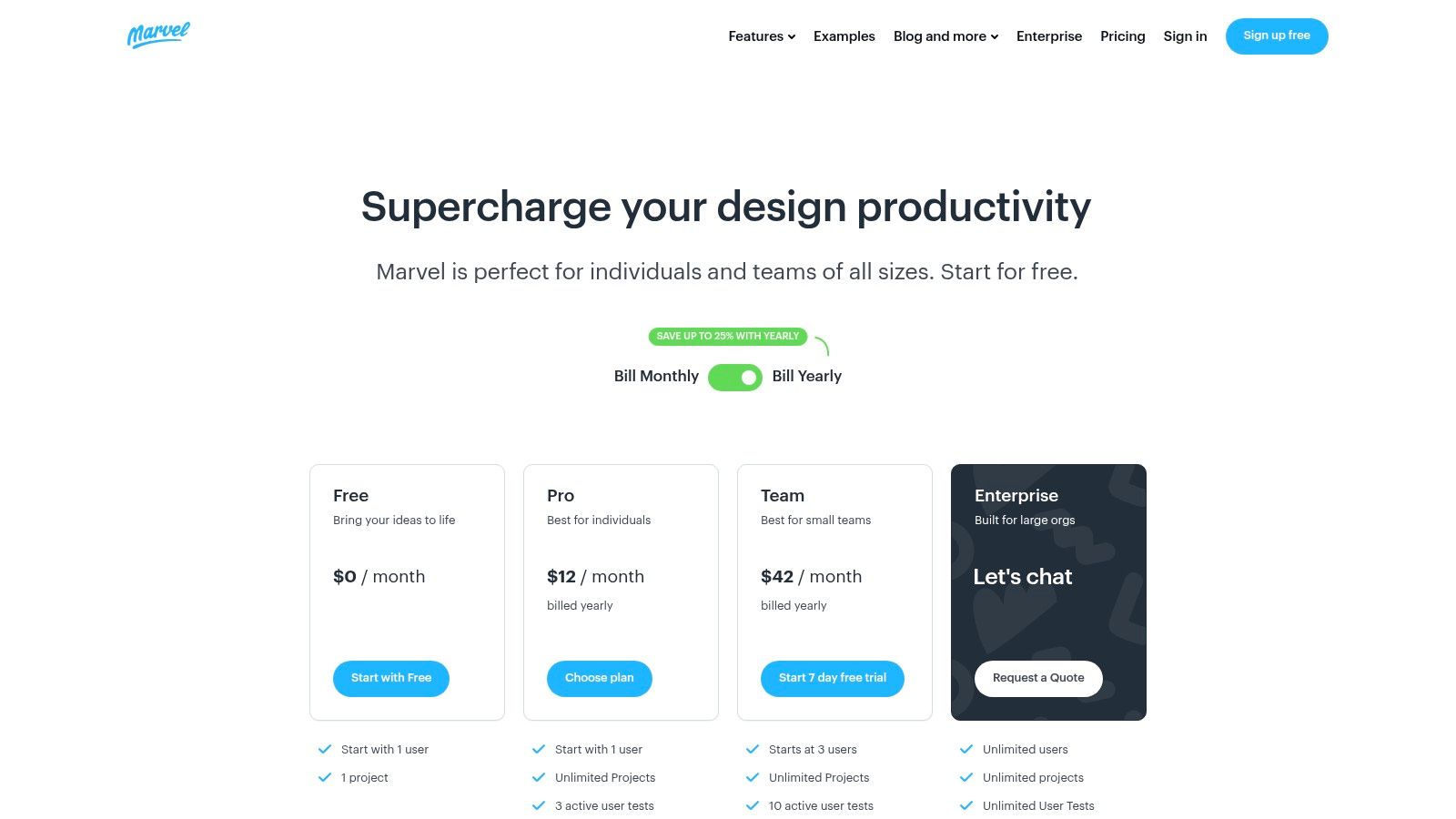
Marvel pricing plans showing Free, Pro, and Team tiers

The platform’s strength lies in its core prototyping and user feedback loop. You can quickly link screens with hotspots, add gestures, and apply transitions to simulate a real app experience. What sets Marvel apart for mobile-focused teams is its integrated user testing, which records user interactions, video, and audio feedback directly within the platform. Another unique feature is the ability to export an Android APK file for offline testing on actual devices, providing a tangible way to gather feedback without needing a constant internet connection. While it doesn't support complex logic or code export, its focus on fast, click-through validation makes it a valuable tool in the early phases of app development.

Key Features:

  • Fast prototyping from sketches, images, or design files via hotspots.

  • Built-in user testing with screen, audio, and video recording capabilities.

  • Ability to export a standalone Android APK for offline device testing.

  • Developer Handoff feature provides specs, assets, and CSS for engineers.

Pros:

  • Gentle Learning Curve: Extremely easy to learn and use, perfect for beginners and non-designers.

  • Rapid Validation: Excellent for creating quick click-through demos for stakeholder presentations.

  • Integrated Testing: The built-in user feedback tools streamline the validation process.

Cons:

  • Limited Functionality: Primarily optimized for simple click-through flows; lacks support for complex logic or variables.

  • Pricing Transparency: Some plan details and limitations are only fully visible after signing up.

Pricing: Marvel offers a Free plan for 1 user and 1 project, a Pro plan for individuals at $12/month, and a Team plan at $42/month for 3+ users.

Website: https://marvelapp.com/pricing

10. Principle for Mac

Principle is a macOS-native app prototyping app designed for creating detailed animations and high-fidelity interactive user interfaces. It excels where other tools might fall short: crafting the fluid, delightful micro-interactions that define a polished user experience. Its timeline-based editor gives designers granular control over every property and transition, making it the ideal tool for exploring complex motion design and demonstrating exactly how an animation should feel, from a button press to a full-screen transition.

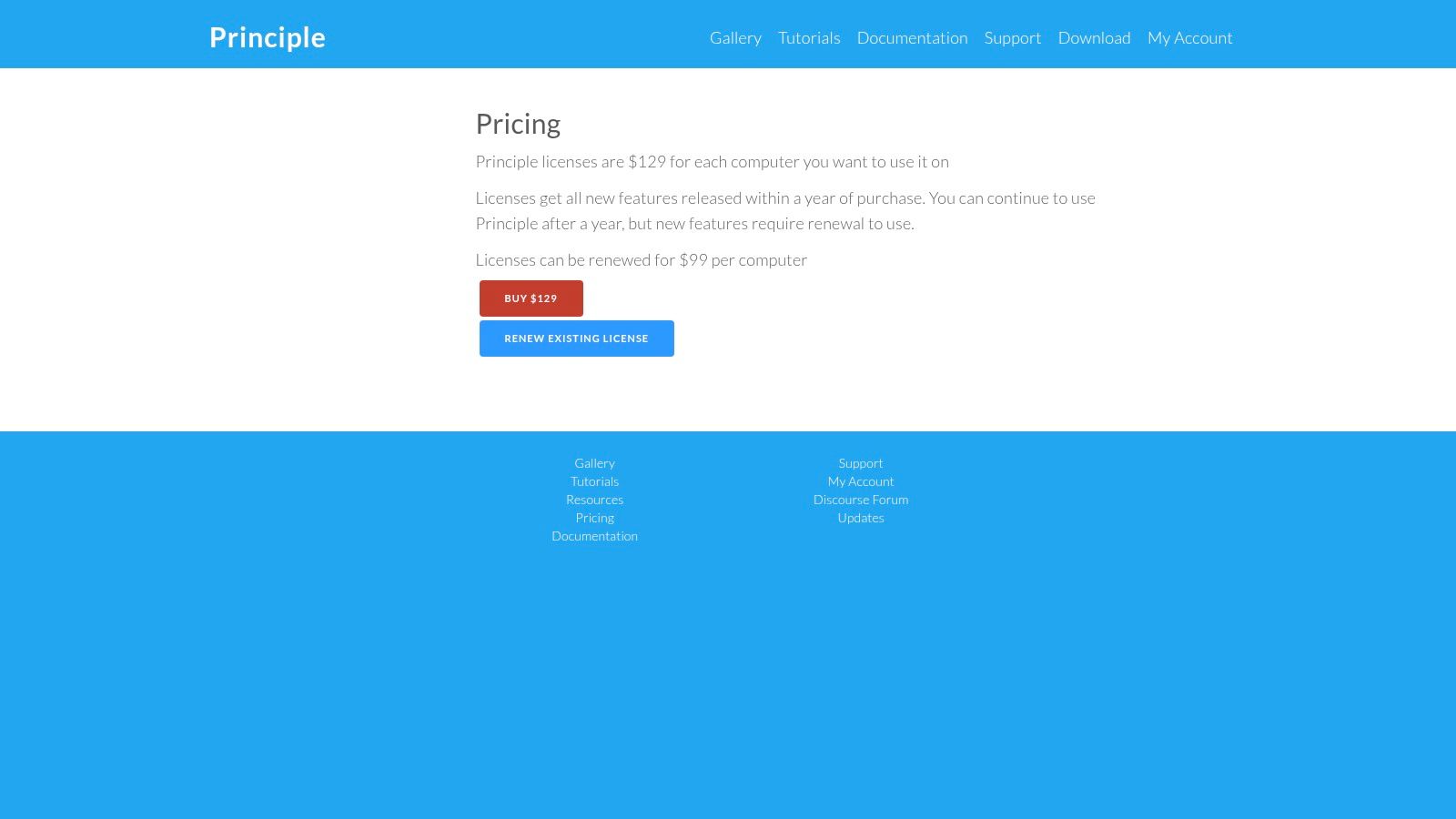
Principle for Mac one-time purchase pricing

The workflow is straightforward, allowing designers to import assets directly from Figma or Sketch and immediately start animating. While it doesn't offer the same level of conditional logic or data handling as more complex prototyping tools, its focus on motion design is unparalleled. Designers can easily record their interactive prototypes as videos or GIFs, creating a perfect asset for developer handoff, stakeholder presentations, or Dribbble showcases. This focus makes it an essential specialized tool for designers who need to communicate nuanced motion concepts with absolute clarity.

Key Features:

  • Timeline editor for precise control over animations and transitions.

  • Imports artboards and layers from Figma and Sketch.

  • Live device previewing for iOS.

  • Easy export to video or animated GIF for sharing.

Pros:

  • Motion Design: Unmatched for prototyping high-fidelity micro-interactions and animations.

  • One-Time Cost: A single purchase model is attractive for solo designers and small studios.

  • Simplicity: A focused feature set makes it easy to learn and master for its core purpose.

Cons:

  • Platform-Locked: Authoring is exclusive to macOS, limiting cross-platform team collaboration.

  • Limited Logic: Not suitable for prototyping complex user flows with extensive variables or sensor inputs.

Pricing: Principle is available for a one-time purchase of $129, which includes one year of updates.

Website: https://www.principleformac.com/pricing.html

11. Origami Studio

Origami Studio, a free design tool created by Meta, is the go-to app prototyping app for designers who need to create incredibly high-fidelity, native-feeling prototypes. Unlike layer-based timeline tools, Origami uses a powerful patch-based editor. This node-based system allows you to build sophisticated logic, animations, and stateful interactions that closely mimic the behavior of a final, coded application. It is particularly well-suited for exploring complex gestures and micro-interactions that are difficult to express in other tools.

The platform excels at creating prototypes that feel truly native by providing direct access to device hardware. Designers can tap into phone sensors like the accelerometer and gyroscope, trigger haptic feedback, and utilize the camera and microphone. This allows for the creation of immersive user experiences that can be tested directly on a device using the Origami Live companion app for iOS and Android. Its ability to import designs from Figma and Sketch makes it a powerful addition to an existing design workflow for advanced interaction modeling.

Key Features:

  • Patch editor for building complex interactions with logic and state.

  • Direct access to device hardware like camera, motion sensors, and haptics.

  • Companion app (Origami Live) for real-time device previews.

  • Figma and Sketch import for seamless integration with standard design tools.

Pros:

  • High-Fidelity: Unmatched power for creating nuanced, hardware-driven mobile interactions.

  • Completely Free: The tool and its companion apps are free to download and use.

  • Native Feel: Prototypes can access device sensors for a realistic user experience.

Cons:

  • Steep Learning Curve: The patch-based system requires a different way of thinking and can be challenging for beginners.

  • Mac-Only: The main authoring application is only available on macOS.

Pricing: Origami Studio is completely Free to use.

Website: https://origami.design/

12. FlutterFlow

FlutterFlow blurs the line between a high-fidelity app prototyping app and a full-fledged low-code development platform. Built on Google's Flutter framework, it allows users to visually build, connect data, and configure logic for functional mobile applications. Its strength is in accelerating the journey from a clickable concept to a production-ready MVP. Teams can use its drag-and-drop interface, extensive component library, and pre-built templates to assemble UIs, then add complex logic and API integrations without writing extensive code.

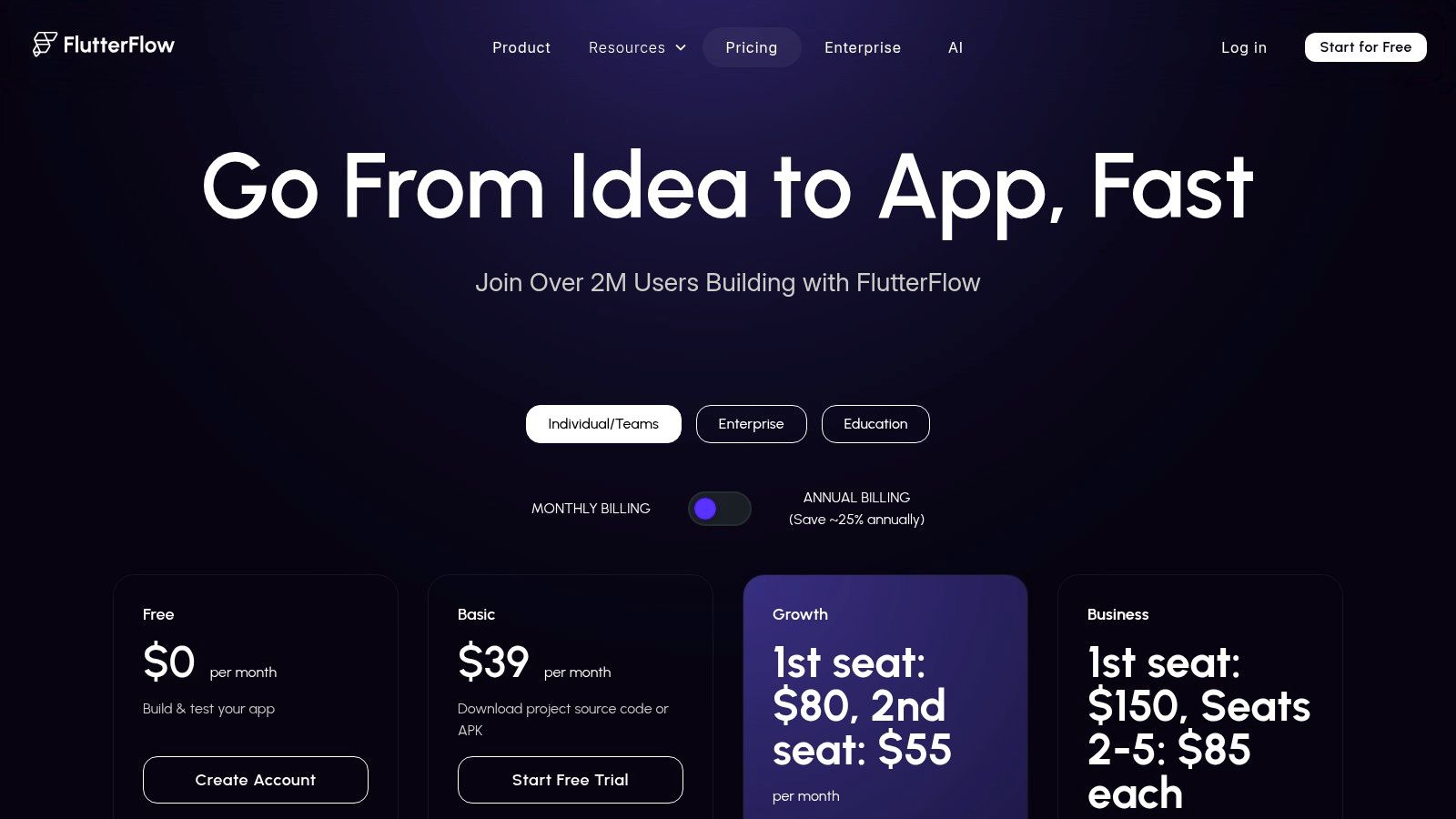
FlutterFlow pricing plans showing free, standard, pro, and teams tiers

The platform is designed for those who want their prototype to be the first version of the actual product. It offers real-time collaboration, GitHub integration for version control, and even one-click deployment to the Apple App Store and Google Play. This makes it an incredibly powerful tool for startups and developers looking to ship apps faster. For teams evaluating different cross-platform technologies, understanding the core differences is key; a detailed comparison of Flutter vs. React Native in 2026 can provide valuable context for making an informed decision.

Key Features:

  • Visual development environment with a vast library of templates and components.

  • Real-time collaboration, version control with branching, and GitHub sync.

  • One-click deployment to both the Apple App Store and Google Play.

  • Ability to download clean Flutter code and APK files for full extensibility.

Pros:

  • Speed to Market: Drastically reduces the time from initial prototype to a functional, deployable MVP.

  • Code Output: Provides real, usable code, bridging the gap between design and engineering.

  • All-in-One: Manages UI design, logic, backend integration, and deployment in one place.

Cons:

  • Learning Curve: More complex than pure prototyping tools due to its backend and logic capabilities.

  • Platform Lock-in: While you can export code, the workflow is heavily tied to the FlutterFlow ecosystem.

Pricing: FlutterFlow offers a Free plan, a Standard plan at $20 per user/month, a Pro plan at $50 per user/month, and custom Teams/Enterprise pricing.

Website: https://www.flutterflow.io/pricing

Top 12 App Prototyping Tools Comparison

Product

Core features

UX / Quality (★)

Value / Price (💰)

Target (👥)

Unique / USP (✨)

CatDoes 🏆

Multi-agent NL→app, React Native (Expo) output, CatDoes Cloud, live preview & QR

★★★★☆ Fast iteration, built-in monitoring

💰 Free (1 app) + tiered subs

👥 Non-technical founders, designers, SMBs, devs

✨ End-to-end AI agents; managed backend; automated store builds

Figma

Browser design + prototyping, real-time collaboration, Dev Mode

★★★★★ Extremely fast & collaborative

💰 Free starter; paid seats for teams

👥 Designers, product teams, devs

✨ Multiplayer, plugins ecosystem, Figma Make (prompt→prototype)

Sketch

Mac-native UI design, prototyping, web viewer

★★★★☆ Smooth Mac performance, offline-friendly

💰 Paid app / subscription

👥 Mac designers, UI teams

✨ Native Mac performance; iOS viewer apps

Axure RP

Advanced interactions, conditional logic, Axure Cloud hosting

★★★★ Powerful for complex/enterprise flows

💰 Paid plans (pro/team/enterprise)

👥 UX engineers, enterprise product teams

✨ No-code conditional logic & detailed documentation

ProtoPie

Sensor access (cam/mic/gyro), multi-touch, native player

★★★★☆ Realistic device-level interactions

💰 Paid tiers; add-ons for advanced features

👥 Motion designers, mobile interaction specialists

✨ High-fidelity sensors & gesture fidelity on device

Proto.io

No-code web prototyping, large native UI libraries, player apps

★★★★ Fast to assemble realistic mobile flows

💰 Paid plans

👥 PMs, designers, usability testers

✨ 250+ components, 1000+ templates, native preview apps

Justinmind

Interactions, forms, variables, data simulation, mobile testing

★★★☆ Good for data/form-heavy UX

💰 Competitive paid tiers

👥 UX teams building form/data-driven apps

✨ Strong data simulation & form logic

Balsamiq

Rapid low-fidelity wireframes, unlimited users per workspace

★★★★ Quick ideation & stakeholder buy-in

💰 Project or cloud pricing (predictable)

👥 Early-stage teams, stakeholders, educators

✨ Ultra-fast lo‑fi mockups; easy sharing

Marvel

Simple prototyping, built-in user testing, APK export option

★★★ Easy, approachable for demos & testing

💰 Free tier; paid for teams/features

👥 Beginners, educators, quick demo builders

✨ Integrated user testing + APK export for offline review

Principle for Mac

Timeline-based animations, imports from Sketch/Figma, exports

★★★★ Excellent micro-interaction fidelity

💰 One-time license

👥 Motion designers, solo creatives

✨ Timeline editor for polished UI animation & GIF/video export

Origami Studio

Patch editor, hardware/sensor access, iOS viewer

★★★★ Very powerful; steep learning curve

💰 Free

👥 Advanced interaction designers

✨ Free, patch-based logic + hardware-driven prototypes

FlutterFlow

Visual Flutter builder, GitHub sync, one-click deploy

★★★★ Speeds prototype→production with code output

💰 Paid tiers per seat; deploy options

👥 Teams building production mobile apps

✨ Flutter code export + store deployment from platform

Choosing Your Path: From Prototype to Production-Ready App

Navigating the expansive landscape of app prototyping tools can feel overwhelming, but the journey from a nascent idea to a tangible, interactive prototype is more accessible than ever. Throughout this guide, we have explored a diverse set of platforms, each with a unique philosophy and feature set designed to serve different stages of the app creation lifecycle. From the low-fidelity wireframing simplicity of Balsamiq to the high-fidelity, code-centric power of FlutterFlow, the right app prototyping app exists to match your specific project goals, technical skills, and collaborative needs.

The key takeaway is that there is no single "best" tool, only the tool that is best for your current challenge. A startup founder might begin with a tool like Marvel to quickly validate a concept with investors, while a seasoned UX team at a large enterprise may rely on Axure RP for its complex conditional logic and documentation capabilities. Similarly, a freelance designer focused on intricate animations for iOS will find a perfect partner in Principle, whereas a cross-functional team might choose Figma for its unparalleled real-time collaboration. Your selection process should be a deliberate one, guided by a clear understanding of what you need to achieve at this moment.

Key Factors in Your Decision

As you reflect on the tools we've covered, from Sketch and its robust plugin ecosystem to ProtoPie and its hardware integration prowess, consider these critical factors before making your final choice:

  • Fidelity and Functionality: What level of detail do you need right now? Are you simply mapping out user flows (low-fidelity), or do you need to simulate complex micro-interactions and data inputs (high-fidelity)? Your answer will point you toward either a wireframing tool or a more advanced prototyping platform.

  • Learning Curve and Skillset: Be realistic about the time your team can invest in learning new software. Tools like Figma and Proto.io offer intuitive interfaces, making them accessible to a broader audience. In contrast, platforms like Origami Studio demand a more technical mindset but offer unmatched control over interaction design.

  • Collaboration and Handoff: How will your team work together? Is real-time co-editing a necessity? Consider the developer handoff process. An effective app prototyping app should streamline the transition from design to code, providing clear specifications, assets, and even code snippets to accelerate development.

  • The Prototype-to-Production Gap: This is perhaps the most crucial consideration in 2026. Traditional prototyping tools excel at creating visual simulations, but they leave a significant gap between the prototype and the final, functional application. The design is merely a picture of the app, not the app itself.

The Rise of AI and the Future of App Creation

This brings us to the most significant evolution in the app development space: the shift from purely visual prototyping to functional, AI-driven app generation. The fundamental limitation of traditional tools is that the prototype, no matter how detailed, is ultimately a disposable artifact. It must be painstakingly recreated in code by developers.

AI-native platforms like CatDoes are disrupting this old model. Instead of just creating a picture of an app, these tools help you build the actual app. They bridge the chasm between design and development by translating your visual concepts and requirements directly into production-ready code. This paradigm shift offers a profound advantage, particularly for founders, small businesses, and agencies aiming to launch real products faster and more efficiently. An app prototyping app that also builds the app eliminates redundant work, minimizes miscommunication between designers and developers, and dramatically shortens the time to market.

As you embark on your app creation journey, think beyond the immediate need for a visual mock-up. Consider your end goal: a live, scalable, and successful application in the hands of users. Your choice of tool will be one of the most impactful decisions you make, setting the foundation for your workflow, your team's efficiency, and your ability to innovate and iterate with speed.

Ready to skip the handoff and turn your prototype directly into a functional, market-ready application? CatDoes uses an AI-native approach to build real apps from your designs, closing the gap between idea and launch. Visit CatDoes to see how you can build and ship your app faster than ever before.

Writer

Nafis Amiri

Co-Founder of CatDoes