
Blog
Tutorials
Prototyping and Testing: A Practical Guide to Rapid App Validation
Master prototyping and testing to validate your app idea fast. Learn AI-assisted prototyping, real user tests, and how to launch confidently.

Nafis Amiri
Co-Founder of CatDoes
Prototyping and Testing: A Practical Guide to Rapid App Validation
So, what do we actually mean when we talk about prototyping and testing? It’s the process of creating a simple, working model of your app to see if the design, core features, and overall idea resonate with people before you sink a ton of time and money into full development.
This isn't about building a perfect product. It's about building interactive mockups, getting them into the hands of real users, and learning from their feedback to sharpen your concept. The goal is simple: make sure you build a product people actually want, not just one that works on a technical level.
Why Prototyping and Testing Is Critical for Success
The biggest risk you face when building an app isn't a technical bug. It's the quiet, soul-crushing failure of launching something that nobody uses. For years, the standard approach was a slow, code-heavy slog. Teams would spend months building a polished version before anyone outside the company ever saw it. By that point, the budget was spent, and it was too late to change course.
Thankfully, that model is dead.
The entire conversation has shifted from "Can we build this?" to the much more important question: "Should we build this?" This change in mindset is the bedrock of modern app development. It's all about learning and validating your assumptions first, saving yourself from wasting countless hours and dollars building the wrong thing.
The Shift to Rapid, AI-Driven Validation
This move toward validating ideas quickly is only getting faster. Gartner predicts that by 2026, tools that require little to no code will be used for 75% of all new app development. That’s a huge leap from just 40% in 2021, and it shows a massive demand for speed.
This is exactly where platforms like CatDoes fit in. By using AI agents to turn simple descriptions into live, testable prototypes, we’re collapsing the validation timeline from months into a single, focused week. This makes app creation accessible to everyone, whether you’re a non-technical founder with a great idea or a seasoned developer looking to move faster.
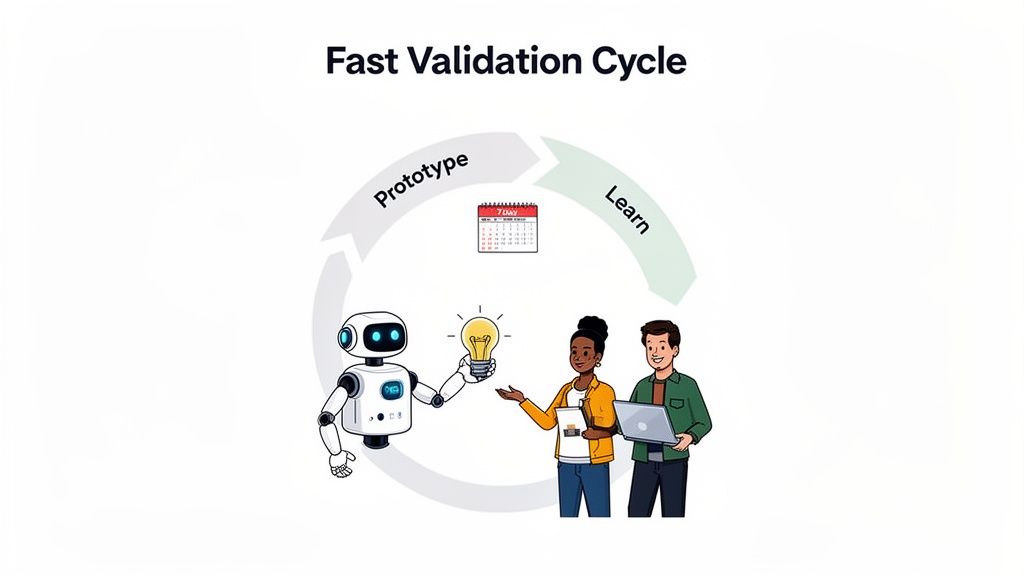
Take a look at how the timelines have changed. The old way was a marathon of guesswork. The new way is a sprint based on real data.
Traditional vs Modern App Validation Timeline
Phase | Traditional Method (6-12 Months) | Modern Method with CatDoes (1-2 Weeks) |
|---|---|---|
Concept | Lengthy planning, detailed spec documents, and wireframing. | Define core problem and user flow in plain English. |
Build | Months of custom coding by an expensive development team. | AI agents generate a functional native prototype in hours. |
Feedback | User testing happens late, often after major investment. | Get real user feedback on an interactive prototype in days. |
Iteration | Changes are slow, costly, and require new development cycles. | Refine the app instantly by updating your description. |
What used to take the better part of a year can now be accomplished before your next team meeting. This isn't just an incremental improvement; it's a complete change in how great products are made.
Prototyping is not just about testing a design; it's about testing your assumptions. Each interaction a user has with your prototype either confirms or challenges what you believe about your idea, pointing you toward a better final product. Picking the right tool speeds that loop up, and we compare them in our list of app prototyping tools.
The benefits of jumping on this modern workflow are impossible to ignore:
Drastically Reduced Risk: You find out if your core idea works with real users before you commit a serious budget.
Faster Time-to-Market: AI-powered tools can get a testable app into your hands in days, not months.
Better Product-Market Fit: Constant feedback loops ensure the final app solves a real problem in a way your users actually love.
Focusing on rapid iteration creates a straight line from a simple idea to a fully validated concept. This is a crucial step that comes before you build a Minimum Viable Product, which is a more complete version of your app. If you're curious about that next stage, you can learn more about what is a minimum viable product in our other guide.
Choosing Your Prototype Fidelity and Defining Goals
Before you touch a design tool or describe your app to an AI, you need to answer one simple question: What do I want to learn?
The answer to that question drives everything, especially the fidelity of your prototype. That’s just a fancy term for how realistic and detailed it is. Starting with a clear goal stops you from wasting days building a pixel-perfect model when a simple sketch would have delivered the exact same insight.
Every successful test starts with a solid hypothesis, a specific question you need an answer to. Let's say you're building a new coffee delivery app. Your first goal is probably just to see if people can even figure out how to place an order.
So, your hypothesis could be: "Users can successfully customize and order a coffee in under 60 seconds." This goal is specific, measurable, and focuses on the absolute core of your app. It doesn't require a beautiful UI, just a clear, functional flow.
Matching Fidelity to Your Learning Goals
The level of detail in your prototype should directly map to the questions you need answered. Overbuilding is one of the most common and time-wasting mistakes I see founders make. There are generally three levels of fidelity to think about, each perfect for a different stage of the process.
Low-Fidelity (Lo-Fi): Think basic sketches or wireframes. These can be drawn on paper or knocked out with simple digital tools. They focus purely on structure, layout, and user flow, completely ignoring colors, fonts, and branding. Lo-fi is perfect for testing fundamental concepts, like our coffee app's ordering sequence.
Mid-Fidelity (Mid-Fi): This level adds a bit more detail. You'll see grayscale designs and more defined interactive elements. It gives users a much clearer sense of the app's layout without the distraction of a full visual design, making it ideal for ironing out usability kinks.
High-Fidelity (Hi-Fi): These prototypes look and feel like the real deal. They include branding, animations, and realistic interactions. You’d use a hi-fi model to test something more nuanced, like how engaging a new loyalty program is, or to get final sign-off before heading into development.
Aligning your prototype’s complexity with your learning objectives is the key to efficient validation. A simple wireframe can answer foundational questions about user flow just as effectively as a polished design, but in a fraction of the time.
When to Use Each Fidelity Level
Let's go back to our coffee delivery app. To test that initial ordering flow, a low-fidelity prototype is all you need. You can quickly see if users understand the steps from picking a drink to checking out. Simple.
Once you’ve confirmed the flow makes sense, you might move to a mid-fidelity prototype. This is where you can test how users navigate between different sections, like the menu, their order history, and their profile page.
Finally, to test the appeal of a new rewards feature, a high-fidelity prototype becomes essential. When you get to this stage, understanding how to build effective high-fidelity wireframes can make or break your test. This level of detail is the only way to get real feedback on the visual appeal and perceived value of something like a loyalty program.
By matching the fidelity to the goal, you ensure your efforts are always focused and you’re not wasting a single minute.
How to Build Your First Prototype with AI
Turning a great idea into something you can actually hold in your hand used to be the hardest part. Now, with AI-driven platforms, you can spin up a working prototype from a simple concept in a matter of hours, not months. This completely changes the game by letting you focus on the idea itself, not the complex code behind it.
Imagine describing your app’s features in plain English, just like you would to a colleague. That's the new starting point. With a tool like CatDoes, you literally just talk to a Requirements agent, which translates your vision into a structured plan.
From there, the magic really happens. A Designer agent takes those requirements and generates the user interface. At the same time, Software agents build the underlying logic using a production-ready framework like React Native Expo. The platform handles all the heavy lifting, from authentication and databases to file storage, so you can stay focused on the user experience.
From Concept to Live Preview Instantly
The most powerful part of this whole workflow is the speed. In a remarkably short time, you can preview a live, functioning version of your app right in your browser. Better yet, you can scan a QR code and see it running on your actual phone, whether it’s an iPhone or an Android device.
This immediate feedback loop is crucial for effective prototyping and testing. You’re not just looking at static images or clicking through a Figma file; you're interacting with a real application. This lets you spot usability issues and validate your core assumptions on the fly, without waiting weeks for a build.
This simple chart visualizes the key stages of turning your goals into something tangible.
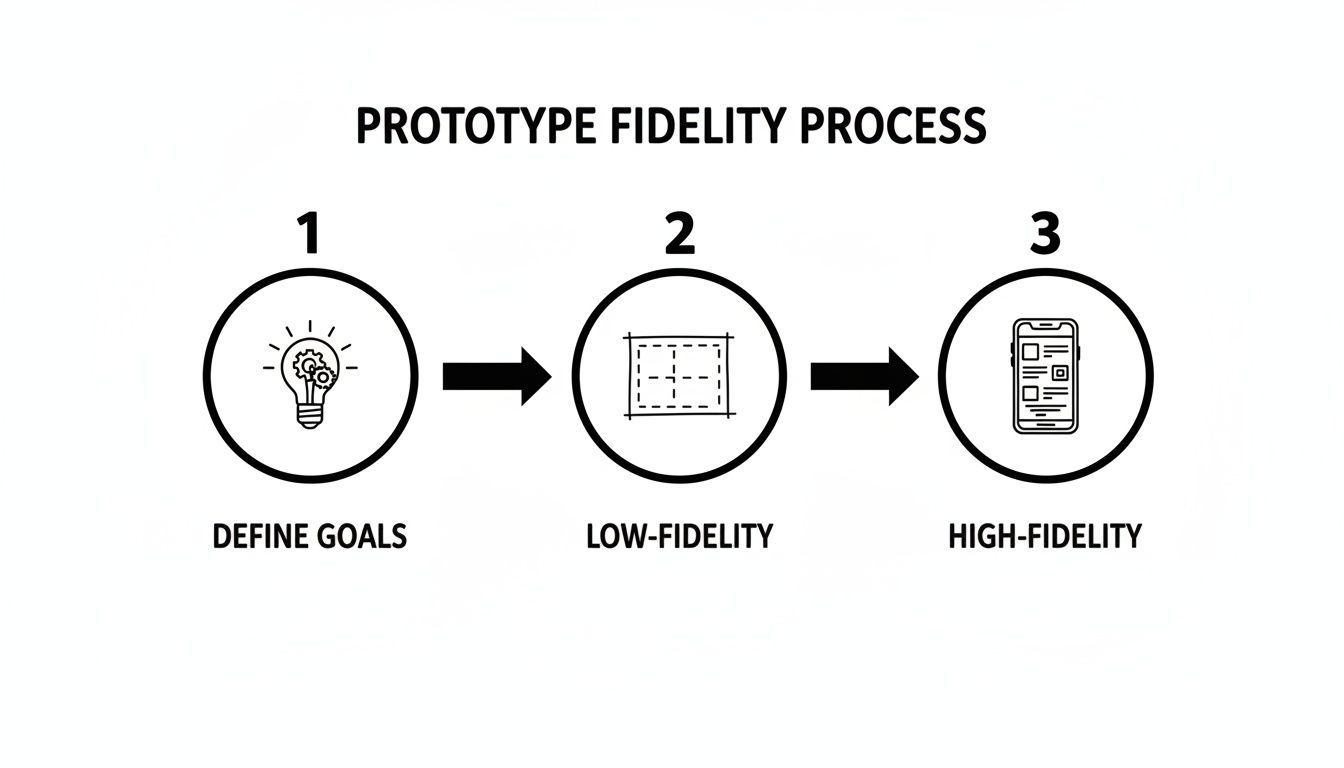
As you can see, defining your goals upfront directly influences whether a quick low-fidelity or a more polished high-fidelity prototype is the right choice for what you need to learn next.
The New Standard for App Creation
This fusion of AI-native platforms with rapid prototyping and testing is quickly becoming the standard. Industry analysts predict that in 2026, over 50% of all app prototypes and MVPs will be built this way, allowing startups to validate ideas and get to market faster than ever before.
The trend is undeniable. By this year, 90% of new mobile apps will incorporate AI in some form, and 40% of enterprise apps will feature task-specific agents. This is a huge jump from just 5% in 2025. You can dig into more of these insights on mobile app trends in 2026 at primotech.com.
The goal of AI-powered prototyping isn't just to build faster, but to learn faster. By removing technical barriers, you can run more experiments, gather more feedback, and ultimately arrive at a product people love in a fraction of the time.
This approach truly democratizes app development. You no longer need to be a seasoned engineer to build something real. Whether you're a non-technical founder with a vision or a designer wanting to test a flow, you can bring your ideas to life.
If you want a more detailed walkthrough of this entire process, check out our guide on how to build an app with AI. It breaks down every step, from initial idea to a store-ready product.
Running User Tests That Generate Real Insights
A prototype, no matter how clever, is just a collection of your own assumptions. It only becomes real once you put it in front of an actual person.
The whole point of user testing isn't to hear that your idea is great. It's to find the flaws. Running effective tests is the absolute fastest way to turn that raw concept into an app that feels genuinely intuitive and solves a problem someone actually has.
There are two main ways to gather this crucial feedback: moderated and unmoderated testing. Each serves a very different purpose, and picking the right one depends entirely on what you need to learn at this stage.
Moderated vs. Unmoderated Testing
Moderated testing is a live session, either in-person or remote, where you guide a user through your prototype. This is your chance to ask follow-up questions, observe their body language, and really dig into their thought process. This method is fantastic for understanding the "why" behind what someone is doing.
Unmoderated testing, on the other hand, involves giving users a set of tasks to complete on their own time. They typically use tools that record their screen and voice as they think out loud. This approach is great for getting more natural, unfiltered behavior and quantitative data without a facilitator's influence.
The most valuable insights often come from silence. When a user pauses, hesitates, or squints at the screen, resist the urge to jump in and help. That exact moment of friction is what you're trying to find.
Once you have a working prototype, implementing A/B testing strategies can give you hard data to back up your design choices. You might test two different button colors to see which one gets more taps, taking the guesswork out of your iterations.
The Magic Rule of Five
A huge misconception is that you need dozens of testers for useful feedback. It's just not true. Research from the Nielsen Norman Group has shown for years that you can uncover about 85% of the usability problems in an app by testing with just five users.
The goal isn't perfection; it's to find the biggest roadblocks that stop people from getting things done.
User 1 will immediately expose the most glaring problems. You’ll probably walk away with a long list of things to fix.
Users 2 and 3 will confirm those initial findings and start uncovering more subtle issues.
By User 5, you'll start hearing the same feedback over and over. That's your cue to stop testing and start fixing.
Once you’ve addressed the major issues, you can run another small test with a fresh set of five users to see if your changes actually worked. This iterative cycle is far more efficient than one massive, expensive test.
Modern Testing in a Connected World
Today, testing is the backbone of any successful mobile app, and crowdtesting has become a massive trend. By 2026, 34% of software organizations are expected to adopt it to scale their testing efforts across a huge range of devices and locations.
Think about it: crowdtesting leverages a global network of real users to make sure your app works flawlessly everywhere, from the 72.55% market share of Android devices to iOS's 27.04%. For a deeper dive, you can read the full research on top software testing trends at kiwiqa.com.
This is where a platform like CatDoes really shines. You can share a prototype instantly with just a QR code. Testers can load the app directly on their own phones, giving you priceless, real-world feedback on the devices they use every single day.
Of course, to run a great test, you need to ask the right questions. We've put together a handy list in our guide to user testing questions to get you started.
Turning User Feedback Into Actionable Improvements
Collecting a mountain of feedback is a great start, but the real value is in turning those raw comments into a clear action plan. This is where you transform scattered opinions into tangible product improvements. Honestly, analyzing the feedback is just as critical as the prototyping and testing itself.
Without a structured approach, you'll get completely overwhelmed by conflicting opinions or, even worse, spend weeks fixing minor issues while critical flaws go unnoticed. The first thing you need to do is organize everything you’ve heard into meaningful groups.
A powerful and simple way to do this is affinity mapping. Just write each piece of feedback on a separate note (digital or physical) and start grouping them by theme. You'll quickly see patterns emerge. A dozen individual comments might suddenly become one clear pain point, like "users are confused by the checkout process."
From Raw Feedback to Clear Priorities
Once your feedback is clustered, you have to distinguish between different types of input. Not all feedback is created equal, and knowing the difference is key to building a roadmap that actually makes sense.
Usability Issues: These are direct problems people hit. Comments like, "I couldn't find the checkout button" or "The app crashed when I uploaded a photo," point to fundamental flaws in the user experience that need immediate attention.
Feature Requests: These are suggestions for new functionality. Think "I wish it had a dark mode" or "Can you add a way to share my order?" While valuable, these are ideas for future growth, not necessarily fixes for the current build.
With everything categorized, the next move is prioritization. You simply can't fix everything at once. A simple but incredibly effective method is to plot each item on an effort versus impact matrix. This visualizes what's a quick win versus what’s a major project, helping you decide what to tackle first.
The goal of feedback analysis isn't just to create a long to-do list. It's to build a strategic roadmap that balances fixing critical user problems with hitting your core business objectives, ensuring every single change pushes your product forward.
Closing the Loop with AI-Powered Iteration
This is where the entire process comes full circle and gets exciting. After identifying and prioritizing the most impactful changes, you feed these insights right back into your development process. In a traditional workflow, this would mean writing new Jira tickets and waiting for the next two-week sprint to even begin.
With a platform like CatDoes, the iteration is almost immediate. You can take a high-priority usability issue, like a confusing button label, and describe the necessary change in natural language. For instance, you might just tell the AI agent, "Change the button text on the checkout screen from 'Proceed' to 'Pay Now' to make it clearer."
The AI agents then implement that change instantly. This creates an unbelievably rapid and efficient feedback loop. You can build a prototype, gather user feedback, analyze the insights, and deploy an improved version for another round of testing, all within the same day. This agile approach to prototyping and testing lets you refine your product at a pace that was previously impossible, moving you closer to a successful launch with every single iteration.
Your Top Prototyping Questions, Answered
Even with the best game plan, a few questions always pop up once you get into the thick of prototyping and testing. I see these all the time. Let’s tackle the big ones so you can keep moving forward.
How Many Users Do I Really Need for Testing?
Honestly, probably fewer than you think.
For spotting the most glaring usability problems, a landmark study showed that testing with just five users is enough to uncover about 85% of the issues. In these early stages, you're not trying to find every single tiny flaw. You're hunting for the big, show-stopping roadblocks in your core user flow.
Once you’ve identified and fixed those initial hurdles, you can run another small test. This cycle of testing, fixing, and re-testing is way more efficient and budget-friendly than a single, massive test group.
What’s the Difference Between a Prototype and an MVP?
This one trips up a lot of founders. A prototype is a model, often non-functional, built to answer a question about a concept or a user flow. Its whole purpose is learning.
An MVP, or Minimum Viable Product, is the absolute simplest, working version of your product that you can ship to your very first customers. It's designed to solve one core problem and see if people will actually use (and pay for) it in the real world.
A prototype asks, "Is this usable?" An MVP asks, "Is this valuable?" One validates the design, the other validates the business.
Now, with a platform like CatDoes, that line gets a bit blurry. Your high-fidelity prototype is built on a production-ready stack like React Native Expo. This means your prototype isn't a throwaway sketch, it can evolve directly into your MVP, which radically shortens the path from idea to launch.
How Should I Handle Negative Feedback?
First, take a deep breath. Negative feedback isn’t an attack; it's a gift. It's a precise roadmap showing you exactly where your app is confusing, frustrating, or just plain broken. It gives you the chance to fix things before you sink a ton of money into a public launch.
The trick is to not get defensive. When a user is struggling, your job is to listen and understand the "why" behind their frustration. Thank them for being honest.
Just listen. Don't jump in to explain what the button was supposed to do. Let them experience it their way.
Dig deeper. Ask open-ended questions like, "What were you expecting to see when you tapped that?" or "Tell me more about what you're thinking right now."
Look for patterns. One person’s opinion is an anecdote. But if three out of your five testers get stuck in the same spot? That's not an opinion, it's a clear signal you need to fix your design.
Learn to love the tough feedback. It's the fastest way to build something people will actually want to use. Every piece of criticism is a direct instruction for making your app better.
Ready to turn your idea into a testable prototype in hours, not months? With CatDoes, you can describe your app in plain English and let AI agents handle the design, code, and backend setup. Start building your first app for free and experience the future of app creation today.
Nafis Amiri
Co-Founder of CatDoes


