
Blog
Tutorials
Agile Mobile App Development: A 2026 Guide
Master agile mobile app development: sprints, CI/CD, device testing, and the metrics that matter, plus how AI platforms ship apps in hours, not months.

Nafis Amiri
Co-Founder of CatDoes

Agile mobile app development isn't just a buzzword; it's a completely different way of building things. Forget creating a massive, year-long blueprint. Instead, think of it as a series of short, focused sprints where teams build and release working pieces of your app, learning and adapting with every step based on what real users need.
Key Takeaways
Agile mobile app development swaps big-bang Waterfall releases for short one-to-two-week sprints, so you ship a working app early and refine it with real user feedback.
Mobile brings unique hurdles — device fragmentation, unreliable networks, and App Store review gates — that agile teams absorb with continuous testing and feature flags.
CI/CD pipelines and automated tests are the technical engine that lets agile teams move fast without breaking quality.
Track process metrics (velocity, burndown, cycle time) and product metrics (crash rate, retention) together to know whether agile is actually working.
AI-native platforms like CatDoes compress the build-measure-learn loop from weeks into hours.
Table of Contents
Why Agile Is Essential for Modern Mobile Apps
Understanding Core Agile Workflows
Overcoming Mobile-Specific Agile Challenges
Automating Your Workflow with CI/CD Pipelines
How AI Platforms Supercharge Agile Development
Measuring Success with the Right Agile Metrics
Frequently Asked Questions
Why Agile Is Essential for Modern Mobile Apps
Older, traditional methods like "Waterfall" just can't keep up in the mobile world. That rigid, step-by-step approach where you have to finish one entire phase before starting the next means you might spend months planning, designing, and building before a single user ever touches the app.
In the mobile space, that’s a recipe for disaster. Customer tastes change in a flash, new phones hit the market, and your competition is pushing updates constantly. By the time a Waterfall project finally launches, it could already be irrelevant. This is where the Agile mindset changes the game.
Embracing Flexibility and Speed
Agile is more than a workflow; it’s a philosophy centered on making steady progress and getting better over time.
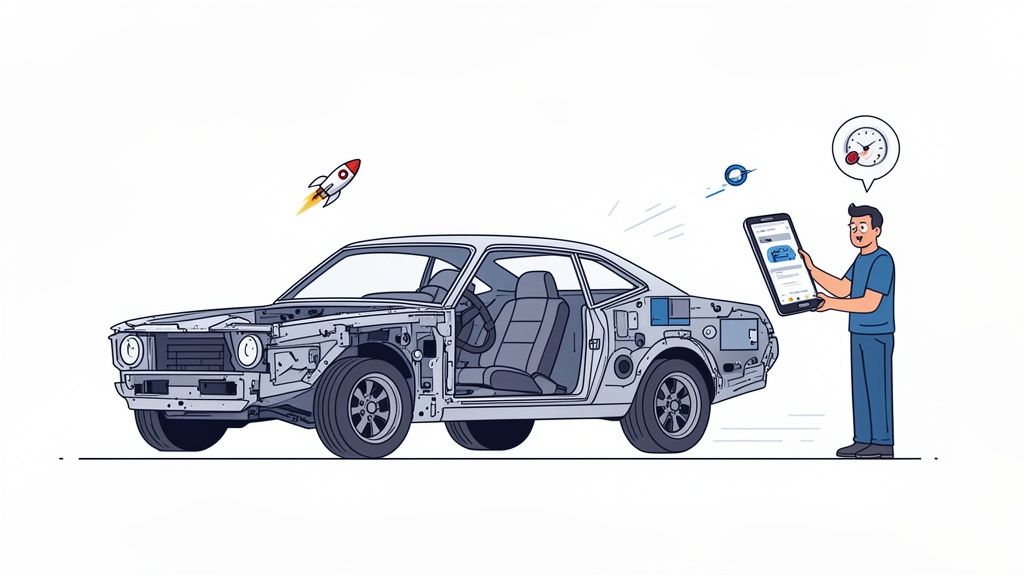
Imagine building a custom car. The Waterfall way is to disappear into a garage for a year and then unveil the final product, hoping the driver likes it. The Agile way is to build the chassis and get feedback. Then add the engine and get more feedback. Then the interior. You get the idea. Each step ensures the final car is exactly what the driver actually wants.
This cycle of building and learning directly solves the biggest challenge in the mobile market: staying ahead. The benefits are impossible to ignore:
Faster Time-to-Market: You get a working version of your app into users' hands quickly, then add more features over time.
Improved Product-Market Fit: Constant feedback from real people means you’re building features they will actually use and love.
Reduced Risk: By working in small pieces, you spot problems early on, long before they become expensive, project-killing mistakes.
Greater Adaptability: You can easily pivot based on user data, new market trends, or changing business goals.
Let's compare the two approaches side-by-side to see just how different they are in practice.
Traditional Waterfall vs Agile Mobile Development
The table below breaks down the fundamental differences between the old, rigid way of doing things and the modern, flexible approach that today's mobile market demands.
Aspect | Waterfall Development | Agile Development |
|---|---|---|
Process Flow | Linear and sequential (Plan → Design → Build → Test → Deploy) | Iterative and incremental (Work in short cycles or "sprints") |
Flexibility | Rigid; changes are difficult and costly to implement | Highly flexible; changes are welcomed and integrated between sprints |
Feedback Loop | Feedback is gathered only at the very end of the project | Continuous feedback from users and stakeholders throughout |
Time-to-Market | Slow; a working product is only available at the end | Fast; a Minimum Viable Product (MVP) is released early |
Risk | High; issues are often discovered late in the process | Low; risks are identified and addressed in each sprint |
User Involvement | Minimal until the final product is delivered | High; users are actively involved in shaping the app |
As you can see, Agile isn't just a minor adjustment. It's a complete shift in how mobile products are brought to life, designed specifically for a world that never stands still.
The Growing Dominance of Agile
The industry has clearly picked a winner. Agile adoption among software teams jumped from just 37% to 86% in a single year, according to Digital.ai's State of Agile report. Why? Because it works. Around 60% of companies that adopt Agile report higher revenue, and 42% point to a clear improvement in software quality.
The core value of agile mobile app development is its ability to respond to change. Rather than resisting shifts in user needs or market dynamics, agile teams welcome them as opportunities to build a better, more successful product.
Modern AI-native platforms like CatDoes are built on these exact principles. They collapse the time it takes to turn an idea into a testable app, automating the grunt work that bogs down traditional teams. For a deeper look at how Agile connects with the operational side of things, exploring a guide on Agile DevOps implementation is a great next step. That combination of Agile strategy and DevOps execution is the key to delivering the speed and quality that today's users expect.
Understanding Core Agile Workflows
The real power of agile development isn't just about moving fast; it’s about moving forward with a clear, steady rhythm. This rhythm comes from its core workflows which are structured, repeating cycles of activity that keep everyone aligned and focused.
These aren't rigid, bureaucratic rules. Think of them more like the regular "ceremonies" or meetings that turn a big, intimidating idea into a tangible, step-by-step process. Each one, from planning to review, ensures the team stays in sync and consistently delivers real value to users. Instead of a long, silent march toward some distant finish line, agile gives you a cadence of progress you can actually see and feel.
Let's break down the key activities that make this whole system click.
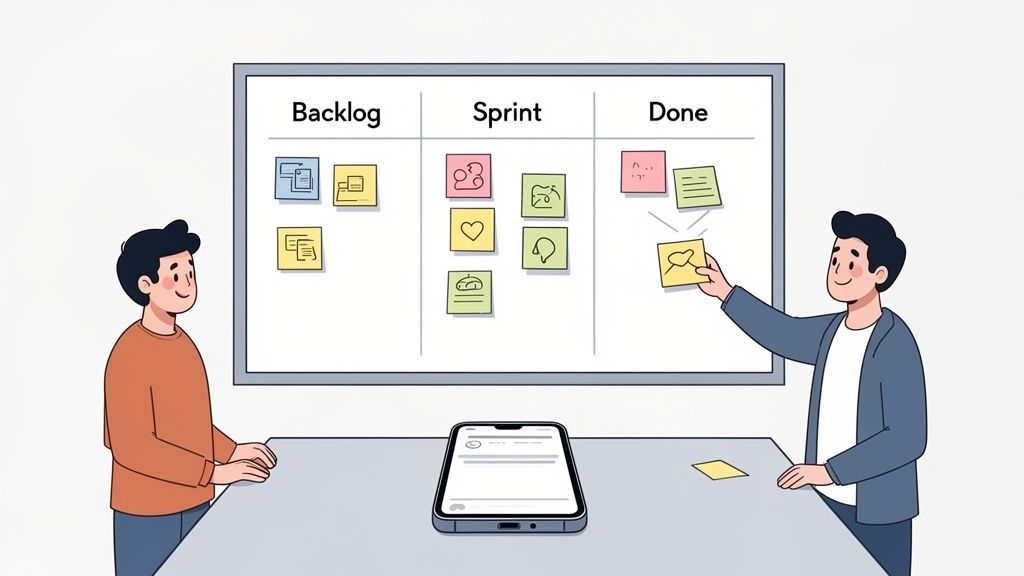
The Product Backlog: Your App's Wishlist
Every great app starts with a Product Backlog. This is basically a living, prioritized list of everything the app might ever need or do. It includes big features, small tweaks, bug fixes, and even technical improvements. The Product Owner, who acts as the voice for both the user and the business, manages this list, making it the single source of truth for the entire team.
For a new social media app, the backlog might start with items like:
User sign-up and login
Ability to create a user profile
Function to upload photos and videos
A real-time chat feature
Push notifications for new activity
But this list isn't static. It's constantly being tweaked in a process called Backlog Grooming (or Refinement). This is where the team gets together to discuss, estimate, and re-prioritize items, making sure they’re always lined up to work on what matters most. For instance, they might decide that a basic photo-sharing feature is more critical for launch than fancy profile customization, so they’ll bump it right to the top.
Sprint Planning: Defining the Next Step
Once the backlog is in good shape, the team dives into Sprint Planning. A sprint is a short, fixed period of time, usually one to two weeks, where the team commits to building a specific chunk of the app. During the planning meeting, they pull the highest-priority items from the Product Backlog that they’re confident they can complete within that timeframe.
This collection of tasks becomes the Sprint Backlog. It’s a focused, short-term to-do list that gives the team a clear, achievable goal. For our social media app, the very first sprint might only include two items: "As a new user, I want to sign up with my email," and "As a user, I want to upload one photo from my phone."
The goal of a sprint isn't to build the whole app at once. It's to produce a small, working, and potentially shippable piece of it. Each completed sprint is a small victory that provides a foundation for the next one and a chance to get immediate feedback.
This iterative cycle is where the magic really happens. Breaking a huge project into small, manageable pieces makes everything less complex and risky. Teams get to celebrate real progress every couple of weeks, stakeholders can see the app taking shape, and the product evolves based on actual learning, not just guesswork.
To make these cycles even more effective, it’s crucial to turn ideas into testable models quickly. Exploring prototyping best practices in agile development can help your team visualize features and get feedback long before a single line of code is finalized.
Overcoming Mobile-Specific Agile Challenges

Adopting an agile framework is a powerful move, but it's no magic wand. The world of mobile apps brings its own unique set of obstacles that can trip up even the most disciplined teams. These aren't just edge cases; they're the everyday realities of building for the devices in our pockets.
Successfully navigating agile mobile app development means facing these hurdles head-on. Unlike web development, where you own the release environment, mobile developers have to deal with external forces like hardware chaos and strict platform gatekeepers. The trick is to adapt your agile practices to absorb these challenges, turning potential roadblocks into just another part of the workflow.
Tackling Device Fragmentation
One of the biggest headaches right out of the gate is device fragmentation. There are literally thousands of different Android and iOS devices out there, each with its own screen size, resolution, processing power, and OS version. An app that looks pixel-perfect on a new iPhone might be a broken mess on a budget Android.
This is where agile’s iterative rhythm becomes a massive advantage. Instead of one giant testing phase at the very end, testing gets woven into every single sprint.
Prioritize Target Devices: Use market data to figure out which devices your actual customers are using. Focus your initial testing there.
Embrace Automated Testing: Use cloud-based device farms to run automated UI and performance tests across a huge range of virtual and real devices all at once.
Gather User Feedback: Get your app into the hands of beta testers with different phones to catch those weird, device-specific bugs that automated tests can miss. To learn more, check out our detailed guide on navigating mobile app testing challenges.
This continuous testing loop means you catch and squash compatibility bugs early and often, preventing nasty surprises right before launch.
Managing Unpredictable Network Conditions
Mobile users are always on the move, jumping between fast Wi-Fi, spotty 4G, and moments with no connection at all. An app that needs a perfect, always-on internet connection is an app that's destined to fail its users. Agile teams have to build for this network chaos from day one.
User stories should explicitly call out different network states. For instance, a story might read, "As a user on a slow connection, I want to see a loading indicator instead of a blank screen." This forces the team to treat offline functionality, data caching, and efficient data handling as core features, not as afterthoughts.
Navigating App Store Gateways
This is probably the most unique mobile challenge: the app store review process. Both Apple and Google have strict guidelines and review timelines that are completely out of your control. A rejection can torpedo a critical release, delaying it by days or even weeks and throwing your entire sprint rhythm off track.
An agile team can't control the app store, but it can control its own release strategy. The most effective way to regain control and keep your release cadence predictable is to decouple deployment from feature activation.
This is where a technique called feature flags (or feature toggles) becomes a lifesaver. By building new features behind these flags, your team can submit the app for review with the new functionality hidden. Once it's approved, you can remotely flip a switch and activate the feature for all users, at the exact moment you choose. This clever agile strategy lets you sidestep review delays entirely, putting you back in charge of your own schedule.
Automating Your Workflow with CI/CD Pipelines

If agile sprints give your mobile app development its rhythm, then a CI/CD pipeline is the powerful, automated engine driving everything forward. The acronym stands for Continuous Integration and Continuous Delivery (or Deployment), and these practices are the true technical backbone of any modern agile team.
Think of it like a high-tech assembly line for your app. Instead of developers manually bolting everything together, every single code change automatically kicks off a chain of events. This workflow compiles the code, runs a whole battery of tests, and gets a new version of the app ready for release. It’s a system designed to nearly eliminate manual errors and dramatically shorten the feedback loop.
What Is Continuous Integration?
Continuous Integration (CI) is a straightforward but powerful habit: developers frequently merge their code changes into one central, shared repository. That’s it. But the magic is that every time a developer pushes new code, an automated build-and-test sequence gets triggered.
The whole point is to catch bugs and integration headaches as early as humanly possible, stopping them from derailing the project weeks down the line. This constant cycle of merging and testing means your main codebase is always stable and working. It prevents that all-too-common nightmare of trying to stitch together weeks of separate work right before a deadline, only to watch it all fall apart.
The Power of Continuous Delivery
Continuous Delivery (CD) picks up right where CI leaves off. As soon as the new code is successfully integrated and passes all the automated tests, the CD part of the pipeline automatically packages a release candidate. This version of the app is ready to go, either to a testing environment or straight to the app store with a single click.
This ensures you always have a production-ready build on hand. It strips the stress and manual toil out of the release process, turning what used to be a major event into a routine, low-risk task. For a deeper look into this final stage, our guide covers several continuous deployment best practices that can help your team ship with confidence.
The core benefit of a CI/CD pipeline in agile mobile app development is speed with safety. It allows teams to move incredibly fast without sacrificing quality, ensuring that every small increment of value can be delivered to users reliably.
Automated Testing: The Unsung Hero
The entire CI/CD pipeline is built on one critical foundation: automated testing. Without a solid suite of automated tests, the pipeline would just be a faster way to ship broken code. These tests are the quality gates at every single stage of the assembly line.
There are a few key layers of testing involved:
Unit Tests: These are small, lightning-fast tests that check individual pieces of code in isolation, like a single function or UI component.
Integration Tests: These make sure that different parts of the app actually work together as expected. For instance, confirming the login screen can talk to the user authentication service.
End-to-End (E2E) Tests: These simulate a full user journey from start to finish, like a user signing up, adding an item to their cart, and checking out.
By automating these checks, developers get immediate feedback on their changes. This lets them fix issues in minutes, not days, which ties directly back to the agile promise of delivering high-quality, working software every single sprint. AI-native platforms like CatDoes take this even further by automating the creation of the entire CI/CD pipeline itself, making these powerful workflows accessible to everyone from day one.
How AI Platforms Supercharge Agile Development
While Agile principles and a solid CI/CD pipeline give you a powerful framework, the next leap forward is already here. AI-native platforms like CatDoes aren't just another tool to plug into your workflow; they are built from the ground up to accelerate the entire mobile development lifecycle. They act as a force multiplier, automating the grunt work and compressing timelines from weeks into just a few hours.
Imagine starting your next app not with a blank code editor, but with a simple conversation. Instead of painstakingly writing out user stories, a requirements agent can take your plain-English idea for a local event finder and instantly generate a structured product backlog. This cuts through the ambiguity right from the start, ensuring your initial vision is captured perfectly.
This AI-driven approach injects speed and clarity into every stage, turning abstract Agile principles into concrete, automated actions. The result is an Agile process that’s faster, more efficient, and frankly, more accessible than ever before.
From Idea to Interactive Prototype in Minutes
In a typical Agile setup, getting from a user story to something you can actually test involves a coordinated handoff between product managers, designers, and developers. An AI-native platform collapses that entire sequence. Once the requirements are understood, a designer agent can generate entire UI themes and screen layouts on its own, creating a visually consistent and user-friendly interface in moments.
For our event finder app, you could just say, "I want a clean, modern design with a map-based home screen." The agent would then produce a high-fidelity prototype that isn’t just a static image. It's a live, interactive preview. You can click through screens and test user flows to see exactly how the app will look and feel on a real device.
This immediate feedback loop is Agile in its purest form. Stakeholders can give input on the spot, and the AI can iterate on the design in real-time, making changes that would have previously taken days of back-and-forth emails and meetings. It fundamentally shortens the build-measure-learn cycle.
Automating Development and Testing Cycles
The biggest speed boost comes from AI software agents. These agents take the approved designs and user stories and write the actual, production-ready code. Using frameworks like React Native Expo, they build cross-platform apps that work seamlessly on both iOS and Android, directly solving the headache of device fragmentation.
What used to be a two-week sprint to build a single feature can now be done in an afternoon. This empowers teams to run micro-sprints, testing new ideas with a speed that was impossible before. This speed is critical. The global mobile app market, valued at USD 252.89 billion in 2023, is expected to hit USD 626.39 billion by 2030, according to Grand View Research. AI is a key driver here, with the AI app development market projected to reach USD 221.9 billion by 2034.
Platforms like CatDoes take this even further by generating a shareable QR code. Team members and testers can just scan it to install a live, working version of the app directly onto their phones. This is the ultimate rapid feedback mechanism, allowing for real-world testing of new builds almost as fast as they’re conceived. You can see how this works by exploring our overview of an AI-powered app development platform.
Streamlining the Final Mile to Release
Finally, the often tedious build and release stage is also fully automated. An AI release agent handles the complex process of compiling the app, managing signing certificates, and preparing the final builds for submission to the Apple App Store and Google Play Store.
This concept map shows just how simplified the flow from code to release becomes when AI takes over.
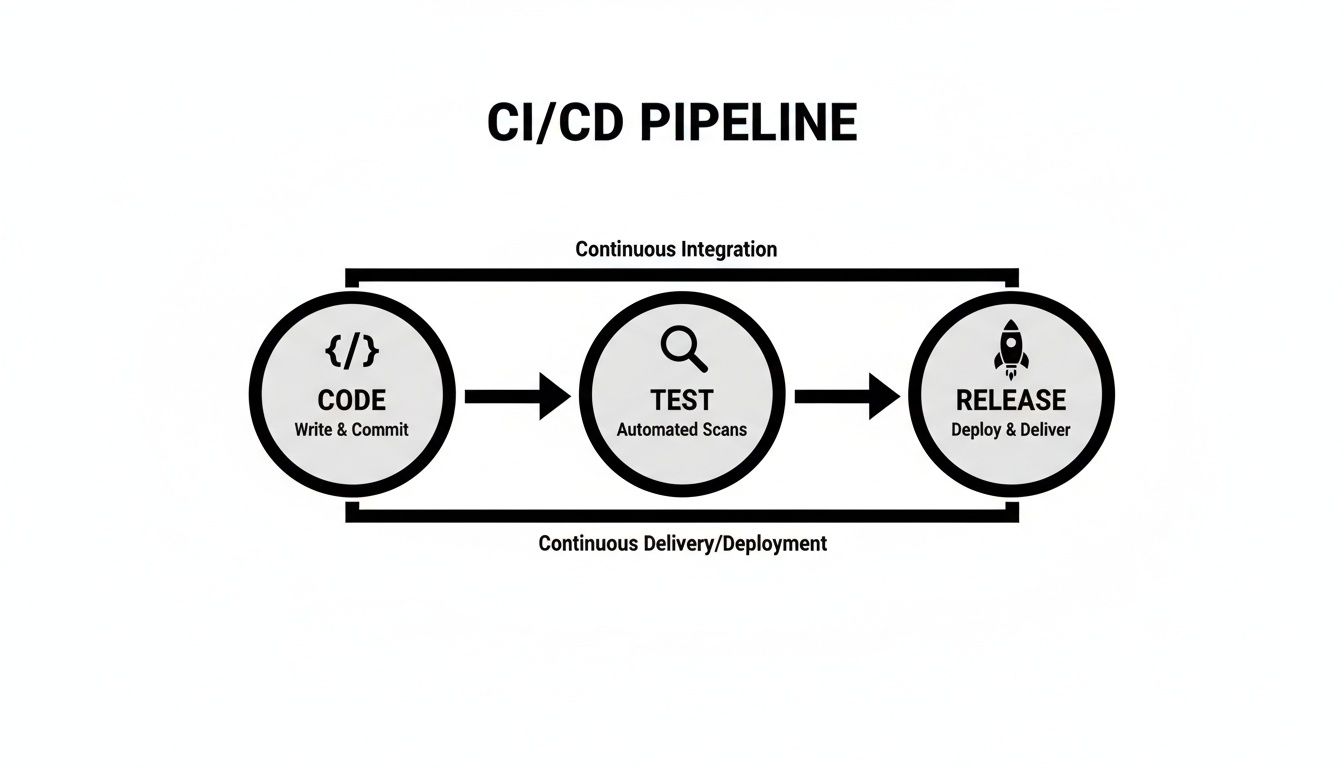
As the visual makes clear, AI can manage the entire pipeline, ensuring each stage flows smoothly into the next without anyone needing to manually intervene.
By integrating AI into every step, the Agile mobile app development process becomes less about manual labor and more about strategic direction. Teams can focus on refining the product vision and responding to user feedback, while the AI handles the heavy lifting of execution.
Measuring Success with the Right Agile Metrics
In mobile app development, speed is great, but speed in the right direction is everything. To figure out if your Agile process is actually working, you have to measure what matters. This isn't about chasing vanity stats; it's about focusing on Key Performance Indicators (KPIs) that give you a real, honest look at your team's efficiency and your app's health.
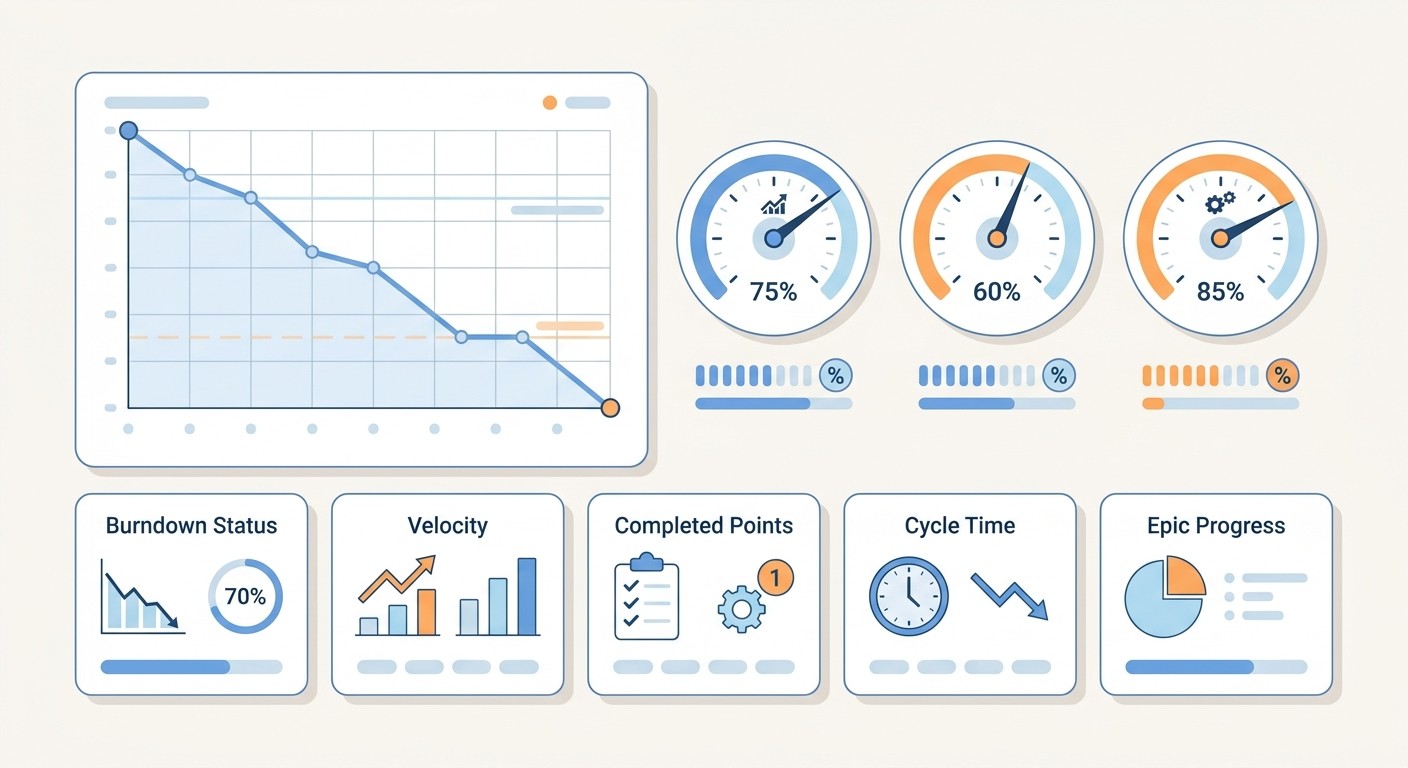
Think of these metrics as your cockpit dashboard. Some gauges tell you how the engine is running (your process), while others tell you if your passengers are happy (your users). You need both. A balanced view, combining process and product KPIs, is the only way to get the full story. This data-first approach helps you make sharp decisions, ensuring every sprint delivers real value.
Key Process Metrics for Team Efficiency
Process metrics are your internal health check. They show you how well your team is actually working together, shining a light on bottlenecks, helping forecast timelines, and making sure you’re not burning everyone out.
Sprint Burndown: This is a simple visual chart that tracks the work left in a sprint against the time remaining. A nice, steady downward slope means you’re on track. A flat line? That’s your cue that something’s stuck.
Velocity: This measures the average amount of work your team gets done in a sprint, usually in story points. It’s not a productivity score. Instead, it’s a crucial forecasting tool that tells you how much work the team can realistically handle in the next sprint.
Tracking velocity over a few sprints is how you get good at predicting release dates. When velocity stabilizes, it’s a great sign that you have a mature team that’s in sync.
Product Metrics That Reflect User Value
If process metrics are about your team, product metrics are all about your user. These are the KPIs that tell you if the features you’re shipping actually solve problems and create a stable, valuable app. They’re the ultimate report card on your work.
One of the most important product metrics is Cycle Time. This measures the clock from the moment a task is marked "in progress" to when it’s truly "done." A short cycle time is a huge win. It means your team can turn an idea into a working feature fast, which is essential for pushing out urgent bug fixes or security patches through the app stores.
Other vital user-focused KPIs include:
Crash Rate: This simply tracks how often your app blows up during a session. A low crash rate isn't a luxury; it's the absolute foundation of a good user experience.
User Retention: This measures the percentage of people who come back to your app over time. High retention is the clearest signal you can get that your app is delivering real, ongoing value.
Frequently Asked Questions
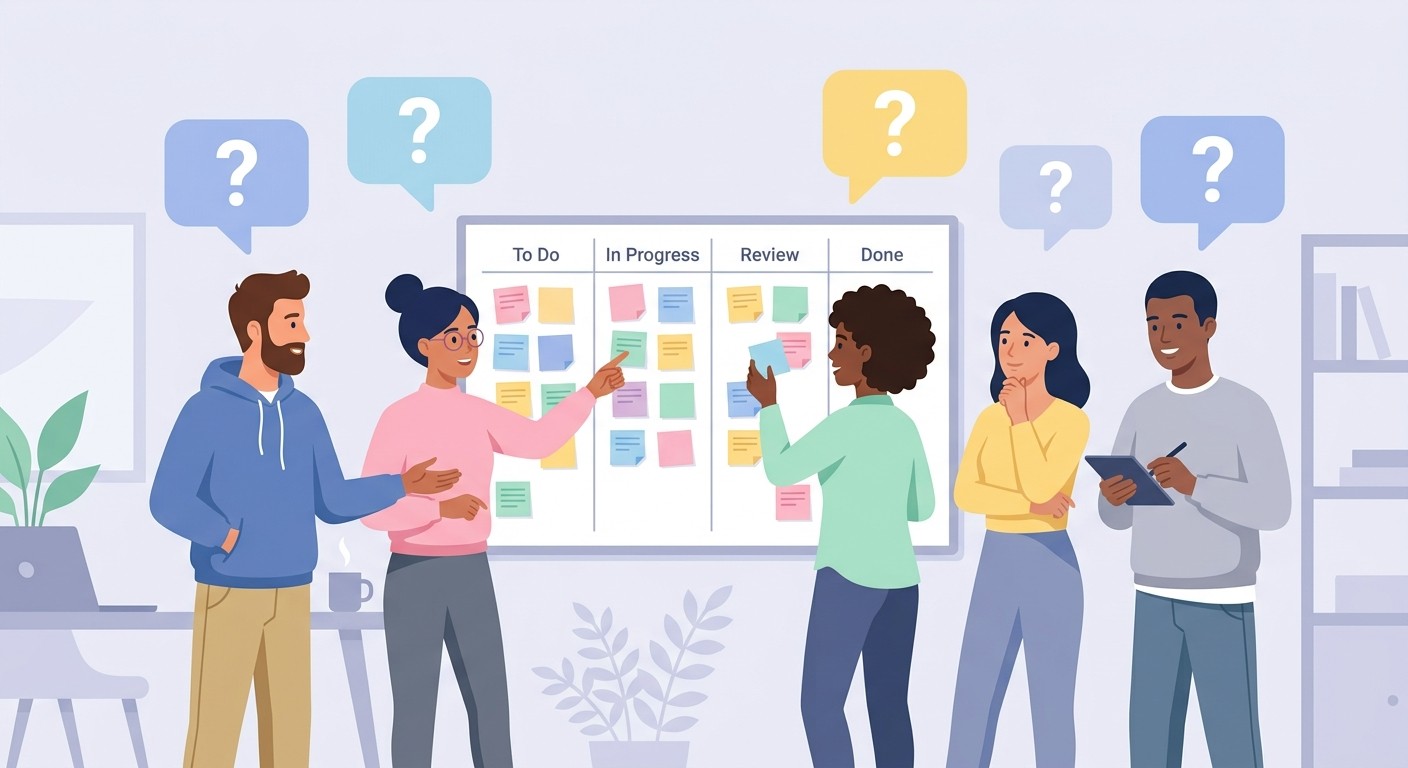
Got questions? You're not alone. When teams first dive into agile for mobile apps, a few practical questions always pop up. Let's tackle the most common ones.
How Long Should a Mobile App Sprint Be?
For mobile, think short. Most teams find their sweet spot with sprints that are one to two weeks long.
This quick rhythm is everything. It lets you react to user feedback fast, absorb the shock of unpredictable App Store review times, and keep a steady flow of updates going out the door. A one-week sprint is perfect for an early-stage MVP or an app in a high-growth phase where you need to iterate like crazy. For more mature apps with a solid user base, a two-week sprint can add a bit of stability and breathing room for planning.
The real goal is simple: pick a length that lets your team ship something real and testable at the end of every single cycle.
Can a Solo Developer Use Agile?
Absolutely. Agile isn't some rigid corporate rulebook. It's a mindset. At its core, it's all about making iterative progress and listening to feedback, which is perfect for a solo developer trying to stay focused on what actually matters.
A lone developer can easily bring agile principles into their workflow:
Create a simple personal backlog to prioritize what to build next.
Work in short, self-defined sprints to maintain momentum.
Regularly test the app on a real phone to get their own hands-on feedback.
This kind of lightweight structure brings clarity and direction without the bureaucratic overhead. And with tools like AI-native platforms automating the technical heavy lifting, it's never been easier for a single person to build and ship an app this way.
What Is the Biggest Mistake When Adopting Agile for Mobile?
The biggest trap is mistaking the rituals for the reason. Teams get obsessed with nailing the daily stand-up or perfecting their burndown chart, but they completely forget the main point: delivering value and getting feedback. It’s surprisingly common to see teams that follow the agile process perfectly but haven't actually shipped anything to users in months.
A truly agile mobile app development team is obsessed with one thing: getting a working feature into someone's hands, even if it's not perfect, as fast as possible.
The goal isn't just to follow a process; it's to learn from real-world interaction. True agility is measured by how fast you can deliver value and adapt based on what you learn.
Ready to build your next mobile app with the speed and flexibility of AI-powered agile development? With CatDoes, you can turn your ideas into a production-ready application in hours, not months. Start building for free today.
Nafis Amiri
Co-Founder of CatDoes


