Blog
Tutorials
Build a Mobile App With No Code: 2026 Guide
Learn how to build a mobile app with no code, from idea and MVP planning to backend setup and App Store launch. A step-by-step 2026 guide for non-coders.

Nafis Amiri
Co-Founder of CatDoes
Yes, you can build a mobile app without writing code. Visual, AI-driven platforms now turn plain-English descriptions into real, working apps that ship to the App Store and Google Play. You no longer need an engineering background to launch a product.
TL;DR: To build a mobile app with no code, define your user and the one problem you solve, scope a Minimum Viable Product, use an AI no-code platform to generate the screens and backend (database, auth, storage), test on a real device, then submit to the app stores. This guide walks through each step.
Table of Contents
The New Era of No-Code App Creation
Defining Your App Before You Start Building
Bringing Your Vision to Life With AI and No Code
Building a Powerful Backend Without Writing Code
Testing Your App and Preparing for Launch
Frequently Asked Questions
The New Era of No-Code App Creation
Software creation is no longer limited to engineers. Visual, AI-powered platforms let entrepreneurs, designers, and business owners build custom mobile apps without touching a line of code. The result is faster, cheaper, and more accessible app development than was possible even a few years ago.
Why No-Code Is Gaining Momentum
No-code adoption is accelerating because it removes the two biggest barriers to shipping software: time and money. Microsoft has projected that 450 million of the 500 million new apps built over a five-year span would be created with low-code or no-code tools, a sign of how mainstream the approach has become.
Three practical benefits drive that growth:
Speed to market: You can launch a Minimum Viable Product (MVP) in days or weeks instead of months.
Lower cost: You avoid hiring an engineering team just to validate an idea.
Ownership: Non-technical founders stay in direct control of the product.
How Modern Platforms Make It Possible
Platforms like CatDoes use AI agents to handle the whole build. You describe your app's features in plain English, and the system designs and assembles it for you: a Requirements agent clarifies what you need, a Designer agent lays out the interface, and Software agents write the backend logic.
This conversational approach turns a technical project into a guided one. For a wider view of the space, see our guide on no-code application development.
Defining Your App Before You Start Building
It's tempting to jump straight into the builder, but the most common mistake founders make is skipping the planning. A successful app starts with a clear vision, not a long feature list. Before you open any tool, answer two questions: who are you building for, and what specific problem are you solving?
Identify Your Target Audience and Their Problem
Get specific about your ideal user. "Small business owners" is too broad; "local bakery owners who struggle to manage online orders during peak hours" gives you a real person with a real problem. Once you know the user, define the single most important problem your app solves. That becomes the focus for everything you build.
An app's value is tied to the size of the problem it solves. If the problem isn't a real pain point for your audience, they won't have a reason to download, use, or pay for it.
Understanding the market matters too. Know who your competitors are and where the gaps in their offerings sit.
Prioritize Features for a Minimum Viable Product
With a clear audience and problem, brainstorm every feature that could help, then cut the list down to a Minimum Viable Product (MVP): the simplest version that fully solves the one core problem. The goal is to launch quickly, gather real feedback, and improve based on what users actually do. This matters because most people abandon a new app within the first few days of installing it, often because it's bloated with features they didn't ask for.
A simple way to prioritize:
Must-haves: Core features; without them the app fails to solve the problem.
Should-haves: Valuable, but not deal-breakers for launch.
Nice-to-haves: Ideas that can wait for a later version.
Won't-haves (for now): Anything out of scope for the MVP.
Essential App Planning Checklist
Use this checklist to answer the hard questions before you build. It saves hours of rework later.
Planning Area | Key Question to Answer | Example (for a 'Local Events' App) |
|---|---|---|
Target Audience | Who is my ideal user? Be specific. | Young professionals (25-35) new to the city, looking for weekend social events. |
Core Problem | What is the single biggest pain point this app solves? | "It's hard to find unique, non-touristy local events happening this weekend." |
MVP Goal | What is the one thing a user must be able to do? | Find and save a list of curated local events for the upcoming weekend. |
"Must-Have" Features | What are the 3-5 essential features for the MVP? | Event feed with filters (date, category), event details page, ability to save events. |
Unique Value Prop | How is my app different from competitors? | We focus exclusively on hyper-local, community-run events, not large commercial ones. |
Monetization | How will the app make money (even if it's free initially)? | Freemium model: basic features are free, premium subscription for advanced filters and notifications. |
Success Metric | How will I know if the MVP is successful? | 1,000 downloads and 20% of users saving at least one event in the first month. |
Focusing only on the must-haves keeps your first build lean and targeted, so you can prove the idea in the real world as fast as possible.
Bringing Your Vision to Life With AI and No Code
Once your app's purpose is clear, you turn the plan into a working product. On AI-native platforms, this feels less like coding and more like a conversation. Instead of writing functions, you use natural-language prompts: "Create a user profile screen with a profile picture, username, and short bio." The platform builds the screen from that instruction.
The Collaborative AI Workflow
Building on a platform like CatDoes works like managing a small team of specialists. Each AI agent has a role:
A Requirements agent turns your plain-English vision into a structured plan.
The Designer agent generates themes, layouts, and screens from those requirements.
Software agents write the production code in the background.
The workflow is iterative. Ask for a design, review it, then give feedback like "make the primary button brighter and change the text to 'Get Started'," and the agents update it right away. For more on this, see our article on using AI in app development.
From Feature Lists to Functional Screens
Feed your feature list and user journeys into the system, and it generates the screens you need, from login to dashboard to detail views, along with the connections between them that form a coherent user experience.
Work that once took weeks of back-and-forth between designers and developers can now happen in an afternoon, with you in direct control of the look and feel.
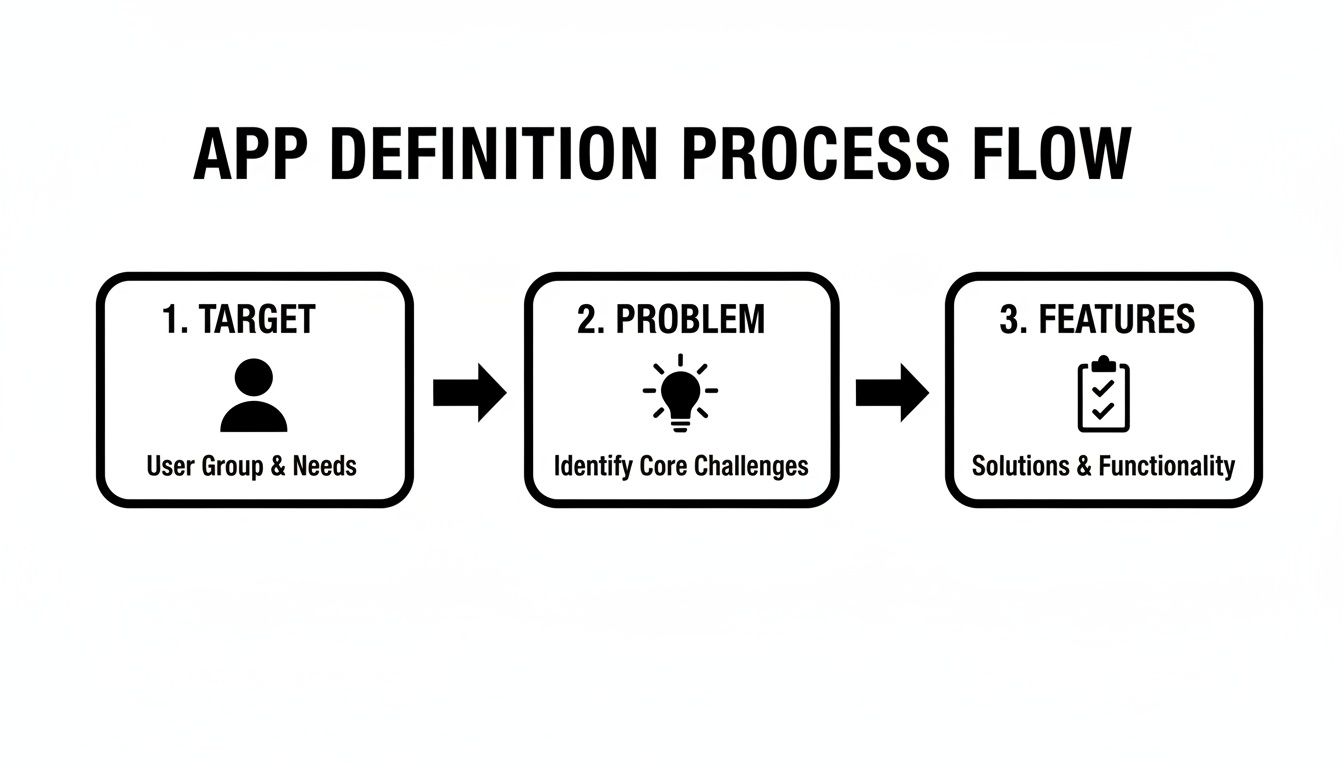
That foundational clarity, who the user is, what problem you solve, and which features matter, gives the AI the context it needs to build screens that are genuinely useful.
Building a Powerful Backend Without Writing Code
A functional app is more than a polished interface. Behind the scenes, a backend stores user data, handles logins, and runs server-side logic. This used to be developer-only territory. Now a Backend as a Service (BaaS) handles it for you: a pre-built database, authentication, and file storage that no-code tools connect to automatically. Platforms like Supabase provide exactly this.
In practice, that means you can set up secure logins, create databases, and run server-side functions through visual tools and simple instructions, a full-stack result without being a full-stack developer.
Integrating Supabase for Database and Authentication
Take a social networking app as an example. It needs to store profiles, posts, and comments. On an AI-native platform, you state the requirement, "I need a database for user profiles with fields for username, email, and profile picture," and the AI agents generate the tables and columns in a Supabase backend.
Authentication is just as direct:
User registration: Connect a sign-up screen to Supabase's auth service so users register with email and password.
Secure logins: The platform manages the login flow, password verification, and sessions.
Profile management: Once logged in, the app reads and writes data to each user's profile.
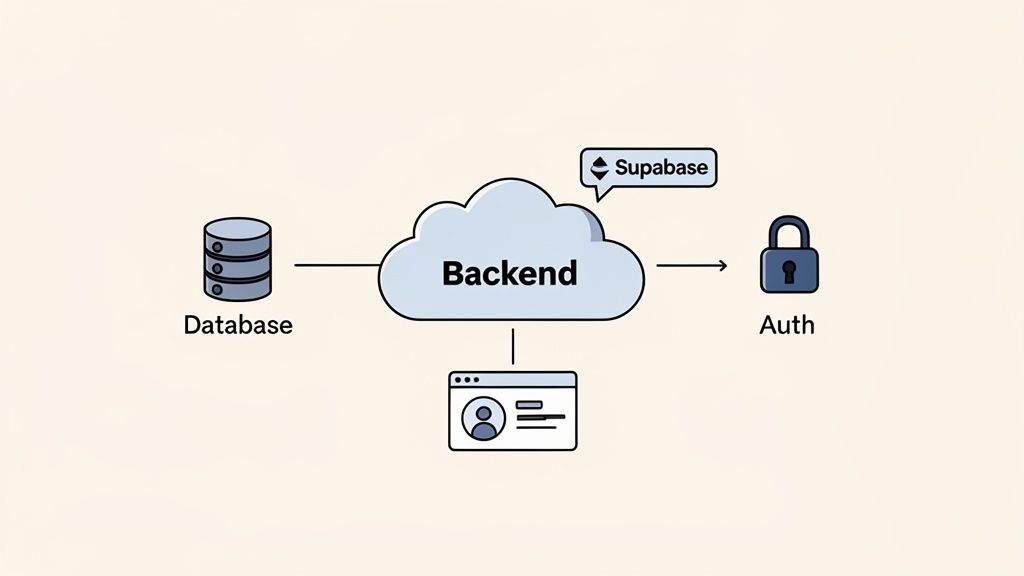
The advantage is abstraction: you focus on what your app should do, not how the server works. The platform and its BaaS integration handle the implementation.
The Rise of AI in Backend Generation
This is part of a broader shift toward AI automating development work. In Stack Overflow's annual Developer Survey, a large majority of developers reported using or planning to use AI tools in their workflow. Modern no-code platforms apply the same idea to generate not just front-end screens but the backend as well, which cuts down on technical debt and speeds up release.
If you later need to extend the app, the best platforms let you export the codebase to GitHub, so a developer can add a custom feature without you rebuilding from scratch.
Testing Your App and Preparing for Launch
You've built the app and connected the backend. The final stretch, careful testing and a clear launch plan, is what separates a polished app from one that frustrates users with bugs. Before the app stores, see how your app holds up on real devices.
Video: a walkthrough of testing and launching a no-code app.
Live Previews and Real Device Testing
The only way to know your app works is to use it the way a real person would. Platforms like CatDoes include instant live previews: generate a QR code from the editor, scan it with your phone, and the latest version loads natively on iPhone or Android. It's the real app, not a simulation, so you can test every button, workflow, and screen.
This fast feedback loop catches problems you'd otherwise miss:
UI misalignments: Elements that looked fine on a desktop can crowd or break on a smaller screen.
Performance lags: You can feel when an action is slow on a real mobile processor.
Navigation flaws: Tapping through the app reveals which flows are confusing.
Don't only test the "happy path." Enter odd data, tap buttons out of order, and navigate in ways you didn't intend. That's how you find the edge cases your first users will hit.
Then get fresh eyes on it. Share the QR code with a few trusted people, ask them to complete specific tasks, and use their feedback for final tweaks.
Submitting to the App Stores
When the app is stable, prepare for the Apple App Store and Google Play. No-code platforms automate much of the technical work, like compiling the application package. Before you submit, line up your assets:
App icon: A crisp, high-resolution icon.
Screenshots: Images that show your app's best features in action.
App description: A clear, keyword-rich summary of what the app does and who it's for.
Privacy policy: A link explaining how you handle user data (required).
Each store has its own rules. Read Apple's App Store Review Guidelines before submitting to avoid common rejections for incomplete information, broken links, or privacy issues.
Frequently Asked Questions
Can I Really Build a Complex, Scalable App Without Code?
Yes. Today's AI-native tools are built to handle real business logic, not just simple websites. They integrate with backends like Supabase for databases and accounts, and they generate clean code using frameworks such as React Native (Expo). "No-code" for you means the platform's AI agents write production-ready code on your behalf, so an app can scale to thousands of users without you writing any of it.
What Are the Limitations of No-Code App Builders?
You generally work within the features the platform provides. If your app needs a very specific function that isn't supported, you can hit a wall. The best platforms address this with GitHub export, which gives you an off-ramp: hand the codebase to a developer to add a custom feature later. The trade-off is between unlimited customization and the speed and cost savings of no-code.
How Much Does It Cost to Build and Maintain a No-Code App?
Far less than traditional development, which can run into the tens or hundreds of thousands of dollars. Most no-code platforms use a subscription model, and many offer a free tier suited to building a first version or MVP. Paid plans scale with what you need: more apps, advanced features, more resources. Maintenance is largely included, since the platform manages servers, security, and infrastructure.
With CatDoes, you can describe your app idea in plain English and let AI agents handle design through deployment. You can start building a production-ready mobile app today, for free.
Nafis Amiri
Co-Founder of CatDoes