
Blog
Insights
Choosing a Nocode Mobile App Builder That Actually Works
Build a powerful mobile app without code. Our guide unpacks how a nocode mobile app builder works and helps you find the right one for your project.

Nafis Amiri
Co-Founder of CatDoes
Imagine building a mobile app with something as simple as digital LEGOs instead of writing thousands of lines of complex code. That's the big idea behind a no-code mobile app builder, a tool that lets you create real, working applications using intuitive, visual interfaces.
Building Your App Without Writing Code
A no-code mobile app builder is a platform that turns your vision into a reality through a drag-and-drop environment. Think of it less like writing a dense instruction manual and more like putting together a sophisticated model kit. Instead of getting bogged down in programming languages, you use pre-built components and visual workflows to design, build, and ultimately launch your app.
This whole approach is a game-changer for app development. It tears down the old walls of high costs and endless development cycles, opening the doors for a new wave of creators. Entrepreneurs can now spin up a minimum viable product (MVP) in a matter of days, not months. Small businesses can create internal tools to fix operational bottlenecks, and designers can finally bring their static mockups to life without having to rely on a development team.
The Rise of Visual Development
The demand for faster, more accessible digital solutions has triggered a huge shift in the industry. Businesses just can't afford to wait six to twelve months for a traditional development cycle to play out anymore. This urgent need for speed and agility is exactly why more companies are turning to no-code tools to innovate and react to the market in real-time.
The numbers back this up. Enterprise adoption is exploding, and market forecasts predict that by 2025, a staggering 70% of new enterprise applications will be developed using no-code or low-code technologies. That's a massive leap from less than 25% in 2020, with the market value expected to rocket past $30 billion.
Why No-Code Matters Now
This movement isn't just about making things easier; it's about empowerment. It puts the power to create directly into the hands of the people with the ideas, regardless of their technical background. For a great breakdown of the core principles, it’s worth exploring What is No Code Development? to see how it’s changing the game.
The core benefit of a no-code mobile app builder is its ability to translate business logic directly into a functional product, dramatically cutting down the time-to-market and encouraging rapid iteration.
By working within a visual interface, you get to focus on what actually matters: the user experience, core functionality, and your business goals. If you're curious about the hands-on steps, you might find our guide on how to create a mobile app without coding helpful.
How Visual Builders Translate Clicks into Code
Ever wonder what really happens when you drag a button onto a screen in a no-code tool? It’s not magic, but it’s close. A no-code mobile app builder is essentially a very clever translator, taking your visual commands and turning them into the complex, structured code that actually runs an application.
Think of it like building with high-end LEGO bricks. You don't need to know how to manufacture the plastic or design the molds. You just grab the pre-made, perfectly functional pieces you need and snap them together to build something amazing. No-code platforms give you those polished, ready-to-go elements.
This simple, visual journey from a bright idea to a launched product is what makes this approach so powerful.
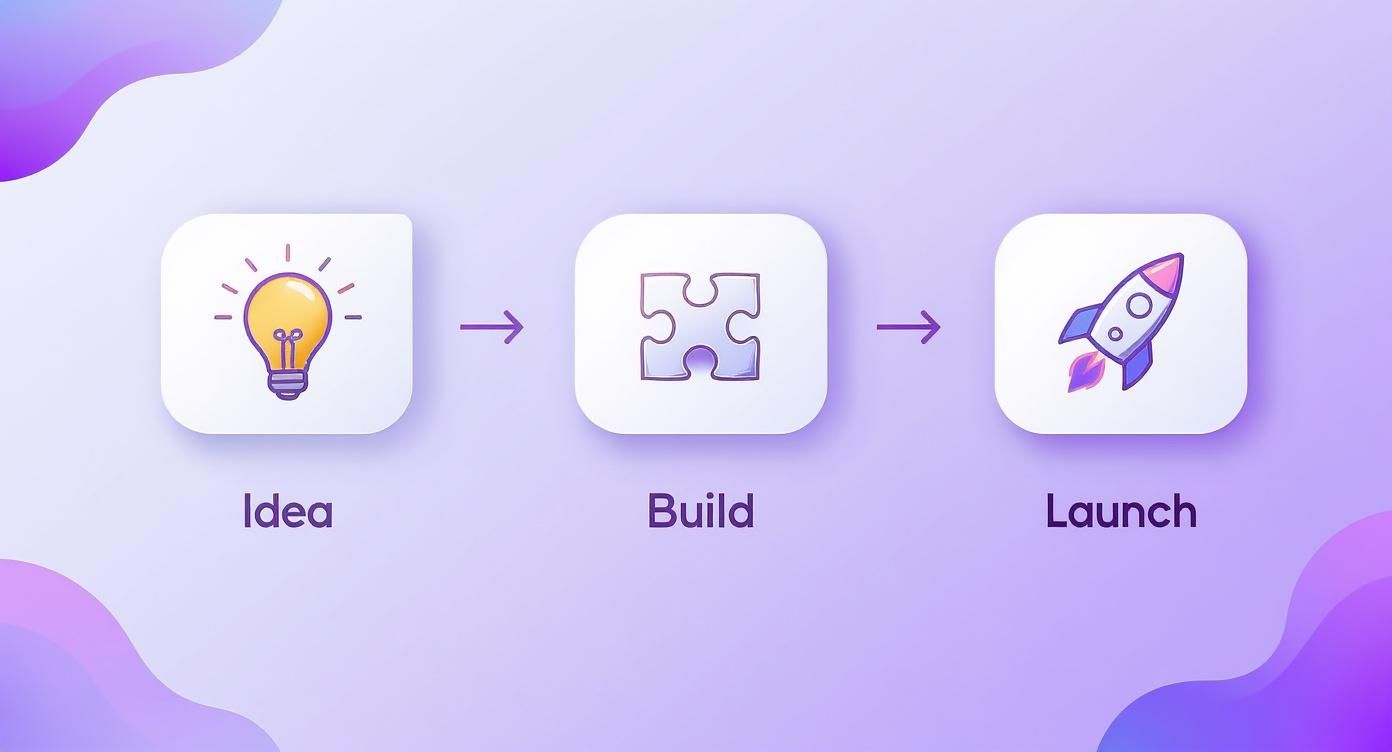
The whole process is built for speed and accessibility. It empowers creators to get from a concept scribbled on a napkin to a live app in the market far faster than they ever could with a traditional development team.
The Core Components of a Visual Builder
Behind that clean, drag-and-drop interface, there are a few key systems working in concert. Each one is a specialist, handling a different part of the app creation process to make sure your clicks and drags produce a solid, working app.
Here’s what’s usually running under the hood:
The Visual Editor: This is your canvas. It's the drag-and-drop world where you lay out your app's user interface (UI). Every time you place a text box, an image, or a button, the platform is busy writing the corresponding UI code for you in the background.
The Logic Builder: This is where you teach your app how to think. Using simple "if this, then that" style rules, you build out workflows and behaviors. For example: "When a user taps the 'Sign Up' button, save their details to the database and then show them the 'Welcome' screen."
The Data Model: This part of the builder is your app's brain, managing all its information. It lets you visually set up and connect databases, deciding what kind of data to store, like user profiles or product inventories, without having to write a single line of SQL.
The real genius of a no-code mobile app builder is how it bundles all these complex systems into one intuitive interface. It does the heavy technical lifting so you can pour all your energy into crafting a great user experience.
Handling Complex Tasks Seamlessly
Modern no-code builders are designed for much more than just simple layouts. They're engineered to manage sophisticated jobs that, not long ago, would have required a specialized developer. A big part of this is handling connections to other services through API integrations.
For example, let's say you want your app to take payments. Instead of coding a complex payment gateway from scratch, you can integrate a service like Stripe. The platform will give you a pre-built module where you just plug in your API keys, and the builder handles all the secure, complicated communication with Stripe's servers for you.
Data storage is just as effortless. Whether it's photos uploaded by users or a catalog of products you manage, the platform automatically sets up and maintains the backend infrastructure needed. You get a simple, spreadsheet-like view to work with, while the system handles a scalable and secure database behind the scenes. It's how you can build powerful, secure features using the same visual tools.
Evaluating Core Features for Your Project
Choosing a nocode mobile app builder is a bit like picking the right engine for a car. Not all are created equal, and the best choice depends entirely on where you plan to go. To make sure your app has the power and flexibility it needs to succeed, you have to look past the marketing hype and dig into the core features that actually matter.
This isn't just about ticking boxes on a feature list. It’s about matching your project’s real needs with the right tools for the long haul. A platform that's perfect for a simple internal tool might completely fall short for a customer-facing e-commerce app.
The Visual Editor and Design Freedom
Your creative canvas is the visual editor. A great one strikes a perfect balance between being easy to use and giving you total design control. You should be looking for a builder that offers near pixel-perfect freedom, letting you drag, drop, and resize elements exactly where you want them. This is how you avoid looking like a generic template.
This level of control is absolutely critical for building a strong brand identity. Your app's user interface (UI) is the very first thing people experience, and a clunky, restrictive editor will stop you from creating that polished, intuitive look you have in your head. Platforms like Adalo are known for hitting this sweet spot between simplicity and power.
Database and Backend Management
At the end of the day, your app is only as good as the data it can handle. A solid no-code builder must have capable database tools. This means you should be able to create, modify, and connect data tables visually, without ever needing to touch a complex database language.
A platform's approach to data management is a direct indicator of its ability to handle complexity. It determines whether you can build a simple prototype or a scalable, data driven application that grows with your user base.
Look for platforms with a strong built-in database or, even better, seamless integrations with external sources like Airtable or Google Sheets. This backend is what powers everything from user accounts and product catalogs to all the dynamic content that makes your app feel alive. For a deeper dive, our guide on what Backend as a Service is breaks down exactly how this works.
Templates and Pre-Built Components
While custom design is huge, starting from scratch isn't always the smart move. A rich library of ready-made templates and components can shave days or even weeks off your development time. These aren't just for inspiration; they're functional starting points for common app types.
Think of templates for things like:
Booking Systems: Perfect for service businesses like salons or consultants.
E-commerce Stores: Comes with product pages, shopping carts, and checkout flows ready to go.
Internal Tools: Dashboards for project management or simple employee directories.
Using a template lets you focus your energy on what makes your app unique, rather than reinventing the wheel on foundational features.
Integrations and Extensibility
No app is an island. The ability to connect with other software and services is what separates a good app from a truly great one. Smooth third-party integrations allow your app to do powerful things, like process payments with Stripe or automate workflows with Zapier.
Before you commit to a builder, make a quick list of the essential tools your business already relies on. Then, make sure the platform can connect to them without a fuss. This kind of flexibility ensures your app can grow and adapt right alongside your business.
To help you sort through your options, here’s a quick comparison of what to look for in a platform's core features.
Essential Nocode Platform Feature Comparison
Feature | What to Look For | Why It Matters |
|---|---|---|
Visual Editor | Pixel-perfect control, responsive design previews, custom branding options. | Ensures your app reflects your brand identity and doesn't look like a generic template. |
Database | Built-in database, easy data relationship mapping, integration with external sources. | This is the engine of your app, determining how much complexity and data you can handle. |
Logic & Workflows | Visual workflow builder, conditional logic ("if this, then that"), scheduled actions. | It's how you make your app interactive and automate tasks without writing a line of code. |
Integrations | Native API connectors, Zapier/Make support, payment gateways (Stripe, PayPal). | Lets your app connect to the tools you already use, extending its power and usefulness. |
Templates | A diverse library of functional, pre-built app templates and UI components. | Massively speeds up development time by providing a solid foundation to build upon. |
This table isn't exhaustive, but it covers the non-negotiable features that will have the biggest impact on your project's success. Use it as a checklist to make sure the platform you choose is truly up to the task.
Understanding the Real-World Limitations
While a nocode mobile app builder can feel like a superpower, it's not a magic wand for every single project. And that's okay. Having an honest, balanced perspective is the key to making a smart decision.
Knowing the common constraints helps you match the right tool to the right job, setting your project up for success from the very start. This isn’t about talking you out of no-code. It’s about giving you the clarity to choose it for the scenarios where it absolutely shines.

Performance and Scalability Caps
Most no-code builders run on a shared infrastructure, which works brilliantly for the vast majority of apps. But if your idea involves extremely high-frequency operations, like a stock trading platform processing thousands of transactions a second, you might hit a performance ceiling.
These platforms can easily handle thousands of active users. They just aren't optimized for the massive, simultaneous number-crunching that a few niche applications demand.
Customization and UI Restrictions
Here’s the main trade-off: in exchange for incredible speed and simplicity, you give up a degree of creative control. While modern builders offer a ton of design freedom, achieving a truly unique, avant-garde user interface with complex custom animations can be tough. The pre-built components that make development so fast also create certain boundaries.
For example, trying to build a graphics-heavy mobile game with its own physics engine is still a job for traditional code. If your project demands absolute, pixel-perfect control over every single interaction on the screen, you might be pushing the limits of what a no-code editor can do.
The key is to understand that a no-code mobile app builder offers structure and speed. It excels when you can work within its powerful framework, but may be restrictive if your goal is to break that framework entirely.
The Risk of Vendor Lock-in
When you build on a no-code platform, your app is tied to that provider. You generally can't just export the source code and host it on your own servers. This means that if you ever wanted to move to a different platform or a custom-coded solution, you’d be looking at a complete rebuild from the ground up.
Because of this, it's essential to pick a platform with a reliable track record and a pricing model you can grow with. Think of it less like choosing a temporary tool and more like picking a long-term technology partner. That’s why evaluating a builder’s stability and community support is just as important as looking at its feature list.
Key Criteria for Choosing the Right Platform
Picking a no-code mobile app builder is about more than just a flashy feature list. You’re choosing a long-term technology partner. To do it right, you need a solid framework for judging what actually matters for your app's stability, growth, and future success.
It all comes down to the foundation. A builder with a beautiful visual editor is useless if it can't handle a surge of new users or keep their data safe. Thinking through these core pillars now will save you from some very expensive headaches later on.
Security and Data Privacy Compliance
In an era of constant digital threats, security isn't just a feature; it's the bedrock of trust. A single breach can wreck your brand's reputation for good, so you have to look at a platform's security claims with a critical eye.
Don't settle for anything less than robust, standard-issue security. This should include:
Data Encryption: Make sure user data is encrypted both in transit (as it travels between the app and the server) and at rest (when it's sitting in the database).
User Authentication: The platform needs to support secure login methods, including multi-factor authentication (MFA) and options for social sign-on.
Compliance Certifications: If you plan on having users in Europe or California, compliance with major regulations like GDPR and CCPA is non-negotiable.
Scalability and Performance Under Load
Your goal is to grow, right? Your app builder has to be able to grow with you. Scalability is just a fancy word for a platform's ability to handle more users and more data without slowing to a crawl. An app that works great for 100 users shouldn't crash and burn when you hit 10,000.
Look under the hood. Does the platform run on reliable cloud infrastructure like AWS or Google Cloud? Those services provide the kind of powerful foundation needed for scaling. Also, check out the different subscription tiers to see how you can add more server muscle as your user base explodes.
The real test of a no-code mobile app builder isn't just how easily you can build an app, but how well that app performs when it actually gets popular. A platform built for scalability is a platform built for your future.
Pricing Models and Total Cost of Ownership
No-code pricing can be tricky. A low monthly fee looks great on the surface, but hidden costs can pile up fast. You need to understand the total cost of ownership, which is the subscription fee plus any extra charges for overages or add-ons.
You’ll usually run into a couple of common pricing models:
Tiered Subscriptions: These are based on features, the number of users, or how many records you have in your database.
Usage-Based Pricing: You pay for what you use, like the number of workflows you run or API calls you make.
Dig into the limits of each plan. Are they going to charge you extra for more database storage or for passing a certain user threshold? Finding a transparent pricing model that fits your budget and growth plans is the key to avoiding nasty financial surprises. If you're weighing different options, reviewing insights on Top Mobile App Development Agencies and Platforms can help you compare the costs and benefits of each path.
Support Community and Documentation
When you hit a wall at 2 a.m., a strong support system is a lifesaver. People often overlook the quality of a platform's documentation and the energy of its user community, but these are absolutely critical for solving problems and getting better.
Look for detailed tutorials, clear how-to guides, and an active user forum where you can ask questions and get advice from people who’ve been there before. A buzzing community is usually a sign of a healthy, well-supported platform. You can also check out our guide to the best software for creating mobile apps to see how different tools stack up on support.
The no-code market has blown up, jumping from $3.47 billion in 2019 to an estimated $12.86 billion in 2025. That means more platforms are fighting for your attention. This growth, driven by how easy and fast these tools are, makes it even more important to pick a partner with a proven support system you can count on.
Got Questions About No-Code App Builders?
Jumping into a no-code mobile app builder is exciting, but it’s natural to have a few questions. The space is filled with amazing possibilities, but also a fair share of myths and valid concerns. Let’s clear up some of the most common ones so you can move forward with confidence.
The growth here is staggering. Back in 2024, projections showed over 500 million apps would be created on these platforms. Fast forward to today in December 2025, and an estimated 65% of all app development now happens without a single line of traditional code. It's a massive shift in how things get built. For a deeper dive, Adalo.com offers some great insights into no-code market growth statistics.
Can I Build a Truly Complex App Without Code?
Yes, absolutely. Modern no-code platforms have graduated far beyond simple prototypes. They are fully equipped to handle tricky business logic, manage huge databases, and connect with other services through APIs.
While you probably wouldn't build a graphics-heavy 3D game this way, they are perfect for creating sophisticated, real-world applications. Think social networks, detailed e-commerce stores, or powerful internal tools for your business. The real trick is matching your app's specific needs to the right platform’s strengths.
Do I Actually Own the App I Create?
This is a critical point, so let’s get specific. You own your intellectual property: your unique idea, all your user data, and any content created within the app. That's all yours. What you don't own is the underlying source code that makes the platform itself run.
This means you can't just download the raw code and host it on your own servers. Before you commit to any builder, make a habit of reading their terms of service. Pay close attention to their policies on data ownership and what your export options are.
A common misconception is that no-code means "no ownership." In reality, you own what matters most: your brand, your data, and your relationship with your users. The platform is just the tool you use to build and run your business.
What Is the Real Cost to Build and Maintain a No-Code App?
The cost can vary, but it's almost always a tiny fraction of what you'd pay a traditional development team. Most builders use a subscription model, with plans ranging from free tiers for simple projects to a few hundred dollars a month for advanced features and more power.
When you're making a budget, remember to look beyond the monthly subscription. You might have add-on costs for third-party plugins, extra data storage, or a higher user limit as you grow. Even with these extras, the total cost is dramatically lower than custom development.
Can a No-Code App Handle Thousands of Users?
For sure. The leading no-code platforms are built on top of incredibly robust, scalable cloud infrastructure from giants like Amazon Web Services or Google Cloud. They are designed from the ground up to handle growth without skipping a beat.
Most platforms offer tiered plans that let you easily upgrade your server capacity as your user base gets bigger. They're generally well-equipped to support apps with thousands, or even tens of thousands, of active users. If you're planning for massive scale right out of the gate, it's always smart to chat with the platform’s sales or support team about their performance limits.
Ready to turn your idea into a production-ready mobile app without writing a single line of code? CatDoes uses an AI-native, multi-agent system to handle everything from design and development to backend generation and app store submission. Start building for free and see how a simple conversation can launch your next great app. https://catdoes.com
Nafis Amiri
Co-Founder of CatDoes


