Blog
Tutorials
Build Apps Without Code Using a No-Code App Builder
Discover how a no-code app builder can turn your ideas into functional apps fast. Learn key benefits, real-world uses, and how to choose the right platform.

Nafis Amiri
Co-Founder of CatDoes
Build Apps Without Code Using a No-Code App builder
A no-code app builder is a platform that lets you create fully functional applications using a visual interface, much like building with digital LEGO blocks. Instead of writing lines of code, you drag, drop, and connect pre-built components to bring your idea to life. This simple but powerful approach opens up software development to anyone with a great idea, regardless of their technical background.
Your Idea Is Now the Blueprint

For decades, building an app was reserved for highly skilled developers who understood programming languages, databases, and server infrastructure. A no-code app builder completely flips that script. It handles all the technical complexity behind the scenes, so you can focus entirely on what your app does and how it looks.
You work on a visual canvas, designing your app's user interface, defining its logic, and managing its data without ever touching code. The platform translates your visual instructions into a real, working application. This has empowered a new wave of creators, often called "citizen developers," to build the exact tools they need without having to wait in line for IT resources.
How Does a No-Code App Builder Function
At its heart, a no-code platform works on a few simple principles that make the whole process feel intuitive. Seeing how it translates your idea into a finished product makes the magic click.
The journey usually breaks down into three core stages:
Visual Interface Design: This is where you design what your users will actually see. You drag and drop elements like buttons, forms, images, and text boxes onto a screen. You get to customize everything, including colors, fonts, and layouts, to make the app look and feel exactly like your brand.
Workflow and Logic Creation: Next, you decide what your app does. Using visual workflow editors, you create simple rules like, "When a user clicks this button, save their info to the database and send a confirmation email." It's all about setting up cause-and-effect actions without writing a single conditional statement.
Data Management: Every useful app runs on data. No-code builders give you a simple, spreadsheet-like way to create and manage your database. You can easily define what kind of information you need to store, whether it's customer names, product details, or order histories.
By removing the barrier of complex programming, no-code platforms democratize software development. They shift the focus from how to build an app to what the app should accomplish, enabling faster innovation and problem-solving.
This visual-first approach is especially effective when using a no-code mobile app builder, as it lets you design for both iOS and Android at the same time. You can build once and ensure your app reaches the widest possible audience right from the start.
The Explosive Growth of No-Code Platforms
The rise of the no-code app builder isn't just a passing tech trend. It is a genuine shift in how software gets made. What started as a niche for building simple websites or internal dashboards has absolutely exploded into a mainstream movement, reshaping entire industries by putting the power to create in anyone's hands.
This boom is happening for a clear reason. Businesses are under constant pressure to move faster, pivot on a dime, and digitize everything. At the same time, the demand for talented developers continues to outrun the supply, creating a massive bottleneck. No-code platforms have stepped in as the practical solution to close that gap.
A Market That Speaks for Itself
The numbers tell the story. The no-code market has gone from a specialized toolset to a core business strategy in just a few years. Back in 2019, the market was valued at a respectable $3.47 billion. Fast forward to November 2025, and it’s projected to hit an incredible $12.86 billion.
That’s a compound annual growth rate of 22.92%. This isn't just growth; it's a signal that organizations everywhere see the real-world value in using a no-code app builder to get things done. You can dig deeper into the data and find more no-code market statistics every app builder must know.
This rapid climb makes one thing clear: choosing a no-code solution is no longer about convenience. It’s a strategic decision that directly impacts a company's ability to compete and innovate.
The Forces Driving the Surge
So, what’s fueling this massive shift? A few powerful drivers are pushing no-code platforms from a "nice-to-have" to a "must-have" for modern businesses.
The Developer Shortage: It's no secret there’s a global talent gap for skilled programmers. Companies simply can't hire developers fast enough to keep up with their needs, which means projects get stuck in a backlog and opportunities are missed.
The Need for Speed: Markets change instantly. Businesses need to be able to launch a new product, update a customer portal, or automate a process without waiting months for a development cycle. No-code delivers that agility.
Empowering the "Citizen Developer": No-code tools give non-technical employees the power to solve their own problems. This democratizes innovation, letting experts in marketing, HR, or finance build the tools they need without joining the IT queue.
The growth of no-code platforms is a direct response to the urgent need for faster, more accessible development cycles. By empowering more people to build, organizations can finally keep pace with the demands of a fast-moving economy.
This philosophy is the heart of modern agile work. In fact, many no-code principles line up perfectly with rapid application development, a framework designed to ship high-quality software in a fraction of the traditional time. Picking a no-code app builder isn't just a tech choice. It's an investment in a faster, more innovative future for your business.
Key Benefits of Using a No-Code App Builder
Using a no-code app builder does more than just get a project done. It fundamentally changes how businesses can innovate and solve problems by making software creation something anyone can do. The benefits aren't just theoretical. They show up as real gains in speed, cost savings, and the flexibility to adapt on the fly.
Instead of waiting months for a development cycle, ideas can be brought to life in a matter of days. It’s a practical shift in what’s possible for teams of any size.
The market's reaction to this shift has been dramatic. The growth is staggering, and it tells a clear story about where the industry is heading.
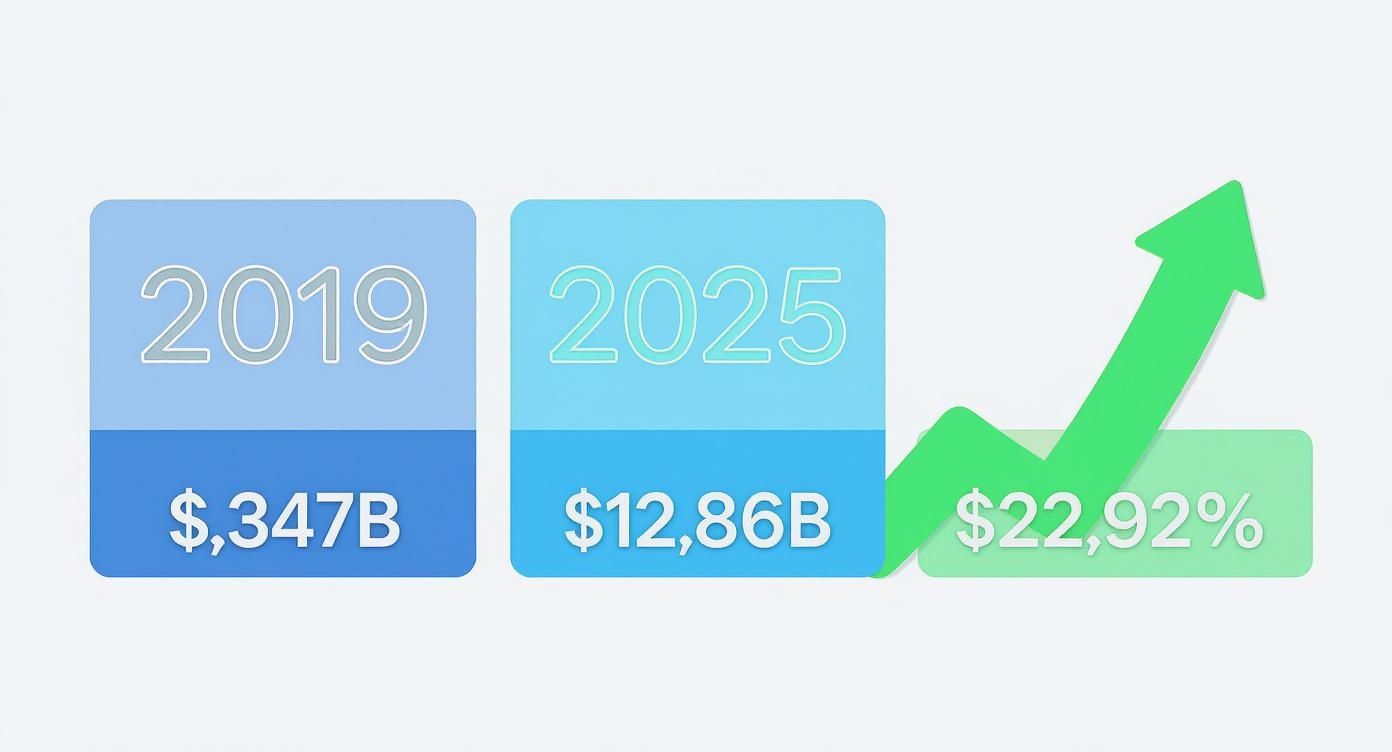
This explosion from $3.47 billion to an expected $12.86 billion in just six years highlights the immense trust and value companies are placing in no-code.
Remarkable Development Speed
The most immediate win with a no-code app builder is pure speed. Traditional coding is a careful, time-intensive craft. No-code platforms swap that out for visual, drag-and-drop tools that can turn months of work into days or weeks.
This speed is a game-changer for prototyping. You can build a minimum viable product (MVP), get it into the hands of real users, and start gathering feedback almost immediately. This cycle means you’re not sinking huge amounts of time and money into an idea that hasn't been tested in the real world.
Imagine a retail manager who needs a custom inventory app for a pop-up event this weekend. She could build and launch it herself in a single afternoon, giving her team a real-time stock management tool without waiting for a corporate IT solution that might arrive months too late. That ability to act now is a massive competitive edge.
Significant Cost Reduction
By removing the need for specialized developers, no-code platforms slash the costs of building and maintaining apps. Hiring a team of skilled programmers is often the biggest line item in a software project. A no-code app builder can shrink that cost or even wipe it out entirely.
The savings don't stop at salaries. All the complex backend work, such as server setup, maintenance, and security, is handled by the platform. You get to skip the costs and headaches of managing your own infrastructure.
The financial impact is real. Organizations have reported saving an average of $187,000 a year after adopting no-code platforms, with many seeing a return on their investment in just six to twelve months.
Empowerment of Non-Technical Teams
No-code democratizes app development. It puts the power to build solutions directly into the hands of the people who understand the business problems best: your non-technical employees. These "citizen developers" can create custom tools that perfectly fit their team's needs, all without adding another ticket to the IT backlog.
This empowerment creates a ripple effect of positive outcomes:
Problem-Solving at the Source: A marketing specialist can build a custom tool to automate lead qualification, freeing up their time for more strategic work.
More Innovation: When anyone can build an app, new ideas get tested quickly and affordably. It builds a culture where people aren't afraid to experiment.
Fewer IT Bottlenecks: The IT department is freed up to concentrate on bigger, more complex enterprise challenges instead of juggling small departmental requests.
Increased Business Agility
The business world changes fast. A no-code app builder gives your organization the agility to react quickly to new market demands, customer feedback, or shifting internal processes. Need to add a new feature to your customer portal? With no-code, you can make the change yourself in hours, not weeks.
This ability to pivot is critical for staying ahead. We've reached a tipping point where no-code isn't just a trend; it's becoming the standard. By 2025, it's predicted that 70% of new enterprise applications will be built using no-code or low-code tools, a massive leap from less than 25% in 2020. Agility is no longer just a goal; it’s a necessity that no-code delivers.
Real-World Examples of No-Code Applications
Theory is one thing, but seeing a no-code app builder in action is where the lightbulb really goes on. These platforms aren't just for tinkering with prototypes; they're out in the wild, solving real problems for businesses of all sizes, every single day.
From smoothing out clunky internal workflows to launching brand-new products for customers, the uses are as varied as the businesses themselves. Let's move past the abstract and look at a few concrete examples of how teams have put these tools to work.

Streamlining E-commerce Inventory Management
A small but fast-growing e-commerce shop was drowning in a classic problem: inventory chaos. Their system was a patchwork of spreadsheets and manual counts, which meant they were constantly overselling popular items or running out of stock at the worst times. They desperately needed a custom solution but couldn't stomach the cost of hiring a dev agency.
So, the operations manager decided to try a no-code app builder. In just under a week, she built a simple but powerful internal tool that changed everything.
Barcode Scanning: Warehouse staff could now use their phones to scan products, updating stock levels on the spot.
Real-Time Dashboard: A live dashboard gave everyone a clear view of inventory, automatically flagging items that were running low.
Automated Alerts: When stock dropped below a certain point, the app pinged the purchasing manager to reorder.
The results were immediate and dramatic. The shop cut overselling incidents by over 90% and reclaimed countless hours that used to be lost to manual stock-takes. This simple app fixed a huge operational headache and helped the business scale without tripping over itself.
Creating an Interactive Marketing Campaign
A marketing team at a mid-sized financial services company had a great idea: a retirement savings calculator. They wanted a dynamic landing page where potential clients could plug in their age and income to see personalized projections. A great idea, but the internal IT department said it would take six months to build.
Not willing to wait, the marketing lead fired up a no-code platform. In a couple of days, she had a fully interactive landing page with the exact calculator she'd imagined. She designed the interface, set up the calculation logic with visual workflows, and even connected the lead form directly to their CRM.
The campaign was a massive success. The interactive tool boosted user engagement by 40% compared to their old, static pages. More importantly, it generated high-quality leads that converted at a much higher rate, proving you don't need a long, expensive development cycle to create something valuable.
Automating the Employee Onboarding Process
An HR department was buried in the repetitive admin work of onboarding new hires. The process was a mess of emails, manually tracking paperwork, and scheduling meetings, which created a clunky and inconsistent experience for new team members.
The HR manager used a no-code app builder to create a central onboarding portal. Now, new hires log in to one place to get everything they need:
Complete and digitally sign all their forms.
See their first-week schedule and meeting invites.
Access training materials and company handbooks.
Connect with their assigned mentor.
By building a dedicated onboarding app, the HR team automated a process that was previously manual and error-prone. This not only saved the team significant time but also created a more professional and structured experience for every new employee joining the company.
The app slashed the administrative time spent on each new hire by over 75%. It also gave new employees a much better first impression, leading to higher engagement right from the start. It’s a perfect example of how no-code empowers a non-technical department to solve its own problems.
How to Choose the Right No-Code App Builder
Diving into the crowded market for a no-code app builder can feel like a lot to take on, but breaking it down into a few key steps makes the decision much clearer. Finding the right platform isn't just about picking the one with the most features. It's about finding the tool that perfectly matches your project goals, your comfort with technology, and where you see your app going in the future.
Making a smart choice now saves you from headaches, costly migrations, and hitting a wall with development later.
Think of it like choosing a car. A two-seater sports car might be fun, but it's completely impractical if you're hauling a family of five. In the same way, a massive, enterprise-level builder is probably overkill for a simple internal tool. The whole game is matching the tool to the task at hand.
Evaluate Ease of Use and Learning Curve
The biggest draw of any no-code tool is that anyone can use it. But "easy to use" can mean wildly different things. Some platforms are built for absolute beginners with simple, block-based interfaces, while others offer incredible power and flexibility that naturally come with a steeper learning curve.
Before you commit to anything, take full advantage of free trials. Spend a few hours actually trying to build a small piece of your app. This will give you a real feel for the interface and how the workflow logic clicks in your brain.
A platform's true value is measured by how quickly it lets you turn your ideas into a functional product. If the interface feels confusing or the documentation is unclear during the trial period, it will only become more frustrating as your project's complexity grows.
This hands-on test drive is the only way to know if a platform’s logic feels intuitive to you. You're looking for a builder that empowers you, not one that has you constantly pausing to look up tutorials for basic steps.
Analyze Scalability and Performance
Your app might be small today, but you're building it to succeed. You need a platform that can grow right along with you. Scalability is all about a builder's ability to handle more users, more data, and more complex workflows without slowing to a crawl. A tool built on a shaky foundation will lead to slow load times and a terrible user experience just as you start gaining momentum.
Look into what kind of backend infrastructure the platform runs on. Most top-tier builders are powered by robust cloud services like AWS, which gives you a solid base for growth. Also, take a close look at their pricing tiers. You want to see a clear, logical path for adding resources as your user base expands. When you're weighing your options, it's useful to see how established platforms handle this; for instance, this comparison of Squarespace or Wix highlights how different tools are designed for different growth trajectories.
Check Integration Capabilities
No app is an island. Your tool will almost certainly need to talk to other software, whether it's a CRM, a payment gateway like Stripe, marketing automation tools, or an external database. A platform with a good library of pre-built integrations can save you a massive amount of time and effort.
When you're looking at a no-code app builder, check for these things:
Native Integrations: These are the plug-and-play connections to popular services that you can set up in just a few clicks.
API Connectors: If there's no native integration for a service you need, a flexible API connector is the next best thing. It lets you connect to any third-party tool with an open API.
Webhooks: These are crucial for building real-time notifications and automated workflows that pass information between your app and other systems.
Strong integration options are a sign of a mature, versatile platform. Our guide comparing CatDoes vs Adalo digs into how different platforms handle integrations, which is a make-or-break factor for any serious business tool.
Understand Pricing and Support
Finally, it's time to look past the shiny features and get real about the total cost and the support you'll get when you need it. Pricing models are all over the map, from per-user fees to plans based on how much work your app does. Make sure the pricing is transparent and predictable so you don't get hit with surprise bills when your app starts to take off.
Just as important is the quality of the customer support and the community around the platform. An active user forum, thorough documentation, and a responsive support team can be absolute lifesavers when you get stuck. A strong community is also a great sign of a healthy, evolving platform that users are genuinely invested in, which is a good indicator of its long-term stability.
Common Questions About No-Code App Builders
As building software without code becomes more and more common, it’s natural to have questions. This shift away from traditional coding toward a visual, hands-on approach brings up some good points about what’s possible, who owns what, and what the trade-offs are. Getting straight answers to these questions will help you feel a lot more confident about picking a no-code app builder for your next idea.
Knowing what these platforms can and can’t do is the key to setting the right expectations. It also helps you find the right tool for what you’re trying to build, making sure it’s a good fit for both your idea and your comfort level with tech.
Can I Build Complex and Scalable Applications?
One of the first questions people ask is whether a no-code app builder can do more than just simple websites or prototypes. Today, the answer is a firm yes. These platforms have grown up, moving way beyond their early days to support some seriously sophisticated applications.
Many of the top-tier builders now offer advanced features that used to be possible only with custom code. These include:
Database Management: Tools to create and manage the complex data structures that make your app run.
Conditional Logic: The ability to build detailed workflows with "if this, then that" rules that control how your app behaves.
API Integrations: Smooth connections to other services, letting your app pull in data or push information to other software.
User Authentication: Secure systems for users to sign up, log in, and manage their own profiles right inside your app.
With these tools in your corner, you can build powerful internal systems like project management dashboards, customer-facing portals, or even entire software-as-a-service (SaaS) businesses.
How Does Scalability Work on No-Code Platforms?
Scalability is another huge concern. What happens when your app goes from ten users to ten thousand? The good news is that reputable no-code platforms are built on powerful cloud infrastructure, often using services like Amazon Web Services (AWS) that are designed for massive scale from the ground up.
This means the technical backbone of your app can handle huge spikes in user traffic and data without slowing down. The platform provider manages all the server maintenance, security, and updates behind the scenes. It frees you from ever having to think about infrastructure, so you can focus on making your app better while the platform handles the technical demands of your success.
Do I Own the App and Data I Create?
This is a critical point, and it’s important to understand the distinction between your data and the app itself. The answer really has two parts.
In almost every case, you own 100% of your data. This covers all user information, content uploads, and anything else stored in your database. Most platforms give you tools to export this data whenever you want, giving you full control if you ever decide to move to another service.
However, you don't own the application's underlying source code. You're essentially licensing the platform's technology to run your app. A good analogy is renting a high-performance engine for a car you built. You own the car, including your design, your brand, and your data, but the engine belongs to the rental company. This means you can't just download the source code and host the application on your own servers. Always check a platform's terms of service to be clear on their policies around intellectual property.
What Are the Main Limitations of a No-Code Builder?
While a no-code app builder gives you incredible speed and power, it’s important to know the limitations. Understanding the trade-offs helps you make a smart decision and avoid hitting a wall later on.
The biggest limitation is platform dependency. You’re building inside an ecosystem, which means you’re limited to the features, design options, and integrations that the builder provides. If you need a very specific, niche function that the platform doesn't support, you might be out of luck.
The core trade-off with no-code is exchanging some degree of customization and control for massive gains in development speed, cost-effectiveness, and accessibility. For the vast majority of business and consumer applications, the benefits of this trade-off are overwhelmingly positive.
Other limitations can include:
Performance Ceilings: For apps that need extremely high-volume, real-time calculations, a custom-coded solution might still have the edge.
Hosting Control: You generally can't pick your own hosting provider or get direct access to the server environment.
Code Customization: While some platforms offer "low-code" escape hatches to add custom code, you're still working within their framework.
Even with these limitations, the power and flexibility of a modern no-code app builder are more than enough for a huge range of projects. They’ve successfully gone from being a niche tool for simple ideas to a mainstream solution for building serious, scalable software.
Ready to turn your idea into a production-ready app without writing a single line of code? CatDoes uses an AI-native, conversational workflow to handle everything from design and development to backend generation and app store submission. Start building for free today.
Nafis Amiri
Co-Founder of CatDoes