Blog
Tutorials
Migrate Database To Cloud A Practical 2026 Guide
Ready to migrate database to cloud? Our 2026 guide offers actionable strategies for planning, executing, and optimizing your move for speed and security.

Nafis Amiri
Co-Founder of CatDoes
So, what does it actually mean to migrate a database to the cloud? At its core, you're taking your data from a server closet down the hall and moving it to a network of powerful, remote servers managed by a cloud provider. It’s a process that involves smart planning, picking the right strategy (like a simple "lift-and-shift"), and then carefully executing the transfer to keep your application running smoothly.
For most businesses, this isn't just a technical exercise. It’s a strategic decision to gain flexibility and get out of the hardware management business for good.
Why Move Your Database To The Cloud in 2026
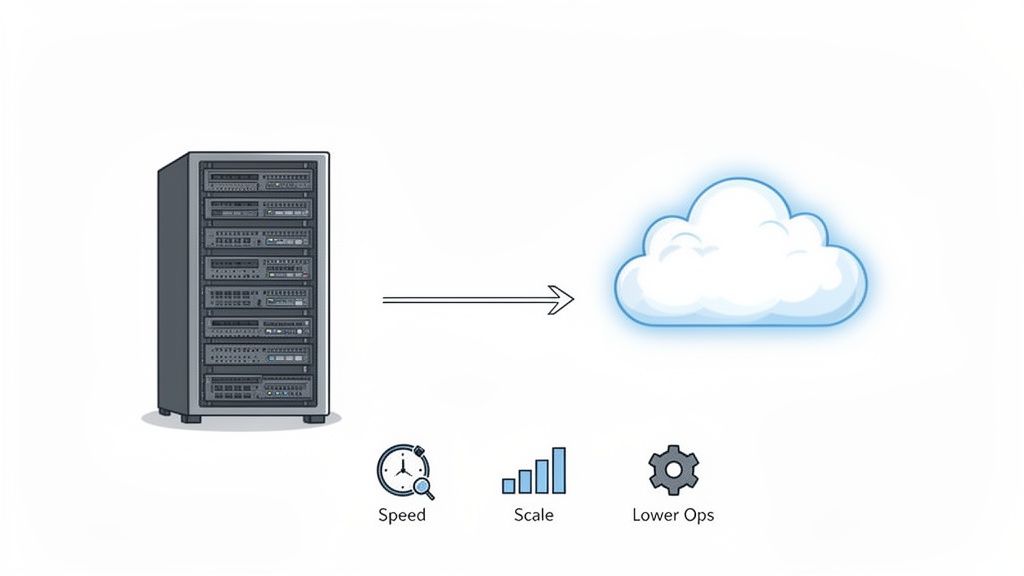
The conversation around moving databases to the cloud has completely shifted. It’s no longer a question of "if" but "when and how." By 2026, staying on-premise is the exception, not the rule. Companies are aggressively moving their core data operations to the cloud simply to keep up.
Let's be honest, the days of justifying huge capital outlays for blinking lights in a cooled room are over. That model is just too slow and rigid for how fast businesses need to move today.
This whole movement is really about agility. On-premise servers, with their fixed capacity and frustratingly long procurement cycles, just can't handle the dynamic needs of modern apps. Your developers need to spin up resources in minutes, not wait months for new hardware to be racked and stacked. The cloud delivers that on-demand power instantly.
The Business Case for Cloud Databases
Whether you're a lean startup or a massive enterprise, the operational wins are immediate and obvious. Instead of paying a team to manage server maintenance, cooling bills, and physical security, you can reinvest that time and money into building better products.
This is especially true with platforms like CatDoes Cloud, where the entire backend infrastructure is handled for you. It frees up your engineering talent to focus on innovation, not just keeping the lights on.
The core advantages driving this migration are pretty clear:
Real Scalability: Cloud databases grow and shrink with your traffic. This means you can handle a sudden surge in users without your site crashing, and you only pay for the resources you actually consume.
Lower Operational Headaches: You completely offload the cost and labor of buying, maintaining, and upgrading physical hardware. It’s a massive weight off your IT team's shoulders.
Ship Faster: Developers can get a production-ready database up and running in minutes, which drastically cuts down the time it takes to get new features and applications to market. Our guide on what is cloud infrastructure breaks down how this works.
This isn't just an emerging trend; it's the new standard. Over 60% of all corporate data is already in the cloud, and that number is even higher for small and mid-sized businesses who can’t afford to run their own data centers.
A Strategic Imperative
Ultimately, you have to frame a database migration as a strategic business decision, not just an IT project. It's an investment in the future of your company, one that enables faster innovation and makes your operations far more resilient.
To get a feel for the real-world impact, reading up on The Real Benefit Of Cloud Migration can offer some valuable perspective. Moving to the cloud allows you to build the kind of responsive, powerful, and scalable applications that modern users have come to expect.
Laying The Groundwork For A Successful Migration
Before you move a single byte of data, know this: a project to migrate a database to cloud lives or dies on the quality of its plan. A rush to the cloud without proper prep is the number one reason projects go over budget, miss deadlines, or just plain fail to deliver. This first phase is all about discovery and strategy.
Think of it like building a house. You wouldn't start pouring concrete without a detailed blueprint. The same logic applies here. Your initial assessment creates the blueprint for the entire migration, ensuring a smooth transition with minimal surprises.
Start With A Deep Inventory Audit
First things first, you need a complete picture of your current database environment. This goes way beyond just knowing the database name and version. You have to dig deep and document everything, because hidden dependencies are where migrations go wrong.
Your inventory audit should capture the essentials:
Database Schemas and Objects: Get a full list of all tables, views, stored procedures, and triggers. Pay special attention to any proprietary features tied to your current database engine, since those are the things that often don't have a direct equivalent in the cloud.
Data Volume and Growth Rate: How much data do you actually have? And more importantly, how fast is it growing? Projecting this out for the next one to three years is crucial for right-sizing your cloud resources so you don't overpay or under-provision.
Application Dependencies: Map out every single application, service, and user that touches the database. This is tedious but non-negotiable. Knowing these connections helps you understand the full blast radius of the migration and prevents you from breaking a critical business process.
For a broader look at this kind of planning, it’s worth checking out a modern playbook for the migration of data center operations, which covers similar risk assessment strategies.
Define Your Performance And Success Metrics
Once you know what you have, you need to define what "done" and "successful" actually look like. This means setting clear, measurable goals. Without them, you're just moving data around for the sake of it.
You absolutely need to baseline the performance of your current setup. Measure key metrics like query response times, transaction throughput, and peak CPU usage. These numbers become your benchmark. After the migration, you can point to them and prove the move was worth it.
A critical piece of this is defining your Recovery Point Objective (RPO) and Recovery Time Objective (RTO). How much data can you afford to lose in a disaster (RPO)? How quickly do you need to be back online (RTO)? Answering these questions now dictates your entire cloud architecture and backup strategy later.
Choosing The Right Cloud Service Model
With your inventory and goals in hand, you can finally start looking at cloud options. The choice usually boils down to three main service models, each offering a different trade-off between control and convenience.
Infrastructure as a Service (IaaS): This is the most hands-on model. The cloud provider gives you a virtual server, and you're on the hook for installing and managing everything from the OS to the database software. It offers maximum control but also comes with the biggest management headache. Stock control has its own requirements, which we cover in the best database for inventory management.
Platform as a Service (PaaS): This model is a nice middle ground. The provider handles the underlying infrastructure and OS, and you just manage the database application itself. It strikes a good balance, giving you control where you need it while offloading a lot of the operational burden.
Database as a Service (DBaaS): This is the "set it and forget it" option. The cloud provider manages everything, including patches, backups, and scaling. This is the model used by solutions like CatDoes Cloud, where the database is a fully managed service, letting you focus entirely on your app, not the plumbing.
For developers and creators, a DBaaS solution like CatDoes Cloud simplifies these choices immensely. The platform's AI agents can handle the backend configuration, ensuring your database is optimized without you needing to become a cloud expert. Before you start, it’s a good idea to check out our guide on how to create a database to get familiar with the basics. This prep work builds a migration roadmap that lines up with your business goals and keeps risk to a minimum.
Choosing The Right Cloud Migration Strategy
Once your groundwork is solid, the next big decision is figuring out how you'll actually get your database into the cloud. This isn't a one-size-fits-all choice. The right strategy has to balance your immediate needs, like speed and cost, with your long-term goals for performance and tapping into what the cloud does best.
Pick the wrong path, and you could end up with a migration that’s slow, expensive, and fails to deliver the benefits you were hoping for. The three main approaches are often called the "three R's" of migration: Rehosting, Replatforming, and Refactoring. Let's break down what each one means in the real world.
Rehosting: The Quick Lift-And-Shift
Rehosting, better known as "lift and shift," is the most direct route. You’re essentially taking your existing database server, whether it’s a physical box or a VM, and copying it directly onto a virtual machine in the cloud. Think of it as moving your server from an on-premise data center to a cloud provider's facility without changing a thing about it.
The main draw here is speed. Because you aren't changing the database or the application code that talks to it, the migration can be done quickly with very little technical fuss. This makes it a go-to for organizations on a tight deadline or those needing to exit a data center fast.
But that speed comes with a hefty trade-off. A rehosted database isn't truly cloud-native. It won't automatically use cloud features like auto-scaling or managed services. You’re still on the hook for managing the database, patching the OS, and handling backups, just like you were before.
Rehosting is a fantastic first step, but it shouldn't be the final destination. It gets you into the cloud quickly, but you'll miss out on most of the long-term cost and performance benefits until you optimize further.
Replatforming: A Balanced Approach
Replatforming, or "lift and reshape," offers a strategic middle ground. Here, you migrate your on-premise database to a managed cloud database service like Amazon RDS, Azure SQL Database, or CatDoes Cloud.
This approach gives you a great balance of effort and reward. You're not rewriting your entire application, but you are making a crucial switch to a managed service. That single move offloads a mountain of operational work. Suddenly, tasks like database patching, backups, and high availability are handled by the cloud provider.
For example, instead of running your PostgreSQL database on a virtual machine you manage (IaaS), you'd move it to a managed PostgreSQL service (PaaS/DBaaS). Your application’s core logic stays the same, though you'll probably need to update connection strings and run some light compatibility tests.
The payoff is immediate operational relief and a big step toward a more cloud-optimized architecture. It’s an excellent choice for teams that want to slash their management overhead without committing to a full re-architecting project.
Refactoring: For True Cloud-Native Power
Refactoring, or re-architecting, is the most intense strategy, but it also delivers the biggest payoff. This involves fundamentally redesigning your application and database to fully exploit the capabilities of a cloud-native environment. Often, this means breaking a monolithic app into microservices or switching from a traditional relational database to a NoSQL database built for massive scale.
This isn’t just a migration; it's a full-blown modernization project. You're rewriting significant chunks of your application to use cloud services directly. While this demands the most upfront investment in time and resources, the results can be huge. A refactored application is more resilient, scalable, and cost-efficient than any other model.
This strategy is best reserved for mission-critical applications where performance and scalability are non-negotiable. For teams considering a self-hosted route and looking at this level of modernization, exploring a self-hosted Supabase alternative can offer great insights into modern backend architecture.
Making the right call really boils down to your specific situation. A legacy app that’s no longer in active development might be the perfect candidate for a simple rehost. Your core business application, on the other hand, could easily justify the investment in a full refactor to unlock its future potential.
Comparing Database Migration Strategies
To help you decide, here’s a quick breakdown of how these three strategies stack up against each other.
Strategy | Effort & Complexity | Migration Speed | Initial Cost | Cloud Optimization Level |
|---|---|---|---|---|
Rehosting | Low | Very Fast | Low | Low |
Replatforming | Medium | Moderate | Medium | Medium |
Refactoring | High | Slow | High | High |
Ultimately, this table shows the classic trade-off: the faster and cheaper the migration, the less you'll benefit from the cloud's native capabilities right away. The key is to match the strategy to the business value and long-term vision for each application.
Executing Your Database Migration
Alright, you’ve got a solid strategy and a detailed plan. Now it’s time to roll up your sleeves and get technical. This is the part where we move from planning to practice, turning that roadmap into a real, live cloud database. The actual process to migrate a database to cloud environments is all about careful execution, handling schemas properly, picking the right data transfer tools, and most importantly, making sure your users barely notice a thing.
Getting this phase right comes down to precision. It's a hands-on process where the small details really matter. Things like mapping data types between your old and new databases can be the difference between a smooth launch and a weekend of frantic bug fixes.
The diagram below lays out the common paths you can take, from a simple lift-and-shift to a full-blown refactor.
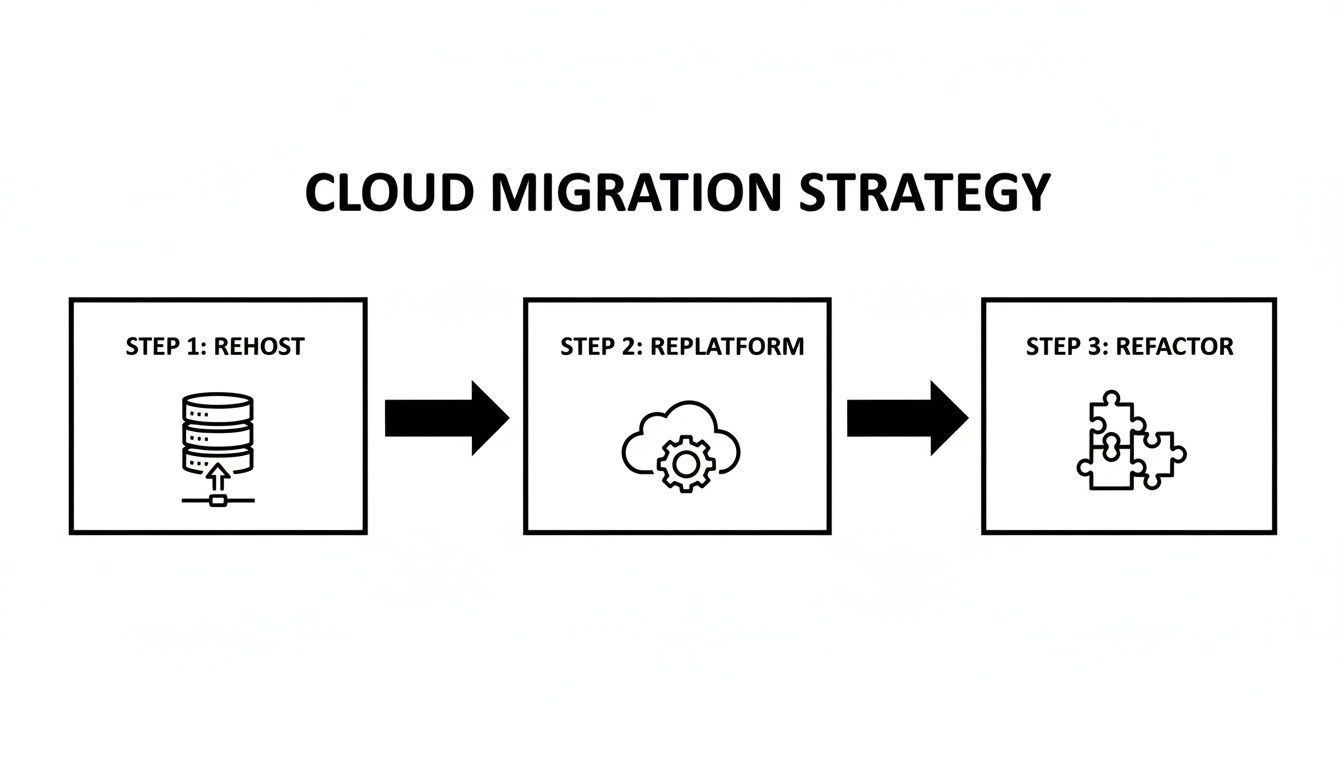
This visual really gets to the heart of the trade-off you’re making: speed of migration versus how much you want to optimize for the cloud. That decision is central to how you'll execute the move.
Handling Schema Conversion and Incompatibilities
The first big technical hurdle, especially in a heterogeneous migration (like moving from SQL Server to PostgreSQL), is converting the schema. Think of your schema as the blueprint for your data. More often than not, it won’t translate perfectly to the new cloud database.
You'll find yourself mapping data types, rewriting stored procedures, and adjusting triggers to fit the syntax of the new environment. For example, that proprietary function you’ve been relying on in your on-prem Oracle database probably doesn't exist in a cloud-based PostgreSQL instance. You'll either need to find an equivalent or rewrite the logic yourself.
Getting this right is absolutely critical for data integrity. A botched schema conversion can lead to truncated data, incorrect values, or applications that just flat-out break after the migration.
Don't underestimate schema conversion. I’ve seen it become the most time-consuming part of a migration, especially with complex legacy systems. Automated tools are great and can often get you 80% of the way there, but that last 20% almost always needs a skilled DBA to go in and fix things by hand.
Choosing Your Data Transfer Method
Once your new schema is built and waiting in the cloud, you can start moving the actual data over. The right method really depends on two things: the size of your database and your tolerance for downtime.
Offline Migration (Database Dumps): This is the most straightforward approach. You take the database offline, export everything to a "dump" file, and then import that file into the new cloud database. It’s simple and reliable, making it a great option for smaller databases or if you have a planned maintenance window where you can afford some downtime.
Online Migration (Continuous Replication): For mission-critical apps where you can't just flip the "off" switch, you need a more sophisticated game plan. Online migration uses continuous data replication to keep the source and target databases perfectly in sync in real time, so your application stays up and running throughout the entire process.
Embracing Near-Zero Downtime with Change Data Capture
The gold standard for a live, online migration is a technique called Change Data Capture (CDC). Instead of doing a massive one-time copy, CDC tools tap into the transaction logs of your source database. They capture every single change (inserts, updates, and deletes) as it happens and apply it to the new cloud database almost instantly.
This approach makes a seamless, live migration possible. You set up the replication, wait for the two databases to become fully synchronized, and then, when you’re ready, you just flip a switch to point your application to the new cloud database. The cutover itself takes mere seconds, resulting in virtually no noticeable downtime for your users.
This is the technology that lets us move even the busiest, most critical databases without disrupting the business.
Automating The Journey With CatDoes Cloud
Now, for developers and creators building on the CatDoes platform, the whole migration process looks a lot different. We've designed our system to abstract away the traditional headaches of schema conversion and data transfer.
When you create a new app with us, CatDoes AI agents configure the entire cloud backend for you automatically, which includes a fully optimized database that’s ready to go from day one. There’s no manual schema work or complex setup. If you're bringing data from an existing project, we've simplified that too.
You can just export your old data into a standard format like CSV or JSON and use our intuitive import tools to load it directly into your new CatDoes Cloud database. Our AI can even help generate the scripts for this transformation, turning what used to be a complex database engineering task into a simple, guided workflow. This frees you up to focus on building great features for your app, not wrestling with its infrastructure.
Validating Your Migration and Going Live
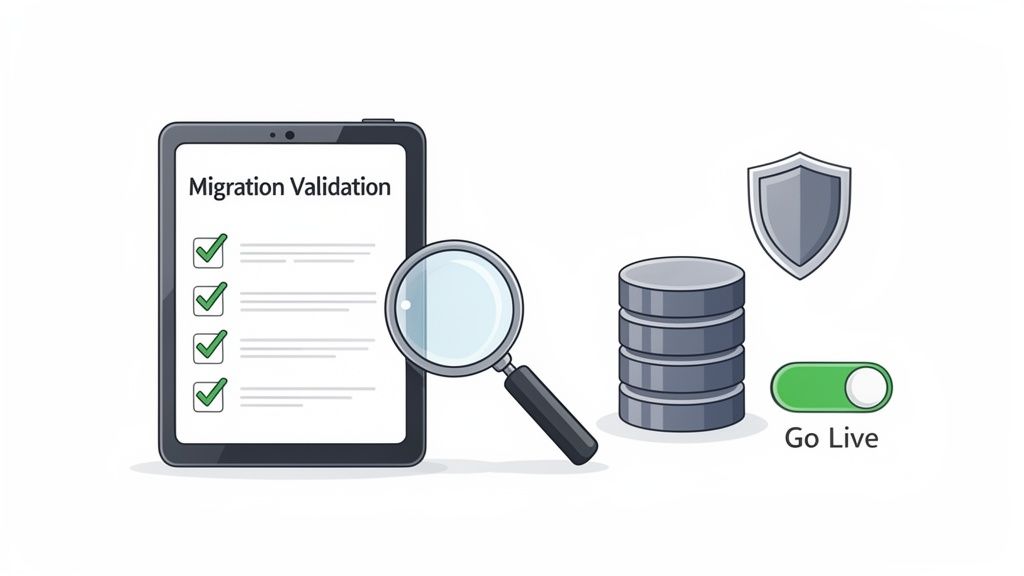
Getting your data moved over is a huge win, but the project to migrate your database to cloud infrastructure is far from done. This last leg of the race, involving validation, security hardening, and the final cutover, is what separates a good migration from a great one. It's all about being meticulous before you flip the switch.
Think of it as the final pre-flight check. Every single system has to be checked and double-checked to make sure the mission goes smoothly. Rushing this part is just asking for trouble and can undo all your hard work.
Building A Comprehensive Testing Plan
Your first job is to prove the new cloud database works just as well as the old one, if not better. This means you need a serious, multi-layered testing plan that covers everything from data accuracy to how your application performs under pressure. Don't just cross your fingers and hope it all transferred correctly; validate it.
Start with data integrity. This can be as simple as running checksums or row counts to confirm that every record made it across. For your most critical tables, you might even want to run more detailed queries to compare data row-by-row, ensuring total consistency.
Once you’re sure the data is solid, you can broaden your testing:
Performance Benchmarking: Remember those performance metrics you took before you started? Pull them out. Run the same load tests against the new cloud database to make sure query response times and transaction throughput are at least as good as they were before.
Application Functionality Testing: This is where you put your application through its paces. Your QA team should run through every critical user workflow, from logging in to checking out, to confirm the app behaves exactly as it should with the new database.
Failover and Recovery Drills: Don't wait for a real crisis to see if your backup plan works. Intentionally trigger a failover to your secondary instance. You need to know for a fact that your high-availability setup is ready for anything.
Securing Your New Cloud Environment
Now that your database is in a public cloud, security is a shared responsibility, and you need to be on top of your part. Your cloud provider handles the physical infrastructure, but you are responsible for securing your data inside it. A simple misconfiguration is one of the most common ways breaches happen in the cloud.
First up, lock down your network. This means setting up cloud firewalls and Virtual Private Clouds (VPCs) to put a stranglehold on who can access your database instance. The only traffic you should allow is from your application servers. Everything else gets blocked.
Next, get serious about identity and access management. You need to follow the principle of least privilege. Create specific roles for users and applications that give them the absolute minimum permissions they need to do their jobs, and nothing more. Finally, make sure all your data is encrypted, both at rest (on the disk) and in transit (over the network).
Planning The Final Cutover And Rollback
The final cutover is the moment of truth. This is when you point your application’s connection string away from the old on-premise database and toward the new one in the cloud. If you used a zero-downtime method like CDC, this could be as simple as a quick DNS change.
Even with the most flawless plan, you absolutely need a safety net. A solid rollback strategy is non-negotiable. It should spell out the exact steps to switch traffic back to the original source database if something goes critically wrong after launch. And yes, you should test this plan beforehand.
AI is making these complex processes much smoother. A well-executed cloud migration, guided by experienced partners and modern tools, delivers a powerful return on investment. In fact, AI-driven approaches are now cutting migration timelines by as much as 40%, all while boosting accuracy and keeping disruption to a minimum. This just goes to show that when done right, a cloud database migration is a real strategic advantage. You can find more insights on this topic by reading about AI in cloud migrations on adastracorp.com.
This systematic approach, combining rigorous validation with a prepared cutover strategy, is what gives you the confidence to go live and know it will be a success.
Answering Your Toughest Migration Questions
Even with the best plan in hand, a few big questions always seem to surface right before a cloud database migration. Let's tackle them head-on.
We hear these all the time from teams deep in the trenches of a project. Getting clear answers can make the difference between a smooth transition and a stressful one.
How Long Is This Actually Going to Take?
There’s no magic number here. The timeline for a database migration can be anything from a weekend project to a multi-quarter epic. A small database with just a few gigs of data? You could be done in a couple of days.
But if you're wrangling a massive, multi-terabyte enterprise database with a spiderweb of dependencies, you’re likely looking at several months of careful planning and execution.
A few things will heavily influence your schedule:
Sheer Data Volume: More data just takes longer to push across the wire. It's simple physics.
Schema Messiness: A clean schema is easy. One with years of accumulated stored procedures, triggers, and proprietary functions demands a ton of conversion and testing time.
Your Strategy: A straightforward "lift-and-shift" is always going to be faster than a full re-architecture.
The Tools You Use: This is a big one. Modern, AI-driven migration platforms can slash project timelines by as much as 40%.
What Are the Scariest Risks I Should Worry About?
Moving to the cloud unlocks a ton of value, but it's not a risk-free journey. If you know what to watch out for, you can get ahead of problems before they start. The biggest worries usually fall into a few buckets.
Data loss or corruption during the transfer is the classic nightmare scenario. Almost as bad is extended downtime that grinds your business to a halt and erodes customer trust. And even if you get the data over perfectly, sluggish post-migration performance can completely wipe out the benefits you were hoping for.
Beyond the data itself, security gaps are a huge risk. A single misconfigured firewall rule or sloppy access control can expose your most sensitive information. And don't forget about the budget, since cost overruns are incredibly common when the project scope creeps or you get the cloud resource sizing wrong.
Is a "Zero Downtime" Migration Actually Possible?
Yes, a near-zero downtime migration isn't just a fantasy. It's very achievable with the right approach and tools. This is the only way to go for critical applications that can’t afford to be offline for even a few minutes.
The secret is continuous data replication, usually powered by a technology called Change Data Capture (CDC). It’s a clever technique that creates a real-time, live sync between your old on-premise database and the new one in the cloud. Every single transaction that hits your source database is captured and applied to the cloud target almost instantly.
Once you’ve confirmed both databases are in perfect sync, you execute the cutover. This is often just a quick change to your application's connection string, pointing it to the new cloud database. The whole switch can take a few seconds, an interruption so brief your users will never even know it happened.
How Does CatDoes Cloud Make This Easier?
For any new app you build on our platform, CatDoes Cloud completely eliminates the classic migration problem. Our AI agents just configure the entire backend for you, database included, as part of the app creation process. There’s nothing to migrate because it’s built right from the start.
But what if you have data you need to bring over? We make that simple, too. You can export your existing data into a standard format like CSV or JSON, then use our import tools to load it directly into your new CatDoes Cloud database. Our AI can even help write the scripts to handle the data transformation, which makes the whole process faster and a lot less prone to human error.
Ready to build and launch your app without getting tangled up in traditional development? With CatDoes, our AI agents handle everything from design to deployment, including setting up your cloud backend. Turn your idea into a production-ready app today. Start building for free on catdoes.com.
Nafis Amiri
Co-Founder of CatDoes


