Blog
Tutorials
How to Create a Database from Idea to Live App in 2026
Learn how to create a database with our practical guide. We cover everything from initial planning and schema design to connecting your database to a live app.

Nafis Amiri
Co-Founder of CatDoes
So you have a brilliant idea for an app, and now you need to create a database to power it. Whether it's a social network for pet owners or a tool for managing community events, the database is the engine where all your crucial information lives, from user profiles to product listings.
This guide shows you how to create a database step by step, from planning your idea on paper to connecting a live, secure database to a real app. You don't need to be an engineer. Think of yourself as an architect drawing up a blueprint before the construction crew arrives: a solid plan gives everything its place and saves you from costly rebuilds later.
TL;DR: To create a database for your app, start by defining its purpose, entities, and relationships, then design a schema with the right data types and keys. Pick a local database like SQLite for quick prototyping or a managed cloud platform like Supabase for live, multi-user apps. Connect it to your app through authentication, access controls, and CRUD operations, then keep it healthy with indexes, migrations, and backups. AI-native tools like CatDoes can handle the entire setup for you from a plain-English description.
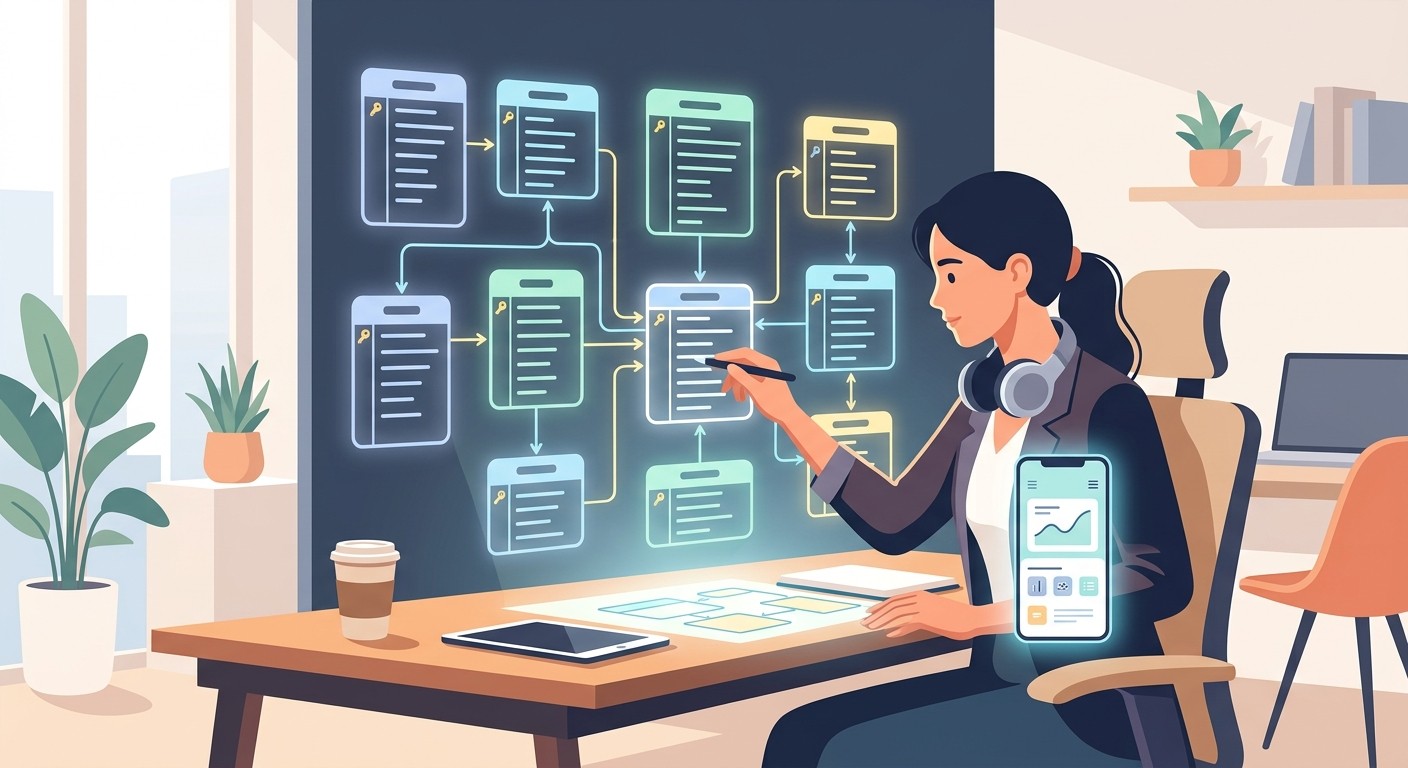
Table of Contents
Plan Before You Create a Database
Designing a Scalable Database Schema
Choosing the Right Database for Your Project
Connecting Your Database to Your Mobile App
Essential Database Management Practices
Common Questions About Building a Database
Plan Before You Create a Database
The first step isn't code; it's clarity. You need to map out your idea by defining its purpose, identifying the core pieces of information, and figuring out how they all connect.
This simple, three-step process moves your idea from a concept to a structured plan.
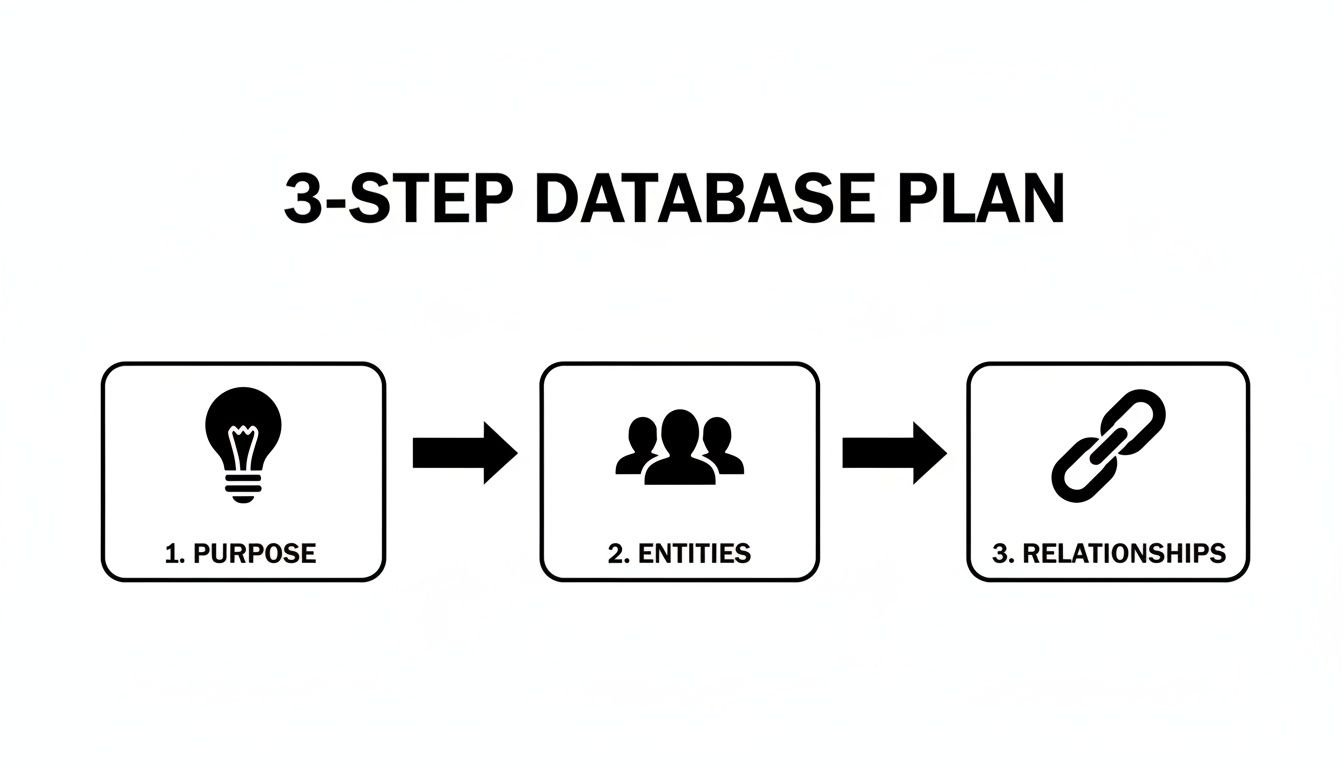
As you can see, every successful database starts with a clear purpose. That purpose dictates what "entities" and "relationships" you'll need for your app to actually work.
Defining Your App's Core Purpose
Start by answering one simple question: What problem does my app solve? Your answer will guide every single decision you make from here on out.
For example, if you're building a task management app, its purpose is to help users organize their daily to-dos. Right away, that tells you what kind of data you'll need: users, tasks, deadlines, and maybe project categories. Without this focus, it’s far too easy to build a system that’s either too simple to be useful or way too complicated for what you actually need.
This initial thinking is more important than any technical choice. If you're still debating the right tool, our guide on choosing a database or a spreadsheet can help clear things up.
Identifying Key Entities and Their Attributes
Once you know your purpose, you can spot the "entities." Don't let the term intimidate you; an entity is just a noun. It is a person, place, thing, or concept you need to store information about.
For our task manager app, the main entities would be:
Users who own the tasks.
Projects to group related tasks together.
Tasks, the individual to-do items themselves.
Each entity has "attributes," which are just the specific details you need to save. A User entity would have attributes like username, email, and password. A Task would have title, description, dueDate, and isCompleted.
The goal is to be thorough but not excessive. Only capture the data that’s essential for your app to function right now. You can always add more attributes later as your app grows.
Mapping the Relationships Between Entities
Finally, you need to connect the dots. How does a User relate to a Task? How does a Task relate to a Project? This is where you map out the relationships.
A User can have many Tasks.
A Project can contain many Tasks.
Each Task belongs to one User and one Project.
These connections create a logical structure that makes sense. The global database market, projected to hit $154.68 billion by the end of 2026, is exploding precisely because cloud-based systems make this kind of structured data management accessible to everyone.
To help solidify these ideas, here are the fundamental concepts you'll be working with.
Key Database Concepts at a Glance
This table breaks down the core terms you'll encounter when designing your database, explaining what they are and why they're important for your app's foundation.
Concept | What It Is | Why It Matters for Your App |
|---|---|---|
Entity | A noun; a person, place, or thing you track (e.g., | This defines the main "objects" your app is built around. |
Attribute | A piece of information about an entity (e.g., | These are the specific details you need to store for each entity. |
Relationship | The connection between two entities (e.g., a | This defines how different parts of your data interact with each other. |
Primary Key | A unique identifier for each record in a table (e.g., | Ensures you can reliably find and link specific records without confusion. |
Foreign Key | A key used to link two tables together (e.g., | This is how you physically create the relationships between your entities. |
Getting comfortable with these five concepts is the key to moving from a rough idea to a well-structured database plan that's ready for implementation.
Designing a Scalable Database Schema
Alright, you've mapped out your app's purpose and the key pieces of information (your entities). Now it’s time to translate that vision into a concrete, technical blueprint: your database schema.
This schema is the true foundation of your app. It dictates your tables, what kind of data goes into them, and how everything connects. Getting this right from the start is the difference between an app that flies and one that crawls to a halt as it grows.
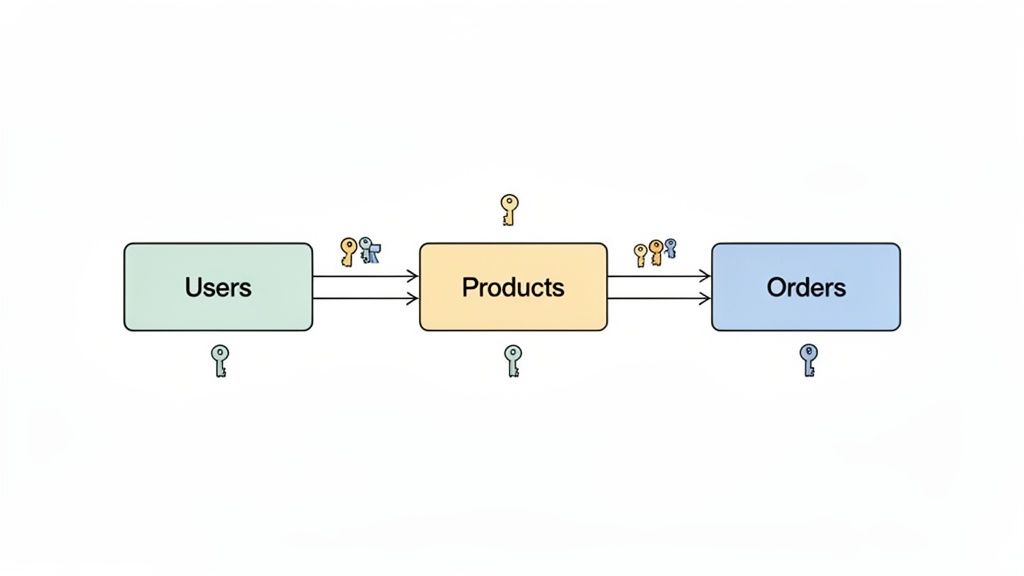
Think of your entities, like Users or Products, as the tables in a spreadsheet. The attributes you listed for them, like username or price, become the columns. A well-designed schema isn't just about storage; it's about storing data intelligently to prevent errors and make fetching information blazing fast.
Choosing the Right Data Types
For every single column in your tables, you need to assign a data type. This tells the database exactly what kind of information to expect, whether it’s text, numbers, dates, or a simple true/false value. This isn't a minor detail; it's critical for data integrity and performance.
You wouldn't, for example, store a product's price as a text field. Why? Because you'd never be able to run calculations on it, like adding up an order total. Instead, you'd use a numeric or decimal type to ensure you can do math accurately.
Here are a few common data types you'll use all the time:
TEXT or VARCHAR: Perfect for strings of text, like a username or a product description.
INTEGER or NUMERIC: For whole numbers (like item quantity) or decimals (like price).
BOOLEAN: A simple true/false value. Is an order shipped?
is_shippedwould be a boolean.TIMESTAMP: For storing a specific date and time, like
created_atfor a user account.
Take it from me: nail this down from the start. Changing a data type in a live database with thousands of records is a high-stakes, nerve-wracking task you want to avoid.
Forging Connections with Keys
A database is more than just a bunch of disconnected lists. The real magic comes from the relationships you create between them, and you do this using primary keys and foreign keys.
A primary key is a totally unique identifier for each record in a table. Think of it like a Social Security Number for your data, as no two users can ever have the same user_id. This uniqueness is non-negotiable and ensures you can always find a specific row without any guesswork.
A foreign key is the glue that links your tables together. It's a field in one table that points directly to the primary key in another table. For instance, your Orders table would have a user_id column. That column is a foreign key that references the unique id in the Users table, tying the order to a specific person.
This system of linking tables with keys is what creates a relational database. It’s an incredibly efficient structure that prevents you from having to duplicate data everywhere. When a user updates their shipping address in the
Userstable, all their past and future orders automatically reflect that change because they're all linked by that singleuser_id.
A Practical E-Commerce Example
Let's make this real. For our simple e-commerce app, we identified three entities: Users, Products, and Orders. Here’s how you’d structure them into tables.
1. Users Table
Column Name | Data Type | Key | Description |
|---|---|---|---|
| INTEGER | Primary Key | Unique identifier for each user. |
| TEXT | The user's public display name. | |
| TEXT | The user's unique email address. | |
| TIMESTAMP | When the user account was created. |
2. Products Table
Column Name | Data Type | Key | Description |
|---|---|---|---|
| INTEGER | Primary Key | Unique identifier for each product. |
| TEXT | The name of the product. | |
| NUMERIC | The cost of the product. | |
| INTEGER | How many units are available. |
3. Orders Table
Column Name | Data Type | Key | Description |
|---|---|---|---|
| INTEGER | Primary Key | Unique identifier for each order. |
| INTEGER | Foreign Key | Links to the |
| TIMESTAMP | The date the order was placed. | |
| NUMERIC | The total cost of the order. |
See that user_id in the Orders table? That’s our foreign key, creating a direct link back to a specific user. This establishes a clear relationship: one user can have many orders.
As your app grows, especially if it's a Software-as-a-Service (SaaS) product, you'll also want to get familiar with concepts like multi-tenant architecture to keep customer data separate and secure. But this structured, relational approach is the absolute core of building a database that’s both powerful and built to last.
Choosing the Right Database for Your Project
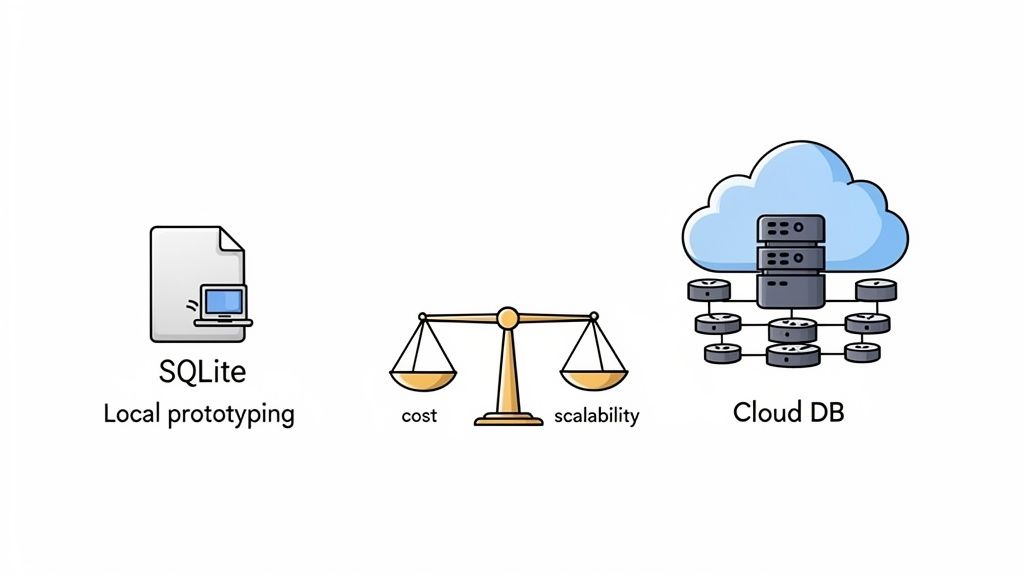
Okay, you've got your schema planned out. Now for the big question: where is this database actually going to live? This is a classic fork in the road, pitting the dead-simple speed of a local database against the raw power of a managed cloud service.
Getting this right is a huge part of selecting the right tech stack. It impacts everything from how fast you can build your prototype to how well your app handles success down the line.
For a lot of us, the first database we ever create lives right on our own computer. It's the path of least resistance, letting you experiment and build without spending a dime or getting tangled up in server configurations. Solo builders hit this stage early, and we map the whole path in how to create an app on your own.
Starting Fast with a Local Database
A local database is exactly what it sounds like. It runs entirely on your machine. The undisputed champion here is SQLite. It’s a self-contained, serverless engine that doesn’t need any installation or complex setup. It's just a file.
This makes it perfect for getting a new project off the ground or for mobile apps that need to store data directly on the user's device.
The real win here is speed. You can spin up tables, throw in some data, and test your app’s logic in seconds. It’s the ideal setup for building a minimum viable product (MVP) or just messing around with an idea before you commit to a cloud provider.
But that simplicity has its trade-offs. A local database is stuck on your machine, making it a pain to collaborate with others. And when it's time to go live, you have to figure out a whole separate, often complicated, deployment process.
Scaling Up with Cloud Platforms
On the other side, you have cloud databases. These are hosted by a third-party provider and are reachable from anywhere on the internet. This is where modern platforms like Supabase completely change the game.
They offer a "database-as-a-service" model, which means they handle all the gnarly infrastructure work for you, including security, backups, and scaling.
With a platform like Supabase, you get a production-ready environment from day one. It’s not just a powerful PostgreSQL database; it’s a whole suite of backend tools like user authentication, file storage, and serverless functions. This bundle is a massive time-saver, letting you focus on what makes your app special. If you're new to the platform, we have a guide explaining in detail what Supabase is and its key features.
The entire market is moving in this direction. The database management system (DBMS) market was valued at $155.85 billion in 2025 and is expected to hit $351.78 billion by 2033, mostly because of the explosion of data from IoT and AI.
For entrepreneurs, setting up a cloud database manually can mean hiring expensive developers at $100-$200 per hour and pushing your launch back by months. This is exactly the problem platforms like CatDoes solve. Our AI agents can configure a complete cloud database for you in hours, just based on a simple conversation.
Deciding between local and cloud isn't just a technical choice; it's a strategic one. It balances immediate development speed against long-term operational ease and scalability. Your project's goals should dictate the path you take.
To make this choice clearer, let's put them side-by-side.
Local vs Cloud Database: A Comparison for App Creators
This table breaks down the key differences between a local setup like SQLite and a managed cloud solution like Supabase, helping you align your project's needs with the right technology.
Factor | Local Database (e.g., SQLite) | Cloud Database (e.g., Supabase) |
|---|---|---|
Setup Cost | Free. It's just a file on your computer. | Often has a generous free tier, with costs that scale with usage. |
Ease of Use | Extremely simple for beginners. No server setup required. | Requires initial setup, but platforms provide intuitive dashboards. |
Scalability | Limited. Not designed for high-traffic, multi-user apps. | Built to scale. Handles increased load and user growth automatically. |
Accessibility | Only accessible on the local machine where it's stored. | Accessible from anywhere, enabling collaboration and live apps. |
Maintenance | None required, but backups are a manual process. | Fully managed. Backups, security, and updates are handled for you. |
So, what’s the verdict? It really boils down to your project's stage and scope. If you’re just prototyping an idea or building a simple, offline-first app for a single user, SQLite is a fantastic, no-fuss choice.
But for anything you intend to launch as a live, multi-user application that needs to grow, starting with a cloud platform like Supabase will save you a world of headaches later on.
Connecting Your Database to Your Mobile App
You’ve designed the schema and provisioned your database. Great. But right now, it’s just a silent vault of information. The magic happens when your mobile app can actually talk to it by fetching data, saving changes, and bringing your interface to life.
This connection is what turns a static design into a dynamic, interactive experience. It’s not just about opening a data pipe, though. You have to think about who is accessing what, keeping information secure, and defining what actions are even possible. Thankfully, modern tools have made this a whole lot easier than it used to be.
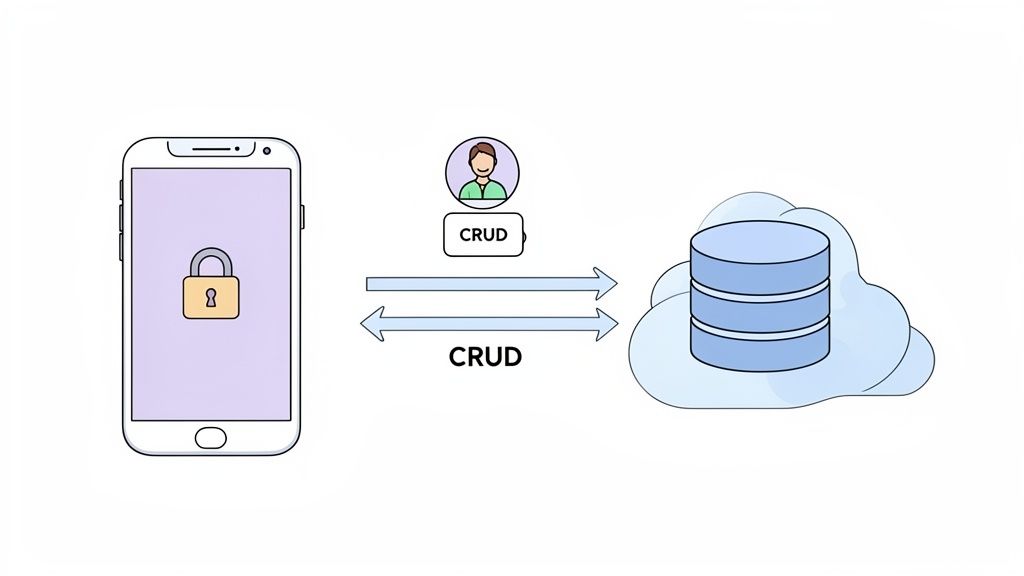
We're going to focus on a powerful and popular pairing: integrating a Supabase backend with an app built on the CatDoes platform. This duo handles most of the backend heavy lifting, letting you ship secure, data-driven features fast.
Setting Up Secure User Authentication
Before a user can save a profile or post a comment, you need to know who they are. That’s authentication. It’s the process of verifying a user’s identity, usually with an email and password, a social login, or some other secure method.
Building this from scratch is notoriously hard to get right. This is where Supabase is a lifesaver. It provides a complete, production-ready authentication system right out of the box. And if you’re building with CatDoes, the AI agents can configure this entire flow for you automatically.
You get all the core authentication flows without the headache:
User Sign-up: A new user creates an account with their email and password.
User Login: An existing user signs in to get access to their stuff.
Session Management: Supabase handles the secure tokens that keep users logged in between app sessions.
This means you don't have to stress about password hashing or token management. Platforms like Supabase are part of a broader category called Backend-as-a-Service (BaaS), which you can learn more about in our detailed guide on the topic.
Implementing Granular Access Controls
Okay, a user is logged in. Now what? They should only be able to see and change their own data. You definitely don’t want one user editing another’s shopping cart or reading their private messages. This is handled with access controls.
Supabase has an incredibly powerful feature for this called Row Level Security (RLS). RLS lets you write simple rules, or policies, directly on your database tables to define who can do what.
For example, you could write a policy on your profiles table that says:
A user can only read the profile row where the
idcolumn matches their own authenticated user ID.
This security logic lives in the database, not in your app’s code. That’s a huge win. Even if your mobile app has a bug, the database itself acts as the final gatekeeper, enforcing these rules and preventing unauthorized access. It’s a non-negotiable layer of defense for any app dealing with user data.
Performing Core Data Operations
With authentication and security locked down, your app is ready to perform the basic actions on its data. You'll hear this called CRUD all the time.
CRUD stands for:
Create: Adding new data, like a user creating a new task.
Read: Fetching existing data, like loading a list of products.
Update: Modifying existing data, like a user changing their username.
Delete: Removing data, like a user deleting a comment.
Using the Supabase client library inside a CatDoes project makes these operations feel simple. Need to grab all the items from a products table? Your code might look something like supabase.from('products').select('*'). This clean, declarative style keeps your app's logic easy to read and maintain.
This streamlined process is a world away from traditional methods. Industry audits show that schema design alone causes 40% of projects to fail, often costing over $50,000 to fix. The database software market is booming, expected to grow from $186.07 billion in 2025 to $203.92 billion in 2026, precisely because new tools are solving these old, expensive problems.
Platforms like CatDoes use AI agents to provision a database with auth and storage built-in, sidestepping these common pitfalls entirely. They combine an AI-native development platform with a powerful backend service.
That pairing builds a solid bridge between your database and your app, letting you create fully functional, secure, and scalable applications without getting lost in backend complexity.
Essential Database Management Practices
Getting your database up and running is a huge first step, but the real work starts now. Your focus has to shift from just building to long-term health, performance, and keeping your data safe. Think of it less like a one-time setup and more like ongoing maintenance.
This means getting ahead of problems before they ever reach your users. Smart practices like regular backups, performance tuning, and having a plan for schema changes aren't just nice-to-haves; they're what separate a hobby project from a professional app that can actually scale.
Testing and Optimizing Your Queries
Not all requests to your database are the same. A single, badly written query can slow your entire application to a crawl, even on powerful hardware. This is why you have to constantly test your queries for efficiency. It’s one of the most critical parts of building a high-performance database.
Most database systems give you tools to see what’s going on under the hood. A command like EXPLAIN, for example, will show you the "query plan," which is the exact steps the database is taking to grab your data. Reading this plan can expose huge bottlenecks, like when the database has to scan every single row in a massive table instead of using a much faster index.
A classic mistake is forgetting to add indexes to columns you search a lot, like a user_id or product_category. An index is like a table of contents for your database. Without it, the database has to flip through every page to find what it needs.
With an index, it can jump straight to the right spot. Regularly finding your slowest queries and adding the right indexes is probably the single biggest performance win you can get.
Planning for Future Data Migrations
Your app is going to change. That's a guarantee. You'll add new features, tweak old ones, and your data structure will have to evolve right alongside them. This process of changing your database schema, like adding a new column to your Users table, is called a migration.
If you handle migrations on the fly, you're asking for downtime or, even worse, data loss. The right way to do this is with a dedicated migration tool. These tools let you define your schema changes in code, track them in version control just like the rest of your app, and apply them in a controlled, repeatable way.
Get a formal migration strategy in place from day one. It saves you from the chaos of making manual changes directly on a live database. It also guarantees that every environment, from your laptop to the production server, has the exact same database structure, which wipes out an entire class of "it works on my machine" bugs.
Implementing Robust Backup and Recovery Strategies
Your data is easily the most valuable part of your application. Protecting it isn't optional. Hardware fails, bugs happen, and people make mistakes. A solid backup and recovery plan is your only real safety net.
Your backup strategy should answer a few simple questions:
How often are backups happening? For an active app, you'll likely need them daily.
Where are the backups stored? They absolutely must be in a different physical location from your main database.
How long are you keeping them? This depends on your business needs and any compliance rules you have to follow.
Most hosted database providers like Supabase take care of automated backups for you, which is a massive relief. But you're still on the hook for understanding how their system works and, this is the important part, periodically testing your recovery process. A backup you’ve never actually tried to restore from is just a hope, not a plan.
Common Questions About Building a Database
As you get ready to build your app's foundation, a few questions always pop up. Let's tackle the most common ones we hear, so you can move forward with a clear plan and sidestep the usual hurdles.
How Much Technical Skill Do I Actually Need?
This is the big one, and the answer has changed completely over the last couple of years. Not long ago, building a database meant you needed a decent grasp of SQL, server management, and backend code. That's just not true anymore.
Modern platforms, especially AI-native builders like CatDoes, handle almost all of that complexity for you. You can literally describe what your app needs in plain English, and the system generates the schema, provisions the database, and even sets up the authentication.
While it's still useful to understand basic ideas like what an "entity" or a "relationship" is, you absolutely do not need to be a developer to create a powerful, production-ready database. This shift has unlocked a huge opportunity for founders, designers, and creators who were previously stuck on the technical sidelines.
What's the Real Difference Between SQL and NoSQL?
The database world is pretty much split into two main camps: SQL (relational) and NoSQL (non-relational). Knowing the basic difference helps you understand why one might be a better fit for your project than another.
SQL Databases (like PostgreSQL, MySQL): Think of these like a set of interconnected spreadsheets with strict rows and columns. They use a pre-defined schema, making them perfect for complex data where consistency is everything. An e-commerce app, with its users, orders, and products all linked together, is a classic example.
NoSQL Databases (like MongoDB, Firebase): These are way more flexible, often storing data in JSON-like documents. They don't need a rigid schema upfront, which is great for apps that are evolving quickly or dealing with tons of unstructured data, like social media feeds or sensor data from IoT devices.
For most new app ideas, a relational SQL database gives you the structure and reliability needed to build a solid foundation.
The choice isn't just a technical one; it's about the shape of your data. SQL is fantastic for enforcing rules and keeping data clean, while NoSQL is built for flexibility and scaling out to handle massive, less-structured datasets.
Can I Really Start with a Free Database?
Absolutely. In fact, you should. For almost any new project, starting for free is the smartest way to go. The cost to get a database up and running today is practically zero.
For local development and just tinkering with an idea, tools like SQLite are completely free and incredibly simple. When you're ready to go live, cloud providers like Supabase offer generous free tiers that are more than powerful enough to build and launch your entire app.
These free plans usually give you a database, authentication, file storage, and a healthy number of API requests each month. You can build your product and even get your first users on board before ever paying a dime, which is a game-changer for startups and solo creators.
How Do I Handle Database Security?
Security sounds like a massive, scary topic, but modern platforms have made it much more manageable by building best practices right into their services. You don't need to be a security guru, but you do need to be mindful of a few key things.
First, always use strong authentication to control who gets into your app in the first place. Next, use access control policies to define what they can do once they're in. A great example is Supabase's Row Level Security (RLS), which lets you create simple rules to ensure users can only see and edit their own data.
Finally, lean on your cloud provider to handle the heavy lifting of infrastructure security. This includes things like firewalls, data encryption, and server patching. By using these built-in tools, you get a secure foundation without having to write a single line of complex security code.
Ready to turn your idea into a live app without the technical headaches? With CatDoes, our AI agents handle the entire process for you, from designing the UI to setting up a secure, scalable cloud database. Describe your app, and let us build it. Get started for free at https://catdoes.com.
Nafis Amiri
Co-Founder of CatDoes


