Blog
Tutorials
Lovable for Mobile Apps: Does It Work in 2026?
Can Lovable build mobile apps? We checked its docs, stack, and Apple's rules. Here's what Lovable really ships, and what to use for native iOS and Android.

Nafis Amiri
Co-Founder of CatDoes

If you are weighing up Lovable for mobile apps in 2026, the honest answer is narrower than the marketing implies. Lovable builds web applications. It does not produce a native iOS or Android binary, and there is no button inside the product that ends at the App Store or Google Play.
That is not a knock on the tool. Lovable is one of the fastest ways to get a working React app in front of real users. The trouble is that "looks great on a phone" and "is a mobile app" are two different products, and the gap between them tends to reveal itself only after you have built the thing and promised someone a store listing.
TL;DR
Lovable generates web apps. Its own documentation describes the platform as one for "building, iterating on, and deploying web applications." The words iOS, Android, React Native, and Expo do not appear in that description.
There is no store export. Apple accepts compiled
.ipafiles, Google Play accepts.aabfiles. A React and Vite project compiles to neither, so there is nothing to submit.The Lovable app on the App Store is not a mobile app builder. It is a client for building web apps from your phone. Lovable is in the store; the things you make with it are not.
A PWA closes part of the gap. It gets you an icon, offline caching, and, after the user manually adds it to the Home Screen, push on iOS. It does not get you a store listing.
Wrapping it in a WebView is the risky route. Apple's guideline 4.2 rejects apps that do not "elevate it beyond a repackaged website."
If a store listing is non-negotiable, build in React Native or Flutter from the start rather than converting later.
Table of Contents
What Lovable Ships When You Hit Publish
The Lovable App on the App Store Is Not What You Think
Where Mobile-Friendly Stops Being Enough
Who This Actually Catches Out
What Apple's Rules Say About Repackaged Websites
When Lovable Is Genuinely the Right Choice
What to Use Instead for Native iOS and Android
Can You Ship Web on One Tool and Mobile on Another?
The 60-Second Decision Test
Frequently Asked Questions
What to Do This Week
What Lovable Ships When You Hit Publish
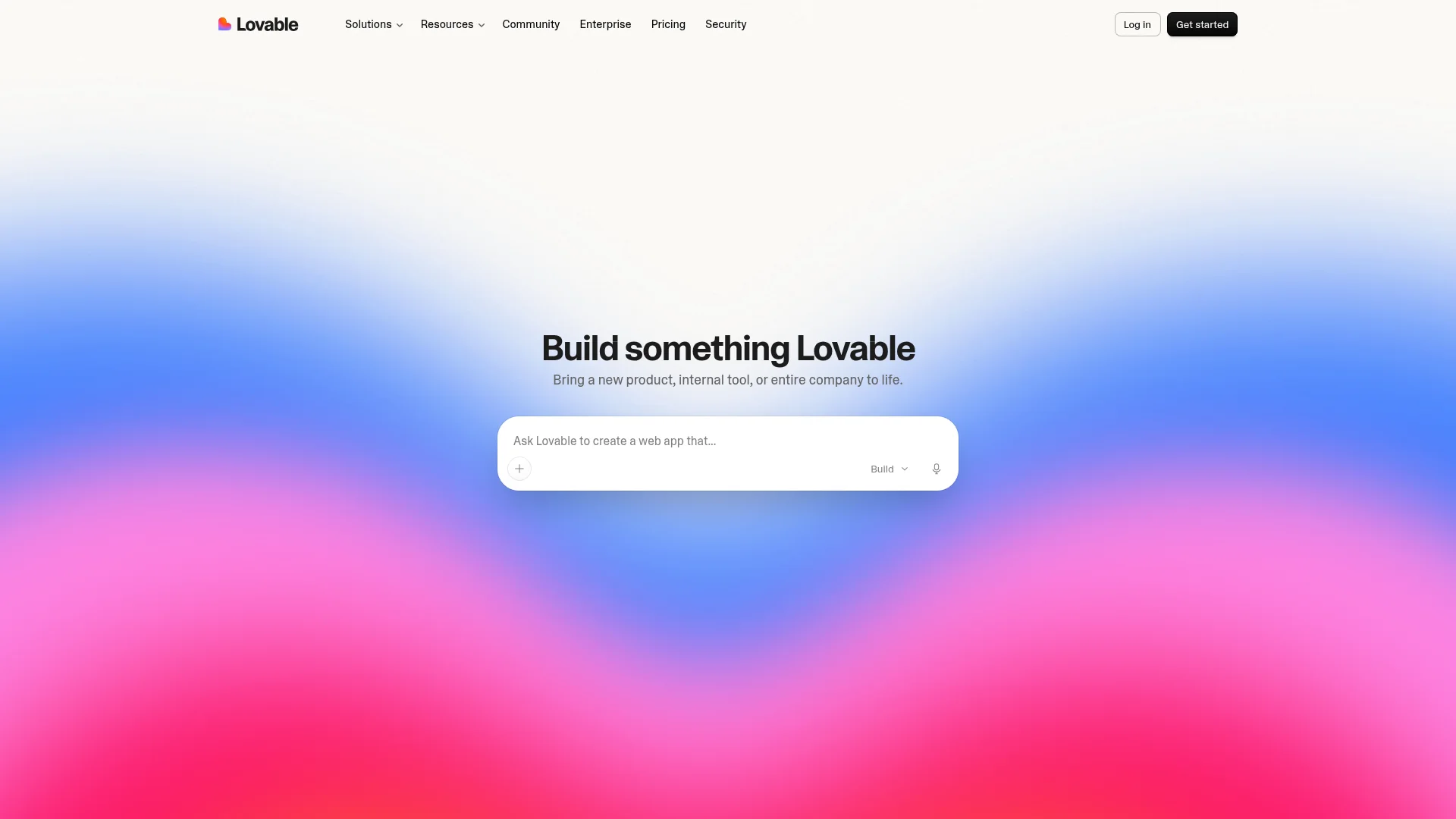
Lovable produces a React web application, served over a URL. When you publish, you get a live site on a lovable.app subdomain by default, or on your own domain on a paid plan.
You do not have to take anyone's word for this. Lovable's own documentation opens by calling it "a full-stack AI development platform for building, iterating on, and deploying web applications." Search that page for iOS, Android, React Native, or Expo and you will come up empty. The omission is not an oversight. It is an accurate description of the product's scope.
This matters because of how app stores actually work. Apple's review pipeline ingests a compiled .ipa binary built from native code or a cross-platform framework like React Native or Flutter. Google Play ingests an .aab. A Vite build outputs JavaScript, CSS, and HTML to a dist folder. There is no plausible path from that folder to either store, which is why Lovable does not offer one.
So the honest framing is this: Lovable is excellent at what it claims to do. It simply does not claim to do mobile.
The Lovable App on the App Store Is Not What You Think
Search the App Store for Lovable and you will find a Lovable app. This is the single biggest source of confusion on the topic, so it is worth being precise about what that listing actually is.
It is a client. It lets you prompt, edit, and deploy your projects from your phone instead of your laptop. What it produces is still a web app on a URL. Lovable's own launch post describes it as turning ideas into "real, working web apps," and the App Store subtitle reads "Build Websites & Tools Fast."
The correct reading is that Lovable is in the App Store, and the things you build with Lovable are not. A tool being distributed natively tells you nothing about what that tool outputs. Figma ships an iOS app too, and it does not turn your designs into apps.
Where Mobile-Friendly Stops Being Enough
A Lovable app will look fine on a phone. Responsive layouts are table stakes now, and the generated Tailwind markup handles them well. The failure mode is not visual. It is capability.
Below are the six gaps that reliably bite, in rough order of how often they end a project.

What breaks | Why |
|---|---|
Store distribution | No binary exists to submit. No listing, no store search, no install button. |
Push notifications on iOS | Available only after the user manually adds the site to their Home Screen, and only since iOS 16.4. |
Background work | Uploads, sync, and location tracking stop the moment the app is backgrounded. |
Deep hardware access | Full camera control, biometrics, Bluetooth, and NFC are either restricted or unavailable through the browser. |
Offline reliability | Browser-managed storage can be evicted. Native storage is not. |
In-app purchases | Apple's StoreKit and Google Play Billing require a native app. Subscriptions run through the browser instead. |
The push limitation deserves a closer look because it is the one people most often assume has been solved. Apple added Web Push in iOS 16.4, but WebKit's announcement was specific about the scope: support arrived "to Home Screen web apps." Not to Safari tabs. And because every browser on iOS runs on WebKit, there is no alternative browser that behaves differently.
In practice that means your re-engagement strategy depends on each user completing a share-sheet flow that nothing in the operating system prompts them to do. If notifications drive your retention, that is not a small caveat.
Who This Actually Catches Out
Capability gaps read as abstract until you map them onto a real product. Here are four shapes of app where the web ceiling gets hit early, drawn from the kinds of projects that most often arrive already half-built.
The habit or fitness tracker. It needs to count steps, log workouts, and remind the user at 7am. Step counting requires background sensor access. The 7am reminder requires push. Neither survives the browser.
The field or inspection tool. A technician photographs a meter in a basement with no signal, then expects the upload to finish once they are back in the van. Background uploads do not run in a browser tab, and the photos sit in storage the browser is allowed to evict.
The subscription content app. Revenue runs through StoreKit or Google Play Billing, both of which require a native app. Selling through the browser keeps more margin, but you lose the one-tap purchase flow users expect and you cannot be found in store search.
The community or marketplace app. Retention depends on "someone replied to you" arriving as a notification. On iOS that works only if every user has manually added your site to their Home Screen.
The pattern is consistent. None of these fail at the design stage. They fail at the point where someone asks for the store link.
What Apple's Rules Say About Repackaged Websites
The obvious workaround is to wrap the Lovable site in a WebView container with Capacitor, Cordova, or a service like Median, then submit that. It technically produces a binary. It also walks straight into the guideline Apple wrote for exactly this situation.
From the App Store Review Guidelines, section 4.2:
Your app should include features, content, and UI that elevate it beyond a repackaged website. If your app is not particularly useful, unique, or "app-like," it doesn't belong on the App Store.
Guideline 4.2.2 narrows it further, stating that apps "shouldn't primarily be marketing materials, advertisements, web clippings, content aggregators, or a collection of links."
Reviewers are not running static analysis to detect a WebView. They open the app on a device. An app that loads a spinner, then renders a website with browser-style scroll behaviour and no native navigation, reads as a repackaged website to a human in about fifteen seconds.
Wrappers do get approved, usually when substantial native functionality sits alongside the web content. A thin shell around a Lovable URL rarely qualifies. If you want to understand what reviewers flag and how to respond, our breakdown of the most common App Store rejection reasons goes through the appeal process in detail.
When Lovable Is Genuinely the Right Choice
None of this makes Lovable a bad tool. It makes it a web tool. There is a large set of projects where that is exactly correct, and reaching for a native stack would be over-engineering.
Lovable is the right call when:
You are validating an idea and need something clickable this week, not a store listing next month.
Your product is a dashboard, admin panel, or internal tool where desktop is the primary surface.
Distribution happens through a link: sales demos, onboarding flows, marketing pages.
You need SEO. Native apps do not rank in Google; websites do.
Your users are on desktop during work hours and you are optimising for the wrong screen by going mobile-first.
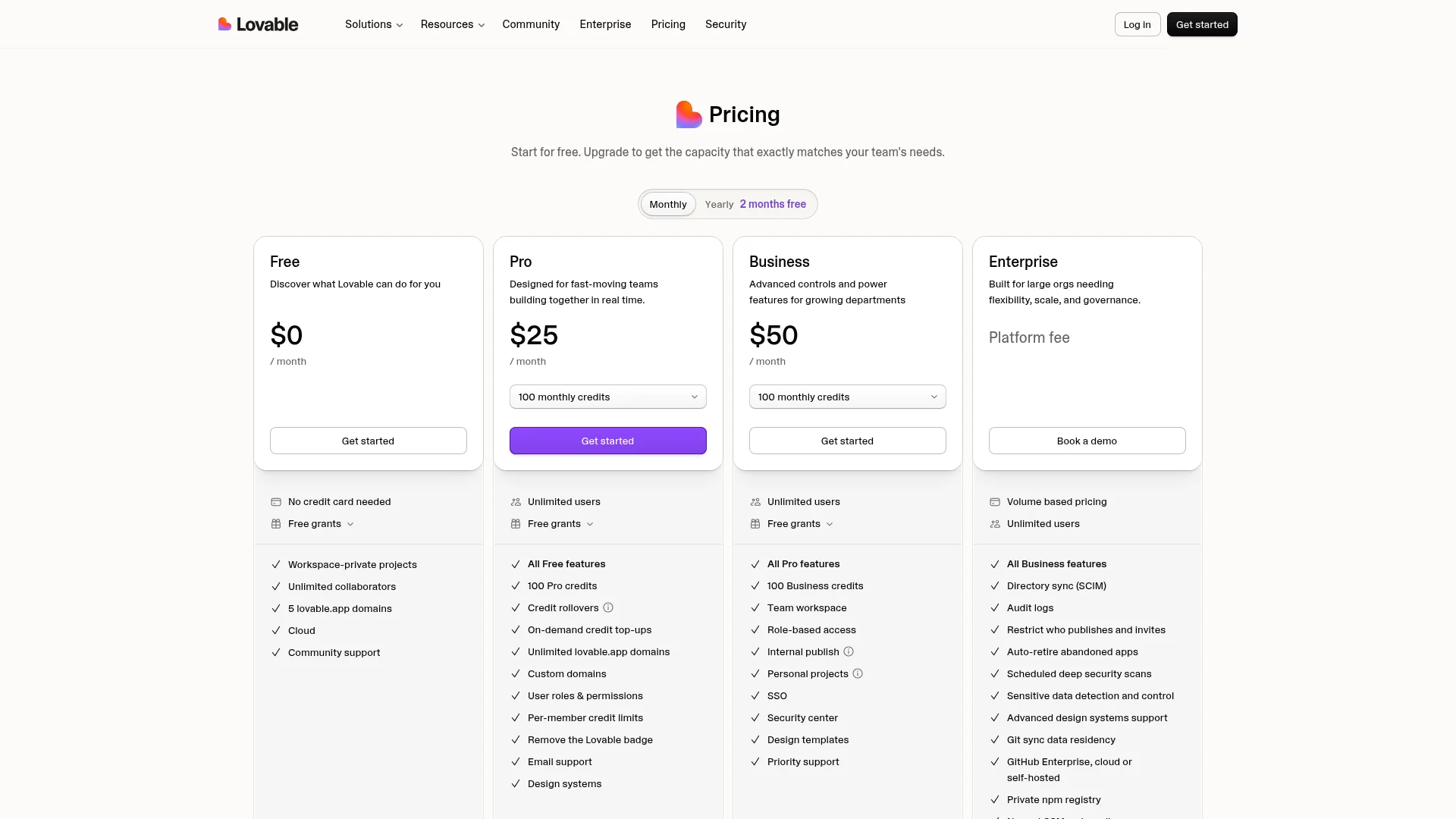
The pricing page is instructive on this point too. Lovable's plans run from Free at $0 per month, to Pro at $25 per month with 100 monthly credits, to Business at $50 per month, with Enterprise on a custom platform fee. Read the feature lists on any of them and you will find custom domains, SSO, audit logs, and design systems. You will not find App Store or Google Play publishing on a single tier, including Enterprise. Companies list what they ship.
What to Use Instead for Native iOS and Android
If your project genuinely needs to live in an app store, the decision you are actually making is which framework compiles to a real binary, and then which tool writes that framework for you. React Native and Flutter are the two serious cross-platform answers. Every option below is a different route to one of them.
For a side-by-side of 8 tools, including which ones publish to the App Store and Google Play, see our guide to the best Lovable alternatives.
CatDoes
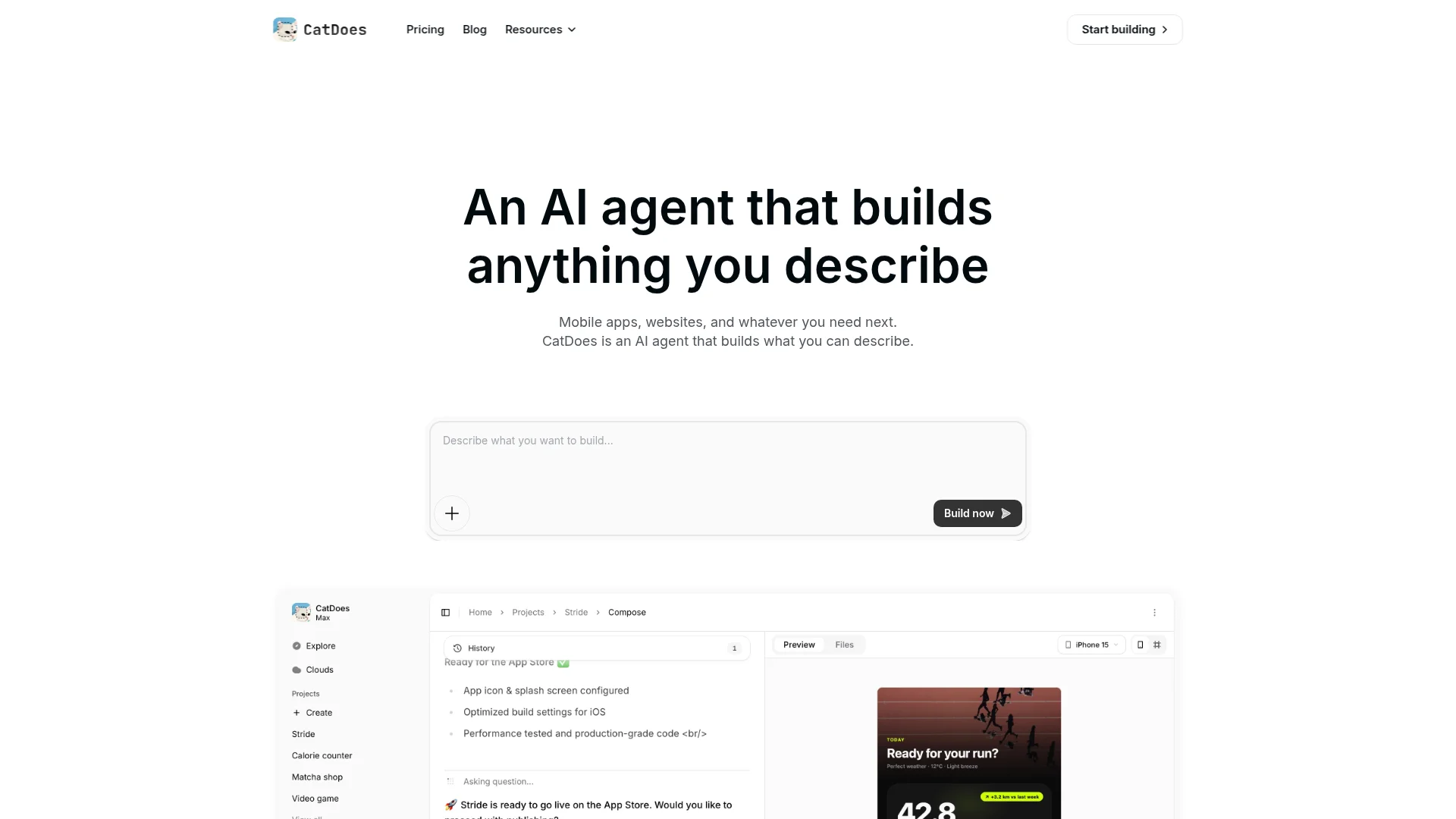
This is the gap CatDoes was built to close. It writes React Native rather than React for the web, which means the output is a genuine compiled binary rather than a page in a container. It handles the parts that usually stall first-time shippers: provisioning profiles, signing certificates, store metadata, and submission to both App Store and Google Play. Backend pieces most apps need on day one, including database, auth, storage, and push, come bundled rather than wired up separately.
Best for: teams who want the prompt-driven workflow they came for, but need the result to show up in store search.
Expo and React Native, written by hand
If you or someone on your team writes React, this is the most direct path and there is no vendor in the middle. Expo's build service compiles the binary and EAS Submit handles the upload, taking your .ipa to App Store Connect, where Expo's documentation notes it "becomes available in TestFlight after processing," and your .aab to the Google Play Console track you choose.
Best for: teams with a developer who would rather own the codebase outright and accept the setup cost.
FlutterFlow
A visual builder that outputs Flutter rather than React Native. It deploys to both stores, though iOS and Android deployment sit on the paid tiers, and the first Android release requires you to upload the .aab to Play Console's Internal Testing track yourself before FlutterFlow can automate later ones. You can also export the Flutter source and build it in Xcode or Android Studio.
Best for: teams who prefer Dart, or who want a drag-and-drop canvas rather than a prompt.
Thunkable and Adalo
Block-based and drag-and-drop builders that have published to the stores for years. They trade flexibility for a gentler start. You will hit ceilings on custom logic sooner than with a code-generating tool, but you will hit a store listing faster than you would writing Swift from scratch.
Best for: forms-and-lists apps where the store listing matters more than the interaction design.
If you have already built in Lovable and do not want to start over, that is a solvable problem. Our step-by-step walkthrough on converting a Lovable project into a native app covers importing by URL or GitHub and keeping your existing Supabase backend connected. For a side-by-side on where each tool actually wins, see CatDoes versus Lovable.
Can You Ship Web on One Tool and Mobile on Another?
This comes up constantly, and the honest answer is that you can, but most teams should not.
Running a web app on one platform alongside a separate native app means two codebases, two sets of business logic, and two places for every bug fix and feature to land. The maintenance tax is not theoretical. It shows up the first time a pricing change ships to the web on Tuesday and to mobile the following Thursday.
The split makes sense in two situations. The first is where the two surfaces genuinely do different jobs, such as a marketing site and a logged-in product, where sharing code would be forced anyway. The second is where the web app is deliberately disposable, built to validate demand before the real thing gets written.
Otherwise, pick the surface your users will actually arrive through and build once for it. React Native covers both: the same codebase compiles to iOS and Android and also runs in the browser through React Native Web. That is a cheaper version of "both" than maintaining two stacks.
The 60-Second Decision Test
Answer these six questions. Each yes pushes you toward native.
Do you need a listing users can find by searching the App Store or Google Play?
Do push notifications drive your retention, without asking users to install anything manually first?
Does the app need to do work while backgrounded, such as sync, upload, or location tracking?
Do you need the camera, biometrics, Bluetooth, or NFC at a level browsers restrict?
Must the app work reliably offline, with data that cannot be evicted?
Do you want to sell subscriptions through in-app purchase?
Zero or one yes: build it on the web and ship this week. Two or three: a PWA may stretch far enough, but test the push flow with real users before you commit. Four or more: start native. Converting later costs more than starting in the right place.
Frequently Asked Questions
Can Lovable build native iOS and Android apps?
No. Lovable generates React web applications. Its documentation describes the platform as one for deploying web applications, and no plan tier, including Enterprise, lists App Store or Google Play publishing as a feature.
Can I submit a Lovable app to the App Store?
Not directly. Apple requires a compiled .ipa binary and a Vite build does not produce one. You would need to wrap the site in a WebView container, which risks rejection under guideline 4.2, or rebuild in React Native.
Does Lovable support React Native or Expo?
No. Lovable's output is React for the browser, built with Vite. React Native and Expo are not mentioned anywhere in its documentation or plan features.
Is a Lovable PWA good enough for most users?
It depends entirely on whether you need store distribution and push. A PWA gives you a Home Screen icon and offline caching. It does not give you a store listing, background processing, or push on iOS unless each user manually adds the app to their Home Screen.
Does the Lovable mobile app let me build mobile apps?
No. It lets you build web apps from your phone. Lovable's own launch post describes it as turning ideas into "real, working web apps," and the App Store subtitle reads "Build Websites & Tools Fast."
Can I run a web app on one tool and a native app on another?
You can, but it means maintaining two codebases and two sets of business logic. It is worth it when the two surfaces do genuinely different jobs, or when the web app is a disposable prototype. Otherwise a single React Native codebase covers iOS, Android, and the browser for less ongoing cost.
What does it cost to publish to the app stores?
Apple's Developer Program is $99 per year. A Google Play developer account is a one-time $25 fee. Those are the store costs only, and they are separate from whatever you pay the tool that builds the app.
Should I start in Lovable and move to native later?
Only if web is genuinely your first market. If you already know you need a store listing, starting in React Native avoids rewriting your UI layer twice. If you are still validating, a web build is the faster path and conversion is a solved problem.
What to Do This Week
So: does Lovable work for mobile apps in 2026? For mobile-friendly websites, yes, and it works well. For native apps that live in the App Store and Google Play, no. And Lovable has never claimed otherwise. The confusion comes from the market, not from them.
The mistake worth avoiding is discovering the difference late, which means making the call before you write the first prompt rather than after. Three things to do now:
Run the six questions above against your actual product and write down the count. If it is four or more, you are building native whether you planned to or not.
If you are going native, open the store accounts today. Apple's Developer Program approval is not instant, and it is the kind of admin that turns a Friday launch into a Monday launch when it gets left until the end.
If you have already built on the web, do not start over yet. Importing an existing project by URL or GitHub keeps your Supabase backend connected, so the rebuild is usually a UI-layer job rather than a blank page.
If the App Store is where your users need to find you, start building with CatDoes. Describe your app, and it ships a real native binary to iOS and Android.
Nafis Amiri
Co-Founder of CatDoes