Blog
Insights
8 Best Lovable Alternatives (2026): Web & Mobile
Compare 8 Lovable alternatives for 2026, from Bolt, Replit and v0 to Bubble and Cursor, and see which ones ship real iOS and Android apps to the stores.

Nafis Amiri
Co-Founder of CatDoes

The best Lovable alternative depends on what you need Lovable to do differently. Pick CatDoes if you want the same prompt-to-app workflow for websites plus native iOS and Android apps, with App Store submission handled. For web apps with more access to the code, pick Bolt or Replit.
Lovable is a strong web app builder, and its own docs are clear about the limit: "Lovable builds web apps and publishing always deploys to a web URL." That's why many people start looking for a Lovable alternative. They need a store listing, more control over the code or a pricing model that fits how they build.
We compared 8 AI app builders and coding tools on five things: what they build, how an app reaches the App Store and Google Play, the backend, who owns the code and the price. Every price and feature below comes from the vendor's own pricing page or docs, checked in October 2026. We build CatDoes, so we've been specific about where it fits and where another tool is the better pick.
Quick picks:
Best overall (websites and native mobile apps): CatDoes
Best for full-stack web apps from a prompt: Bolt
Best all-in-one cloud workspace: Replit
Best for React and Next.js UI: v0
Best for simple all-in-one web apps: Base44
Best visual no-code builder: Bubble
Best visual builder for Flutter apps: FlutterFlow
Best for developers: Cursor
Table of Contents
Lovable Alternatives Compared
Why People Look for a Lovable Alternative
1. CatDoes: Best Lovable Alternative for Web and Mobile
2. Bolt: Best for Full-Stack Web Apps
3. Replit: Best All-in-One Cloud Workspace
4. v0: Best for React and Next.js UI
5. Base44: Best for Simple All-in-One Web Apps
6. Bubble: Best Visual No-Code Builder
7. FlutterFlow: Best Visual Builder for Flutter Apps
8. Cursor: Best for Developers
Which Lovable Alternatives Build Native Mobile Apps?
Already Built in Lovable? How to Switch Without Starting Over
How to Choose the Right Lovable Alternative
Frequently Asked Questions
Final Verdict on Lovable Alternatives
Lovable Alternatives Compared
Here's how the 8 Lovable alternatives line up, with Lovable in the last row for reference. "Paid from" is the cheapest plan a new user can buy today. Some vendors only show prices billed yearly, and the table says so where that's the case.
Tool | Best for | Native iOS and Android | Built-in backend | Code export | Paid from |
|---|---|---|---|---|---|
CatDoes | Websites and native mobile apps in one project | Yes, React Native (Expo) | Yes, CatDoes Cloud | Plus plan and up | $20/mo |
Bolt | Full-stack web apps | Expo code you build and submit yourself | Yes, Bolt Cloud | Yes, GitHub or ZIP | $25/mo |
Replit | Web, mobile and backend in one place | iOS yes, Google Play not yet | Yes, database and auth | Yes, Git | $20/mo |
v0 | React and Next.js UI | No | Connect your own | Yes, GitHub | $30/user/mo |
Base44 | Simple all-in-one web apps | Web app in a WebView wrapper | Yes | Builder plan and up | $16/mo, billed yearly |
Bubble | Visual no-code with AI | Yes | Yes, Bubble database | No | $59/mo, billed yearly |
FlutterFlow | Visual control over Flutter apps | Yes, Flutter | Connect Firebase or Supabase | Basic plan and up | $39/mo |
Cursor | Developers who write code | You build it yourself | No | Your own repo | $8/mo |
Lovable | Polished web apps | No | Yes, Lovable Cloud | Yes, GitHub on all plans | $25/mo |
Why People Look for a Lovable Alternative

Lovable turns a prompt into a working React web app. It comes with a database, sign-in and storage on Lovable Cloud, which its docs say "utilizes Supabase's open-source foundation." Three limits push people to look elsewhere.
It only builds web apps
Lovable's publishing docs say there is "no built-in flow that packages and submits your project to the App Store or Google Play." The options it suggests are a Progressive Web App or a wrapper you set up outside Lovable. If your users expect to find you in the App Store, you need a different tool.
Credits run out
Building in Lovable spends credits. The Free plan gives you 5 build credits a day, up to 30 a month.
Pro starts at $25 a month for 100 credits, or $21 a month billed yearly, according to Lovable's plan docs. Each higher credit tier costs more, so a month of fixes and changes can push you up a plan.
You want more control over the code
Lovable syncs your project to GitHub on every plan, which makes leaving easier. But its GitHub docs note that "Lovable only edits and syncs one branch at a time." Developers who want branches, local tools or their own editor often move to a code-first tool.
1. CatDoes: Best Lovable Alternative for Web and Mobile
Best for: people who want what Lovable does for websites, plus a real app in the App Store and Google Play.
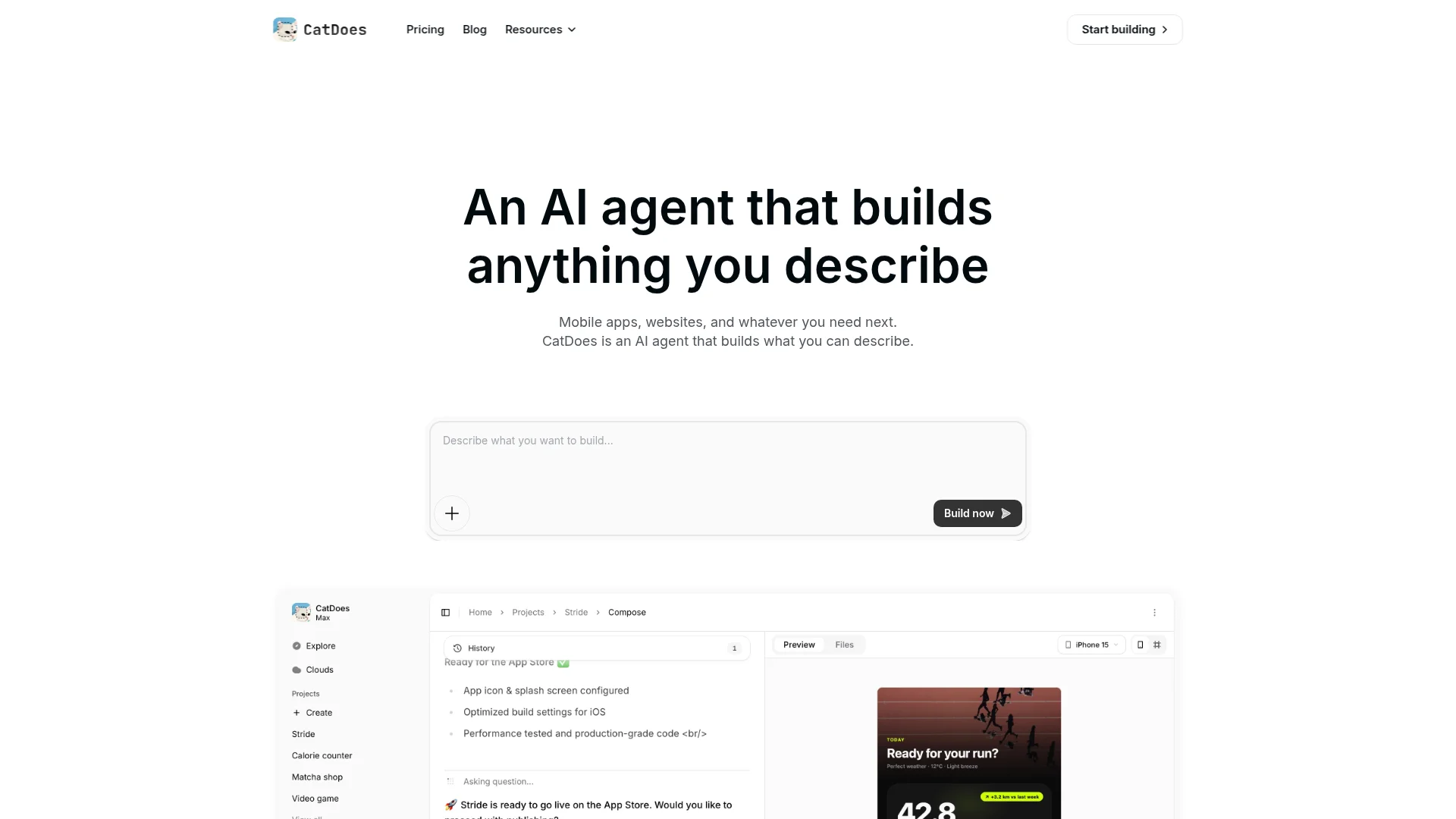
CatDoes is an AI agent that builds websites and mobile apps from a plain-English description. The workflow feels like Lovable: you describe what you want, the agent writes it, and you watch a live preview.
Websites use React with Vite and Tailwind CSS. You can deploy one to a free catdoes.app address on any plan and connect your own domain from the Starter plan.
The difference from Lovable is the mobile app. CatDoes builds it as a React Native Expo app, so it compiles to a real iOS and Android binary instead of a website in a shell. Your website and your app can live in the same project, and you switch between them in the preview.
The agent runs in the cloud on its own computer. It installs packages, runs tests and fixes its own errors. Checkpoints save each version automatically, so you can roll back a change you don't like.
How CatDoes gets your app into the stores
iOS: the agent builds your app and can submit it to the App Store. You then choose to release it through TestFlight or publicly in App Store Connect.
Android: the agent builds the app, and you download it and publish it on Google Play yourself.
Before review: ask "Is my app ready for the App Store?" and the agent checks it against the App Store and Google Play review guidelines, then lists any blocking issues.
You'll need an Apple Developer account ($99 a year), a Google Play developer account ($25 once) and a free Expo account.
Backend and existing code
CatDoes Cloud comes with every plan. It gives your website and app a database, sign-in (email, phone, Google and Apple), file storage and edge functions.
Already have a Supabase or Firebase project from Lovable? Tell the agent and it works with your existing backend instead. You can also import a GitHub repository and keep building it as a website, a mobile app or both.
Pricing and trade-offs
The Free plan gives you 15 credits once, with web deploys. Core is $20 a month ($17 billed yearly) and adds GitHub import.
App Store and Google Play releases and custom domains start on Starter at $50 a month ($42 billed yearly). Sites on Free and Core show a small "Made with CatDoes" badge. Two-way GitHub sync and code export start on Plus.
There's no drag-and-drop editor, so every change goes through the chat. For a feature-by-feature look, read our CatDoes vs Lovable comparison.
Pick CatDoes over Lovable if your users need an app in the App Store and Google Play, not only a website.
2. Bolt: Best for Full-Stack Web Apps

Best for: builders who like Lovable's prompt-first flow but want to see and edit the code as they go.
Bolt, from StackBlitz, is the closest match to Lovable. You chat, it builds a full-stack app, and the code sits in an editor next to the preview. Bolt Cloud adds a database, sign-in, file storage, hosting and domains, so simple apps don't need outside services.
Bolt builds mobile apps too. Ask for one and it uses Expo, and you can preview the app on your phone with Expo Go.
Getting into the stores is your job, though. Bolt's docs tell you to "download the code and open it in a code editor such as VS Code," then install Expo's EAS command-line tool and build and submit from your own terminal.
Pricing: the free plan gives you 300K tokens a day, up to 1M a month. Pro is $25 a month for 10M tokens, and unused tokens roll over.
Pick Bolt over Lovable if you want the same speed with the code in front of you. Skip it if you need store releases handled for you.
3. Replit: Best All-in-One Cloud Workspace

Best for: people who want web apps, mobile apps and backend code in one cloud workspace.
Replit started as an online code editor and is now a full AI builder. Replit Agent builds web apps and mobile apps, and the mobile apps use React Native with Expo.
Its docs say React Native "renders platform-native UI components, not a webview." A database, sign-in and hosting are built in.
Replit goes further than Bolt on iOS. It uploads your build to App Store Connect, and you test it in TestFlight before submitting it for review.
Android is the gap. "Publishing to Google Play is not yet supported by Replit," according to its mobile app docs.
Pricing: Core is $20 a month, or $18 a month billed yearly. Pro is $100 a month and adds parallel agents and more collaborators.
Pick Replit over Lovable if you want an iPhone app or backend code you can see and run. It's still behind on Android. If Replit is already on your shortlist, our roundup of Replit alternatives compares it with eight other tools for mobile apps.
4. v0: Best for React and Next.js UI

Best for: developers and designers who want clean React and Next.js interfaces.
v0 is Vercel's AI builder. Its strength is front-end work: landing pages, dashboards and components that drop into a Next.js project and deploy on Vercel. You connect your own database, such as Neon or Supabase, and sync the code to GitHub.
v0 builds for the web only, so it has the same mobile gap as Lovable.
Pricing: the free plan allows 7 messages a day. Plus costs $30 per user per month. v0's $20 Premium plan is being retired and isn't open to new users.
Pick v0 over Lovable if you already work in Next.js and care most about UI quality.
5. Base44: Best for Simple All-in-One Web Apps

Best for: non-technical builders who want sign-in, a database and hosting without setting anything up.
Base44 builds web apps from a prompt and includes the backend. Authentication, a database and analytics come with every plan. It's a good fit for internal tools, simple customer portals and personal projects.
Base44 can produce App Store and Google Play files, but read the fine print. Its app store docs say the mobile app "runs your published Base44 app inside a secure web view," which is "a lightweight native wrapper around your web app."
Downloading those files needs the Builder plan. Apple pushes back on apps that are only a website in a shell, which we cover in the mobile section below.
Pricing: the free plan gives you 25 message credits a month. Starter is $16 a month and Builder is $40 a month, both billed yearly. GitHub sync starts on Builder.
Pick Base44 over Lovable if you want the most hands-off setup for a web app.
6. Bubble: Best Visual No-Code Builder

Best for: founders who want to see and control every screen and workflow, with AI to get started.
Bubble is the oldest tool here and the most different from Lovable. You can start from a prompt, but most of the work happens in a visual editor where you design pages and set up workflows. The database, user accounts and hosting are built in.
Bubble builds native iOS and Android apps from the same editor. For iOS, you upload your Apple certificate files and Bubble does the rest. Its docs say it takes about 45 minutes to "generate the build, upload it to TestFlight, and submit it for review."
The catch is lock-in. Bubble's docs state that "there's no way of exporting your application as code." If you leave, you rebuild.
Pricing: you can build on the free plan, but a live app needs a paid one. Starter is $59 a month billed yearly and covers web and mobile.
Pick Bubble over Lovable if you want to see and edit every workflow visually, and you're fine never exporting the code.
7. FlutterFlow: Best Visual Builder for Flutter Apps

Best for: teams who want drag-and-drop control and real Flutter code.
FlutterFlow is a visual builder that outputs Flutter, Google's framework for mobile, web and desktop apps. You lay out screens on a canvas and connect Firebase or Supabase for data.
Mobile is where FlutterFlow is strongest. Its Basic plan, at $39 a month, includes code download and one-click App Store deployment. GitHub sync starts on the Growth plan at $80 a month for the first seat.
Expect a learning curve. You'll need to understand app state, data queries and your Firebase or Supabase setup, all things Lovable hides from you.
Pick FlutterFlow over Lovable if mobile comes first and you want drag-and-drop control with Flutter code you can download.
8. Cursor: Best for Developers

Best for: developers who want an AI agent inside a real code editor.
Cursor is a code editor with AI agents that write, run and fix code inside your project. People move from Lovable to Cursor when a project outgrows chat-only editing: pull the Lovable repo from GitHub, open it in Cursor and keep going.
Cursor is now part of SpaceX, and on October 12, 2026 its plans moved to "The X Subscription." Plus is $8 a month and uses a shared pool of Grok model usage. Third-party models need Premium, at $30 a month.
There's no hosting, backend or store publishing. You handle deployment yourself.
Pick Cursor over Lovable if you write code and want to own every part of the stack. For most non-coders, the missing hosting and backend is a dealbreaker.
Which Lovable Alternatives Build Native Mobile Apps?
Most lists of Lovable alternatives skip this question. A site that works on a phone and an app in the App Store are different things, and Lovable makes the first. For the second, you need a tool that produces an iOS .ipa and an Android .aab file and submits them for review.
Tools get you onto a phone in one of three ways:
Native code: React Native, Flutter, Swift or Kotlin compiled into a real app. This is what Apple and Google expect.
A WebView wrapper: your website inside an app shell. It's quick to make, but Apple's guideline 4.2 says an app should "elevate it beyond a repackaged website."
A Progressive Web App: an icon on the home screen, with no store listing.
Tool | Mobile output | How it reaches the stores |
|---|---|---|
Lovable | Web only | No store flow. Lovable suggests a PWA or a wrapper you set up yourself |
CatDoes | React Native (Expo) | Builds and submits iOS. You upload the Android build to Google Play |
FlutterFlow | Flutter | One-click App Store deployment from the Basic plan |
Bubble | Native iOS and Android | Builds, uploads to TestFlight and submits iOS for you |
Replit | React Native (Expo) | Uploads iOS to App Store Connect. Google Play not yet supported |
Rork | Native Swift (iPhone) and Kotlin (Android) | Publishes to the App Store and Google Play from one menu |
Bolt | React Native (Expo) | You download the code, then build and submit with EAS yourself |
Base44 | Web app in a WebView wrapper | Generates store files. Download needs the Builder plan |
v0 | Web only | None |
Rork isn't in our main list because it's a mobile-first builder rather than a Lovable-style web builder, but it belongs in this table. It no longer creates Expo projects. New apps are native Swift for iPhone and Kotlin for Android, and its Pro plan is $20 a month.
If store distribution is why you're leaving Lovable, three questions narrow the field:
Do you need Android too? Replit doesn't publish to Google Play yet.
Do you want signing and submission handled for you? Bolt hands that job back to you.
Will a wrapper pass review? A thin wrapper around a website often won't.
For the full picture of what a Lovable site can and can't do on a phone, see our guide to Lovable for mobile apps.
Already Built in Lovable? How to Switch Without Starting Over

Most people searching for a Lovable alternative already have a project in Lovable. You don't have to throw it away. A Lovable project is a standard React app, and both its code and its data can move.
Push your code to GitHub. Lovable's GitHub sync works on every plan. Connect your project and Lovable pushes the code to a repository you own.
Check where your data lives. If you connected your own Supabase project, it stays where it is and your new app can use it. If you used Lovable Cloud, its Advanced settings include a data export. Check what it covers before you switch, especially user accounts.
Import the project. In CatDoes, choose Import from GitHub (Core plan and up). For a public site with no login pages, you can paste its URL at catdoes.com/lovable instead.
Build the mobile app next to the website. The agent gets full access to your code, including pages behind a login. It builds the mobile app in the same project, and you can switch between the website and the app in the preview.
Test on your phone and release. Preview the app in Expo Go, run the review readiness check, then release to iOS and Android.
One limit to know: TanStack Start is Lovable's latest project template. CatDoes can preview TanStack Start projects but can't deploy them to a catdoes.app address yet, so keep that website on its current host while you build the app.
Your Lovable app keeps running while you do this, so nothing goes offline. Bolt and Rork also publish guides for importing a Lovable project.
How to Choose the Right Lovable Alternative
Start with the reason you're leaving Lovable, then match it:
You want your website and native iOS and Android apps in one project: CatDoes, which also handles the App Store release steps.
You need a store app but prefer a visual editor: FlutterFlow or Bubble.
You want the same web workflow with more code access: Bolt or Replit.
You care most about UI and already use Next.js: v0.
You want everything set up for you and don't need native mobile: Base44.
You write code and want an AI pair programmer: Cursor.
You want something free and local: Dyad, an open-source desktop app that runs on your own AI API key.
If two tools look close, check one more thing before you commit: can you take your code with you? Bubble can't export code. CatDoes, Bolt, Replit, v0, Base44 and FlutterFlow can, though some only on paid plans.
Frequently Asked Questions
What is the best Lovable alternative?
It depends on what you need next. CatDoes is the best pick if you want one tool for your website and native iOS and Android apps, because it builds both from the same chat and handles App Store submission.
For web apps with more code access, Bolt and Replit are the closest to Lovable. For UI work in Next.js, use v0.
What is the best Lovable alternative for mobile apps?
CatDoes, if you want the same prompt-first workflow. It builds React Native Expo apps, submits iOS builds to the App Store and prepares Android builds for Google Play.
FlutterFlow and Bubble also build native apps but use visual editors. Rork builds native Swift and Kotlin apps.
Is there a free Lovable alternative?
Yes. Dyad is free and open source, and it runs on your computer with your own AI API key.
Bolt's free plan gives you 300K tokens a day, v0's gives you 7 messages a day and Base44's gives you 25 message credits a month. CatDoes gives you 15 free credits once, with web deploys.
Is there an open-source Lovable alternative?
Dyad is the best-known one. It's a free, open-source desktop app that builds web apps on your own machine with the AI model you choose, and you keep the code. A Pro plan at $20 a month adds more AI features.
Which Lovable alternatives can publish to the App Store and Google Play?
CatDoes, FlutterFlow, Bubble and Rork all build store-ready iOS and Android apps, though how much they automate differs. CatDoes, for example, submits iOS builds for you, while you upload Android builds to Google Play yourself.
Replit uploads to the App Store but doesn't publish to Google Play yet. Bolt builds Expo apps that you submit yourself, and Base44 publishes a web view wrapper. Lovable and v0 don't publish to the stores.
What is the best Lovable alternative for developers?
Cursor, if you want to keep writing code. Open your Lovable repo in it and its AI agents work on the real codebase. If you want a builder that still shows you the code, Bolt and Replit are closer to the Lovable workflow.
Can I move my Lovable project to another builder?
Yes. Connect your Lovable project to GitHub, which works on every Lovable plan, then import that repository into the new tool.
If your data is in your own Supabase project, point the new app at it. If it's in Lovable Cloud, use the data export in Cloud's Advanced settings first.
Final Verdict on Lovable Alternatives
Lovable is a good web builder, and for a product that lives only in the browser it may be all you need. The best Lovable alternative is the one that fixes the limit you hit: Bolt or Replit for code access, v0 for UI, Bubble or FlutterFlow for visual control, Cursor for developers.
If your users need both a website and an app in the App Store, CatDoes builds both in one project, with the backend included and the App Store submission handled for you. Describe your app and start building for free.
Nafis Amiri
Co-Founder of CatDoes


