Blog
Insights
Database or Spreadsheet for Your App (2026 Guide)
Database or spreadsheet? This guide breaks down scalability, security, and performance to help you choose the right data tool for your application's success.

Nafis Amiri
Co-Founder of CatDoes
TL;DR: Use a spreadsheet when one person manages a small, simple, non-sensitive dataset — prototypes, personal trackers, quick analysis. Switch to a database the moment your app has multiple users, tens of thousands of rows, connected records, or a login screen. Databases give you data integrity, role-based security, and the concurrency real apps need; spreadsheets break down on all three. Below: the core differences, when each tool fits, a simple decision framework, and how to migrate from a spreadsheet to a database.
When you're deciding between a database or spreadsheet for your app's data, the "right" answer really depends on how big and complex your project is going to be. A spreadsheet is simple and immediate, which is perfect for small, single-user tasks with a manageable amount of data. But the moment your app needs to handle multiple users, grow over time, or manage connected information, a database becomes the only real long-term option.
Table of Contents
Choosing Your App's Data Foundation
When a Spreadsheet is the Right Tool
Unlocking the Power of a Database
Comparing Scalability, Security, and Performance
Making the Right Choice for Your Project
How to Migrate from a Spreadsheet to a Database
Frequently Asked Questions
Choosing Your App's Data Foundation
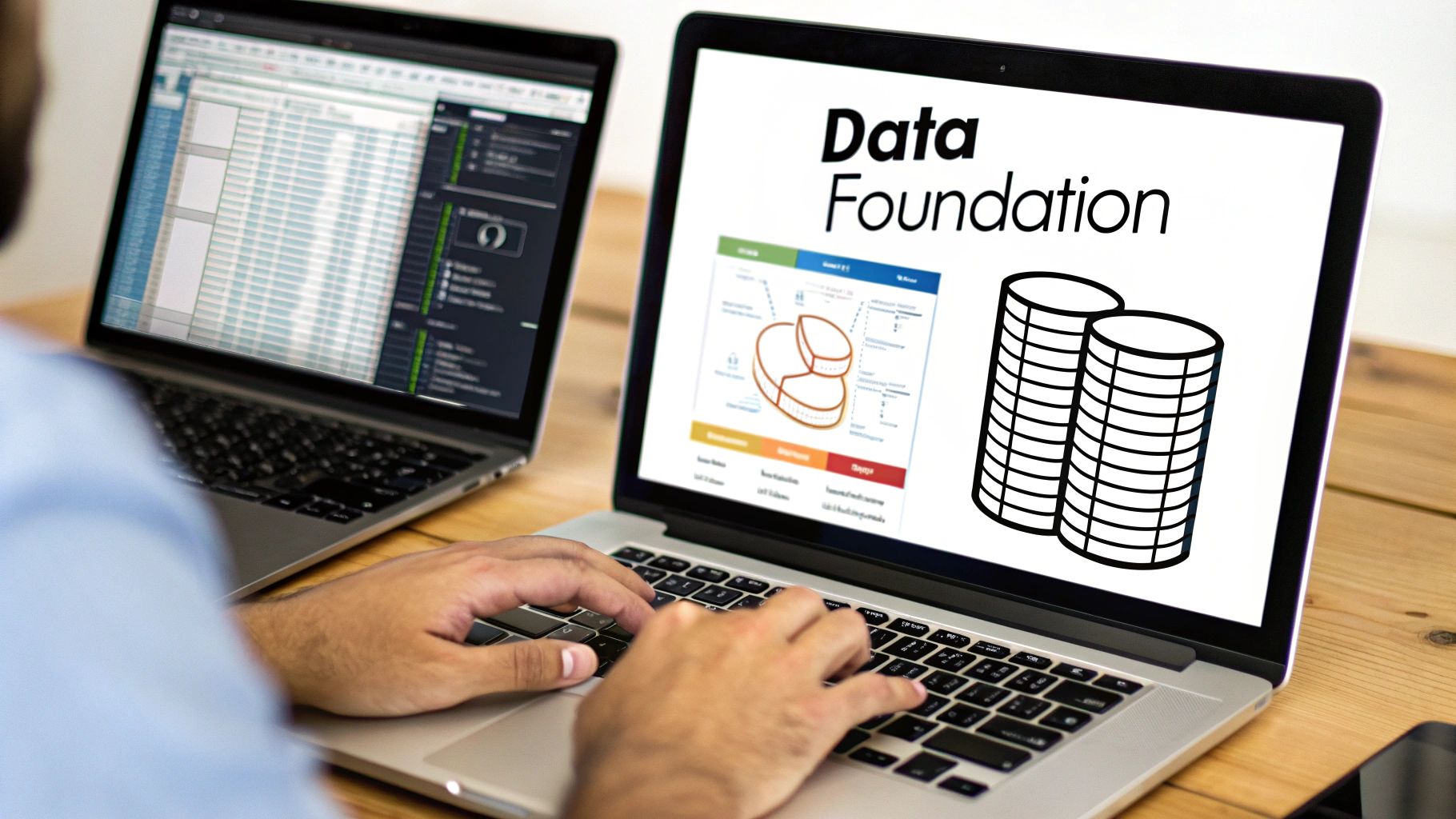
Picking the right data foundation for your app is one of the most important decisions you’ll make early on. It has a direct impact on how your app will perform, scale, and keep data accurate as you get more users. It’s tempting to start with a familiar spreadsheet to get moving quickly, but that choice can create a massive headache down the road.
The whole "database or spreadsheet" debate boils down to a classic trade-off: do you want immediate ease of use, or do you need long-term structural integrity? Spreadsheets are fantastic for quick calculations and visualizing small sets of data. They were never, however, built to be the backbone of an application. Databases, on the other hand, are designed from the ground up to store, manage, and retrieve data efficiently and securely, especially when multiple people are using it at once.
Core Differences at a Glance
The first step is understanding what actually makes them different. A spreadsheet is just a simple grid, which feels intuitive but doesn't have the muscle for application data. Databases use structured tables and relationships to make sure your data stays consistent and reliable. Pretty much every other difference, from performance to security, comes from this one structural distinction.
Let's quickly compare the two.
Quick Comparison Spreadsheet vs Database
This table gives you a high-level look at where each tool shines and where it falls short for app development.
Criterion | Spreadsheet (e.g., Google Sheets) | Database (e.g., PostgreSQL, MongoDB) |
|---|---|---|
Data Structure | Simple grid of rows and columns (cells). Lacks enforced relationships between data. | Structured tables with defined columns, data types, and enforced relationships. |
Scalability | Performance degrades significantly with large datasets (e.g., over 50,000 rows). | Designed to handle millions or even billions of records efficiently. |
Multi-User Access | Prone to data corruption and version conflicts with simultaneous editors. | Manages multiple simultaneous connections with locking mechanisms to ensure data integrity. |
Data Integrity | Limited data validation; highly susceptible to typos and inconsistent entries. | Enforces strict data types, constraints, and rules to maintain data accuracy. |
Ideal Use Case | Small-scale data tracking, personal projects, quick analysis, and prototyping. | Web and mobile applications, e-commerce stores, and systems requiring reliability. |
As you can see, the right tool really depends on the job you're asking it to do. One is for quick, simple tasks, and the other is for building robust, scalable applications.
The choice you make isn't just a technical one; it's a strategic decision. Starting with a spreadsheet for a scalable app is like building a skyscraper on a foundation made for a small house. It works at first, but it is guaranteed to cause problems as you build higher.
When a Spreadsheet is the Right Tool

Before we get too far into the database vs. spreadsheet debate, let's be clear: spreadsheets are incredible tools. When used for the right job, they’re fast, intuitive, and remarkably powerful. At its heart, a spreadsheet is just a digital ledger, a grid of cells you can fill with anything. That simple, visual structure is its greatest strength.
This is exactly why spreadsheets are the go-to for quick prototypes, small projects, and one-off analysis. Think about a founder sketching out an initial list of sales leads or a project manager tracking early-stage expenses. The ability to just open a sheet, type things in, and immediately use formulas or create a chart is invaluable. There's zero technical setup.
Ideal Scenarios for Spreadsheets
Spreadsheets really shine when your data is simple and only a few people need to touch it. They’re accessible to everyone on the team, not just developers.
Here are a few places they fit perfectly:
Prototyping and MVPs: Testing a new app idea? A spreadsheet can act as a simple, temporary backend. It lets you validate the concept before you even think about building a real database.
Small-Scale Data Tracking: Things like a content calendar, a small product inventory, or an event attendee list are perfect for a spreadsheet. It's often all you need.
One-Off Analysis: If you need to quickly crunch some numbers for a report, build a budget, or create a financial model, the built-in calculation and charting tools are faster than anything else.
Personal or Internal Tools: For your own personal project or an internal tool that only one or two people will ever use, a spreadsheet gets the job done without any unnecessary complexity.
Here’s the key takeaway: a spreadsheet works best when its user is also its administrator. The person entering the data is usually the same one analyzing it. This simple fact naturally prevents the kind of data chaos that happens in larger, multi-user systems.
The Breaking Point for App Backends
That simplicity, however, is precisely what becomes a massive liability when a spreadsheet is forced to act as the backend for a real application. As soon as your needs grow beyond one person managing a simple list, the "database or spreadsheet" choice becomes critical. The problems aren't just minor annoyances; they're fundamental breakdowns in how your app works.
The first wall you'll hit is the total lack of data integrity controls. A spreadsheet cell will accept almost anything. That means typos and inconsistent formats are guaranteed. One person enters "USA," another types "United States," and suddenly your data is a mess of duplicate, unreliable records that are impossible to query accurately.
Then there's the concurrency problem. Spreadsheets are not built for multiple people editing at the same time. When more than one user tries to change the file, you're heading for data corruption, overwritten work, and a nightmare of version control issues. This alone makes them a non-starter for any app with more than a single user.
Finally, performance falls off a cliff as your data grows. A spreadsheet that feels snappy with 1,000 rows can become unusably slow with 50,000. Every sort, filter, or calculation has to churn through the entire dataset. This bottleneck will absolutely cripple your app, creating a terrible user experience and forcing you into a painful, messy migration down the road.
Unlocking the Power of a Database
While a spreadsheet is like a digital ledger, a database is more like a highly organized, professional filing cabinet. Its entire purpose is to store, manage, and retrieve huge amounts of information with speed and security. Unlike the free-for-all grid of a spreadsheet, a database is built on a foundation of structure and rules.
This structure is what lets applications grow without crumbling. Instead of just dropping data into cells, a database organizes everything into tables with predefined columns and data types. This simple act of defining the structure upfront prevents the kind of data chaos that plagues overgrown spreadsheets, guaranteeing consistency and reliability from the start.
Relational vs. Non-Relational Databases
The database world is split into two main camps, each designed for different kinds of data and app requirements. Knowing the difference is a huge step in deciding if you need one at all.
Relational Databases (SQL): These are the traditional workhorses. They organize data into tables with very strict schemas and use Structured Query Language (SQL) to manage it all. Think of them as a set of interconnected spreadsheets where the relationships between tables, like linking a
customerstable to anorderstable, are rigidly enforced. This model is perfect for things like financial transactions, where accuracy is everything.Non-Relational Databases (NoSQL): This newer category is all about flexibility. Instead of rigid tables, NoSQL databases use different models like documents, key-value pairs, or graphs. That flexibility makes them a great fit for handling massive volumes of unstructured or semi-structured data, like user profiles from a social media app or sensor data from IoT devices.
Right now, relational databases hold a dominant 58% of the global market, a testament to their long-standing reliability for structured work like banking and e-commerce. But NoSQL is catching up fast, with an impressive 18.1% compound annual growth rate, mostly driven by the explosion of unstructured data from modern apps.
Built for Apps and Growth
Databases are engineered from the ground up to be the backend for an application, bringing critical features to the table that spreadsheets just don't have. One of the most important is ACID compliance (Atomicity, Consistency, Isolation, Durability). This is a set of guarantees that ensures database transactions are processed reliably. For an online store, it means a payment is either fully completed or not at all, preventing errors that could lose you real money.
Another game-changer is concurrency management. Databases are built to handle requests from hundreds or even thousands of users at the exact same time without creating conflicts or corrupting data. They use sophisticated locking systems to make sure that if two users try to edit the same record, one waits until the other is finished.
A database isn't just a place to park data; it's an active management system. It enforces rules, protects data integrity, and serves up information with precision, making it the professional standard for any serious application.
Finally, databases use indexing to make data retrieval incredibly fast. An index works just like the index at the back of a book, letting the database find a specific record instantly without having to scan through millions of rows. This is essential for giving users a snappy, responsive experience. This powerful foundation is a core piece of any strong backend. If you're weighing your options, see our guide on how to choose a mobile app backend.
Comparing Scalability, Security, and Performance
When you move beyond simple data tracking, the choice between a database or spreadsheet stops being about preference and becomes a critical technical decision. This choice will directly define how your application can grow, how it protects user data, and how quickly it responds. A spreadsheet might feel simple and familiar at first, but its limitations will become major roadblocks for any serious app.
A database, on the other hand, is built from the ground up to solve these exact problems. Let's break down where these two tools really diverge when you put them under pressure.
The Limits of Scalability
Scalability is usually the first and most painful wall that spreadsheet-backed apps hit. Spreadsheets simply aren't designed to handle large amounts of data. As the file grows, performance doesn't just slow down, it degrades exponentially. A file with 50,000 rows can become sluggish, and one with a few hundred thousand can become completely unusable, freezing or crashing all the time.
This isn't a bug; it's fundamental to their design. Every time you open, sort, or filter a spreadsheet, the entire dataset is often loaded directly into your computer's memory. This creates a hard ceiling on how much information your app can ever manage.
Databases, however, are built for massive scale.
Efficient Data Handling: They're engineered to manage millions or even billions of records without a noticeable drop in performance.
Optimized Storage: Databases don't load everything at once. They use sophisticated storage engines and indexing to fetch only the specific data you request, making operations incredibly fast, even with huge tables.
Imagine an e-commerce store trying to run its inventory from a spreadsheet. As the product catalog grows to tens of thousands of items, just updating stock levels would become a painfully slow process. A database handles this instantly, allowing the system to scale smoothly as the business grows.
A Stark Contrast in Security
When it comes to security, the comparison between a database or spreadsheet isn't even close. A spreadsheet’s security model is rudimentary at best. You can usually password-protect the entire file, and maybe lock a few cells, but that offers little defense against a determined user or a real security threat.
This approach is completely inadequate for any app that handles sensitive information. You can't protect user data, financial records, or private content with a simple password. It's just not enough.
Databases offer a multi-layered security framework designed for exactly this purpose.
Granular Access Control: Databases provide role-based access controls (RBAC). This lets you define exactly who can see or change specific pieces of data. For example, a customer service agent might only have read-access to orders, while an administrator has full permissions.
Encryption at Rest and in Transit: Modern databases offer built-in encryption, protecting your data both when it's stored on a disk (at rest) and when it's being sent over a network (in transit).
Audit Trails: Databases can log every action performed on the data. This creates a detailed audit trail, which is essential for compliance and for tracking down any unauthorized activity.
Implementing strong security measures is non-negotiable for modern apps. For a deeper dive into protecting your app's data, see our guide on app security basics.
Performance and Concurrency Under Load
Finally, let's talk about what happens when multiple people try to use the data at the same time, a concept known as concurrency. This is where spreadsheets completely fall apart as an application backend. If two users try to edit a spreadsheet simultaneously, you're going to get data corruption, overwritten changes, or a mess of conflicting file versions.
Spreadsheets have no real mechanism to manage simultaneous requests safely. This makes them totally unsuitable for any collaborative or multi-user application.
Databases are engineered to solve this very problem. They use complex locking mechanisms to ensure that when one user is writing to a record, other users are prevented from making conflicting changes until the first transaction is complete. This guarantees data integrity and allows hundreds or thousands of users to interact with your app at the same time without issue.
On top of that, databases use indexing and optimized query languages like SQL to retrieve data almost instantly. An index is like a table of contents that allows the database to find a specific piece of information without scanning the entire table, a process that would be impossibly slow in a large spreadsheet.
This efficiency is magnified by the rise of cloud-based systems. Cloud databases now represent 57% of global database revenue and are growing at an 18.6% rate annually. The entire cloud database market, valued at $23.45 billion in 2025, allows companies to benefit from elastic scaling and managed security, which can reduce downtime by 60% on average. You can discover more about this trend and its market projections.
Detailed Feature Comparison Database vs Spreadsheet
To help you see the differences side-by-side, here’s a more granular breakdown of their technical capabilities. This table should make it clearer which tool is the right fit for your specific application needs.
Feature | Spreadsheet | Database |
|---|---|---|
Data Structure | Unstructured (grid of cells) | Structured (tables with defined schemas) |
Data Integrity | Low (easy to enter incorrect data types) | High (enforced via data types, constraints) |
Concurrency | Single-user editing; prone to conflicts | Multi-user support with locking mechanisms |
Scalability | Poor (performance degrades with size) | High (designed for millions of records) |
Querying | Basic filtering and sorting | Advanced (SQL for complex queries, joins) |
Security | Basic (file-level password protection) | Advanced (RBAC, encryption, audit trails) |
Relationships | Manual (VLOOKUPs are brittle) | Enforced (foreign keys create reliable links) |
Backups & Recovery | Manual file copies | Automated backups and point-in-time recovery |
This table highlights the core engineering differences. While a spreadsheet is great for quick analysis or personal lists, a database is the only real choice for building a reliable, secure, and scalable application.
Making the Right Choice for Your Project
The classic spreadsheet vs. database debate isn't about which tool is "better." It's about which is right for your project, right now and down the road. This decision is foundational, and getting it right from the start saves you from painful migrations and technical headaches later.
Think of it this way: are you building a garden shed or a skyscraper? Both are useful structures, but you wouldn't use the same blueprint for both. By asking a few direct questions about your project, you can skip the guesswork and choose the right foundation.
A Framework for Your Decision
The best tool is always the one that fits the job. To figure that out, let's look at four critical areas that will point you clearly toward either a spreadsheet or a database.
Number of Users: How many people need to edit the data at the same time? If the answer is more than one, you’ve outgrown a spreadsheet. A database is built for simultaneous access, preventing the data corruption and versioning nightmares that happen when multiple people try to edit a single file.
Data Volume: How much data are you really talking about? Spreadsheets start to lag and crash once you get past a few tens of thousands of rows. A database, on the other hand, is designed to handle millions or even billions of records without breaking a sweat.
Data Complexity: Are your data points connected? For instance, do you need to link a customer to their orders, and each order to its shipping details? Spreadsheets can’t enforce these relationships, which leads to messy, inconsistent data. Databases excel at this.
Security Requirements: Are you handling sensitive information like user logins, financial data, or anything that needs access control? Databases provide granular, role-based security that is simply impossible to replicate in a spreadsheet.
This decision tree breaks down the core questions of scalability, security, and performance. It’s a simple visual guide to a crucial choice.

As you can see, if the answer is "yes" to needing real scalability, robust security, or reliable performance, the path leads directly to a database.
When a Spreadsheet is Perfectly Fine
Don't get me wrong, a database isn't always the answer. Sometimes, a spreadsheet is the smarter, faster, and more efficient choice. Over-engineering a simple project is a waste of time.
A spreadsheet works great for:
Personal Project Trackers: Managing your own to-do lists, habit trackers, or a personal budget where you are the only user.
Small Internal Directories: A simple contact list or equipment log for a small team, especially if it’s only updated by one person.
Initial Prototyping: Using a spreadsheet as a quick-and-dirty data source to test an app idea before you commit to a full backend.
A simple rule of thumb: If your system has one administrator, a handful of people who only need to view the data, and the data itself isn't complex or sensitive, a spreadsheet can work perfectly.
When a Database is Non-Negotiable
For most real applications, however, the need for a database becomes obvious very quickly. Trying to use a spreadsheet for these projects isn't a shortcut; it's just kicking a big technical problem down the road.
A database is the only professional choice for:
Customer-Facing Web Apps: Any app where users sign up, create profiles, or interact with their own data needs the security and concurrent access only a database can provide.
E-commerce Platforms: Juggling products, inventory, customer orders, and payments on a spreadsheet is a recipe for disaster. It's not secure, reliable, or scalable.
Systems Requiring Authentication: If your app has a login screen, you need a database. Period. It's the only way to securely store user credentials and manage sessions.
This is why serious software runs on databases, not spreadsheets. Industries like finance, healthcare, and e-commerce rely on them to manage huge transaction volumes and ever-growing records safely. Once your app handles real users and real data, a database stops being optional.
How to Migrate from a Spreadsheet to a Database

There’s a moment in every growing app’s life when you realize the spreadsheet just can't keep up anymore. It's a critical turning point. Making the jump from a simple grid to a real database can feel like a huge task, but it’s a totally manageable process that will secure your app's future. The key is a methodical approach that starts long before you even think about moving a single piece of data.
This transition from a basic grid to a structured system is one of the most important upgrades you can make for your app's reliability and ability to scale. Get it right, and your data becomes more consistent, secure, and ready for whatever growth comes next.
Preparing Your Data for the Move
The first and most important step happens right inside your spreadsheet. Your goal is to clean, organize, and standardize your data, a process we call normalization. Getting this right ensures a smooth transition and saves you from the classic "garbage in, garbage out" problem in your new database.
Here’s a practical checklist to get your data in shape:
Enforce Consistency: Hunt down and fix inconsistent entries. For example, make sure "USA," "U.S.A.," and "United States" all become one standard format.
Split Up Columns: If a column contains multiple pieces of information, break it apart. A single "Address" column should be split into separate columns for "Street," "City," "State," and "Zip Code."
Validate Data Types: Double-check that columns meant for numbers only contain numbers. Make sure all your dates follow the same format.
Get Rid of Duplicates: Find and delete any identical rows. Every record in your database should be unique.
A clean dataset is the absolute foundation of a successful migration. I can't stress this enough. The time you spend here will save you countless hours of troubleshooting later. A database is strict; it will flat-out reject data that doesn't conform to its rules.
Designing the Database Schema
Once your data is clean, it's time to design your database schema. Think of this as the blueprint for your data. It defines how your information will be organized into different tables and, crucially, how those tables will relate to each other. You'll map out each table, its columns, and the specific data type for each one (like text, integer, or date).
For instance, you might create a Customers table and a separate Orders table. The schema would define a relationship between them, ensuring every order is clearly linked to a specific customer. This structured approach is a core advantage when you’re deciding between a database or spreadsheet. Platforms like Supabase make this step much easier by giving you visual tools to build your schema without hand-writing SQL.
The final step is to export your cleaned-up spreadsheet data, usually as a CSV (comma-separated values) file. From there, you can use your database’s import tools or a few SQL commands to load that CSV into the tables you just designed. Then verify the data after the import to make sure everything transferred correctly.
Frequently Asked Questions
Choosing between a spreadsheet and a database brings up a lot of questions. Let's tackle the most common ones head-on so you can move forward with confidence.
Can I Just Use Google Sheets as my Database?
Yes, for a tiny project or a quick prototype, you absolutely can. Google Sheets is fast, free, and familiar, making it a great way to get an idea off the ground without any setup headaches.
But, and this is a big but, it’s a short-term solution. Sheets wasn't built to be a true database. It falls apart quickly when you need to prevent bad data, handle lots of information, or keep things secure for multiple users. Think of it as a starting point, not a destination.
When is It Time to Switch to a Real Database?
The breaking point is usually obvious because things start to feel painful. If you’re nodding along to any of these, it's time to start planning a move.
The Lag is Real: Your spreadsheet groans every time you try to load, sort, or filter it. This slowdown often becomes unbearable once you cross the 10,000 to 20,000 row mark.
"Who Deleted My Data?": More than one person is trying to edit at the same time, and you're constantly dealing with overwritten changes and version chaos.
The Data is a Mess: Typos, inconsistent formats, and duplicate entries are everywhere. You're spending more time cleaning up the data than actually using it.
You're Faking Relationships: You need to connect customers to their orders or users to their posts, and you’re relying on fragile
VLOOKUPs that could break at any moment.
The real signal is when the tool starts creating more work than it solves. Once you're fighting your spreadsheet instead of working with it, it's time for an upgrade.
Are Databases Really Hard to Learn?
They definitely have a steeper learning curve than spreadsheets, there's no way around it. Getting started used to mean learning about schemas, tables, and a query language like SQL.
Thankfully, modern tools have changed the game. Platforms with clean, visual interfaces let you build and manage a database without writing a single line of code. So while mastering a database still takes some effort, getting the basics down is more achievable now than ever.
How Do the Costs Compare?
The price difference can be huge, but it's not always what you'd expect. Spreadsheets like Google Sheets are often free or bundled into a cheap subscription, making them the undisputed low-cost champ to get started.
Cloud databases, like Supabase, work differently, usually on a pay-as-you-go model. Many have generous free tiers that let you build and launch without paying a dime. As you grow, your costs scale with your usage: how much data you store, how much processing you need, and how many requests you make. It can get more expensive, but the beauty is you only pay for what you actually use.
Ready to build your app on a solid foundation without getting lost in technical details? With CatDoes, you can describe your idea in plain English, and our AI agents will generate a production-ready mobile app complete with a scalable Supabase backend. Go from concept to launch faster than ever at https://catdoes.com.
Nafis Amiri
Co-Founder of CatDoes


