
Blog
Insights
What Is Supabase? Features & Pricing (2026)
What is Supabase? An open-source backend built on Postgres with auth, storage, and realtime. See how it compares to Firebase and what it costs in 2026.

Nafis Amiri
Co-Founder of CatDoes
Supabase is an open-source backend platform built on PostgreSQL. It gives you a database, user logins, file storage, auto-generated APIs, and serverless functions from a single dashboard. You get a real backend without running servers yourself.
The project looks very different than it did a year ago. In June 2026 Supabase raised $500 million and said that nearly 10 million developers now build on it. More than 60% of new databases on the platform are created by an AI tool rather than a person typing in a dashboard.
This guide explains what Supabase does, what it costs in 2026, how it compares to Firebase, and when it is the right choice for your project.
Table of Contents
Key Takeaways
What Is Supabase?
Is Supabase a Database or a Backend?
The Core Supabase Features
Supabase as AI and Agent Infrastructure
Supabase vs. Firebase: A Head-to-Head Comparison
Supabase Pricing in 2026
When to Choose Supabase for Your Project
Getting Started with Your First Supabase Project
Supabase Pros and Cons
Frequently Asked Questions About Supabase
Key Takeaways
Supabase is a Backend-as-a-Service built on Postgres, an open-source relational SQL database.
The core services are Database, Auth, Storage, Edge Functions, and Realtime. Newer additions include Cron, Queues, Branching, and an MCP server for AI agents.
The free plan covers 2 active projects, a 500 MB database, 1 GB of file storage, and 50,000 monthly active users. Free projects pause after one week of inactivity.
Paid plans start at $25 per month for Pro and $599 per month for Team.
The main difference from Firebase is SQL instead of a document store, plus the option to self-host the whole stack.
Supabase raised a $500 million Series F in June 2026 at a $10 billion pre-money valuation, led by GIC.
What Is Supabase?
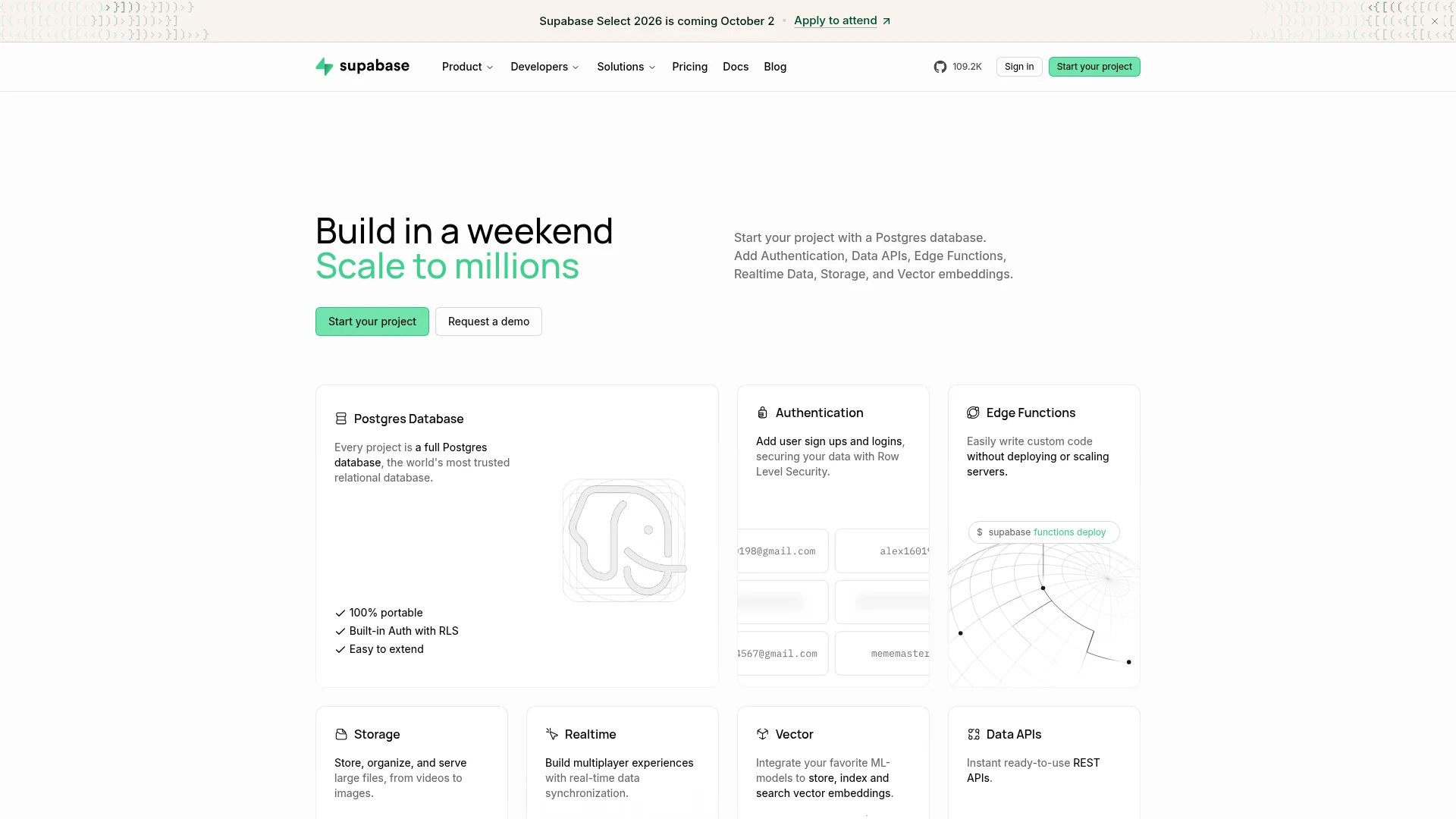
Supabase is a hosted backend that bundles a Postgres database with the services most apps need around it. You create a project, and within a couple of minutes you have a database, a REST API, a realtime socket, an auth system, and a file store that all talk to each other.
It is often called an open-source Firebase alternative. That is a fair shorthand, but it undersells the difference. Firebase is built on a NoSQL document store. Supabase is built on Postgres, which means you get tables, joins, constraints, and plain SQL.
Every Supabase project is a real Postgres database. You can connect to it with any standard Postgres client, run your own migrations, and take the data with you if you leave.
Who Supabase Is For
Supabase fits solo developers and small teams who want to ship an app without hiring a backend engineer. It also fits larger teams who like Postgres and want managed infrastructure around it.
It is a weaker fit if your app needs heavy custom server logic, long-running jobs, or a data model that does not suit a relational database.
How Supabase Grew
Supabase started in 2020 as a small open-source project. By June 2026 it had raised a $500 million Series F led by GIC at a $10 billion pre-money valuation. In its funding announcement, the company said database launches had grown 600% over the prior year.
Is Supabase a Database or a Backend?
Both, and the distinction matters when you are picking tools. At the center is a Postgres database. Around it sit the services that turn that database into a working backend.
Supabase reads your database schema and generates a REST API for it automatically. Add a table, and the endpoints to read and write it exist straight away. There is no controller or route file to maintain.
Security is handled in the database itself through Row Level Security. You write policies as SQL rules, and they apply no matter how the data is accessed. A rule that says a user can only read their own orders holds for the REST API, the realtime stream, and a direct SQL connection alike.
This is the standard shape of a Backend-as-a-Service: the vendor runs the servers, and you work at the level of data and rules instead of processes and deploys.
The Core Supabase Features
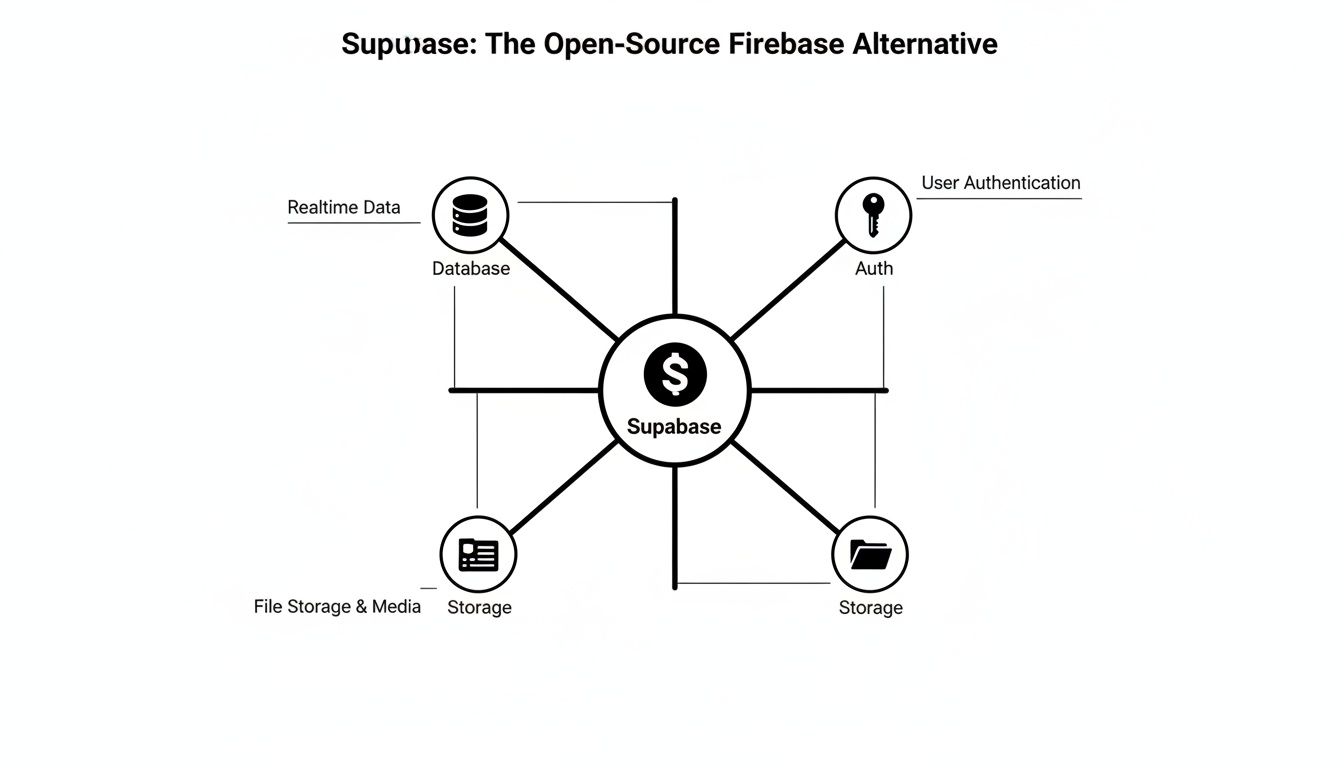
Supabase ships as a set of services that share one project, one auth system, and one set of permissions. Here is what each one does.
The Postgres Database
Each project runs a dedicated Postgres instance. You get SQL, joins, foreign keys, triggers, views, and functions. Extensions are available too, including pgvector for storing embeddings and PostGIS for location data.
Supabase Studio gives you a spreadsheet-style table editor and a SQL editor in the browser. You can also connect with psql, Prisma, Drizzle, or any other Postgres tool.
Authentication
Auth handles sign-up, login, and sessions. It supports email and password, magic links, phone one-time codes, and social logins through providers such as Google, GitHub, and Apple. Single sign-on through SAML is available on higher plans.
Users live in a table inside your own database, so you can join user records against your application data directly in SQL.
Storage
Storage holds files such as images, video, and documents. It uses the same permission system as the database, so you write access rules in SQL rather than in a separate console.
A rule like "only the user who uploaded this file may delete it" is written once and enforced everywhere.
Edge Functions and Realtime
Edge Functions run TypeScript on demand, close to your users. They now support regional invocation, so you can pin a function to the region where your database lives and cut round-trip time. They also support persistent storage for temporary files.
Realtime pushes database changes to connected clients over websockets. It powers live dashboards, chat, presence indicators, and collaborative editing.
What Shipped After the Core Five
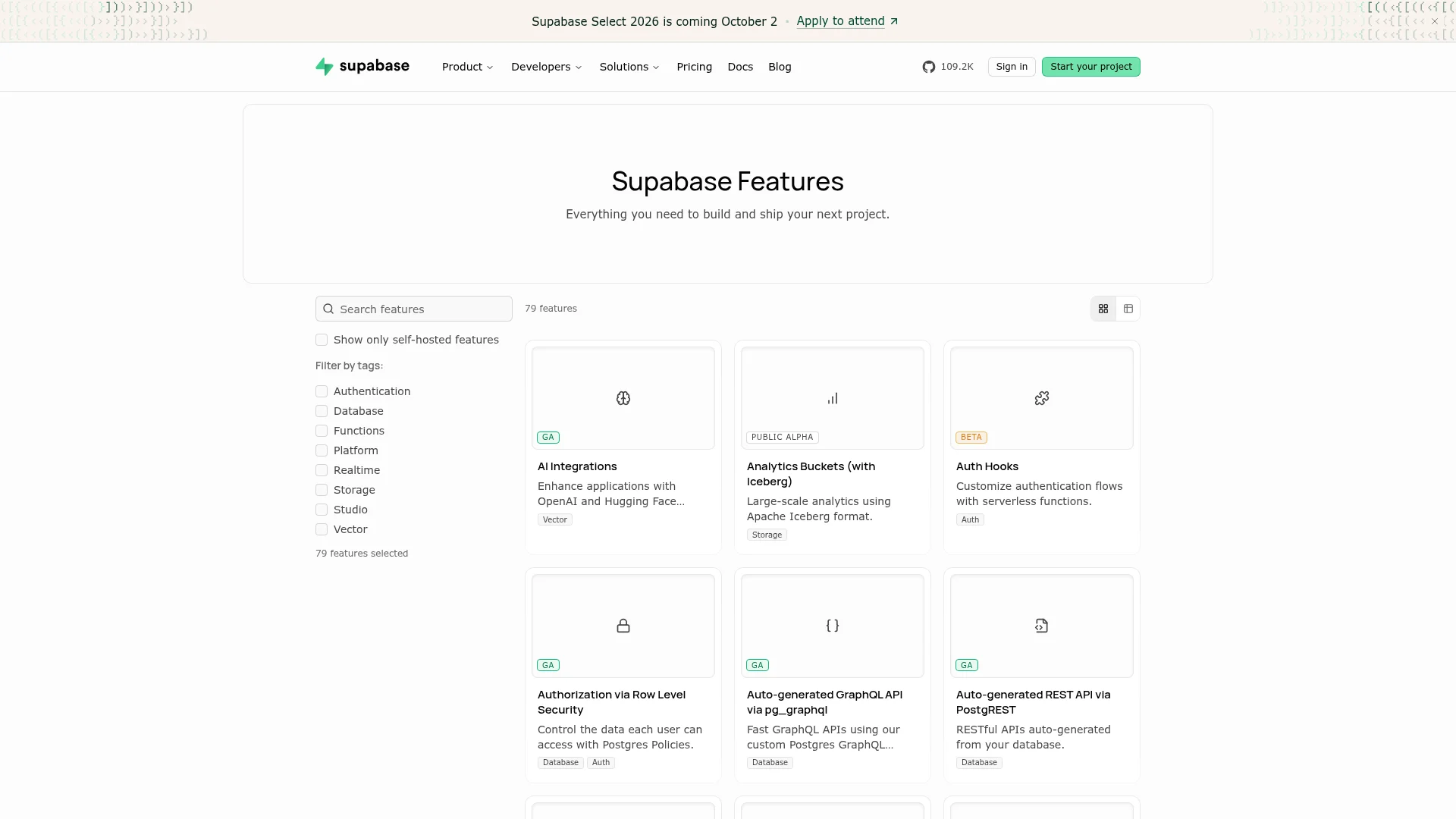
The five services above are the classic Supabase stack, but the platform has grown well past them. Several of these are worth knowing about before you assume something is missing.
Service | What it does |
|---|---|
Cron | Runs scheduled jobs directly in Postgres, with no external scheduler. |
Queues | A durable message queue for background work. |
Branching | Spins up a throwaway copy of your database per Git branch for testing. |
Read Replicas | Adds read-only copies of your database in other regions. |
Vector Buckets | Stores and searches embeddings for semantic search and RAG. |
Automatic Embeddings | Generates and refreshes embeddings as your rows change. |
Analytics Buckets | Columnar storage in Apache Iceberg format for analytics workloads. |
Foreign Data Wrappers | Queries outside sources such as Stripe or BigQuery as if they were tables. |
Supavisor | A connection pooler that keeps serverless clients from exhausting connections. |
MCP Server | Lets AI coding agents inspect and change a project directly. |
Supabase as AI and Agent Infrastructure
This is the biggest change to Supabase since 2025, and most guides still leave it out. Supabase is no longer used mainly by people clicking through a dashboard. It is used by AI agents building apps on someone's behalf.
In its funding announcement, Supabase said more than 60% of new databases on the platform are launched by some kind of AI tool. The company pointed to Claude Code and Codex as drivers of that growth since January 2026.
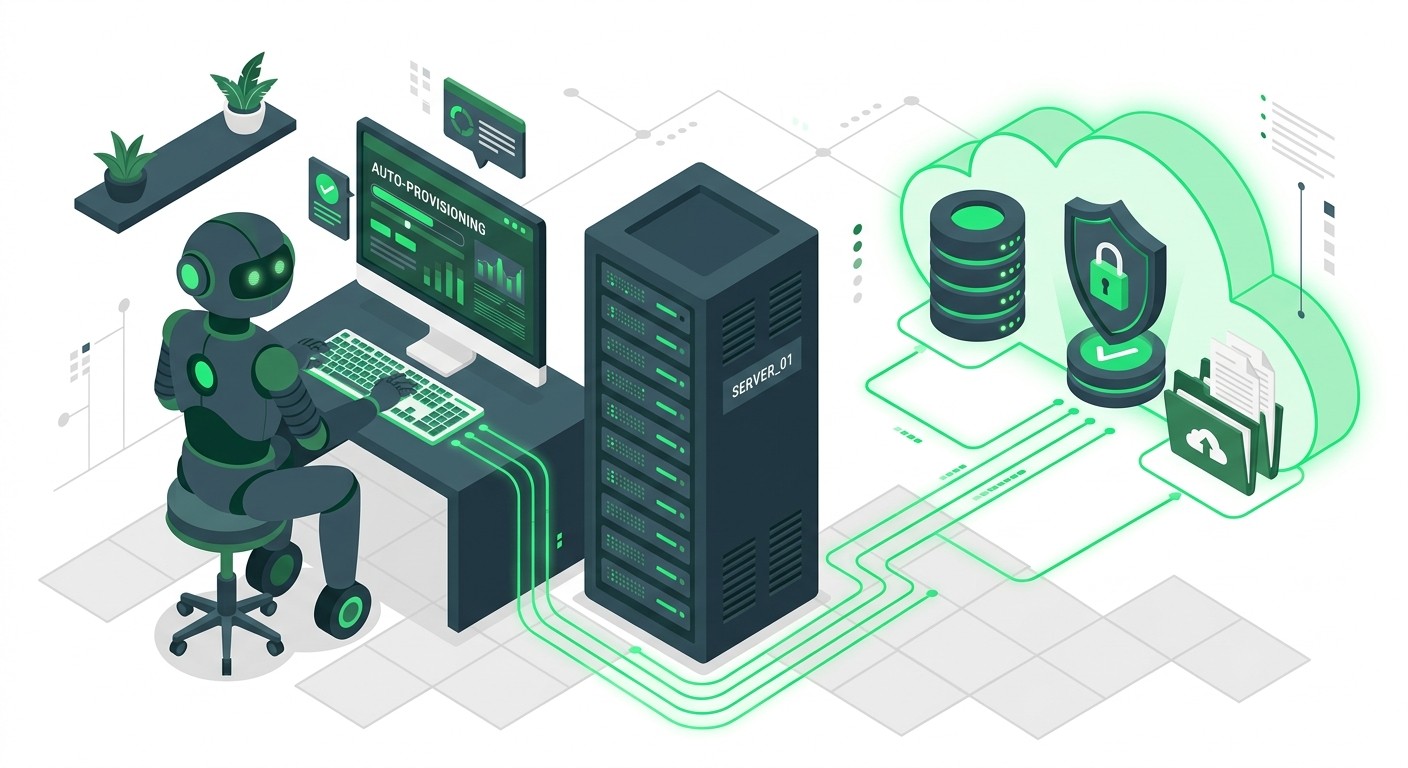
The Supabase MCP Server
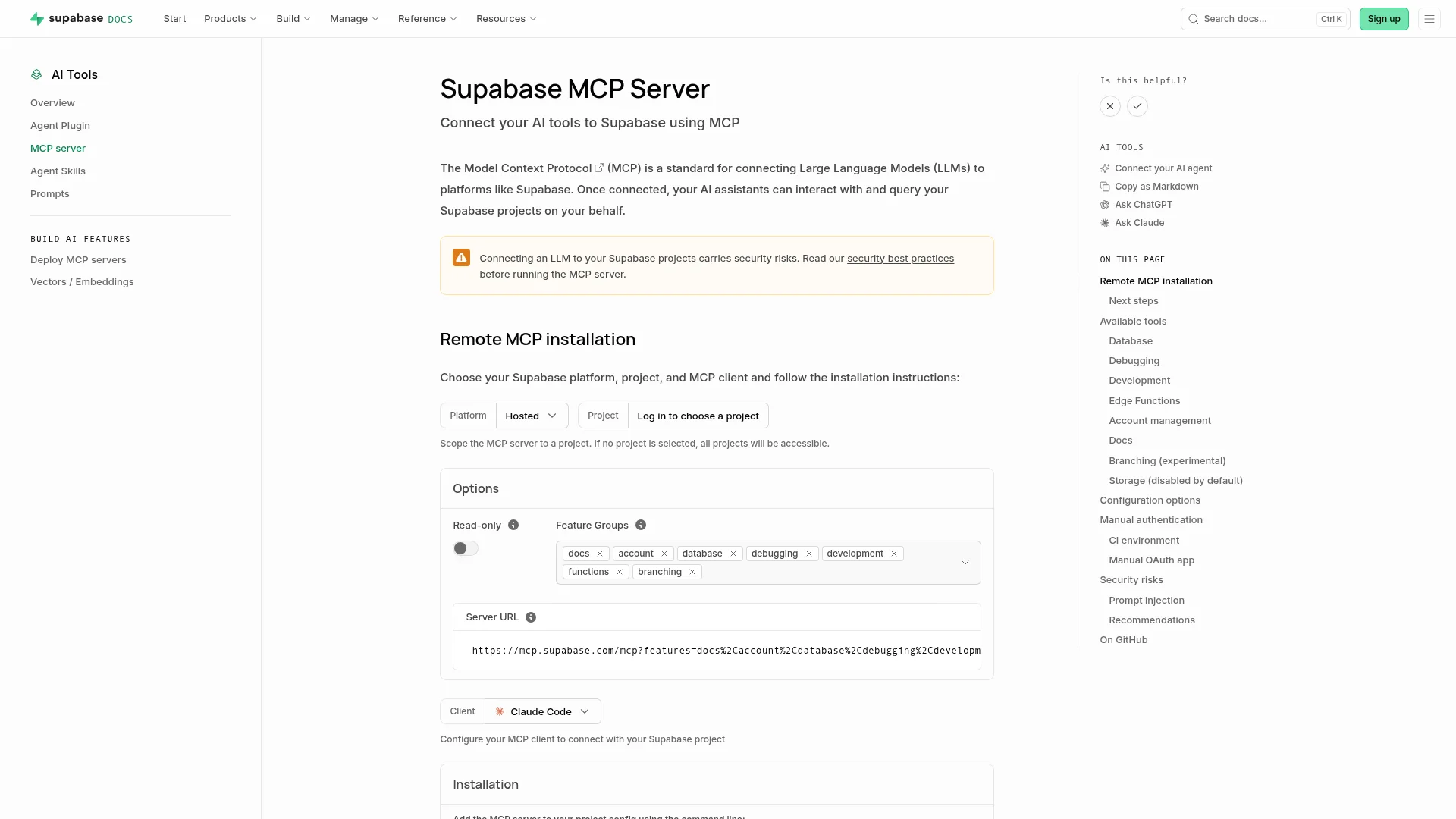
The Model Context Protocol server is the piece that makes this work. It gives an AI assistant a set of tools for working with a Supabase project: list tables, run a migration, query data, read logs, generate types, deploy an Edge Function.
Instead of pasting connection strings and schema dumps into a chat window, the agent queries the project directly. You can connect the MCP server to Claude, Cursor, VS Code, and other clients.
If you give an agent write access, scope it carefully. Read-only mode and project scoping exist for a reason, and a development project is a safer target than production.
Building AI Features on Supabase
Supabase is also a place to build AI features, not just a thing AI builds on. The pgvector extension turns your database into a vector store, so you can run semantic search next to your normal tables in one query.
Automatic Embeddings keeps those vectors current as rows change, which removes the usual background job for re-indexing content. There is also an AI Assistant inside Studio that writes SQL, explains errors, and suggests policies.
If you are building with AI tools rather than by hand, it helps to understand the role backend services play in AI and no-code apps before you pick one.
Supabase vs. Firebase: A Head-to-Head Comparison
Firebase is the tool people compare Supabase against most often. They solve the same problem, but the foundations are different, and that difference shapes everything else.
Supabase | Firebase | |
|---|---|---|
Database | PostgreSQL (relational, SQL) | Firestore (NoSQL document store) |
Queries | Full SQL with joins and aggregates | Document lookups; joins done in app code |
Source | Open source, Apache 2.0 | Closed source, Google-owned |
Self-hosting | Yes, full stack via Docker | No |
Permissions | Row Level Security in SQL | Firebase Security Rules |
Pricing model | Flat plan plus usage | Pay per read, write, and delete |
Vector search | Built in via pgvector | Through an extension or an outside service |
Mobile SDKs | Good, but younger | Very mature, deep Google integration |
Why the Database Choice Matters
With Firestore, a report that spans users, orders, and products means several reads and some code to stitch them together. With Postgres it is one query with joins.
The billing model differs in the same way. Firestore charges per document operation, so a screen that reads a lot of small documents can get expensive in a way that is hard to predict. Supabase charges for storage, bandwidth, and compute, which is easier to model ahead of time.
Where Firebase Still Wins
Firebase has been around longer and its mobile SDKs show it. Crashlytics, Cloud Messaging, Remote Config, and A/B testing are mature and tightly linked. If you are building a mobile-first app and want that toolkit, Firebase is still a reasonable pick.
Supabase Pricing in 2026
Supabase pricing has two parts: a plan fee, and usage above what the plan includes. Here is what each tier covers as of September 2026.
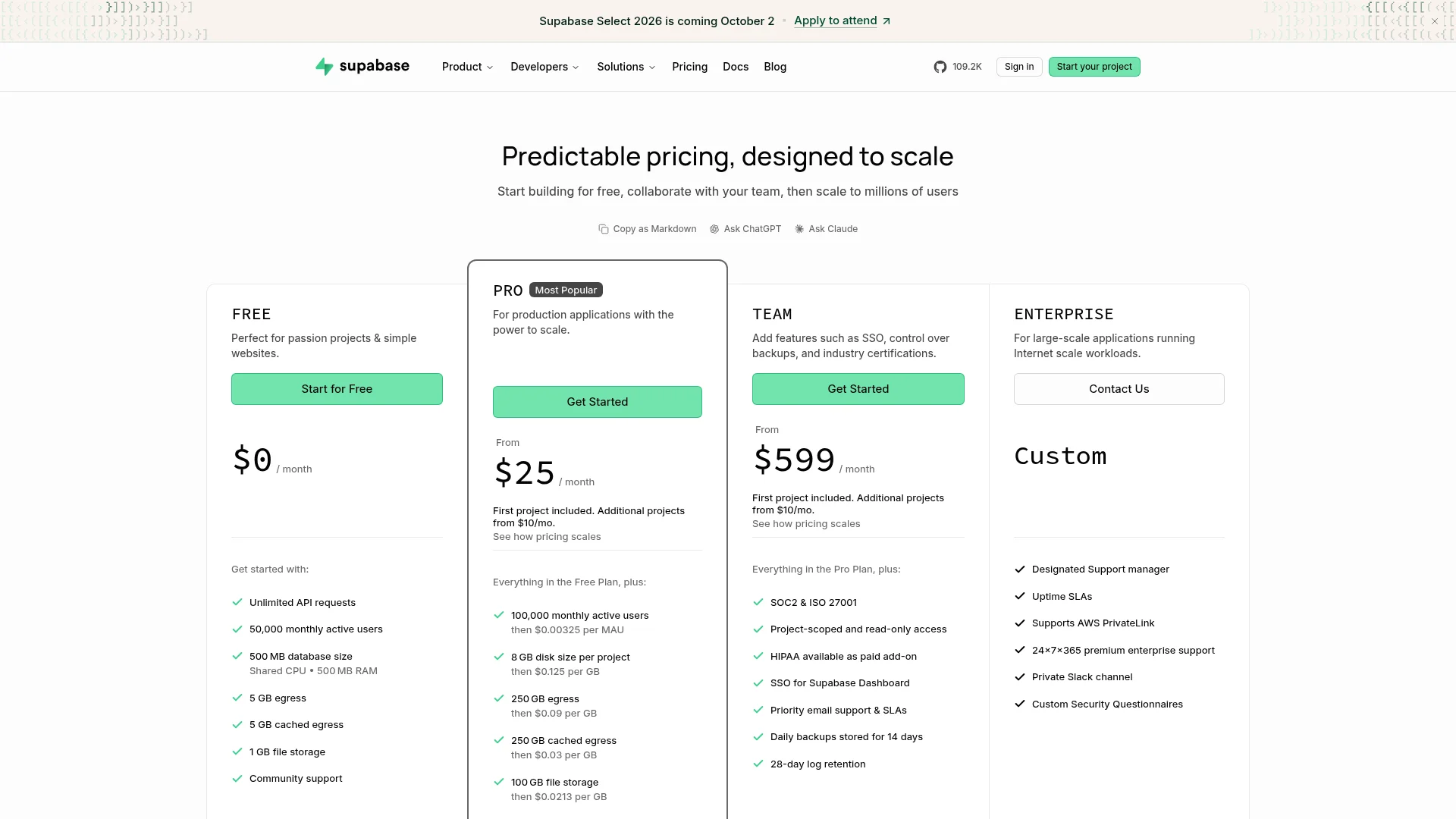
Free | Pro | Team | Enterprise | |
|---|---|---|---|---|
Price | $0 | From $25/mo | From $599/mo | Custom |
Database size | 500 MB | 8 GB, then $0.125/GB | 8 GB, then $0.125/GB | Custom |
File storage | 1 GB | 100 GB, then $0.0213/GB | 100 GB, then $0.0213/GB | Custom |
Egress | 5 GB | 250 GB, then $0.09/GB | 250 GB, then $0.09/GB | Custom |
Monthly active users | 50,000 | 100,000, then $0.00325 each | 100,000, then $0.00325 each | Custom |
Edge Function calls | 500,000 | 2M, then $2 per million | 2M, then $2 per million | Custom |
Realtime connections | 200 peak | 500, then $10 per 1,000 | 500, then $10 per 1,000 | Custom |
Projects | 2 active | Unlimited, from $10/mo each | Unlimited, from $10/mo each | Custom |
Backups | None | Daily, kept 7 days | Daily, kept 14 days | Custom retention |
Log retention | 1 day | 7 days | 28 days | 90 days |
Compliance | None | None | SOC 2, ISO 27001, HIPAA add-on | Plus SLAs and PrivateLink |
The Free Plan Limits That Actually Bite
The free plan is genuinely useful, but two limits catch people out. You can only have two active projects at once. And a free project pauses after one week with no activity, so a side project you check on monthly will be asleep when you return. You can restore it from the dashboard.
The free plan also has no backups, runs on shared compute with 500 MB of RAM, and keeps logs for one day. That is fine for prototypes and demos. It is not fine for anything with real users.
What Pro Actually Costs
Pro starts at $25 per month and includes $10 in compute credits, which covers one Micro instance. Each extra project adds compute cost on top, starting at $10 per month. A single production app on a small instance typically lands near the base price. Bandwidth is the line item most likely to surprise you if you serve large media files.
The Team plan at $599 per month has the same technical limits as Pro. You pay for SOC 2 and ISO 27001 reports, single sign-on, longer backups, and a HIPAA add-on. Check the official pricing page before you budget, since usage rates change.
When to Choose Supabase for Your Project
Supabase is a strong default for most apps that need a database and user accounts. It is a particularly good match in a few cases.
Apps with related data. Anything with users, teams, projects, orders, or permissions benefits from real joins and foreign keys.
Realtime products. Chat, live dashboards, collaborative editors, and multiplayer features work without extra infrastructure.
SaaS with tenants. Row Level Security maps cleanly onto keeping one customer's data away from another's.
AI apps. pgvector means your embeddings live next to your application data instead of in a separate service.
Teams that already know SQL. There is no new query language to learn.
When to Look Elsewhere
Supabase is not the answer to everything. If your workload is mostly long-running background processing, Edge Functions will feel constraining. If you need a schema that changes shape constantly, a document store may suit you better.
And if you need very specific database tuning, extensions outside the supported set, or deployment in a region Supabase does not serve, running your own Postgres is still an option worth pricing out.
Getting Started with Your First Supabase Project
Setting up a project takes a few minutes. Here is the path from nothing to a working backend.
Sign up and create a project. Pick a region close to your users and save the database password somewhere safe.
Create your first table in the Studio table editor, or write the SQL yourself in the SQL editor.
Turn on Row Level Security for the table and add a policy. Supabase blocks access by default until you do.
Copy your project URL and publishable API key from the project settings.
Install the client library for your framework and make your first query.
A Note on the New API Keys
Supabase has moved to a new key format. You will see keys that start with sb_publishable_ for client-side use and sb_secret_ for server-side use. These replace the older anon and service_role keys.
The rule has not changed: publishable keys can ship in your frontend, secret keys never can. A secret key bypasses Row Level Security entirely.
Designing the Schema
The part that takes real thought is the data model, not the setup. Getting tables and relationships right early saves painful migrations later. If you are new to this, our guide on how to create a database from idea to live app walks through the process.
Supabase Pros and Cons
What Works Well
Real Postgres. Decades of tooling, documentation, and hiring pool come with it.
No lock-in. The stack is open source, so you can export your data or move to your own servers.
Fast setup. A usable backend in minutes, with APIs generated from your schema.
Predictable bills. Charges track storage, bandwidth, and compute rather than individual reads.
One permission model. Row Level Security covers the API, realtime, and direct SQL at once.
What to Watch
You need some SQL. Basic queries are easy, but Row Level Security policies take real understanding.
Edge Functions have limits. They are not built for long jobs or heavy computation.
Mobile SDKs are younger than Firebase's, with a smaller pool of examples to copy.
Self-hosting is work. The option exists, but running it means managing upgrades, backups, and scaling yourself.
If the last point interests you, we have a walkthrough on setting up a self-hosted Supabase instance.
Most teams should start on the hosted version. Self-host later if compliance or cost makes it worth the operational load.
Skipping the Setup Entirely
Picking a backend, wiring up auth, and writing security policies is real work before you have shipped anything. If you would rather describe the app you want and have the database, auth, and storage configured for you, that is what CatDoes does. It builds and deploys the app, and the backend comes with it.
Frequently Asked Questions About Supabase
Short answers to the questions that come up most often about Supabase.
Is Supabase completely free to use?
Supabase has a free plan that does not expire, but it is not unlimited. It covers two active projects, a 500 MB database, 1 GB of file storage, 5 GB of egress, and 50,000 monthly active users. Free projects pause after one week of inactivity. The code is also open source, so self-hosting is free apart from your own server costs.
Is Supabase SQL or NoSQL?
Supabase is SQL. It runs PostgreSQL, a relational database with tables, columns, and foreign keys. You can still store unstructured data in JSONB columns when you need flexibility, which covers most cases people reach for NoSQL to solve.
Is Supabase a BaaS?
Yes. Supabase is a Backend-as-a-Service. It provides a hosted database, authentication, storage, serverless functions, and auto-generated APIs, so you do not have to build or run a backend server yourself.
Does Supabase use Postgres?
Yes. Every Supabase project is a dedicated PostgreSQL database. You can connect to it with any standard Postgres client or ORM, and you can export the data at any time.
Do I need to know SQL to use Supabase?
Not to start. The Studio table editor works like a spreadsheet, and the client libraries let you read and write data in JavaScript, Python, or Dart. You will want basic SQL once you write Row Level Security policies, since those are SQL expressions.
How secure is Supabase?
Security rests on Postgres Row Level Security, which enforces access rules in the database rather than in application code. Supabase holds SOC 2 Type II and ISO 27001 certifications, with HIPAA available as a paid add-on on the Team plan. The most common real-world mistake is leaving Row Level Security off on a table, or exposing a secret key in frontend code.
What are the main alternatives to Supabase?
Firebase is the closest direct comparison. Other options include Appwrite, which is also open source, Neon and PlanetScale for managed Postgres and MySQL without the extra services, and AWS Amplify for teams already inside the AWS ecosystem. Running your own Postgres with a framework like Django or Rails is still viable too.
Can you self-host Supabase?
Yes. The whole stack is open source under the Apache 2.0 license and ships as Docker containers. Self-hosting removes vendor dependence and can cut costs at scale, but you take on upgrades, backups, monitoring, and scaling yourself.
Nafis Amiri
Co-Founder of CatDoes


