
Blog
Tutorials
How to Build an App for Your Business: A Practical Guide to Launch
Learn how to build an app for your business: validate ideas, leverage AI tools, and launch with confidence.

Nafis Amiri
Co-Founder of CatDoes
How to Build an App for Your Business: A Practical Guide to Launch
Thinking about building a mobile app for your business used to feel like a massive undertaking, something only big companies with deep pockets could pull off. That's not the case anymore. Modern, AI-native platforms have completely changed the game, making it faster, cheaper, and way more accessible for small business owners and non-technical founders to get in on the action.
This guide is your practical roadmap. We're going to skip the complex jargon and show you exactly how to build an app for your business.
Why Your Business Needs an App Right Now
In 2025, an app isn't just a cool add-on; it's one of the most direct and powerful ways to connect with your customers. It's not a digital flyer. It's an interactive tool that lives right in their pocket. This gives you a unique opportunity for engagement, loyalty, and, of course, sales.
A lot of people make the mistake of seeing an app as just a tech project. It's much bigger than that. You should think of it as a core piece of your business strategy.
The numbers back this up, big time. The global mobile app market was valued at around USD 252.9 billion in 2023 and is on track to hit USD 626.4 billion by 2030. Some estimates even project the market will blow past USD 1.1 trillion by 2034, with an incredible annual growth rate of about 21.55%. If you want to dig deeper, you can find more mobile app development statistics on RaasCloud.io. This isn't just a trend; it's a fundamental shift in how people spend their time and money.
What an App Can Actually Do for You
For a small or mid-sized business, an app can be a serious competitive advantage. You get to cut through the noise of crowded email inboxes and chaotic social media feeds, giving you a dedicated channel to build real customer relationships.
Here are a few specific ways an app pays off:
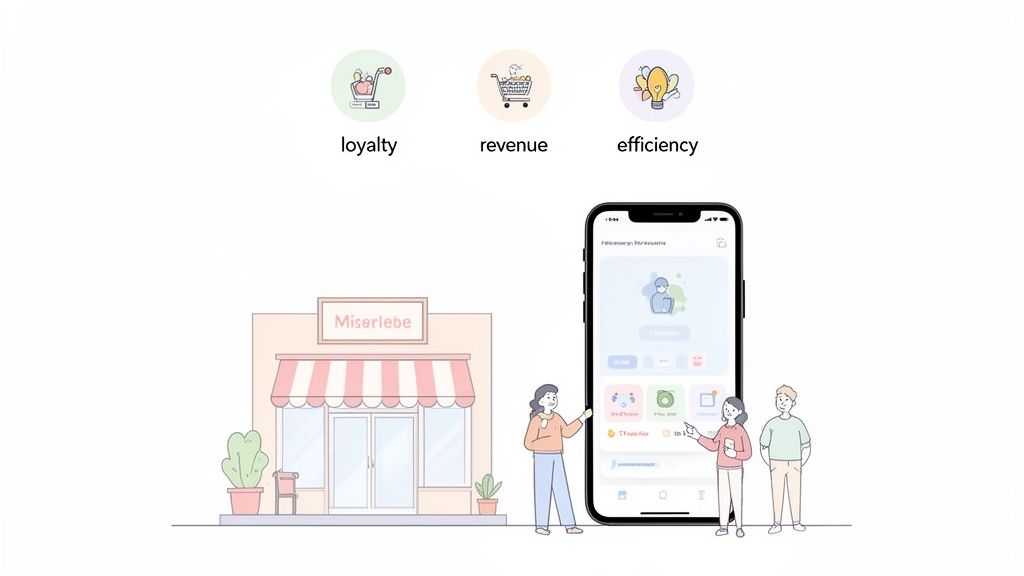
Build Real Customer Loyalty: An app is a direct line to your best customers. You can roll out loyalty programs, send personalized push notifications about new products or sales, and offer exclusive content that keeps people coming back.
Open Up New Revenue Streams: Your app can be a powerful sales tool on its own. Think in-app purchases, premium features for a subscription, or even targeted ads. It’s a way to generate income beyond your core business.
Make Your Own Operations Smoother: Apps aren't just for customers. You can build internal tools to manage inventory, streamline appointment booking, or just make it easier for your team to communicate. It saves time and cuts down on headaches.
The secret to a successful business app is simple: it has to solve a real problem. Whether it’s making it easier to buy something, providing genuinely useful information, or offering a service they can’t get elsewhere, your app has to deliver clear value. That’s what keeps users engaged.
This guide is all about a practical, step-by-step approach. You’ll learn how to take a great idea and turn it into a real product that your customers will love, even if you’ve never written a line of code in your life.
Before you ever think about code or design, the journey to a successful app starts with a brutally honest question: Does anyone actually need this?
Jumping into development without answering that question is the fastest way I've seen founders burn through cash and enthusiasm. The first, and most important, step is to get out of your own head and confirm there's real-world demand for your idea.
Is Your Idea a "Must-Have" or a "Nice-to-Have"?
This validation phase isn't about commissioning a massive market research report. It's about talking to real people. It’s about simple conversations, quick online surveys, or even just watching how your current customers behave.
Your goal is to uncover a specific, high-value problem that your app can solve better than anything else out there. Before you invest a dime in building, make sure you're creating something people will actually use. For a deeper dive, there's a great guide on validating a business idea from concept to market success that lays out some excellent strategies.
Who Are You Really Building For?
You can't build an app for everyone. When you try, you end up with a generic product that excites no one. Get laser-focused on your ideal user.
Start by sketching out a simple user persona. This isn’t some fluffy marketing exercise; it's about creating a clear picture of the person who will get the most value from your app.
Ask yourself a few practical questions:
What's their biggest headache related to your business? A coffee shop owner might realize customers despise the morning rush and long wait times. That's a pain point an app can solve.
What are their daily routines? Understanding their lifestyle shows you where your app can fit in naturally, rather than feeling like another chore.
What tech are they already comfortable with? This is crucial. It tells you whether your app's interface needs to be dead simple or if you can afford more complexity.
Knowing this turns abstract ideas into concrete needs and helps you make smarter decisions about features, design, and marketing later on.
From Big Vision to a Smart Starting Point: The MVP
Once you know there's a genuine need and who you're building for, it's time to define your Minimum Viable Product (MVP).
An MVP isn’t a buggy, half-finished app. It’s the simplest, most focused version of your product that solves the core problem for your target user, and nothing more.
The whole point of an MVP is to deliver maximum value with minimum features. It's about solving one problem exceptionally well, not ten problems poorly. This gets your app into users' hands fast so you can learn from their actual feedback.
Defining your MVP requires you to be ruthless with your feature list. You have to separate the absolute "must-haves" from the "nice-to-haves." A fantastic way to do this is with user stories. If you want to get this concept down cold, check out our detailed guide on what is a Minimum Viable Product.
Turning Ideas into Actionable User Stories
User stories are a brilliantly simple tool for translating your vision into clear, functional requirements. They force you to frame every feature from the user's perspective, ensuring everything you build serves a real purpose.
The format is dead simple: "As a [type of user], I want to [perform an action], so that I can [achieve a goal]."
Let's look at a few real-world examples:
For a local boutique: "As a loyal customer, I want to see new arrivals as soon as they're in stock, so I don't miss out on popular items."
For a service business (like a salon): "As a busy professional, I want to book my next appointment in under 60 seconds, so I can get on with my day."
For an internal team tool: "As a project manager, I want to get instant notifications on project updates, so I can keep everyone on track without chasing them down."
These concise statements become the actual blueprint for your app. With modern AI-native platforms, you can feed these user stories directly into the system, and it will translate them into a technical plan, generating the designs and code to bring your validated MVP to life.
Choosing Your App Development Path
You’ve got a validated idea and a lean MVP scope. Great. Now for the big question: how are you actually going to build this thing? Not too long ago, your choices were pretty stark. You could hire a pricey development agency or take a chance on a freelancer. Today, things are completely different. You’ve got options that fit almost any budget, timeline, or level of technical skill.
Making the right call here is a make-or-break decision. The path you pick directly impacts your upfront costs, how fast you get to market, and how easily you can make changes later on. It’s all about finding the right balance of control, cost, and speed for your business.
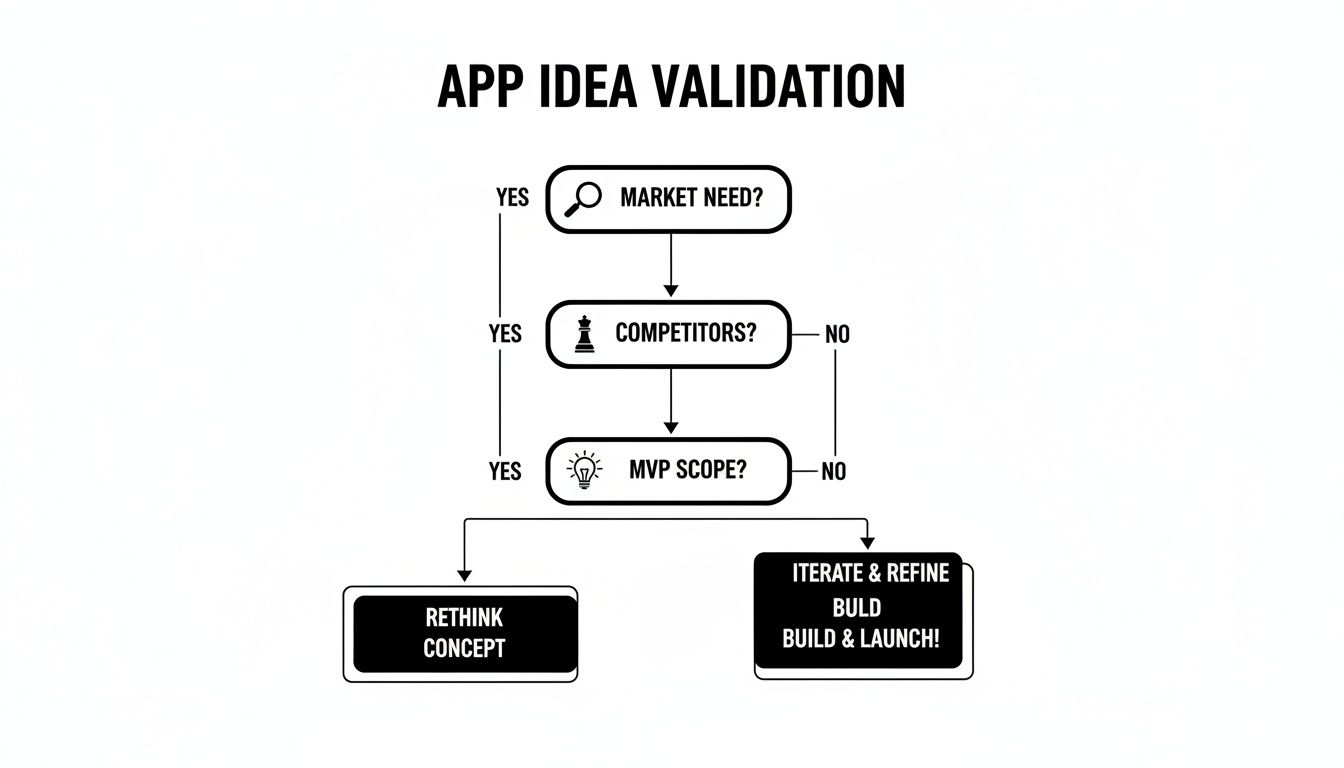
This flowchart lays out the key questions to ask yourself, making sure your idea is grounded in a real market need with a tight MVP scope before you even think about the build.
With a solid, validated idea in hand, let's explore your build options.
Traditional Development Agencies and Freelancers
The old-school route involves hiring a team of experts, either a full agency or a skilled freelancer, to code your app from the ground up. This path gives you the most customization possible. If your app needs a truly unique, complex feature that no existing platform can handle, this is often the way to go.
But that level of control comes with a hefty price tag. Agencies often charge anywhere from $50,000 to over $250,000 for a single app, and the project can easily stretch from six months to more than a year. While freelancers might be a bit more affordable, finding the right person and managing the project yourself requires a ton of oversight. For most small businesses, the massive upfront cost and long wait make this approach a non-starter for a first launch.
The Rise of No-Code and Low-Code Platforms
Over the past decade, no-code and low-code platforms have completely changed the game. These tools use visual, drag-and-drop interfaces that let you piece together an app from pre-built blocks, all without needing to know how to code. Newer AI-native tools go a step further: you describe the app in plain English and the AI builds it, as shown in this walkthrough on how to build a mobile app for your business using AI.
This approach massively lowers the barrier to entry. Business owners can now build functional apps much faster and for a tiny fraction of the cost of traditional development. They're fantastic for straightforward projects like internal company tools, simple e-commerce apps, or basic content platforms. The main drawback? You can hit a wall if you need custom logic or an integration with a system that isn't already supported.
The New Frontier: AI-Native Development
The latest leap forward in app creation comes from AI-native platforms. This is a huge step beyond simple no-code tools. Instead of dragging and dropping components, you just describe what you want your app to do in plain English. From there, intelligent software agents take over, handling everything from designing the UI and writing the code to setting up the backend database.
AI-native platforms give you the speed of no-code with a level of flexibility that used to be reserved for custom development. This is a game-changer for founders who need to move fast without compromising on quality.
This isn't just a small trend; it's a massive shift in how software gets built. The worldwide low-code development market was recently valued at USD 28.75 billion and is projected to explode to around USD 264 billion by 2032. Analysts even predict that by 2026, over 50% of app prototypes will be built using these modern tools, proving just how powerful they are for getting ideas to market quickly.
To give you a clearer picture, here’s how the three main approaches stack up against each other.
Comparing App Development Approaches
Factor | Traditional Development | Low-Code Platforms | AI-Native Platforms |
|---|---|---|---|
Initial Cost | Very High ($50k - $250k+) | Low (Subscription-based) | Low (Subscription-based) |
Time to Market | Very Slow (6-12+ months) | Fast (Weeks to months) | Very Fast (Days to weeks) |
Required Skill | Expert coding & project management | Visual building, some logic | Plain English, business idea |
Flexibility | Extremely high, fully custom | Good, but within platform limits | High, approaching custom code |
Maintenance | Ongoing, requires developers | Handled by platform | Handled by platform |
Choosing the right path depends entirely on your specific needs. But for many modern businesses, AI-native platforms offer an unbeatable combination of speed, affordability, and power, finally making a high-quality mobile app an achievable goal.
These platforms often build on proven technologies, giving you the best of both worlds. Many use frameworks that let them generate code for both iOS and Android from a single source. To get a better handle on the tech behind this, check out our guide to cross-platform app development. This is how today’s AI tools can produce professional, production-ready apps so efficiently.
Okay, you've settled on how you'll get this app built. Now comes the fun part: turning those abstract ideas and user stories into something you can actually see and touch. This is where your vision starts to feel real, moving from notes on a page to interactive screens on a phone.
The goal here isn't just to make something that looks good, but to create a prototype that feels completely natural for your users.
Just a few years ago, this meant a ton of back-and-forth with UI/UX designers, messing with wireframing tools, and sitting through endless feedback rounds. That whole process has been turned on its head. With AI, you can skip the blank canvas and generate entire design systems from a few simple sentences.
From Text Prompts to Professional Designs
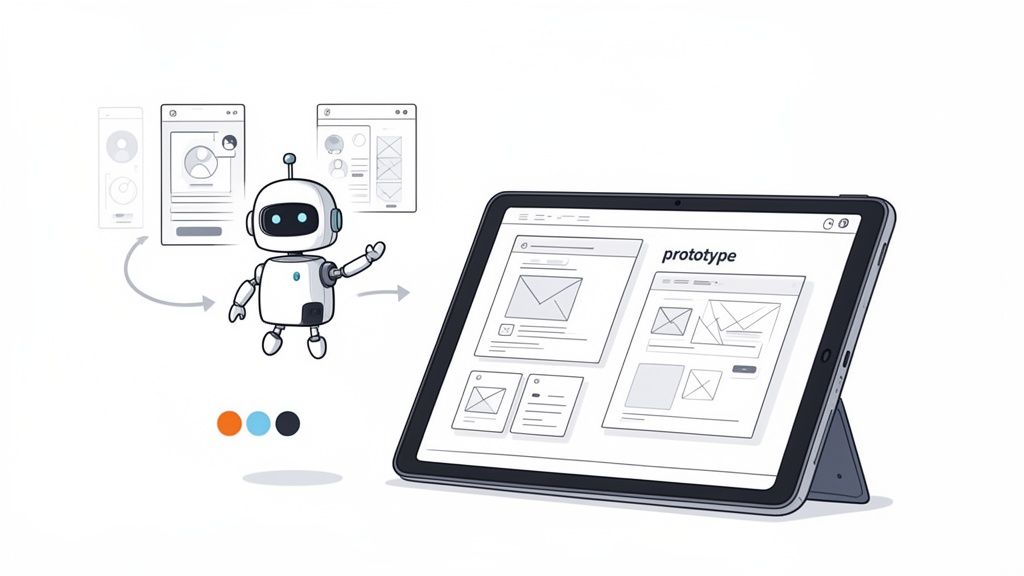
Modern AI-native platforms come with specialized "designer agents." You can give them a prompt as simple as, "Create a clean, minimalist design for a coffee shop app with a warm, earthy color palette," and watch it generate a complete theme. We're talking fonts, colors, and button styles.
This approach completely bypasses what used to take weeks of manual design work. It lets you play with different visual styles in minutes, making sure the final look and feel nail your brand's vibe. The trick is to be clear and descriptive with your prompts to guide the AI.
Fitness App Example: "Generate a vibrant, energetic theme using bold typography and a neon color scheme for a workout tracking app."
Finance App Example: "Design a trustworthy and professional interface with a blue and gray color palette, clear data visualizations, and a secure feel."
This effectively puts a professional designer in your pocket, empowering business owners without a design background to create polished, high-quality interfaces that build user trust from the very first tap.
Building the User Journey Screen by Screen
With your overall theme locked in, it's time to map out the user's journey. This means creating each individual screen and linking them together to create a smooth, logical flow from the login page all the way to a final confirmation.
Here again, AI software agents make this incredibly fast. You can describe what each screen needs to do, and the AI will generate the layout, complete with input fields, buttons, and navigation. For example, you could tell it to, "Create a user profile screen with fields for name, email, and a profile picture," and it'll build it instantly.
Good UX design isn't about packing in as many features as possible. It's about making the user's path to their goal as simple and frictionless as you can. Every screen should serve a clear purpose and guide them to the next logical step.
This automated generation is just the starting point. The real magic happens when you can immediately see and interact with what you've just described.
The Power of Live Previews and Instant Testing
One of the biggest wins of building with an AI-native platform is the incredibly tight feedback loop. As soon as an AI agent generates a screen or a feature, you can see it live in a browser preview. This isn't just a static picture; it's a fully interactive version of your app.
You can click buttons, type in fields, and navigate between screens exactly like a real user would. This immediate feedback lets you spot awkward user flows or design issues on the fly and fix them right away.
Even better, these platforms often give you a simple QR code. Scan it with your phone, and the app loads directly on your device. This gives you a true-to-life testing experience on both iOS and Android, getting rid of the old, clunky process of compiling code and deploying it manually, which used to burn hours of time.
This instant, real-world testing ensures you’re not just building an app that looks pretty in a design file, but one that actually feels right in a user's hand. If you're also thinking about how to integrate AI features into your app, it's worth exploring developer kits like the ChatGPT Apps SDK, which can provide powerful tools for adding advanced conversational AI.
Connecting to the Backend Automatically
A great-looking design is only half the battle. Your app needs to actually do things, which means connecting it to a backend to handle user accounts, store data, process payments, and more. AI agents can automate this complex step, too.
Based on the features you've described, the platform can automatically set up the backend services you need. If your app requires user logins, the AI will generate the authentication system. If you need to store product info, it will create the necessary database tables. This seamless connection between the visual front end and the functional backend is what turns your prototype into a production-ready application.
Navigating the Launch and Post-Launch Journey
Getting your app into the hands of real users is a massive milestone, but it's really just the starting line. The real work begins now. You must make sure your app is rock-solid before it goes live, and then listen intently to what your first users have to say.
One of the biggest mistakes founders make is thinking the app is "done" at launch. It's much healthier to see your launch as the beginning of a conversation with your customers. Their feedback is pure gold, giving you the clarity you need to make smart decisions on what to build next.
Rigorous Testing Before You Go Live
Before you even dream of hitting that "submit" button, you need to put your app through the wringer. A buggy first impression can kill your momentum before it even starts.
Thorough testing isn't a "nice-to-have"; it's your best defense against a bad launch. The goal is simple: find and squash any bug or confusing workflow that could frustrate a new user. Your testing should hit a few key areas to guarantee a smooth experience for everyone.
Here’s a practical pre-launch checklist:
Functionality Testing: Does every single button, link, and form do what it's supposed to do? Click through every user journey, from signing up to checking out, to make sure there are no dead ends or weird error messages.
Usability Testing: This is where you need fresh eyes. Grab a few people who have never seen your app and ask them to complete a few core tasks. Watch them closely. The exact spots where they get stuck or look confused are the parts of your UI that aren't as intuitive as you thought.
Performance Testing: How fast does the app load? Does it feel sluggish or drain the battery on older phones? A snappy, efficient app is critical for keeping people engaged.
Compatibility Testing: Your app has to work flawlessly across a whole range of devices, screen sizes, and OS versions. Make sure you test it on different models of both iPhones and Android phones to ensure a consistent experience.
The App Store Submission Process
Once your app is polished and ready, it’s time for the final boss: submitting to the Apple App Store and Google Play Store. While both stores want quality apps on their platforms, they have slightly different rulebooks and review processes. Nailing this step is key to how you build an app for your business that actually reaches its audience.
Apple, for instance, is famously meticulous. Their reviewers pay close attention to design details, privacy policies, and the overall user experience. Google's process, on the other hand, is generally faster and more automated, but they are just as strict about content policies and app performance.
Plan for this to take some time. It's not unusual to get rejected on your first try for something minor. My advice? Read the submission guidelines twice, get all your screenshots and descriptions ready ahead of time, and be patient.
Life After Launch: Planning for What's Next
Congratulations, you're live! Now, the game shifts from building to growing. The post-launch phase is a continuous loop of listening to your users, learning from their behavior, and making your app better.
The first few weeks are absolutely critical. You'll finally see how people actually use your app, which is often surprisingly different from how you thought they would. This is your chance to turn an initial release into a long-term success.
Your post-launch strategy should circle around a few core activities:
Gathering User Feedback: Give users an easy way to report bugs or request features right inside the app. Also, keep a hawk-eye on your app store reviews. They're an unfiltered source of what people love and what drives them crazy.
Tracking Key Analytics: Use analytics tools to see what people are doing. Track metrics like daily active users, session length, and which features get the most use. This data is your compass, showing you what's valuable and where people are dropping off.
Creating a Feature Roadmap: Use all that feedback and data to plan your next updates. Prioritize the features that solve the biggest user problems or deliver the most value. This is how you show users you're listening and committed to making their experience better.
App Development Costs and Timelines: What to Really Expect
Let's get right to the two questions every business owner asks: How much is this going to cost, and how long will it take?
The answers used to be pretty intimidating, often involving figures with a lot of zeros and timelines stretching out over a year. But the development path you choose today dramatically changes that math. Knowing how to build an app for your business in 2025 means understanding these new economic models. The old way isn't the only way anymore, and the differences in cost and speed are massive.
Breaking Down Traditional App Costs
Going the traditional route with a development agency is a serious capital investment. You're paying for a whole team of specialists, including project managers, UI/UX designers, frontend and backend developers, and quality assurance testers. Their time adds up, and it adds up fast.
Even a simple app with basic features will likely start around $40,000 and can easily soar past $250,000 for more complex projects. These costs are usually broken down into phases, but the total financial commitment is substantial before you ever get a single piece of user feedback.
And it doesn't stop at launch. You still need to budget for server hosting, inevitable bug fixes, and updates to keep up with new operating systems. This can easily tack on an extra 15-20% of the initial development cost every single year, just for maintenance. For a more granular view, we put together a complete mobile app development cost breakdown with more detailed insights.
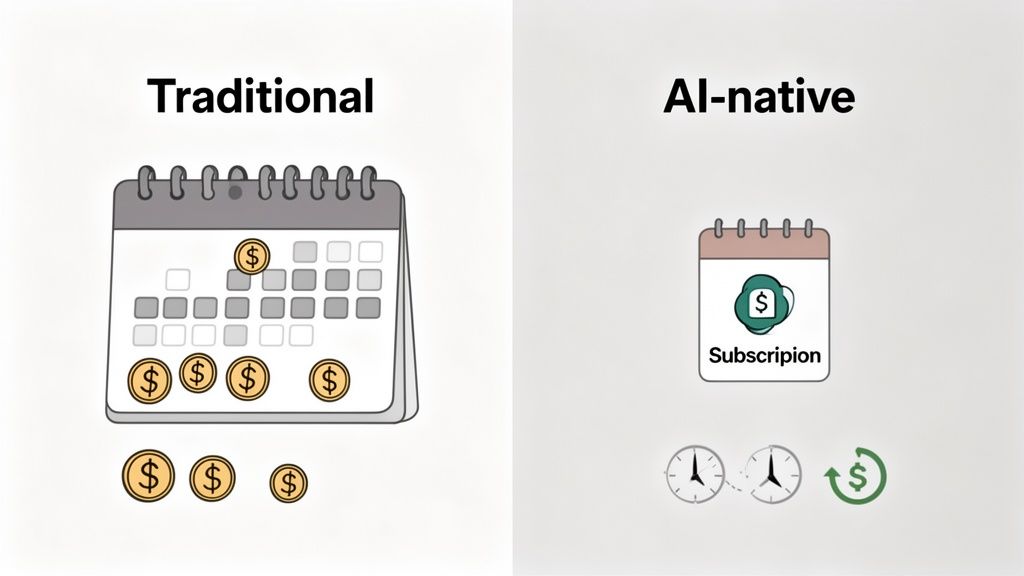
The New Model: Predictable Subscriptions
Modern AI-native platforms completely flip this financial model on its head. Instead of a huge upfront payment, you pay a predictable monthly or annual subscription. This makes financial planning a whole lot simpler and drastically lowers the barrier to entry.
For a small business, this shifts app development from a scary capital expenditure to a manageable operating expense. It's an approach that makes it possible to get started without seeking venture capital or draining your cash reserves.
The real power of the subscription model is that it aligns the platform's success with yours. They are motivated to provide continuous updates, robust support, and new features to keep you as a happy customer, rather than just completing a one-off project and moving on.
This cost-effective structure is a major reason why building a business app is now a realistic goal for startups and small businesses, not just giant corporations.
Comparing Project Timelines
Time is just as valuable as money, especially when you need to get your idea to market quickly. The gap in timelines between traditional and modern development methods is just as stark as the cost difference.
Traditional Development: A typical project can take anywhere from 6 to 12 months just to get a first version (your MVP) ready to launch. This long cycle is bogged down by weeks of meetings, design reviews, coding sprints, and multiple testing phases.
AI-Native Development: With an AI-driven platform, you can go from a clear idea to a functional MVP in a matter of days or weeks. Because AI agents handle the design, coding, and backend setup, the entire process is compressed dramatically.
This acceleration gives you a huge strategic advantage. It means you can start gathering real user feedback almost immediately, allowing you to iterate and improve your app based on actual data, not just assumptions. From a risk perspective, the "how" of building your app increasingly hinges on compressing time to market.
Mobile app revenue is projected to hit USD 613 billion by 2025, yet many projects stall before they even launch. For instance, in related software fields, only 11% of organizations have agent-based solutions in production despite 38% piloting them, showing a significant gap between trial and deployment.
Your Top Questions About Building a Business App
Jumping into app development for the first time always brings up a lot of questions. Let's tackle some of the most common ones that business owners ask when they're just starting out.
How Much Does It Really Cost to Build an App?
The price tag on an app can swing wildly depending on how you build it. If you go the traditional route and hire a freelance developer or a small agency, you’re typically looking at a range of $25,000 to $250,000 or even more. The final cost all comes down to the app's complexity.
But there's a completely different path now. Modern tools, especially AI-native platforms, have totally changed the financial equation. Instead of a massive upfront investment, these platforms work on a subscription model. You can often get started for under $100 a month, making it a much more manageable and realistic option for startups and small businesses.
Do I Actually Need to Know How to Code?
Absolutely not. That’s probably the biggest myth in app development today. Coding is no longer a barrier to entry, thanks to AI-native and no-code builders designed specifically for people without a technical background.
You can now describe what you want your app to do in plain English, including its features, design, and how users should move through it. The platform's AI agents do the heavy lifting, generating the code and setting up the backend infrastructure for you. This means you can build, manage, and even update your own app without ever needing to hire a development team.
The game has changed. App creation is no longer about your ability to execute technically; it's about the clarity of your business vision. If you can describe what you need, today's tools can build it.
How Long Until I Can Launch a First Version?
This is another area where the method you choose makes a huge difference. The old-school development process is a long haul, usually taking 6 to 12 months just to get a basic Minimum Viable Product (MVP) off the ground. That time is packed with meetings, back-and-forth communication, manual coding, and long testing cycles.
With an AI-powered platform, that timeline shrinks dramatically. It's now entirely possible to go from an idea to a fully functional, launch-ready MVP in just a matter of days or weeks. This incredible speed means you can get your app into the hands of real customers faster, gather crucial feedback, and start improving right away.
Ready to turn your business idea into a real app without the long timelines and high costs? CatDoes uses AI agents to build production-ready apps from simple text descriptions. Go from concept to launch in a fraction of the time. Get started for free at catdoes.com.
Nafis Amiri
Co-Founder of CatDoes


