Blog
Tutorials
How to Build a Database for Your App From Scratch
Learn how to build a database from scratch: design your schema, choose SQL, NoSQL, or a BaaS like Supabase, and connect it to your app step by step.

Nafis Amiri
Co-Founder of CatDoes
TL;DR: Here is how to build a database for your app: map your data into tables and relationships first, choose a database type that fits (a managed Backend-as-a-Service like Supabase is the fastest path for most apps), then create your tables, connect your frontend, and secure it with row-level security and backups. With a BaaS you can have a working database live in under an hour. The real work is designing a schema you will not have to rebuild later.
Learning how to build a database is the first real step in turning an app idea into a working product. Whether you are creating a mobile app, an online database application, or a custom internal tool, the process is the same: plan your data, choose the right technology, and connect it to your app. This guide walks through how to build a database from scratch, covering schema design, the choice between SQL, NoSQL, and Backend-as-a-Service, and how to wire it up to a real React Native app with Supabase.
Table of Contents
Start With a Plan: Design Your Database Schema
Choosing the Right Database: SQL vs NoSQL vs BaaS
How to Build Your Database Step by Step
Connecting Your Database to Your React Native App
Best Practices for Database Security and Scaling
What Is CatDoes Cloud?
Frequently Asked Questions About Building a Database
Start With a Plan: Design Your Database Schema
Before you write a single line of code, you need a plan for your data. This is the most critical step in building a database. It is about breaking your big idea into its core pieces of information, figuring out what makes each one unique, and mapping out how they all connect. This blueprint, called a schema, is the foundation your entire app stands on, and getting it right from the start saves you from massive headaches and costly rebuilds down the road.
Every great app starts with an idea, not a database. Your first job is to translate that idea into the raw information it needs to function. If you are building a social media app, for example, you are not just building "a social platform." You are managing users, posts, comments, and likes. Each one is a distinct thing your database needs to track, and this is where the abstract idea becomes a concrete plan.
This phase is tightly linked to your original vision. If you are still refining it, our guide on how to validate a business idea can help you sharpen your focus, which in turn clarifies exactly what data you need.
Identifying Your Core Components
The easiest way to start is by listing the major nouns related to what your app does. This simple exercise gives you the names of your main database tables. Sticking with the social media example:
Users: The people using the app. They will have a username, an email, and maybe a profile picture.
Posts: The content users share. A post has some text, maybe an image, and a timestamp.
Comments: Replies to posts. A comment is linked to a specific user and a specific post.
Likes: How users react to a post. A like is really just a connection between a user and a post.
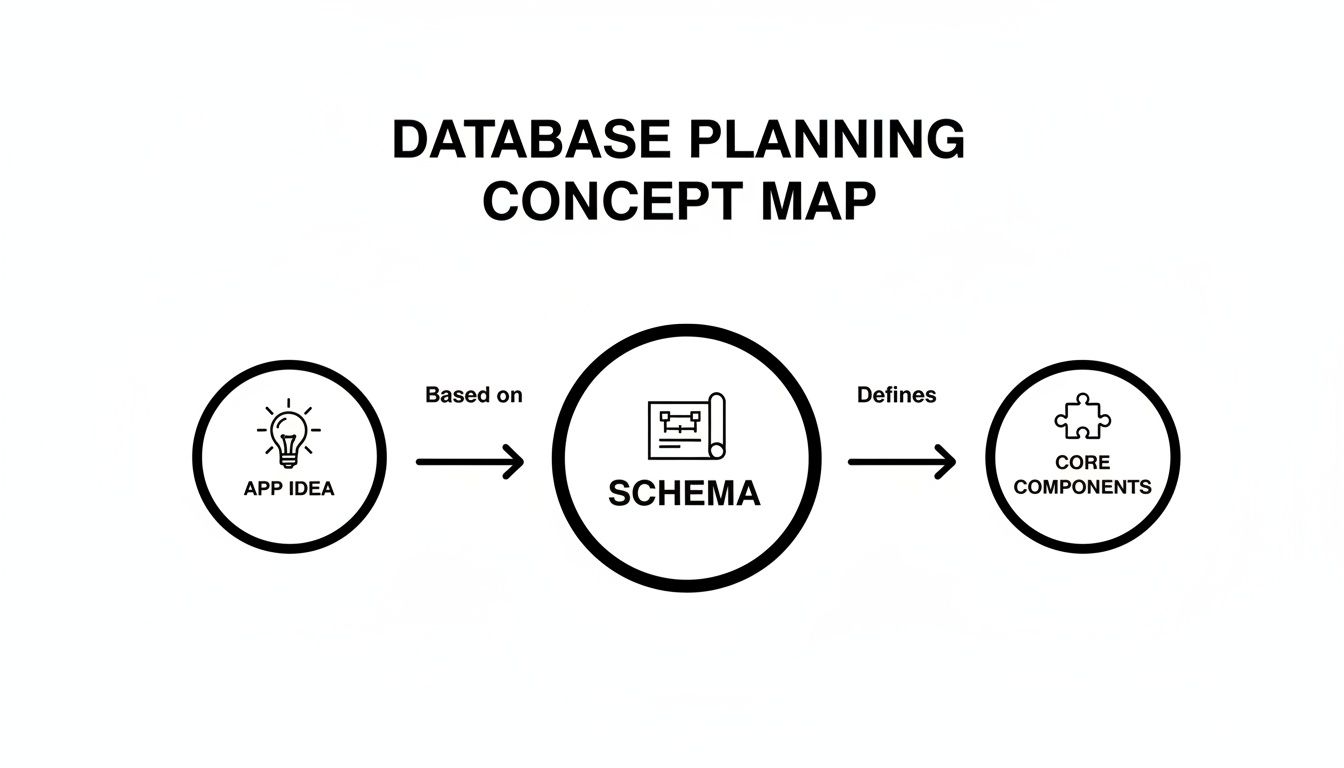
As you can see, a strong database begins with a clear concept, which you then deconstruct into core components before structuring them into a formal schema.
Defining Properties and Data Types
Once you have your list of components, get specific about the details you need to store for each one. For a User, you might need:
user_id(a unique number to identify them)username(text)email(text, and it must be unique)password_hash(text, for security)profile_picture_url(text, to store a link)created_at(a timestamp)
Each property has a data type, and choosing the right one is crucial for performance and clean data. Using a number for user_id is far more efficient for lookups than using text.
Mapping the Relationships
A database is not just a collection of lists; its power comes from the connections between those lists. These relationships bring your app logic to life. For our social app, the relationships are intuitive:
A User can have many Posts. This is a classic "one-to-many" relationship.
A Post can have many Comments. Another "one-to-many."
A User can also make many Comments.
A User can Like many Posts, and a Post can be liked by many Users. This is a "many-to-many" relationship.
Sketching this out on a whiteboard or paper is incredibly helpful. This visual map of your schema becomes your guide for the actual build. It ensures every piece of data has a home and lets you efficiently ask complex questions, like "show me all the comments made by this user on that specific post."
Choosing the Right Database: SQL vs NoSQL vs BaaS
With your app data mapped out, the next big decision is where that information actually lives. This is a critical fork in the road: the database technology you pick has a huge impact on your app speed, how easily it can grow, and how much of a headache it is to add features later. The choice usually comes down to two camps, relational (SQL) and non-relational (NoSQL), plus a third option that wraps both in a managed service.
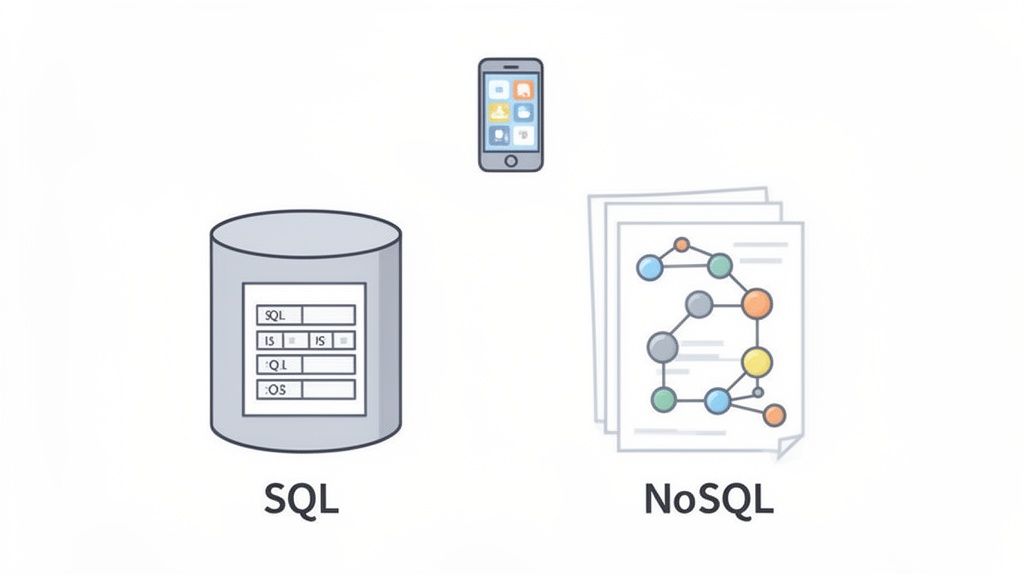
SQL Databases for Structured Data
Relational databases, which speak Structured Query Language (SQL), are the battle-tested workhorses of the tech world. Think of them as a collection of perfectly organized spreadsheets. Data lives in tables with strict rows and columns, and this rigid structure, the schema, is defined upfront.
For our social media app, a SQL database like PostgreSQL is a fantastic choice because the relationships are predictable. A posts table will always have a user_id that links back to a specific user in the users table, which guarantees every post has an owner. That strictness is SQL's killer feature, and it is the right call when your data is highly structured and the relationships between pieces of data are everything.
When data integrity is non-negotiable, a SQL database is often the safest bet. Its schema enforcement prevents messy or incomplete data from ever entering your system, making your application more reliable. Inventory systems are a textbook case for that strictness, as we explain in the best database for inventory management.
NoSQL Databases for Flexibility
Do not let the name fool you; NoSQL really means "Not Only SQL." These databases were born out of the modern web's need for speed and massive scale. Instead of rigid tables, they store data in flexible formats like JSON-style documents, key-value pairs, or graphs. A great example is MongoDB, which uses a document model, and it is perfect for apps where your data structure might change over time or is not consistent across entries.
Say you want to add a poll feature to our social app. With NoSQL, you could just add a new poll_data object to some of the post documents without changing the structure for every other post. That agility can dramatically speed up development when you are moving fast.
Building on a Backend as a Service
There is a third option that has become popular because it simplifies everything: Backend as a Service (BaaS). Platforms like Supabase offer a middle ground. They give you a powerful, managed database, often a rock-solid SQL one like PostgreSQL, wrapped in a clean dashboard, and they bundle in critical features like user authentication, file storage, and instant APIs.
For a mobile app built with React Native and Expo, a BaaS is a massive productivity boost. It takes server management, security, and scaling off your plate, so you get the reliability of SQL without the operational headache and can focus on building a great user experience.
SQL vs NoSQL vs BaaS: A Quick Comparison
This table breaks down the key characteristics of SQL, NoSQL, and Backend-as-a-Service platforms to help you decide which is best for your application.
Feature | SQL (e.g., PostgreSQL) | NoSQL (e.g., MongoDB) | BaaS (e.g., Supabase) |
|---|---|---|---|
Data Structure | Rigid schema, structured tables | Flexible schema, documents/JSON | Often SQL-based, but with simplified management |
Best For | Data with clear, predictable relationships (e.g., user profiles, financial data) | Unstructured or rapidly changing data (e.g., content, IoT data) | Mobile apps, prototypes, and projects needing rapid development |
Scalability | Scales vertically (more power to one server) | Scales horizontally (more servers) | Managed and automated scaling |
Development Speed | Can be slower due to upfront schema design | Faster iteration and flexibility | Extremely fast; backend is pre-built |
Management | Requires server setup, maintenance, and security management | Similar management overhead to SQL | Fully managed, minimal dev-ops required |
So what is the takeaway? SQL gives you structure and reliability. NoSQL offers flexibility and speed. And BaaS delivers a powerful, managed solution that lets you build faster than ever. Choosing the right one comes down to what your specific project needs most.
How to Build Your Database Step by Step
With your schema planned, it is time to actually build it. For this walkthrough we will use Supabase, a Backend as a Service that gives you a PostgreSQL database and a ready-made API in minutes, without the headache of managing servers. You sign up, create a project, and you have a fully functional database ready to go, so you can jump straight into building your app features.
The dashboard gives you a visual way to create tables and define columns, so you can build out your entire database structure without touching a single line of SQL.
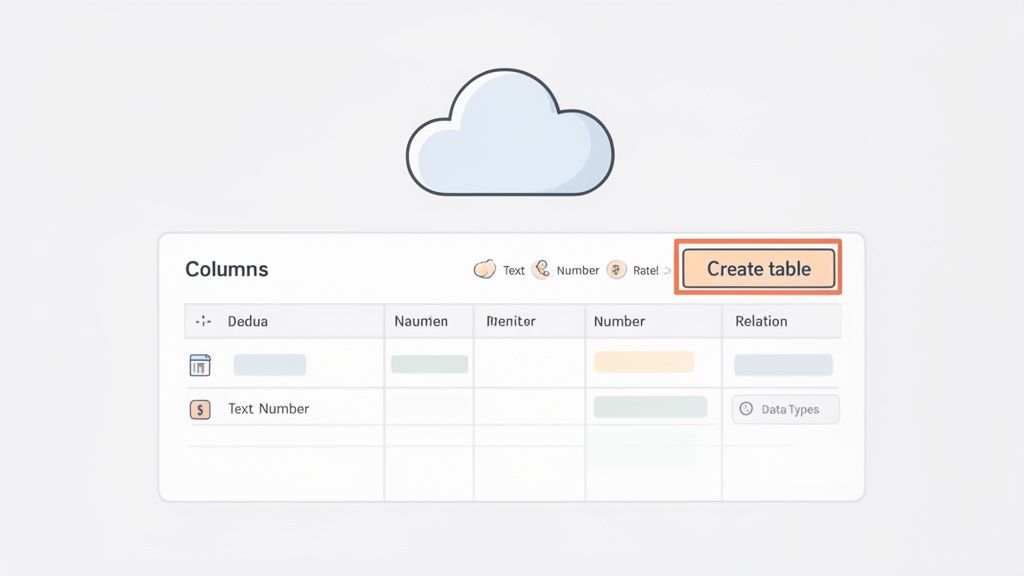
This is the table editor, which will be our home base for turning the schema we designed into a real, working database.
Creating Your First Table
Let us start with the users table we mapped out earlier. Inside your Supabase dashboard, find the Table Editor and click "Create a new table." This brings up a simple form where you name your table and add columns. Each column is a property for our users, and Supabase gives you plenty of data types so your data is stored correctly and efficiently. Here is how we would set up that users table:
id: Supabase handles this for you, creating a unique identifier that acts as the Primary Key. It is crucial for linking tables.
username: Use the
textdata type, and enforce uniqueness to avoid duplicate usernames right at the database level.email: Also
text, and you should definitely make this field unique too.profile_picture_url: A simple
textfield where we store the URL to an image.created_at: Pick the
timestamptz(timestamp with time zone) type. Supabase can default this to the current time whenever a new user signs up.
Building tables through a visual interface like this is one of the biggest perks of a BaaS. It cuts down the manual, error-prone setup that database creation used to require.
Establishing Relationships Between Tables
A database's real power comes from connecting its lists. Let us build our posts table and link it to the users table. Create a new table called posts and give it a few columns, like content (text) and created_at (timestamptz). Now for the important part: linking a post back to the user who created it, which we do with a special type of column.
This is known as a foreign key: a column in the posts table that holds the id of a user from the users table.
A foreign key is a column in one table that uniquely identifies a row of another table. It is the practical implementation of the relationships you mapped out in your schema, creating a direct link between your
postsandusers.
Setting this up in Supabase is straightforward:
Add a new column to your
poststable and call ituser_id.Its data type needs to match the
idcolumn inusers(Supabase often usesuuid).Next to the data type, click the link icon to configure the foreign key. Select the
userstable and itsidcolumn as the reference.
This relationship enforces data integrity. You literally cannot create a post with a user_id that does not exist in the users table, which prevents orphaned data and keeps your database clean and predictable. To go deeper on the platform, learn more about what Supabase is and its core features in our detailed guide.
And just like that, you have a functional, cloud-hosted database with tables and relationships, ready to store data for your React Native application. The next move is connecting your frontend to this new backend.
Connecting Your Database to Your React Native App
Your database is live and the schema is locked in. Now for the fun part: making your app and database talk to each other. This is where your static mobile app design springs to life, ready to handle real user data. We are going to hook up our Supabase backend to a React Native Expo project.
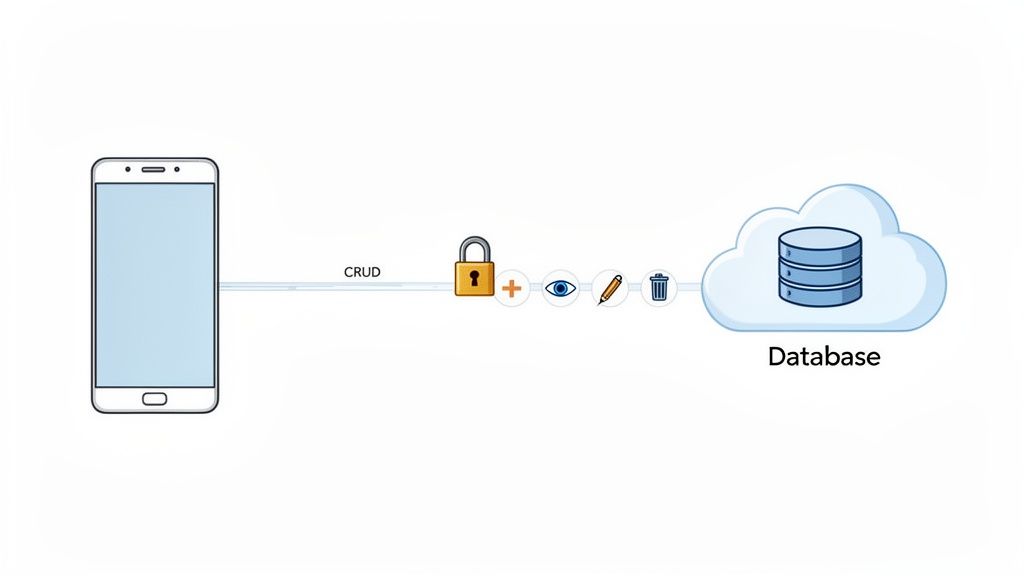
This process breaks down into two main jobs. First, we build a secure way for users to sign up and log in, with no shortcuts on authentication. Second, we implement the core data operations known as CRUD: Create, Read, Update, and Delete. These four actions are the foundation of almost any data-driven feature.
Establishing the Supabase Connection
Before your app can send or receive data, it needs the right credentials. Supabase gives you a unique Project URL and an anon API Key, which act as the address and entry pass for your database. You grab these from your Supabase project dashboard under the "API" section. To use them in your React Native app, first install the official Supabase JavaScript client library:
Once that is installed, create a client instance somewhere central in your app. Keeping it in a dedicated config file makes it easy to import into any screen or component:
Swap the placeholder values for your actual project URL and anon key. With this client initialized, your app is ready to communicate with your Supabase backend. If you need a refresher on the mobile side, our guide on how to create an app with React Native is a great place to start.
Implementing User Authentication
For any app handling personal information, solid authentication is a requirement, not a feature. Supabase's built-in auth system manages the tricky parts like password hashing and session tokens, letting you add sign-up and login with just a few lines of code. Here is a basic sign-up function:
A login function is just as simple, using supabase.auth.signInWithPassword() instead. This clean, direct approach lets you build secure user management without wrestling with boilerplate.
Performing CRUD Operations
Once a user is logged in, it is time to manage their data. CRUD operations are the heartbeat of your app: they let users create posts, read messages, update a profile, or delete old content. Here is how to handle each one with the Supabase client.
Create (adding data). To add a new record, like a post, use the .insert() method with an object that represents the new row for your posts table:
Read (fetching data). To pull data, use the .select() method. You can grab everything from a table or filter the results, for example fetching only the posts belonging to a specific user_id for a profile page:
Updating and Deleting Data
Creating and reading data is only half the story. To give users full control, they also need to modify and remove their information, which completes the CRUD cycle.
Update (modifying data). The .update() method changes an existing record. You typically target a specific row using a filter, like the post's unique id:
Delete (removing data). The .delete() method removes a row from your table. Just like updating, use a filter to tell Supabase exactly which record to remove:
By mastering these four fundamental operations, you have the complete toolkit needed to build a fully functional, data-driven mobile app.
Best Practices for Database Security and Scaling
Launching your app with a working database is a huge milestone, but it is really just the beginning. The real work is keeping that database secure, fast, and reliable as your user base grows. A setup that flies for ten users can grind to a halt under a thousand, leading to sluggish performance and serious security gaps. Building a database is an ongoing commitment to protecting user data and ensuring a smooth experience.
Fortifying Your Data with Row Level Security
One of the most powerful tools in your security arsenal, especially on a platform like Supabase, is Row Level Security (RLS). By default, anyone with your API key could potentially access any data in your tables. RLS changes that by letting you write specific rules that control exactly who can see or change which rows.
Think of it as a digital gatekeeper for every piece of data. For our social media app this is non-negotiable: you can create a policy that says a user can only view or edit posts where their own user_id matches the user_id column in the posts table. That one rule makes it impossible for a user to accidentally or maliciously read or delete someone else's content, and it moves security logic out of your application code and into the database, creating a much stronger barrier against unauthorized access.
The Importance of Regular Backups
Data loss is one of the most catastrophic things that can happen to an app, whether from an accidental deletion by a team member or a hardware failure at the data center. Without a backup, that data could be gone forever, taking your users' trust with it. Thankfully, most managed database providers, including Supabase, offer automated backup solutions, and it is critical to enable them and understand their frequency and retention policies.
Automation is key: Do not rely on manual backups. Set up an automated schedule so it is one less thing to worry about.
Test your restores: A backup is useless if you cannot restore from it. Periodically test your backup files in a staging environment to make sure they are complete and functional.
Store backups securely: Keep backup files in a separate, secure location from your primary database server so a server-wide failure does not take them down too.
Optimizing Queries for Scalability
As your app takes off, the number of requests hitting your database will climb fast. A query that was instant with 100 rows might take several seconds with 100,000, bringing your app to a grinding halt. This is where query optimization becomes your best friend.
The most effective way to speed up data retrieval is with database indexes. An index works like the index in a book: instead of scanning the entire table to find what it needs (a "full table scan"), the database jumps directly to the data. Since our app frequently looks up posts by user_id, adding an index to that column in the posts table will dramatically speed up loading user profile pages. Most BaaS platforms make adding indexes as simple as clicking a button in the table editor. As you scale further, our guide on migrating your database to the cloud covers the performance and infrastructure decisions that come next.
What Is CatDoes Cloud?
Everything you have read about so far, planning a schema, choosing a database, setting up tables, adding logins, storing files, and locking it all down, is exactly the kind of work CatDoes Cloud handles for you. CatDoes Cloud is the built-in backend that comes with every app CatDoes builds. There is no separate service to sign up for and nothing to wire together by hand. When CatDoes builds your app, the database and everything around it comes with it, already set up and connected.
Think of it as the difference between assembling furniture yourself and having it show up already built. You still own your app and your data. You just skip the setup work that usually eats your first week.
What You Get With CatDoes Cloud
A place to store your data: every user, post, order, or booking your app needs to remember lives in a managed database you never have to babysit.
Sign-ups and logins: people can create accounts and sign in securely from day one, without you building an authentication system.
File and image storage: profile pictures, uploads, and documents get a home, with no extra tools to bolt on.
Backups and scaling handled for you: your app keeps running smoothly whether ten people show up or ten thousand.
A US or EU home for your data: pick the region that fits your users, which matters when data location is important to you.
How You Actually Use It
You do not set up CatDoes Cloud the way you would build a database by hand. It is included on every plan and created automatically as part of your app. You describe what you want to build, and CatDoes figures out the data behind it. Ask for a habit tracker and it sets up the tables to store habits and check-ins. Ask for a marketplace and it creates the structure for listings, buyers, and sellers. As you add features, the backend grows right along with your app.
For most people that means you get everything this guide covers, a real, secure, scalable database behind your app, without touching a single one of the manual steps yourself.
Frequently Asked Questions About Building a Database
As you get started, a few questions always come up. Here are the big ones so you can move forward with confidence.
How Much Does It Cost to Build a Database?
The price tag ranges from completely free to thousands of dollars a month, depending on your scale, how much you want to manage yourself, and the services you pick. For most new projects, a service like Supabase offers a generous free tier that is more than enough to launch. As your app grows, you slide into paid plans based on real usage:
Database size: how much storage your data takes up.
API requests: the number of times your app talks to the database.
Compute power: the horsepower needed to run your queries efficiently.
Going the self-hosted route on a cloud provider like DigitalOcean or AWS can seem cheaper at first, but you are on the hook for managing everything, including security, updates, backups, and scaling. Those operational costs add up fast.
What Is the Easiest Database to Learn?
For anyone starting out, a Backend as a Service (BaaS) platform like Supabase or Firebase is the easiest way in. These services handle the messy, complicated parts of database management for you. Instead of wrestling with server setup and security rules, you get a clean, visual interface to create tables and manage data. It lets you focus on core database concepts without mastering complex SQL commands on day one, which is a hands-on way to understand how data structures and relationships work.
How Long Does It Take to Build a Database?
You can get a basic, working database up and running fast. With a BaaS platform, once your schema is mapped out, you can set up your core tables and relationships in less than an hour. The technical setup is no longer the big time sink; the real investment is in the planning.
The hours you spend are not in the initial setup; they are in thoughtfully designing your schema. Rushing your planning is the single biggest reason for painful refactoring and delays down the road. A well-planned schema saves you hundreds of hours later.
Connecting that database to your app and building out all the features takes much longer, of course. But laying the foundation? You can knock that out in an afternoon.
Can I Change My Database Structure After I Launch?
Yes, but you have to be careful. Modifying a live database schema, a process called a migration, is common but delicate. You can add new tables, add columns to existing ones, or change a column's data type. The challenge is making sure those changes do not break your app or corrupt your data. For instance, if you rename a column from user_email to email_address, any part of your app still looking for user_email will crash. Always test your schema changes in a development or staging environment before touching production.
Can I Build an Online or Web-Based Database Application the Same Way?
Yes. The planning and schema steps are identical whether you are building a mobile app, a web-based database application, or a custom internal tool. A BaaS like Supabase gives you the same PostgreSQL database and instant APIs, so the same backend can power a React Native app, a web app, and an admin dashboard at once. You design the database once, then connect whichever frontend you need.
Ready to skip the technical hurdles and turn your idea into a production-ready mobile app? With CatDoes, our AI agents handle everything from design to database setup and app store submission. Start building for free today and launch your app faster than ever.
Nafis Amiri
Co-Founder of CatDoes


