Blog
Tutorials
Best Database for Inventory Management
Compare SQL vs NoSQL databases for inventory management systems. See real schema examples, top database picks, and build your own inventory app — no code.

Nafis Amiri
Co-Founder of CatDoes
TL;DR: For most inventory systems, PostgreSQL is the best pick. It keeps your data clean and links products to suppliers and orders with ease. NoSQL tools like MongoDB work better when product specs vary a lot.
Still on spreadsheets? Anything past a few hundred SKUs needs a real database.
Picking the right database for your inventory management system can make or break your business. Get it wrong, and you deal with ghost stock, oversold orders, and hours lost to fixing numbers. Get it right, and your system tracks every item, sale, and restock in one place.
This guide covers when to ditch spreadsheets, SQL vs NoSQL trade-offs, six popular databases compared, real schema designs, and how to build an inventory app without code.
Table of Contents
Why Your Database Choice Matters for Inventory
When to Move from Spreadsheets to a Database
SQL vs NoSQL: Which Fits Inventory Management?
Top Databases for Inventory Management
Designing Your Inventory Database Schema
Performance Optimization for Inventory Databases
Building Your Inventory System Without Code
Frequently Asked Questions
Why Your Database Choice Matters for Inventory
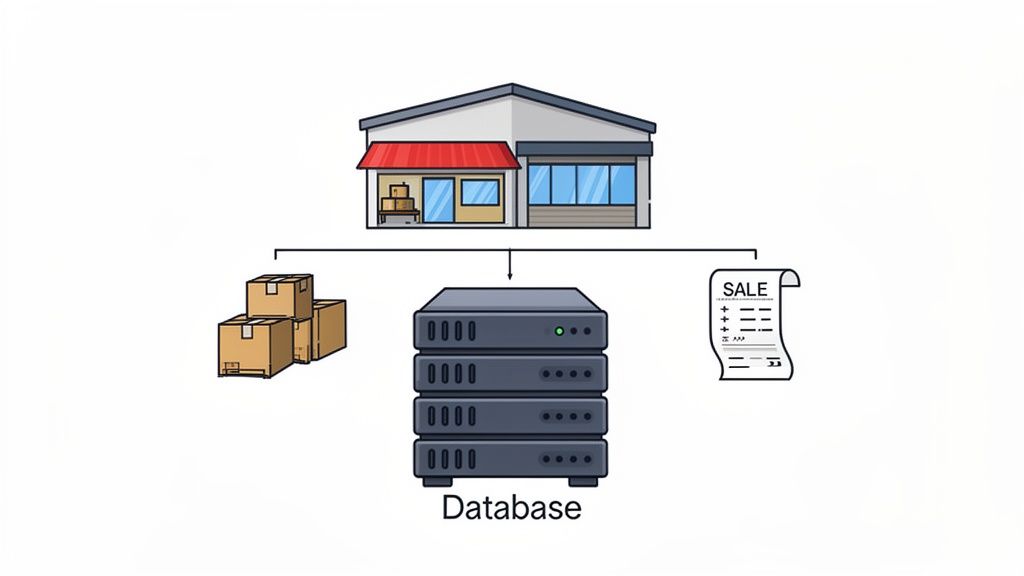
Your database keeps your screen in sync with your shelves. Without a solid one, you guess at stock levels. That leads to stockouts, overselling, and unhappy customers.
A good inventory database does three things. First, it updates stock counts the moment a sale happens. Second, it blocks bad data so no order can point to a product that doesn't exist.
Third, it gives you the numbers you need for smarter buying choices. The right database for inventory management is what sets apart businesses that react to stockouts from those that stop them early.
The stakes are high. This market is worth USD 2.9 billion in 2026, growing at 10.8% per year.
More businesses switch to real databases every day.
When to Move from Spreadsheets to a Database

Spreadsheets work fine when you track a handful of products. But they become a problem as your business grows. If any of these sound familiar, it's time to switch:
You manage more than a few hundred SKUs. Spreadsheets slow down and break past 500 rows of active inventory.
Multiple people edit the same file. Without live sync, two people can overwrite each other and create wrong stock counts.
You've had costly data errors. A mistyped number or deleted row can cause overselling, missed reorders, or wrong financial reports.
You need an audit trail. Spreadsheets don't track who changed what and when. A database logs every change on its own.
You sell across multiple channels. Syncing inventory between a store, an online shop, and a marketplace is nearly impossible with spreadsheets.
Businesses that switch to a database see fewer stockouts, faster orders, and far less time on manual fixes.
SQL vs NoSQL: Which Fits Inventory Management?
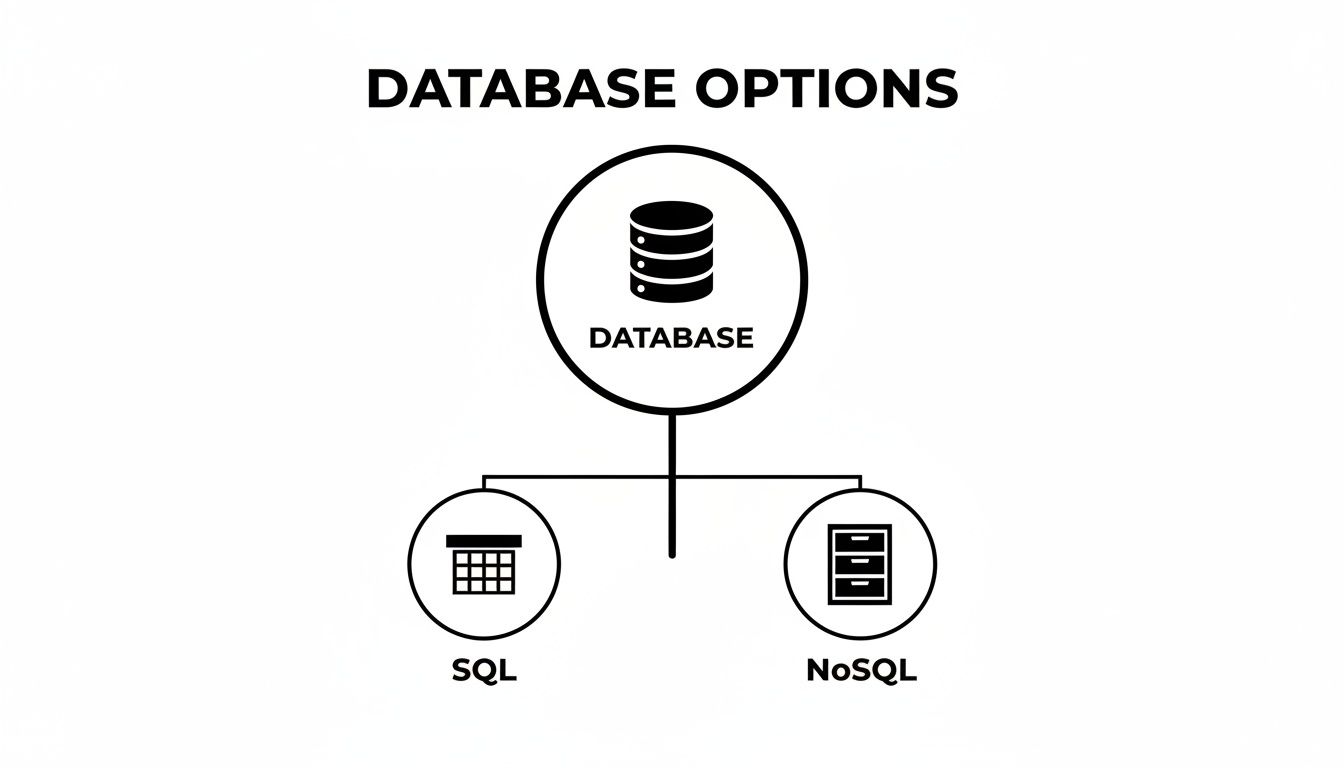
When picking a database for inventory management, you choose between two types: SQL and NoSQL. Think of SQL as a filing cabinet with labeled drawers. NoSQL is more like a set of open bins that each hold different kinds of items.
The right choice depends on your product complexity, growth plans, and how much real-time stock accuracy matters.
SQL Databases: Structured and Reliable
SQL databases organize data into tables with set columns. Your products, suppliers, orders, and stock levels each get their own table, and keys link them together.
This setup fits inventory well. The links between your data are clear and steady.
A product belongs to a supplier, sits in a warehouse, and shows up on orders. SQL databases enforce these links on their own.
Try to create an order for a missing product? The database blocks it.
That built-in safety net stops the data mix-ups that cause overselling. It's why SQL stays the go-to database for inventory management across most industries.
PostgreSQL is the top pick in this group. It's free, open-source, and loaded with features. It powers tools like Supabase and works for both small shops and large operations.
PostgreSQL also supports JSONB columns. These let you store flexible product details right next to your set data. You keep strict rules for core fields like SKU, price, and stock count, plus freedom for specs that change by product type.
If you're curious how Supabase works, our explainer on what Supabase is covers the basics.
NoSQL Databases: Flexible but Trade-offs
NoSQL databases store data as JSON documents instead of rigid tables. This makes them great for catalogs where product details vary a lot.
A t-shirt only needs size and color. But a custom computer needs CPU, RAM, storage type, graphics card, and a dozen other specs. A NoSQL database like MongoDB handles that range without needing a fixed structure.
The trade-off? It's harder to enforce strict links and data safety with NoSQL. When you need a stock cut and an order to either both succeed or both fail, SQL handles that out of the box.
NoSQL often needs extra code to reach the same level of safety.
Side-by-Side Comparison
Feature | SQL Databases | NoSQL Databases |
|---|---|---|
Data Model | Tables with set columns | Flexible documents, key-value pairs, or graphs |
Best For | Clear, steady links (inventory, finance, e-commerce) | Mixed data types, massive scale, fast-changing needs |
Data Safety | Strong and guaranteed (ACID), vital for stock accuracy | Eventual consistency, may not suit real-time stock counts |
Scaling | Vertical (bigger server), modern systems add horizontal too | Built for horizontal scaling (spreading across servers) |
Best Example | PostgreSQL | MongoDB |
The bottom line: SQL is the safer bet for most inventory systems. The clear links between products, stock, and orders are what it was built for. PostgreSQL tracks every item with care from warehouse to customer.
Top Databases for Inventory Management
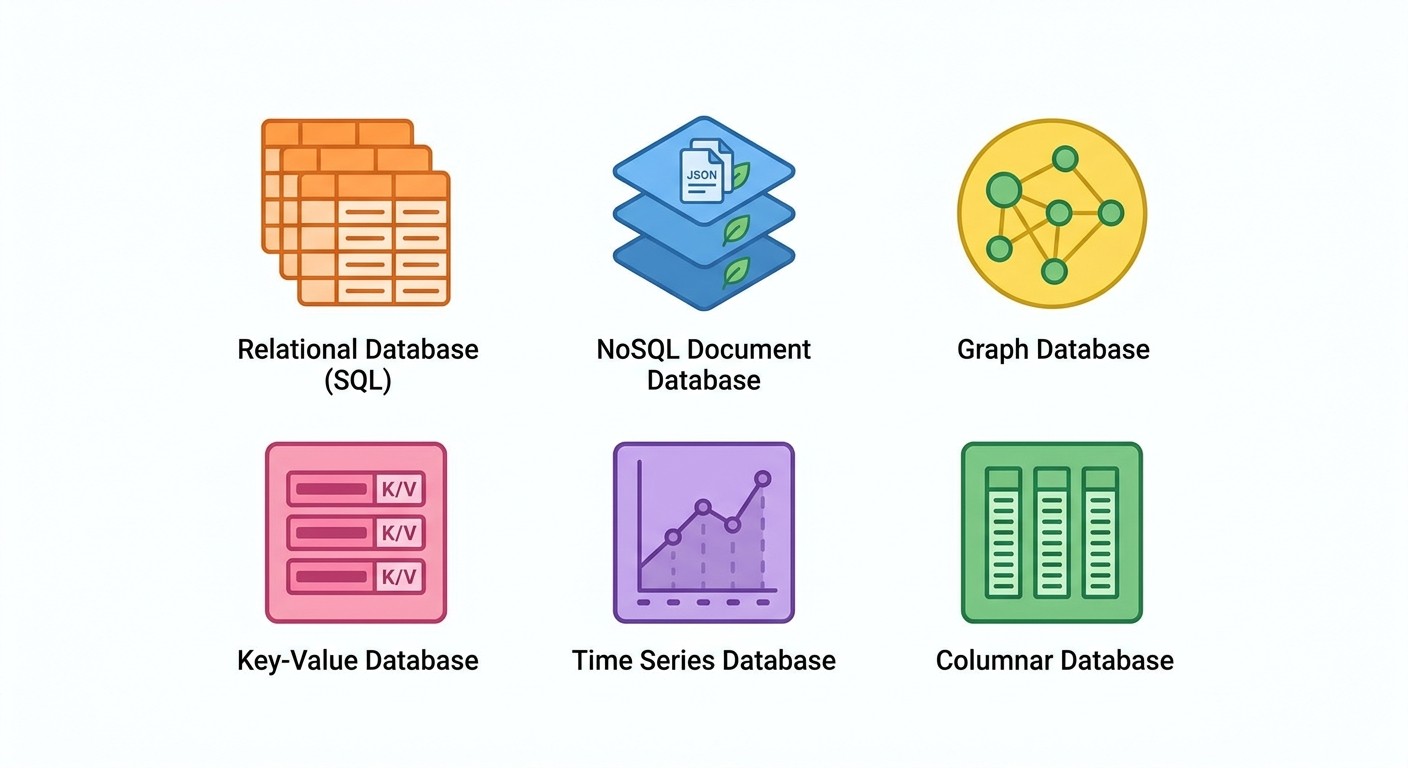
Now that you know the SQL vs NoSQL divide, here's how six popular databases compare for inventory work. Each has a sweet spot based on your team size, budget, and technical needs.
Database | Type | Best For | Cost |
|---|---|---|---|
PostgreSQL | SQL | Full systems needing ACID compliance and JSONB flexibility | Free (open-source) |
MySQL | SQL | Simple to mid-range tracking with broad hosting support | Free (open-source) |
SQLite | SQL | Single-user, local, or prototype inventory apps | Free |
MongoDB | NoSQL | Catalogs with wildly different product attributes | Free tier + paid plans |
Firebase | NoSQL | Mobile-first apps needing real-time sync and offline support | Pay-per-use |
Airtable | Hybrid | Small teams moving from spreadsheets | Free tier + $20/mo |
PostgreSQL is the strongest all-around pick. It handles complex queries, enforces strict data rules, and scales from a solo founder to a large operation. MySQL comes close with more hosting options but fewer advanced features.
SQLite is great for offline or single-device apps but can't handle multiple users at once. MongoDB shines when your catalog has unpredictable product specs. Firebase is built for mobile apps that need real-time sync.
Airtable sits between a spreadsheet and a database. It works well for small teams but lacks the data safety that serious inventory tracking requires. For a step-by-step setup guide, our post on how to create a database covers the full process.
Designing Your Inventory Database Schema
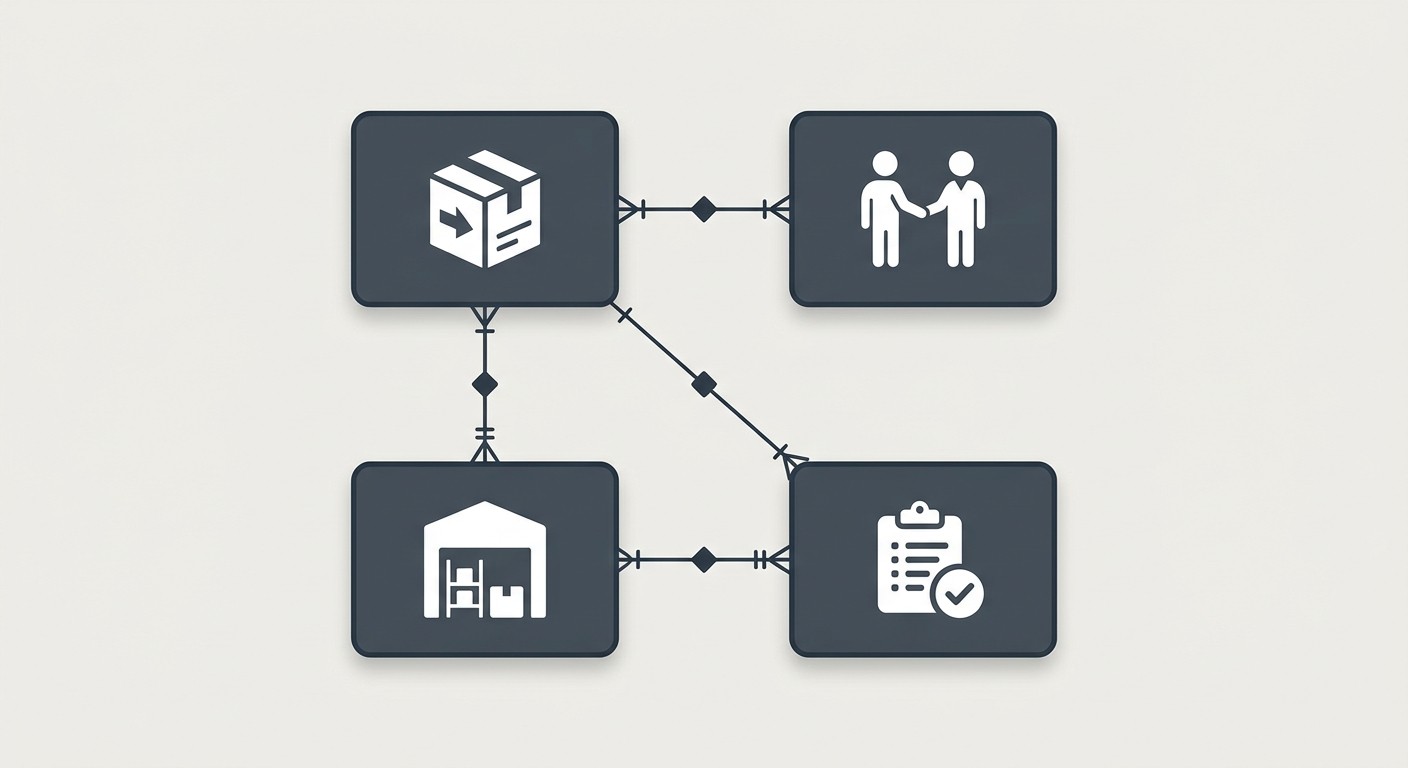
Your schema is the plan for how inventory data is laid out. A good schema stops you from selling items you don't have. It also keeps supplier, product, and order data cleanly split.
For a visual walkthrough of the database design process, this tutorial by Database Star breaks it down in 11 minutes:
Core Tables You Need
Every inventory database needs at least four tables:
Products: Your master catalog. SKU, name, price, and description for every item you stock.
Suppliers: Contact details for everyone you buy from.
Warehouses: If you store stock in multiple spots, this table tracks where everything sits.
Orders: Every customer purchase and supplier purchase order.
These four tables form the base of a database for an inventory management system. Keys link them: a product belongs to a supplier, stock sits in a warehouse, and orders point to products.
Essential Fields for Each Table
Here are the columns you need in your two most important tables:
Products Table
product_id(Primary Key): Unique ID for each productsku: Your internal Stock Keeping Unit codename: Product namedescription: Details for listings or internal notescost_price: What you pay per itemselling_price: What the customer payssupplier_id(Foreign Key): Links to the Suppliers table
Inventory Stock Table
inventory_id(Primary Key): Unique ID for this stock recordproduct_id(Foreign Key): Links to the Products tablewarehouse_id(Foreign Key): Links to the Warehouses tablequantity_on_hand: Current count at that locationreorder_level: The number that triggers a restock alert
Keeping stock data apart from product data makes tracking across warehouses clean. When a sale happens, your app finds the product, checks stock at the nearest spot, and updates the count through the key links.
Performance Optimization for Inventory Databases

A good schema gives your database shape. But to handle real traffic, you need three more things: indexing for speed, transactions for safety, and concurrency for multi-user access.
Indexing: Speed Up Your Searches
Without an index, a SKU search scans every row in your Products table. With an index on the SKU column, the database jumps straight to the right record.
Key columns to index in any inventory system:
Product IDs and SKUs: For instant product lookups
Order IDs: To find specific orders right away
Supplier and customer names: For quick contact searches
Transactions: All-or-Nothing Data Safety
When a customer buys a product, two things must happen: stock goes down and an order gets logged. If the system crashes between these steps, you get a "ghost" cut with no matching order.
Database transactions fix this by bundling steps into one unit. Either all steps finish, or all of them roll back.
Concurrency: Handling Multiple Users
What if a warehouse worker updates stock while a customer orders the same item? Concurrency control stops that clash. It blocks two people from selling the last unit at the same time.
These three tools -- indexing, transactions, and concurrency -- turn a basic inventory database into one that's ready for real use.
Building Your Inventory System Without Code
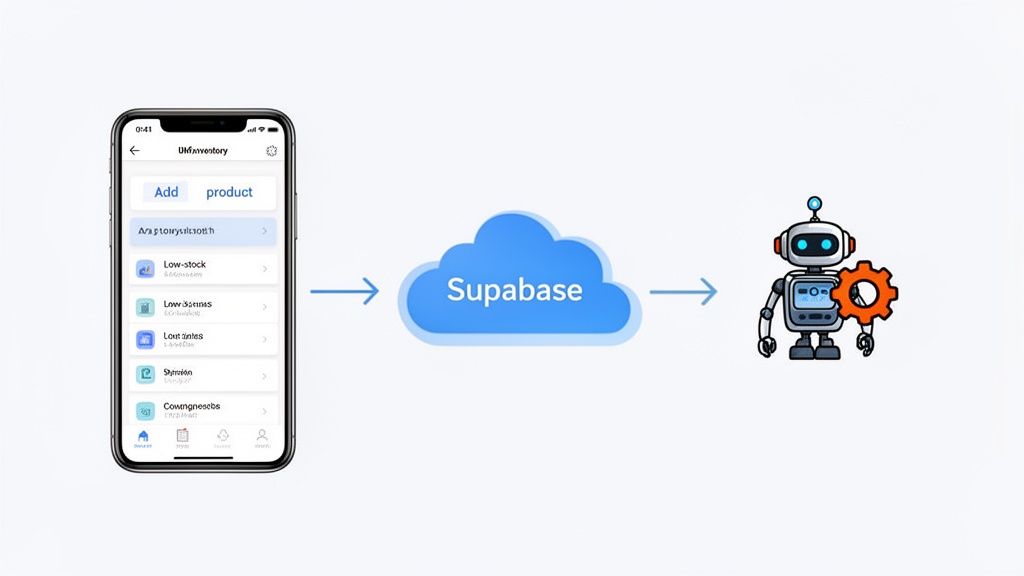
You don't need a dev team to build a working inventory app. Tools like CatDoes let you say what you need in plain English. AI agents then turn that into a mobile app with a database backend. For the full process, from features to barcode scanning and launch, see our guide on how to build inventory management software.
From Idea to App: A Practical Example
Say you run a boutique shop and need to track stock, add products, and get low-stock alerts. With CatDoes, you just talk to it:
"I need a screen to add a new product." The AI creates a form with fields for name, SKU, price, and quantity.
"Show me all my products with stock levels." This builds a list view with current inventory counts.
"Alert me when items drop below reorder level." The system creates a filtered view of low-stock products.
Behind the scenes, the tool sets up the database, API, and mobile UI. You focus on your business while the AI handles the tech.

Want to see it in action? Watch this quick walkthrough of how to create a project in CatDoes -- from idea to working app in under two minutes.
Why Supabase Powers Modern Inventory Apps
CatDoes hooks into Supabase, giving your app a top-tier PostgreSQL database with zero setup. You get login tools, real-time sync, and cloud hosting out of the box.
The cost gap is huge. Custom inventory systems run $90,000 to $400,000 to build. Off-the-shelf SaaS tools charge $50 to $500 per month with limited tweaks.
With CatDoes, you can start for free, and paid plans begin at $20/month on Core.
Cloud databases now hold 62% of the market, growing at 14.2% per year through 2030, per Mordor Intelligence. Your app runs on proven cloud tools from day one.
If you're weighing your options, our guide on picking a database for a small business goes deeper into the decision process.
Frequently Asked Questions
Which Database Is Best for a Small Business Inventory System?
PostgreSQL is the top pick for most small businesses. It's free, open-source, and handles the links between products, suppliers, and orders cleanly. It locks in data accuracy so you always know your exact stock count.
Platforms like Supabase and CatDoes make PostgreSQL easy to set up, even without technical skills.
Can I Use Excel as a Database for My Inventory?
Excel works for a handful of products, but it breaks down as you grow. It can't handle multiple editors at once and doesn't enforce data rules.
Once you pass a few hundred SKUs or need real-time counts across channels, a real database for your inventory management system is the better move.
How Does a Database Enable Real-Time Inventory Tracking?
The process works in four steps:
A sale happens in your online store or physical shop.
The POS or e-commerce system sends the sale to the database.
A database transaction cuts the stock count for that product right away.
The new count shows up everywhere -- warehouse dashboards and customer-facing pages alike.
This live sync stops overselling and gives you a clear view of all your stock.
Ready to build your own inventory app? With CatDoes, describe your idea in plain words and AI agents build a mobile app and backend for you. Start building for free on catdoes.com.
Nafis Amiri
Co-Founder of CatDoes


