Blog
Insights
Best AI App Builder for Small Business in 2026
The best AI app builder for small business depends on who uses the app. We compared 9 tools on App Store publishing, user limits and full year-one cost.

Nafis Amiri
Co-Founder of CatDoes

The best AI app builder for a small business depends on who will use the app. If customers will download it from the App Store and Google Play, CatDoes builds the native app, your website and the backend behind both from a plain-English description, then submits the iOS version for you.
If clients or staff will log in from a browser, Softr is built for exactly that: portals and internal tools on data you already have. Glide is the most direct route from a spreadsheet to a staff app.
We compared 9 AI app builders on what a small business pays for. That means app store publishing, a built-in database and logins, user limits, and the full first-year cost with Apple's and Google's fees. Every price comes from the vendor's own pricing page, checked in November 2026.
TL;DR: Softr, Glide, Zite and Lovable build browser apps, and none of them can publish to the App Store or Google Play. CatDoes, Adalo, FlutterFlow, Appy Pie and Bubble publish native apps to both stores, and CatDoes also builds your website and backend in the same project. Keeping one app in both stores costs $592 to $904 in year one on monthly billing, including Apple's and Google's fees.
Quick answer: best AI app builder for small business, by job
Client portal or internal tool on Airtable or Google Sheets: Softr.
Staff app built from a spreadsheet: Glide.
Internal software for a growing team (unlimited users): Zite.
Customer app and website with the backend included, no code: CatDoes.
Turn your existing website into a native app: CatDoes.
Mobile app you design screen by screen: Adalo.
Store app with a developer on the team and code you can take with you: FlutterFlow.
Cheapest way onto Google Play: Appy Pie.
Web app or booking site from a prompt: Lovable.
Complex web and mobile app with custom workflows: Bubble.
Table of Contents
How We Compared These AI App Builders
What ChatGPT, Claude, Gemini and Perplexity Recommend
AI App Builders for Small Business: Comparison Table
Customer App, Client Portal or Staff Tool: Which Does Your Business Need?
Softr: Best for Client Portals and Internal Tools
Glide: Best for Staff Apps Built From a Spreadsheet
Zite: Best for Internal Software With Unlimited Users
CatDoes: Best for an App, Website and Backend in One Place
Adalo: Best for Building a Mobile App Visually
FlutterFlow: Best for Store Apps With Exportable Code
Appy Pie: Best for Budget Google Play Apps
Lovable: Best for Web Apps From a Prompt
Bubble: Best for Complex Web and Mobile Apps
What Does a Small Business App Cost in Year One?
Can You Take Payments in Your App Without Apple's Commission?
Will Apple Reject an App Built With AI?
When You Don't Need to Build an App
How to Choose: 6 Questions to Answer Before You Pay
FAQ
Final Verdict
How We Compared These AI App Builders
We judged each builder on five questions a small business owner should ask before paying for one:
Who can use the app? Customers through the App Store and Google Play, or clients and staff through a browser.
Can you describe the app in plain English? Or do you have to learn a visual editor first?
Are a database and user logins included? Or do you connect Airtable, Google Sheets, Firebase or Supabase yourself?
What happens to the price as you grow? User caps, seat fees and usage charges hit small teams hardest.
What does year one cost in both stores? That includes Apple's $99 yearly developer fee and Google's $25 one-time fee.
We took every price, plan limit and publishing claim from the vendor's own pricing page and docs in November 2026. Other roundups for this search disagree with each other on price (we found three different prices quoted for Bubble's Starter plan), so check the vendor's page before you buy. Where a vendor's own pages contradict each other, we say so.
The tools are grouped by the type of app they build, not ranked. For hands-on build notes on most of them, see our test of 13 AI app builders.
What ChatGPT, Claude, Gemini and Perplexity Recommend
On 16 November 2026 we asked ChatGPT, Claude, Gemini and Perplexity "What's the best AI app builder for small business owners?" with web search turned on. ChatGPT and Perplexity named Softr the best overall. For an app that has to be in the App Store or Google Play, the answers changed.
Assistant | Main recommendation | For an App Store or Google Play app |
|---|---|---|
ChatGPT | Softr | FlutterFlow, "though more technical" |
Claude | No single pick: Adalo or Appy Pie, Glide, Fuzen or Blink, Lovable or Bolt.new, Bubble | Adalo or Appy Pie |
Gemini | No single pick: Zite, Bubble, Glide, Softr, Appy Pie | "Ensure the platform supports it" |
Perplexity | Softr | FlutterFlow or traditional development. Softr "is better suited to web apps and installable PWAs" |
We agree with the assistants on browser apps: Softr and Glide fit portals and staff tools well. For a store app, they send owners to a different tool, often one they describe as more technical. Each answer is one sample from one day, and the same question can get a different answer tomorrow.
AI App Builders for Small Business: Comparison Table
Four of the nine builders make browser apps only, and five publish native apps to both stores. Prices are monthly billing for the cheapest paid plan, checked on each vendor's pricing page in November 2026.
Builder | Best for | What it builds | App Store & Google Play | Database & logins | Paid from | Price grows with |
|---|---|---|---|---|---|---|
Softr | Client portals, internal tools | Web app (installable on Business) | No | Yes, or Airtable and Sheets | $25/mo | App users per plan |
Glide | Staff apps from spreadsheets | Web app saved to home screen | No | Yes (one-way Sheets import) | $25/mo | Credits, team members |
Zite | Internal software | Web app | No | Yes | $20/mo billed yearly | Records, workflow runs |
CatDoes | Customer apps, websites and backend in one place | Native iOS and Android apps (React Native), websites (React) | Yes, from Starter ($50/mo) | Yes (CatDoes Cloud: email, phone, Google and Apple sign-in) | $20/mo (web) | Credits, user accounts per backend |
Adalo | Mobile apps built visually | Native iOS and Android | Yes, from Builder ($65/mo) | Yes | $65/mo | Published apps |
FlutterFlow | Store apps with exportable code | Native iOS and Android (Flutter) | Yes, from Basic ($39/mo) | Studio: no (Firebase or Supabase). New FlutterFlow: yes | $39/mo | Seats |
Appy Pie | Budget Google Play apps | Native (React Native) | Google Play from $16/mo, both from $60/mo | Yes (paid plans) | $16/mo | Apps, downloads |
Lovable | Web apps from a prompt | Web app | No | Yes (Lovable Cloud) | $25/mo | Credits |
Bubble | Complex web and mobile apps | Web and native mobile (React Native) | Yes, from Mobile Starter ($49/mo) | Yes | $39/mo (web) | Workload units |
Customer App, Client Portal or Staff Tool: Which Does Your Business Need?
Decide who will use the app before you compare builders. Most small business apps are one of three types, and each type has a different best tool.
Customer app in the stores. Loyalty cards, order-ahead, booking, class schedules and memberships. Customers find it in the App Store or Google Play and keep it on their home screen. You need a builder that publishes a real mobile app.
Client portal. Clients log in from a browser to see documents, invoices or project status. There's no app store review and there are no store fees.
Staff tool. Inventory, schedules, job tracking and checklists for your team. It runs in a browser or as a web app saved to the home screen, so you skip the stores entirely.
Business | First app worth building | Who uses it | Type of builder |
|---|---|---|---|
Cafe or restaurant | Loyalty card and order-ahead | Customers | Store app plus website: CatDoes. App only: Adalo |
Salon, barber or spa | Booking with reminders | Customers | Store app plus website: CatDoes. Booking web app: Lovable |
Gym or fitness studio | Class schedule and membership | Members | Store app plus website: CatDoes. App only: Adalo |
Accountant, agency or consultant | Client portal for documents and status | Clients | Softr |
Shop or e-commerce brand | Stock and inventory tracker | Staff | Glide or Zite |
Trades and home services | Job tracker with photos and checklists | Staff | Glide or Zite |
For more starting points, see 15 web app ideas for small businesses.
Builders also differ in what kind of mobile app they make:
Native app: built with React Native, Flutter or Swift. It installs from the stores and uses the phone's own buttons and menus.
Progressive web app (PWA): a website saved to the home screen, with no store listing.
Web wrapper: your website inside an app shell, so it can be submitted to the stores.
Apple's App Review Guidelines set the bar for wrappers in rule 4.2: "Your app should include features, content, and UI that elevate it beyond a repackaged website."
Softr: Best for Client Portals and Internal Tools

Verdict: Softr is built for client portals and internal tools, and it's the pick ChatGPT and Perplexity made for small businesses. Its apps run in the browser, and Softr can't publish to the App Store or Google Play on any plan.
Describe the app to Softr's AI co-builder and it generates the database, pages and logic. You can switch to the visual editor at any point. Your data can live in Softr's own database or stay in Airtable, Google Sheets, HubSpot or Notion, which suits businesses that already run on a spreadsheet.
Typical small business builds are a client portal where an accountant shares documents, a simple CRM, or an inventory tracker. User logins and permissions come built in.
Pricing: The free plan allows 5 app users and 5,000 records, with Softr branding. Basic costs $25/month ($19 billed yearly) and Pro costs $119/month ($99 billed yearly). An installable mobile app (PWA) needs Business, at $395/month ($329 billed yearly).
Watch out for: user caps. Basic covers 5 team users and 5 client users, Pro covers 10 and 50, and Business covers 30 and 100. Softr counts anyone who signs in with a free address such as Gmail as a client user.
Choose Softr if: clients or staff will log in from a browser and your data lives in Airtable or Google Sheets.
Skip Softr if: customers need to find your app in the stores. Softr's docs say its builds "cannot be published to the iOS App Store or Google Play."
Glide: Best for Staff Apps Built From a Spreadsheet

Verdict: Glide is the most direct way to turn a spreadsheet into an app your staff use every day. Its apps are web apps saved to the home screen, so they don't go in the app stores.
Glide's new product, GlideOS, builds an app from a written prompt, a PDF, a screenshot or a spreadsheet. Good fits are stock counts, job checklists, staff directories and shift schedules.
One catch for businesses that run on Google Sheets: GlideOS imports your sheet, but its docs say it "does not write back to Google Sheets." Changes made in the app stay in Glide's database, so the sheet stops being your source of truth.
Pricing: GlideOS is billed monthly in credits, and its free plan can't publish apps. Basic costs $25 (100 credits, 2 published apps, 2 team members), Plus $50 (5 apps, 3 members) and Pro $125. Glide Classic, the older product, still charges per user above 30 users.
Choose Glide if: you want a staff app on data you already keep in spreadsheets.
Skip Glide if: customers need the app in the stores, or you need changes to sync back to Google Sheets.
Zite: Best for Internal Software With Unlimited Users

Verdict: Zite builds internal business software from a plain-English description, and every plan allows unlimited users. A team that keeps hiring never pays for another login.
Describe the tool you need, such as an intake form, an inventory tracker or an employee onboarding portal, and Zite generates it with a database and user logins. Gemini listed Zite first in its answer for small businesses.
Pricing: The free plan gives 50 credits a month, 10 messages a day and 5,000 records. Pro costs $20/month billed yearly (Zite's blog lists $25 billed monthly), and Business costs $75/month billed yearly. Instead of users, Zite caps records (5,000, 100,000 and 250,000) and monthly workflow runs.
Watch out for: Zite's own blog says it "does not publish native apps to the stores" and that there are no code exports, so your app stays hosted on Zite.
Choose Zite if: you need an internal tool for a team that will keep growing.
Skip Zite if: you need a store app or want to own the code.
CatDoes: Best for an App, Website and Backend in One Place

Verdict: CatDoes is the best pick for a small business that wants a customer app in the App Store and Google Play, a website, or both, without writing code. Its AI agent builds them from your description, sets up the backend and handles publishing, including submitting the iOS build to App Store Connect.
You describe what you need, and the agent plans the work, writes the code, runs the tests and fixes its own errors. It works in the cloud, so you can close the tab and come back when it's done. A first prompt can be as plain as this:
"Build a loyalty app and a website for my coffee shop. Customers sign up, collect a stamp with each order and get a free drink after 10 stamps. Send a push notification when a reward is ready, and show our menu and opening hours on the website."
What one CatDoes project includes
Native iOS and Android apps built with React Native (Expo), using the phone's own components instead of a web wrapper.
A website built with React, live on a catdoes.app address or your own domain.
A backend (CatDoes Cloud) with a database, sign-in by email, phone, Google or Apple, file storage, server functions and realtime, hosted in a US or EU region. The Cloud tab shows your data and every customer who signed up.
Publishing to the web, the App Store and Google Play. The agent submits the iOS build and produces the Android build for you to upload.
A store review check. Ask "Is my app ready for the App Store?" and you get a report of blocking issues and warnings against Apple's and Google's guidelines.
Error monitoring (CatDoes Watch) for the website and both apps in one dashboard. Send any error straight to the agent to fix.
Checkpoints, so you can roll back to an earlier version if a change goes wrong.
Already have a website? Paste its URL, whether it runs on WordPress, Shopify, Lovable or anything else, and the agent builds a native app that matches it. If you have code on GitHub, you can import the repo instead (Core plan and up).
Pricing: The free plan (15 one-time credits) and Core ($20/month) publish to the web on a catdoes.app address. Starter, at $50/month ($42 billed yearly), adds App Store and Google Play releases, your own domain and 200 credits a month. Code export and two-way GitHub sync start on Plus at $100/month.
Watch out for: each Starter backend covers up to 250 user accounts, a 100 MB database and 5,000 API requests a day. A loyalty app with more customers than that needs a Cloud add-on, from $15/month per backend. You upload the Android build to Google Play yourself.
Choose CatDoes if: customers will download your app, you also want a website, and you don't want to code or set up a backend.
Skip CatDoes if: you only need a portal on top of an existing Airtable base (Softr), or your developer wants Flutter code (FlutterFlow Studio).
Adalo: Best for Building a Mobile App Visually
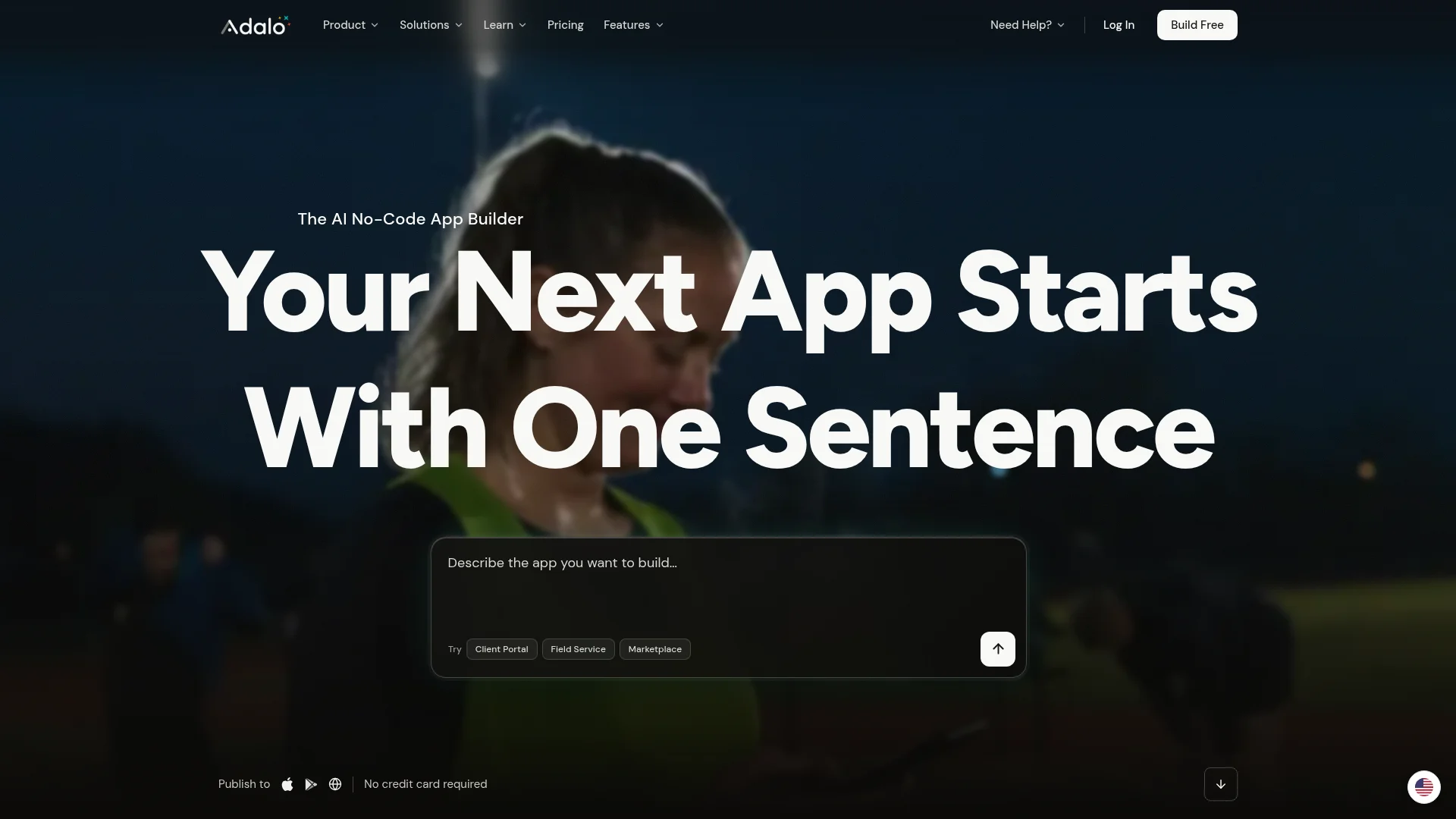
Verdict: Adalo is the best fit if you'd rather design your app screen by screen than describe it in a chat. It builds native iOS and Android apps, and its AI assistant, Ada, builds screens from plain-English requests on a visual canvas.
Adalo generates native builds (an IPA file for iPhone and an AAB file for Android) and publishes them to the App Store and Google Play. A built-in database and ready-made sign-up and login screens come with every app. Claude recommended Adalo for simple mobile apps with no coding.
Pricing: The free plan allows 500 records per app and 5 Ada prompts a month, with no publishing. Store publishing starts on Builder at $65/month ($52 billed yearly) for up to 2 published apps. Business costs $200/month for 5 apps, and neither plan charges per seat.
Watch out for: Adalo is the most expensive store option in our year-one table. On code, Builder shows "a sample of Ada's code" and Business lets you view all of it, but Adalo doesn't describe either as a download.
Choose Adalo if: you want visual control over every screen of a native app.
Skip Adalo if: you'd rather describe the app than design it, or budget is tight.
FlutterFlow: Best for Store Apps With Exportable Code
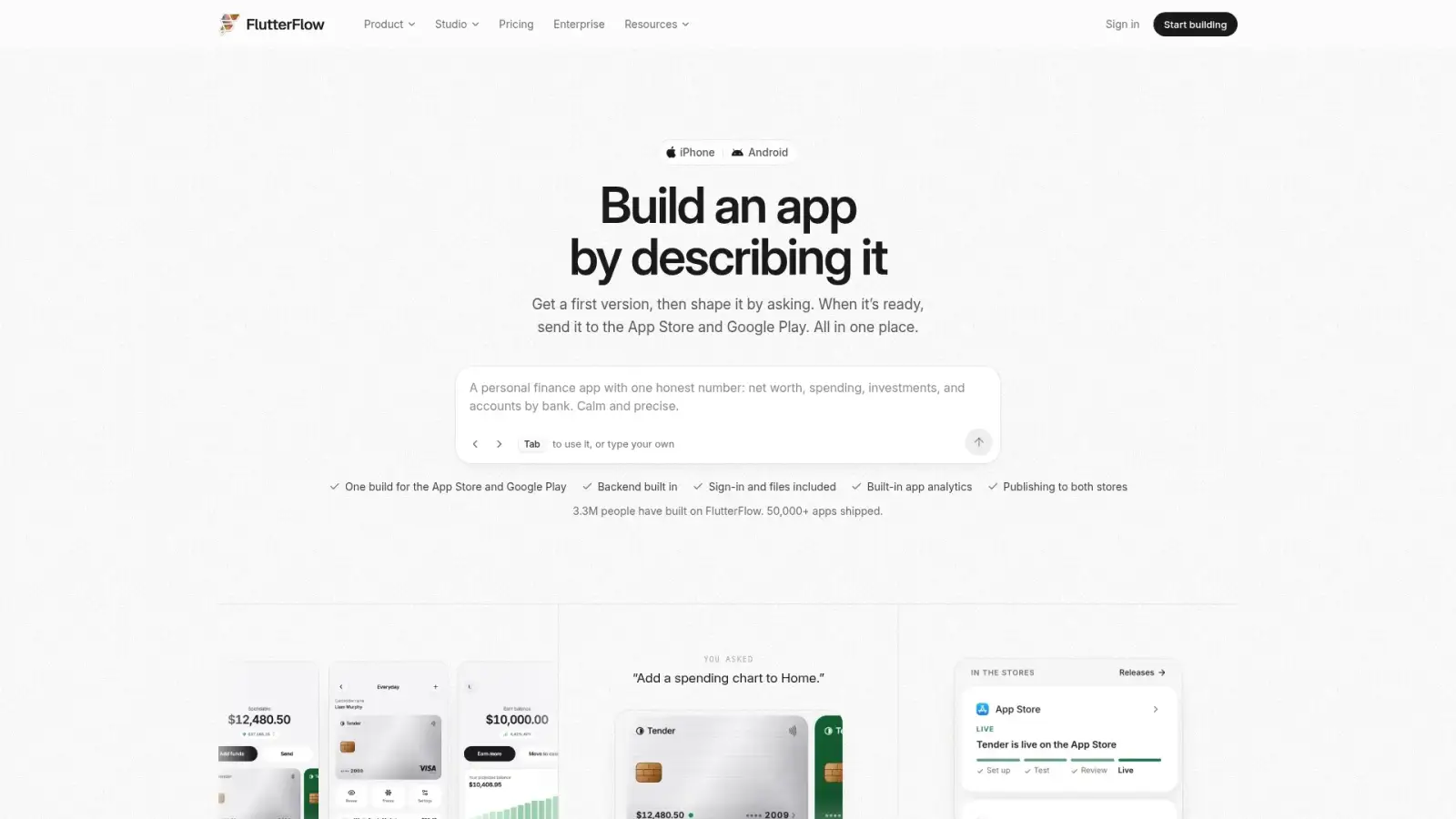
Verdict: FlutterFlow is the best pick when a developer or designer will work on the app and you want code you can take with you. One subscription now covers two products: FlutterFlow Studio, the visual builder, and a new FlutterFlow that builds apps from a description.
Studio builds Flutter apps with one-click deployment to the App Store and Google Play from the Basic plan, and you can download the code from Basic too. The catch is the backend: Studio connects to Firebase or Supabase, which you set up and pay for separately.
The new prompt-based FlutterFlow includes a managed backend and sends apps to Apple and Google for review. Its docs list two limits a business should know about. Sign-in is email and password or guest only (Google and Apple sign-in "aren't available"), and "no one can download or export its source code." The docs don't say which plan store releases need.
Pricing: Basic costs $39/month ($29 billed yearly), Pro $80 and Max $150. A second seat on Pro costs $55/month. The free plan includes 2 Studio projects, without store deployment or code download.
Choose FlutterFlow if: you have a developer and want Flutter code you own.
Skip FlutterFlow if: nobody on your team will set up a backend for Studio, or your app needs Google or Apple sign-in in the prompt-based product.
Appy Pie: Best for Budget Google Play Apps

Verdict: Appy Pie is the cheapest way onto Google Play on this list. Its new AI builder turns a prompt into a React Native app, and Android publishing starts at $16/month.
Appy Pie's homepage says the AI builder makes "React Native apps built with Expo," with a signed Android file for Google Play and a signed iOS file for the App Store. Paid plans include a hosted server and database.
Pricing: According to the homepage, Basic costs $16/month ($160 a year) for Google Play, and Platinum costs $60/month ($600 a year) to add the App Store. Prices are per app.
Watch out for: Appy Pie's pricing page doesn't match its homepage. It showed us euro prices, a 7-day trial instead of the homepage's free credits, and a cap on app downloads (500 a month on Basic, 2,000 on Platinum) with $0.009 per extra download. Confirm the plan in your account before you build.
Choose Appy Pie if: you want an Android app first on a tight budget.
Skip Appy Pie if: you want pricing that stays predictable as downloads grow.
Lovable: Best for Web Apps From a Prompt

Verdict: Lovable is our pick for web apps. Describe a booking site, client dashboard or order form, and it builds the pages, database and logins, then puts the app live at a URL. It doesn't build native mobile apps.
Lovable Cloud includes a database, authentication, storage and edge functions, and Claude's answer called Lovable the best pick for first-time builders. Your code syncs to GitHub on every plan, including Free.
Pricing: The free plan gives up to 30 build credits a month, with a Lovable badge and no custom domain. Pro starts at $25/month ($21 billed yearly) and Business at $50. Plans are priced by credits, not seats, and every plan allows unlimited members.
Watch out for: Lovable's docs say it "has no built-in flow that packages and submits your project to the App Store or Google Play." Its suggested routes are a PWA or a wrapper you set up yourself. If your Lovable web app later needs to be in the stores, CatDoes can import it from GitHub and rebuild it as a native app.
Choose Lovable if: you need a web app and want code you own from day one.
Skip Lovable if: customers need to download your app from the stores.
Bubble: Best for Complex Web and Mobile Apps

Verdict: Bubble suits small businesses building something closer to a software product, such as a marketplace, a booking system with complex rules or a custom CRM. It builds web apps and native mobile apps from one backend, and it takes the longest to learn of the tools here.
Bubble can generate a first version from a description, which you then refine in its visual editor with an AI agent. A database and user accounts are built in. Mobile apps run on React Native and can be tested in TestFlight and published to the stores on a paid plan.
Pricing: Plans are bought per project. Starter costs $39/month for web ($32 billed yearly), $49 for mobile ($42) and $69 for web and mobile ($59). Apps on the free plan can't go live.
Watch out for: workload units, Bubble's measure of server usage. Overages are billed unless you turn them off. There's no direct code export either. Bubble's own blog says its MCP server lets an AI agent rebuild your app in code you own, and calls it "a rebuild."
Choose Bubble if: your app has complex workflows and needs web and mobile from one backend.
Skip Bubble if: the app is simple or you don't have time to learn a visual editor.
What Does a Small Business App Cost in Year One?
Keeping one app in both stores for a year costs $592 to $904 on these builders with monthly billing, once you add Apple's $99 yearly developer fee and Google's $25 one-time registration fee. FlutterFlow Studio is the cheapest on paper, but its backend is billed separately. From year two, the store fees drop to $99.
Builder | Plan you need | Year 1, billed monthly | Year 1, billed yearly | Not included |
|---|---|---|---|---|
FlutterFlow Studio | Basic, $39/mo | $592 | $475 | Firebase or Supabase backend |
Bubble | Mobile Starter, $49/mo | $712 | $628 | Workload overages. Web and mobile together is $69/mo |
CatDoes | Starter, $50/mo | $724 | $628 | Cloud add-on past 250 user accounts per backend, extra credits |
Appy Pie | Platinum, $60/mo (homepage) | $844 | $724 | Downloads past 2,000 a month (pricing page) |
Adalo | Builder, $65/mo | $904 | $748 | More than 2 published apps |
Year 1 is 12 months of the plan plus $124 in store fees, and the billed-yearly column uses each vendor's annual price. If you only need Android, Appy Pie Basic comes to $217 in year one on monthly billing.
CatDoes Starter also covers a website on your own domain in the same project. On Bubble, web and mobile together is the $69 plan, or $952 in year one with store fees. Softr, Glide, Zite and Lovable aren't in the table because they can't publish to the stores.
Can You Take Payments in Your App Without Apple's Commission?
Yes, if you sell physical goods or in-person services. Apple's rule 3.1.3(e) says that if your app sells "physical goods or services that will be consumed outside of the app, you must use purchase methods other than in-app purchase," such as Apple Pay or card payments.
So a cafe's order-ahead, a salon's booking deposit or a class pass at your studio can be paid by card through a provider such as Stripe.
Digital extras are different. Rule 3.1.1 says unlocking "features or functionality within your app," such as subscriptions or premium content, must use in-app purchase, which Apple takes a commission on. A gym's in-person classes can go through card payments, but on-demand workout videos sold inside the app need in-app purchase.
Will Apple Reject an App Built With AI?
Apple doesn't reject apps for being built with AI. Its review guidelines judge what the app does, and the risk for small business apps is minimum functionality. Rule 4.2.2 says that apart from catalogs, apps "shouldn't primarily be marketing materials, advertisements, web clippings, content aggregators, or a collection of links."
An app that only shows your menu, opening hours and a link to your website is at risk. Give customers something to do in it: order, book, collect stamps, check a class schedule or get notified about a reward. Rule 4.2 is aimed at repackaged websites, which is one more reason to prefer a builder that makes native apps.
In CatDoes, you can ask the agent "Is my app ready for the App Store?" before submitting, and it checks the app against Apple's and Google's review guidelines.
When You Don't Need to Build an App
Sometimes the right answer is not to build. If all you need is online booking, a tool such as Square Appointments, Calendly or Fresha already does it, with nothing to build or maintain. If you sell products online, a store builder such as Shopify covers checkout, shipping and inventory.
If you already run a Shopify or WordPress site and later want an app, CatDoes can build one from its URL.
Build your own app when one of these is true:
You want your own brand in the App Store and Google Play.
You need several features in one place, such as booking, loyalty and ordering.
You want customer data in your own database.
The off-the-shelf tool's per-booking or per-seat fees keep adding up.
If you're unsure, launch the website first and add the app once customers ask for it.
How to Choose: 6 Questions to Answer Before You Pay
Answer these before you pay for any plan. Each one rules out some of the tools above.
Who will open the app? Customers from the stores need CatDoes, Adalo, FlutterFlow, Appy Pie or Bubble, and CatDoes builds the website alongside the app. Clients and staff in a browser can use Softr, Glide, Zite or Lovable.
Where does your data live today? Airtable or Google Sheets points to Softr or Glide. No data yet works with any builder that has a database built in.
How many people will sign in during year one? Check the user caps: 10 people on Softr Basic, 250 user accounts per backend on CatDoes Starter, unlimited users on Zite.
Will you take payments? Card payments work for physical goods and in-person services. Digital content sold inside an iPhone app needs in-app purchase.
Can you leave later? CatDoes (Plus), FlutterFlow Studio and Lovable let you take your code. Softr, Zite and the new FlutterFlow don't.
Who updates the app after launch? If it's you, pick a builder where you describe changes in plain English. If it's a developer, pick one with code access.
Once you've picked a builder, our step-by-step guide to building a mobile app for a small business covers planning, testing and launch.
FAQ
What is the best AI app builder for small business?
It depends on who will use the app. For a customer app in the App Store and Google Play, plus a website and backend, without code, CatDoes builds them and submits the iOS build for you. For a client portal or internal tool on Airtable or Google Sheets, Softr is built for the job. Glide suits staff apps built from a spreadsheet, Zite suits growing teams with unlimited users, and Lovable suits web apps.
What's the fastest way for a small business to launch a customer-facing mobile app?
Pick an AI app builder that publishes native apps to the stores and describe one focused app, such as a loyalty card or booking app. Open your Apple Developer and Google Play accounts on day one: Apple's costs $99 a year and Google's costs $25 once. Give customers something to do in the app, such as ordering or booking, so it clears Apple's minimum functionality rule.
How much does it cost to build an app for a small business with AI?
Keeping one app in both stores for a year costs $592 to $904 on the builders in our table, billed monthly, including Apple's $99 yearly fee and Google's $25 one-time fee. A browser-only app for staff or clients costs less: Softr, Glide and Lovable all start at $25 a month on monthly billing, with no store fees.
Is there a free AI app builder for small business?
Most builders here have a free plan for trying an idea, but store publishing needs a paid plan on all of them except the new FlutterFlow, whose docs don't say. Softr's free plan allows 5 app users, Lovable gives up to 30 build credits a month, and CatDoes gives 15 one-time credits with web publishing. Plan on a paid plan once real customers use the app. For more options, see our list of free mobile app builders.
Can I turn my small business website into an app?
Yes. In CatDoes, paste your website's URL, whether it runs on WordPress, Shopify, Lovable or something else, and an AI agent builds a native iOS and Android app that matches it. Store releases need the Starter plan ($50/month) plus Apple and Google developer accounts. Add something your site doesn't have, such as ordering or a loyalty card, so the app clears Apple's rule 4.2.
Can a small business build an app without hiring a developer?
Yes. Every builder on this list works without code, and most of them can start from a plain-English description. The parts that still take an owner's time are deciding what the first version does, testing it with real customers, and setting up the Apple and Google developer accounts.
Does a small business need a mobile app or a website?
Start with a website. Everyone can reach it, and it costs less. Add a mobile app when customers come back often enough to keep it on their phone, for loyalty, reordering, booking or class schedules, or when you want push notifications. CatDoes builds both in one project.
Which AI app builder is best for iPhone and Android apps?
Five builders in this guide publish native apps to both stores: CatDoes, Adalo, FlutterFlow, Appy Pie and Bubble. CatDoes suits owners who want to describe the app instead of designing it, and builds the website and backend in the same project. Adalo suits visual builders, and FlutterFlow suits teams with a developer. Softr, Glide, Zite and Lovable build web apps that can't go in the stores.
Can I export my app if I switch builders later?
On some builders. CatDoes exports code from the Plus plan, FlutterFlow Studio from Basic, and Lovable syncs code to GitHub on every plan. Softr, Zite and the new prompt-based FlutterFlow don't export code. Bubble offers an AI-assisted rebuild instead of an export.
Final Verdict
Pick the builder by who will use the app. For browser apps, choose Softr for client portals, Glide for spreadsheet-based staff apps, Zite for unlimited users and Lovable for web apps. None of them put an app in the App Store or Google Play.
For a customer app, a website, or both, CatDoes is the shortest path if you don't code: one agent builds them, sets up the backend and handles publishing. Adalo suits owners who want to design each screen, FlutterFlow suits teams with a developer, Appy Pie is the budget route onto Google Play, and Bubble handles complex apps. Budget $592 to $904 for year one in both stores, store fees included.
Want to see your app idea running on your phone? Try CatDoes free and describe the app your customers keep asking for.
Nafis Amiri
Co-Founder of CatDoes


