Blog
Tutorials
Managing Software Development Projects: Practical Strategies for 2026 Success
Practical, proven strategies for managing software development projects—with templates, tools, and real-world tips to deliver results in 2026.

Nafis Amiri
Co-Founder of CatDoes
Before your team even thinks about writing code, the real work of managing a software project begins. Success isn't about overseeing tasks; it’s about getting the foundation right from day one by defining the scope, clarifying who does what, and building a realistic plan.
Get these first steps wrong, and you're already behind.
Build Your Foundation for Project Success
Most software projects are won or lost before the first line of code is ever written. The real challenge isn't just tracking progress. It's wrestling with complexity from the start. A solid foundation is your best defense against the common pitfalls that derail so many projects.
The numbers don't lie. A staggering 25% of software projects fail completely or deliver disappointing results. Worse, a massive 70% run over budget. These failures almost always trace back to a weak initial framework and poor management practices.
This whole process can be broken down into key phases, from initial idea to long-term maintenance.
Software Project Management Lifecycle at a Glance
This table outlines the essential phases of a software development project, their objectives, and key activities to ensure a successful outcome.
Phase | Primary Objective | Key Activities & Deliverables |
|---|---|---|
1. Scoping & Requirements | Define what the project will and will not deliver. | Business goals, feature lists (MVP), defining "out of scope" items. Deliverable: Scope Document. |
2. Roles & Planning | Assign ownership and create a realistic timeline and budget. | Defining team roles, estimating effort, creating a project plan. Deliverable: Project Plan, RACI chart. |
3. Workflow & Tooling | Choose and set up the methodology and tools for execution. | Selecting Agile/Scrum/Kanban, configuring task trackers (Jira, Trello), setting up communication channels. |
4. Development & CI/CD | Build the actual software and automate the integration/delivery pipeline. | Writing code, version control (Git), setting up automated builds and tests. |
5. Testing & QA | Ensure the software is high-quality and bug-free. | Manual and automated testing, bug reporting and triage, user acceptance testing (UAT). |
6. Release & Deployment | Get the software into the hands of users. | App store submission, server deployment, release notes. |
7. Monitoring & Iteration | Track performance, gather feedback, and plan the next cycle. | Performance monitoring, user feedback analysis, planning new features or fixes. |
Each phase builds on the last, creating a structured path from concept to a live, evolving product. Let's dive into the first two foundational steps.
Define Your Project Scope and Requirements
The very first thing you need is a rock-solid project scope. Think of it as your North Star for the entire project. It clearly defines what the team will build and, just as crucially, what they won't.
Without a tight scope, you're inviting "scope creep," the slow, constant trickle of new feature requests that bloats timelines and budgets. A clear scope document is your best tool for managing expectations and keeping everyone focused.
To nail down an effective scope, you need to:
Pinpoint Business Goals: What specific problem are you solving? Who are you solving it for? Every feature should tie directly back to a clear business objective.
List Key Features: Detail the absolute must-have features for your minimum viable product (MVP). Prioritize them based on what users need most and what's technically achievable.
Set Firm Boundaries: Be explicit about what's out of scope for the first release. This prevents misunderstandings and keeps the team from getting sidetracked.
This foundational process is all about building one step on top of the next. You can't plan until you have a scope, and you can't assign roles effectively without a plan.
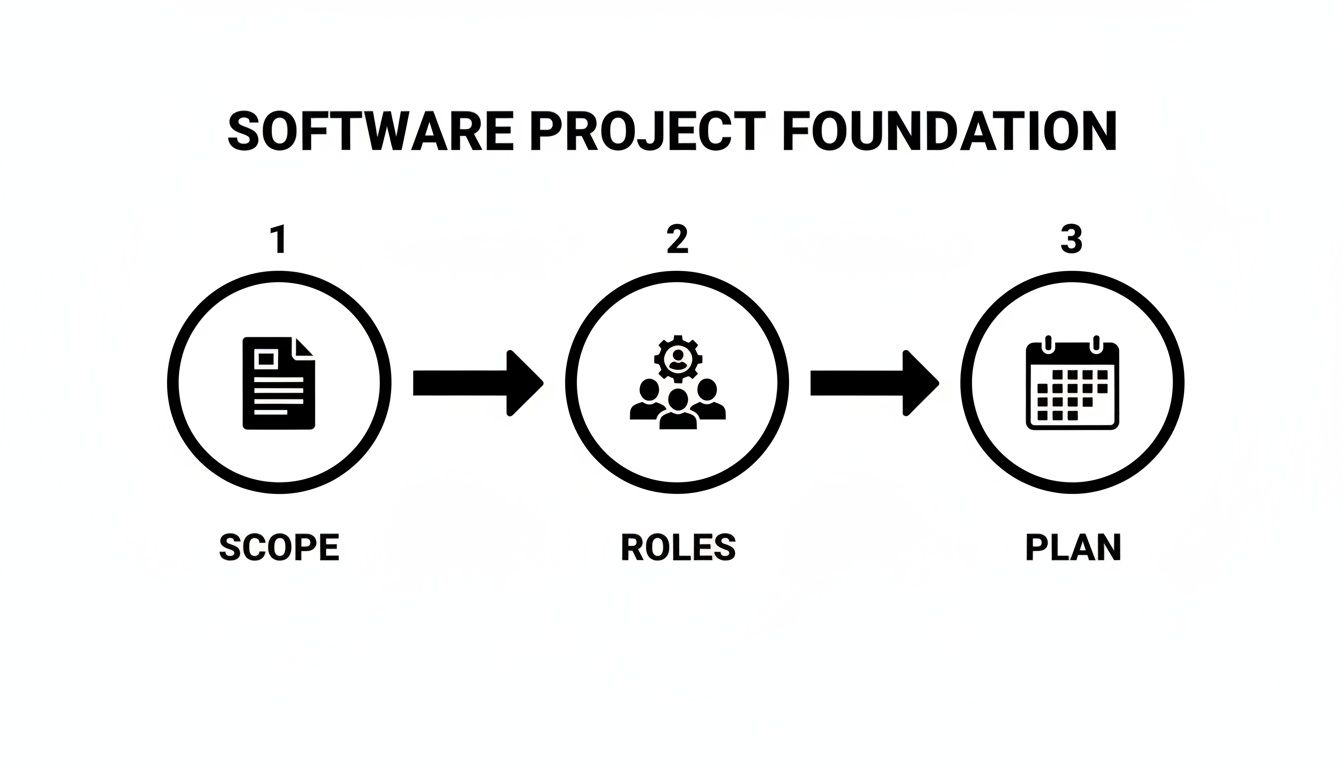
This simple flow shows how these three pillars, Scope, Roles, and Plan, create a stable base for everything that follows.
Establish Clear Team Roles and Responsibilities
Once you know what you're building, you need to define who is responsible for each piece. Vague roles are a recipe for disaster. They lead to confusion, duplicated work, and breakdowns in communication.
Every single person on the team needs to know exactly what they're accountable for and how their work fits into the bigger picture.
In a typical software project, you'll find these key roles:
Product Owner/Manager: The voice of the customer and stakeholders. They own the product vision and manage the backlog of features.
Project Manager/Scrum Master: The facilitator. They keep the process running smoothly, remove roadblocks, and ensure the team sticks to the chosen workflow.
Developers: The builders. These are the engineers who write the code and bring the product to life based on the requirements.
QA Engineers/Testers: The quality guardians. They're responsible for finding and reporting bugs, ensuring the product meets quality standards before it reaches users.
Having clearly defined roles from the start is non-negotiable. It fosters accountability and empowers individuals to own their part of the project, which is critical for maintaining momentum.
A core part of this foundational stage is mastering effective software project risk management. When you identify potential risks early on, whether they're technical challenges, resource gaps, or timeline pressures, you can build contingency plans. This proactive approach stops small issues from spiraling into major delays, protecting your budget and ensuring a much smoother path to launch.
Choose and Implement Your Project Workflow
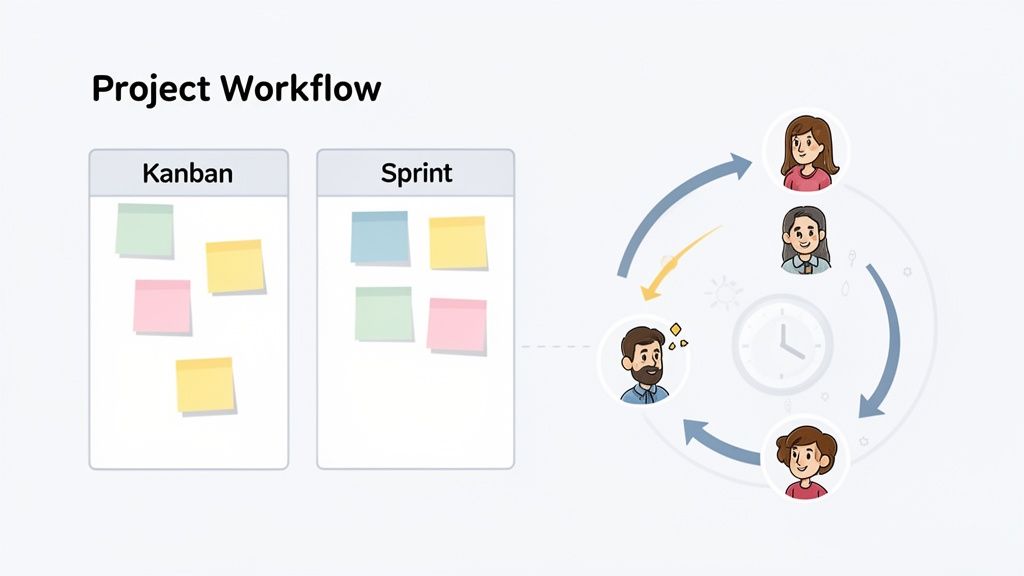
A solid plan is useless without a workflow to actually execute it. This is the stage where all that careful scoping and planning hits the road. Picking the right methodology is one of the most critical decisions you'll make, shaping how your team collaborates, communicates, and ultimately, ships software.
The goal isn't to enforce a rigid, soul-crushing process. It's to find a system that creates momentum and keeps everyone pulling in the same direction without leading to burnout. Most modern teams land on some flavor of Agile. It's more than a buzzword; it's a philosophy built around iterative progress, customer feedback, and adapting to change. If you're new to the concept, understanding the basics of what Agile methodology is can give you a strong foundation for what comes next.
Scrum vs. Kanban: The Two Dominant Flavors of Agile
While Agile is the overarching philosophy, Scrum and Kanban are the two most common frameworks teams use to put it into practice. They aren't mutually exclusive, as plenty of teams create a hybrid, but understanding their core differences will help you choose the right starting point for your project.
Scrum is perfect for projects where you can group work into predictable, time-bound chunks.
Structure: Work is organized into sprints, fixed periods, usually one to four weeks long, where the team commits to finishing a specific set of features.
Best For: Building a new product from scratch, like a startup MVP, or adding a major new feature set to an existing app. It thrives on a clear roadmap.
Rhythm: It's defined by its meetings (or "ceremonies"): Sprint Planning, Daily Standups, Sprint Reviews, and Retrospectives. These keep the team aligned and constantly improving.
Kanban, on the other hand, is all about continuous flow. It focuses on visualizing your work and preventing bottlenecks.
Structure: There are no sprints. Tasks move from a backlog across a visual board (e.g., To Do, In Progress, Done). Work is "pulled" into the next stage as soon as there's capacity.
Best For: Projects where priorities shift constantly. Think ongoing maintenance, bug-fix queues, or products in a fast-moving market where you need to react quickly.
Key Metric: The main goal is to reduce cycle time, the time it takes for a single task to go from "In Progress" to "Done."
The core difference is rhythm. Scrum gives you a predictable, structured cadence with its sprints. Kanban offers a more fluid, continuous delivery model. The best choice depends entirely on matching the workflow to the nature of the work itself.
Putting Your Chosen Workflow into Practice
Picking a framework is easy. Making it work is the hard part. Real success comes from operationalizing it by running meetings that matter, maintaining a clear task board, and building a culture of transparency.
If you've landed on Scrum, your Sprint Planning meetings need to be more than just a task-grabbing session. The real goal is to forge a shared commitment. The team should walk out with a clear, realistic goal for the sprint, not just a list of to-dos.
For teams going with Kanban, the board is everything. It's your single source of truth.
Visualize Your Process: Start with simple columns that map to your real-world process. It could be
To Do,In Progress,Code Review,Testing, andDone.Set WIP Limits: This is non-negotiable. By setting a Work In Progress (WIP) limit on columns like
In Progress, you stop people from starting new things before finishing current ones. It's the best way to expose bottlenecks.Manage the Flow: Watch how tasks move. If one column is always full and blocking everything else, that’s a signal your team needs to swarm on that problem to get things moving again.
Ultimately, both Scrum and Kanban are designed to make work visible and manageable, helping your team focus on what matters most. To explore this topic in greater detail, you can dive into our comprehensive guide on the agile software development methodology.
Assemble Your Essential Toolkit for Tracking and Communication
Choosing the right software for a development project feels like a minefield. The market is flooded with options, and it's easy to end up with a confusing, bloated stack that creates more work than it saves. The goal isn't to have the most tools; it's to have a lean, integrated toolkit that gives your team a single source of truth.
From what I've seen, the best teams use their tools strategically. It’s not just about tracking tasks. It’s about creating transparency, automating updates, and mastering asynchronous communication, especially for remote and hybrid teams where clear, constant information flow is the foundation of getting things done.
Choosing Your Core Project Management Platform
The project management software market is exploding, on track to hit $15 billion by 2030. It's no surprise that over 88% of organizations use one, with 82% crediting it for major efficiency gains. But here’s the catch: only 35% of project managers are actually happy with their system, usually because of clunky usability or poor integrations. You can dig into more of these project management statistics in this comprehensive industry report.
For most software teams, the choice boils down to two heavyweights: Jira and Trello. They serve very different needs.
Jira: This is the industry standard for complex software projects. It’s packed with powerful features for sprint planning, bug tracking, and generating detailed reports. You choose Jira when you need rigorous process control and deep customization.
Trello: This tool wins on simplicity and visualization. Its card-based, Kanban-style board is perfect for smaller teams, continuous-flow projects, or anyone who just wants an intuitive, straightforward experience.
The right tool depends entirely on your team’s workflow and complexity. A startup racing to an MVP will likely fly with Trello's simplicity, while a large enterprise team will almost certainly need the structure of Jira.
Build an Integrated Communication Hub
A task manager is just one part of the equation. Real project momentum comes from effective communication. When conversations are scattered across emails, DMs, and random apps, information gets lost and people fall out of sync. You need a centralized communication strategy.
A solid toolkit here usually includes:
A Central Channel: A dedicated platform like Slack or Microsoft Teams is non-negotiable. Create specific channels for your project (e.g.,
#project-phoenix-dev,#project-phoenix-qa) to keep conversations organized and searchable.A Documentation Hub: You need one place for the truth. A tool like Confluence or Notion becomes your central knowledge base for project specs, meeting notes, and technical docs.
Video Conferencing: For remote and hybrid teams, a reliable tool like Zoom or Google Meet is a must for sprint planning, demos, and retrospectives where you need that face-to-face connection.
The key is integration. Your task tracker should automatically post updates to your main chat channel, and your meeting notes should be linked directly from your project board. A connected toolkit kills manual updates and keeps everyone on the same page without even trying.
Aligning Remote and Hybrid Teams
Managing a distributed team means you have to be deliberate about communication. You can't just rely on running into someone in the hallway. Success comes from creating intentional communication patterns.
One of the most powerful techniques I've seen is the asynchronous daily standup. Instead of a scheduled meeting that breaks everyone's flow, team members post their updates in a dedicated channel when they start their day. This keeps the whole team informed without disrupting deep work, which is a critical part of improving developer productivity.
Here’s a simple way to think about when to use different communication styles:
Communication Style | Best Used For | Examples |
|---|---|---|
Synchronous | Urgent problem solving, complex discussions, team building. | Video calls for sprint planning, live pair programming sessions. |
Asynchronous | Status updates, non-urgent questions, documentation reviews. | Daily updates in Slack, comments on Jira tickets, feedback on documents. |
By thoughtfully combining these styles and integrating your tools, you create an environment where information flows effortlessly. This proactive approach to tooling and communication is what separates struggling teams from the ones who ship great software, no matter where they are.
Accelerate Delivery with AI-Native Platforms
The biggest change hitting software project management right now isn't another workflow or a slicker tracking tool. It’s the arrival of artificial intelligence, not as some plugin, but as a core part of the development engine. AI is rewiring how we build, shifting our focus from managing people to managing the project itself.
And this isn't some far-off trend. The change is happening fast. Already, 51% of professionals are using AI for things like task automation and risk management. With 90% of those early adopters seeing a positive ROI, it's no surprise the AI in project management market is set to jump from $3.08 billion in 2024 to $7.4 billion by 2029. You can dig into more of the data in this report on project management in 2025.
The Shift to AI-Native Development
Traditional software development is incredibly resource-intensive. It’s a carefully choreographed dance between product managers, designers, developers, and QA engineers, all led by a project manager. AI-native platforms are flipping that model on its head.
Instead of spending weeks writing detailed spec documents and then translating them for a technical team, you can now just describe what you want to build in plain English. This is a massive change. You're no longer the manager of a dev team; you’re the director of an AI system that executes your vision.
These platforms work using a system of specialized AI agents that collaborate to bring your idea to life. It usually looks something like this:
Requirements Agent: You describe your app’s purpose, who it’s for, and what it needs to do. The agent will ask you clarifying questions, help you refine the requirements, and then structure them into a formal project scope.
Designer Agent: Using those requirements, a design-focused agent suggests color palettes, fonts, and complete UI layouts. You can give feedback just like you would to a person, for example, "Make the buttons bolder," and it generates new designs instantly.
Software Agents: Once the design is locked in, developer agents take over. They write the actual code for the UI, the business logic, and the backend services, just like human developers would.
This model directly attacks one of the biggest bottlenecks in our industry: the chronic shortage of skilled developers. It makes app creation accessible to anyone with a great idea.
From Managing Developers to Managing the Project
So, what happens to the project manager? The role evolves. With an AI-native platform like CatDoes, your focus moves from day-to-day team coordination to high-level product strategy. You stop worrying about sprint velocity and start spending your time on the user experience.
Your job becomes guiding the AI, not managing a backlog. You provide the vision, review the AI's output, and give feedback to steer the project toward its goals. This frees you up to concentrate on what truly matters: building the right product for your users.
Imagine you need to build a new feature for a B2C mobile app. In the past, this meant multiple meetings, endless mockups, and weeks of coding. The AI-native approach is conversational.
Your Prompt: "Add a user profile screen where users can update their name and profile picture."
The Requirements Agent confirms the fields you need.
The Designer Agent presents a UI for you to approve.
Software Agents implement the screen, connect it to the user database, and even set up the cloud storage for the profile pictures.
The whole cycle happens in a fraction of the time. This means you can iterate incredibly fast and slash your time-to-market.
How AI-Native Platforms Handle the Full Stack
This AI-driven method isn't just for pretty frontends. A true AI-native platform manages the entire technology stack. For instance, platforms like CatDoes come with a built-in managed backend, CatDoes Cloud.
This means the AI agents can also set up and configure your entire backend infrastructure. Need user authentication, a database for your products, or serverless functions for custom business logic? You can specify it all in natural language. The AI handles the setup, removing a massive layer of technical complexity that traditionally required specialized backend engineers. It’s one more way these platforms accelerate the path from idea to a fully functional, production-ready app.
Navigate from Code Complete to Market Launch
Hitting "code complete" feels like you’ve crossed the finish line. But in reality, you’ve just entered the final, most critical leg of the race. This is where your project transforms from a collection of code into a real, working product in your users' hands.
Getting this part right is your last chance to catch show-stopping bugs and ensure a smooth launch. It’s all about robust testing, a drama-free deployment process, and a clear plan for what happens the moment your app goes live.
Implement a Robust Testing and Quality Assurance Process
Before your app ever sees the light of day, it needs to be put through its paces. Quality Assurance (QA) isn't just about squashing bugs; it's about making sure the software actually does what it's supposed to do and provides a genuinely good experience. A rushed QA process is the fastest way to a disastrous launch.
A solid testing strategy needs to be layered. Think of it as a series of filters, each catching different types of problems.
Unit Tests: Written by your developers, these small, automated tests confirm that individual pieces of code, like a single function, work in isolation.
Integration Tests: These tests check that different components play nicely together. For example, does your frontend successfully pull data from your backend API?
End-to-End (E2E) Tests: This is where you simulate a complete user journey. A script might mimic a user logging in, adding a product to their cart, and successfully checking out.
User Acceptance Testing (UAT): The final sanity check. Real stakeholders or a group of beta testers use the app to confirm it meets their needs in a real-world setting.
A bug caught by your internal team is exponentially cheaper and less damaging to fix than one discovered by a paying customer. You need a clear system in a tool like Jira for tracking every issue. A good bug report is detailed, reproducible, and prioritized, so your developers can focus on what matters most.
Streamline Your Release with CI/CD and Version Control
Once the app passes QA, you need a dependable way to get it into production. The old way involved stressful, all-hands-on-deck manual deployments. The modern way is automation. That means using version control and a CI/CD pipeline.
Git is the non-negotiable standard for version control. It gives your team a complete history of every code change, lets developers work on new features in isolated "branches," and provides a structured way to merge those changes back into the main project.
A CI/CD pipeline automates the entire build-test-deploy cycle.
Continuous Integration (CI): The moment a developer merges new code, an automated workflow kicks off. It builds the app and runs all the unit and integration tests, giving you immediate feedback on whether the change broke anything.
Continuous Deployment (CD): If the tests all pass, the pipeline can automatically deploy the new version to your users. This is how top teams release bug fixes and new features multiple times a day with confidence.
A well-oiled CI/CD pipeline turns your release from a high-stress, manual event into a boring, automated non-issue. It’s the engine that powers fast, reliable software delivery.
For a deeper dive, our guide on continuous deployment best practices breaks down exactly how to set up these workflows to make your releases faster and safer.
Navigate App Store Submissions and Post-Launch Monitoring
For mobile apps, the last gatekeeper is the app store. Submitting to the Apple App Store and Google Play Store is its own process, complete with its own rulebook. You’ll need to prepare your app store listing with screenshots, descriptions, and privacy policies, and make sure your app complies with each store’s specific guidelines to avoid a painful rejection.
But don’t pop the champagne just yet. The moment your app goes live, the work shifts from building to maintaining. You need tools in place to monitor application performance, track crashes in real-time, and collect user feedback. This data is the lifeblood for your next development cycle.
By seeing how people actually use your app and where they get stuck, you get the insights needed to plan your next set of features and improvements, bringing you right back to the beginning of the process.
Frequently Asked Questions About Managing Software Projects
Even with the best plan, you're going to hit roadblocks. It’s a natural part of building software. Here are some of the most common questions founders and project leads run into, with practical answers to help you get unstuck and keep moving forward.
What Is the Biggest Mistake to Avoid in a Software Project?
The single biggest mistake? Starting development with a fuzzy, undefined, or constantly changing scope. We call this scope creep, and it’s the quickest way to blow your budget and timeline.
When requirements aren't locked down from the start, it creates a domino effect of confusion, rework, and delays. That's why the initial discovery and planning phase is so critical. You need to invest real time here to create a detailed spec that becomes the North Star for the entire project.
Of course, you need some room to adapt, especially in an Agile world. But any change needs to be weighed against its impact on cost and delivery dates. Using modern tools to capture every requirement in a structured way before a single line of code is written is the best defense against this all-too-common pitfall.
How Do You Choose Between Agile Scrum and Kanban?
The right choice here depends entirely on the rhythm of your project and how your team likes to work. Both Scrum and Kanban are Agile frameworks, but they offer very different tempos.
Choose Scrum for projects you can break into predictable, fixed-length cycles called sprints. It’s perfect when you have a clear goal for each cycle, like building out a specific feature set or shipping a new version of your product. Scrum gives you a structured, predictable cadence.
Choose Kanban when work is more of a continuous flow or priorities can shift on a dime. Think support tickets or ongoing website maintenance. The visual board helps you manage the stream of tasks and, crucially, limits how much work is in progress at once to prevent bottlenecks.
I like to think of it this way: Scrum is like a series of scheduled flights, each with a clear destination. Kanban is more like a taxi queue, where the next car moves up as soon as the one in front of it leaves.
Agile is the big-picture philosophy that values flexibility and iteration. Scrum and Kanban are just two ways to put it into practice. The key is picking the framework that actually fits the way work flows for your specific project.
Can I Manage a Software Project Without a Technical Background?
Yes, absolutely. It’s a huge misconception that you need to be a developer to lead a software project. As a non-technical manager, your job is to own the "what" and the "why": the business goals and the user needs.
Your success depends on finding a strong technical lead who can own the "how." You bring the vision; they provide the technical execution. Your role is to protect the team from distractions, keep the requirements clear, and make sure the final product actually solves a real problem for your customers.
This is exactly the scenario AI-native platforms were built for. They let you describe your app in plain English, and AI agents handle the technical details, from writing the code to setting up the cloud infrastructure. You get to lead the vision and see it come to life, all without writing a line of code yourself.
What Is the Typical Cost of a Software Development Project?
This is the "how long is a piece of string" question. Costs can swing wildly, from $5,000 for a simple proof-of-concept to well over $250,000 for a complex, feature-rich app built the traditional way.
A huge chunk of that cost comes down to developer salaries and the sheer number of hours it takes to code, test, and deploy. Where your team is located also makes a massive difference, as developer rates vary dramatically by region.
A primary goal of modern management techniques and AI-native development platforms is to drastically reduce these costs. By automating the most time-consuming parts of the development lifecycle, these new platforms allow you to build sophisticated apps for a fraction of the traditional price, often on a predictable subscription basis.
This model is a game-changer for startups and small businesses. It shifts the financial burden from a massive, risky upfront investment to a much more manageable operational cost, making custom software accessible to everyone.
Ready to turn your idea into a real app without the traditional costs and complexity? With CatDoes, you can describe your project in plain English and let AI agents handle the design, coding, and deployment. Build your next mobile app faster and more affordably than ever before. Start building for free on CatDoes today.
Nafis Amiri
Co-Founder of CatDoes


