Blog
Tutorials
How to Setup Apple Developer Account: 7 Steps (2026)
An Apple Developer account costs $99 a year. Complete setup guide: individual vs organization, D-U-N-S Numbers, approval times, and App Store Connect.

Nafis Amiri
Co-Founder of CatDoes

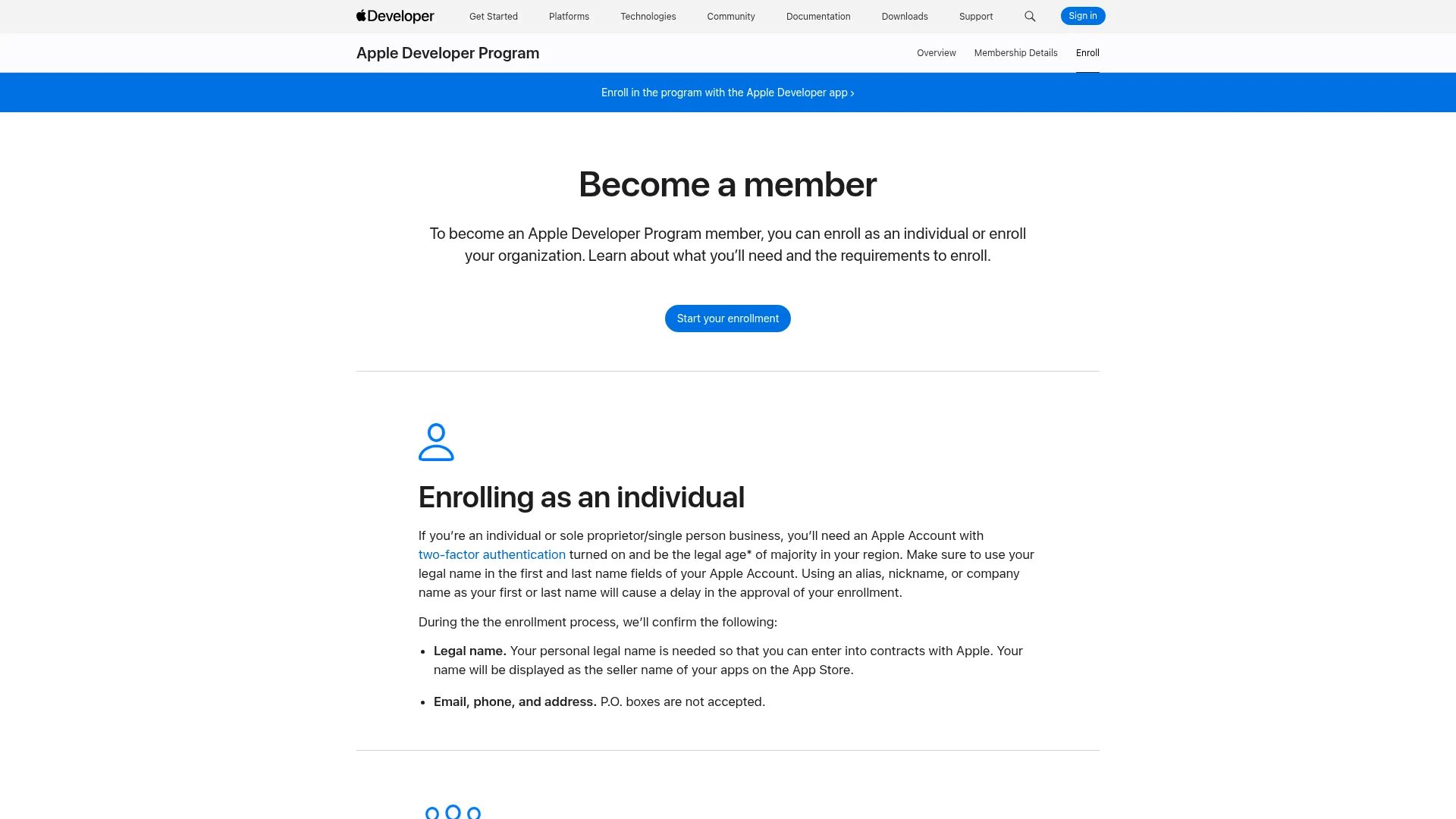
TL;DR: Setting up an Apple Developer account means enrolling in the Apple Developer Program, which costs $99 USD per year and is the only way to put an app on the App Store. Individuals need an Apple Account with two-factor authentication, their legal name, and a government photo ID, and usually finish in a day or two. Organizations also need a D-U-N-S Number, a real legal entity (Apple rejects DBAs and trade names), a work email on the company domain, and a live company website, which stretches approval to one or two weeks. You can enroll in the Apple Developer app on an iPhone, iPad, or Mac, or on the web.
Table of Contents
What Is an Apple Developer Account?
Free vs Paid: Which One Do You Actually Need?
What You Need Before You Enroll
How to Set Up an Apple Developer Account in 7 Steps
Individual or Organization: Which Entity Type to Pick
How to Get a D-U-N-S Number
How Long Approval Takes
What to Do Once Apple Approves You
What the $99 Covers and What It Doesn't
Nine Things That Delay an Enrollment
What Happens When Your Membership Expires
Frequently Asked Questions
Getting Your First App Out the Door
Setting up an Apple Developer account costs $99 a year, and that is the easy part. What holds people up is everything Apple checks before it will take the money. Your legal name has to match your photo ID. Your company has to be an actual legal entity, not a trade name. The website you put on the form has to load.
Get one of those wrong as an individual and you lose a day. Get one wrong as an organization and you lose two weeks, because the D-U-N-S lookup and the binding authority check both happen before you are allowed to pay.
This guide covers the enrollment end to end: what Apple requires for each entity type, real timelines at every stage, what to configure in App Store Connect once you are in, and the nine mistakes behind most stalled applications.
What Is an Apple Developer Account?
An Apple Developer account is the identity Apple uses to verify who you are before it lets you ship software to its platforms. It comes in two tiers. A free account links your Apple Account to Xcode so you can build and run apps on your own devices. A paid Apple Developer Program membership, 99 USD per membership year, unlocks App Store distribution, TestFlight, App Store Connect, and code signing that does not expire every week.
The free tier is not a trial. It never runs out, and it is genuinely useful for learning the platform. It just stops at the edge of anything public.
One membership covers every app you publish under that account. There is no per-app fee, and no separate charge for iPhone, iPad, Mac, Apple TV, Apple Watch, or Apple Vision Pro.
Free vs Paid: Which One Do You Actually Need?
The free account is fine until you need someone else to open your app. Here is the split, taken from Apple's own membership comparison.
What you get | Free account (Personal Team) | Apple Developer Program ($99/yr) |
|---|---|---|
App Store distribution | No | Yes |
TestFlight beta testing | No | Yes |
App Store Connect | No | Yes |
Certificates, Identifiers & Profiles | No | Yes |
Mac software notarization | No | Yes |
Xcode Cloud | No | Yes |
Code-level support | No | Yes |
On-device testing with Xcode | Yes | Yes |
Beta Xcode and OS releases | Yes | Yes |
Developer Forums and Feedback Assistant | Yes | Yes |
App IDs | 10, expire after 7 days | No 7-day expiry |
Registered devices | 3, expire after 7 days | Standard program limits |
Apps installed per device | 3 | Standard program limits |
Provisioning profile lifetime | 7 days from issuance | Standard program lifetime |
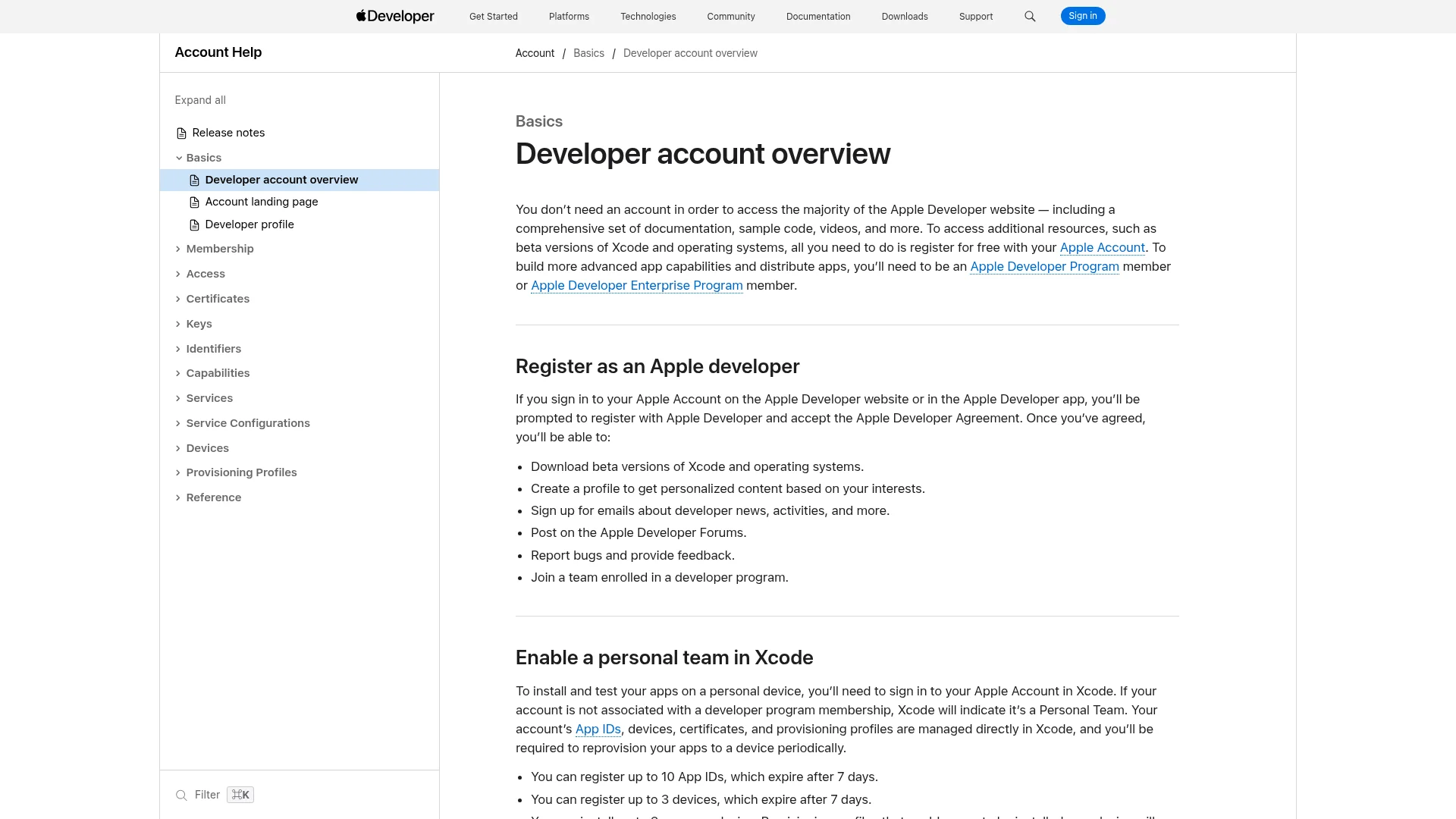
That seven-day number decides it for most people. On a free account, Apple's membership comparison states that provisioning profiles "will expire 7 days from issuance" and that you will need to rebuild and reinstall your app to your device after expiration. An app you put on your phone last Tuesday stops opening this Tuesday.
Pay the $99 when you need any of the following: a build on a device you do not physically own, an App Store listing, TestFlight, or an app that still works next weekend.
What You Need Before You Enroll
Gather these before you open the enrollment form. Missing one of them mid-flow is how a 20-minute task becomes a week.
Everyone needs
An Apple Account with two-factor authentication turned on.
To be the legal age of majority in your region. Apple notes that if you are under it, a parent or guardian can enroll with their own Apple Account and share it with you.
Your legal name in the first and last name fields. Apple's warning is blunt: using an alias, nickname, or company name as your first or last name will cause a delay in the approval of your enrollment.
An email address, phone number, and physical address. P.O. boxes are not accepted.
A government-issued photo ID. Apple accepts passports in most regions, and some regions accept additional types such as a driver's license.
Organizations also need
Legal entity status, such as a corporation, limited partnership, or limited liability company. Apple does not accept DBAs, fictitious business names, trade names, or branches.
A D-U-N-S Number registered to that legal entity. Government organizations are exempt.
Binding authority. You must be the owner or founder, an executive team member, a senior project lead, or an employee granted legal authority by a senior employee. If you are not the owner or founder, you will be asked to name a reference who can confirm it.
A work email address on your organization's own domain name.
A public, functional website on a domain associated with the organization. Apple states that links to social media pages, or sites with minimal content or a domain registrar message, will not be accepted.
Possibly notarized business documents, depending on your region.
How to Set Up an Apple Developer Account in 7 Steps
Step 1: Fix your Apple Account first
Turn on two-factor authentication. Then check that every field on the Apple Account is current: first name, last name, address, phone number, trusted phone number, and trusted devices. Apple validates against these, not against what you type into the enrollment form.
If you are enrolling a company, create a fresh Apple Account on your company domain instead of reusing a personal one. That account becomes the Account Holder, and every agreement, renewal, and transfer runs through it for the life of the business.
Step 2: Choose individual or organization
This decision sets the seller name that appears on your App Store product page, and changing it later means a support ticket rather than a settings toggle. The comparison is in the next section.
Step 3: Organizations, start the D-U-N-S Number now
Do this before anything else, not when you hit the payment screen. It is the longest single step in the whole process and nothing else depends on it, so it runs in parallel with the rest of your prep.
Step 4: Start the enrollment
There are two routes. The Apple Developer app is the faster one because identity verification is built in.
Apple Developer app. Works on an iPhone or iPad with Touch ID, Face ID, or a passcode enabled, or on a Mac with the T2 Security Chip or Apple silicon. Sign in to iCloud on the device first. Open the Account tab, sign in with your Apple Account, agree to the Apple Developer Agreement, tap Enroll Now, review the benefits, then Continue. Apple is explicit that you must use the same device for the entire enrollment process.
Web. Sign in at developer.apple.com and start the enrollment there. Note that enrollment in India is only available through the Apple Developer app.
Step 5: Verify your identity
Enter your legal first name, legal last name, and phone number, then take a picture of your photo ID. Apple states that it checks the authenticity of the image and pulls your name and address from it, but does not keep the image.
Once your identity is verified it is tied to that Apple Account permanently and cannot be verified again by signing in with a different one. Verify under the account you actually intend to own the membership.
Step 6: Sign the license agreement
Individuals and sole proprietors review the Apple Developer Program License Agreement and purchase at the time of enrollment. Organizations reach this step later: Apple Developer Support verifies the enrollment information first, then emails you next steps, and only then can you agree and buy.
Step 7: Pay and wait for confirmation
Enrollments through the Apple Developer app are billed as an annual auto-renewable subscription that renews until cancelled. Web enrollments use the payment methods presented during purchase.
Two payment traps. If you are enrolling as an individual and paying by credit card, it has to be your own card, otherwise Apple delays the enrollment and asks for a copy of your government-issued photo ID. And Apple Account balances from gift cards are not accepted as payment, except from developers based in India.
You will get a confirmation email once the purchase processes. Apple's guidance is that if no membership confirmation has arrived within 24 hours of purchase, contact support and include your Enrollment ID.
Individual or Organization: Which Entity Type to Pick
Individual / Sole Proprietor | Organization | |
|---|---|---|
Seller name on the App Store | Your personal legal name | Your legal entity name |
D-U-N-S Number | Not required | Required, except government organizations |
Company website | Not required | Required, public and functional |
Work email on own domain | Not required | Required |
Binding authority check | No | Yes |
Team members in App Store Connect | Yes | Yes |
Typical time to approval | Hours to a couple of days | One to two weeks |
The seller name is the part people regret. Enroll as an individual or sole proprietor and Apple lists your personal legal name as the seller on every product page you publish. If you are building a brand, that is not something you can edit away later.
Switching is possible but not self-service. Apple's instruction is to contact support if you have enrolled as an individual and need to convert to an organization account, which means a ticket and another verification round. Decide once, at the start.
The fee waiver, if you qualify
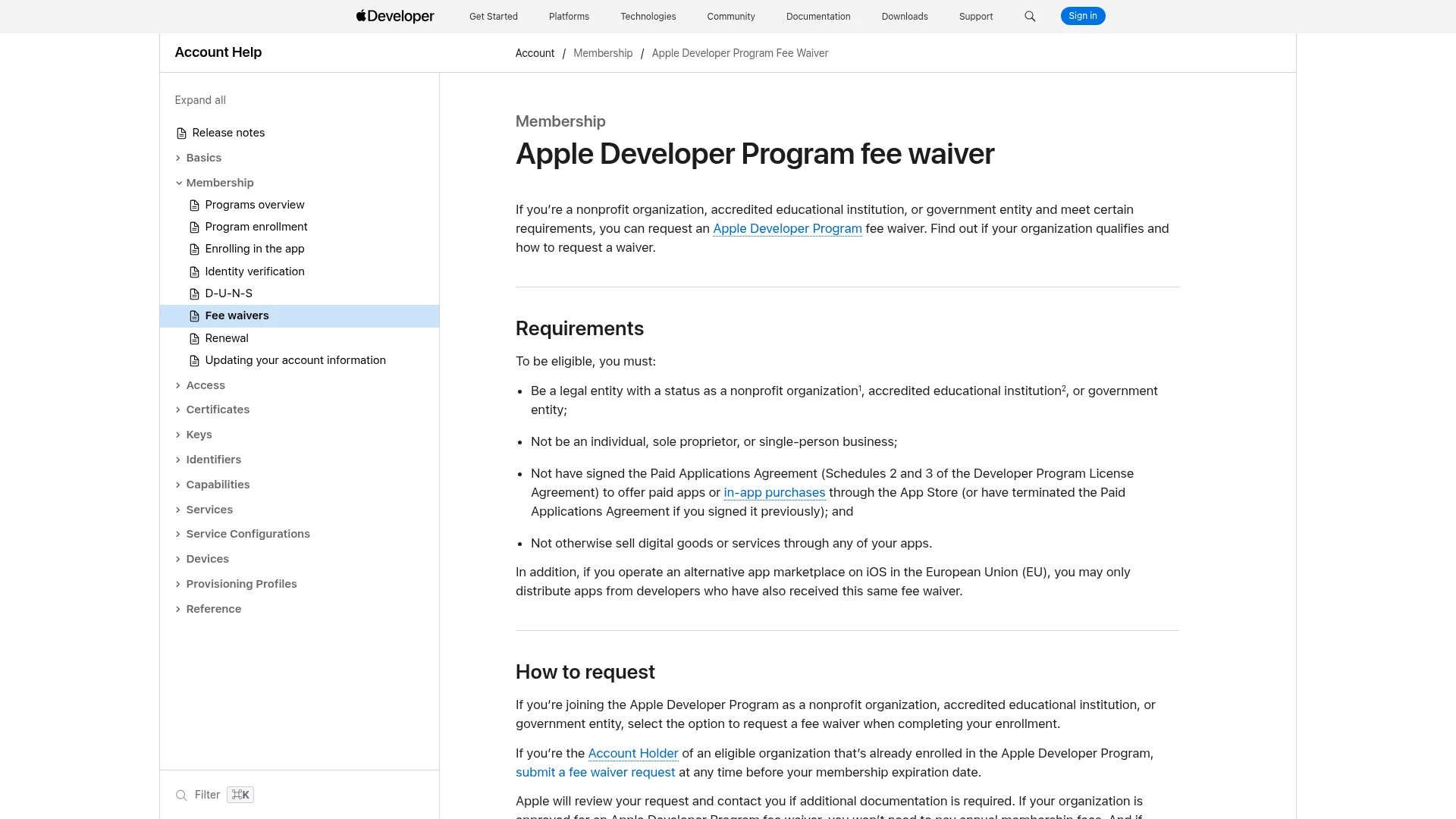
Nonprofit organizations, accredited educational institutions, and government entities can request a waiver of the annual fee. The conditions are strict. You must be a legal entity in one of those three categories, and you cannot be an individual or single-person business. You also must not have signed the Paid Applications Agreement, or sell digital goods or services through any of your apps. In practice, every app on the account has to be free.
How to Get a D-U-N-S Number
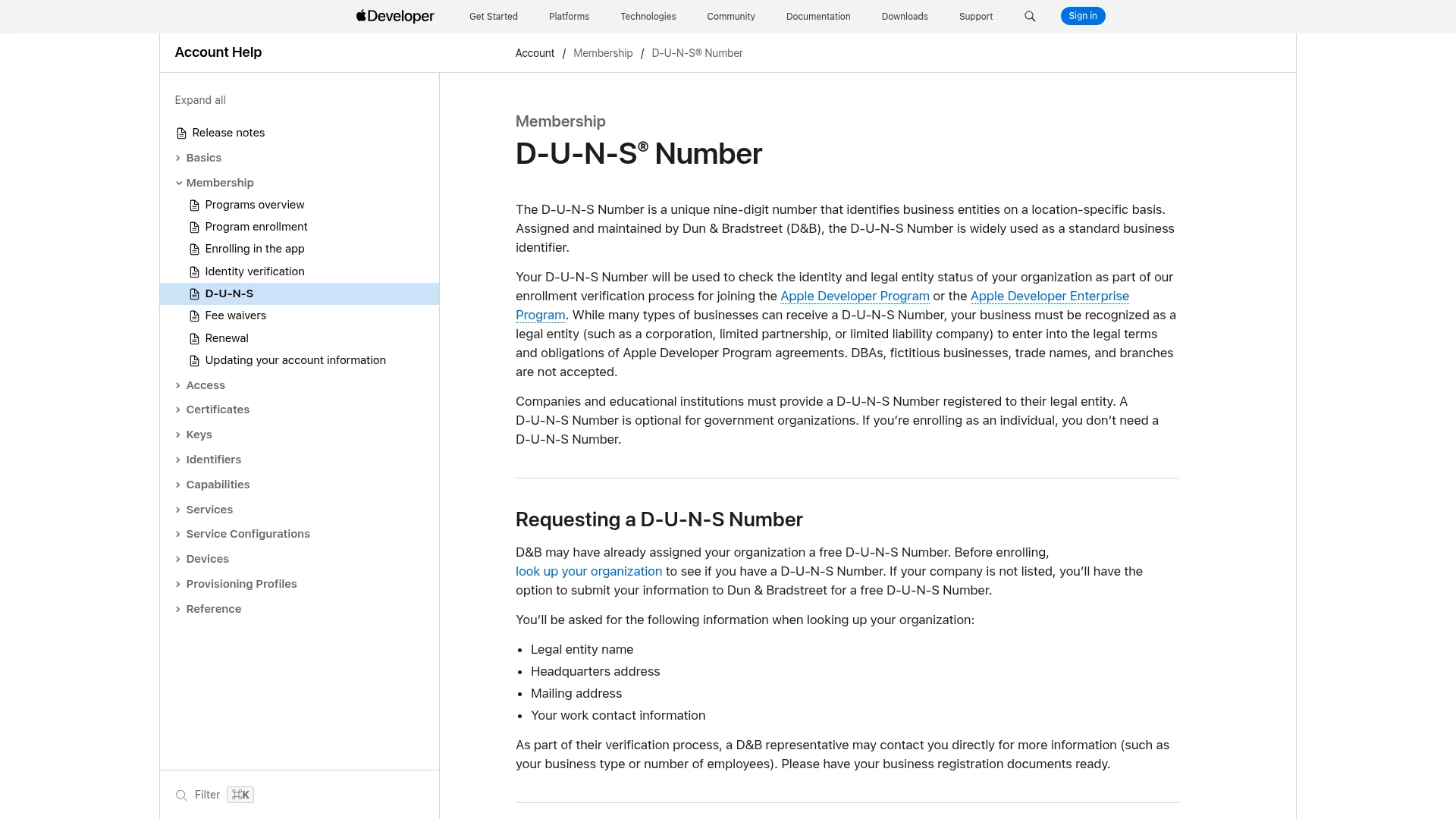
A D-U-N-S Number is a unique nine-digit identifier for business entities, assigned and maintained by Dun & Bradstreet. Apple requires one from every company and educational institution enrolling as an organization. It is free in most jurisdictions, so there is no reason to pay a third party for one.
Look yours up first. Apple hosts a D-U-N-S lookup tool in the enrollment flow. Plenty of companies already have a number assigned without knowing it.
Request one if you are not listed. Have ready your legal entity name, headquarters address, mailing address, and work contact information. A D&B representative may call to ask about your business type or employee count, so keep your business registration documents to hand.
Wait out the D&B side. Apple says to allow up to 5 business days to receive your number, and states plainly that expediting the creation process will not shorten that period.
Wait out the Apple side. Once you have the number, allow up to 2 business days for Apple to receive your information from D&B.
Escalate at two weeks. If the application has taken longer than two weeks to process, email D&B directly.
The failure most companies hit is an error saying the business is not listed as a legal entity. Per Apple's D-U-N-S documentation, that means D&B has you recorded with a different legal status, often a sole proprietorship, or your status has not been verified yet. Send complete business registration documents to D&B to correct it, then allow another two business days for the update to reach Apple.
How Long Approval Takes
Stage | Individual | Organization |
|---|---|---|
D-U-N-S Number | Not required | Up to 5 business days from D&B, plus up to 2 business days for Apple to receive it |
Identity and entity verification | Typically same day to 48 hours | No published timeframe, and it happens before you are allowed to pay |
Purchase | At the end of enrollment | Only after Apple emails you next steps |
Membership confirmation | Within 24 hours of purchase | Within 24 hours of purchase |
Apple publishes exactly one hard number here, and it is the last one: if no membership confirmation has arrived within 24 hours of your purchase, contact support with your Enrollment ID. Every stage before the purchase has no stated service level at all.
For organizations the sequence matters more than the duration. You do not pay and then wait. Apple verifies the enrollment information, emails you next steps, and then lets you agree to the license and buy. So a stalled organization enrollment is a verification problem, never a billing one, and chasing your card issuer will not move it.
Account approval is also a separate clock from app review. Once you are in, your first submission joins a different queue with its own timeline, which we break down in how long app review takes.
What to Do Once Apple Approves You
Approval gets you the account. It does not get you a shippable setup. Six things to do in App Store Connect before you build your first app record.
Sign in to App Store Connect at appstoreconnect.apple.com with the same Apple Account you enrolled with.
Sign the right agreement. Free apps are already covered by the Apple Developer Program License Agreement you accepted at enrollment. To sell paid apps or offer in-app purchases, the Account Holder must sign the Paid Apps Agreement: Business, then the Agreements tab, then View and Agree to Terms on the Paid Apps row. Apple warns that once you accept, you cannot undo it.
Enter banking and tax information. Both are required before paid apps or in-app purchases will work, and both take longer than you expect if your entity details do not match.
Declare your EU Digital Services Act trader status. Every developer account has to declare, including accounts that skip the EU entirely, and including non-traders. Since 17 February 2025, apps without a verified trader status are removed from the EU App Store.
Add your team and assign roles. Roles control who can submit builds, see financials, and sign agreements, and only the Account Holder can do the last one.
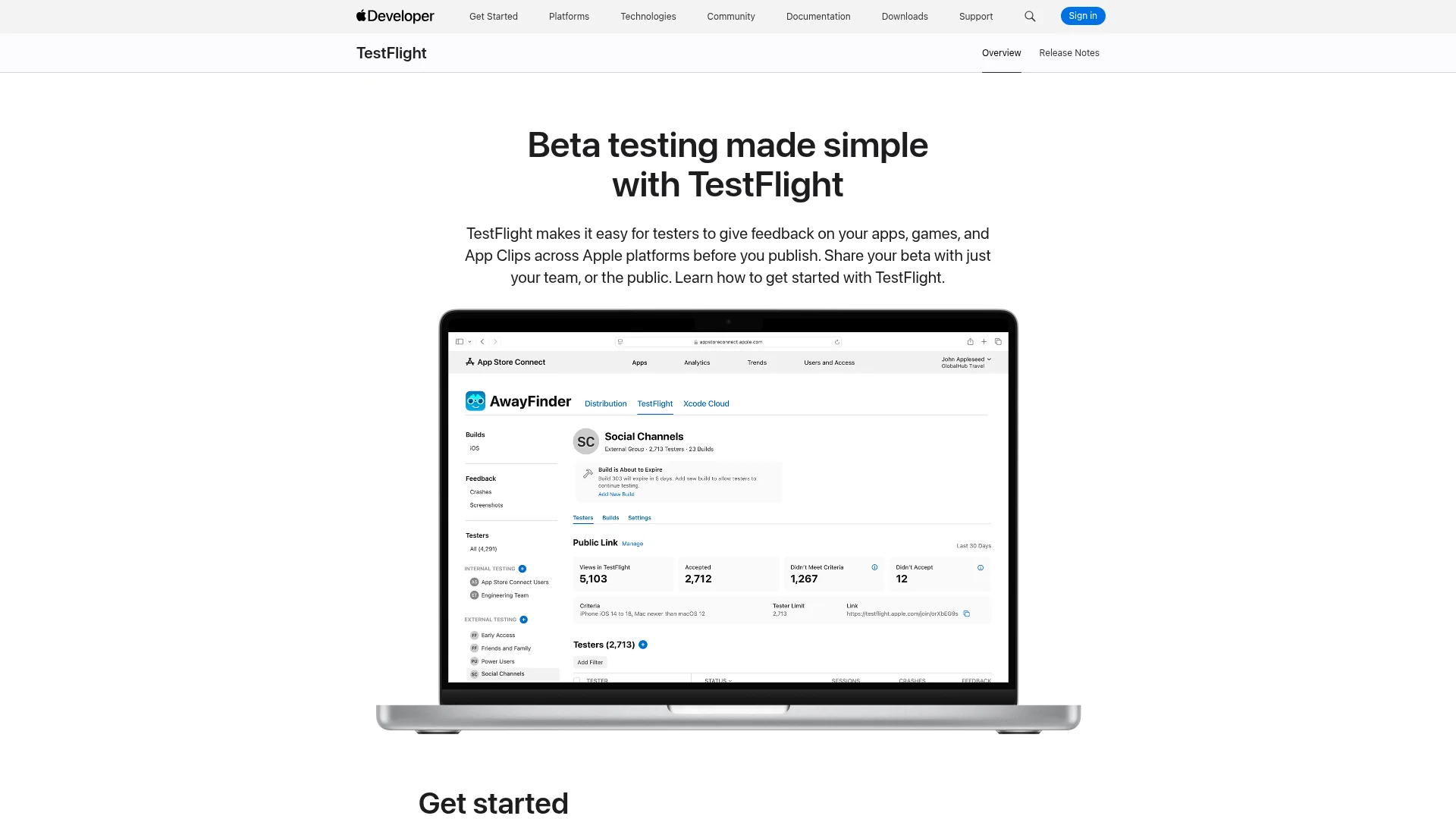
Set up TestFlight. You get up to 100 internal testers who hold the Account Holder, Admin, App Manager, Developer, or Marketing role, plus up to 10,000 external testers, across up to 100 builds, with up to 30 devices per tester. External testing requires your first build to be approved by App Review for TestFlight.
With the account live, the next step is the app record itself. Our walkthrough on submitting an app to the App Store picks up exactly where this leaves off. If you are shipping to both stores, publishing to the App Store and Google Play covers the parallel Android setup.
What the $99 Covers and What It Doesn't
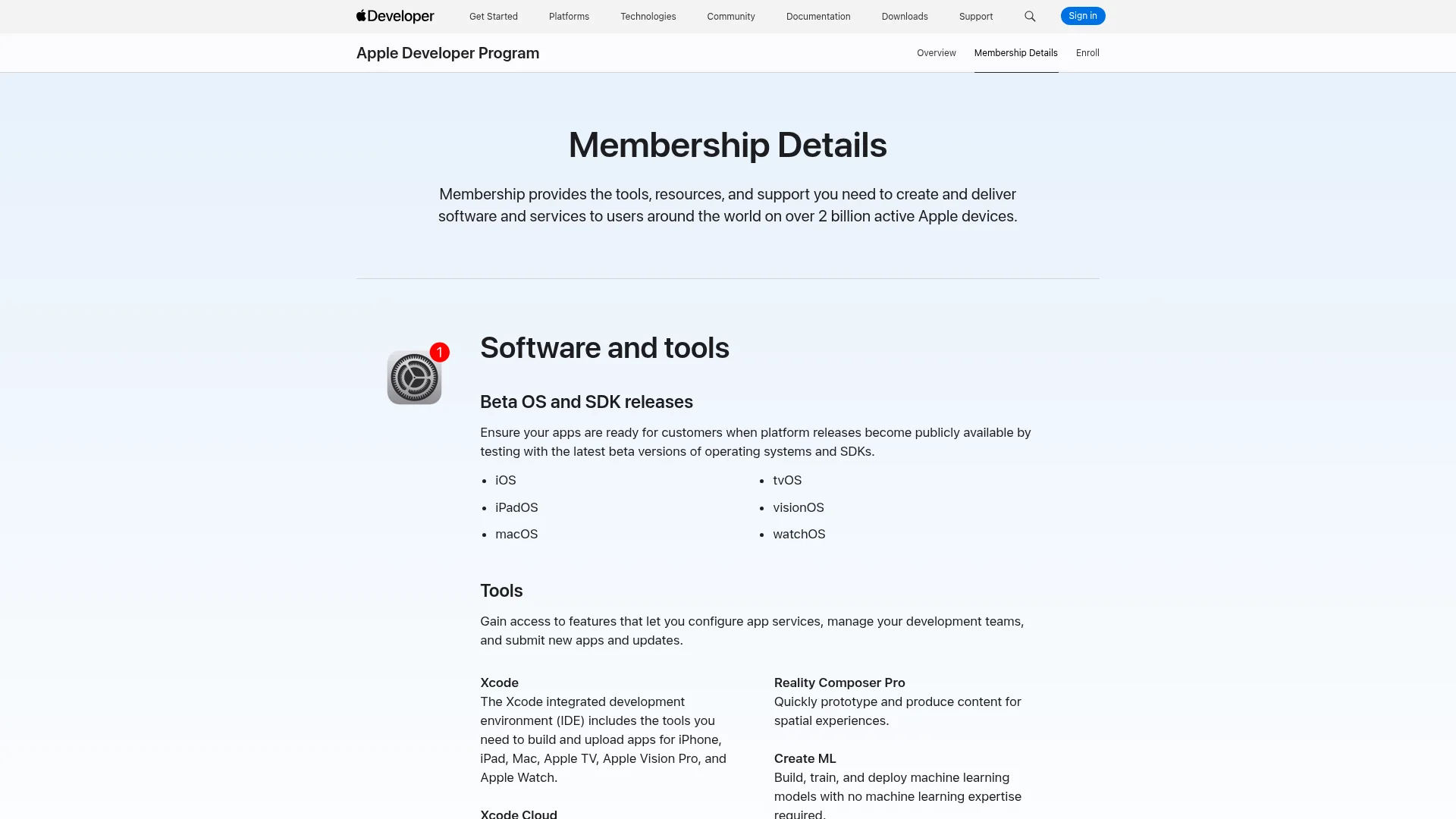
What you get for the fee
Distribution on the App Store across iPhone, iPad, Mac, Apple TV, Apple Watch, and Apple Vision Pro.
TestFlight, App Store Connect, and Certificates, Identifiers & Profiles.
Mac software notarization.
Xcode Cloud, with 25 compute hours per month included.
CloudKit, with up to 1PB of free storage for each app.
WeatherKit, with 500,000 API calls per month.
Managed Background Assets, with up to 200GB of Apple-hosted assets.
Beta OS and SDK releases, code-level support, and an Apple-verified Developer ID.
What it does not cover
Commission. Apple's standard rate on digital goods and services is 30%. It drops to 15% for developers in the App Store Small Business Program, which is open to accounts with up to 1 million USD in proceeds in the prior calendar year, and to qualifying subscriptions. Physical goods and services sold in an app are not commissioned.
A Mac. You can enroll from an iPhone, but Xcode only runs on macOS, and Xcode is what compiles and signs an iOS build.
The Enterprise Program. That is a separate program at 299 USD per year, for proprietary in-house apps distributed to your own employees rather than through the App Store. It requires its own Apple Account and its own identity verification.
A refund. Apple states that full or partial refunds are not available for a previously paid membership.
Nine Things That Delay an Enrollment
An alias or company name in your Apple Account name fields. Use the legal name printed on the ID you are about to photograph.
Paying with someone else's card on an individual enrollment. Apple asks for a copy of your government-issued photo ID and the enrollment waits until you send it.
A P.O. box as your address. Not accepted, on either entity type.
A D-U-N-S record showing a sole proprietorship or unverified status. Send complete business registration documents to D&B, then allow two business days for the correction to reach Apple.
Enrolling a DBA, trade name, or branch. Apple contracts with the legal entity, so that is the name that has to be on the form.
A website that does not qualify. A social media page, a near-empty site, or a domain still showing a registrar's parking message will all be rejected.
A work email on a consumer domain. It has to be on your organization's own domain name.
Enrolling without binding authority. If you are not the owner or founder, have a senior reference lined up who can confirm your authority when Apple asks.
Switching devices partway through an app enrollment. Apple requires you to use the same device for the entire enrollment process.
None of these produce a rejection letter. They produce silence, which is worse, because there is nothing to appeal and no queue position to check. Fix the underlying record, then contact Apple Developer Support with your Enrollment ID.
Worth keeping separate in your head: enrollment problems and app rejections are different systems with different remedies. If your account is fine and it is a submission that came back, the fix is in appealing an App Store rejection instead.
What Happens When Your Membership Expires
Letting the membership lapse does not delete anything, but it does pull your apps off the store. Per Apple's program renewal documentation, when a membership expires your apps are no longer available for download, you cannot submit new apps or updates, and you lose access to Certificates, Identifiers & Profiles.
Apps already installed keep working for the people who have them, and you keep access to certain App Store Connect features and the free development resources.
Renewing brings things back without a resubmission. Free apps become available again within 24 hours. Paid apps return once you sign in to App Store Connect and accept the Paid Applications Agreement again.
The Account Holder can renew manually starting 30 days before the expiration date, or any time after it expires.
In those last 30 days you can also download your registered test device list, or opt to have all devices removed at expiration if you are not renewing.
If you enrolled through the Apple Developer app, cancel in Settings up to one day before the renewal date. Fees paid for the year in which you cancel are nonrefundable.
After cancelling you can resubscribe at any time for up to one year after the membership expiration date.
Frequently Asked Questions
Do I need an Apple Developer account to build an iPhone app?
No. You can build and run apps on your own devices with a free Apple Account signed into Xcode. The paid $99 membership is only required once you want to distribute: an App Store listing, TestFlight, or notarized Mac software.
Can I publish to the App Store with a free Apple Developer account?
No. App Store Connect and TestFlight are both unavailable on the free tier, and there is no route to a public listing without an active Apple Developer Program membership.
How much does an Apple Developer account cost?
The Apple Developer Program is 99 USD per membership year, listed in local currency during enrollment. The Apple Developer Enterprise Program is 299 USD per year. Nonprofits, accredited educational institutions, and government entities can request a fee waiver if every app on the account is free.
Do I need a D-U-N-S Number as an individual?
No. D-U-N-S Numbers are only required for companies and educational institutions enrolling as organizations, and government organizations are exempt as well. If you are enrolling as an individual or sole proprietor, skip it entirely.
Can I use my company's name if I enroll as an individual?
No. Apple lists your personal legal name as the seller on the App Store for individual and sole proprietor enrollments, and entering a company name in the name fields will delay approval. If the brand name matters, enroll as an organization.
Do I need a Mac to enroll?
Not to enroll, but you do to build. Enrollment works from an iPhone or iPad through the Apple Developer app. Xcode, which compiles and signs iOS apps, runs only on macOS.
How long does Apple Developer account approval take?
Individuals typically clear in a day or two. Organizations should plan for one to two weeks, most of which is the D-U-N-S Number (up to 5 business days from D&B, plus up to 2 business days for Apple to receive it) and Apple's entity verification. Apple's only published commitment is that a membership confirmation should arrive within 24 hours of purchase.
Does the $99 renew automatically?
It depends how you enrolled. Enrollments through the Apple Developer app are auto-renewable subscriptions that renew until cancelled. Web enrollments can opt in to auto-renew in Membership details where it is available, and otherwise the Account Holder renews manually starting 30 days before expiration.
Getting Your First App Out the Door
An Apple Developer account is 20 minutes of forms and a $99 charge if you are an individual with your legal name spelled correctly. It is a two-week project if you are a company, and almost all of that time sits in the D-U-N-S Number and the entity verification behind it.
Which points at the one scheduling decision that actually matters. If you know you are shipping as a company, start the D-U-N-S lookup today and do every other step while it processes. That single reordering removes most of the delay people complain about.
What to do this week
Turn on two-factor authentication and correct the legal name on your Apple Account.
Pick your entity type, and check the seller name implications before you commit to it.
Organizations: run the D-U-N-S lookup, and confirm your website and work email meet Apple's requirements while you wait.
Enroll through the Apple Developer app on one device, and finish on that same device.
Once approved, sign the Paid Apps Agreement, add banking and tax details, and declare your trader status.
Set up TestFlight and get a build in front of your first handful of testers.
If the app itself is still the blocker, that part has gotten easier. CatDoes builds real native iOS apps from a description and handles the build and store submission for you. The Apple Developer account still has to be yours, since Apple ties it to your legal identity, but everything downstream of it can be automated.
Nafis Amiri
Co-Founder of CatDoes