Blog
Tutorials
Choosing Mobile App Development Frameworks In 2026
Explore the best mobile app development frameworks for your project. Our guide compares React Native, Flutter, and native options to help you choose wisely.

Nafis Amiri
Co-Founder of CatDoes
Picking the right mobile app development frameworks is one of the most important decisions you'll make for your business in 2026. This one choice sets the direction for your development costs, how fast you get to market, the user experience you can deliver, and what long-term maintenance will look like. The field is split between native, cross-platform, and progressive web apps (PWAs), and each comes with its own strategic trade-offs.
Decoding The 2026 Framework Landscape
In 2026, the conversation isn't about if you should use a framework, but which one truly fits your business goals. For a long time, native development was the undisputed king, but it meant building and maintaining completely separate apps for iOS and Android. That approach, while powerful, was painfully slow and expensive.
The market has since made a hard turn toward efficiency. Why? The maturity of cross-platform solutions. These frameworks let your team write code once and deploy it everywhere, saving a huge amount of time and money.
This isn't just a trend; it's a fundamental shift in how apps get built. The cross-platform framework market is seeing explosive growth, with projections jumping from $50 billion in 2025 to much higher numbers by 2033, thanks to a compound annual growth rate of 20%. React Native has become a massive force in this space, with 43% of software engineers using it to build their cross-platform apps.
Native, Cross-Platform, or PWA
Getting a handle on the core differences between these paths is the first step. Each one is built for a different job and forces a unique set of compromises.
Native Development: This means building an app just for iOS (using Swift) or just for Android (using Kotlin). You get the absolute best performance and total access to device features, but it's the most expensive and time-consuming route by far.
Cross-Platform Development: You use a single codebase to build for both iOS and Android. Frameworks like React Native and Flutter are the leaders here, striking a balance between great performance and incredible development speed.
Progressive Web Apps (PWAs): These are essentially websites that are designed to look and feel like mobile apps. They're perfect for simple, content-first experiences but can't dig deep into a phone's hardware.
Here’s a quick breakdown of how the strategic trade-offs stack up:
Approach | Primary Advantage | Key Limitation | Best for... |
|---|---|---|---|
Native | Maximum Performance & Hardware Access | High Cost & Slow Development | High-end games, complex AR apps. |
Cross-Platform | Cost & Speed Efficiency | Minor Performance Trade-offs | Most business and consumer apps. |
PWA | Instant Updates & No App Store | Limited Hardware Access & Offline Use | Simple content apps, online stores. |
The reality is that for most businesses, from startups launching an MVP to enterprises building internal tools, cross-platform frameworks now offer the ideal balance of performance, cost, and speed. You can explore our guide on the best mobile app development platforms for more details. Early-stage teams weigh those tradeoffs differently, as we cover in mobile app development for startups.
Comparing The Top Mobile Development Frameworks
Choosing a mobile framework is one of the most critical decisions you'll make. It’s a commitment that impacts your budget, timeline, and who you can hire. Get it right, and you ship faster. Get it wrong, and you could be facing a costly rewrite in a year.
Let’s cut through the noise and look at the real-world trade-offs between the major players today. This isn't about which one is "best". It's about which one is best for your project.
This diagram lays out the three main paths you can take.
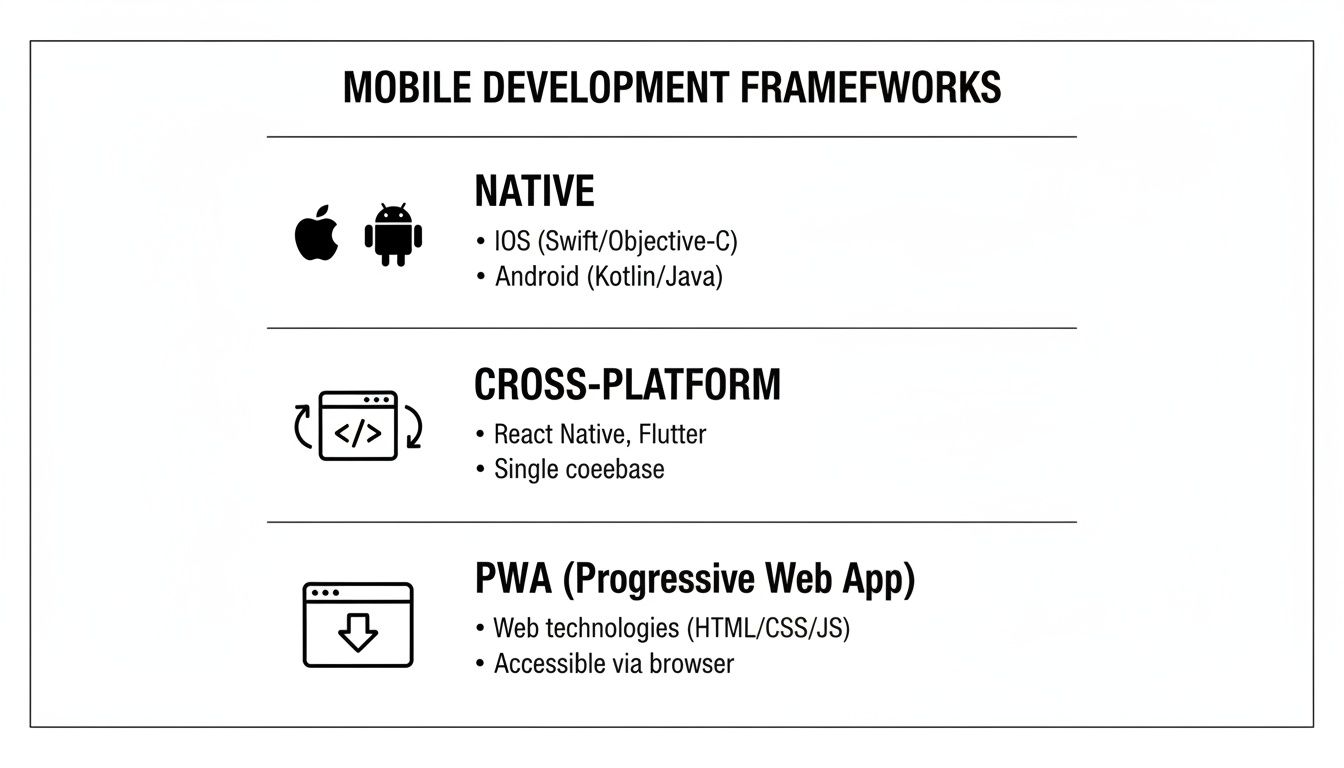
You’re either building natively for each platform, using a cross-platform tool to write code once, or delivering an app-like experience through the web with a PWA. Each has its place.
React Native And Expo
Backed by Meta, React Native lets web developers build real mobile apps using JavaScript and React. The big win here is that you can tap into the massive pool of JavaScript developers and the sprawling JS ecosystem. For many teams, this completely flattens the learning curve.
It works by having your JavaScript code control native UI components. The result is an app that looks and feels genuinely native, because under the hood, it is using native buttons, lists, and navigation elements.
You can't talk about modern React Native without mentioning Expo. It's a framework and platform that sits on top of React Native, abstracting away the gnarliest parts of mobile development. Expo handles native project configuration, build servers, and over-the-air updates, making the whole process radically faster. Expo also underpins a lot of the classroom tools in our guide to app development for kids.
React Native’s philosophy is "learn once, write anywhere." This is a massive efficiency boost for any company that already has a React website, as you can share a ton of logic between web and mobile.
Flutter
Flutter is Google's answer to cross-platform development. It’s an open-source UI toolkit that lets you build for mobile, web, and desktop from a single codebase written in the Dart language.
Unlike React Native, Flutter doesn't use the platform's native UI components. Instead, it ships its own high-performance rendering engine, called Impeller, and draws every pixel on the screen itself. This gives you total control, perfect for apps with a strong brand identity or ambitious, custom animations.
The upside of this "blank canvas" approach is guaranteed consistency; your app will look identical on a five-year-old Android and the latest iPhone. The potential downside? If you're not careful, your app can feel a bit alien if it doesn't respect the design conventions of the operating system.
Ionic
Think of Ionic as a way to package your web app for the app stores. It lets you build with the web technologies you already know, like HTML, CSS, and JavaScript, along with your favorite web framework like Angular, React, or Vue.
Your web app runs inside a native "webview," which is basically a chromeless browser window. This makes Ionic a fantastic choice for teams with deep web expertise who need to get a mobile app out the door quickly. It’s a great fit for content apps, simple storefronts, or internal business tools.
The trade-off is performance. Because it’s running in a web view, it won’t feel as snappy as a true native app, and accessing deep hardware features can be clunky. While plugins exist for things like the camera or GPS, anything more demanding can become a challenge.
For a more detailed comparison, our guide on cross-platform mobile development tools goes even deeper on these options.
NativeScript
NativeScript carves out an interesting middle ground. You write your app in JavaScript or TypeScript, but it gives you direct access to native platform APIs without a "bridge."
This architecture can lead to better performance for certain tasks, especially those that interact heavily with the underlying OS. In fact, NativeScript gives you 100% day-one access to new iOS and Android APIs, so you can use the latest platform features immediately without waiting for a framework update.
The catch is its smaller community. Compared to giants like React Native and Flutter, the NativeScript ecosystem has fewer third-party libraries, tutorials, and available developers. That can be a real risk factor for some projects.
Xamarin And .NET MAUI
Now evolved into .NET MAUI (Multi-platform App UI), this is Microsoft's framework for building cross-platform apps with C# and the .NET ecosystem. It's an obvious and powerful choice for enterprise companies already invested in Microsoft technologies.
With .NET MAUI, you share all your business logic in C# while building platform-specific UIs. This gives you the efficiency of a shared codebase with the authentic look and feel of a native app.
It integrates deeply with Visual Studio, giving C# developers a familiar and productive environment. It shines brightest when building data-heavy business apps that demand tight security and integration with other enterprise systems.
Progressive Web Apps (PWAs)
PWAs aren't really mobile apps in the traditional sense. They are websites that have been supercharged with modern browser features to act like apps. They can be "installed" on a user's home screen, send push notifications, and even work offline.
The killer features here are reach and deployment speed. A PWA is just a URL so no app store is required. And when you want to push an update, you just deploy your website. It’s instant.
But the limitations are significant. Access to native hardware is still very restricted, and core features like push notifications have notoriously spotty support, especially on iOS. They're best for simple, content-first experiences where app store distribution isn't the main goal.
Framework Comparison Matrix 2026
To make this easier to digest, we’ve put together a high-level comparison matrix. This table breaks down the key attributes of each framework to help you match them against your project needs and team skills.
Framework | Primary Language | UI Approach | Performance | Ecosystem & Community | Best For |
|---|---|---|---|---|---|
React Native | JavaScript | Native UI Components | Very Good | Massive | Teams with JavaScript skills; sharing logic with a React web app. |
Flutter | Dart | Custom Rendering Engine | Excellent | Large & Growing | Highly custom UIs; brand-first designs; complex animations. |
Ionic | HTML, CSS, JS | Web View | Good | Huge (Web) | Web dev teams; simple content apps; rapid prototypes. |
NativeScript | JavaScript/TypeScript | Native API Access | Very Good | Small | Apps needing immediate access to new native OS features. |
Xamarin/.NET MAUI | C# | Native UI Components | Very Good | Large (Microsoft) | Enterprise apps; teams invested in the Microsoft ecosystem. |
PWAs | HTML, CSS, JS | Browser-Based | Fair | Massive (Web) | Content delivery; simple tools; avoiding app stores. |
Ultimately, this choice is about finding the path of least resistance to a great product.
Every framework is just a collection of trade-offs. The "best" choice isn't a technical absolute. It's the one whose strengths best align with your team's skills, your project's goals, and your business's timeline.
When To Choose Native Development For iOS And Android
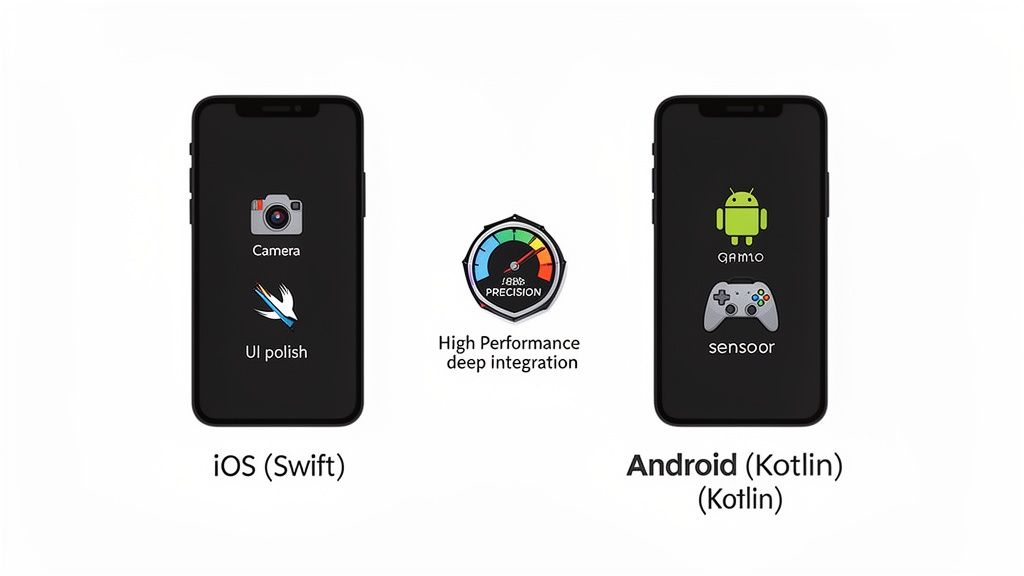
While cross-platform frameworks deliver incredible speed, native development remains the undisputed choice when raw performance and deep platform integration are the top priority. Building an app directly for iOS using Swift and for Android using Kotlin gives you a level of power and control no abstraction layer can match. This isn’t about picking the easiest route; it's about choosing the most powerful one.
Going native is a strategic investment in user experience and long-term capability. Yes, it means higher initial costs and longer development cycles from managing two separate codebases. But for certain apps, the payoff is more than worth it.
Maximizing Performance And Responsiveness
The number one reason to go native is the uncompromising need for speed. Any app that handles heavy computation, graphically demanding interfaces, or real-time data processing gains a massive advantage from having direct access to the device’s hardware.
High-Performance Gaming: Think about graphically rich games with complex physics engines or 3D rendering. Native code runs directly on the device’s CPU and GPU, letting developers extract every bit of performance for that smooth, 60+ FPS gameplay that’s out of reach for most bridged frameworks.
Augmented Reality (AR) and Virtual Reality (VR): AR and VR experiences rely on low-latency sensor fusion and real-time camera processing. Native tools like ARKit for iOS and ARCore for Android provide the most optimized path to the hardware needed for a convincing experience.
Intensive Data Processing: Financial trading apps that process live market data or scientific apps running complex simulations demand zero lag. Native code cuts out the middleman, ensuring calculations run as fast as the hardware can handle.
Choosing native is a conscious decision to prioritize the end-user experience above development speed. When your app's core value is tied to how fast, smooth, or visually impressive it is, native development is often the only way to truly deliver on that promise.
Deep Integration With Device Hardware
Cross-platform frameworks do a decent job of providing access to common hardware like the camera and GPS through plugins. But when your app needs to do something truly unique with a device's hardware, native is your only real option.
For instance, an app that needs to manipulate raw camera sensor data for professional photography or tap into specialized biometric sensors requires deep, low-level API access. Cross-platform abstractions just don't offer that level of granular control.
The same goes for apps integrating with Bluetooth Low Energy (BLE) for complex IoT device communication. These often need native code to reliably manage specific protocols and connection states that a generic plugin can't handle.
Adopting The Latest OS Features Immediately
Every year, Apple and Google release major OS updates packed with groundbreaking features, from new UI patterns to advanced AI capabilities. With a native app, your development team can start using these new APIs on day one, giving you a serious competitive edge.
Cross-platform frameworks, in contrast, have to wait for maintainers or the community to build a bridge to these new features. That can mean a delay of weeks or even months, leaving your app feeling dated while your native-built competitors are already impressing users with the latest innovations.
If being on the bleeding edge of technology is part of your brand, native development is a must.
Matching A Framework To Your Specific Use Case
Choosing the right tech stack is less about a single "best" framework and more about what fits your business. Technical specs are one thing, but the right choice aligns with your budget, your team's skills, and your timeline. It's about finding the path of least resistance from idea to launch.
Before you even think about code, you need a plan. Getting your app's features, goals, and user experience down on paper is the most critical first step. This is where a clear Product Requirements Document (PRD) becomes invaluable.
Once your requirements are clear, you can map them to the right framework. Here are our recommendations for the most common scenarios we see.
Launching A Startup MVP With A Limited Budget
For any startup, the name of the game is speed and capital efficiency. You need to get a working product in front of real users as fast as possible, and you can’t afford to build and maintain separate apps for iOS and Android. This is the sweet spot for cross-platform frameworks.
React Native and Flutter are the two clear frontrunners here. Both let you build a high-quality minimum viable product (MVP) from a single codebase, which can cut your initial development costs in half.
Pick React Native if: Your team already knows JavaScript or you want to share code with a React web app. The talent pool is massive, and its ecosystem is packed with components that will speed up your build.
Pick Flutter if: Your app’s killer feature is a highly branded, custom user interface or complex animations. Flutter’s rendering engine gives you total design control, so your app will look and feel exactly the same on every single device.
For most startups in 2026, the choice between React Native and Flutter is a strategic one. React Native offers faster ramp-up with existing web talent, while Flutter excels at delivering visually distinct, brand-forward experiences. Both are excellent choices for an MVP.
Simple Content Delivery From An Existing Website
What if your main goal is just to get your website's content onto your users' phones? If you run a blog, news site, or a simple online store, you don't always need a complex, from-scratch app.
In this situation, Ionic or a Progressive Web App (PWA) is often the fastest way to get it done.
Ionic is perfect for web dev teams who want to package their existing site into an app for the app stores. It’s a practical way to leverage your HTML, CSS, and JavaScript skills to create a functional mobile app without starting over.
A PWA gives users an app-like experience right from their browser, completely skipping the app store approval process. This is a great fit for content-heavy sites where getting updates out instantly is more important than deep hardware access.
Both options save a ton of time and money by reusing what you’ve already built for the web.
Enterprise Grade Internal Business Tools
Enterprise apps play by a different set of rules. Here, things like security, long-term support, and integration with existing corporate systems are far more important than a flashy consumer UI.
For internal tools, .NET MAUI (formerly Xamarin) and React Native are both strong contenders.
.NET MAUI is the default choice for companies already deep in the Microsoft ecosystem. Building with C# and .NET gives you seamless integration with other enterprise services and the robust security needed for tools that handle sensitive company data.
React Native has also become a powerhouse in the enterprise world, especially for companies with large teams of JavaScript developers. Its component architecture makes code reusable, which simplifies managing and scaling large, complex applications over the long haul.
Graphically Intensive Consumer Apps
When your app's entire value proposition is a beautiful, high-performance experience, for instance, high-end games, AR apps, or social platforms with fluid animations, your framework choice is everything.
You really only have two great options here: Native development (Swift/Kotlin) or Flutter.
Native gives you raw, unmatched performance and direct access to the latest OS features and hardware. If you’re pushing a device's GPU to its limits or need precise sensor data, nothing beats native code for a smooth, responsive feel.
Flutter is the strongest cross-platform alternative for this use case. Its custom rendering engine, Impeller, was built for high-performance graphics and can drive complex animations at a buttery-smooth 60+ FPS, all while maintaining a single codebase.
Accelerating App Creation With CatDoes And React Native
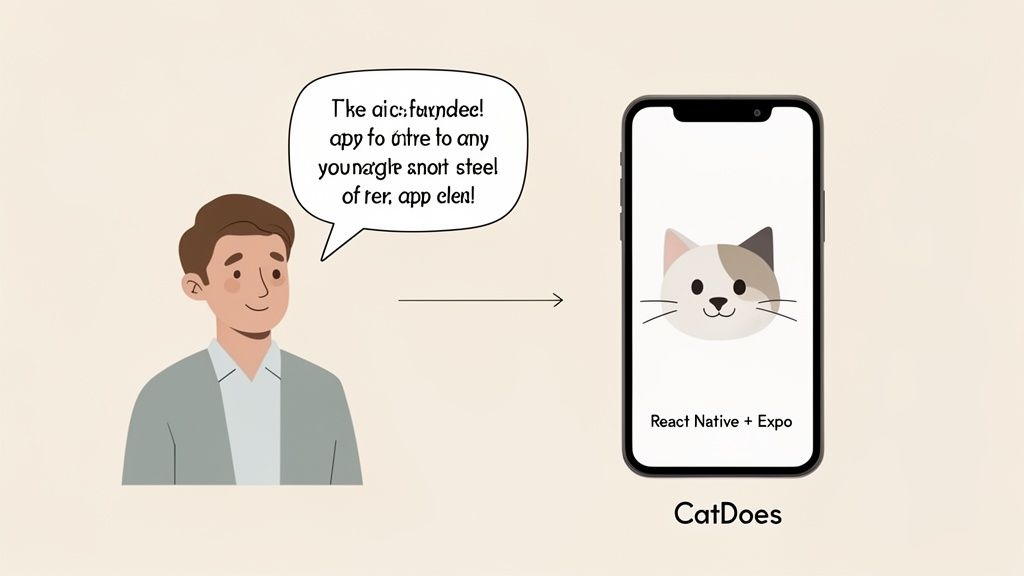
While every framework we've covered is a powerful tool in a developer's hands, they all share one thing in common: a steep learning curve and a huge time commitment. What if you could get the power and polish of a top-tier framework like React Native without writing a single line of code? This is where an AI-native approach completely flips the script for founders.
We built CatDoes to solve this exact problem. Our platform uses the proven performance and massive ecosystem of React Native and Expo as a foundation. Then, our AI agents get to work, translating your ideas from plain English into a fully functional, production-ready mobile app.
You really get the best of both worlds. The app you build is a high-performance native application, built on one of the most popular and well-supported mobile app development frameworks out there. But you get to skip the entire manual process of coding, debugging, and wrestling with configurations.
Transforming Ideas Into Code, Automatically
At its heart, CatDoes is a multi-agent system that we designed to replicate the workflow of an experienced development team, but with AI speed. When you describe what you want your app to do, our AI agents collaborate to make it happen, handling all the complex parts of app creation for you.
Here’s how our AI-native platform handles the heavy lifting:
Requirements Gathering: An agent works like a project manager, capturing your specs through conversation and turning your vision into a structured plan.
Design and UI Generation: A designer agent then crafts app themes and user interfaces based on your goals, ensuring everything looks polished and professional.
Business Logic Implementation: Finally, software agents write the actual React Native and Expo code, building out the features you’ve defined.
The platform turns your natural language inputs directly into code, which means you can iterate and make changes in minutes, not weeks. This closes the gap between your concept and a product people can actually test.
From Live Preview To Automated Release
One of the biggest bottlenecks in traditional app development is the slow feedback loop, which is the time it takes to write code, build the app, and finally see the result. We’ve designed CatDoes to make this process feel instant and intuitive.
As the AI generates code, a live preview updates in real time right in your browser. You can literally watch your app come to life. This instant feedback is critical for refining your idea on the fly and making sure the final product is exactly what you imagined.
By building on React Native and Expo, CatDoes gives non-technical founders access to world-class mobile technology. You can create a high-quality app without needing to understand the complexities of native modules or build configurations.
When you’re ready to test on a real device, you just scan a QR code. That’s it. Powered by Expo’s over-the-air updates, the app instantly loads on your iPhone or Android. This one-click testing removes all the friction of manual builds. For anyone curious, you can learn more about how a React Native app builder like CatDoes works.
Integrated Backend And Cloud Services
A mobile app is always more than what you see on the screen. It needs a solid backend for user authentication, data storage, and other functions that make it work. We integrated this directly into the platform with CatDoes Cloud, a built-in, managed backend solution.
This creates a seamless, end-to-end building experience. The same AI agents that build your frontend can also set up and connect your backend services, including:
User Authentication: Setting up secure login and registration flows.
Databases: Configuring your data models and storage.
File Storage: Letting your users upload and manage files.
This unified approach means you don’t have to piece together separate services or find a specialized backend developer. For founders and businesses, it’s a faster, more cost-effective path to launching a complete, scalable application.
Answering Your Final Questions on Mobile Frameworks
After wading through all the technical trade-offs, you're probably left with a few nagging questions. It’s one thing to compare frameworks on paper, but another to know how those details apply to your specific situation.
Let's tackle the most common questions head-on. Getting this right from the start saves you from costly rewrites and headaches down the road.
What Framework Is Best for a Solo Founder?
If you're a solo founder, especially on a tight budget, cross-platform is your best friend. Building for both iOS and Android from one codebase is a massive win for efficiency. It cuts your development time and costs significantly. Your two strongest contenders here are React Native and Flutter.
But if you need to move even faster and skip the coding entirely, a platform like CatDoes is designed for you. It builds a high-performance app using React Native and Expo, but you do it by simply describing your idea. This lets you focus completely on your business and users, not on learning to code.
The core advantage of mobile app development frameworks like these is pure efficiency. For any startup, getting to market faster with less cash is how you prove your idea works before the money runs out.
Is Native Development Still Relevant in 2026?
Absolutely. While cross-platform tools handle most apps beautifully, native development is still the king for a few very specific, high-stakes scenarios. When your entire business hinges on squeezing every last drop of performance from the device, you go native.
Think of these situations where native is the only real option:
High-Performance Gaming: Anything pushing a device’s graphical limits.
Complex Hardware Integrations: Apps that need deep, reliable access to advanced camera APIs, biometric sensors, or specialized Bluetooth functions.
Day-One OS Feature Adoption: If your app must use a brand-new iOS or Android feature the day it’s released, native is the only way to guarantee access.
Can I Switch Frameworks After I Start Development?
Technically, you can. But you really, really don't want to. Migrating from one framework to another isn't a simple "find and replace" job; it’s a complete, from-scratch rewrite of your entire application. The process will burn through your time and money, essentially forcing you to pay for development twice.
This is exactly why choosing your mobile app development framework upfront is so critical. A thoughtful decision based on your goals, budget, and long-term vision will save you from a hugely disruptive and expensive do-over later.
How Do PWAs Compare to Native or Cross-Platform Apps?
Progressive Web Apps (PWAs) are basically websites supercharged to feel more like an app inside a browser. They are a fantastic choice for content-focused sites, simple e-commerce stores, or tools where broad reach and instant updates are more important than deep device integration.
However, PWAs have real limitations when stacked against apps built with frameworks like React Native or Flutter. They have limited access to hardware, their push notification capabilities are less reliable (especially on iOS), and the overall performance just isn't as snappy. PWAs are a great tool for certain jobs, but they aren't a true replacement for a native or cross-platform app.
Ready to build your app without getting lost in code? CatDoes uses AI to turn your ideas into a high-quality React Native app, complete with a live preview and automated cloud setup. See how it works at https://catdoes.com.
Nafis Amiri
Co-Founder of CatDoes